JobAdder
Erstellt von HubSpot
Installationen - 100+ Installationen
Bewertung 2,5
(4)
Anforderungen
HubSpot-Produktversion HubSpot-Account-Berechtigungen Keine Berechtigungen erforderlich Zugriffstyp Geteilt JobAdder-Abonnement - Produktversion: Jobadder
Übersicht
1/2
Sync data between JobAdder and HubSpot without manual data entry or messy, time-consuming imports.
Here’s what you get with Data Sync by HubSpot:
- Two-way sync: Candidates, contacts and companies are shared between JobAdder and HubSpot in real time
- Default field mappings: Set-up is quick with out-of-the-box field mappings already created for you
- Historical syncing: Your existing data will sync right away, and updates will sync as they happen
Funktionen
-1.png)
Sync JobAdder and HubSpot data
Make manual data entry a thing of the past by syncing contacts between HubSpot and JobAdder. When records are created or updated in either app, that information will be automatically shared with the other one.
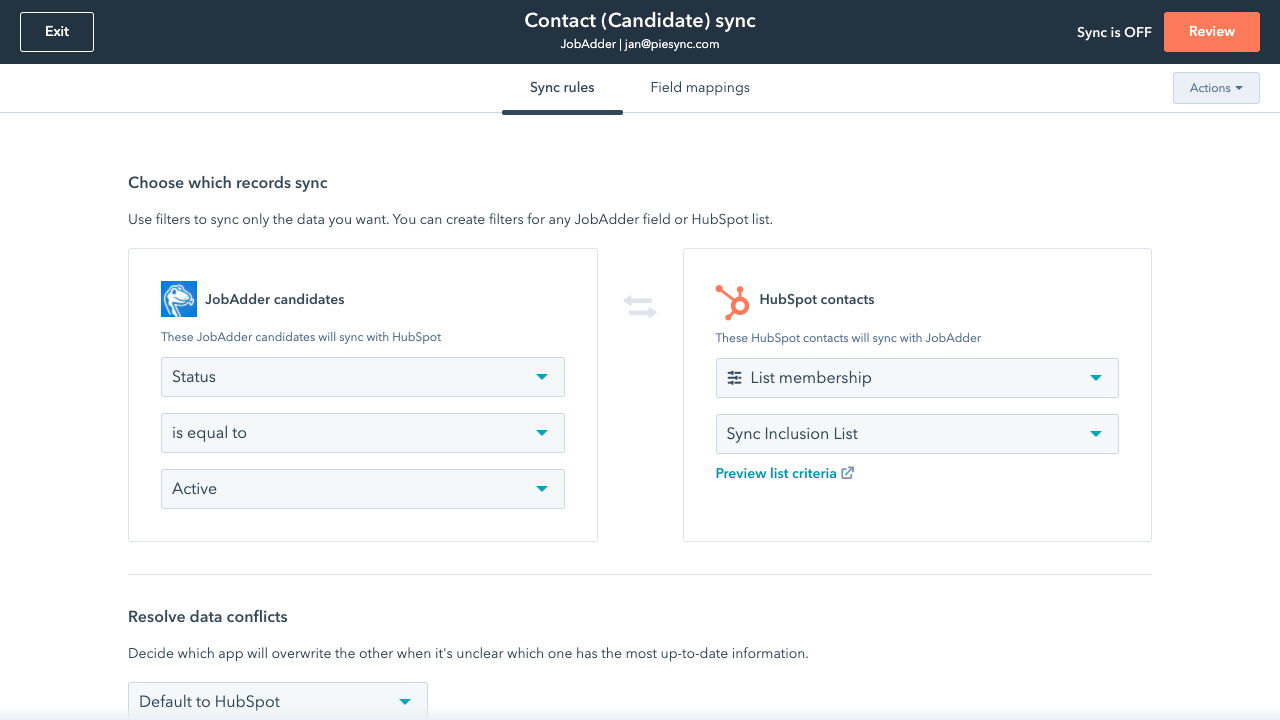
Sync only the data you want
You’re in control of your data. You can set up a one- or two-way sync, which means you can either sync data from only one app to the other or back-and-forth between both apps. You can also add a filter for any JobAdder field (like Status) or HubSpot list to sync exactly what you want—and nothing you don’t.
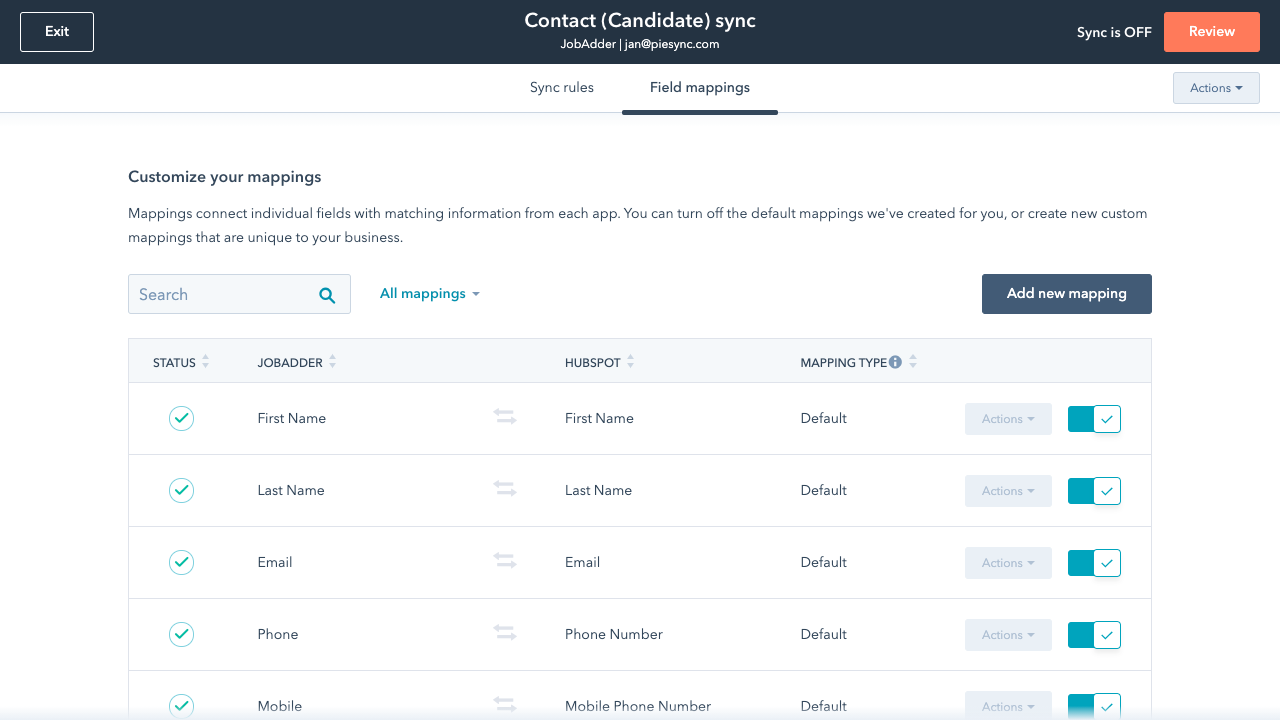
Default field mappings
Field mappings connect matching information in each app—and we’ve already created them for you. Our out-of-the-box default field mappings make set-up quick and keep your data clean and organized. Plus, there are no surprises: You can see exactly which fields come already mapped in the “Shared data” section below.
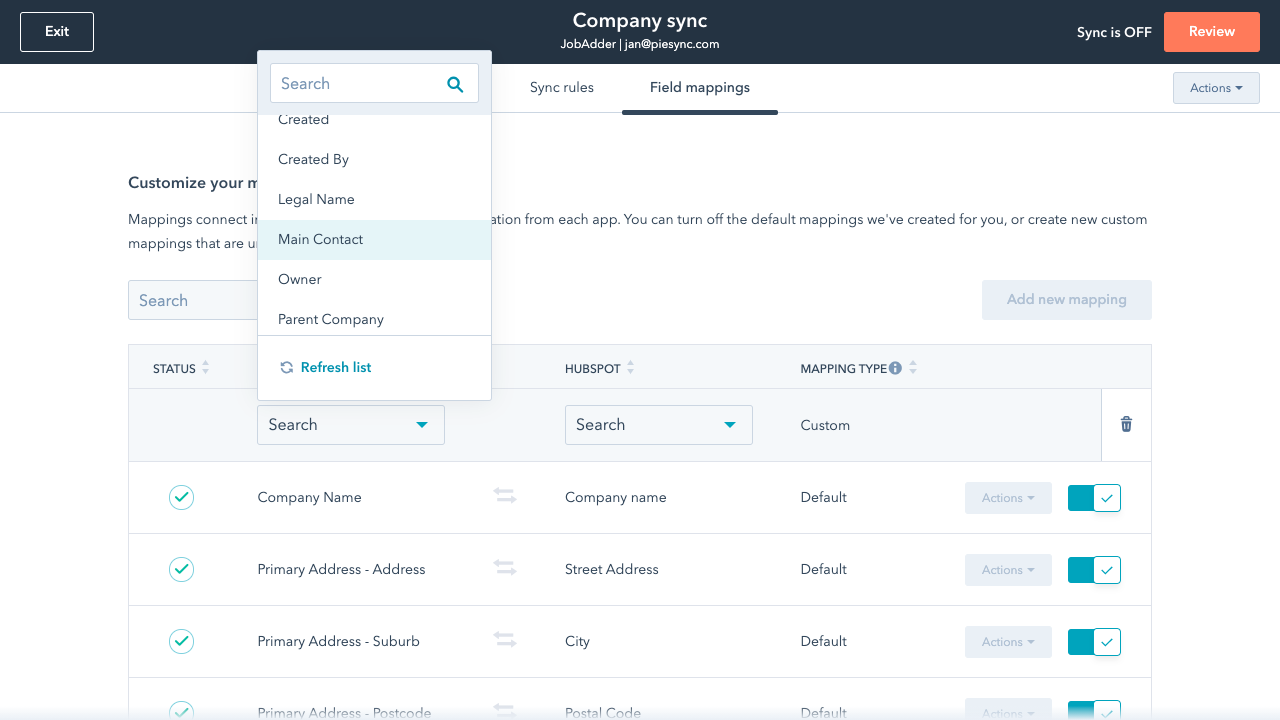
Custom field mappings
Custom field mappings are available with Data Hub Starter or Professional plans. Custom mappings add the flexibility to create your own mappings or make changes to your default ones.
App-Funktionalität
Datenaustausch
Each object has field mappings that connect matching information from each app. Default mappings are listed below. If you want to change these default mappings or create your own, custom field mappings are available with Data Hub Starter and up.
Candidates | ||
Companies | ||
Contacts |
Rezensionen
2,5
4
2,5
4
- 13. Jan. 2024
JobAdder needs to update and offer what Bullhorn sync as a minimum
Currently the sync only works with candidates, clients and companies whereas Bullhorn's HubSpot sync does this as well as notes, appointments and more. JobAdder you need to update
It is our recruitment ATS
Drew, S.
Personalbeschaffung - 2 bis 5 Mitarbeitende
- 22. Aug. 2023
Add opportunity (jobadder) / deal (HubSpot) bidirectional sync
Jobadder works well enough but we need to be able to sync more data types -- notably deals in HubSpot to opportunities in Jobadder, ideally notes as well -- between the tools.
ATS
ATS
integration limitations
Siksik, K.
Technologie – Software - 51 bis 200 Mitarbeitende
Jobadder
0 $
Follow pricing link on the right to get in touch
JobAdder has not provided pricing information for this product or service, please contact JobAdder via the link on the right.
Jobadder
0 $
Follow pricing link on the right to get in touch
JobAdder has not provided pricing information for this product or service, please contact JobAdder via the link on the right.
* Die hier angegebenen Preise dienen nur zu Illustrationszwecken. Alle Preise enthalten keine Steuern, Sonderangebote, Rabatte oder sonstigen Preisvarianten. Bitte wenden Sie sich direkt an den Partner, um aktuelle und korrekte Preisinformationen zu erhalten. HubSpot übernimmt keine Verantwortung für Preisinformationen, die von unseren Partnern bereitgestellt werden. Letzte Aktualisierung der Preisinformationen: 03.09.2025
Weitere Infos
Erstellt von HubSpot
Installationen - 100+ Installationen
Kategorien Sprachen, in denen diese App verfügbar ist Englisch