
QuickBooks Online
Anforderungen
HubSpot-Produktversion HubSpot-Account-Berechtigungen Keine Berechtigungen erforderlich Zugriffstyp Geteilt QuickBooks Online-Abonnement - Produktversionen: Einfacher Einstieg, Das Wichtigste, Außerdem oder Fortgeschritten
Übersicht

1/6 - Tools verbinden, um Daten bidirektional zu synchronisieren
Die QuickBooks Online-Integration von HubSpot ermöglicht es Ihnen, Daten zwischen den Tools zu verknüpfen, um einen umfassenden Überblick über Ihre Kunden zu erhalten, Ihre Rechnungs- und Zahlungsprozesse zu optimieren und eine genaue Buchführung zu gewährleisten.
Synchronisieren Sie Daten zwischen HubSpot und QuickBooks Online mit nur wenigen Klicks
Synchronisieren Sie Rechnungen, Kontakte/Kunden und Produkte bidirektional zwischen HubSpot und QuickBooks Online. Unabhängig davon, ob Rechnungen, Kunden, Produkte oder Zahlungen in HubSpot oder QuickBooks Online erstellt werden, bietet die Integration eine vollständige Kundenübersicht in HubSpot. Die synchronisierten Daten können zur Erstellung von Berichten, zum Auslösen von Automatisierungen oder einfach zur Einsicht durch Benutzer mit den entsprechenden Berechtigungen genutzt werden, ohne dass HubSpot jemals verlassen werden muss.
Sie entscheiden, welche Daten synchronisiert werden sollen und in welche Richtung die Synchronisierung erfolgt. Die Daten werden in regelmäßigen Abständen synchronisiert, und Sie können die Synchronisierung auch auf Abruf durchführen, wenn Sie die neuesten Aktualisierungen benötigen. Die Statusberichte und Benachrichtigungen der Integration identifizieren Datensätze, deren Synchronisierung fehlgeschlagen ist, und geben hilfreiche Empfehlungen zur Behebung von Synchronisierungsfehlern.
Optimieren Sie Ihren Abrechnungsprozess und halten Sie QuickBooks Online auf dem neuesten Stand
Revenue Hub bietet Tools wie Angebote, Rechnungen, Abonnements und Zahlungslinks, die Ihnen bei der Rechnungsstellung an Kunden und beim Einzug von Zahlungen helfen. Erstellen Sie Rechnungen von Grund auf neu oder wandeln Sie Angebote oder Geschäfte in Rechnungen oder Abonnements um – alles innerhalb von HubSpot. Durch die bidirektionale Rechnungssynchronisierung werden HubSpot-Rechnungen in QuickBooks Online erstellt, während Zahlungen automatisch synchronisiert werden.
Revenue Agent unterstützt Sie bei der Verwaltung offener Rechnungen mit personalisierten Inkassoplänen, Zahlungserinnerungen, Nachfassaktionen und Eskalationen, die zur Genehmigung vorgelegt werden. Befähigen Sie Ihren Kundenservice, Rechnungen zu versenden und das Inkasso zu verwalten, damit sich Ihr Buchhaltungsteam auf die finanzielle Gesundheit Ihres Unternehmens konzentrieren kann.
Funktionen
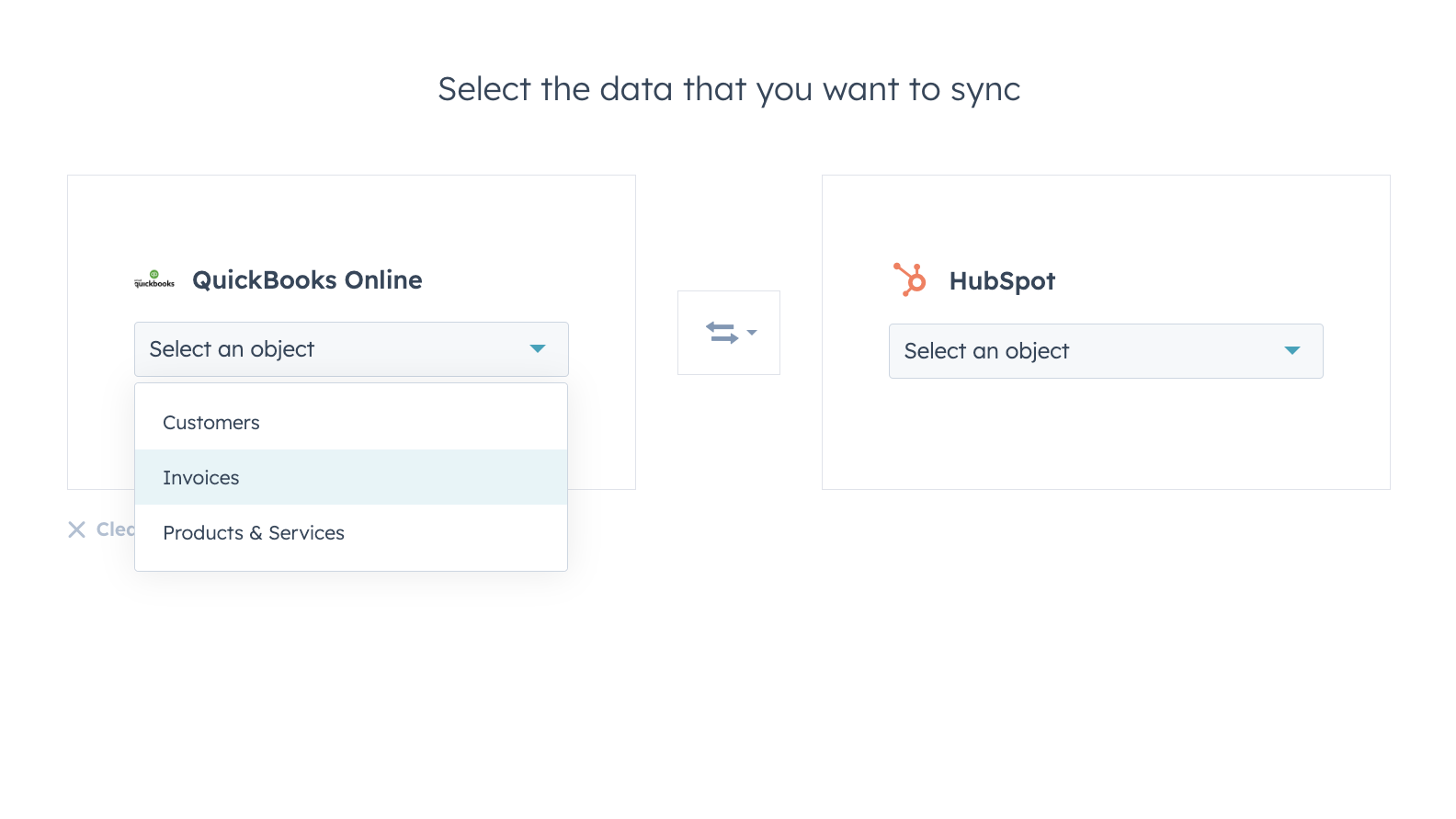
Synchronisieren Sie Daten zwischen HubSpot und QuickBooks Online ganz ohne Bedenken
Kontakte, Rechnungen und Produkte können mit HubSpot synchronisiert werden – entweder von HubSpot oder in beide Richtungen. Mit den Synchronisierungsfiltern der Integration haben Sie die volle Kontrolle darüber, welche Daten wann und wie zwischen HubSpot und QuickBooks Online synchronisiert werden.
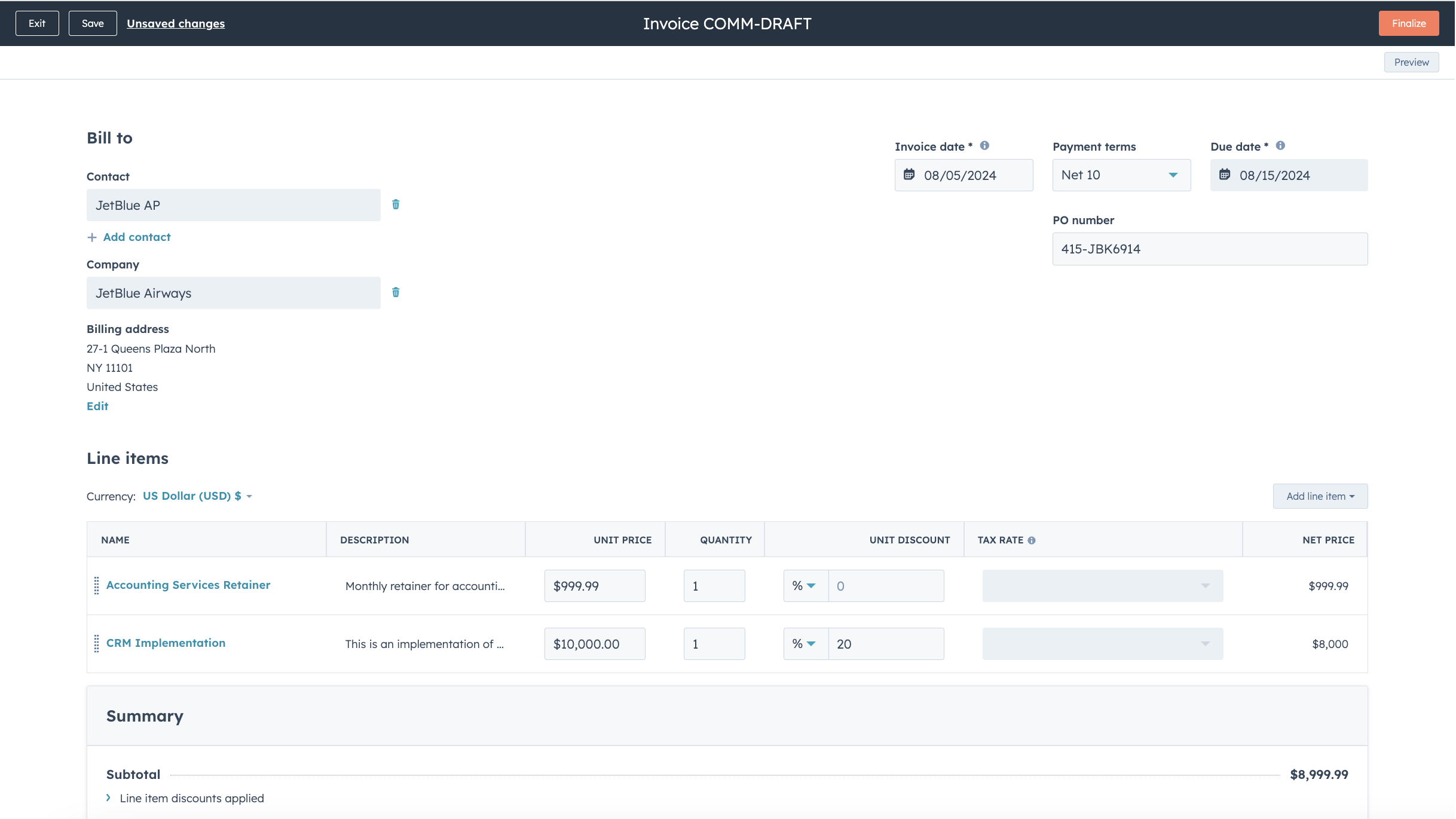
Optimieren Sie Ihren Abrechnungsprozess und halten Sie QuickBooks Online auf dem neuesten Stand
Wandeln Sie Angebote und Abschlüsse mit nur wenigen Klicks in Rechnungen und Abonnements um oder erstellen Sie Rechnungen von Grund auf neu, um Ihren Abrechnungsprozess zu beschleunigen. Veröffentlichte Rechnungen werden mit QuickBooks Online synchronisiert und mit Zahlungen aktualisiert, sobald diese über HubSpot beglichen werden oder in QuickBooks Online erfasst werden.
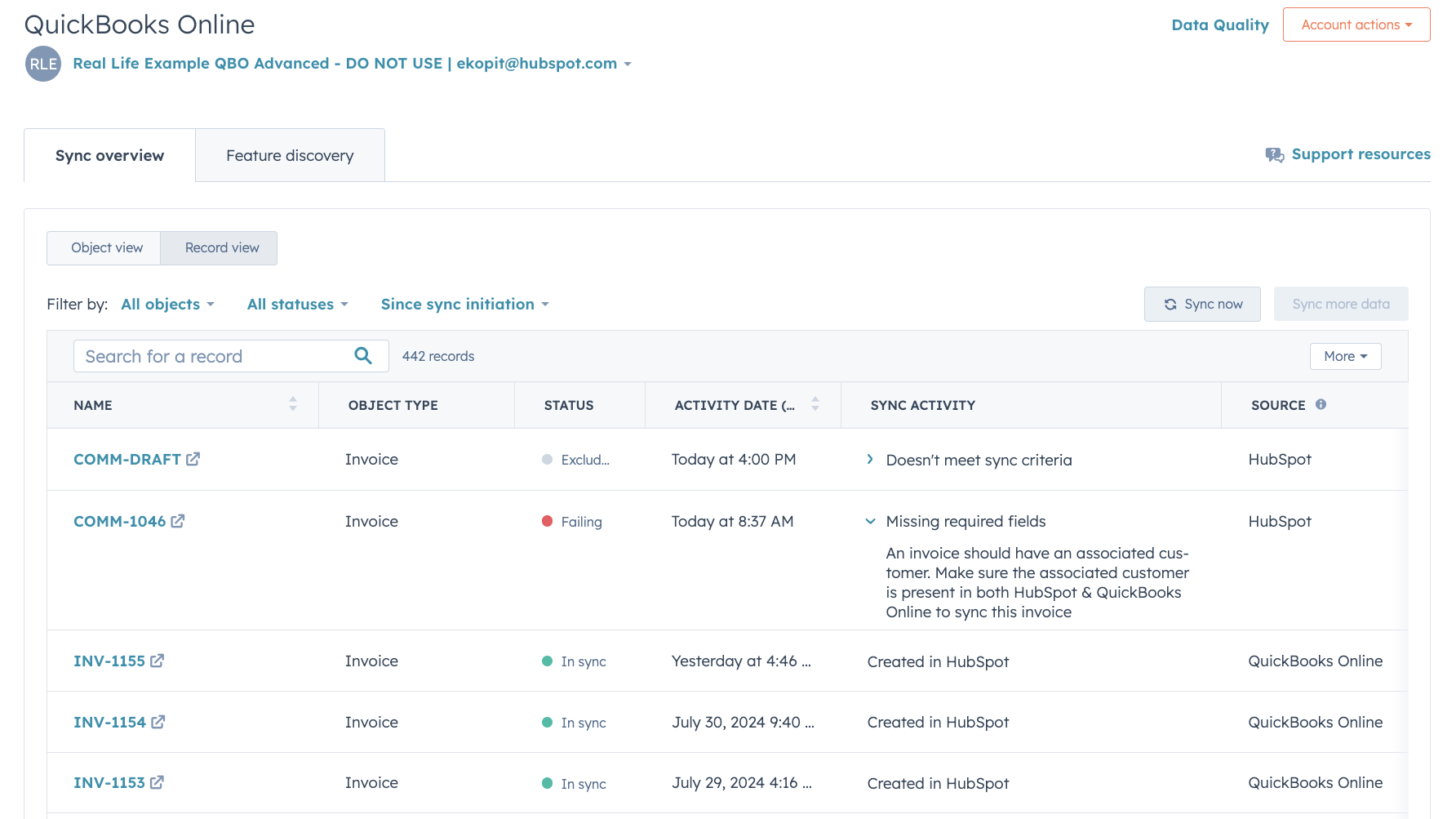
Ausführliche Berichte zum Synchronisierungsstatus und zur Fehlerbehebung
Dank detaillierter Berichte zum Synchronisierungsstatus können Sie in Echtzeit erkennen, welche Datensätze gerade synchronisiert werden, und erfahren, wie Sie Synchronisierungsfehler schnell beheben können.
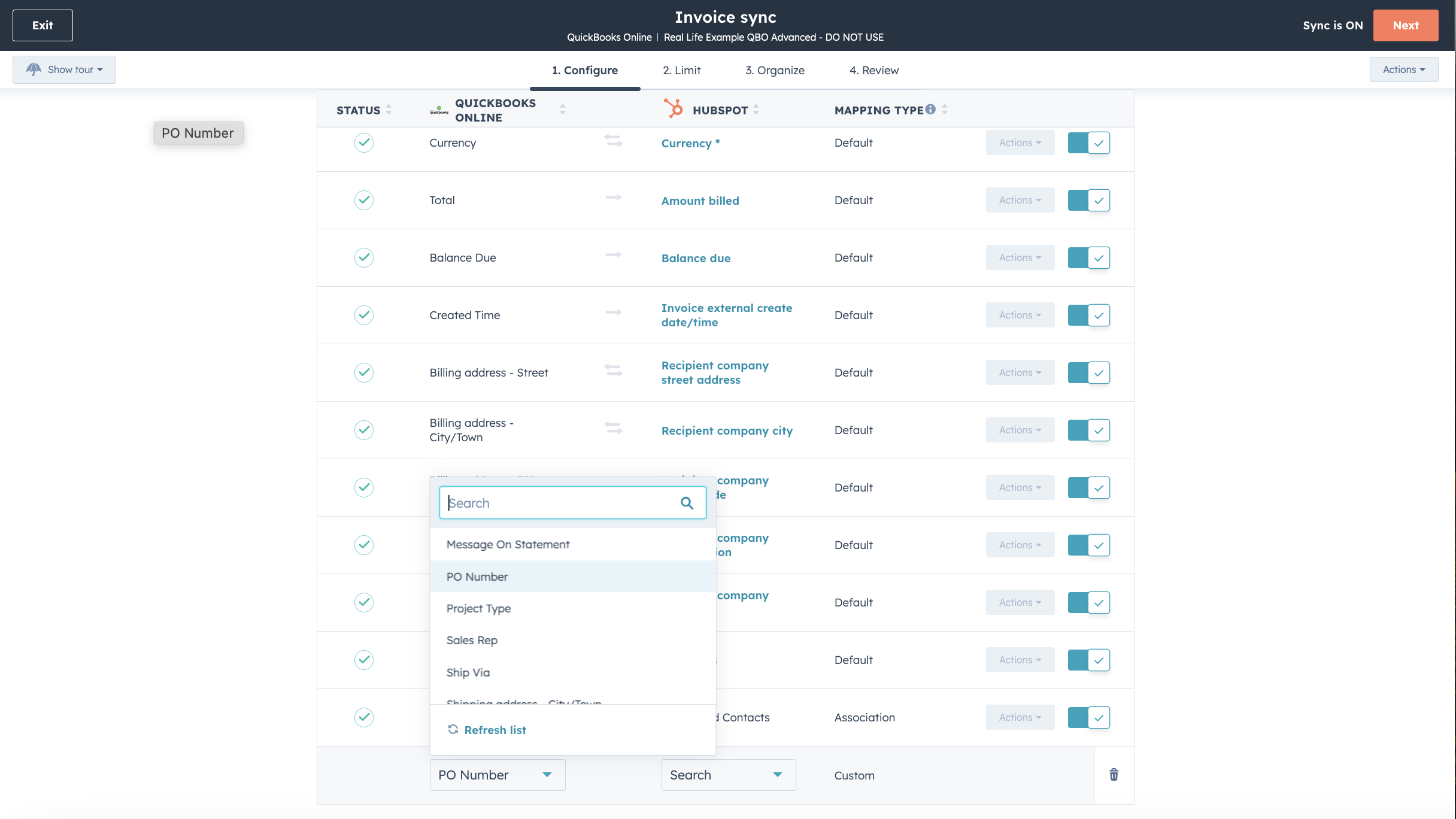
Passen Sie Ihre Feldzuordnungen an
Mit Operations Hub Starter oder einer höheren Version können Sie die Feldzuordnungen für Rechnungen, Kontakte oder Produkte so anpassen, dass sie besser zu Ihrem Datenmodell passen.

Funktioniert mit Data Studio im Data Hub
Das speziell für Marketingfachleute entwickelte Data Studio im Data Hub ermöglicht es jedem, Daten mithilfe von KI in einer vertrauten, tabellenkalkulationsähnlichen Oberfläche zusammenzuführen. Erstellen Sie benutzerdefinierte Datensätze, die eine erweiterte Segmentierung, Automatisierung und Berichterstellung ermöglichen. Außerdem können Sie den Datenfluss zwischen mehreren externen Datenquellen, darunter Stripe und das HubSpot-CRM, ganz einfach verwalten.
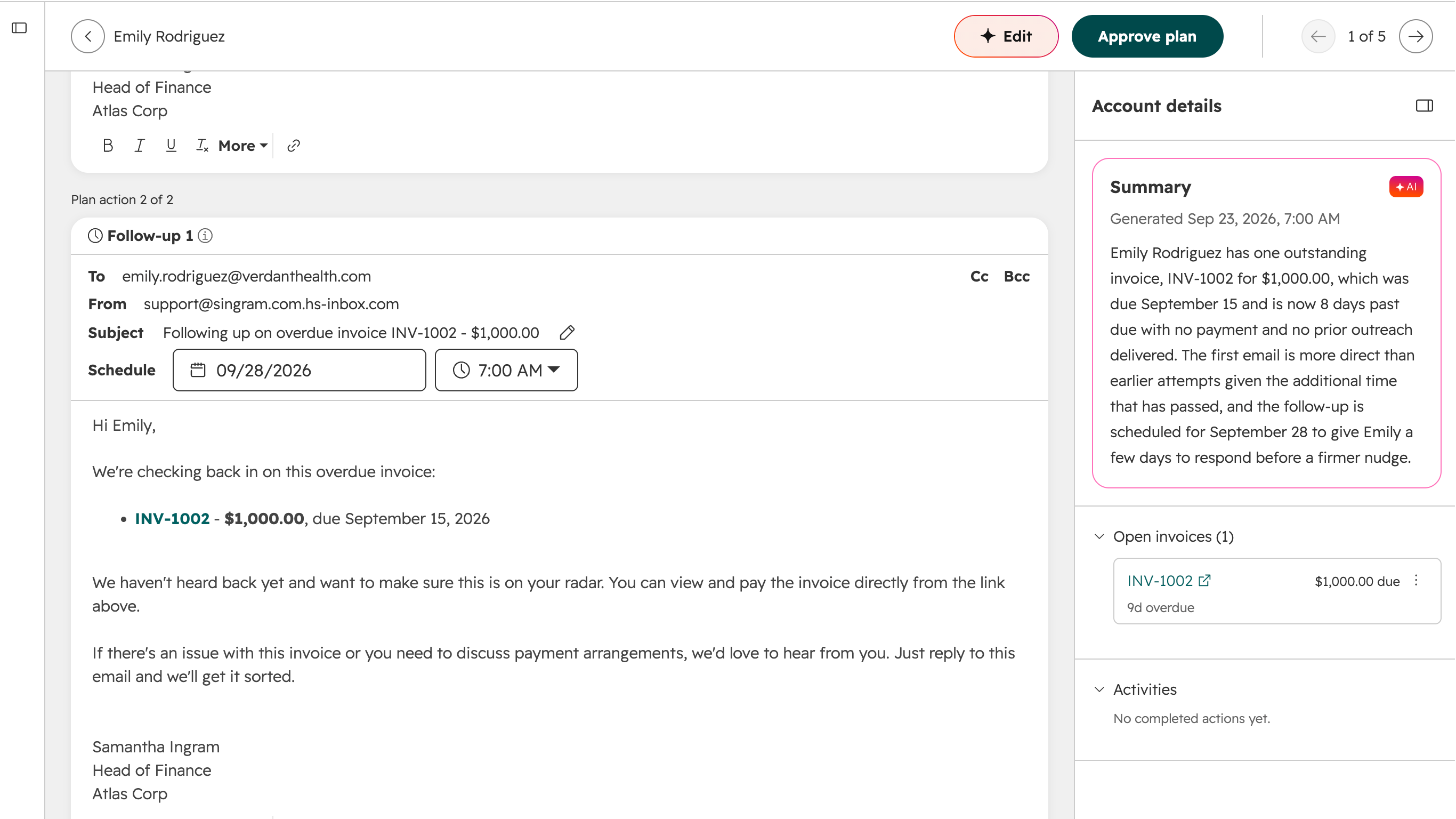
Nutzen Sie „Revenue Agent“ für die automatisierte Eintreibung von Forderungen
Revenue Agent überwacht ausstehende QuickBooks Online-Rechnungen, die mit HubSpot synchronisiert wurden, und erstellt individuelle Inkassopläne mit Erinnerungen, Nachfassaktionen und Eskalationen. Revenue Agent passt jeden Plan an, sobald sich die Rechnungs- und Zahlungsdetails ändern.
App-Funktionalität
Jedes Objekt verfügt über Feldzuordnungen, die Informationen zwischen HubSpot und QuickBooks Online miteinander verknüpfen. Die Standardzuordnungen sind unten aufgeführt. Um die Standardzuordnungen zu ändern, ist „Operations Hub Starter“ oder eine höhere Version erforderlich. QuickBooks Online bietet in seiner API nur eingeschränkte Unterstützung für benutzerdefinierte Felder (maximal 3, ausschließlich auf Rechnungen).
Customers | ||
Invoices | ||
Products & Services | ||
QuickBooks Online data |
Rezensionen
2,1
106
2,1
106
Nutzer berichten von doppelten Datensätzen, Fehlern beim B2B-Datenabgleich und Inkompatibilität mit Steueranforderungen außerhalb der USA sowie vom Wegfall älterer Funktionen wie der PDF-Anzeige und der Erstellung von Rechnungsentwürfen. Einige Nutzer schätzen jedoch die Möglichkeiten zur individuellen Feldzuordnung und sind der Meinung, dass die Nachverfolgung des Zahlungsstatus direkt im CRM ihre Rechnungsstellungsabläufe optimiert.
- 17. Sep. 2026
Problem bei der Synchronisierung
HubSpot konnte die historischen Daten nicht synchronisieren
Kadri, S.
- 23. Aug. 2026
Zu viele unnötige Funktionen für
Es verfügt über gute Funktionen, die vermutlich für Buchhalter nützlich sind, aber nicht unbedingt für Unternehmer.
Weltweit anerkannt
Zu viele unnötige Funktionen, überteuert für meine Bedürfnisse, miserabler Kundenservice.
Martínez-Díaz, J.
Einfacher Einstieg
35 $
/MonatEinnahmen und Ausgaben nachverfolgen
Belege erfassen und ordnen
Steuerabzüge maximieren
Rechnungen erstellen und Zahlungen entgegennehmen
Meilen aufzeichnen
Kostenvoranschläge versenden
Umsatz und Umsatzsteuer nachverfolgen
1099-Auftragnehmer verwalten
Allgemeine Berichte ausführen
Einfacher Einstieg
35 $
/MonatEinnahmen und Ausgaben nachverfolgen
Belege erfassen und ordnen
Steuerabzüge maximieren
Rechnungen erstellen und Zahlungen entgegennehmen
Meilen aufzeichnen
Kostenvoranschläge versenden
Umsatz und Umsatzsteuer nachverfolgen
1099-Auftragnehmer verwalten
Allgemeine Berichte ausführen
* Die hier angegebenen Preise dienen nur zu Illustrationszwecken. Alle Preise enthalten keine Steuern, Sonderangebote, Rabatte oder sonstigen Preisvarianten. Bitte wenden Sie sich direkt an den Partner, um aktuelle und korrekte Preisinformationen zu erhalten. HubSpot übernimmt keine Verantwortung für Preisinformationen, die von unseren Partnern bereitgestellt werden. Letzte Aktualisierung der Preisinformationen: 25.09.2026
Weitere Infos
Erstellt von - HubSpot
Installationen - 15 Tsd. Installationen
Kategorien Sprachen, in denen diese App verfügbar ist Chinesisch ,Englisch ,Französisch ,Italienisch undSpanisch