
Coupler.io
インストール数 - 2千件のインストール
評価 3.6
(15)

必要な条件
HubSpotエディション HubSpotアカウント権限 - 必要なアカウント権限を表示
アクセス権のタイプ 共有 Coupler.ioの契約内容 - プラン:Free、またはStarter、またはActive、またはPro、またはBusiness
概要
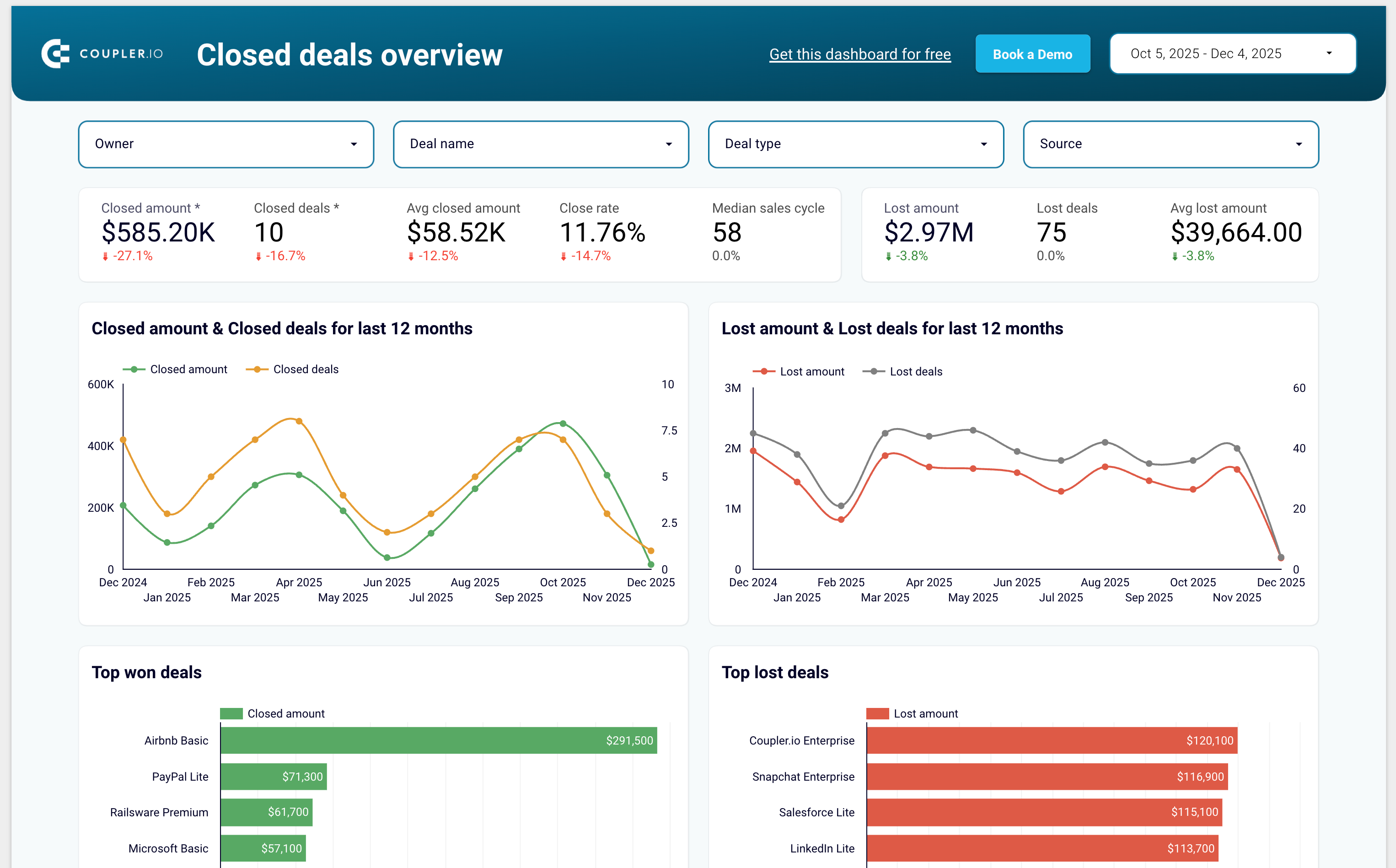
1/7 - Sales KPI dashboard template for HubSpot
Coupler.io is a no-code data integration and AI analytics platform that centralizes business data from 400+ sources and turns it into actionable insights. It’s ideal for data analysts and business teams across Finance, Marketing, Sales, and Leadership who need fast, reliable, and automated reporting.
With Coupler.io, you can automatically export and sync data from HubSpot, Google Analytics, Facebook Ads, Salesforce, Shopify, QuickBooks Online, and many other business tools.
The platform lets you blend HubSpot data with cross-channel marketing, sales, and finance data to build complete multi-source reports without writing code.
You can load your data into Google Sheets, Excel, Looker Studio, Power BI, and data warehouses such as BigQuery, Redshift, and Snowflake.
Coupler.io also supports AI destinations, allowing you to chat with your business data inside AI tools like ChatGPT, Claude and more.
Coupler.io offers pre-built dashboard templates for HubSpot including:
Sales KPI dashboard to overview sales metrics and KPIs
CRM dashboard to understand HubSpot sales and track the team performance
Customer acquisition dashboard to monitor your acquisition funnel
Marketing and sales performance dashboard to overview your full funnel
機能
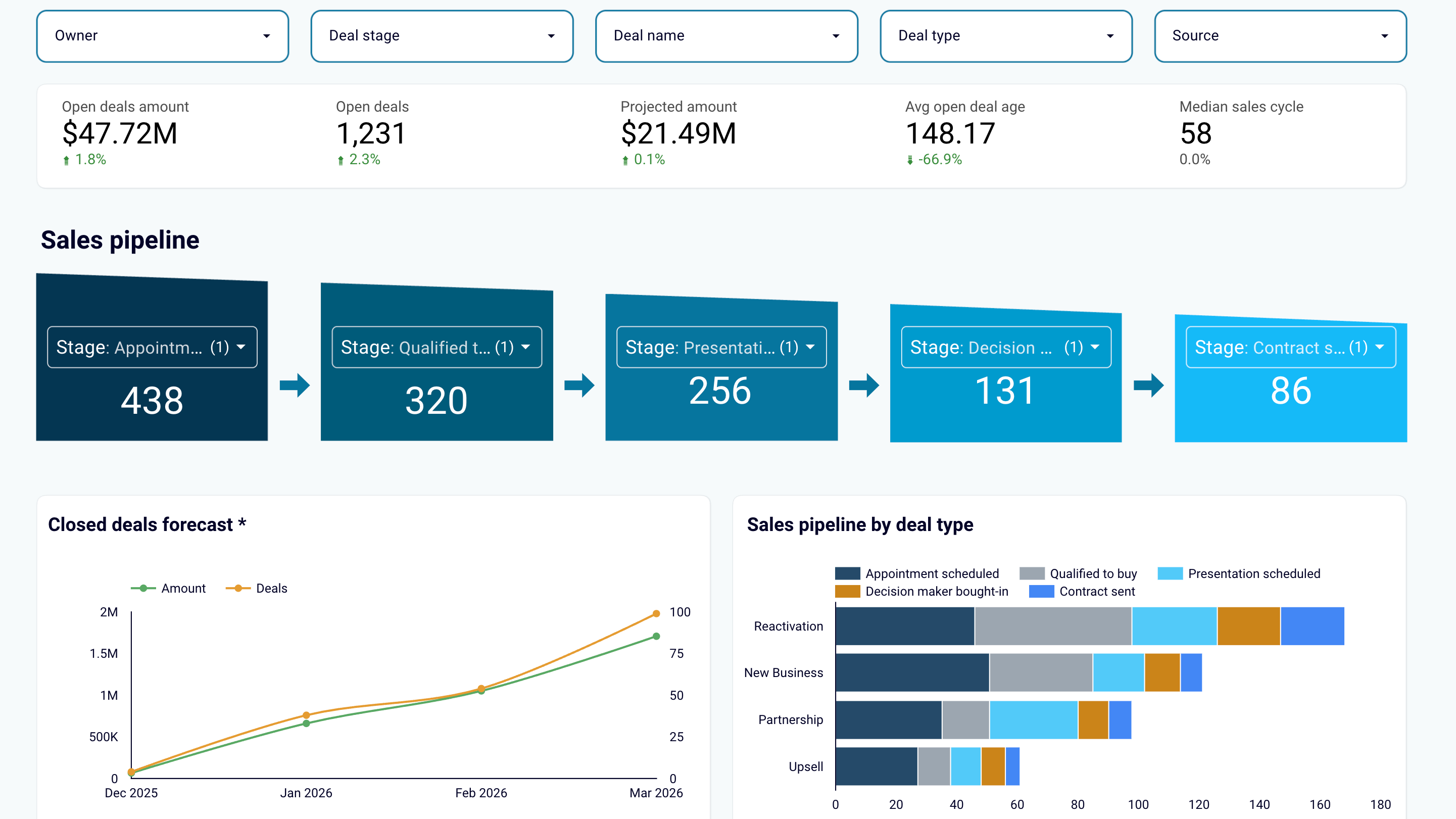
Create sales reports or use predesigned dashboard templates
Export data from HubSpot and transform it into simple reports that you can load to spreadsheets (Google Sheets, Excel) or BI tools (Looker Studio, Power BI, Tableau). Create auto-updating sales dashboards or use the predesigned templates in the data visualization tools you prefer. Track sales results and derive insights to maximize revenue.
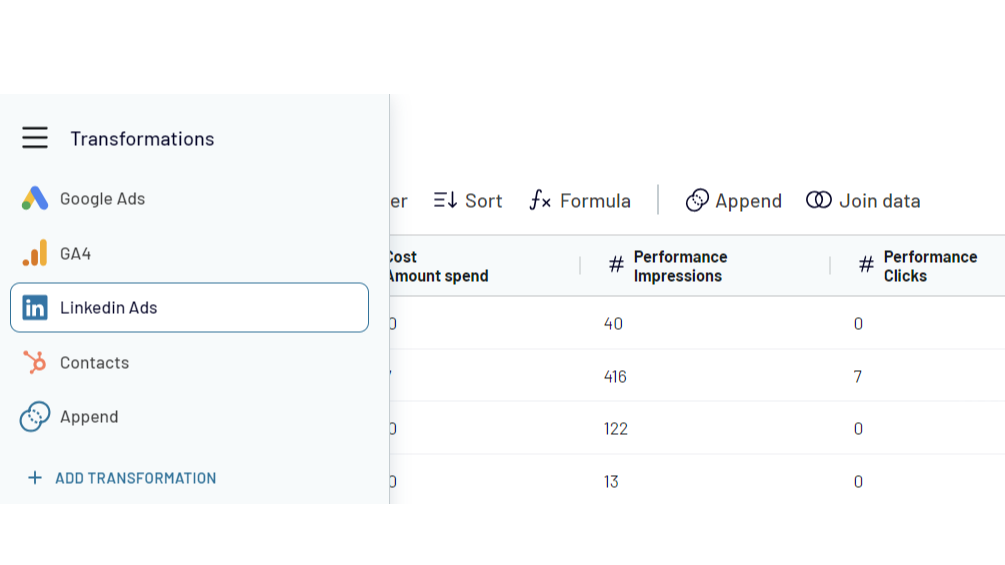
Combine HubSpot data with information from other apps
Create cross-channel reports by collecting data from multiple sources. Export data from HubSpot CRM and aggregate it with the information from other apps such as Shopify, QuickBooks, Xero, Facebook Ads, LinkedIn Ads, Google Analytics 4. Choose from 400+ data sources!
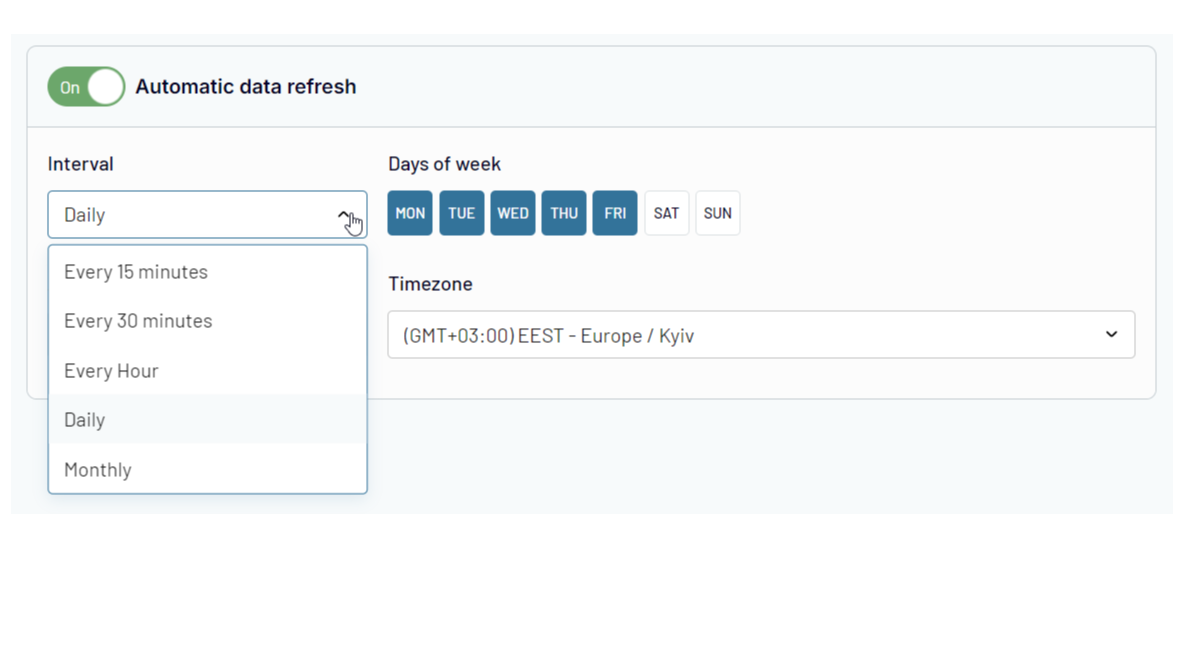
Automate data exports and reporting at your company
Forget about manual copy-pasting! Use Coupler.io's automatic data refresh functionality to schedule HubSpot data import to the selected destination. Ensure that your reporting is always 100% up-to-date and lacks human errors.
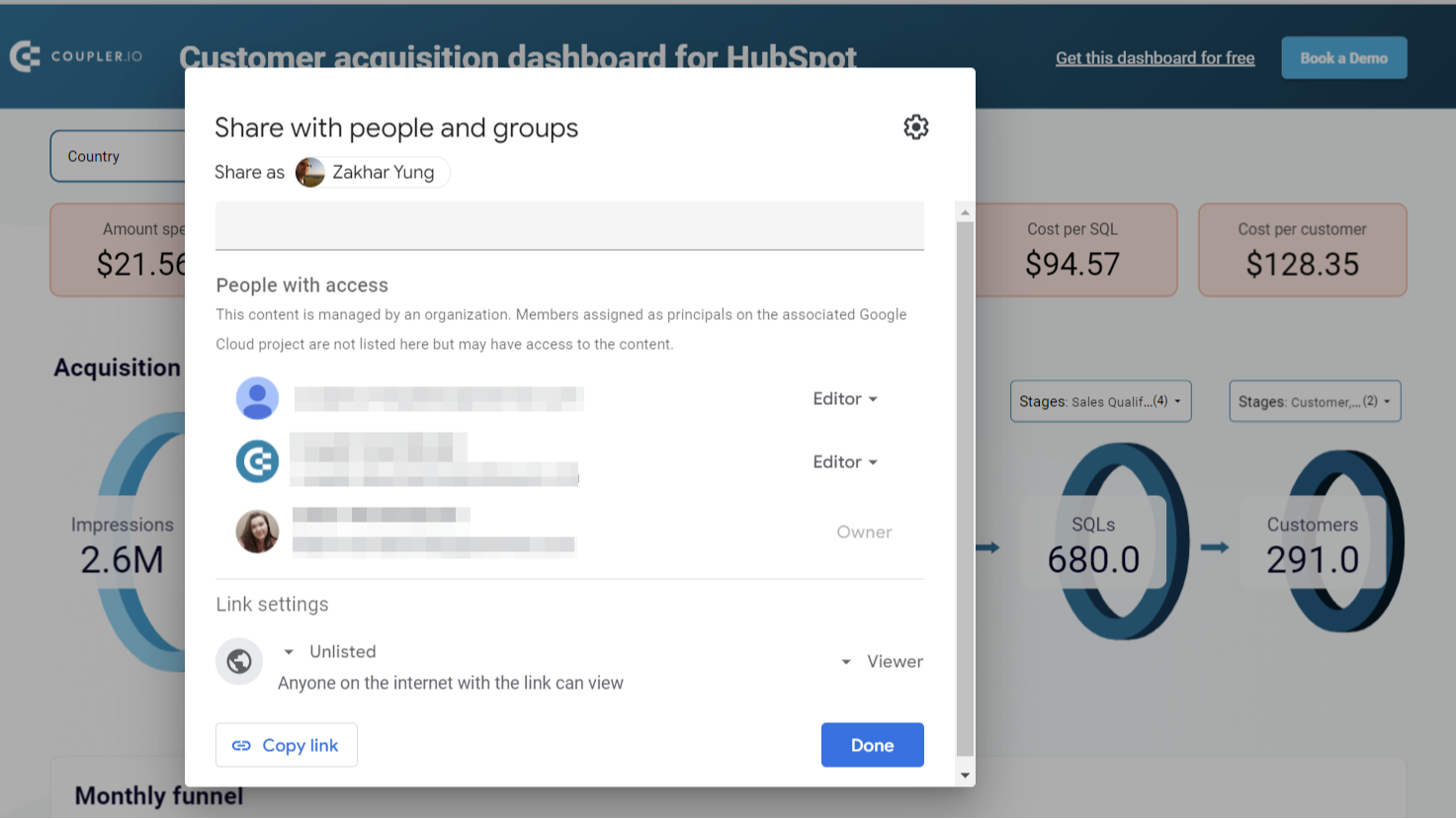
Share sales data with the team and stakeholders
Ensure your colleagues or stakeholders can track sales performance metrics and other CRM data without access to your HubSpot account. Export HubSpot data to shareable spreadsheets or provide view-only access to the reports you’ve created in BI tools. This approach allows you to manage sales data accessibility easily and make changes as needed.
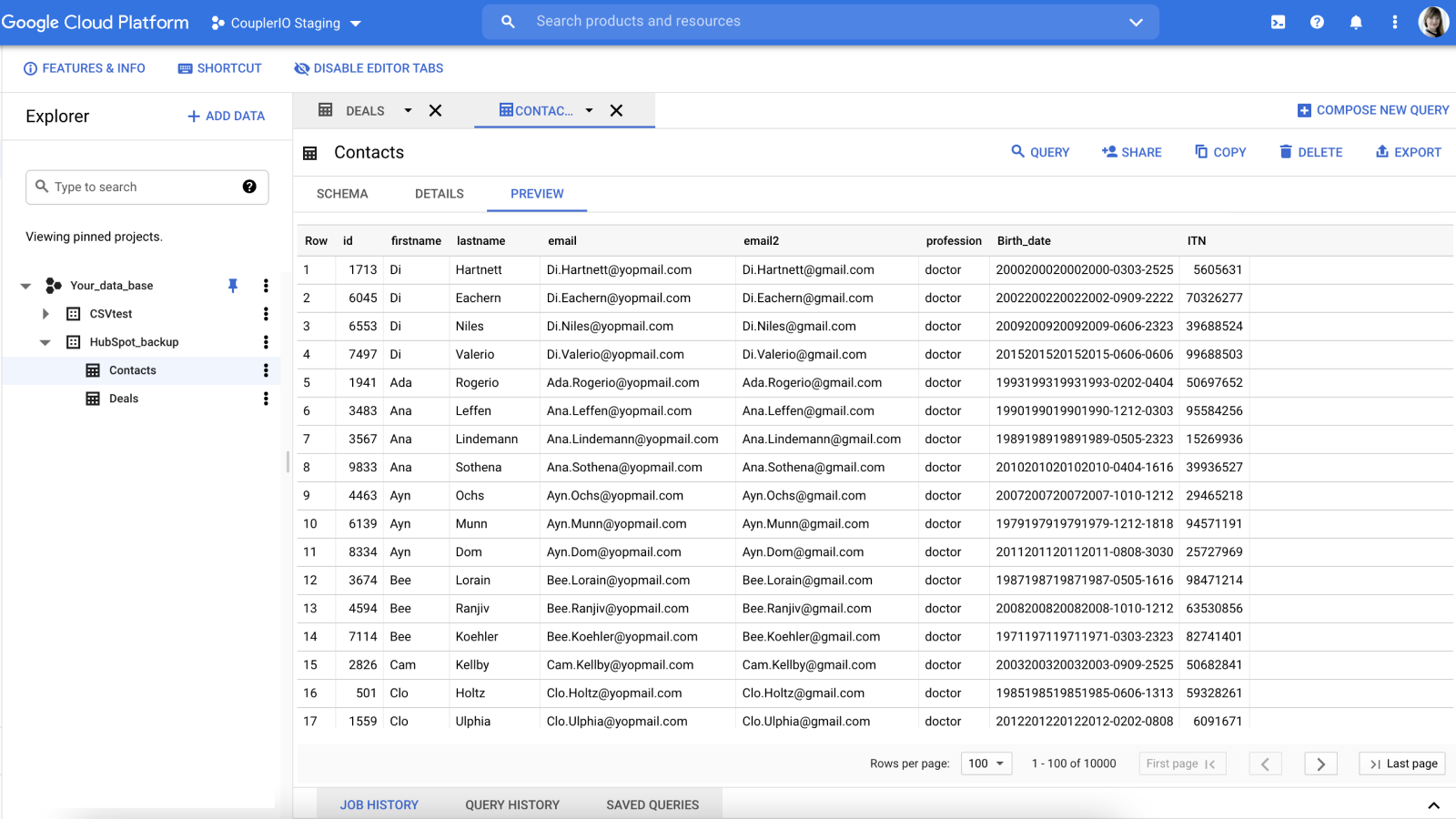
Create secure automated data backups
Keep an encrypted copy of your sales data in Google BigQuery cloud storage. Set up HubSpot integration with a few clicks and back up your data automatically on an hourly, daily, or weekly basis.
アプリ機能
共有されるデータ
Google Sheets / Excel / BigQuery / Looker Studio / Power BI / monday.com | ||
Google Sheets / Excel / BigQuery / Looker Studio / Power BI / monday.com | ||
Google Sheets / Excel / BigQuery / Looker Studio / Power BI / monday.com | ||
Google Sheets / Excel / BigQuery / Looker Studio / Power BI / monday.com | ||
Google Sheets / Excel / BigQuery / Looker Studio / Power BI / monday.com | ||
Google Sheets / Excel / BigQuery / Looker Studio / Power BI / monday.com | ||
Google Sheets / Excel / BigQuery / Looker Studio / Power BI / monday.com | ||
Google Sheets / Excel / BigQuery / Looker Studio / Power BI / monday.com | ||
Google Sheets / Excel / BigQuery / Looker Studio / Power BI / monday.com | ||
Google Sheets / Excel / BigQuery / Looker Studio / Power BI / monday.com | ||
Google Sheets / Excel / BigQuery / Looker Studio / Power BI / monday.com | ||
Google Sheets / Excel / BigQuery / Looker Studio / Power BI / monday.com | ||
Google Sheets / Excel / BigQuery / Looker Studio / Power BI / monday.com | ||
Google Sheets / Excel / BigQuery / Looker Studio / Power BI / monday.com | ||
Google Sheets / Excel / BigQuery / Looker Studio / Power BI / monday.com |
確認
3.6
15
3.6
15
- 2026年5月13日
良いトレイル
当初は無料のツールのように見えたが、結局は限定的だった。インストールが簡単で、うまく機能している
取り付けが簡単
ニーズに見合った価格
Boekholt, J.
- 2026年3月8日
取引予測には最適だが、大きなデータセットでは同期がクラッシュする。
全体的に、取引情報を予測やキャッシュフローに取り込むという私たちのユースケースには最適です。 大きなデータセットを取得しようとすると、同期がクラッシュすることがあるので、その前に特定のデータをフィルタリングする必要があります。
かなり直感的に使用でき、一度セットアップすればリフレッシュは簡単だ。
大きなデータは問題を引き起こす可能性がある
McNamara, L.
価格
Free
$0
For newcomers and personal projects that only require one active no-code data connection.
1 user
1 account
1 data source
1 data destination
100 rows/run
Manual data refresh
Free
$0
For newcomers and personal projects that only require one active no-code data connection.
1 user
1 account
1 data source
1 data destination
100 rows/run
Manual data refresh
* こちらの価格は参考表示価格です。どの価格にも税、インセンティブ、値引など、価格に関する変動要素は含まれていません。価格に関する正確な最新情報については、この提供元パートナーまでお問い合わせください。HubSpotは、パートナー各社が提供する価格情報について一切の責任を負わないものとします。価格の最終更新:2025/12/10
その他の情報
開発元 - Railsware Products Studio LLC
インストール数 - 2千件のインストール
カテゴリー このアプリが対応している言語 英語