

必要な条件
HubSpotエディション HubSpotアカウント権限 - 必要なアカウント権限を表示
アクセス権のタイプ 共有 Workflow Data Format Actionsの契約内容 - プラン:無料、またはスターター、またはプロフェッショナル、またはエンタープライズ
概要
1/9
Integration GlueのData Formatterを使えば、HubSpotデータを変換して品質と一貫性を向上させることができます。
Unixタイムスタンプを読みやすい日付に変換し、電話番号を最適化してHubSpotからの通話やSMSを向上させ、テキストケースを標準化します。
以下を含みます:
あらゆるオブジェクト(連絡先、会社、取引、チケット、カスタムオブジェクト)
日付と時刻のフォーマット
数字の書式設定
国際電話コードを含む電話番号のフォーマット
テキストのフォーマット
HubSpotワークフロー内で完全管理 - 一度インストールすれば、他のシステムにログインしなくても関連アクションを管理できます。
Integration Glueに登録すると、レコードのクローン(関連レコードを含む)、ユーザー/所有者情報の取得、プロパティへの追加、日付の計算などのアクションなど、HubSpotワークフローとデータ生産性のためのアクションにアクセスできるようになります。
無料プランで始める、クレジットカード不要、いつでもキャンセル可能
Integration Glue の価格設定は、利用率に基づいています。そのため、1 つのライセンスですべてのアプリケーションを一緒に使用することができ、月ごとに使用したクレジットの合計に対してのみ課金されます。
Integration Glueは、このアプリの使用中にデータを保持することはありません。データを読み取り、お客様のHubSpotポータルに出力するだけです。
機能
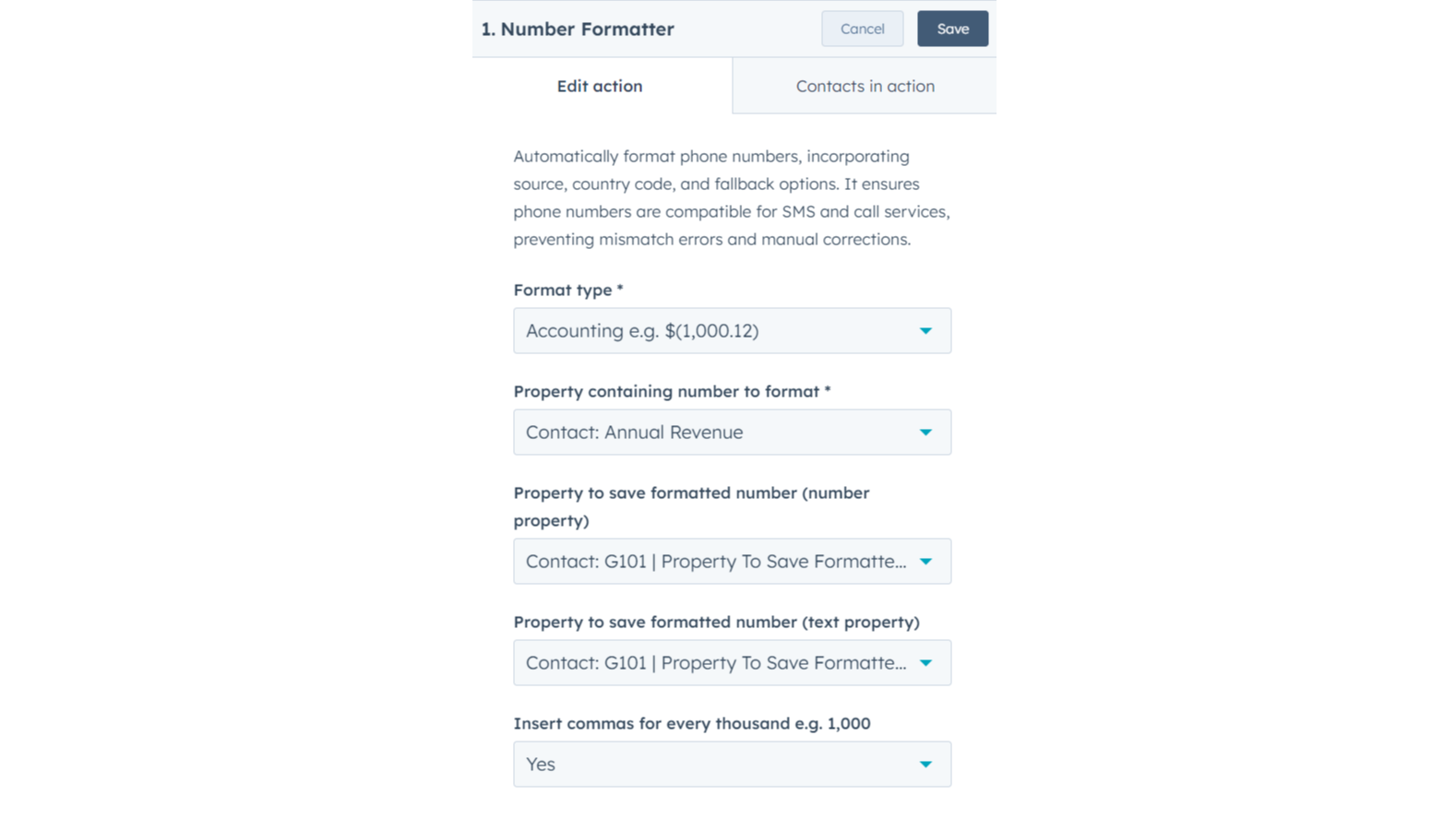
フォーマット番号
特定のデータ・フィールドの数値書式設定を設定し、テキスト出力または数値専用フィールドのいずれかを選択します。 エクスポート、レポート作成、パーソナライズ、外部プラットフォームとの統合において、明確さを向上させるために、数千のセパレータを含めます。
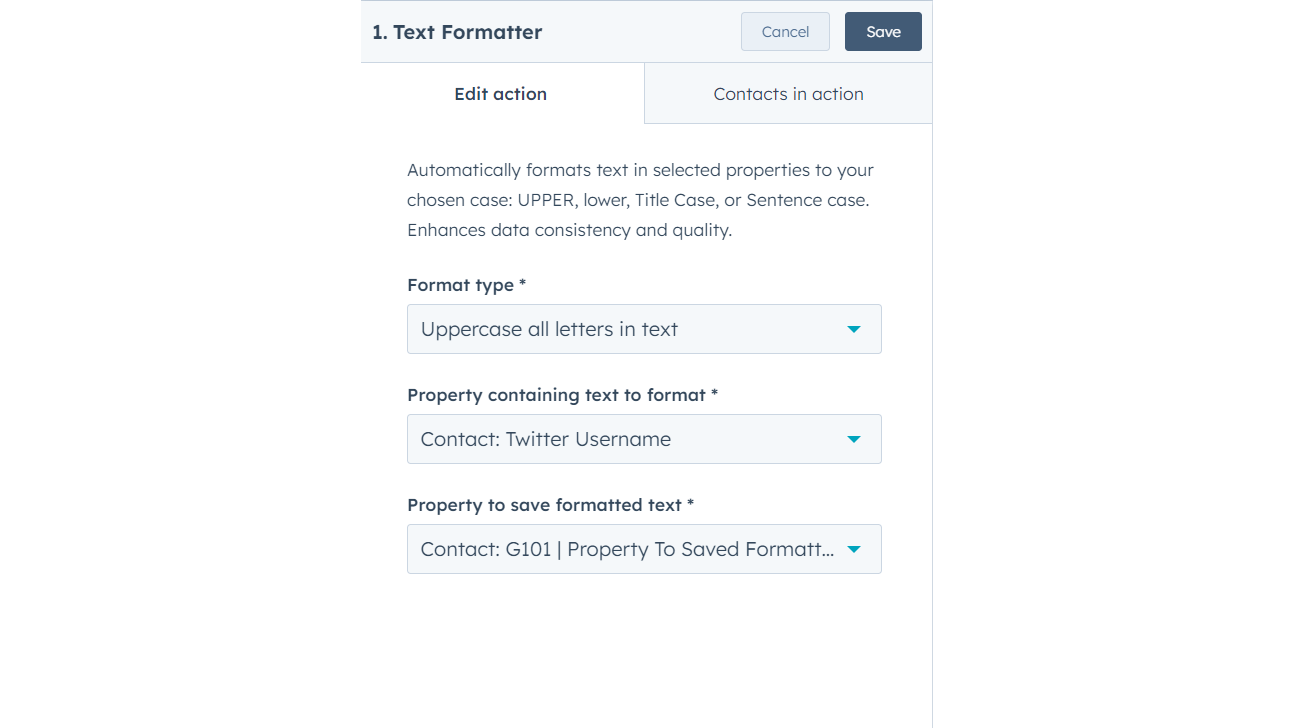
フォーマットテキスト
選択したプロパティのテキストを、選択した大文字と小文字に自動的に書式設定します:大文字、小文字、タイトルケース、センテンスケース。 データの一貫性と品質を高めます。
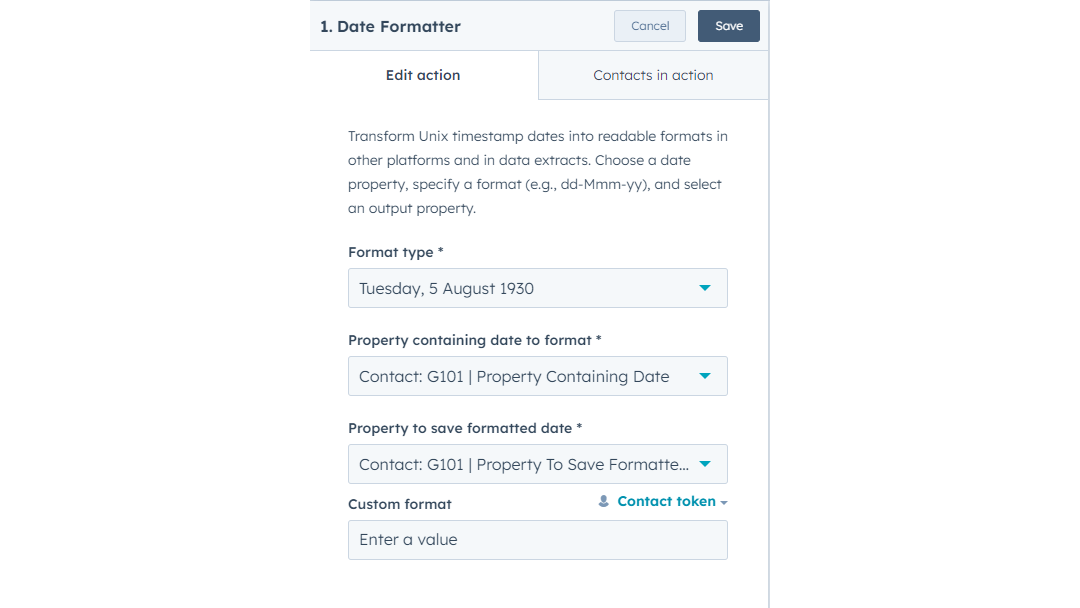
フォーマット日付
Unixのタイムスタンプの日付を、他のプラットフォームやデータ抽出で読み取り可能な形式に変換。 日付プロパティを選択し、フォーマット(dd-mm-yyなど)を指定し、出力プロパティを選択します。
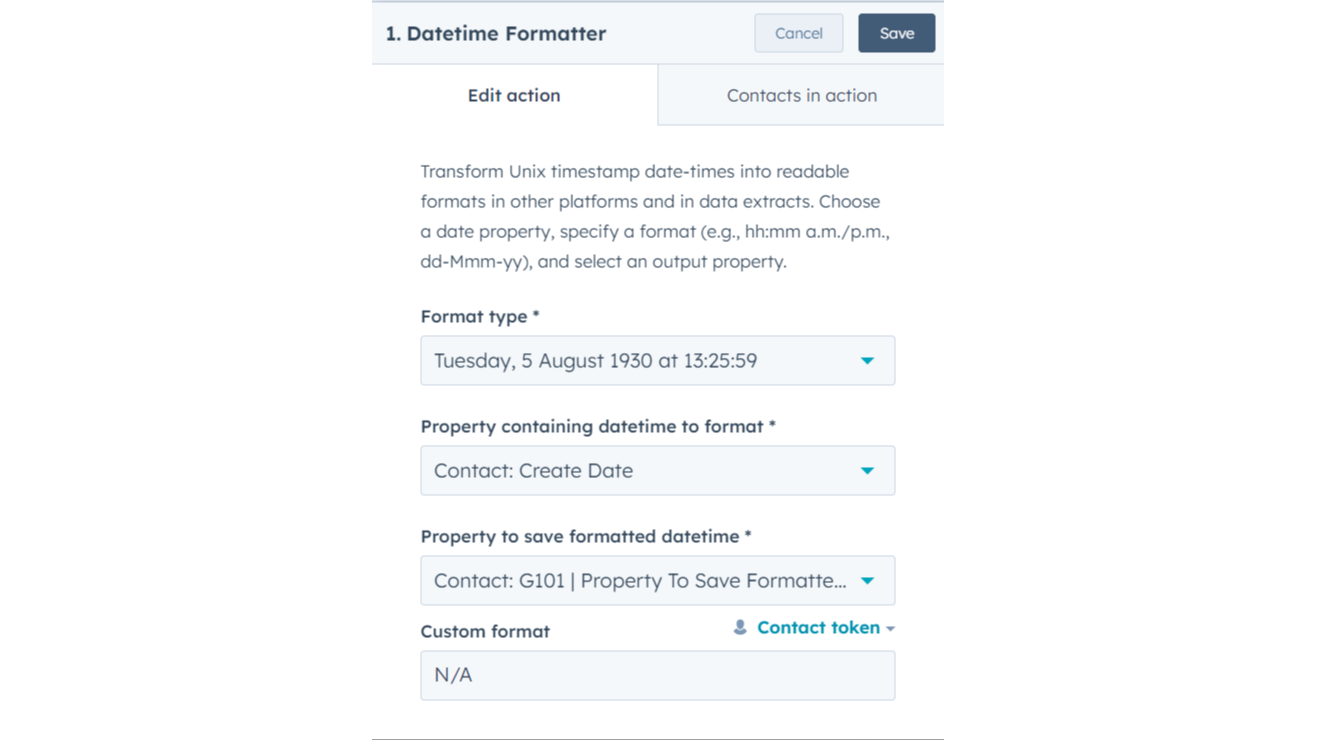
日付と時刻のフォーマット
Unixのタイムスタンプの日時を、他のプラットフォームやデータ抽出で読み取り可能な形式に変換する。 日付プロパティを選択し、フォーマット(例:hh:mm a.m./p.m.、dd-mmm-yy)を指定し、出力プロパティを選択します。
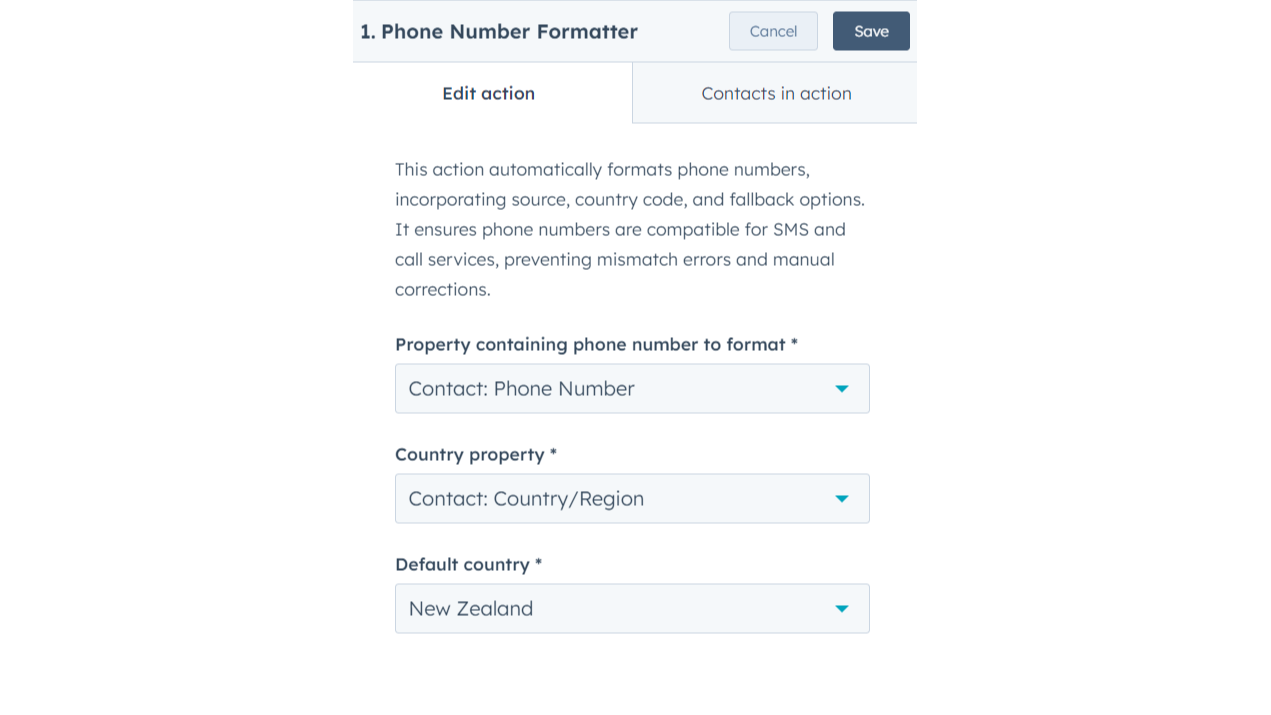
電話番号の書式
発信元、国コード、フォールバックオプションを組み込んだ電話番号の自動フォーマット。 電話番号がSMSや通話サービスと互換性があることを確認し、ミスマッチエラーや手作業による修正を防ぎます。
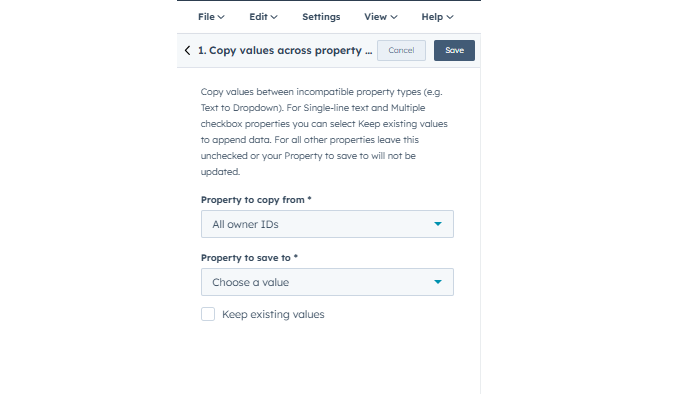
プロパティ・タイプ間で値をコピーする
値がターゲット・フォーマットと互換性があれば、データを自由に移動できる。一般的な使用例 レガシーテキストフィールドから構造化ドロップダウンまたはチェックボックスプロパティへのデータ移行。 オリジナルのソース・データをアーカイブ用のカスタム・テキスト・フィールドにコピーする。 テキストベースの日付を実際の日付ピッカープロパティに変換する。
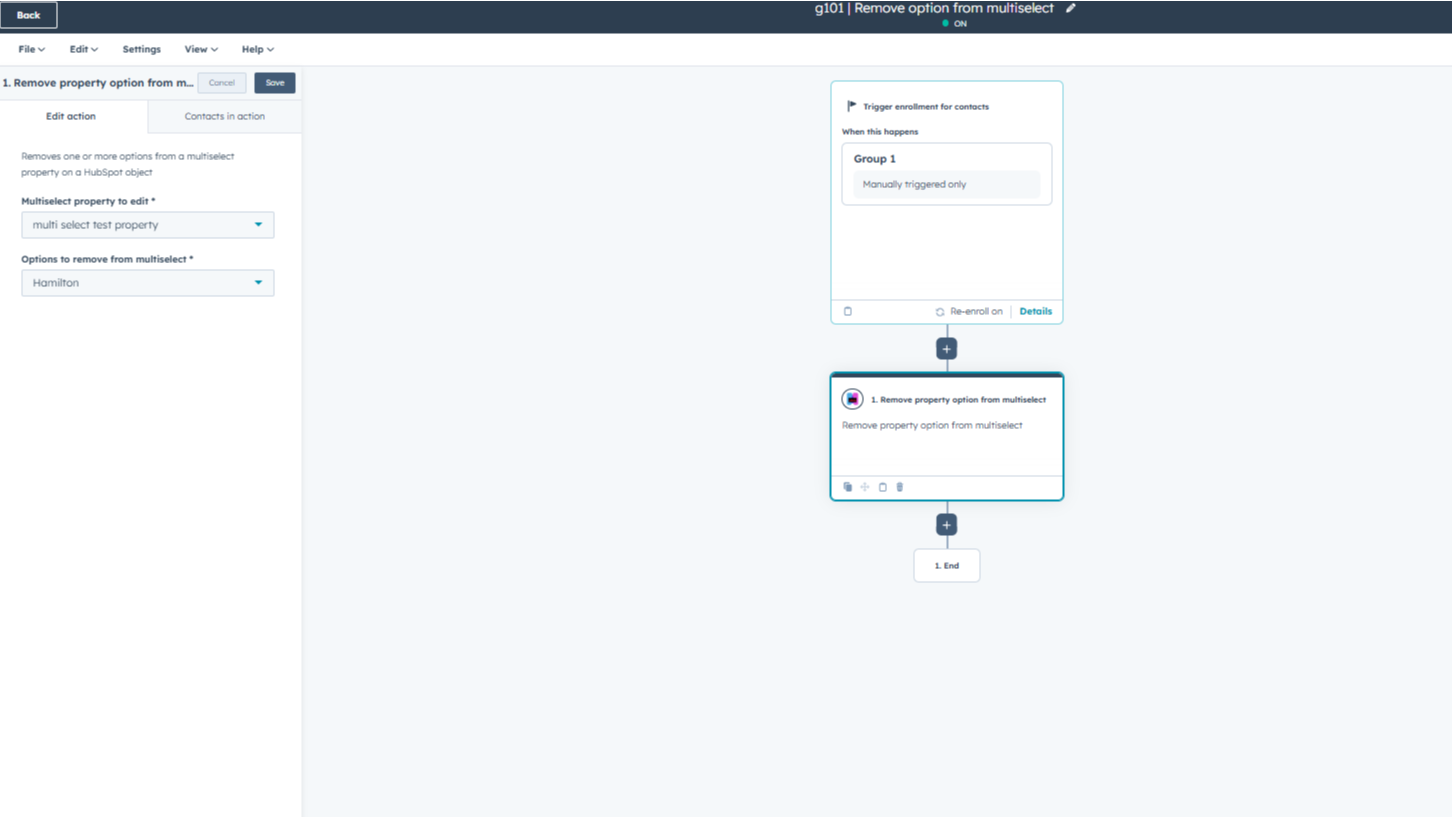
マルチセレクトからプロパティ・オプションを削除する
HubSpotレコードのmultiselectプロパティから特定のオプションを削除します。編集するプロパティを選択し、削除したい値を選びます。この操作では、プロパティの残りの部分をクリアすることなく、選択した項目だけが解除されるので、データを簡単に正確に保つことができます。
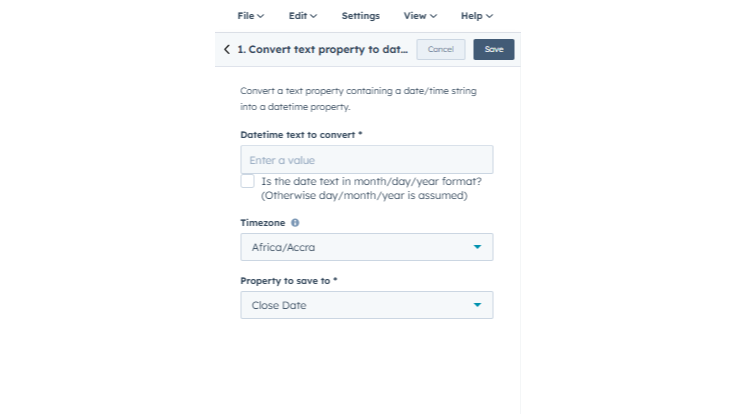
textプロパティをdatetimeプロパティに変換
テキスト文字列を本物のHubSpotの日付プロパティに変換します。変更するテキストを選択し、日付の順序(月/日/年または日/月/年)を指定し、タイムゾーンを選択します。最終結果をプロパティに保存すれば、ワークフローの遅延、スケジュール、時間ベースのレポートにデータを使用できます。
アプリ機能
共有されるデータ
Contacts, Companies, Deals, Tickets, Custom Objects | ||
Contacts, Companies, Deals, Tickets, Custom Objects | ||
Contacts, Companies, Deals, Tickets, Custom Objects | ||
Contacts, Companies, Deals, Tickets, Custom Objects |
確認
- 2025年6月2日
良いトリガーだが、基本的なプロパティの比較が欠けている
私たちはZapierを使用して多くの自動化を実行していますが、追加料金を支払うことなくHubSpotに移行することができるため、Zapクレジットを使用するための費用を節約することができます。
特に、相対的な日付も含めて日付からトリガーできるのが嬉しい。
ワークフローのアクションを決定するために、プロパティ同士を比較できないのは、かなり基本的なことだ。また、レコードIDによって関連するデータオブジェクトを見つけることができないのも煩わしい。
Kendler, P.
- 2025年1月29日
McElligott, C.
無料
$0
小規模なチームの立ち上げに最適。
100クレジットを含む。アクションは実行するたびに1クレジット使用。
無料
$0
小規模なチームの立ち上げに最適。
100クレジットを含む。アクションは実行するたびに1クレジット使用。
* こちらの価格は参考表示価格です。どの価格にも税、インセンティブ、値引など、価格に関する変動要素は含まれていません。価格に関する正確な最新情報については、この提供元パートナーまでお問い合わせください。HubSpotは、パートナー各社が提供する価格情報について一切の責任を負わないものとします。価格の最終更新:2026/04/15
その他の情報
開発元 - Integration Glue
インストール数 - 400件以上のインストール
カテゴリー このアプリが対応している言語 英語