
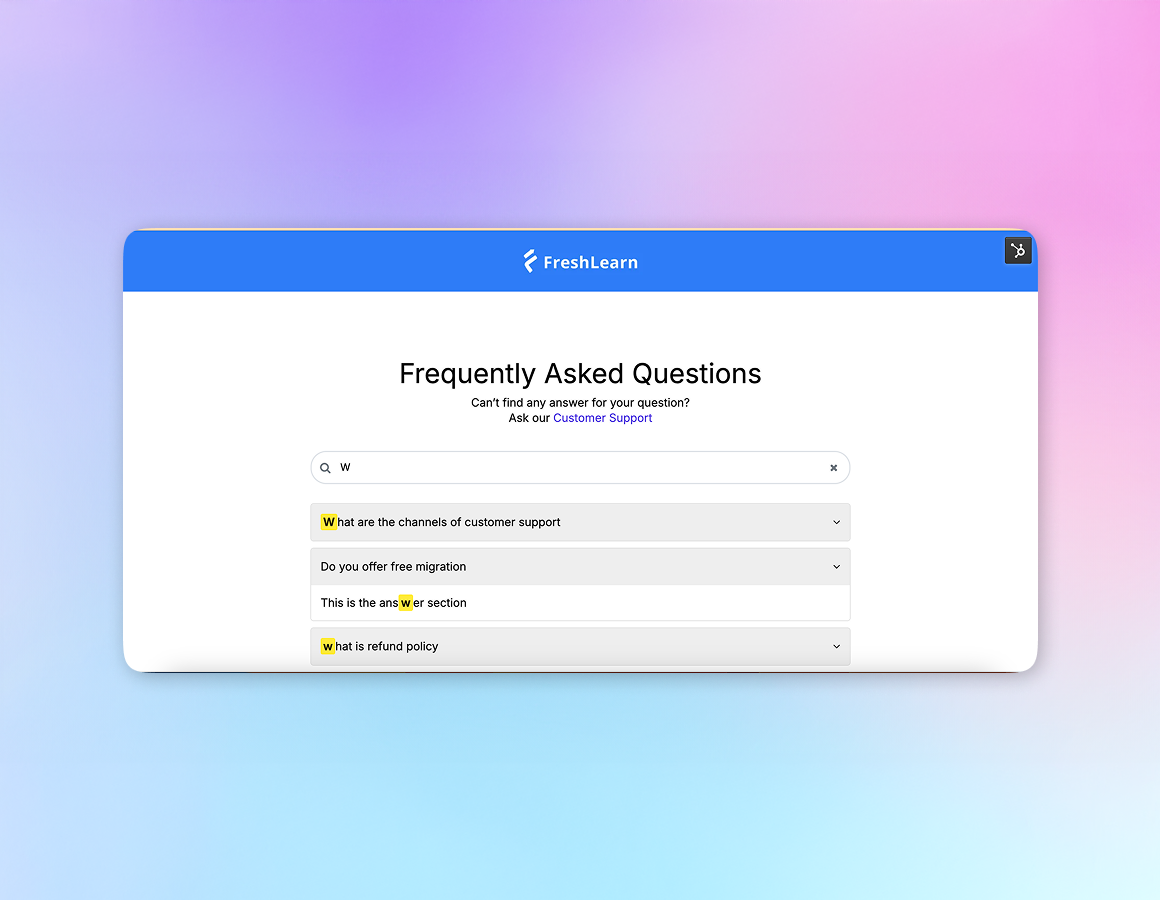
1/4 - The FAQ Accordion Module is a dynamic, user-friendly solution enabling visitors to easily navigate.
Overview
The FAQ Accordion Module by FreshLearn is a dynamic, user-friendly solution that transforms traditional FAQ sections into an interactive and organized experience. This module allows website owners to present frequently asked questions in an elegant accordion-style format, enabling visitors to easily navigate through information while maintaining a clean and uncluttered webpage design. With its responsive design and SEO optimization, the module ensures that your FAQs are accessible and discoverable across all devices.
FreshLearn's FAQ Accordion is built with customization in mind, offering seamless integration with your existing website design. The accordion-style presentation helps reduce cognitive load by showing only the relevant information when needed, creating an intuitive user experience that keeps visitors engaged. Its mobile-first approach ensures that your FAQs remain easily readable and accessible regardless of screen size.
Use Cases:
1. Product Support Pages: Implement comprehensive product FAQs that help customers find answers quickly, reducing support tickets and improving customer satisfaction. The accordion format keeps even lengthy FAQ sections manageable and user-friendly.
2. Service Information: Present detailed service-related questions and answers in an organized manner, helping potential clients understand your offerings without overwhelming them with information all at once.
3. Educational Resources: Educational institutions can use this module to organize course-related FAQs, admission information, and campus policies in an easily digestible format.
Features
Smart Accordion Interface
Transform your FAQ section into an interactive, user-friendly experience with our intelligent accordion design. Questions remain compact until clicked, revealing detailed answers with smooth animations.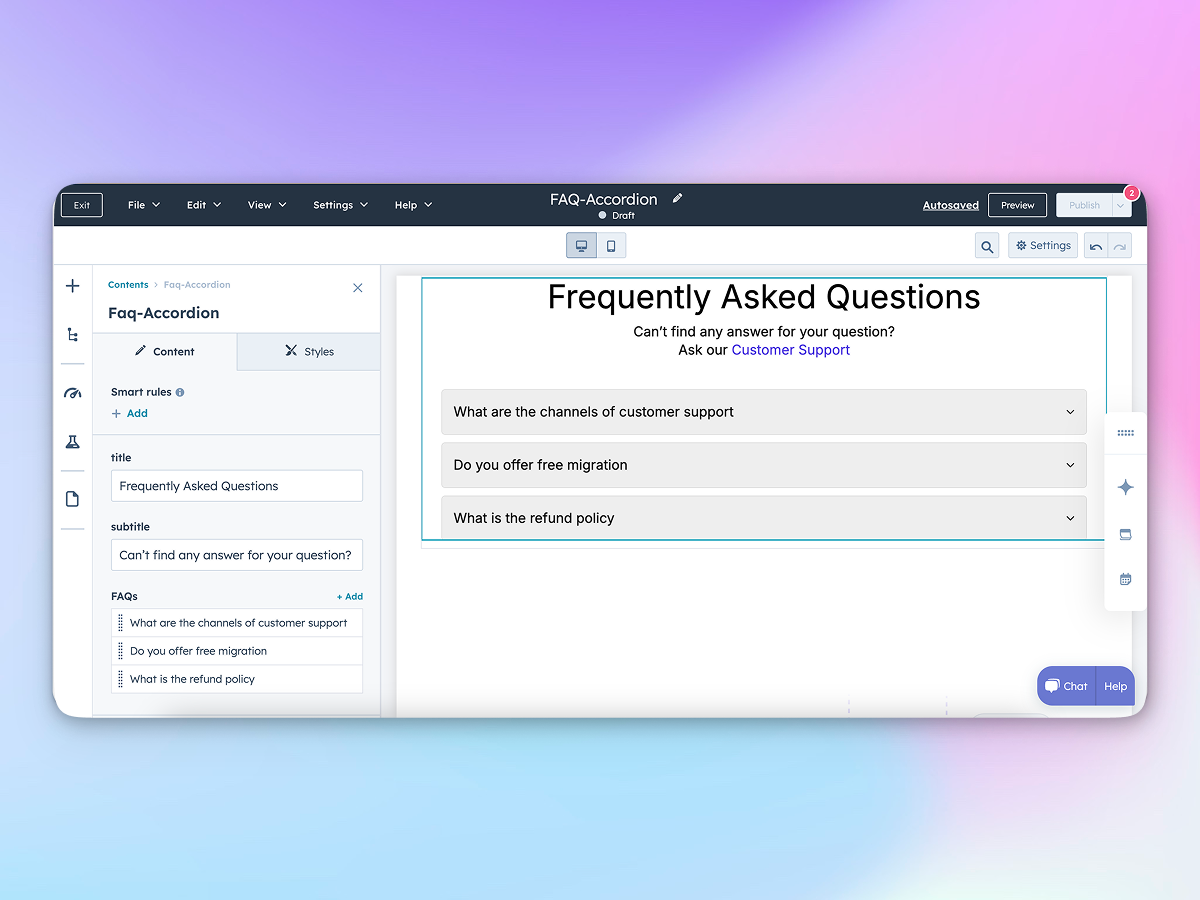
Fully Responsive Design
Built with a mobile-first approach, the accordion module adapts seamlessly across all devices. The touch-friendly interface and dynamic resizing ensure optimal readability whether viewed on desktop, tablet, or mobile devices.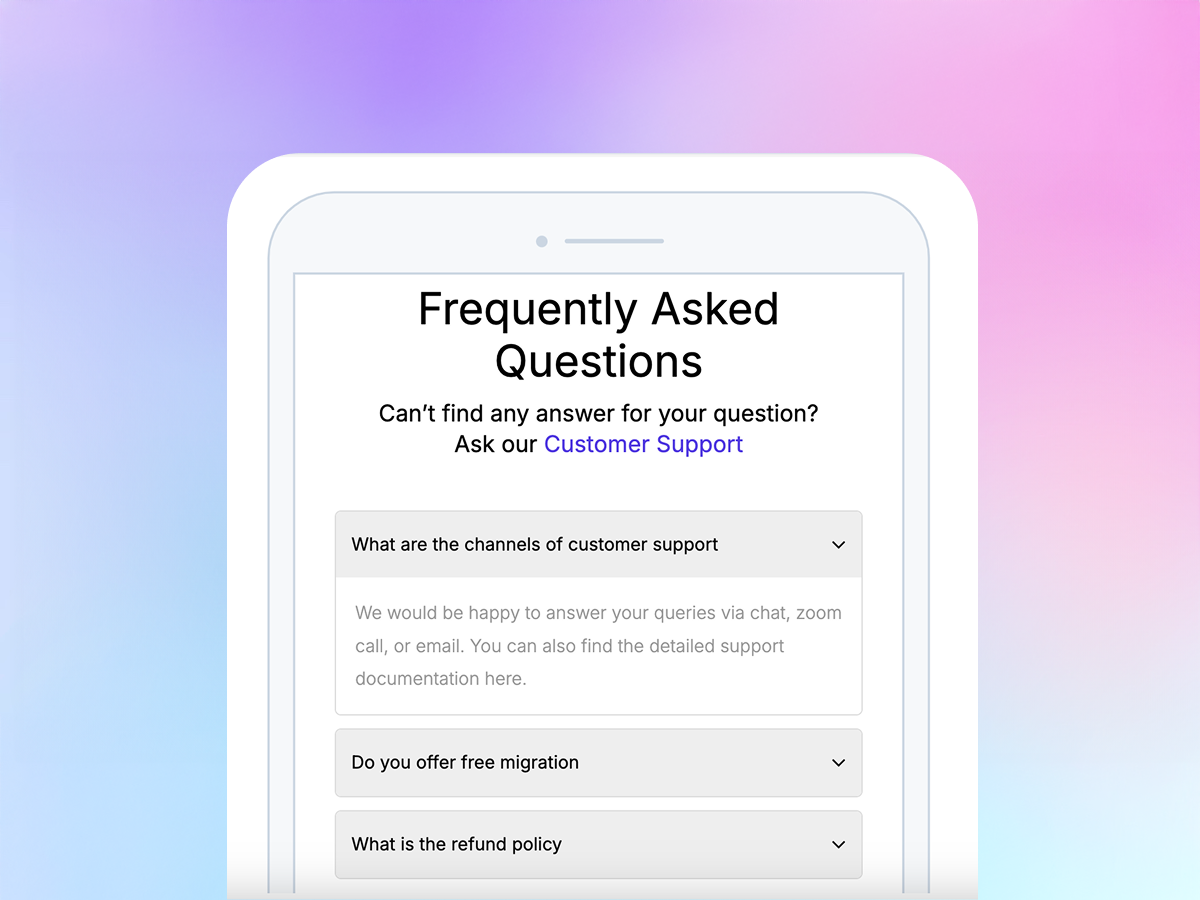
Customizable Styling Options
Make the FAQ module your own with comprehensive styling controls. It will automatically pick your default theme values to match your brand identity. These styling features ensure your FAQ section integrates perfectly with your website's design while maintaining its functionality.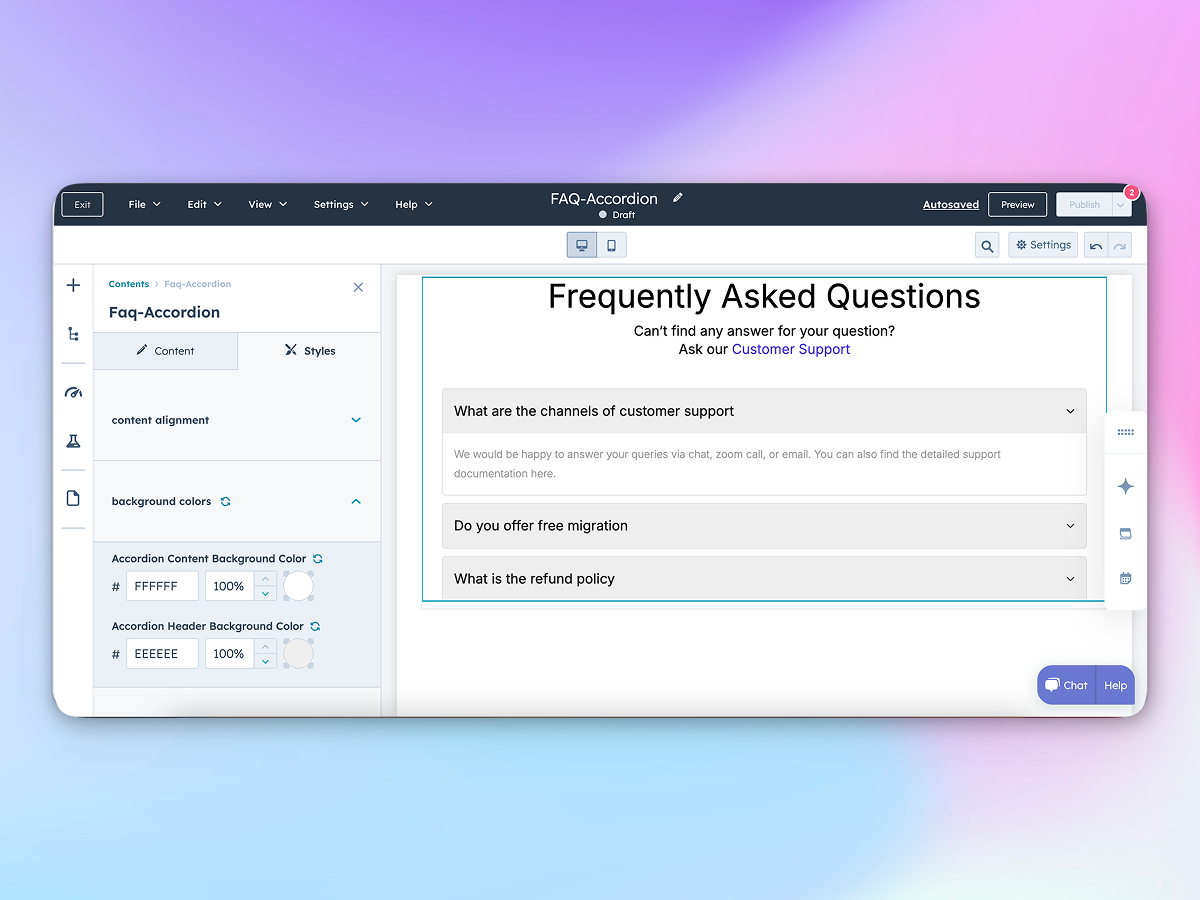
Smart Search Integration
Built-in search functionality allows users to quickly filter through accordion sections using keywords, making large content libraries instantly accessible and user-friendly.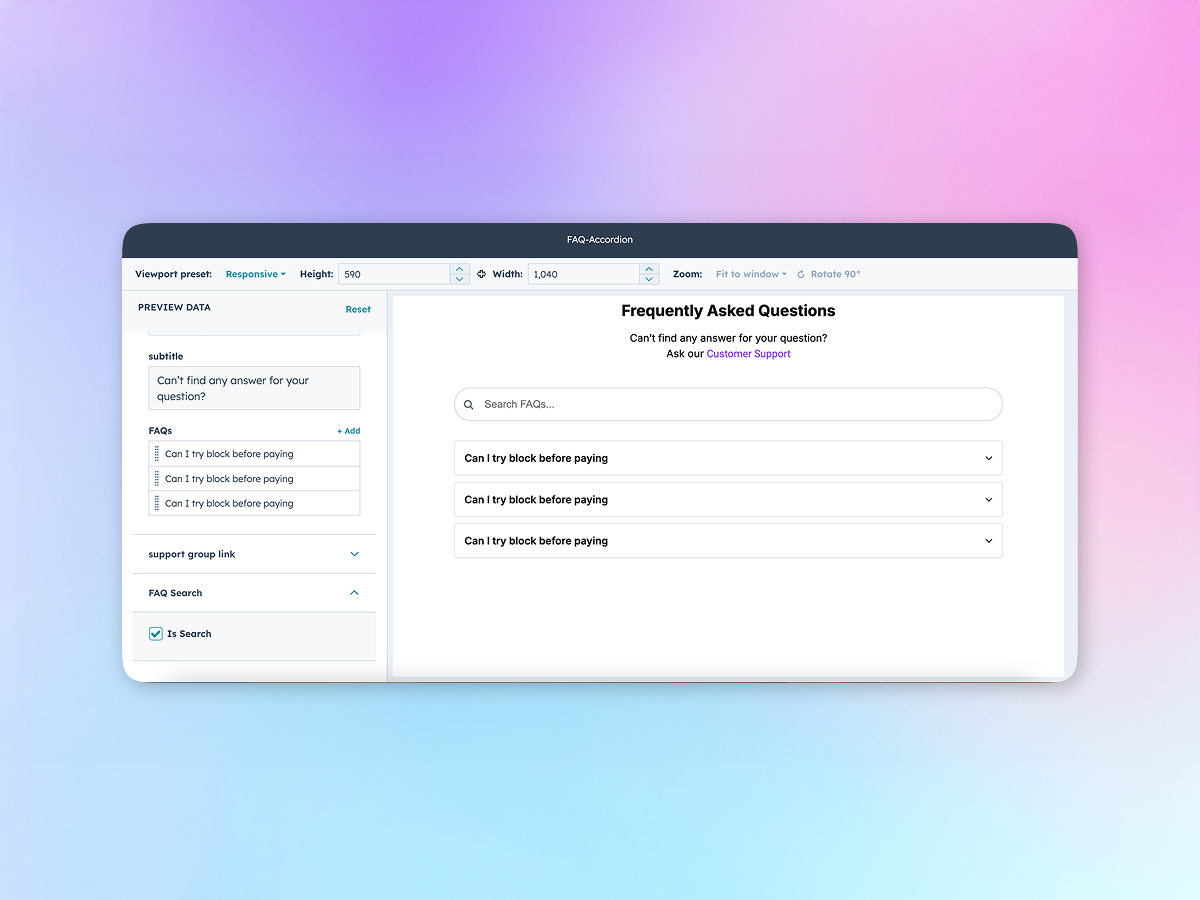
About Module
Total installs - 200+
Created - Feb 27, 2025
Version 2 - Jul 14, 2025
Categories Tags
Requirements
HubSpot Subscription Works with all HubSpot plans Learn more


Contact FreshLearn
Legal Stuff
Please refer to the developer's Privacy Policy and Terms for more information.
Support
FreshLearn
- United States
Visit website
FreshLearn is an all-in-one platform that helps educators build and grow their online academies. Create engaging courses, membership programs, and digital products without any technical expertise. Build thriving communities, automate your marketing, and seamlessly integrate with HubSpot to manage customer relationships. Everything you need to turn your knowledge into a successful online academy."
Unlimited email/chat support
FreshLearn typically responds in
- Monday
12:00 AM - 12:00 AM (+07) - Tuesday
12:00 AM - 12:00 AM (+07) - Wednesday
12:00 AM - 12:00 AM (+07) - Thursday
12:00 AM - 12:00 AM (+07) - Friday
12:00 AM - 12:00 AM (+07)
Faq-Accordion Customer Reviews
1 Review
- Dec 5, 2025
Does what it says, but not very flexible
This module was easy to use but doesn't have a lot of flexibility. Admittedly I'm not using it for FAQs specifically, so I have a lot more info going under each accordion and it comes to a point where it doesn't show everything and I'm not sure how to fix that. Would be nice if it had more options to accommodate different types of content.
It was showing the theme while editing, but didn't fully transfer once published. Had some mixed fonts that weren't showing in edit mode.
Saving space with excess information
Doesn't adapt well to different types of content.
Ryan, A.
Version 2