
Coupler.io
Criado por - Railsware Products Studio LLC
Instalações - 2 mil instalações
Avaliação 3,6
(15)

Rising
Requisitos
Plano da HubSpot Permissões da conta da HubSpot - Ver permissões de conta necessárias
Tipo de acesso Compartilhado Assinatura Coupler.io - Free, Starter, Active, Pro ou Business planos
Visão geral
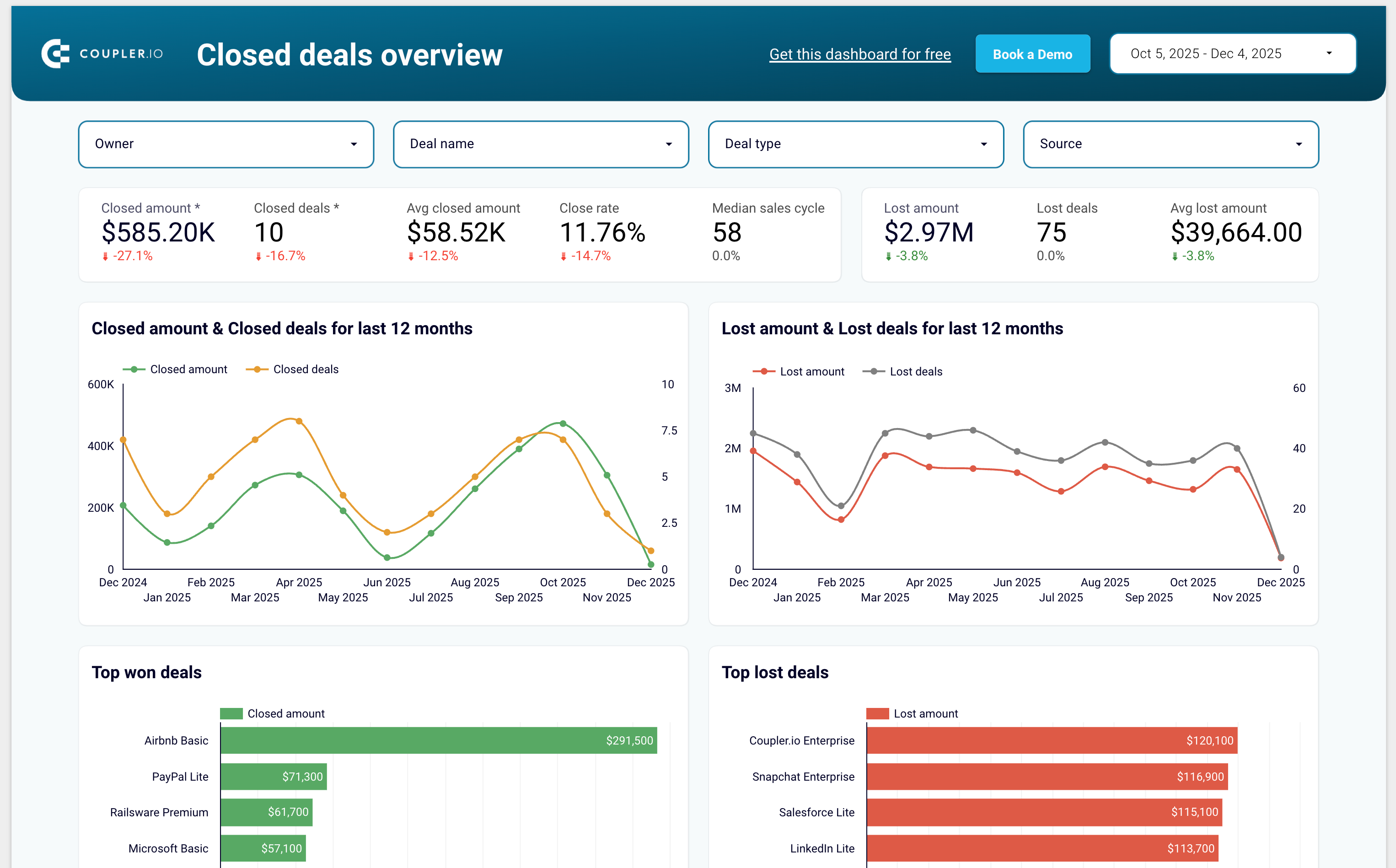
1/7 - Sales KPI dashboard template for HubSpot
Coupler.io is a no-code data integration and AI analytics platform that centralizes business data from 400+ sources and turns it into actionable insights. It’s ideal for data analysts and business teams across Finance, Marketing, Sales, and Leadership who need fast, reliable, and automated reporting.
With Coupler.io, you can automatically export and sync data from HubSpot, Google Analytics, Facebook Ads, Salesforce, Shopify, QuickBooks Online, and many other business tools.
The platform lets you blend HubSpot data with cross-channel marketing, sales, and finance data to build complete multi-source reports without writing code.
You can load your data into Google Sheets, Excel, Looker Studio, Power BI, and data warehouses such as BigQuery, Redshift, and Snowflake.
Coupler.io also supports AI destinations, allowing you to chat with your business data inside AI tools like ChatGPT, Claude and more.
Coupler.io offers pre-built dashboard templates for HubSpot including:
Sales KPI dashboard to overview sales metrics and KPIs
CRM dashboard to understand HubSpot sales and track the team performance
Customer acquisition dashboard to monitor your acquisition funnel
Marketing and sales performance dashboard to overview your full funnel
Recursos
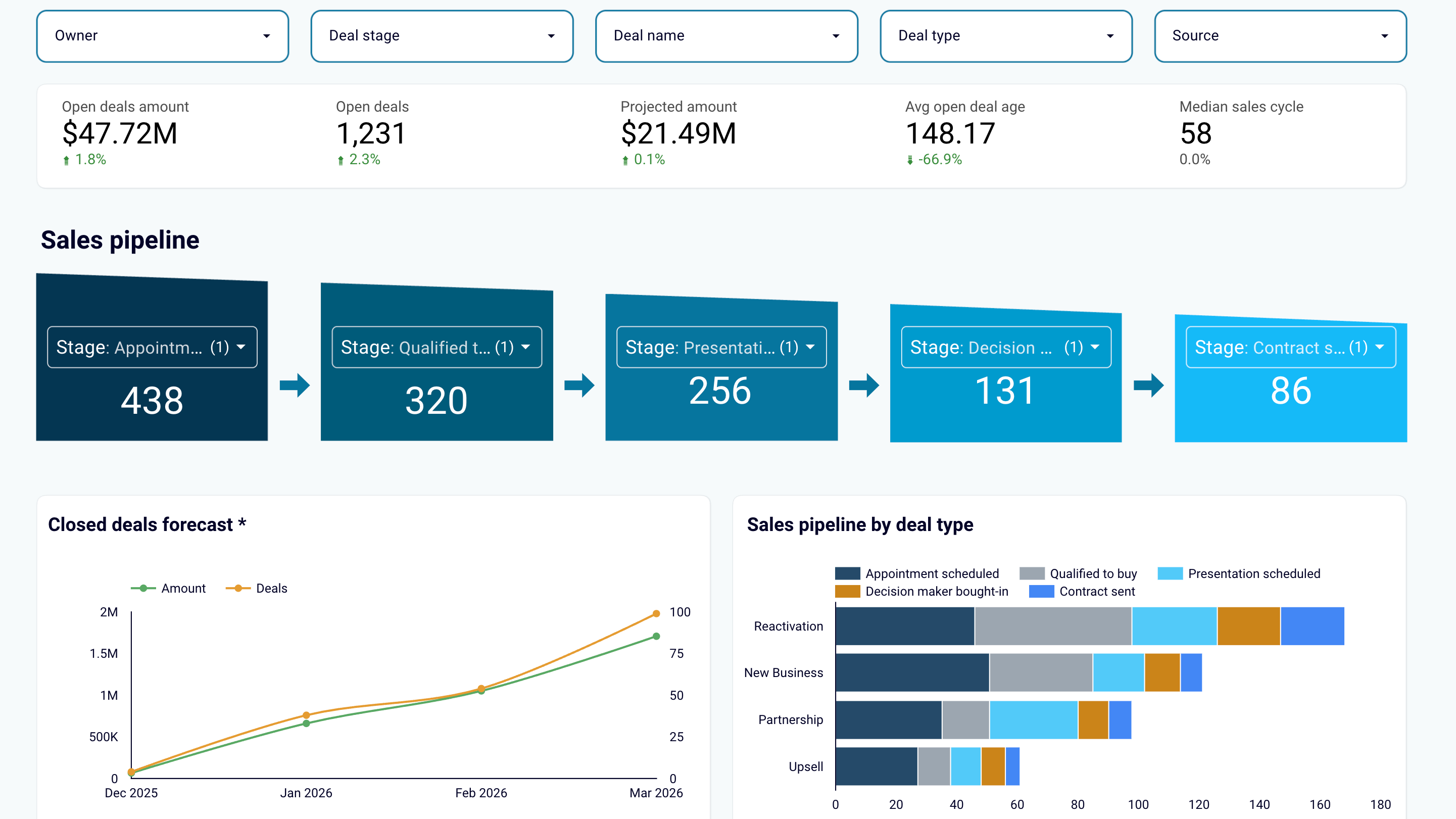
Create sales reports or use predesigned dashboard templates
Export data from HubSpot and transform it into simple reports that you can load to spreadsheets (Google Sheets, Excel) or BI tools (Looker Studio, Power BI, Tableau). Create auto-updating sales dashboards or use the predesigned templates in the data visualization tools you prefer. Track sales results and derive insights to maximize revenue.
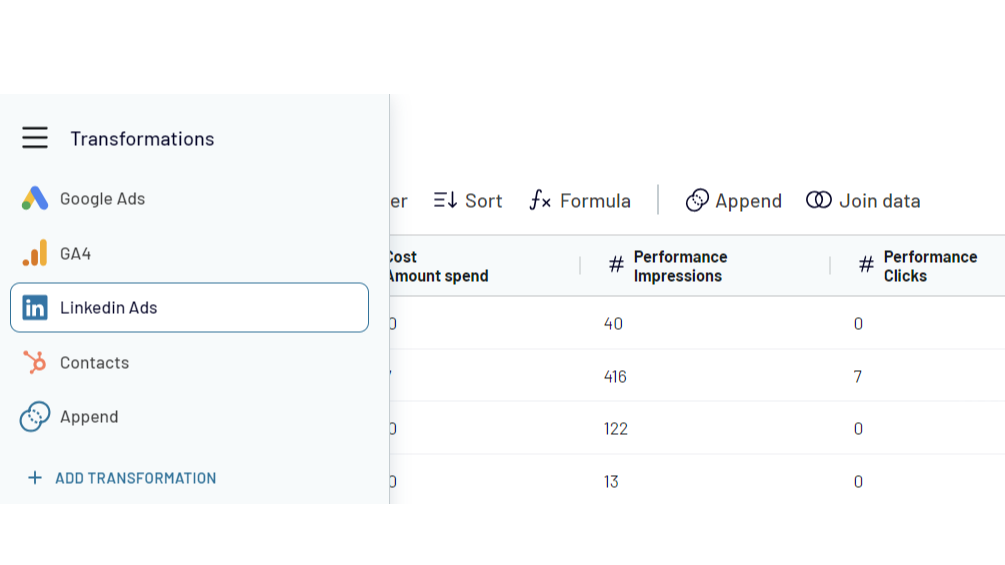
Combine HubSpot data with information from other apps
Create cross-channel reports by collecting data from multiple sources. Export data from HubSpot CRM and aggregate it with the information from other apps such as Shopify, QuickBooks, Xero, Facebook Ads, LinkedIn Ads, Google Analytics 4. Choose from 400+ data sources!
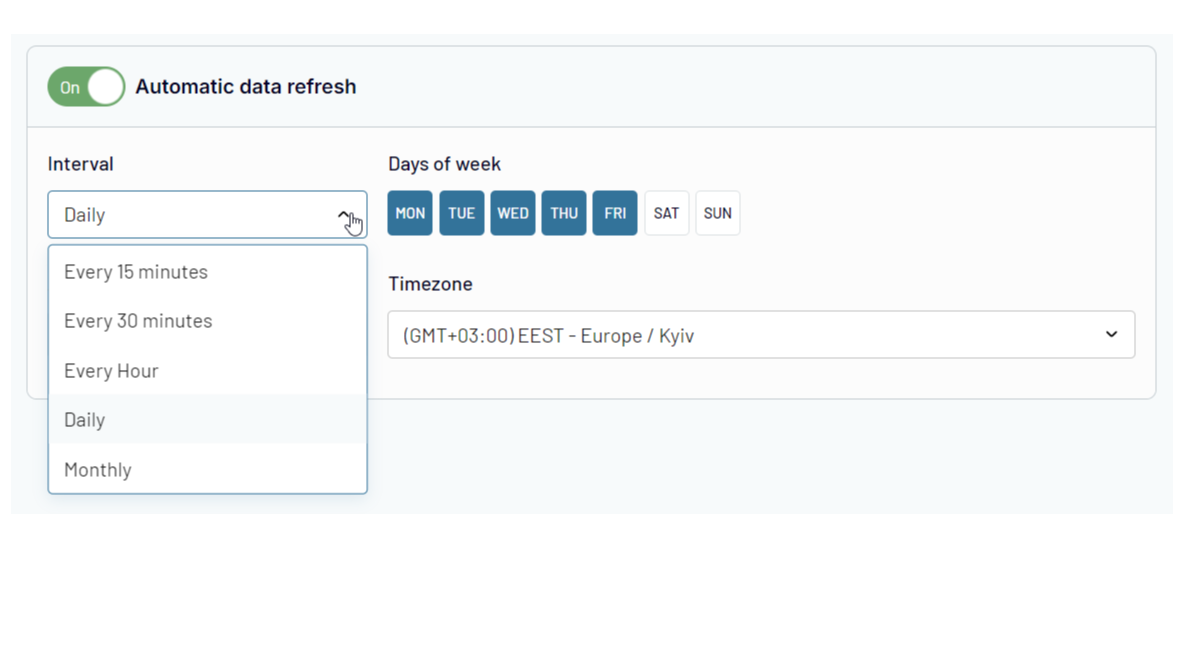
Automate data exports and reporting at your company
Forget about manual copy-pasting! Use Coupler.io's automatic data refresh functionality to schedule HubSpot data import to the selected destination. Ensure that your reporting is always 100% up-to-date and lacks human errors.
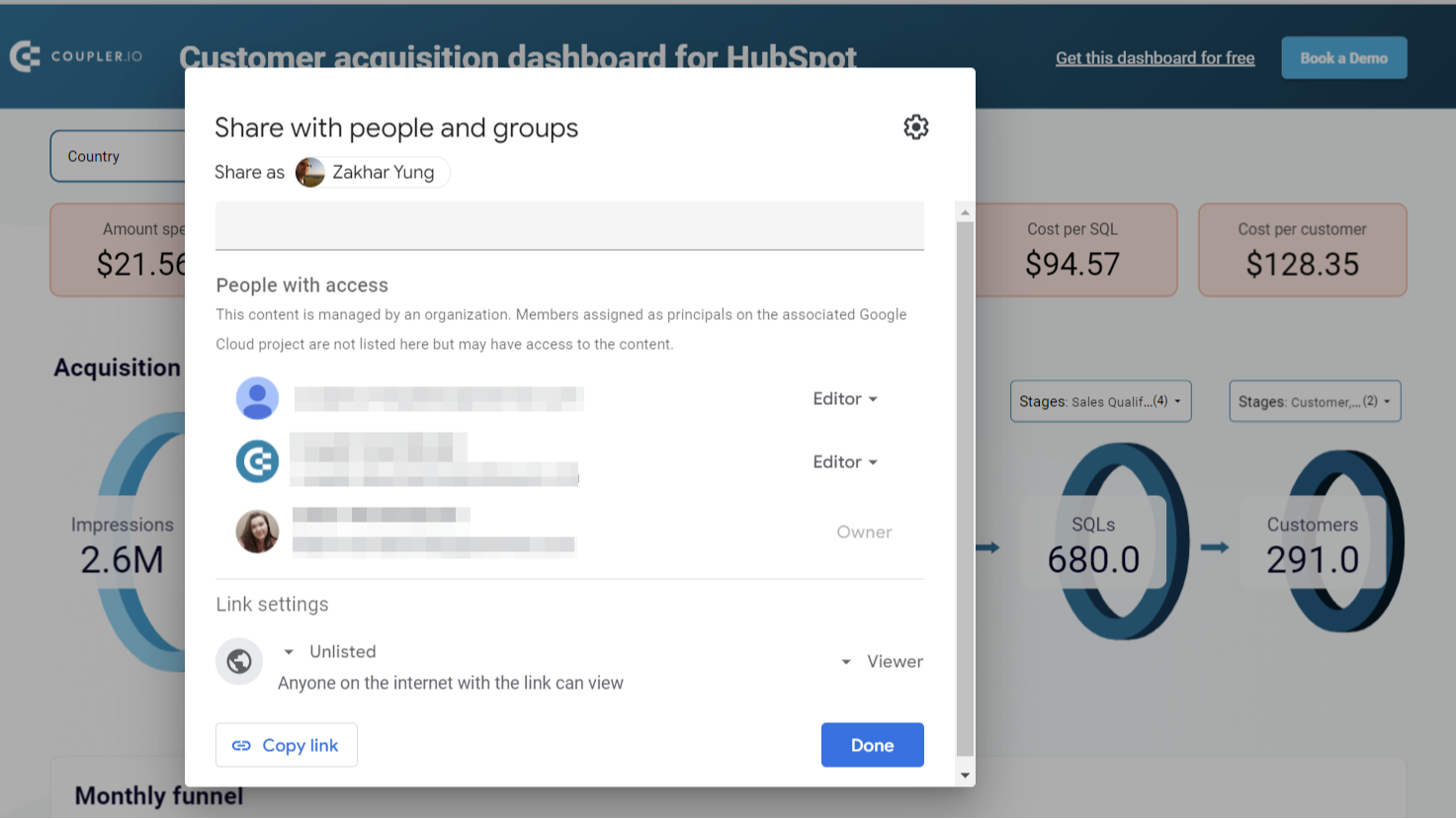
Share sales data with the team and stakeholders
Ensure your colleagues or stakeholders can track sales performance metrics and other CRM data without access to your HubSpot account. Export HubSpot data to shareable spreadsheets or provide view-only access to the reports you’ve created in BI tools. This approach allows you to manage sales data accessibility easily and make changes as needed.
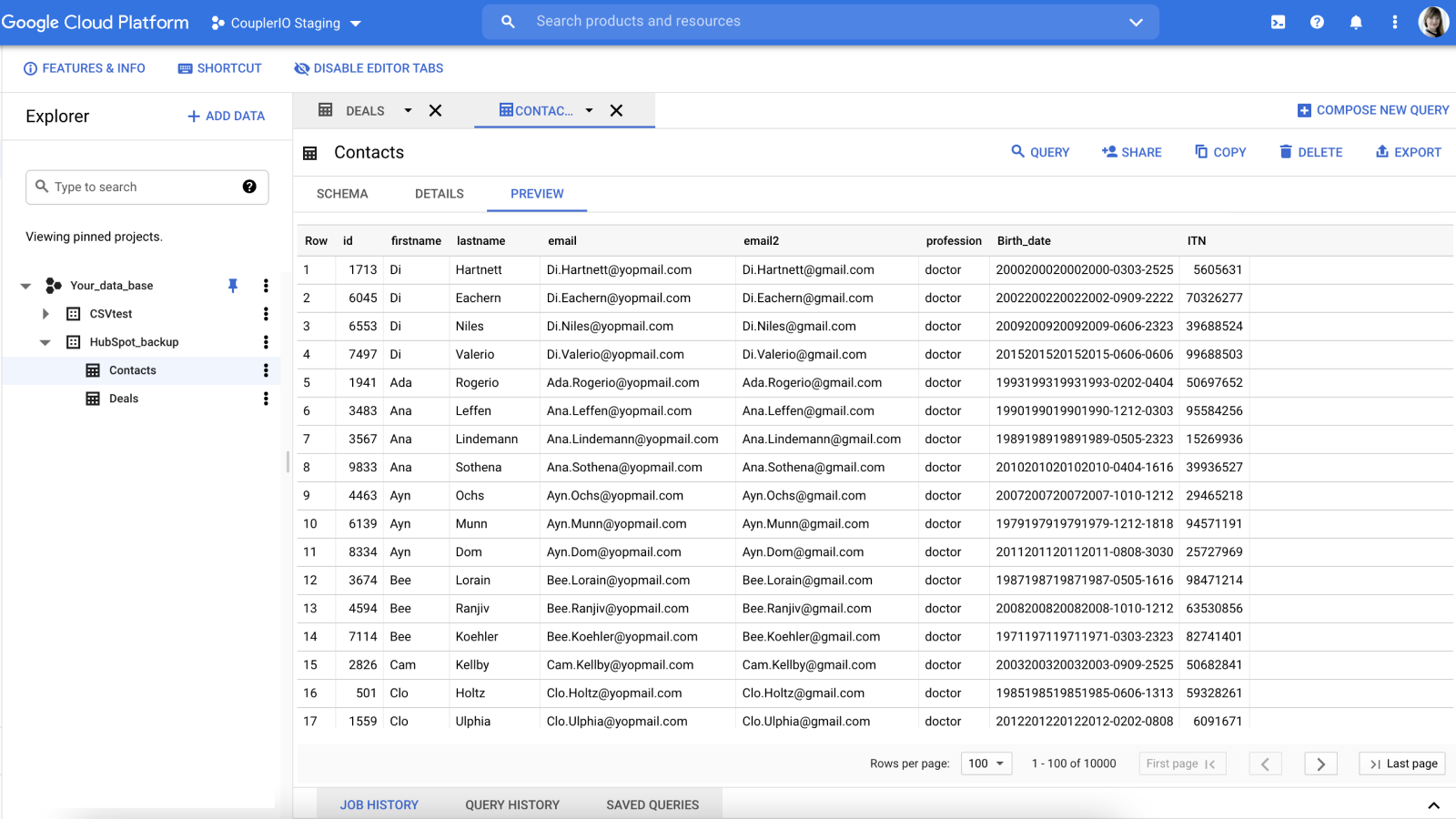
Create secure automated data backups
Keep an encrypted copy of your sales data in Google BigQuery cloud storage. Set up HubSpot integration with a few clicks and back up your data automatically on an hourly, daily, or weekly basis.
Funcionalidade do aplicativo
Dados compartilhados
Google Sheets / Excel / BigQuery / Looker Studio / Power BI / monday.com | ||
Google Sheets / Excel / BigQuery / Looker Studio / Power BI / monday.com | ||
Google Sheets / Excel / BigQuery / Looker Studio / Power BI / monday.com | ||
Google Sheets / Excel / BigQuery / Looker Studio / Power BI / monday.com | ||
Google Sheets / Excel / BigQuery / Looker Studio / Power BI / monday.com | ||
Google Sheets / Excel / BigQuery / Looker Studio / Power BI / monday.com | ||
Google Sheets / Excel / BigQuery / Looker Studio / Power BI / monday.com | ||
Google Sheets / Excel / BigQuery / Looker Studio / Power BI / monday.com | ||
Google Sheets / Excel / BigQuery / Looker Studio / Power BI / monday.com | ||
Google Sheets / Excel / BigQuery / Looker Studio / Power BI / monday.com | ||
Google Sheets / Excel / BigQuery / Looker Studio / Power BI / monday.com | ||
Google Sheets / Excel / BigQuery / Looker Studio / Power BI / monday.com | ||
Google Sheets / Excel / BigQuery / Looker Studio / Power BI / monday.com | ||
Google Sheets / Excel / BigQuery / Looker Studio / Power BI / monday.com | ||
Google Sheets / Excel / BigQuery / Looker Studio / Power BI / monday.com |
Avaliações
3,6
15
3,6
15
- 13 de Mai de 2026
Boa trilha
No início, parecia ser uma ferramenta gratuita, mas no final era limitada. Fácil de instalar e funcionando bem
Simples de instalar
Preço em relação às nossas necessidades
Boekholt, J.
- 8 de Mar de 2026
Funciona muito bem para previsão de negócios, mas tem dificuldades com conjuntos de dados maiores, causando falhas de sincronização
No geral, funciona muito bem para o nosso caso de uso, que é extrair as informações do negócio para nossa previsão e fluxo de caixa. Quando tentamos obter conjuntos de dados maiores, às vezes a sincronização trava, então é necessário filtrar determinados dados antes de fazer isso.
Bastante intuitivo de usar e, uma vez configurado, as atualizações são simples
Dados grandes podem causar problemas
McNamara, L.
Free
US$ 0
For newcomers and personal projects that only require one active no-code data connection.
1 user
1 account
1 data source
1 data destination
100 rows/run
Manual data refresh
Free
US$ 0
For newcomers and personal projects that only require one active no-code data connection.
1 user
1 account
1 data source
1 data destination
100 rows/run
Manual data refresh
* O preço aqui é apenas para fins de exibição. Todos os preços não incluem impostos, incentivos, descontos ou outras variáveis de preços. Você deve entrar em contato com o parceiro para obter informações mais atualizadas e precisas. A HubSpot não se responsabiliza por essas informações de preços, que são fornecidas pelos nossos parceiros. Preços atualizados pela última vez: 10/12/2025
Mais informações
Criado por - Railsware Products Studio LLC
Instalações - 2 mil instalações
Categorias Idiomas nos quais este aplicativo está disponível Inglês