
Data Bridge - Bring Any (Sync) Data into CRM Objects

Liderança
Requisitos
Plano da HubSpot Permissões da conta da HubSpot - Ver permissões de conta necessárias
Tipo de acesso Compartilhado Assinatura Data Bridge - Bring Any (Sync) Data into CRM Objects - Básico ou Profissional 🔥 planos
Visão geral
-1.png)
1/6 - Adicione o Google Workspace, vídeos, texto, links iframed e exiba-os com base em condições ou regras personalizadas dentro do HubSpot.
Turbine seus registros da HubSpot com o Data Bridge! Sincronize conteúdo externo - sites, imagens, vídeos, Google Sheets, Docs e muito mais - tudo exibido exatamente onde sua equipe trabalha. Sincronize o aplicativo Data Bridge - ajuda a adicionar conteúdo relevante onde ele é mais importante, tornando seu CRM mais fácil de usar e mais informativo. Integre o HubSpot aos seus aplicativos favoritos com apenas um clique.
Obtenha integração ao vivo gratuita - Entre em contato conosco para agendar
Todo usuário do Data Bridge recebe uma sessão gratuita de integração ao vivo com nossa equipe de produtos/suporte. Você estará totalmente equipado desde o primeiro dia - confiante para criar exatamente o que sua empresa precisa! Exiba dados externos nos registros da HubSpot! Incorporar o Google Sheets! Procurando uma maneira simples de lidar com a integração e a sincronização de dados no HubSpot? O Data Bridge permite conectar dados externos, incorporar painéis e até mesmo gerenciar objetos personalizados diretamente nos seus registros da HubSpot. Seja na migração de dados, em um conector personalizado ou na capacidade de importar/exportar dados do Planilhas Google, do Excel ou de bancos de dados, o Data Bridge facilita a automação, a integração de relatórios e a ETL para a HubSpot. Crie grades personalizáveis, incorpore/mostre os dados de que precisa e transforme seus registros da HubSpot em um verdadeiro centro de comando.
Principais recursos do Data Bridge
Incorpore imagens com links diretamente nos registros da HubSpot
Adicione fotos de produtos, materiais de marketing ou qualquer ativo visual diretamente aos contatos, empresas, negócios, tíquetes ou objetos personalizados. Mantenha sua equipe alinhada com os recursos visuais exatamente onde eles trabalham.
Integração ao vivo com o Google Sheets e o Docs
Incorpore e iframe o Google Sheets dentro dos registros da HubSpot para exibir relatórios, rastreadores ou painéis em tempo real. Perfeito para acompanhamento de progresso, KPIs ou dados compartilhados de clientes.
Incorporações de vídeo do YouTube
Traga tutoriais, demonstrações de produtos ou atualizações de clientes diretamente para os registros da HubSpot. As equipes têm acesso instantâneo ao conteúdo de vídeo certo sem sair do CRM
Criador de grade personalizada
Crie grades totalmente personalizáveis dentro dos registros da HubSpot. Adicione tags, texto, indicadores de status, links, imagens, ícones, e-mails ou alertas. Use variantes codificadas por cores (Sucesso, Aviso, Erro, Informação) e notas extras para facilitar a interpretação e a ação sobre dados complexos.
Regras de exibição condicional
Mostre ou oculte módulos com base no estágio do negócio, nos valores das propriedades ou em condições personalizadas, para que cada membro da equipe veja apenas o que é relevante no momento certo.
Integração perfeita com o HubSpot
Funciona nativamente com todos os objetos padrão da HubSpot (contatos, empresas, negócios, tíquetes) e objetos personalizados - sem necessidade de codificação ou logins adicionais.
Suporte a arquivos e mídia
Carregue e exiba imagens, PDFs ou arquivos de mídia dentro dos registros para uma colaboração mais rápida e um contexto centralizado.
Onde você pode colocar o conteúdo
Todos os registros - mostre o conteúdo em todo o seu CRM.
Registro específico - adicione conteúdo a um único registro que estiver visualizando.
Registros filtrados - direcione os registros que correspondem aos critérios escolhidos.
Os filtros funcionam para qualquer tipo de conteúdo, para que as informações certas apareçam no lugar certo.
Por que é útil - O conteúdo certo, no lugar certo.
Mantenha o conteúdo externo acessível sem sair do HubSpot.
Reduza a troca de guias e a dispersão de dados.
Você poderia dar à sua equipe visuais e informações atualizadas no contexto?
Aprimore os registros com conteúdo prático que sua equipe pode consultar instantaneamente.
Os 5 principais casos práticos de uso comercial em que ele se destaca:
1. Hub de integração de clientes (Saas / Tecnologia)
Incorpore listas de verificação de integração, manuais e gravações de chamadas iniciais diretamente no registro do negócio ou da empresa.
Mostre instruções diferentes dependendo do estágio de integração (por exemplo, "Setup Pending" (Configuração pendente) vs. "Live" (Ativo)).
Os CSMs atualizam o progresso diretamente no HubSpot sem trocar de ferramenta.
2. Rastreamento de integridade e sucesso da conta (Sucesso do cliente)
Adicione um painel ou planilha do Google em tempo real com KPIs, datas de renovação e resultados de NPS.
Exiba avisos quando o uso cair, a renovação do contrato estiver próxima ou determinadas propriedades sinalizarem riscos.
Mantenha os CSMs alinhados com links rápidos (e-mail para o proprietário da conta, modelos de oferta de renovação).
3. Guias e orientações de vendas (equipes de vendas)
Mostre instruções dinâmicas com base no estágio do negócio ("Descoberta" = mostrar perguntas de qualificação, "Proposta enviada" = mostrar lista de verificação do contrato).
Adicione atalhos como links de correio eletrônico para aprovação jurídica ou financeira.
Reduzir o tempo de preparação dos representantes, fazendo com que as informações corretas apareçam somente quando necessário.
4. Serviço de campo e instalações (manufatura/serviços)
Incorpore uma lista de verificação de instalação em um tíquete.
Os técnicos carregam fotos, vídeos ou documentos assinados de antes e depois.
Mostre instruções de segurança ou notas de conformidade somente se um determinado tipo de produto for selecionado.
5. Revisões de ativos criativos/de marketing (agências ou equipes internas)
Armazene briefs criativos, carregue rascunhos de design e visualize vídeos, tudo em um único registro.
Mostre um aviso de "Revisão pendente" até que o cliente marque a aprovação.
Os gerentes de conta podem fazer upload de arquivos, enquanto os diretores controlam a estrutura e os modelos.
Em resumo: o Sync Data Bridge reduz a troca de ferramentas e traz o conteúdo certo, no momento certo, diretamente para os registros da HubSpot. #Conector nº 1 da HubSpot!
Recursos
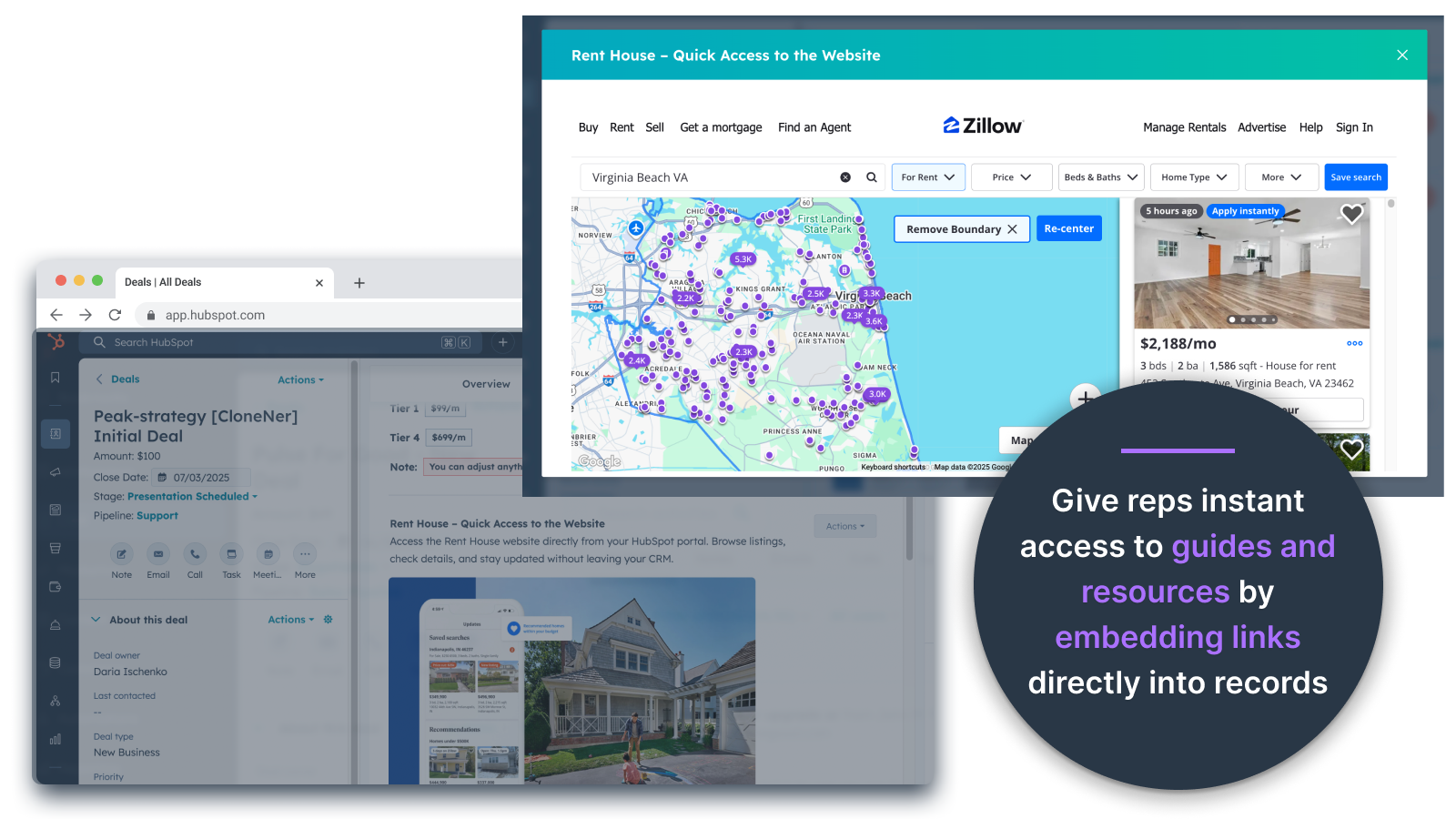
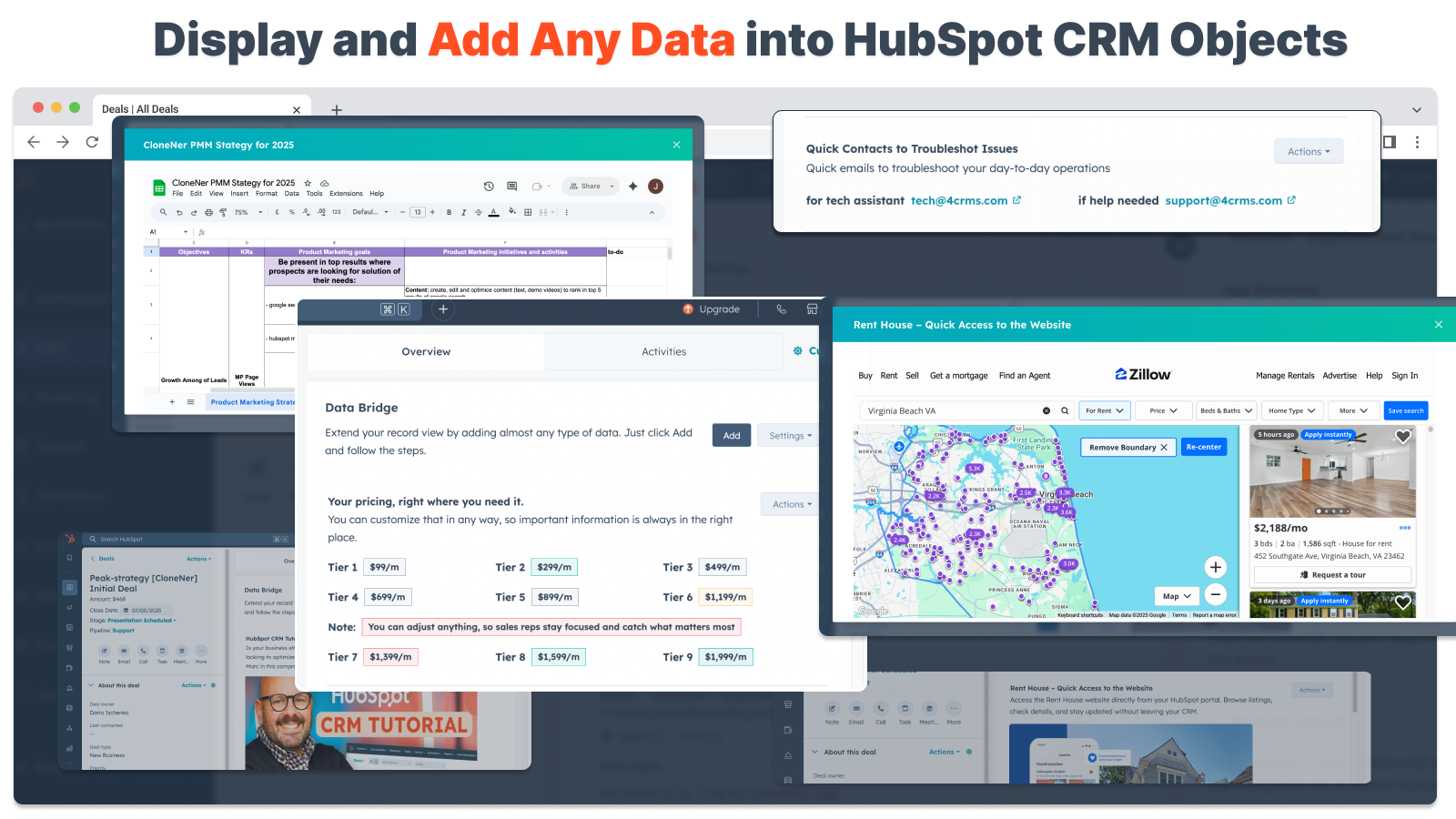
Incorporar imagens diretamente em ofertas, ingressos e outras visualizações de registros
Adicione fotos de produtos, materiais de marketing ou qualquer ativo visual diretamente em contatos, empresas, negócios, tickets ou objetos personalizados. Mantenha sua equipe alinhada com os recursos visuais exatamente onde eles trabalham.
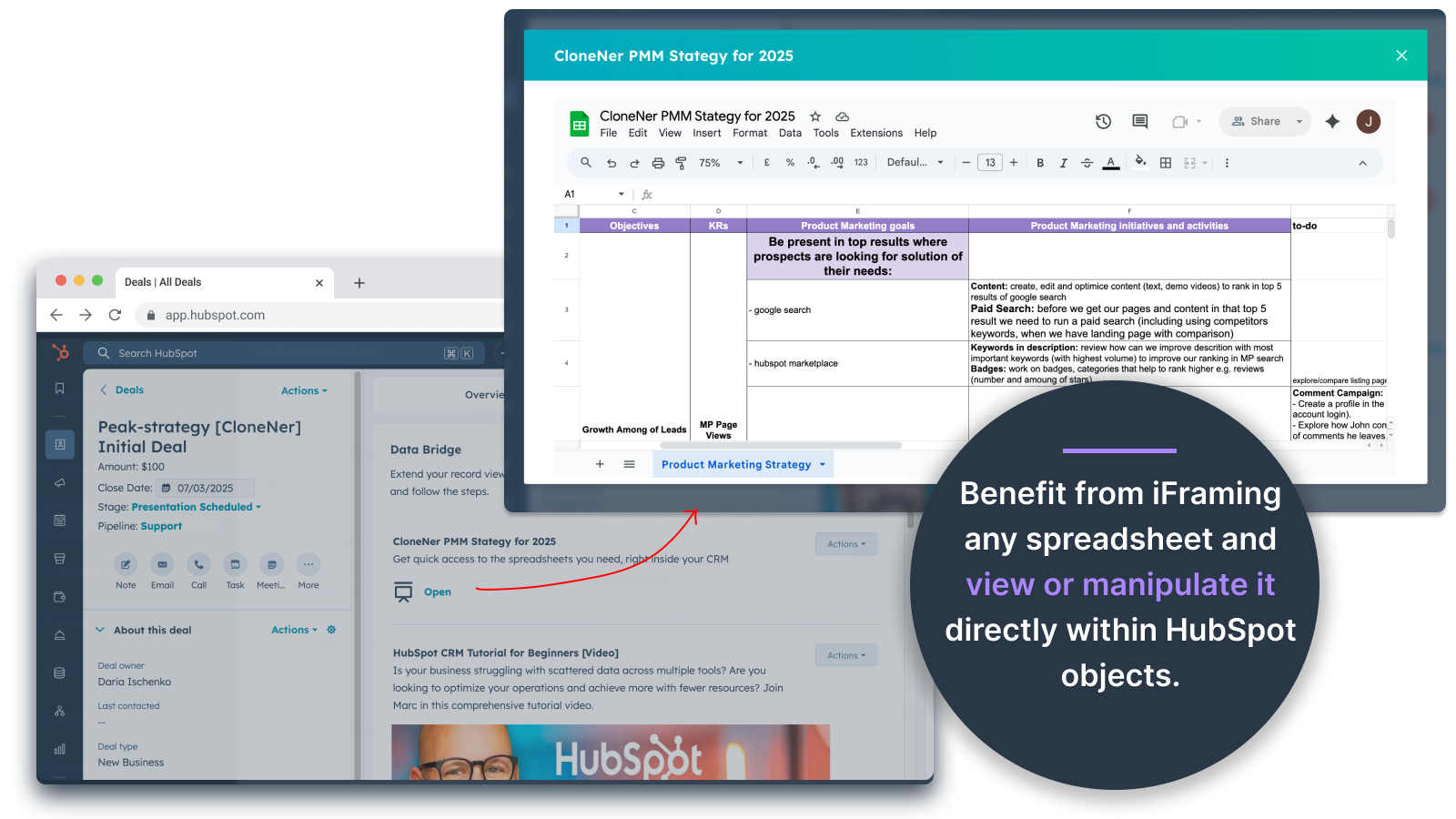
Google Sheets e Docs - visualize diretamente dentro de negócios, ingressos, etc.
Incorpore e iframe o Planilhas Google dentro dos registros da HubSpot para exibir relatórios, rastreadores ou painéis em tempo real. Perfeito para acompanhamento de progresso, KPIs ou dados compartilhados de clientes.
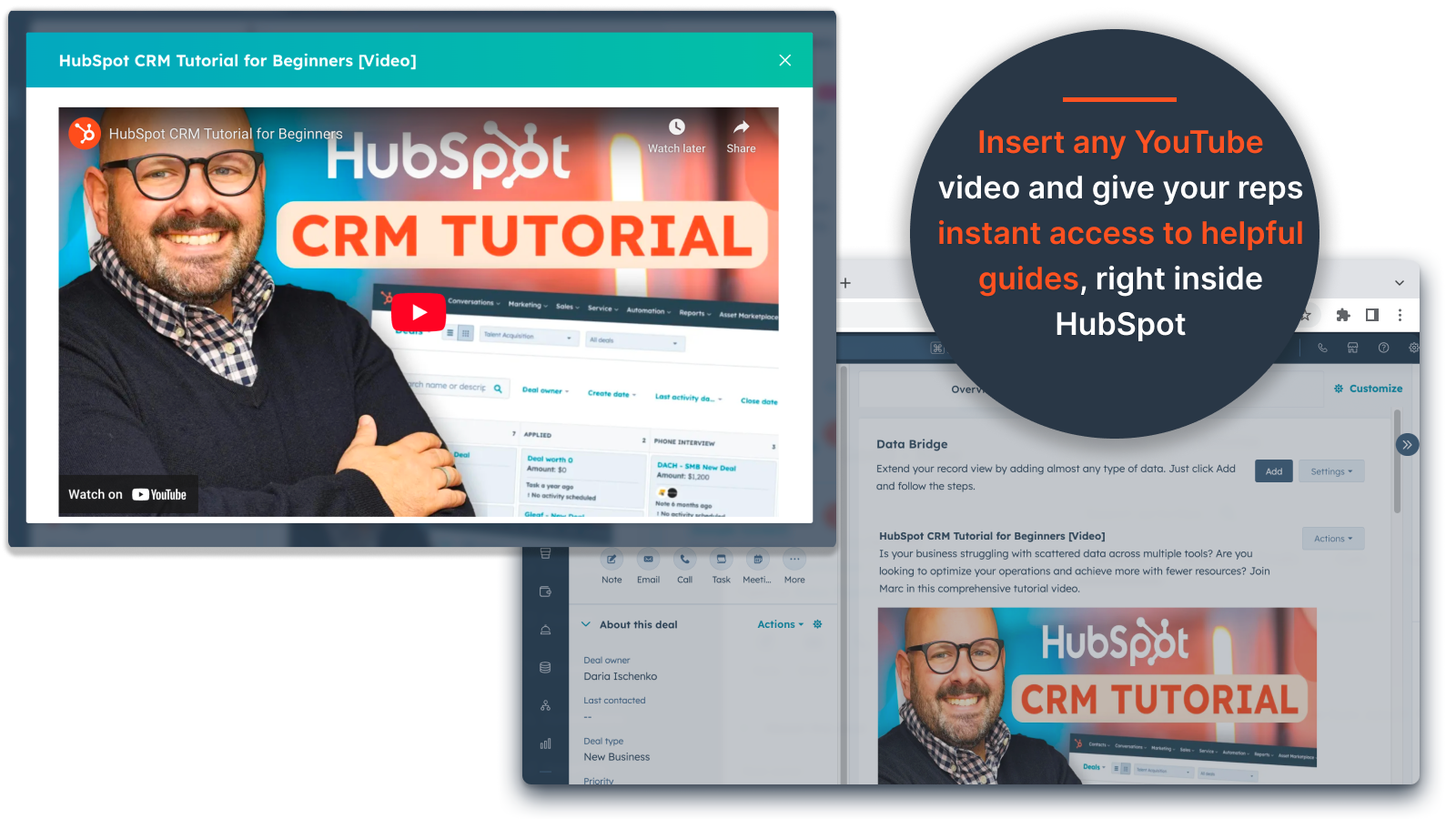
Incorporações de vídeo do YouTube
Traga tutoriais, demonstrações de produtos ou atualizações de clientes diretamente para os registros da HubSpot. As equipes têm acesso instantâneo ao conteúdo de vídeo certo sem sair do CRM.
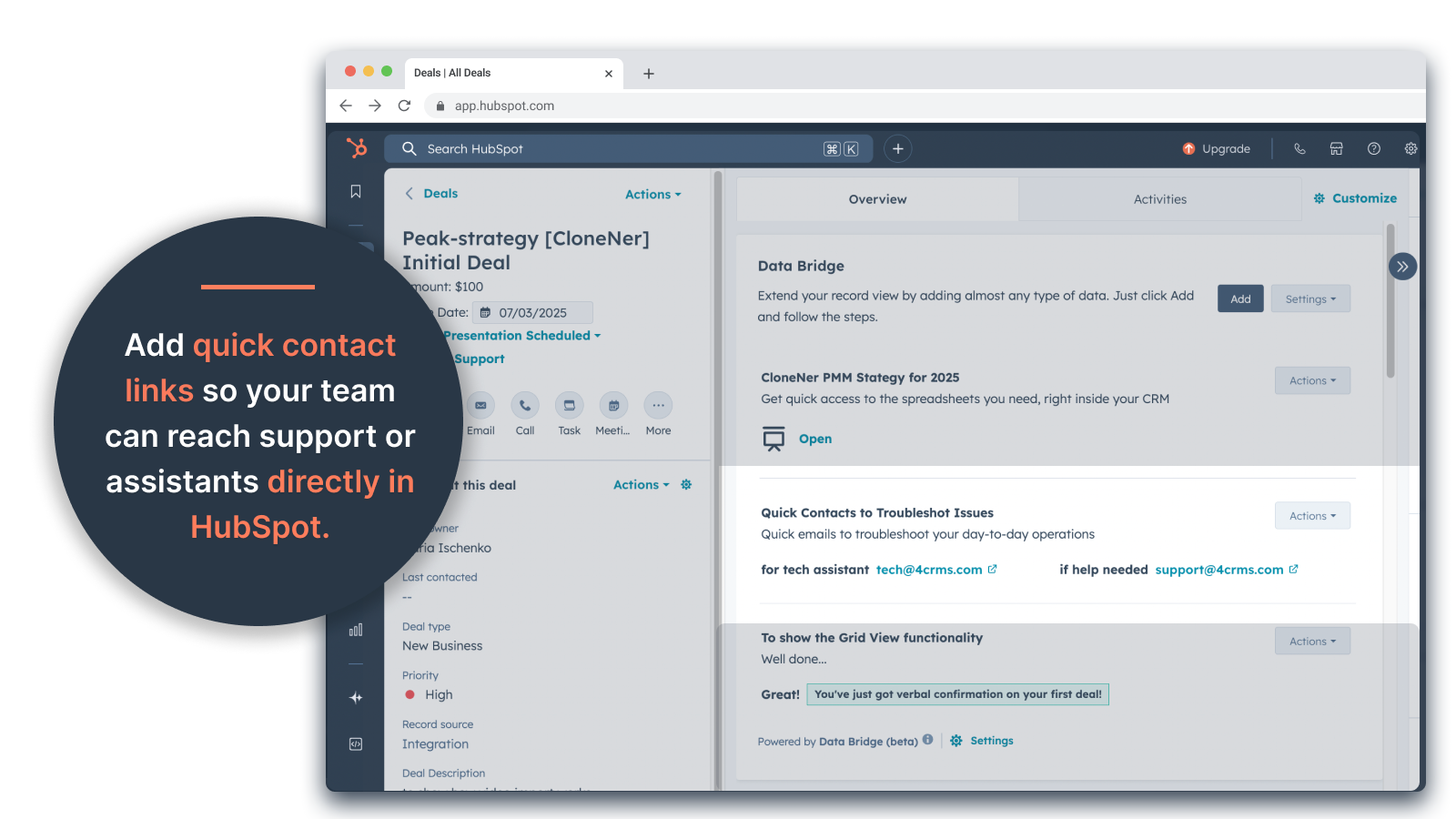
Criador de grade personalizada
Crie grades totalmente personalizáveis dentro dos registros da HubSpot. Adicione tags, texto, indicadores de status, links, imagens, ícones, e-mails ou alertas. Use variantes codificadas por cores (Sucesso, Aviso, Erro, Informação) e notas extras para facilitar a interpretação e a ação sobre dados complexos.
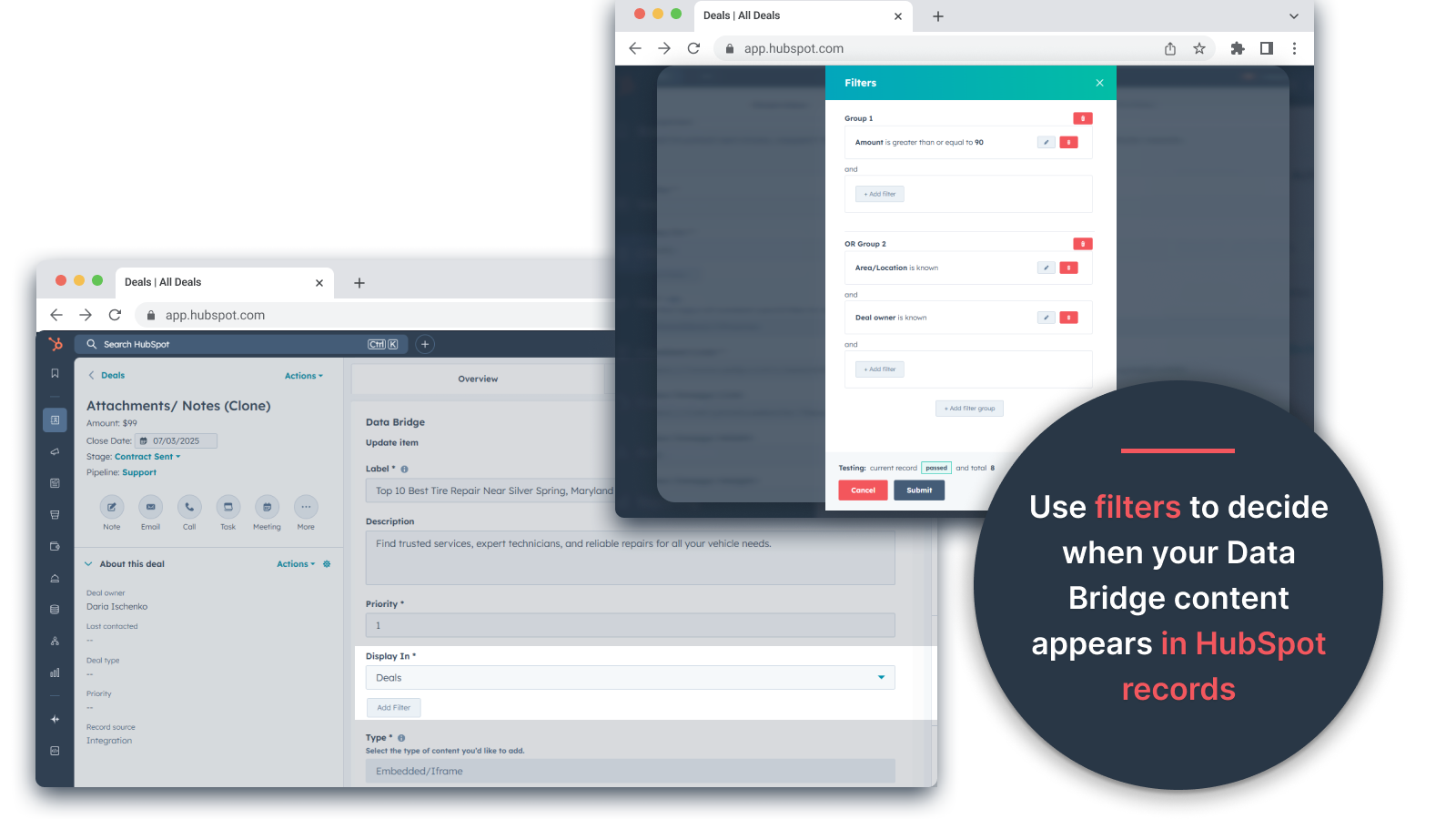
Regras de exibição condicional
Mostre ou oculte módulos com base no estágio do negócio, nos valores das propriedades ou em condições personalizadas, para que cada membro da equipe veja apenas o que é relevante no momento certo.
Integração perfeita com o HubSpot
Funciona nativamente com todos os objetos padrão da HubSpot (contatos, empresas, negócios, tíquetes) e objetos personalizados - sem necessidade de codificação ou logins adicionais.
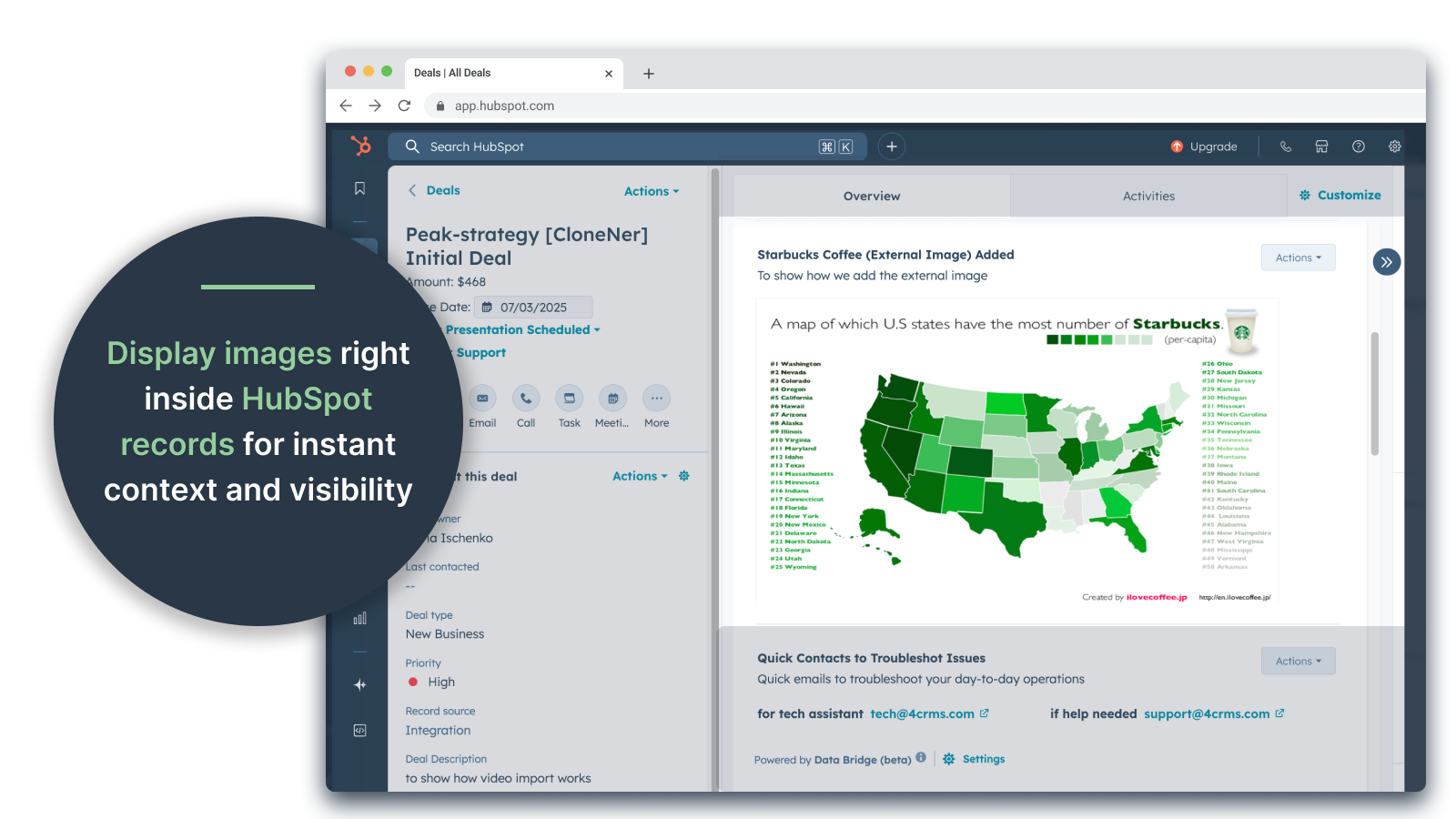
Suporte a arquivos e mídia
Carregue e exiba imagens, PDFs ou arquivos de mídia dentro dos registros para uma colaboração mais rápida e um contexto centralizado.
Funcionalidade do aplicativo
Dados compartilhados
Contacts | ||
Custom Objects | ||
Company | ||
Deal | ||
Ticket | ||
Owners | ||
Deal Pipelines |
Avaliações
- 25 de Set de 2025
Grande economia de tempo que elimina o incômodo de gerenciar arquivos dispersos e leva tudo diretamente para onde você precisa!
Ponte de dados para a vitória! Precisávamos de uma maneira fácil de trazer os relatórios de despesas armazenados no Excel para o HubSpot e isso resolveu esse problema sem ter que gerenciar toneladas de pastas do Google Drive. Agora os representantes podem clonar facilmente os relatórios de despesas, incorporá-los diretamente em seus negócios relacionados e acessá-los facilmente sem ter que procurar no Google Drive. Grande economia de tempo e estresse!
Configuração fácil, traz recursos externos diretamente para o HubSpot para facilitar o acesso
Nenhum encontrado ainda!
Estey, Z.
- 19 de Set de 2025
Transforma a HubSpot em um centro de comando
Nossa equipe começou a usar o Data Bridge! da 4CRM recentemente e ele já simplificou nosso fluxo de trabalho de maneiras poderosas. A capacidade de incorporar planilhas, documentos, vídeos e outros recursos externos do Google diretamente nos registros da HubSpot eliminou uma tonelada de idas e vindas e tornou nosso CRM muito mais prático. Ele é intuitivo, flexível e traz os dados certos para o lugar certo, na hora certa.
- Super fácil de configurar e começar a usar - Incorpora conteúdo crítico de vendas (como planilhas dinâmicas, materiais de referência, documentos de integração) diretamente no HubSpot - Grades personalizáveis facilitam a organização e a exibição dos dados mais relevantes - Ótimo para fazer com que os registros pareçam um verdadeiro "centro de comando" - Maior eficiência e redução de saltos de guias
- Adoraria ver ainda mais integrações nativas adicionadas ao longo do tempo - Alguns conteúdos incorporados (por exemplo, determinados players de vídeo) podem apresentar peculiaridades de exibição, dependendo das configurações do navegador
Stern, D.
Preços
Básico
US$ 19
/mêsObtenha 45 dias grátis - 🔓 desbloqueie todos os recursos. Torne os registros da HubSpot mais inteligentes com elementos de interface do usuário exatamente onde você trabalha. Traga dados para contatos, empresas e negócios.
3 Elementos da interface do usuário: Cada item adicionado conta como 1 elemento (por exemplo, uma imagem ou um vídeo, etc.).
Contatos: Exibir elementos da interface do usuário do Data Bridge dentro dos registros de contato
Empresas: Exibir elementos da interface do usuário do Data Bridge nos registros da empresa.
Negócios: Exibir elementos da interface do usuário do Data Bridge nos registros de negócios.
Incorpore imagens, YouTube, Google Docs, Slides e Sheets com iFrames - todos exibidos diretamente nos registros da HubSpot.
Filtros: ⚠️ Não disponível (somente por objeto ou todos os objetos se aplicam)
Criador de grade personalizada: ⚠️ Não disponível. Não é possível criar grades com tags, links, imagens e notas.
Básico
US$ 19
/mêsObtenha 45 dias grátis - 🔓 desbloqueie todos os recursos. Torne os registros da HubSpot mais inteligentes com elementos de interface do usuário exatamente onde você trabalha. Traga dados para contatos, empresas e negócios.
3 Elementos da interface do usuário: Cada item adicionado conta como 1 elemento (por exemplo, uma imagem ou um vídeo, etc.).
Contatos: Exibir elementos da interface do usuário do Data Bridge dentro dos registros de contato
Empresas: Exibir elementos da interface do usuário do Data Bridge nos registros da empresa.
Negócios: Exibir elementos da interface do usuário do Data Bridge nos registros de negócios.
Incorpore imagens, YouTube, Google Docs, Slides e Sheets com iFrames - todos exibidos diretamente nos registros da HubSpot.
Filtros: ⚠️ Não disponível (somente por objeto ou todos os objetos se aplicam)
Criador de grade personalizada: ⚠️ Não disponível. Não é possível criar grades com tags, links, imagens e notas.
* O preço aqui é apenas para fins de exibição. Todos os preços não incluem impostos, incentivos, descontos ou outras variáveis de preços. Você deve entrar em contato com o parceiro para obter informações mais atualizadas e precisas. A HubSpot não se responsabiliza por essas informações de preços, que são fornecidas pelos nossos parceiros. Preços atualizados pela última vez: 05/05/2026