
EasyCalendar
Booking an appointment get easier and better with just a few clicks.
Erstellt von - Saas Labs Inc
Installationen - 20+ Installationen
Anforderungen
HubSpot-Produktversion HubSpot-Account-Berechtigungen - Erforderliche Account-Berechtigungen anzeigen
Zugriffstyp Shared EasyCalendar-Abonnement - Produktversionen: Standar oder Pro
Übersicht

1/4 - Meeting and call activities logging.
With the EasyCalendar HubSpot integration, You can:
- Create contacts, activities, and notes in HubSpot when an appointment is scheduled
-
EasyCalendar allows you to create new contacts, handle bookings, and log activities or notes against them.
You have the facility to customize your appointment style, whether you want to have multiple bookings at a time or a single booking at a time. And if you would like to have control over your bookings, you can use our manual appointment approval settings.
Even more! New Contacts are created automatically from new bookings, allowing the user a resourceful environment.
Recently added a new feature that helps you sync your custom appointment question as contact property.
Funktionen
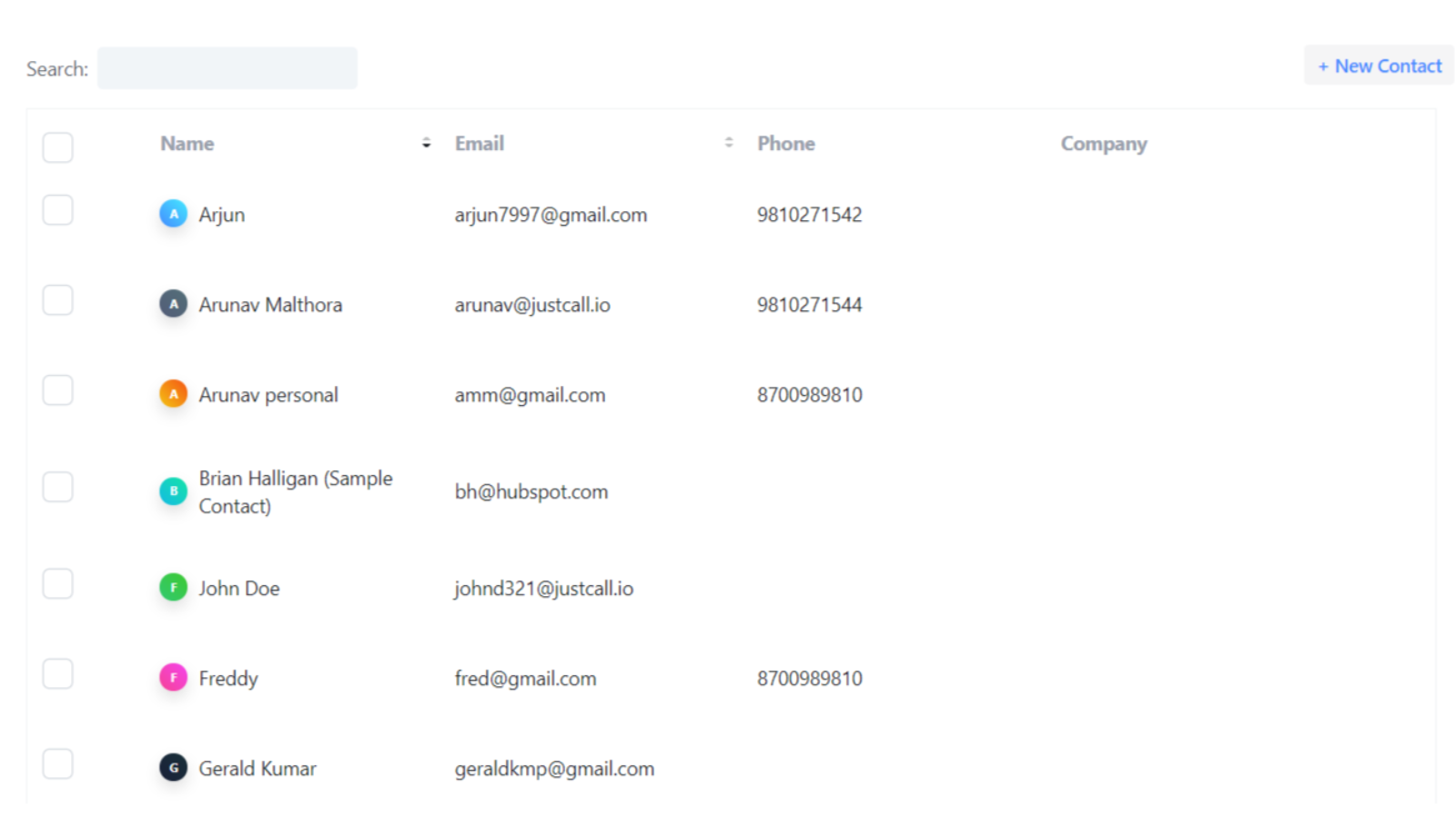
Managing contacts
All your integrated HubSpot account's contacts will be logged in EasyCalendar so that you will not lose any lead and prospect. EasyCalendar also provides you with an efficient and better appointment scheduling experience.
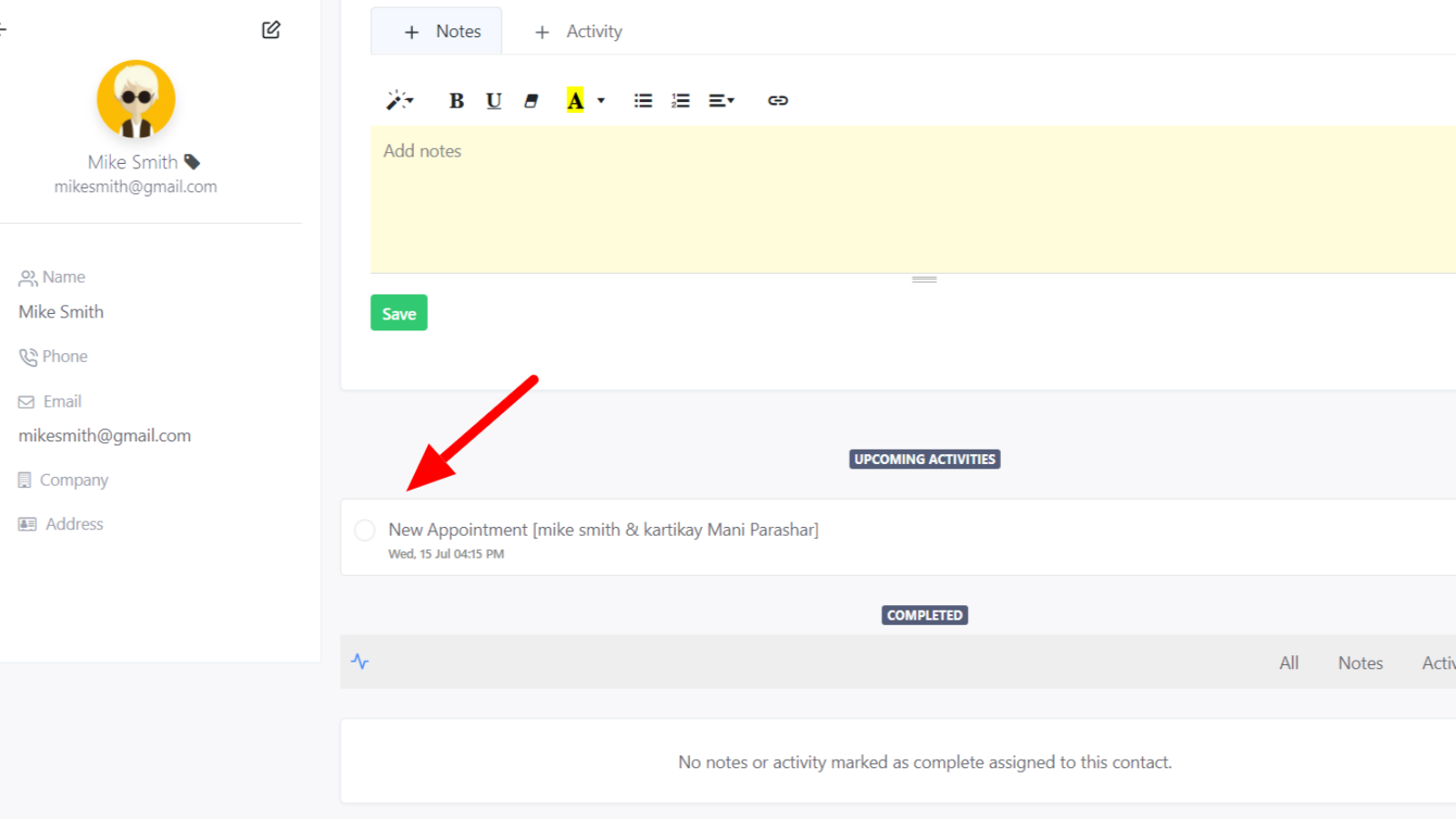
Call and meeting activities tracking
Activities assigned to your contacts will reflect in your HubSpot contacts. For example, if you create a meeting activity with a contact EasyCalendar will sync that activity in your HubSpot contact.
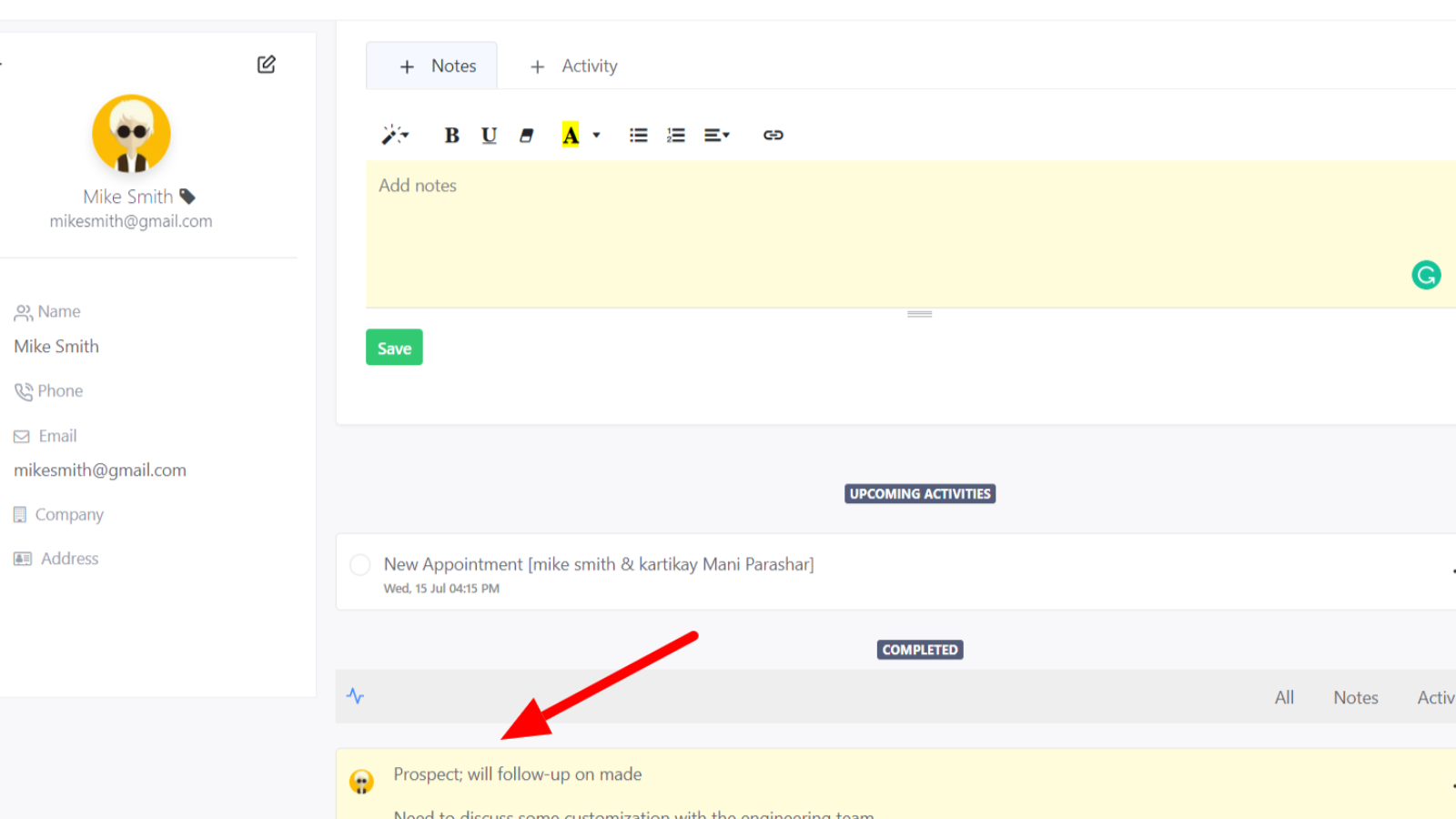
Assigning notes
Notes assigned to your contacts will also sync in your HubSpot contact's notes section. For example, if you create a note in a contact EasyCalendar will sync that note in your HubSpot contact.
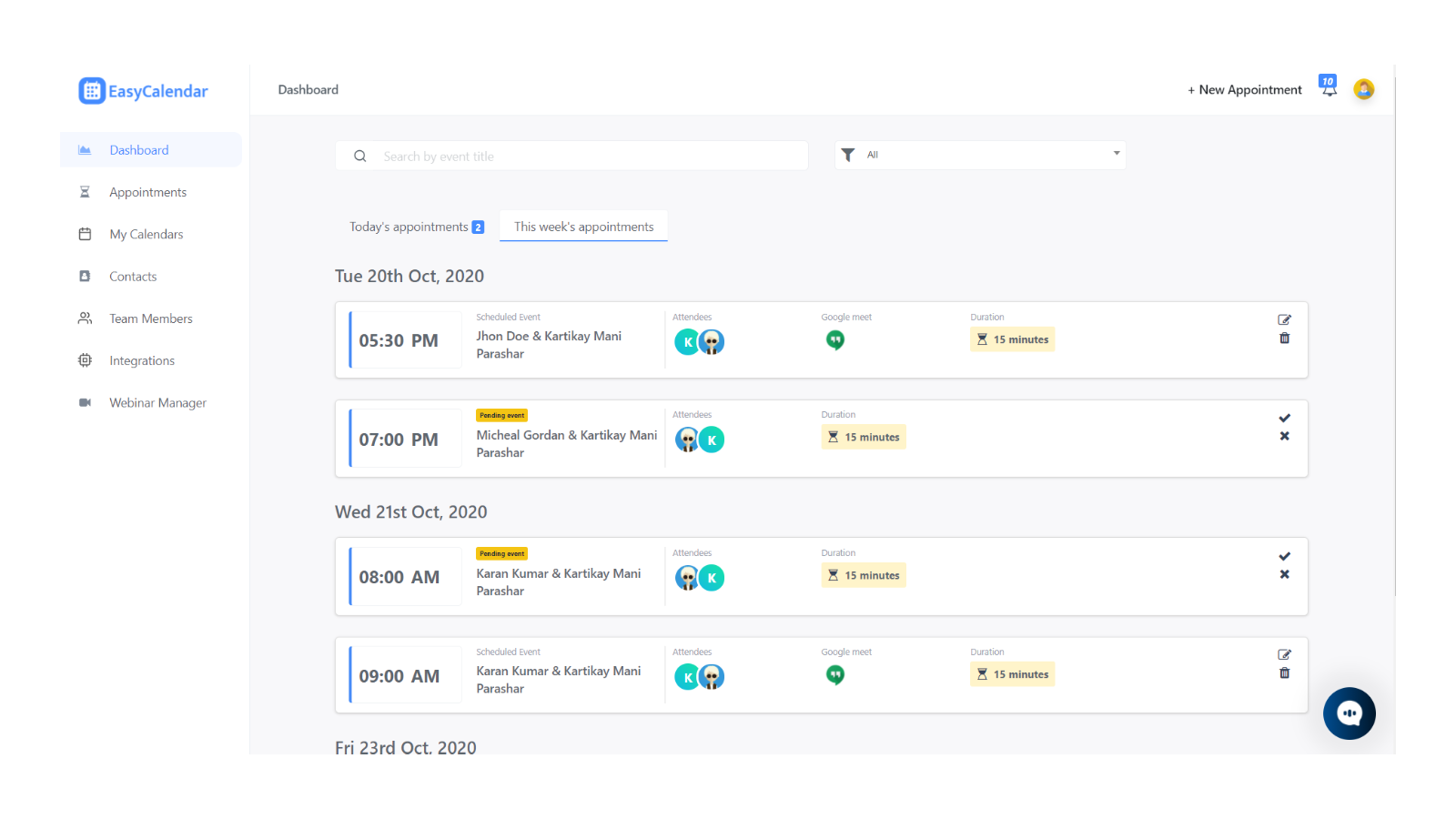
Scheduled appointments tracking
EasyCalendar automatically logs any appointment scheduled with you against your HubSpot contacts with detailed information.
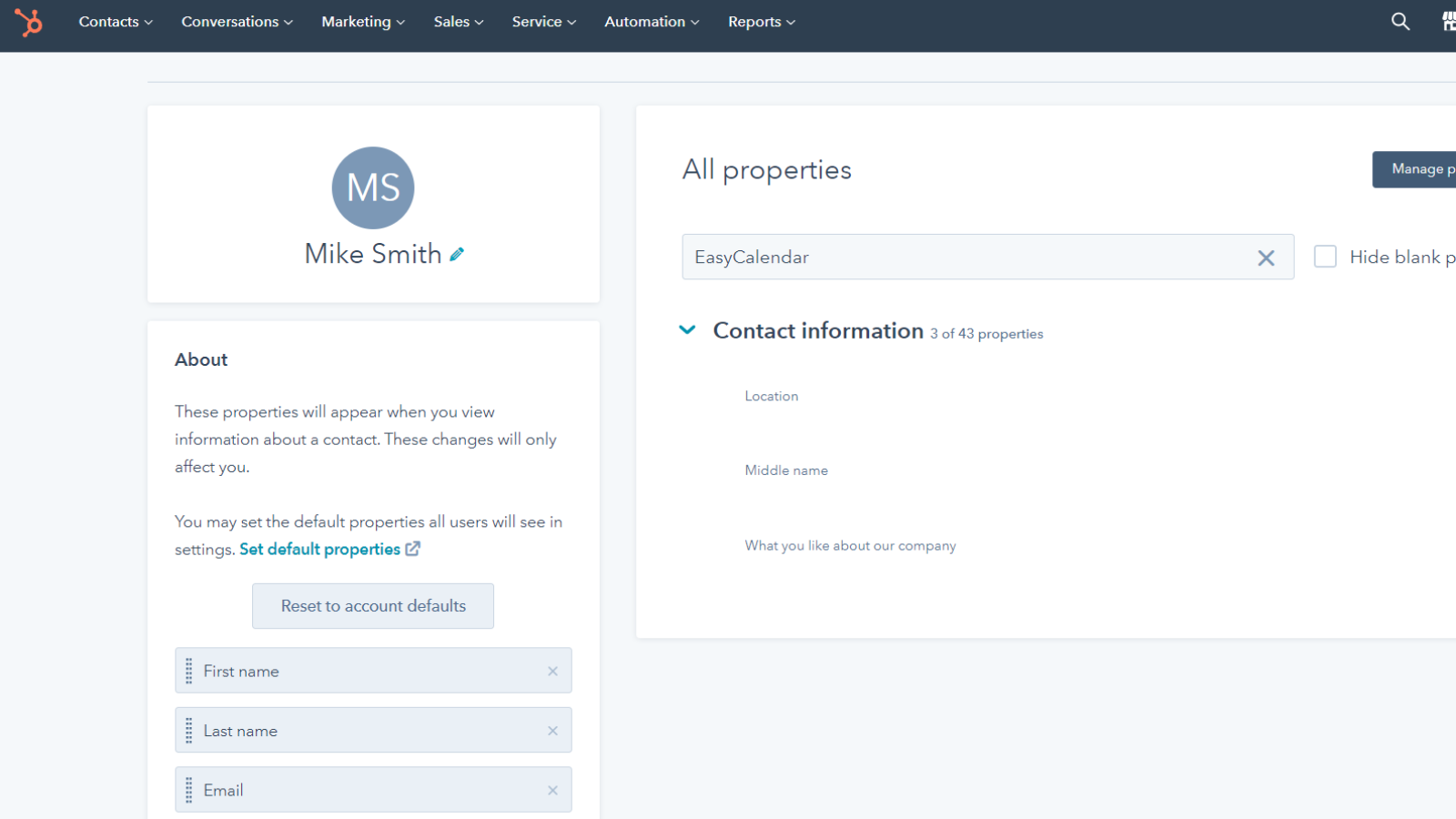
Syncing custom contact property
You can log your calendar's custom booking question as contact property and even manage by using HubSpot integration settings. The value of these custom contact property in contact will be updated by the values your invitee provides at the time of appointment.
App-Funktionalität
Datenaustausch
Activities and notes | ||
Contacts | ||
Custom booking question and answer |
Rezensionen
Verfassen Sie jetzt die erste Kundenrezension
Standar
0,50 $
/Monat2 calendars / user
All Standard Integrations
Schedule Unlimited events
Website Widget
Email Support
Personalized Calendar link
Standar
0,50 $
/Monat2 calendars / user
All Standard Integrations
Schedule Unlimited events
Website Widget
Email Support
Personalized Calendar link
* Die hier angegebenen Preise dienen nur zu Illustrationszwecken. Alle Preise enthalten keine Steuern, Sonderangebote, Rabatte oder sonstigen Preisvarianten. Bitte wenden Sie sich direkt an den Partner, um aktuelle und korrekte Preisinformationen zu erhalten. HubSpot übernimmt keine Verantwortung für Preisinformationen, die von unseren Partnern bereitgestellt werden. Letzte Aktualisierung der Preisinformationen: 11.08.2025
Weitere Infos
Erstellt von - Saas Labs Inc
Installationen - 20+ Installationen
Kategorien Sprachen, in denen diese App verfügbar ist Englisch
Erhält heute Aufmerksamkeit