

OnSIP // sayso
Anforderungen
HubSpot-Produktversion HubSpot-Account-Berechtigungen - Erforderliche Account-Berechtigungen anzeigen
Zugriffstyp Geteilt OnSIP // sayso-Abonnement - Produktversionen: sayso oder Unlimited
Übersicht
1/4
"Your Customers Still Want to Talk to a Human Being". Harvard Business Review published an article by this name in 2017 and with the rise of "chatbots", it's becoming more relevant than ever.
With sayso, OnSIP has taken the convenience of text chat and combined it with the personal, efficient power of a phone call. Your website visitors click a button on their computer, and seconds later, they have the undivided attention of a real human.
There's no dialing, no listening to menus, no waiting while the other person types their response, no copy/paste templates. sayso offers a download-free way for prospects or existing customers to voice/video chat with your business.
Funktionen
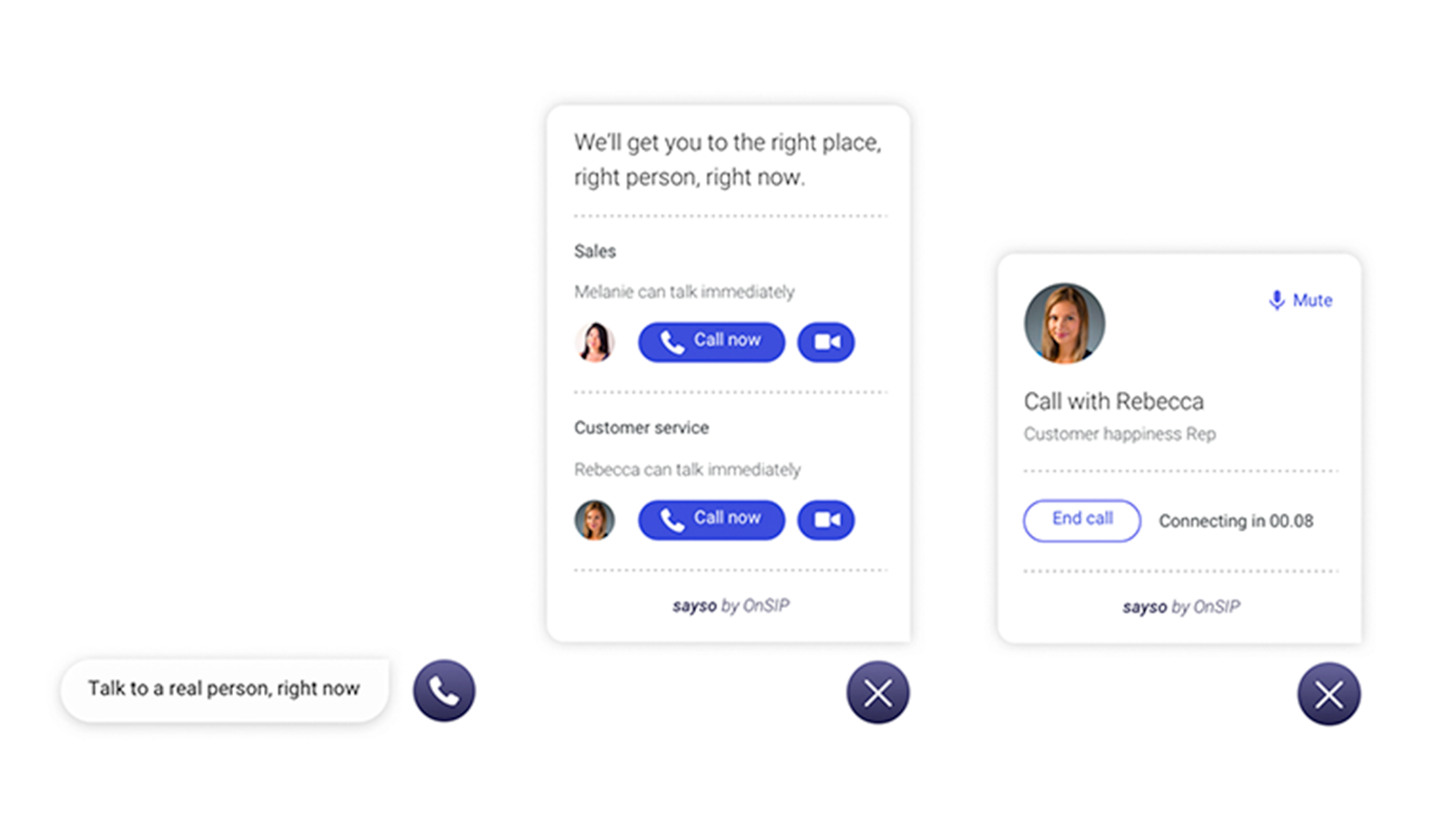
Visitors initiate direct calls to reps who are available and qualified
When getting started with sayso, you'll create a list of discussion topics and assign your users to the topics they're qualified to discuss. When a visitor clicks the button, they'll see the name and face of the representative available to speak with them. From there, they can begin the call.
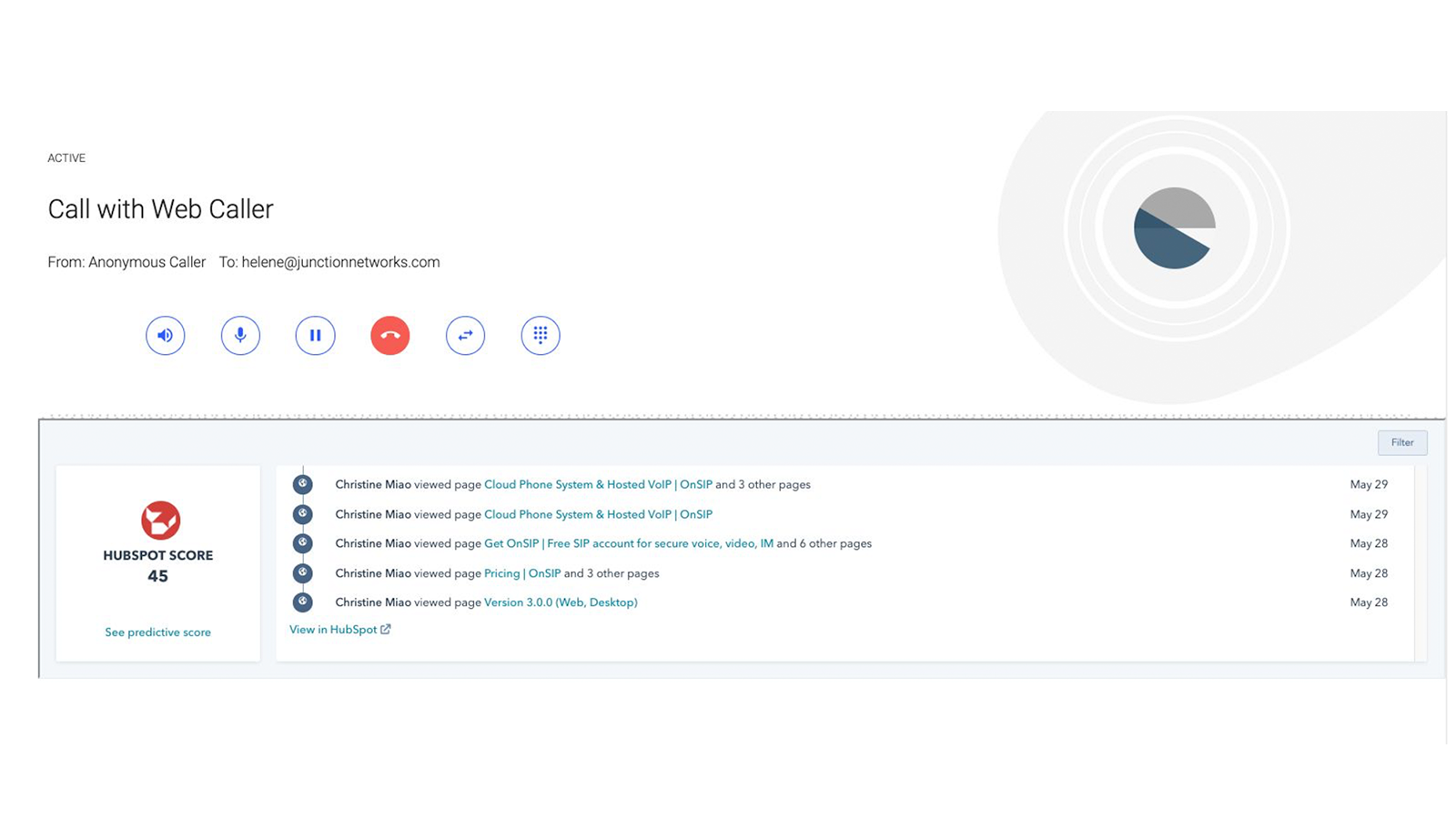
HubSpot identifies the caller as the call comes in
Unlike traditional phone calls, your representatives can see what the caller is calling about and which page they are calling from. If the caller is a recognized contact in HubSpot, it will also display their name and activity history. Your reps can answer the call with accurate expectations.
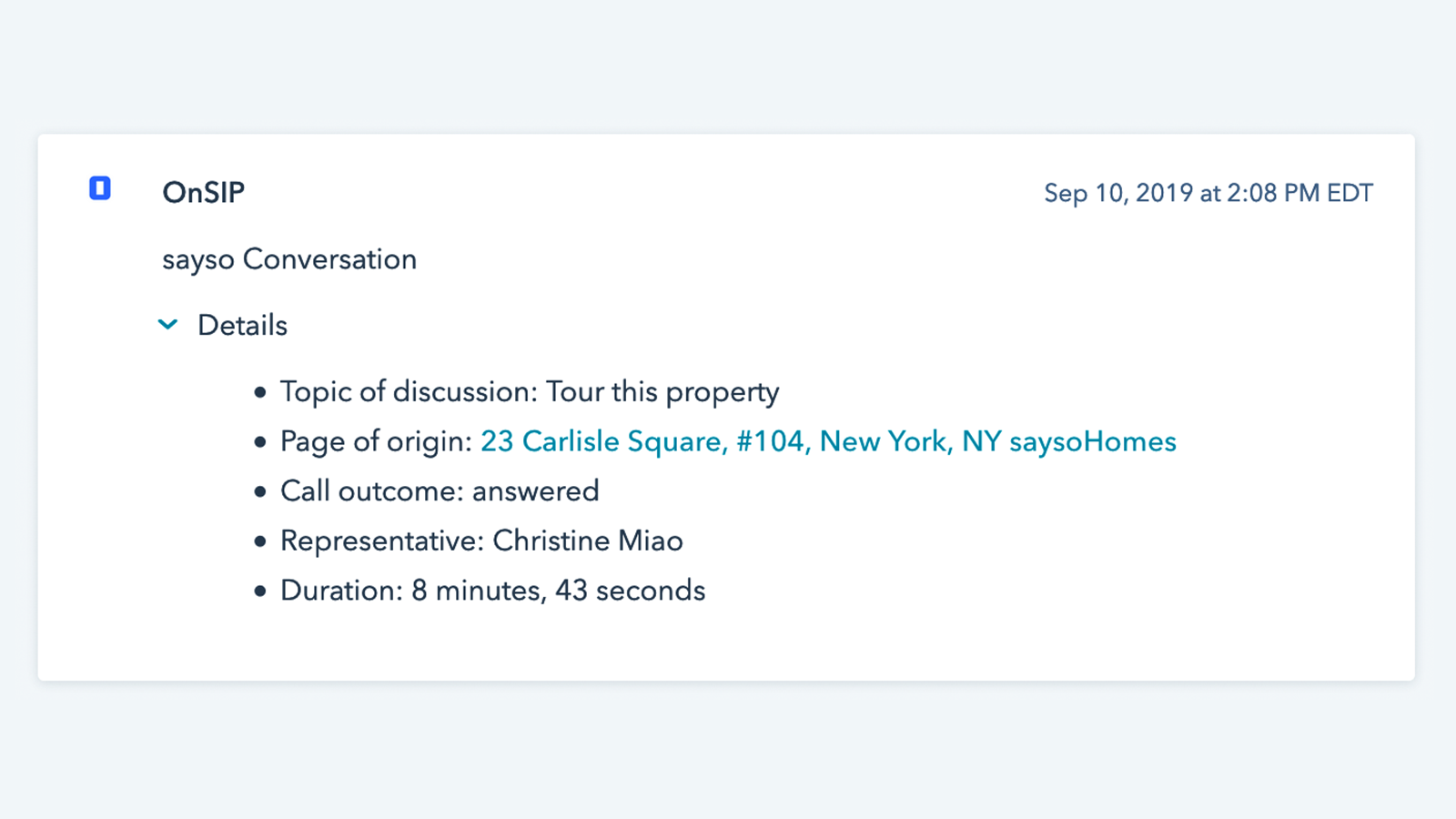
Call data is logged and available for use in reports and workflows
When a conversation with a known HubSpot contact is completed, it will be logged in their contact record with data on where the call originated, what topic was discussed, who answered and how long it lasted. With this data, you can trigger a workflow or run call reports in HubSpot.
App-Funktionalität
Datenaustausch
OnSIP app | ||
OnSIP app |
Rezensionen
- 29. März 2021
Limited Functionality
Its fine. It would be better if I could initiate a call from HubSpot to use OnSIP.
Its our main voice communications platform
Sometimes connects with incoming call
Doesn't work the way I want it to
Sacco, P.
Bauwesen & Sanierungen - 26 bis 50 Mitarbeitende
sayso
0 $
Voice/Video chat for business websites
Unlimited inbound voice chats
Unlimited inbound video chats
Unlimited users
Unlimited discussion topics
Geolocation filtering
URL-based routing
sayso
0 $
Voice/Video chat for business websites
Unlimited inbound voice chats
Unlimited inbound video chats
Unlimited users
Unlimited discussion topics
Geolocation filtering
URL-based routing
* Die hier angegebenen Preise dienen nur zu Illustrationszwecken. Alle Preise enthalten keine Steuern, Sonderangebote, Rabatte oder sonstigen Preisvarianten. Bitte wenden Sie sich direkt an den Partner, um aktuelle und korrekte Preisinformationen zu erhalten. HubSpot übernimmt keine Verantwortung für Preisinformationen, die von unseren Partnern bereitgestellt werden. Letzte Aktualisierung der Preisinformationen: 11.08.2025