

Spool
Erstellt von - Spool
Installationen - <10 Installationen
Anforderungen
HubSpot-Produktversion HubSpot-Account-Berechtigungen - Erforderliche Account-Berechtigungen anzeigen
Zugriffstyp Geteilt Spool-Abonnement - Produktversionen: Free, Business oder Enterprise
Übersicht
1/5
Customer-facing professionals need help from their team for things they discuss with customers in calls & meetings.
To get this help, professionals jump from one collaboration tool to another and before moving to HubSpot to proceed with the opportunity, they waste a huge amount of time, and they lose customers.
Spool automatically detects, captures and posts on HubSpot, items discussed during a customer call that are worth-sharing with other team members, helping customer-facing professionals to collaborate better and to move deals forward up to 3x faster!
Spool connects with video conferencing & call platforms like Zoom, it processes transcripts and using machine learning it automatically creates HubSpot tasks for items discussed during the calls that need contribution from other team members or are worth-sharing in terms as sales tips.
Tasks are associated with the relevant contact and are assigned to the right team members. Team collaborates, and sales reps systematically get the information they need in the most frictionless and fast way.
Funktionen
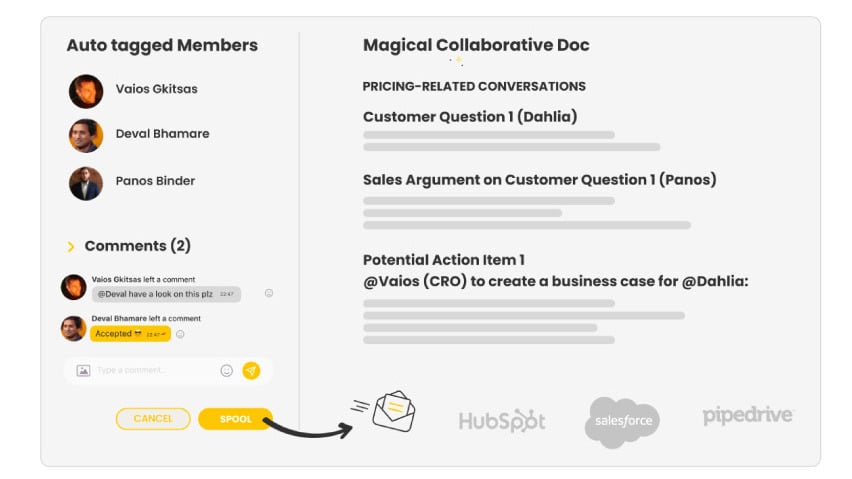
Capture collaborative tasks & sales tips from your calls automatically
Spool detects & captures automatically items discussed during customer calls that need to be shared with other team members. The items include unanswered customer questions, customer preferences & effective arguments that are worth-sharing with the relevant team members. No behavioral change needed.SDRs talk to customers & just record the calls.
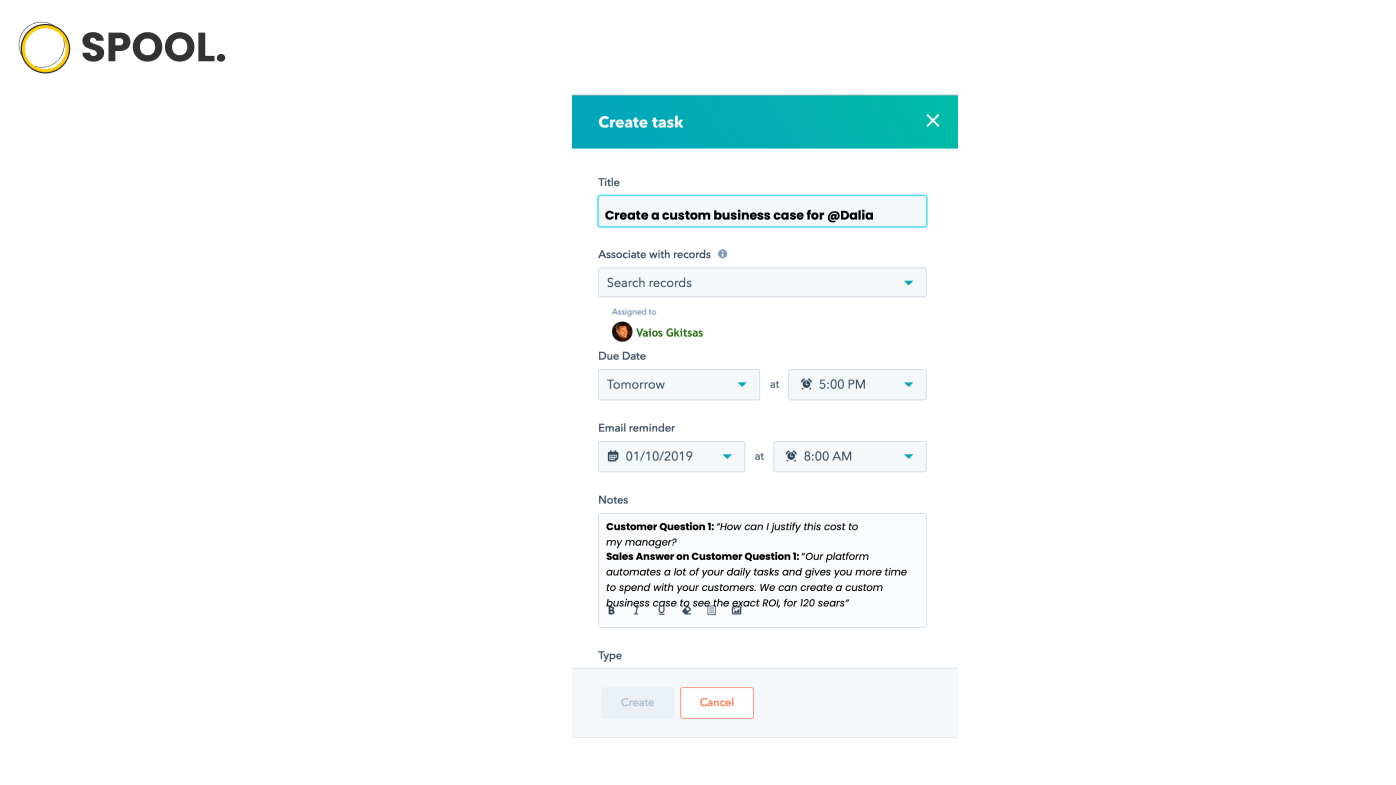
Convert tasks & tips from your calls into HubSpot tasks automatically
Once a customer call ends, Spool automatically creates HubSpot tasks associated with items discussed during the calls that need contribution from other team members. Tasks are associated with the relevant contact and are assigned to the right team members.
App-Funktionalität
Datenaustausch
Meeting Collaboration Item |
Rezensionen
Preise
Free
0 $
Process 200 Transcript minutes per Month for free.
All features are fully available.
- Zoom Integration
- HubSpot Integration
Free
0 $
Process 200 Transcript minutes per Month for free.
All features are fully available.
- Zoom Integration
- HubSpot Integration
* Die hier angegebenen Preise dienen nur zu Illustrationszwecken. Alle Preise enthalten keine Steuern, Sonderangebote, Rabatte oder sonstigen Preisvarianten. Bitte wenden Sie sich direkt an den Partner, um aktuelle und korrekte Preisinformationen zu erhalten. HubSpot übernimmt keine Verantwortung für Preisinformationen, die von unseren Partnern bereitgestellt werden. Letzte Aktualisierung der Preisinformationen: 11.08.2025
Weitere Infos
Erstellt von - Spool
Installationen - <10 Installationen
Kategorien Sprachen, in denen diese App verfügbar ist Englisch