

Sumoquote by RBP
Erstellt von - Roofing Business Partner
Installationen - 80+ Installationen
Bewertung 3,7
(3)
Anforderungen
HubSpot-Produktversion HubSpot-Account-Berechtigungen - Erforderliche Account-Berechtigungen anzeigen
Zugriffstyp Geteilt Sumoquote by RBP-Abonnement - Produktversionen: Free, Automated oder Custom Build
Übersicht
1/9
Our application integrates the HubSpot CRM with the Sumoquote application. All you need to do is to create a deal in HubSpot and connect your deal with SumoQuote using open authentication. Once it is connected, it takes care to sync each move you take for writing quotations in SumoQuote. It gives you a built-in feature to manage your reports in SumoQuote. Or if you try to do anything relevant e.g. Quote title, introduction or any other custom page, it will automatically sync your changes directly in HubSpot out of the box. It also gives you the option to view real-time signed quotations download reports in PDF and other items details that were added in the quotation. The application also has options to manage settings for connectivity, e.g. Sync everything between the two systems out of the box or disconnect the link between two applications.
Funktionen
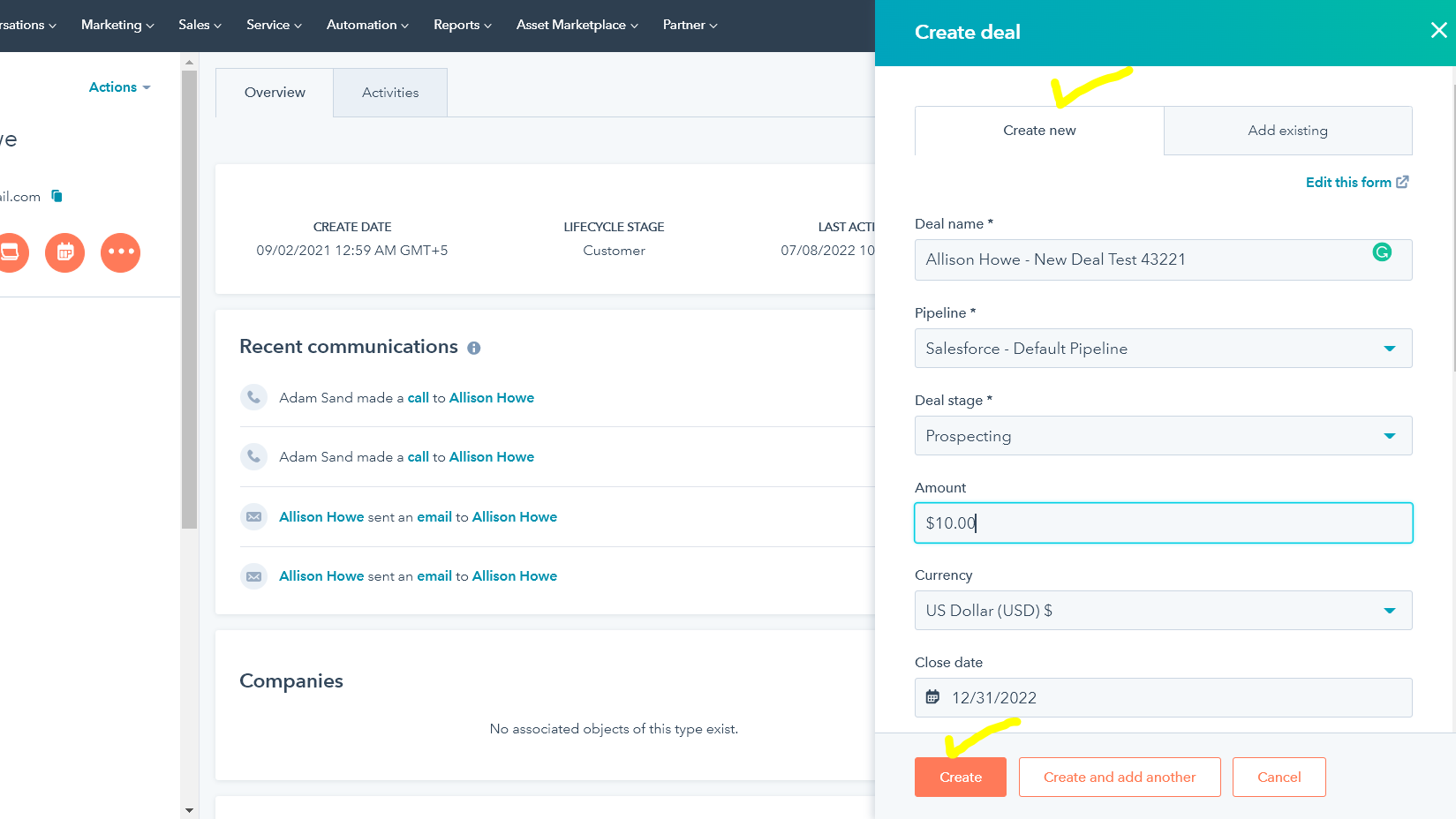
Create a deal to get started
You need to create a deal first to get started
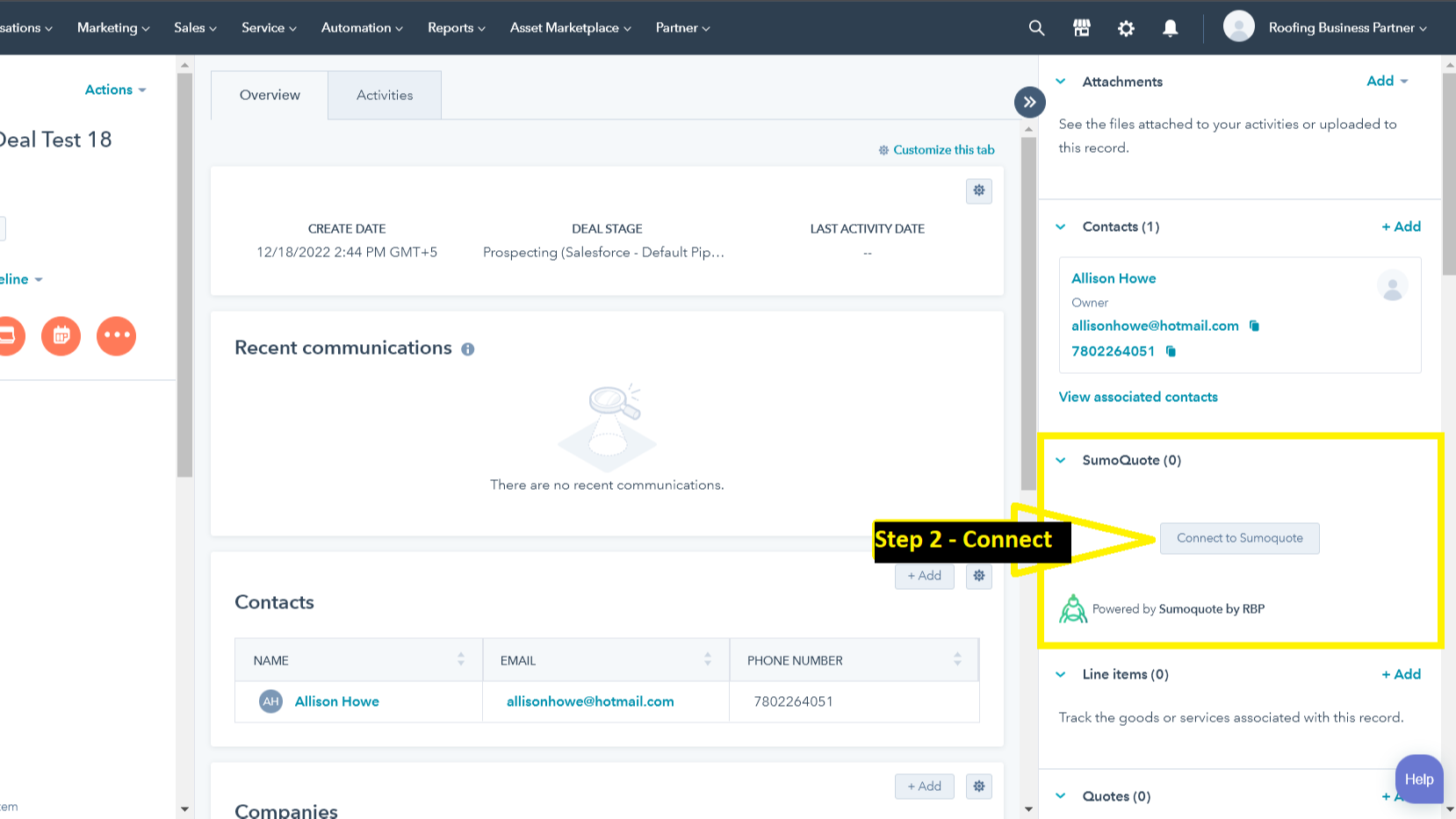
Connect to sumoquote
After your deal is created, you will see an option to connect to sumoquote
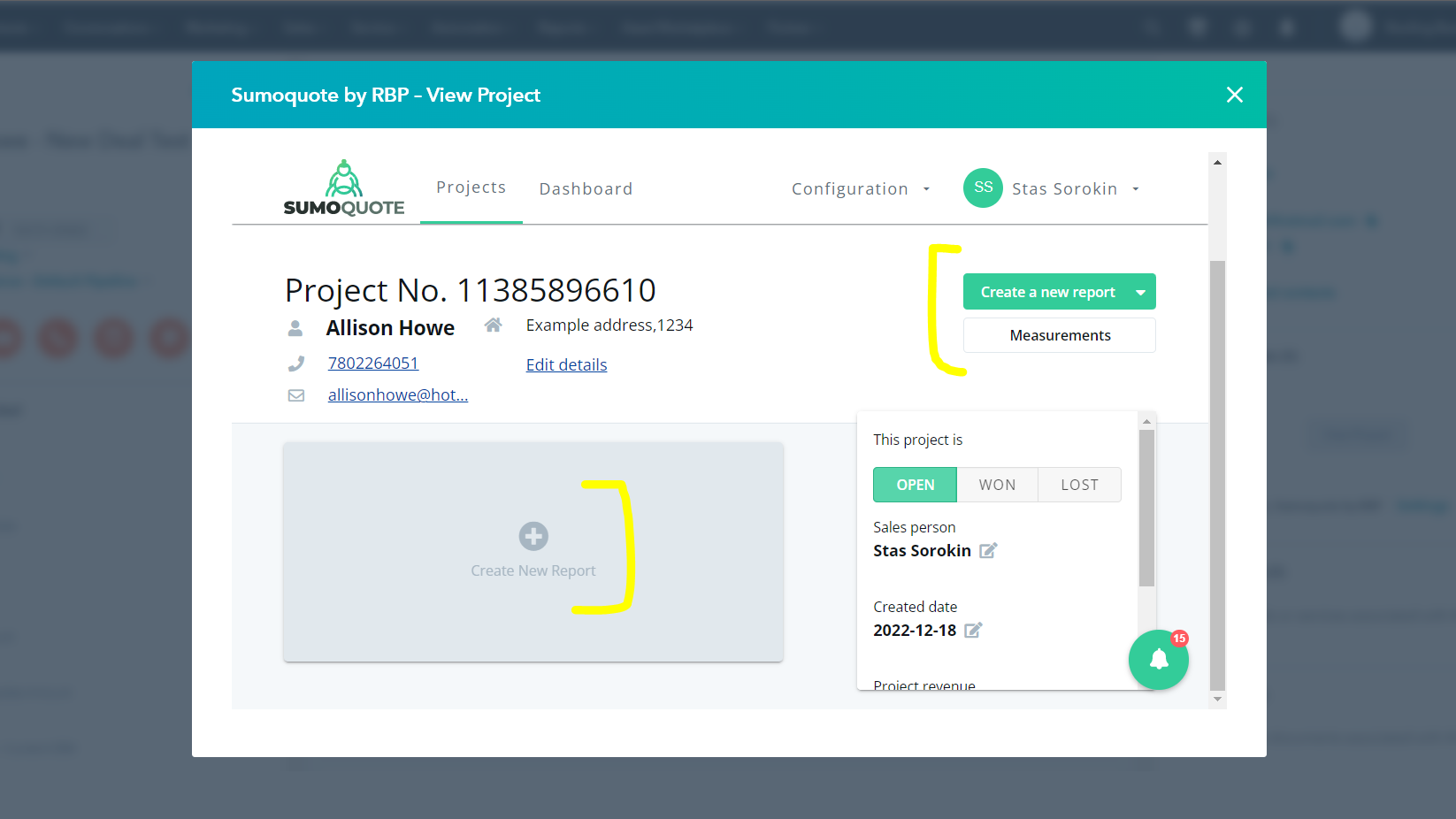
Quotations getting synced up
After you have linked up your HubSpot with Sumoquote, everything is set up. You may just start creating/updating Sumoquote quotations and look for everything getting synced up out of the box
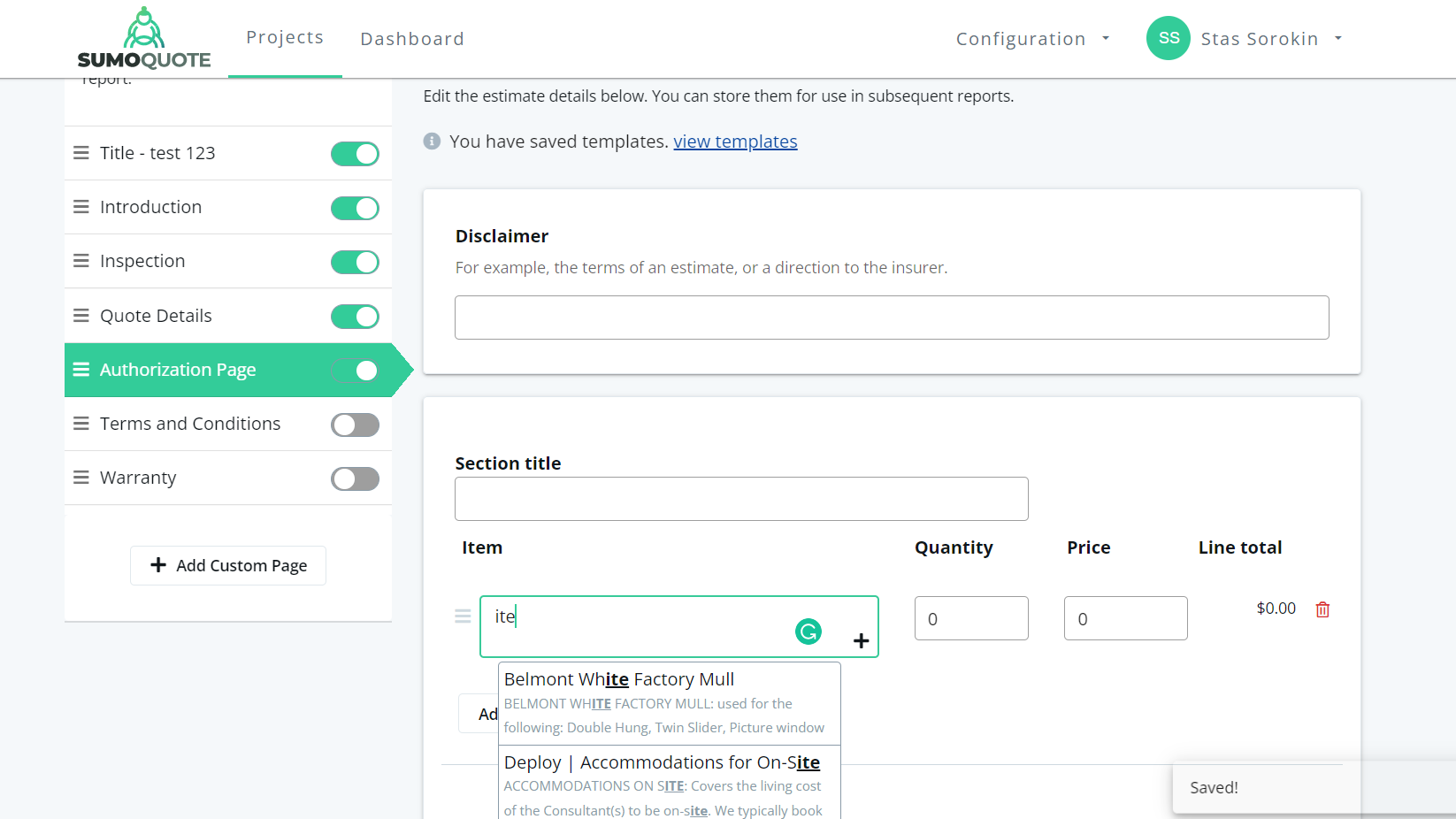
Quotations getting synced up
After you have linked up your HubSpot with sumoquote, everything is set up. You may just start creating/updating sumoquote quotations and look for everything getting synced up out of the box
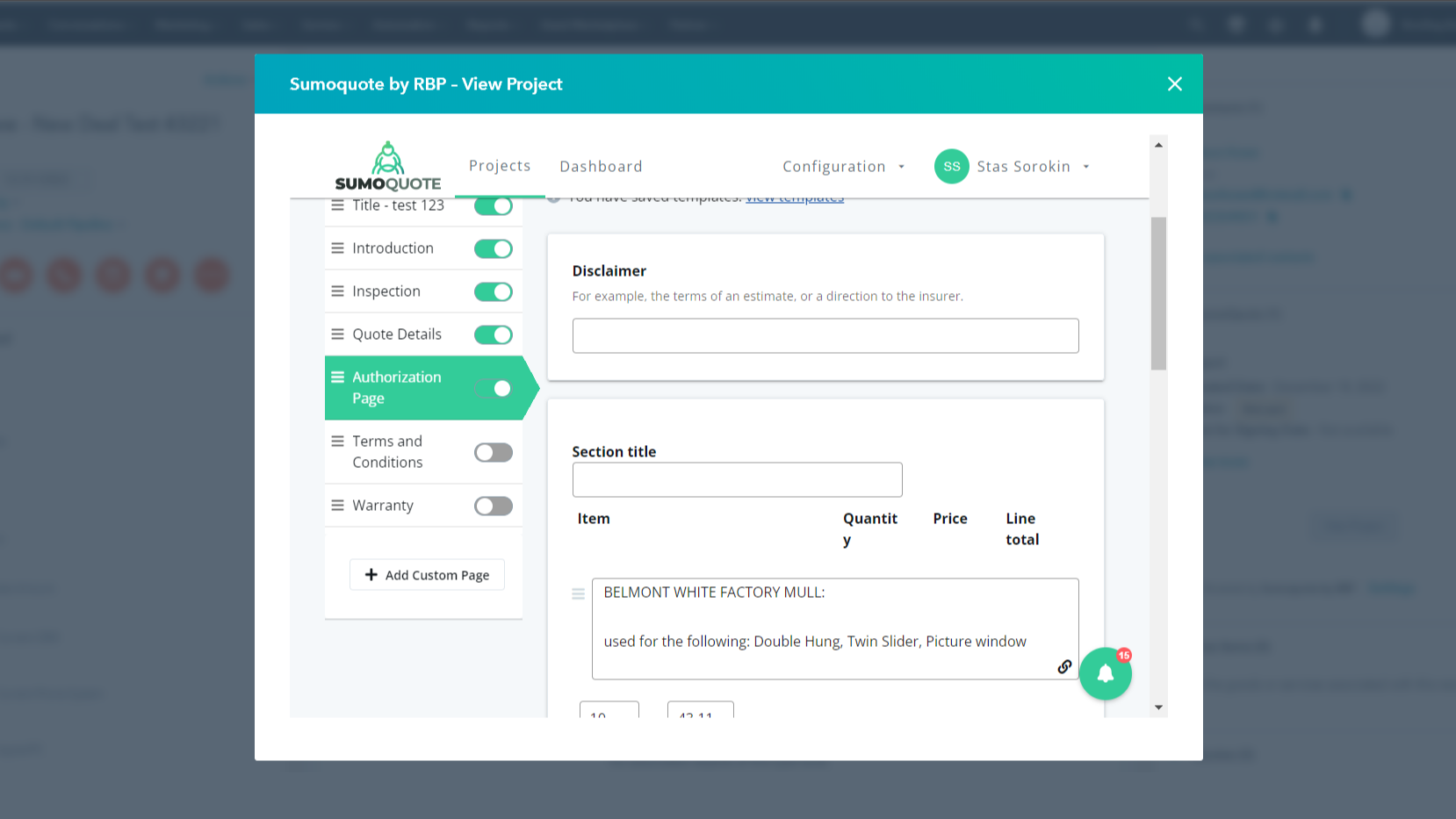
Quotations getting synced up
After you have linked up your HubSpot with sumoquote, everything is set up. You may just start creating/updating sumoquote quotations and look for everything getting synced up out of the box
App-Funktionalität
Deal as Project quote | ||
Sumoquote Quotations Project | ||
Sales Person Details |
Rezensionen
- 4. Aug. 2025
Schreckliche Erfahrung mit schlechtem Kundenservice, der einen vertröstet, kaputten Automatisierungen, schrecklichen Suchfunktionen und keinerlei Unterstützung bei der Schulung
Nicht gut. Der Kundenservice kann Probleme nicht beheben. Sie schieben es einfach auf jemand anderen oder Geist Sie. viel zu viele Klicks. Automatisierungen sind nicht funktionieren großartig. Integrationen von Daten nicht kommunizieren wie zu sumoquote.
Nein, das ist für die meisten Verkäufer zu verwirrend.
Die Suchmaschine für sumoquote-Elemente ist schrecklich, Daten lassen sich nicht integrieren oder synchronisieren, HubSpot ist für die meisten Leute zu verwirrend. Schwerwiegender Mangel an Schulungen. Es ist, als würden sie dich einrichten und dich dann für immer entlassen.
Wobbema, D.
- 1. Feb. 2024
Its works well
Really good so far, it has been nice to have everything in one place where we can all see it.
We are using the connection to connect our quoting software
Glick, E.
Bauwesen & Sanierungen - 11 bis 25 Mitarbeitende
Preise
Free
0 $
Create and View SumoQuotes inside HubSpot
Create a new SumoQuote project from within SumoQuote
See the progress of your SumoQuote status from a CRM Card
Free
0 $
Create and View SumoQuotes inside HubSpot
Create a new SumoQuote project from within SumoQuote
See the progress of your SumoQuote status from a CRM Card
* Die hier angegebenen Preise dienen nur zu Illustrationszwecken. Alle Preise enthalten keine Steuern, Sonderangebote, Rabatte oder sonstigen Preisvarianten. Bitte wenden Sie sich direkt an den Partner, um aktuelle und korrekte Preisinformationen zu erhalten. HubSpot übernimmt keine Verantwortung für Preisinformationen, die von unseren Partnern bereitgestellt werden. Letzte Aktualisierung der Preisinformationen: 11.08.2025
Weitere Infos
Erstellt von - Roofing Business Partner
Installationen - 80+ Installationen
Kategorien Sprachen, in denen diese App verfügbar ist Englisch
Neuzugänge

&Open Gifting App
Verwandeln Sie einen besonderen Moment in ein echtes Geschenk – direkt aus dem Kontaktdatensatz oder in Workflows.

Atnimo
Sorgen Sie dafür, dass Ihre Geschäftsgespräche Ihnen neue Chancen eröffnen.
