Anforderungen
HubSpot-Produktversion HubSpot-Account-Berechtigungen - Erforderliche Account-Berechtigungen anzeigen
Zugriffstyp Shared Tugger-Abonnement - Produktversionen: Essentials, Standard, Professional, Premium oder Enterprise
Übersicht
1/6
- Your HubSpot data in an enterprise data warehouse, then into Power BI or Tableau
- Quick, easy-to-use, secure ETL tool - no code required
- Auto-refreshed data for always up-to-date reporting
- Complete visibility on what data has been transferred
- FREE template reports to get you reporting in minutes
- FREE trial. Then no contract, fixed price which includes secure data storage and support
- Set-up in minutes
Tugger enables you to quickly and securely get your HubSpot data into your chosen data analytics tool. So you enjoy the benefits of business intelligence reporting, without the time, cost and headache of a manual API integration. Simply sign-up, and connect.
Power BI and Tableau provide first-class data analytics reporting, without complexity. Tugger further simplifies the offering - as part of your package, you’ll get template reports so you can get started with your business reporting in minutes.
Spend your time analysing your data and making informed business decisions, not setting up manual API integrations and worrying about skewed data. Tugger removes those worries entirely.
See all your business data for a complete picture
Tugger can help you transfer data from multiple sources, so you can can combine your HubSpot data, with data from other systems such as Jira for complete visibility across your business.
The easy-to-use dashboard within Tugger lets you know what data has been transferred, when and what’s auto-updating - giving you complete control. You’ll know exactly where you’re at data-wise, so you can be confident in your business reporting.
Funktionen
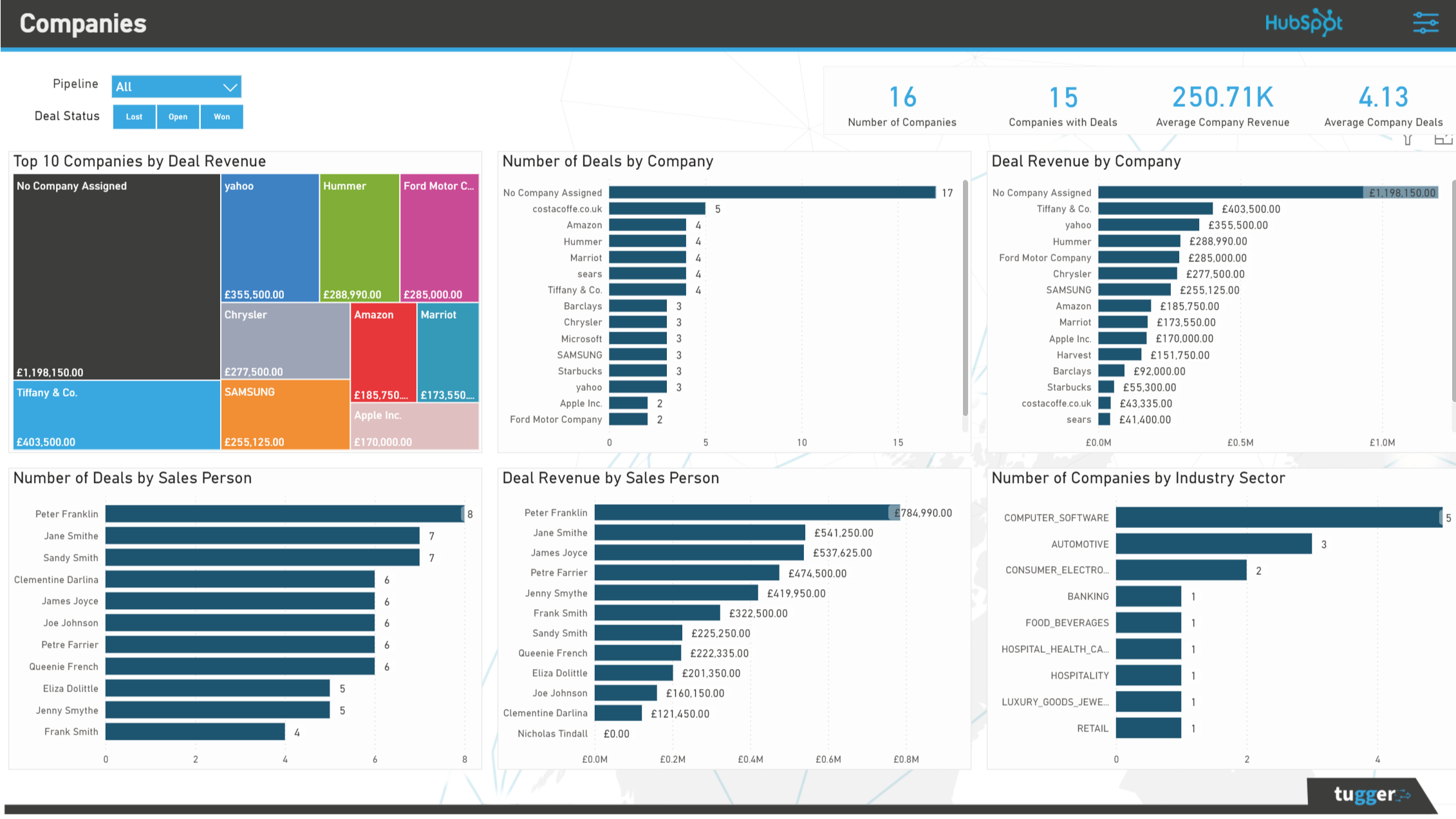
HubSpot Power BI Connector
Power BI is a world-class data analytics tool. Designed to keep things accurate and user-centric, Power BI shows data in highly-visual charts, graphs and dashboards. Tugger is your key to getting your HubSpot data loaded into Power BI simply, effectively and securely.
HubSpot Tableau Connector
Tableau Software provides interactive data visualisation for business intelligence reporting. The easy-to-use tool is designed with the user experience in mind. Tugger adds to the simplicity of this excellent data analytics tool by enabling you to load your data quickly and securely.
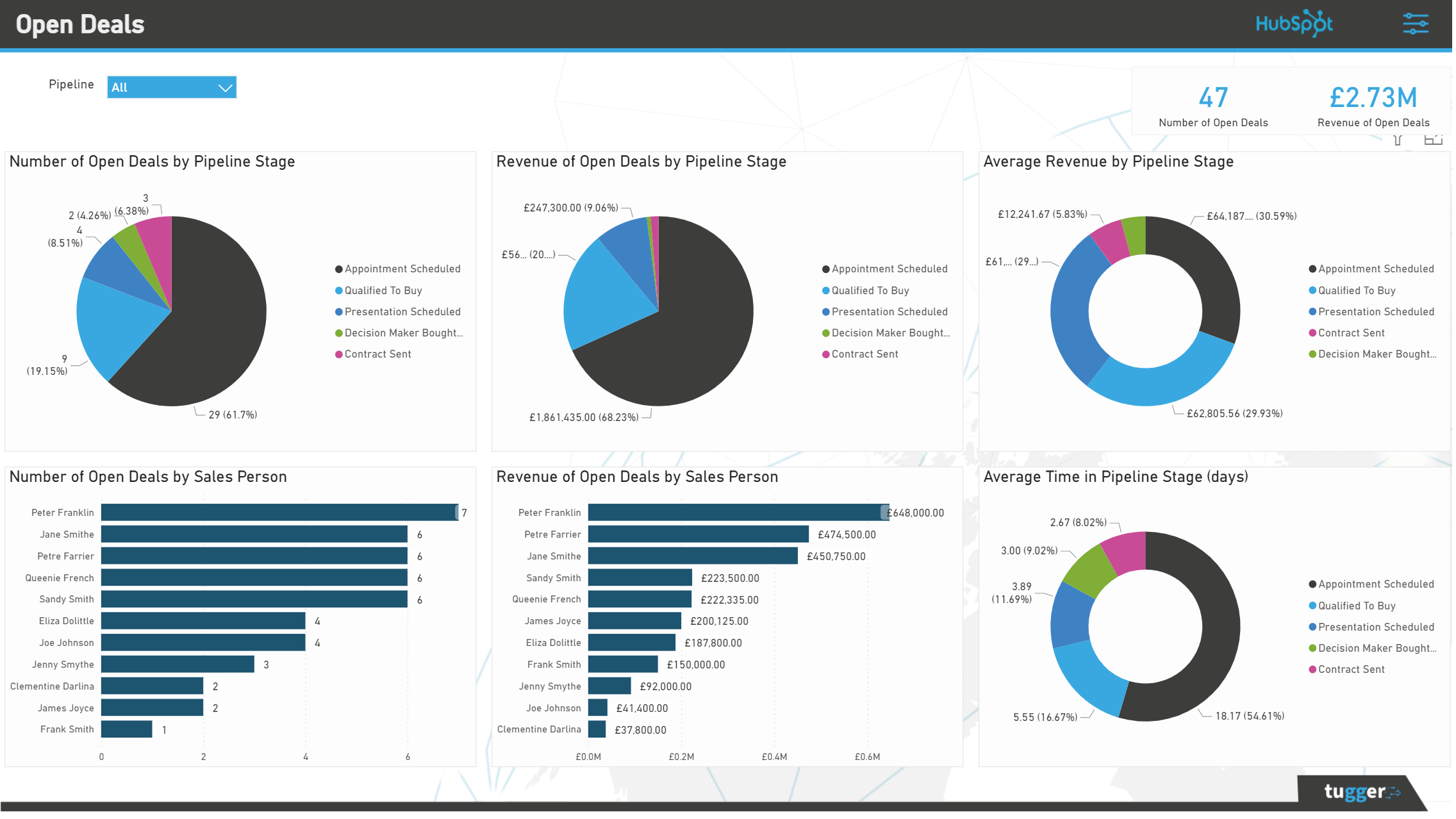
Free Power BI Template
As part of your Tugger package, you’ll get access to Power BI template reports. These reports are designed to cover core business areas and get users up-and-running - from data import to enjoying key reports - as quickly and efficiently as possible. The whole process is easy and speedy with Tugger.
App-Funktionalität
Datenaustausch
 Engagements | ||
HubSpotCompanies | ||
HubSpotCompanyProperties | ||
HubSpotContactProperties | ||
HubSpotContacts | ||
HubSpotDealPipelines | ||
HubSpotDealProperties | ||
HubSpotDeals | ||
HubSpotMarketingEmail | ||
HubSpotObject | ||
HubSpotOwners | ||
HubSpotProducts | ||
HubSpotTickets |
Rezensionen
- 16. Okt. 2024
Easy to use tool and Excellent Customer Service
I use Tugger to pull data into Power BI for reporting and have found Tugger easy to use and their support team has been helpful, friendly and efficient when I had questions. The ability to pull custom properties and custom objects is especially useful. I found the documentation easy to understand and support was on hand whenever I had questions. Tugger provided Power BI templates for both my HubSpot and Xero connectors, which gave me a great starting point for building my own reports. It is also possible to link straight into Tugger data without using templates and both methods are documented as part of the setup process for each connector.
We are using Tugger to report on our HubSpot sales and contracts via Power BI. This data is then combined with billing and support data from other systems.
Comprehensive templates provided Can specify refresh frequency Well documented Friendly and responsive support and sales team Intuitive to use
Lawton, J.
Telekommunikation & Mobilfunk - 11 bis 25 Mitarbeitende
Essentials
118,75 £
/Monat1 Data Source
Up to 1 million rows stored in our state of the art data warehouse
Essentials
118,75 £
/Monat1 Data Source
Up to 1 million rows stored in our state of the art data warehouse
* Die hier angegebenen Preise dienen nur zu Illustrationszwecken. Alle Preise enthalten keine Steuern, Sonderangebote, Rabatte oder sonstigen Preisvarianten. Bitte wenden Sie sich direkt an den Partner, um aktuelle und korrekte Preisinformationen zu erhalten. HubSpot übernimmt keine Verantwortung für Preisinformationen, die von unseren Partnern bereitgestellt werden. Letzte Aktualisierung der Preisinformationen: 09.08.2025
Weitere Infos
Erstellt von - Tugger
Installationen - 100+ Installationen
Kategorien Sprachen, in denen diese App verfügbar ist Englisch
Neuzugänge

-1-2.jpeg)
