

Pipeliner CRM
Créé par HubSpot
Installation - 20+ installations
Exigences
Abonnement HubSpot Autorisations de compte HubSpot Aucune autorisation requise Type d'accès Partagé Abonnement à Pipeliner CRM - Abonnement : Review Pipeliner CRM Pricing Page
Vue d'ensemble
1/2
Sync data between Pipeliner and HubSpot without manual data entry or messy, time-consuming imports.
Here’s what you get with Data Sync by HubSpot:
- Two-way sync: Data is shared between Pipeliner and HubSpot in real time
- Default field mappings: Set-up is quick with out-of-the-box field mappings already created for you
- Historical syncing: Your existing data will sync right away, and updates will sync as they happen
Fonctionnalités
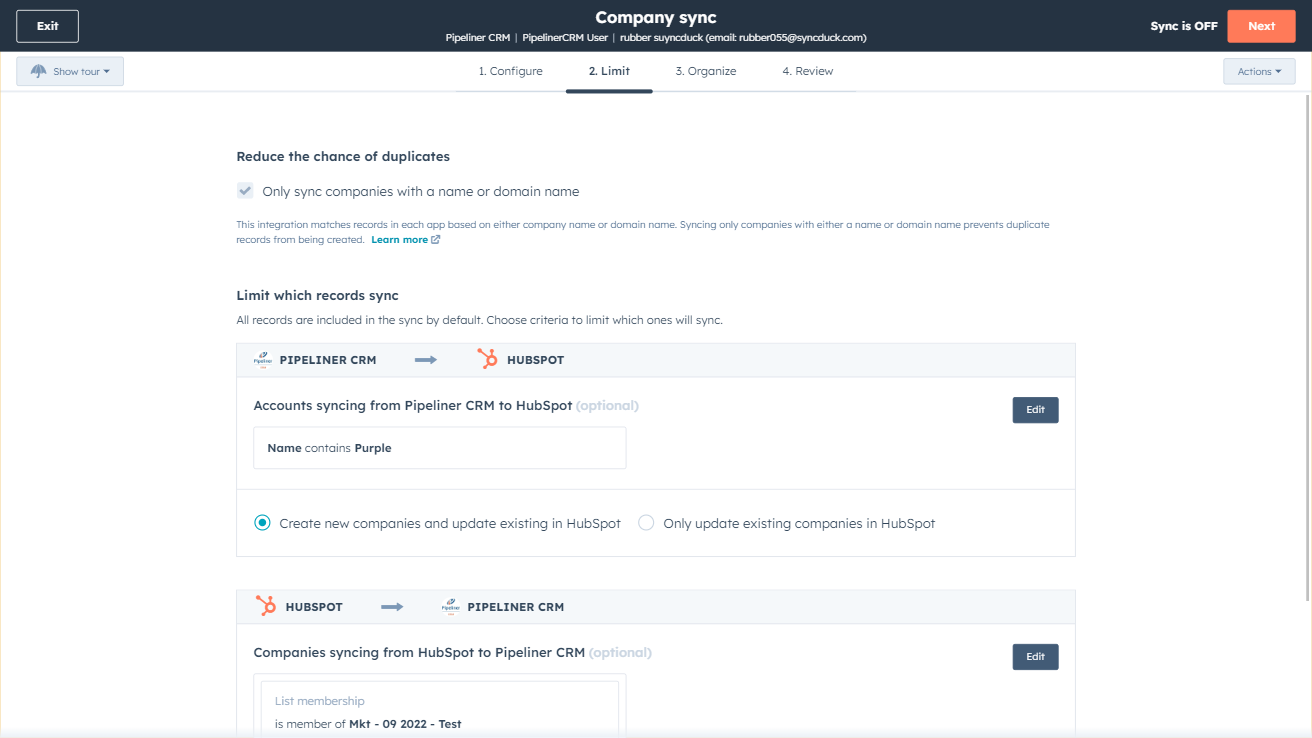
Sync Pipeliner and HubSpot in the background
Make manual data entry a thing of the past by syncing data (see below) between HubSpot and Pipeliner. When records are created or updated in either app, that information will be automatically shared with the other one. You can also add a filter for any Pipeliner field or HubSpot list to sync exactly what you want—and nothing you don’t.
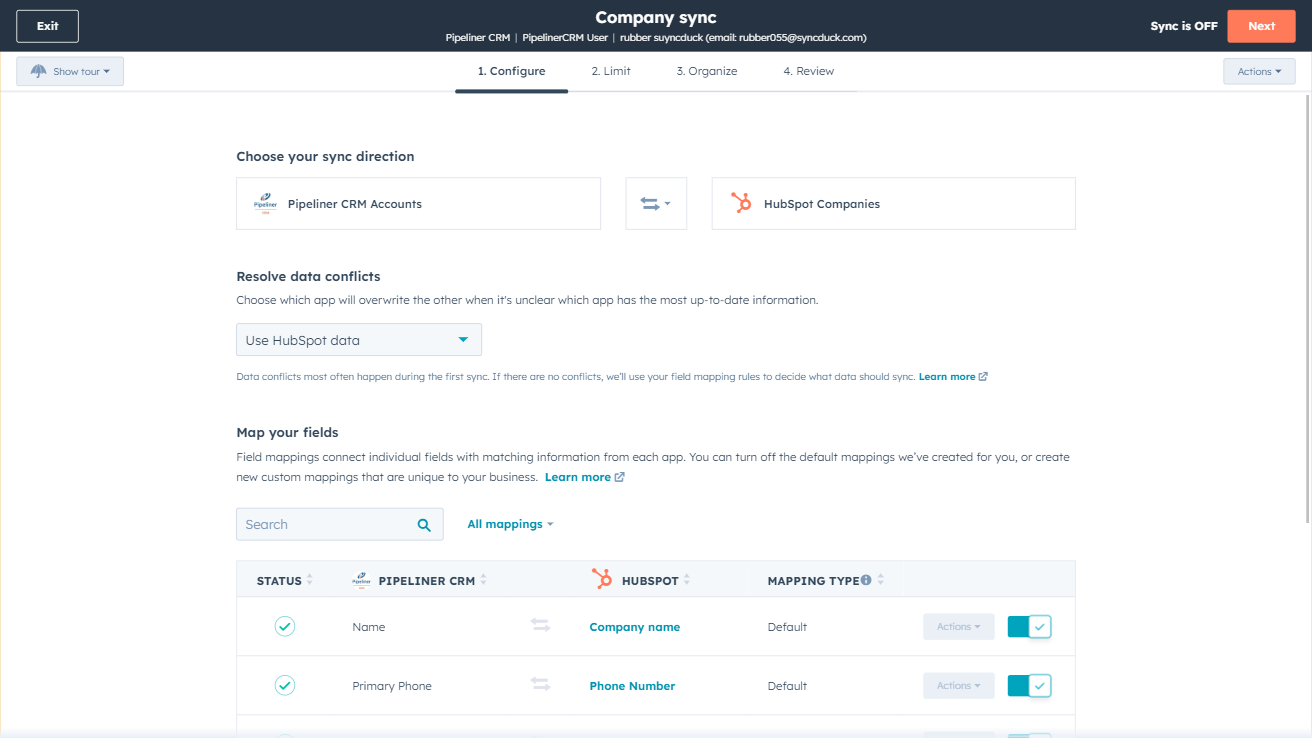
You’re in control of your data
You can set up a one- or two-way sync, which means you can either sync data from Pipeliner to HubSpot, from HubSpot to Pipeliner, or back-and-forth! Out-of-the-box default field mappings make set-up quick and keep your data clean and organized. Custom field mappings are available with Data Hub Starter or above.
Fonctionnalité de l'application
Données partagées
Each object has field mappings that connect matching information from each app. Default mappings are listed below. If you want to change these default mappings or create your own, custom field mappings are available with Data Hub Starter and up.
Accounts | ||
Contacts | ||
Opportunities |
Avis
Tarification
Review Pipeliner CRM Pricing Page
0 $US
Use the 'See all pricing options' link on the righthand side
"Make sure to confirm the HubSpot subscription and the Pipeliner CRM subscription needed to install this integration
Note: ""Free"" is referring to the cost of the integration, not the app subscriptions "
Review Pipeliner CRM Pricing Page
0 $US
Use the 'See all pricing options' link on the righthand side
"Make sure to confirm the HubSpot subscription and the Pipeliner CRM subscription needed to install this integration
Note: ""Free"" is referring to the cost of the integration, not the app subscriptions "
* Les prix mentionnés ici sont uniquement présentés à titre indicatif. Tous les prix n'incluent pas les taxes, les offres spéciales, les réductions ni les autres facteurs pouvant affecter les tarifs. Vous devez contacter le partenaire pour obtenir les tarifs les plus récents. HubSpot n'assume aucune responsabilité pour les informations de tarification fournies par ses partenaires. Dernière mise à jour des prix : 03/09/2025
Informations supplémentaires
Créé par HubSpot
Installation - 20+ installations
Catégories Langues dans lesquelles cette application est disponible Anglais
Nouveautés

Bland
Connectez HubSpot à des agents IA pour les appels entrants et sortants ainsi que pour les SMS.

monday.com Sync by StackTie
Les opportunités HubSpot apparaissent sur votre tableau Monday au stade que vous choisissez, puis sont mises à jour tout au long du cycle de vie de l'opportunité, propriétés personnalisées comprises, ce qui permet à l'équipe opérationnelle de suivre l'avancement du travail sans avoir à souscrire à un abonnement HubSpot.
