

RingCentral Contact Sync
Built by HubSpot
Installs - 3K installs
Rating 2.3
(36)
Requirements
HubSpot Plan HubSpot Account permissions No permissions required Access Type Personal RingCentral Contact Sync Subscription - Essentials, Standard, Premium, or Ultimate plans
Overview
1/2
Sync RingCentral contacts from the personal phonebook without manual data entry or messy, time-consuming imports.
Here’s what you get with Data Sync by HubSpot:
Two-way sync: Data is shared between RingCentral and HubSpot in real time
Default field mappings: Set-up is quick with out-of-the-box field mappings already created for you
Historical syncing: Your existing data will sync right away, and updates will sync as they happen
Important note: There's a technical maximum of 10,000 contacts that can be synced to this phone book, so please use the available filters in the sync.
Want to log calls too? Make sure to install this app made by RingCentral.
Features
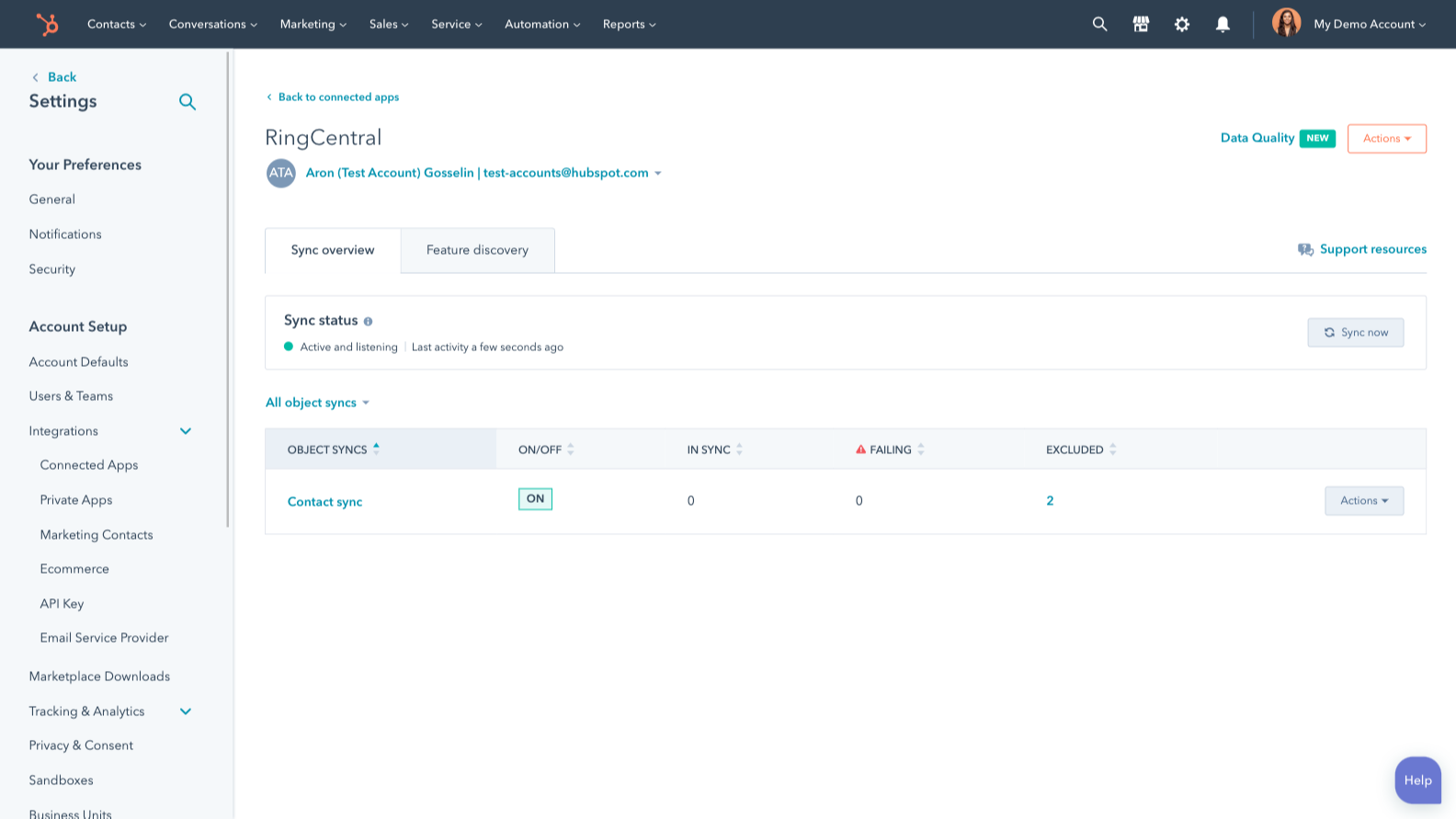
Sync RingCentral Personal Contacts and HubSpot data
Make manual data entry a thing of the past by syncing personal contacts between HubSpot and RingCentral. When records are created or updated in either app, that information will be automatically shared with the other one.
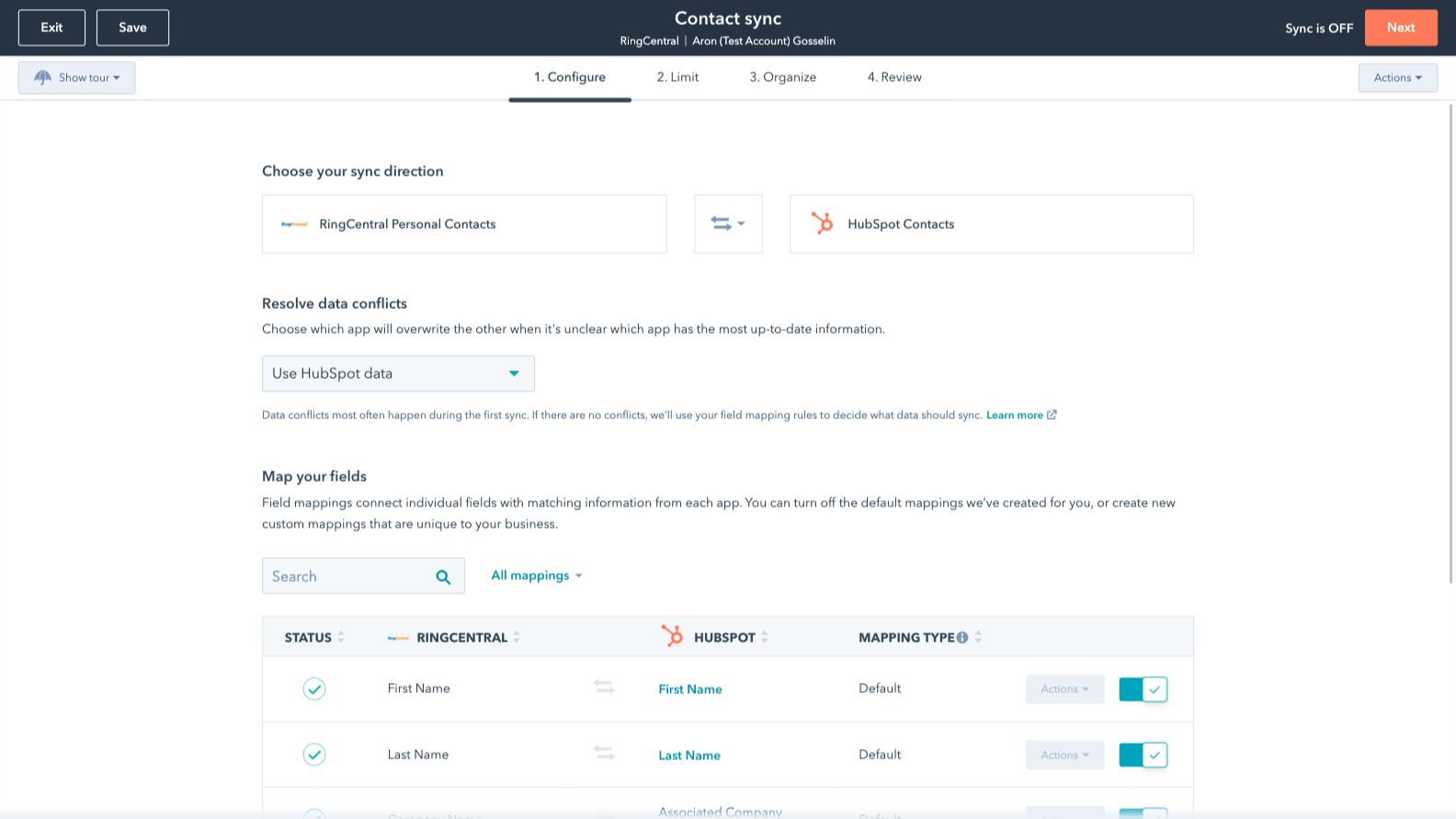
Custom field mappings
Custom field mappings are available with Data Hub Starter or Up. Custom mappings add the flexibility to create your own mappings or make changes to your default ones.
App Functionality
Shared Data
Each object has field mappings that connect matching information from each app. Default mappings are listed below. If you want to change these default mappings or create your own, custom field mappings are available with Data Hub Starter and up.
The following will not sync: Calls, Texts. To sync calls, you can install the integration provided by RingCentral here.
Contacts |
Reviews
2.3
36
2.3
36
Users report difficulties setting up the integration and note that contacts do not always sync properly, which can create duplicate records. Though reviewers mention that calls and SMS messages do not consistently log automatically, some users find the application helpful for managing inbound communications and appreciate accessing call recordings and notes.
- Aug 6, 2025
Really nice integration that's a huge time saver for capturing calls, though still a bit finicky with some outdated views
Overall this is really nice integration. actually love it and huge time saver in simplifying process of capturing customer and partner calls.
click to dial, ease of updating call outcomes
seems to be a little finicky as still get the RC for HubSpot view with message that it is going away.
Steinlage, D.
- Jul 15, 2025
Ok, could use some improvements
It functionally works, but not a fan or having to click to call from one place, and click to text from another place. It's clunky and the UX could be better
Bonnet, D.
Pricing
Essentials
$29.99
/monthMessage, Phone
Essentials
$29.99
/monthMessage, Phone
* The pricing here is for display purposes only. All prices do not include taxes, incentives, discounts, or other pricing variables. You should contact the partner for the most up to date and correct pricing information. HubSpot does not take any responsibility for this pricing information, which is provided by our partners. Pricing last updated: 09/03/2025