

Riverside
Built by - RiversideFM, Inc.
Installs - 600+ installs
Rating 1.6
(5)
Requirements
HubSpot Plan HubSpot Account permissions - View the required account permissions
Access Type Shared Riverside Subscription - Webinar or Business plans
Overview
1/7 - Riverside Webinars - quick demo
*NEW UPDATE: LIVE CAPTIONS NOW AVAILABLE ON WEBINARS*
Riverside is the webinar platform for teams that run on HubSpot. Host live and on-demand webinars in studio quality, and every registrant, attendee and viewer lands in HubSpot automatically.
Connect once, sync every webinar. There’s no setup for each webinar, no CSV exports, and no lists to rebuild.
Every webinar becomes a HubSpot Marketing Event. Report on registrations, attendance, no-shows and cancellations natively in HubSpot, for live and on-demand webinars.
Full engagement history on every contact. Each interaction lands on the contact timeline for each webinar, and it’s never overwritten: registered, attended live (minutes and attendance %), did not attend, and watched on demand (watch % and completion). Score and segment leads across your whole webinar program, not just the last event.
Register attendees straight from HubSpot. Use your own HubSpot forms and workflows to register contacts into any Riverside webinar. One form and one workflow can serve every webinar, and the unique join link comes back for your own HubSpot emails.
HubSpot stays your source of truth. Map registration fields, including custom questions and UTMs, to your existing HubSpot properties. Riverside only fills empty fields, so your CRM data is never overwritten.
More than a webinar tool. Riverside records every speaker locally in up to 4K. AI then turns your webinar into short clips, recaps and on-demand content, so one event keeps generating leads long after it ends.
Features
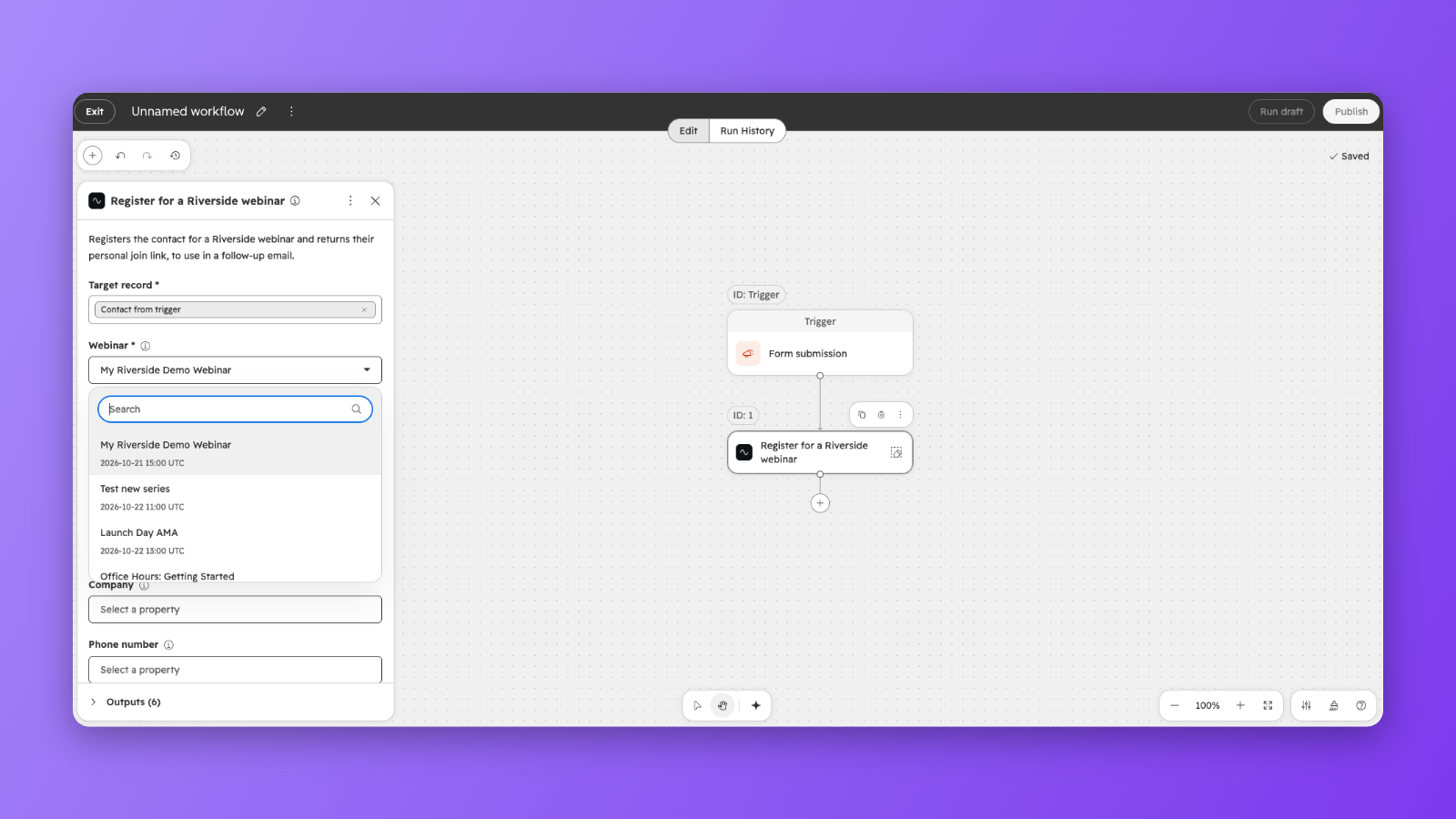
Register people from HubSpot workflows
Keep your HubSpot forms and landing pages. Add a workflow step that registers contacts to a Riverside webinar, or to the next session of a series. The join link comes back to HubSpot, ready for your own emails. Needs HubSpot Professional or Enterprise.
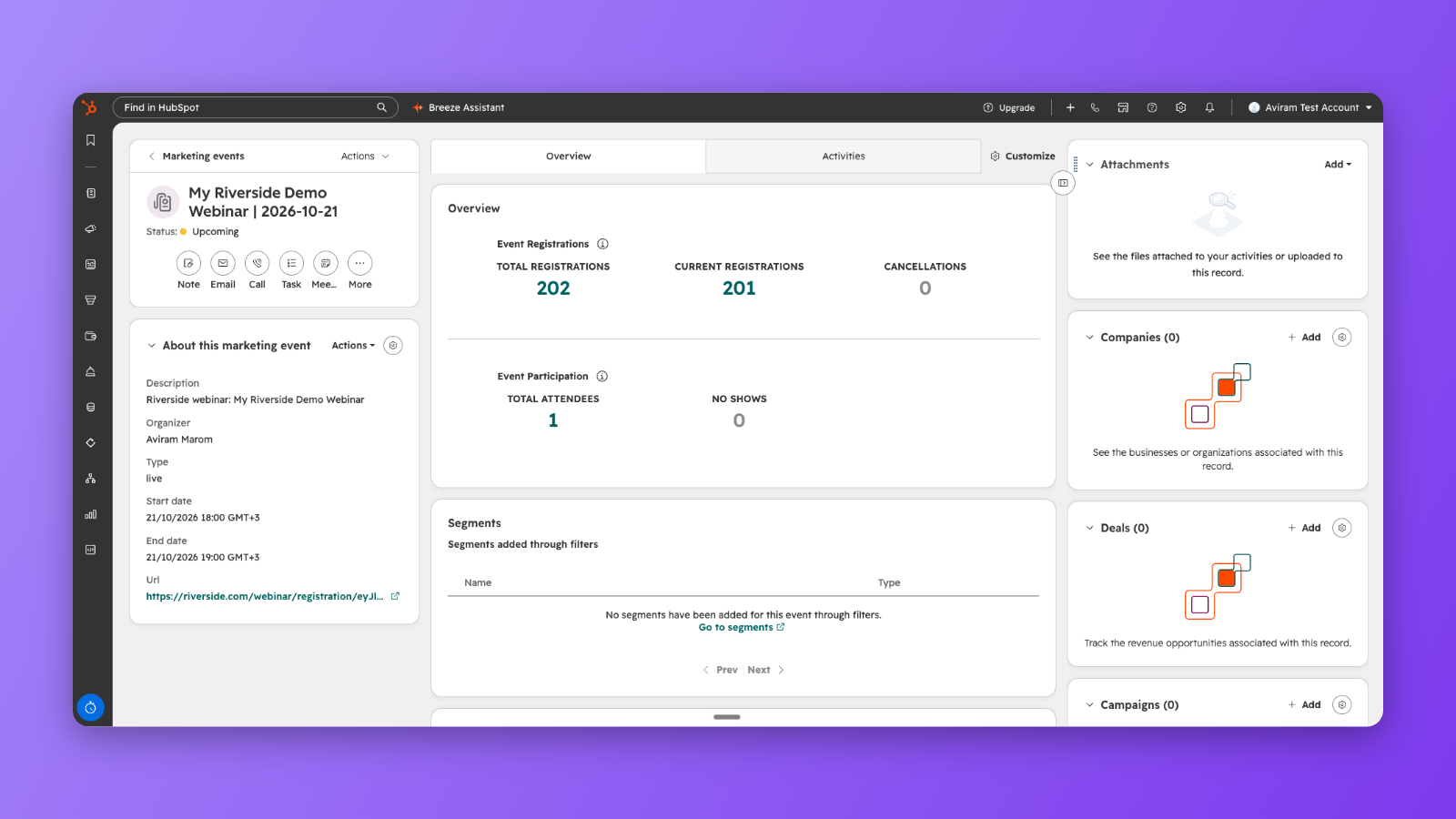
Webinars as HubSpot Marketing Events
See every webinar as a HubSpot Marketing Event, with registrants, attendees and no-shows counted for you. Live and on-demand views stay on the same event, so webinar results sit right next to the rest of your campaigns.
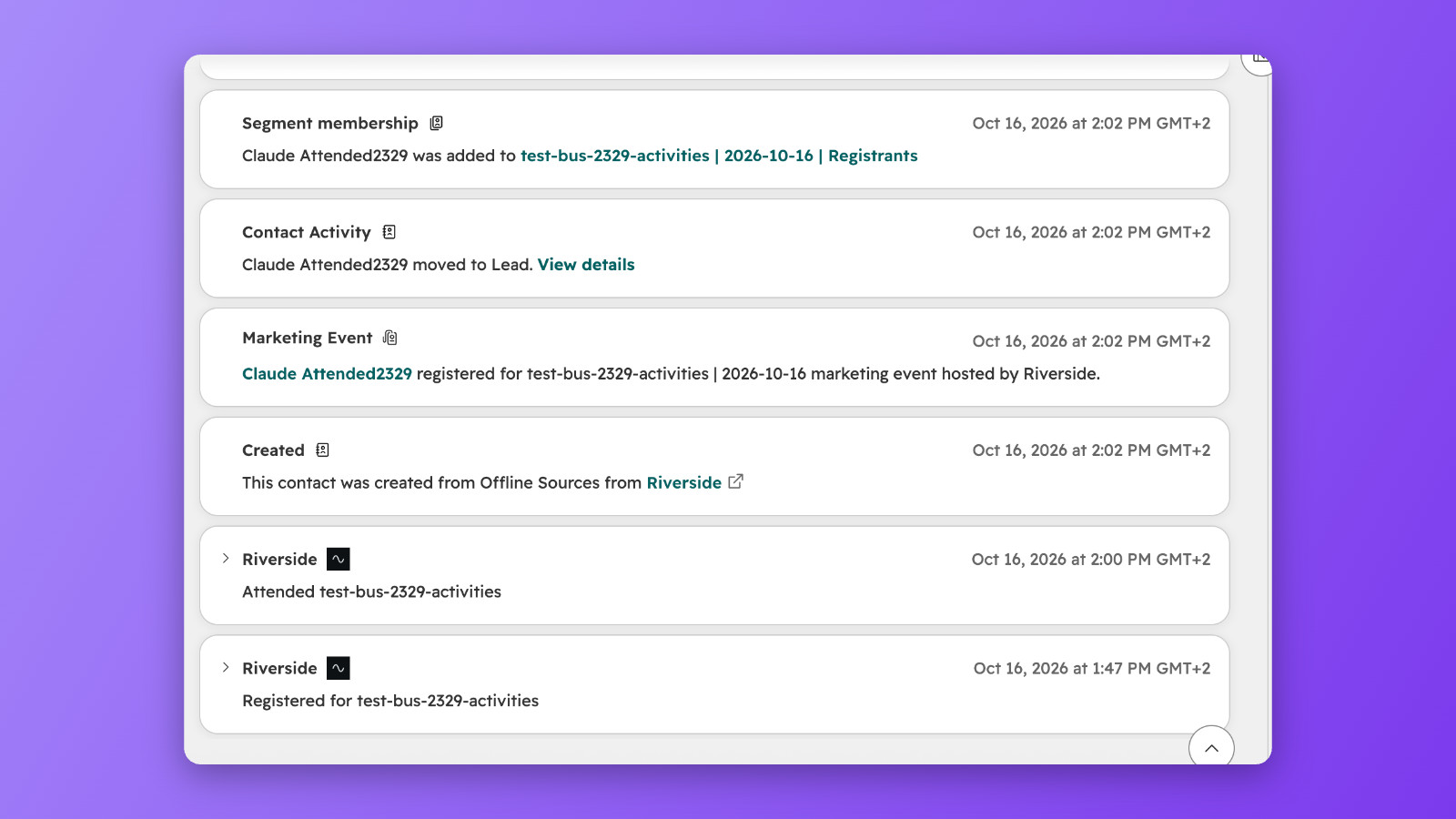
Webinar engagement on the contact timeline
See how each contact engaged, right on their timeline: what they registered for, how long they watched live, and how much they watched on-demand. Use it to score leads and send the right follow-up to the right people.
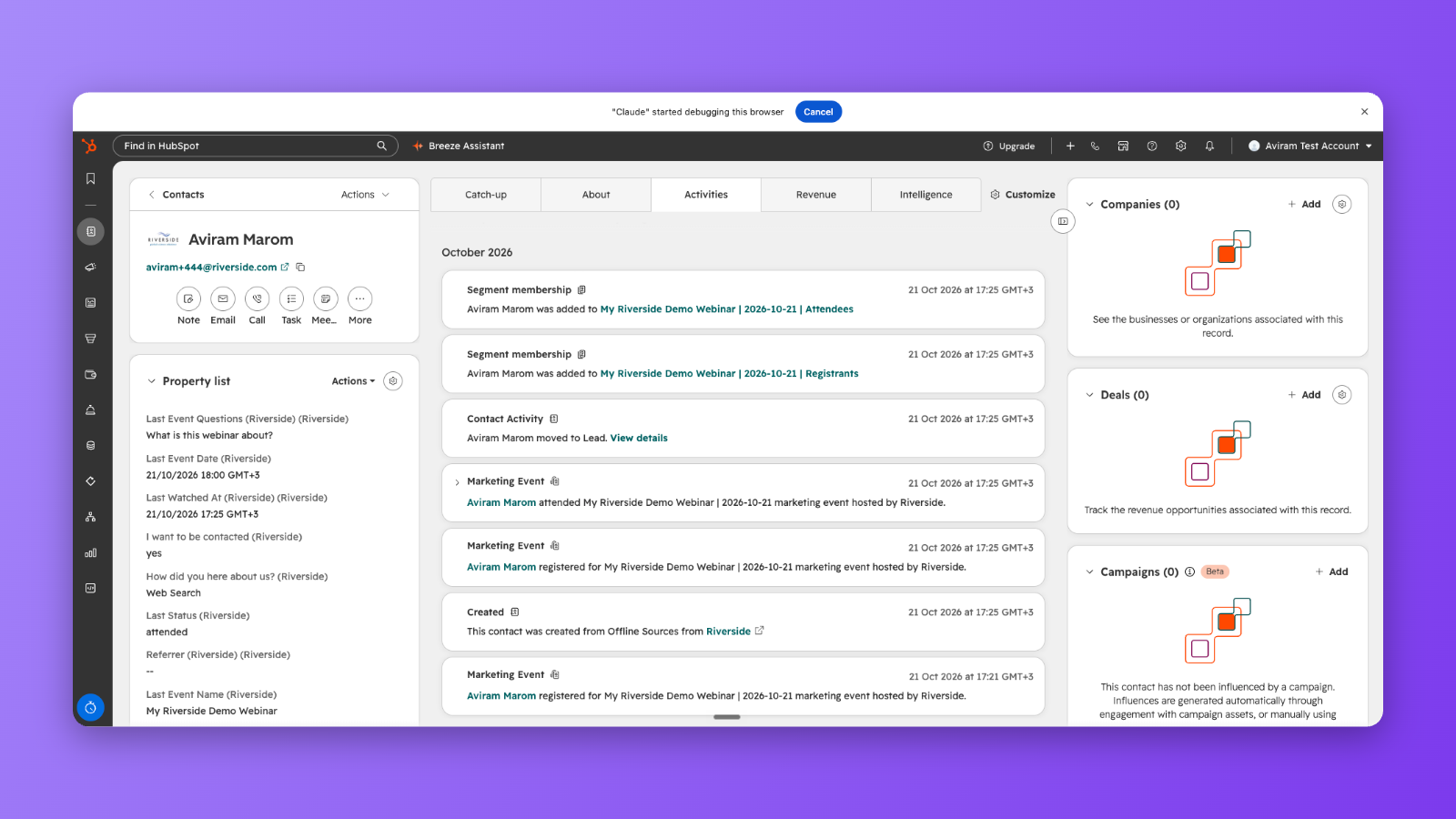
Webinar registrants in HubSpot
Everyone who registers for your Riverside webinar is created or updated as a HubSpot contact, with their registration answers, UTMs and attendance status. Your sales and marketing teams see webinar leads in HubSpot right away - no exports, no manual imports.
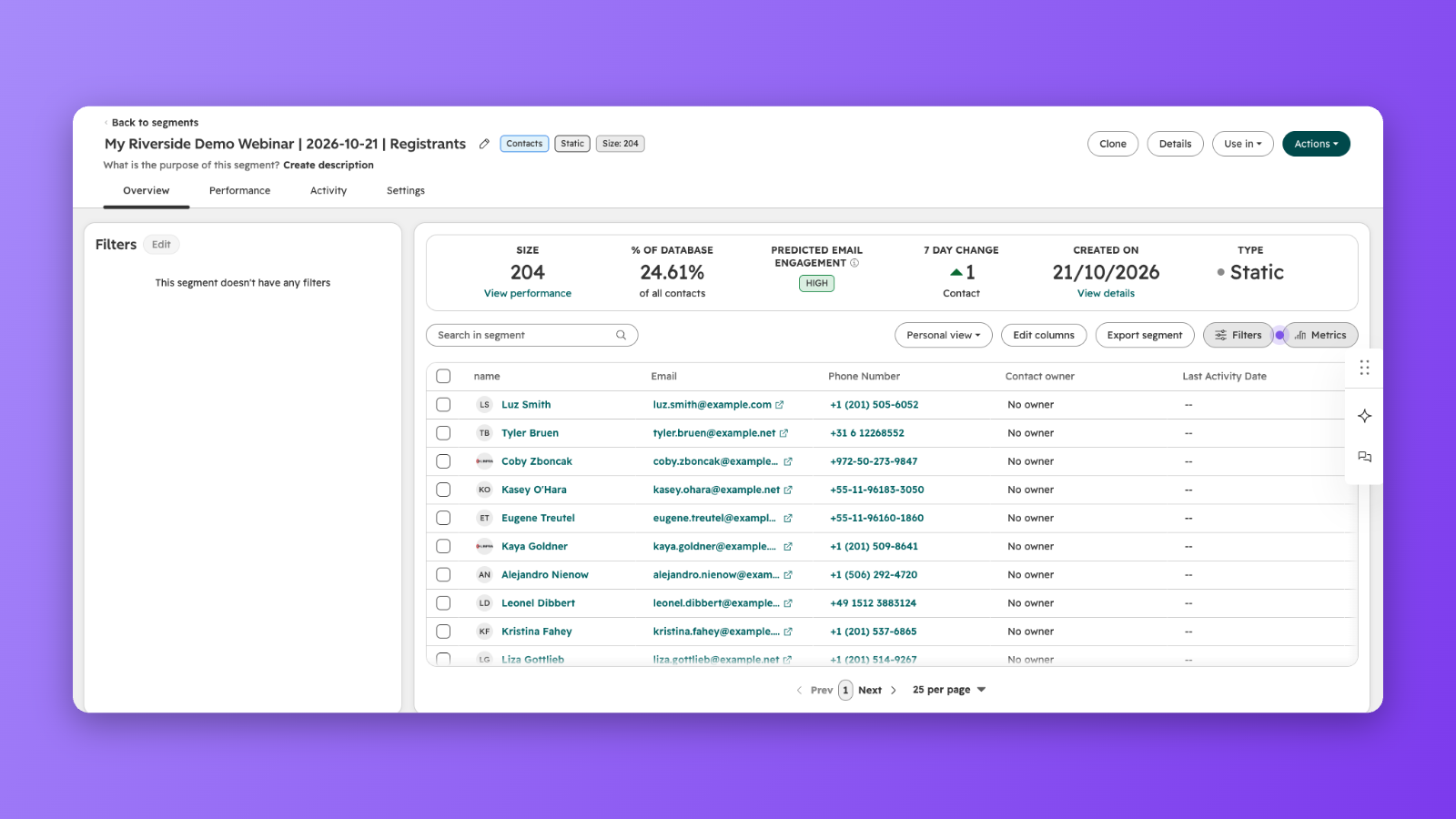
Auto-updating attendance lists
Riverside creates HubSpot lists for each webinar - registrants, attendees and on-demand viewers - and keeps them up to date as people register and watch. Send the right follow-up right after the event, without building a single list yourself.
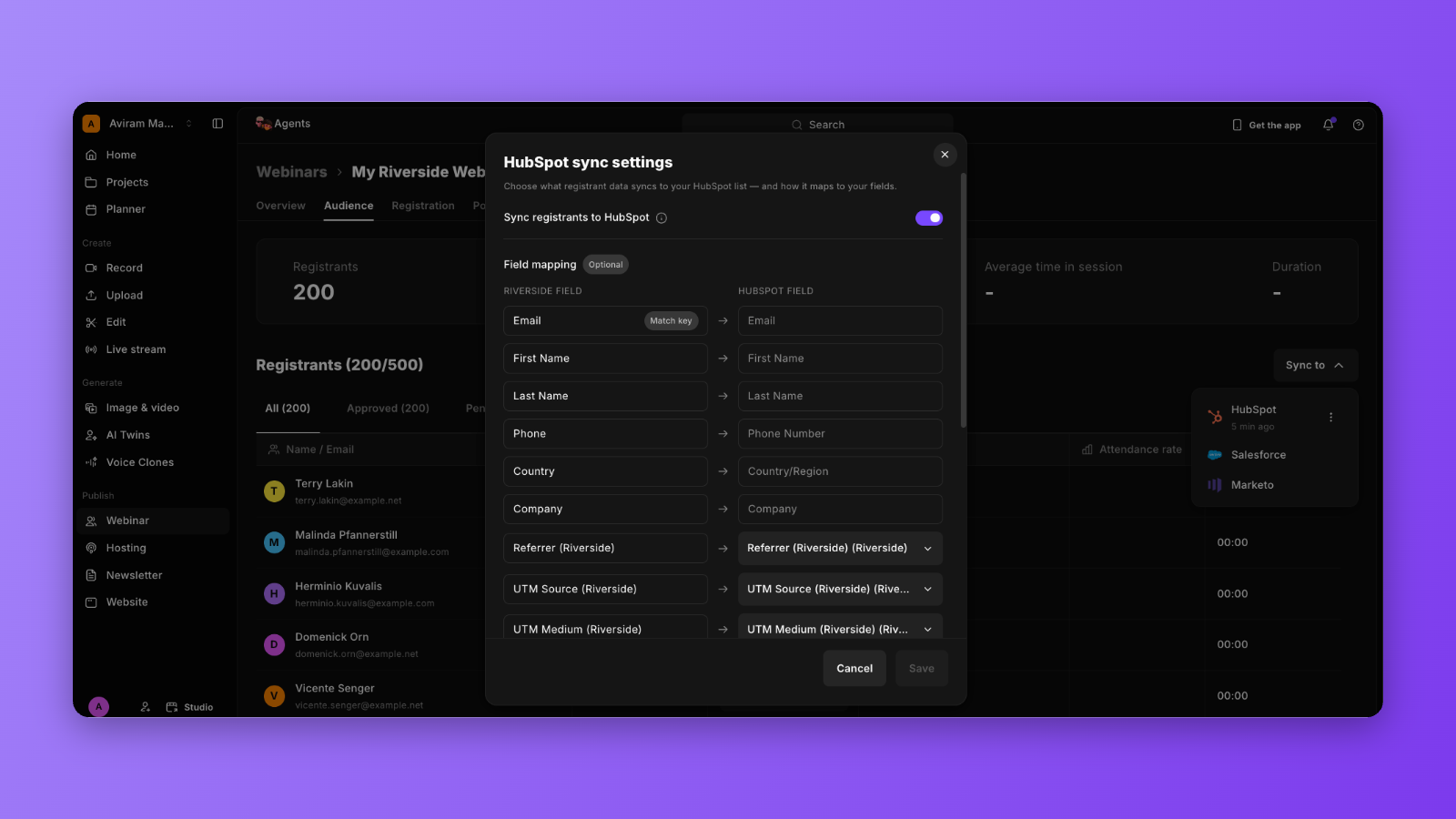
Map to your own HubSpot properties
Send registration answers and UTMs to the HubSpot properties you already use. Mapped fields only fill when empty, so your existing data stays safe.
App Functionality
Registrant | ||
Registration fields | ||
Registrant status | ||
Webinar sessions | ||
Webinar registration | ||
Live attendance | ||
On-demand viewing | ||
Workflow registrations |
Besides standard contact properties, Riverside creates a "Riverside Webinar Properties" group with each contact's latest webinar, registration status, attendance, on-demand watch time and watch %, chat questions, referrer, UTM parameters (source, medium, campaign, term, content) and your custom registration fields. You can map any of these to your existing HubSpot properties instead - mapped fields are only filled when empty. Riverside never deletes HubSpot records: a cancelled webinar is marked as cancelled on its Marketing Event.
Reviews
1.6
5
1.6
5
- Aug 19, 2026
Fatal
Too bad—we weren't able to host a webinar using this tool.
It doesn't work
Castiblanco Méndez, L.V.
- Aug 7, 2026
Unable to Use Product Currently
The account has not worked in days. Unable to use it at all.
Kerina, K.
Pricing
Webinar
$79
/monthPlan, host & repurpose webinars
Host webinars with up to 100 registrants
Pre-record & stream the session like it’s live
Run webinars & events with no time limit
Custom branded registration form
Automated email reminders & follow-ups
Q&A, live call-ins, polls & reactions
Webinar analytics
* The pricing here is for display purposes only. All prices do not include taxes, incentives, discounts, or other pricing variables. You should contact the partner for the most up to date and correct pricing information. HubSpot does not take any responsibility for this pricing information, which is provided by our partners. Pricing last updated: 11/04/2025
Most popular

Gmail
Bring HubSpot to your inbox with the HubSpot integration for Gmail.

Google Calendar
Book meetings quickly and easily with HubSpot and Google Calendar.
