

AI Ticket Categorization
Analyze sentiment and insights of conversations and categorize tickets
Built by - Exelab
Installs - 100+ installs
Requirements
HubSpot Plan HubSpot Account permissions - View the required account permissions
AI Ticket Categorization Subscription - Free, Starter, Pro, Ultra, or Enterprise plans
Overview
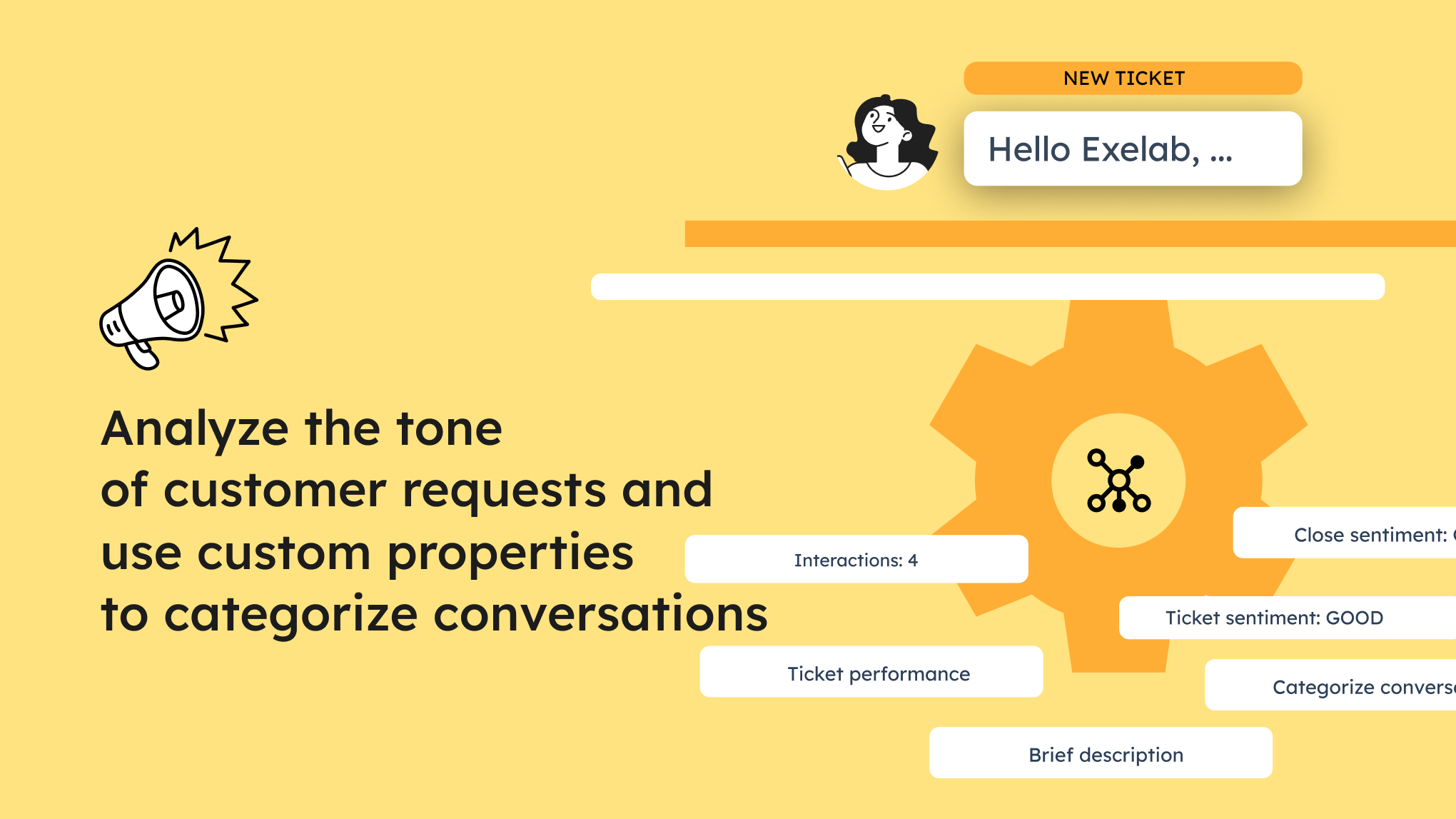
1/6 - Analyses tone and categorize customer request conversations
By analyzing the content in chat conversations, emails and forms, AI Ticket Categorization app categorize incoming tickets, thus enhancing ticket segmentation and streamlining the ticket assigning process.
Furthermore, by analyzing language and tone of the communication, the app determines the overall sentiment expressed by customers and assigns a rating to the operator who handled the ticket.
This advanced ticket analysis can help support teams prioritize and respond to tickets more effectively, leading to improved customer experiences and higher levels of customer satisfaction.
Start using AI Ticket Categorization to optimize customer service and obtain valuable automatic feedback for your tickets.
Do you want to learn more about the app? Try it now!
Features
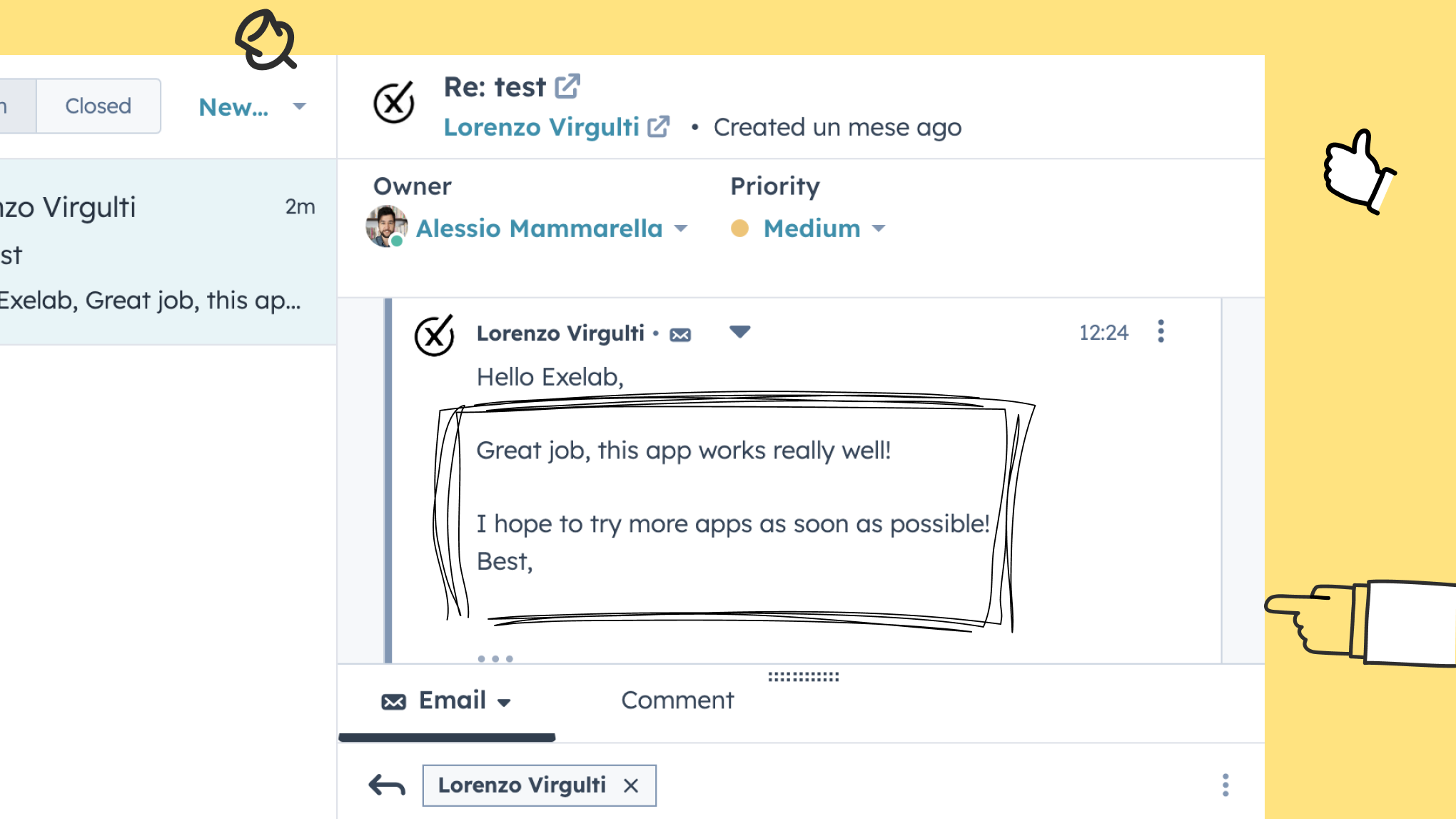
Analyze and understand the sentiment of the request
You just need to install the app! When a conversation associated with a ticket enters in HubSpot via email or form submission, the message will be analyzed by AI to provide you sentiment feedback into a ticket property. With a paid plan, you can also have the sentiment at the close of the ticket.
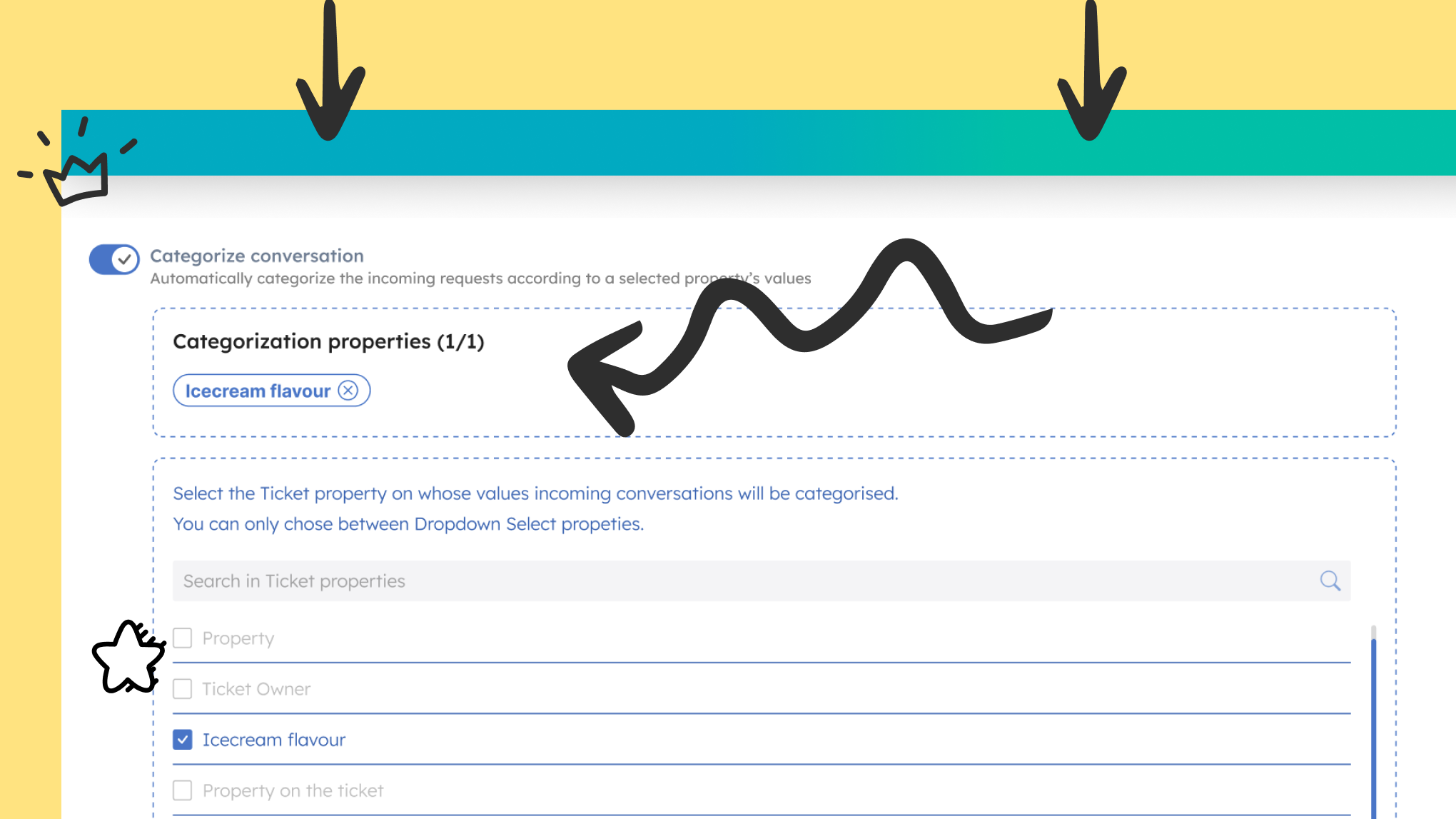
Automatically categorize tickets using custom properties
You can create and select one or more properties from the app's settings panel and the app will assign the right value based on the ticket information. You will be able to choose up to 5 properties to have automatically filled in for the categorization of your tickets, depending on the plan you decide to purchase.
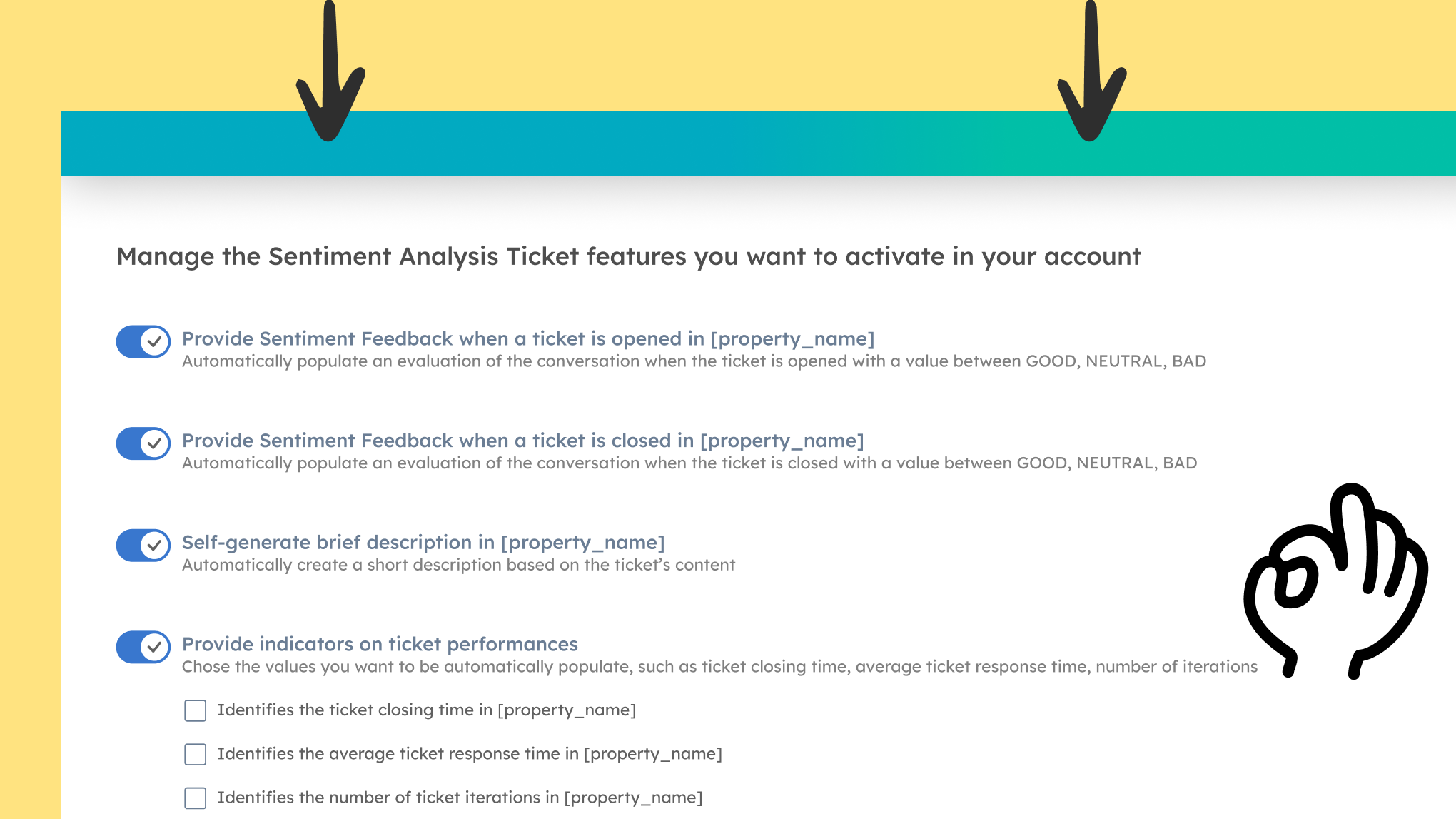
Track conversation metrics and relevant values
With premium plans, the app will automatically populate the number of ticket iterations, the average ticket response time and the ticket closing time into ticket properties. You can use this information in your Reports.
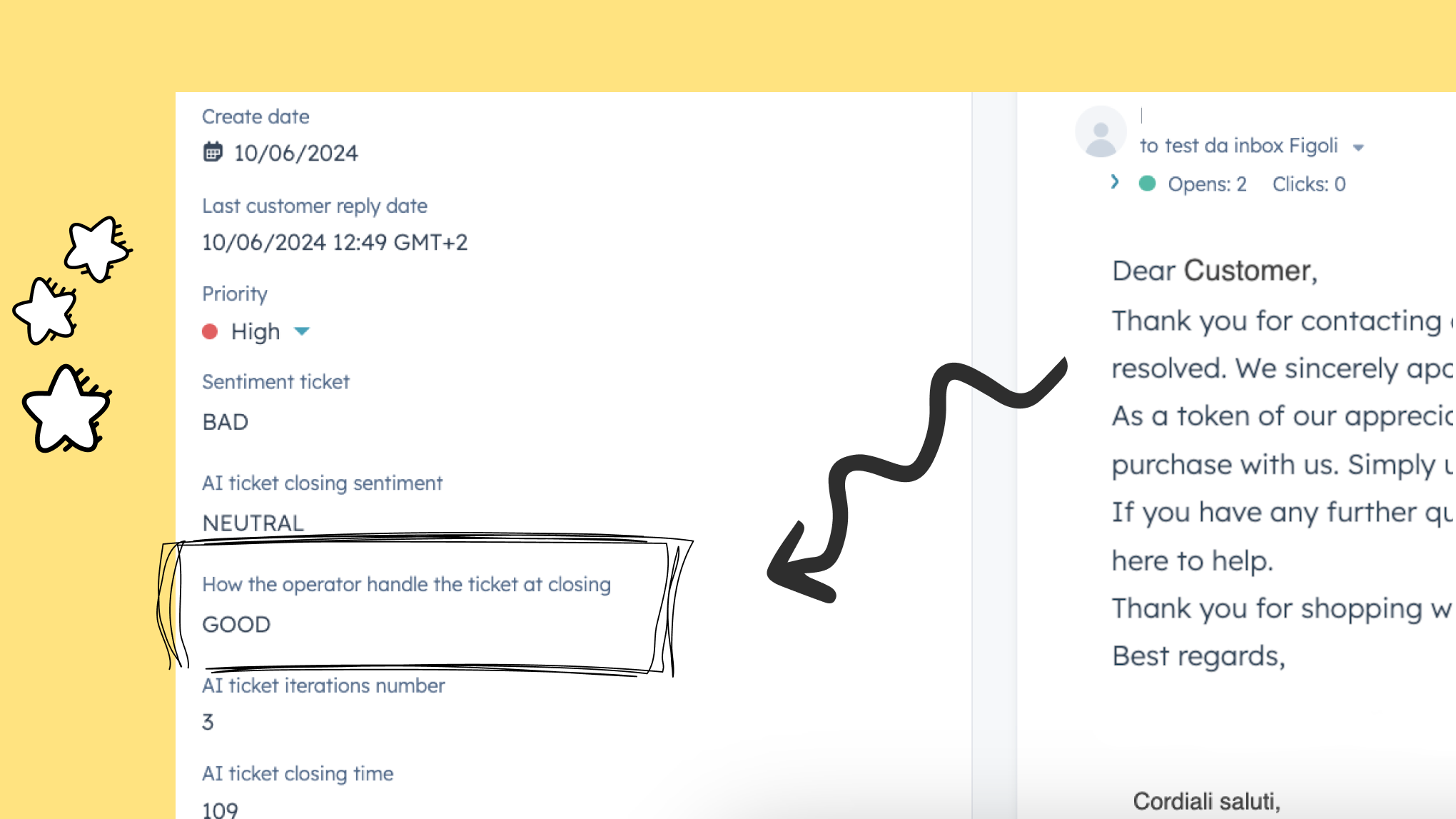
Evaluate performances of customer service operators
When a ticket is closed the app evaluates the operator's performance based on conversation analysis, assigning a rating of GOOD, BAD, or NEUTRAL. Ensuring operators consistently meet high standards is essential for customer satisfaction and loyalty. This feature enhances the overall customer experience by maintaining service excellence.
App Functionality
Shared Data
Sentiment Analysis | ||
Sentiment Analysis |
Reviews
Be the first to write a customer review
Pricing
Free
€0
Analyze the sentiment of your conversations
50 ticket/mo
Ready to use
AI automatic analysis
Simple app installation
Free
€0
Analyze the sentiment of your conversations
50 ticket/mo
Ready to use
AI automatic analysis
Simple app installation
* The pricing here is for display purposes only. All prices do not include taxes, incentives, discounts, or other pricing variables. You should contact the partner for the most up to date and correct pricing information. HubSpot does not take any responsibility for this pricing information, which is provided by our partners. Pricing last updated: 08/11/2025
Getting attention today


