

Workflow Media Manager Actions
Automatically resize, optimize and process images and other media
Built by - Integration Glue
Installs - 30+ installs
Requirements
HubSpot Plan HubSpot Account permissions - View the required account permissions
Workflow Media Manager Actions Subscription - Free, Starter, Professional, or Enterprise plans
Overview
1/7
With the Workflow Media Manager Actions from Integration Glue, you can automatically resize, optimize and process images and other media directly from HubSpot Workflows. Includes: - Any Object (Contacts, Companies, Deals, Tickets, Custom Objects). - Any errors or issues are logged against the HubSpot Workflow. - Fully managed within HubSpot Workflows - once installed, you do not need to login to any other system to manage your actions. When you register for Integration Glue, you will get access to a whole bunch of HubSpot Workflow and Data productivity actions, such as Actions to Clone records (including associated records), get User/Owner information and add to a Property or calculate a date. Get started on our free plan - No credit card required, can cancel at anytime Integration Glue pricing is based on utilization, so you can use all of our apps together under a single license and you will only be charged for the total credits you use per month. Integration Glue does not retain any data or files when using this app; it simply reads and outputs data to your own HubSpot portal. Have other or more specific requirements? Integration Glue offers custom integration services on all our apps and from-scratch build services. |
Features
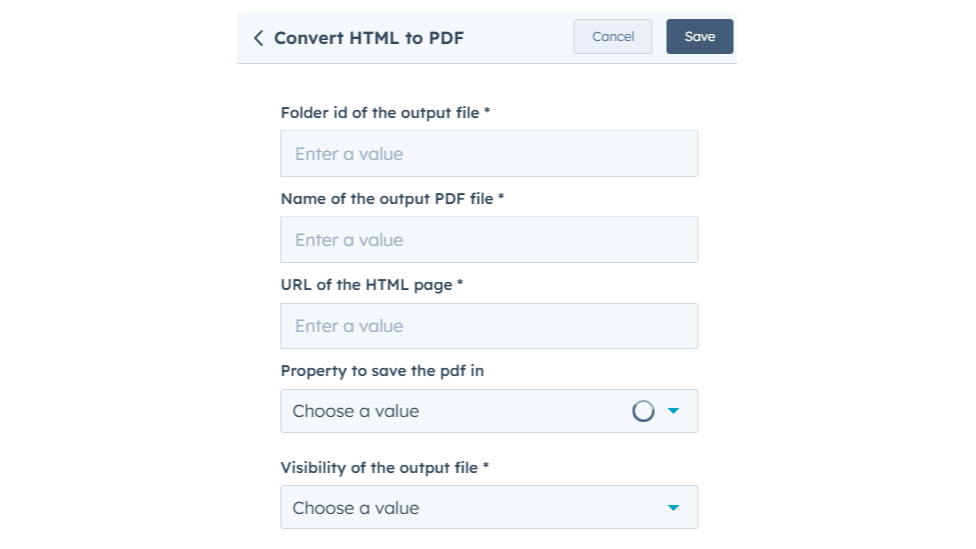
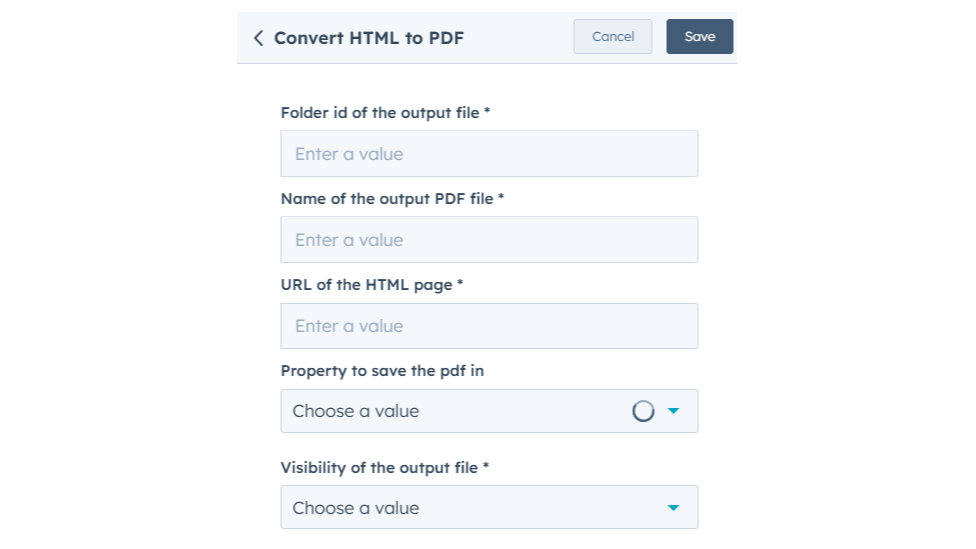
Convert HTML to PDF
Allows you to generate PDF files from HTML content directly within workflows. This action is useful for automating the creation of PDF documents, such as invoices, contracts, or reports, using dynamic data from HubSpot records.
Extract Texts from PDF
The action automatically processes the specified PDF, extracts its text, and saves the output to a HubSpot property of your choice. This action is useful for automating the retrieval of textual data from documents, enabling efficient data management and integration with your CRM processes.
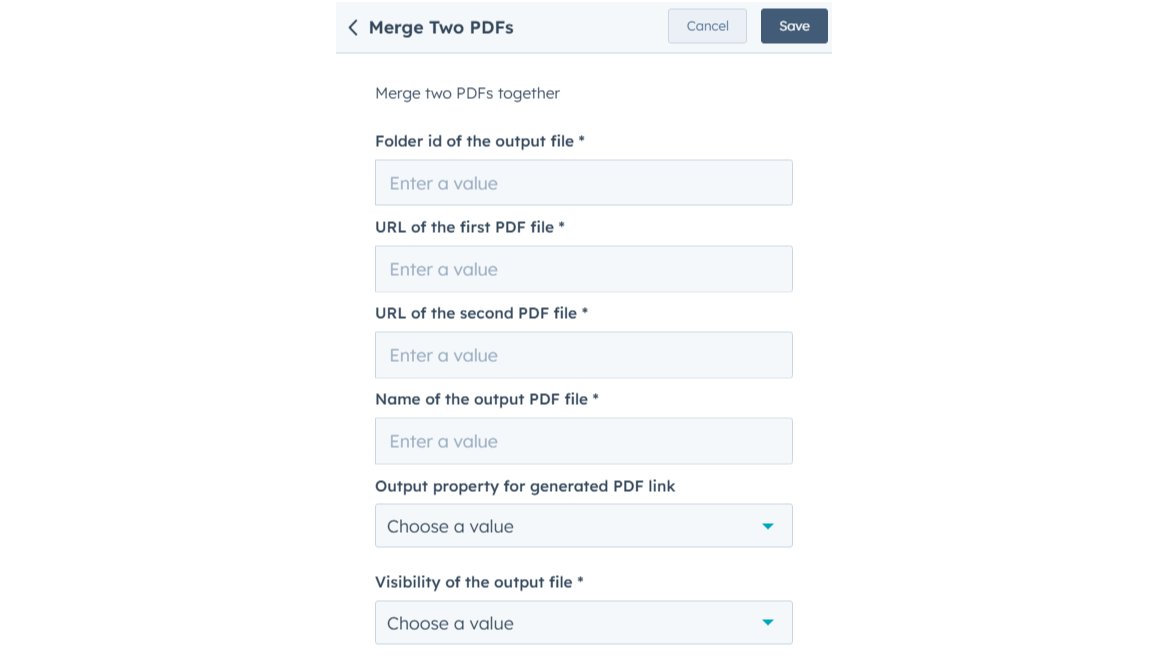
Merge Two PDFs
Allows you to combine two separate PDF documents into a single, unified PDF file. The action automatically takes the two specified PDF file such as contracts, reports, or invoices and merges them into one continuous document, preserving the order and content of both PDFs.
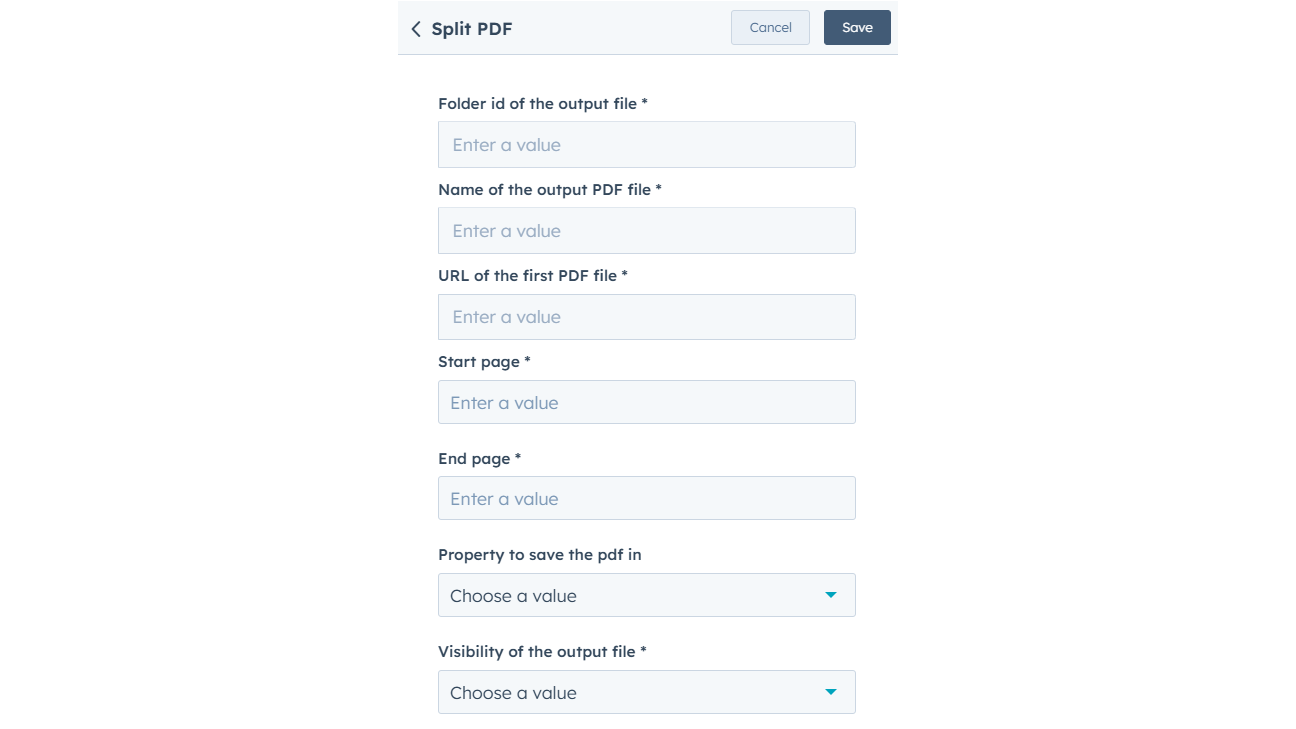
Split PDF
Allows you to break a single PDF file into multiple smaller PDF files based on the number of pages or specific page ranges. For example, if you have a 10-page document and only want pages 1–3 to be extracted, this action will create a new PDF file containing just those three pages.
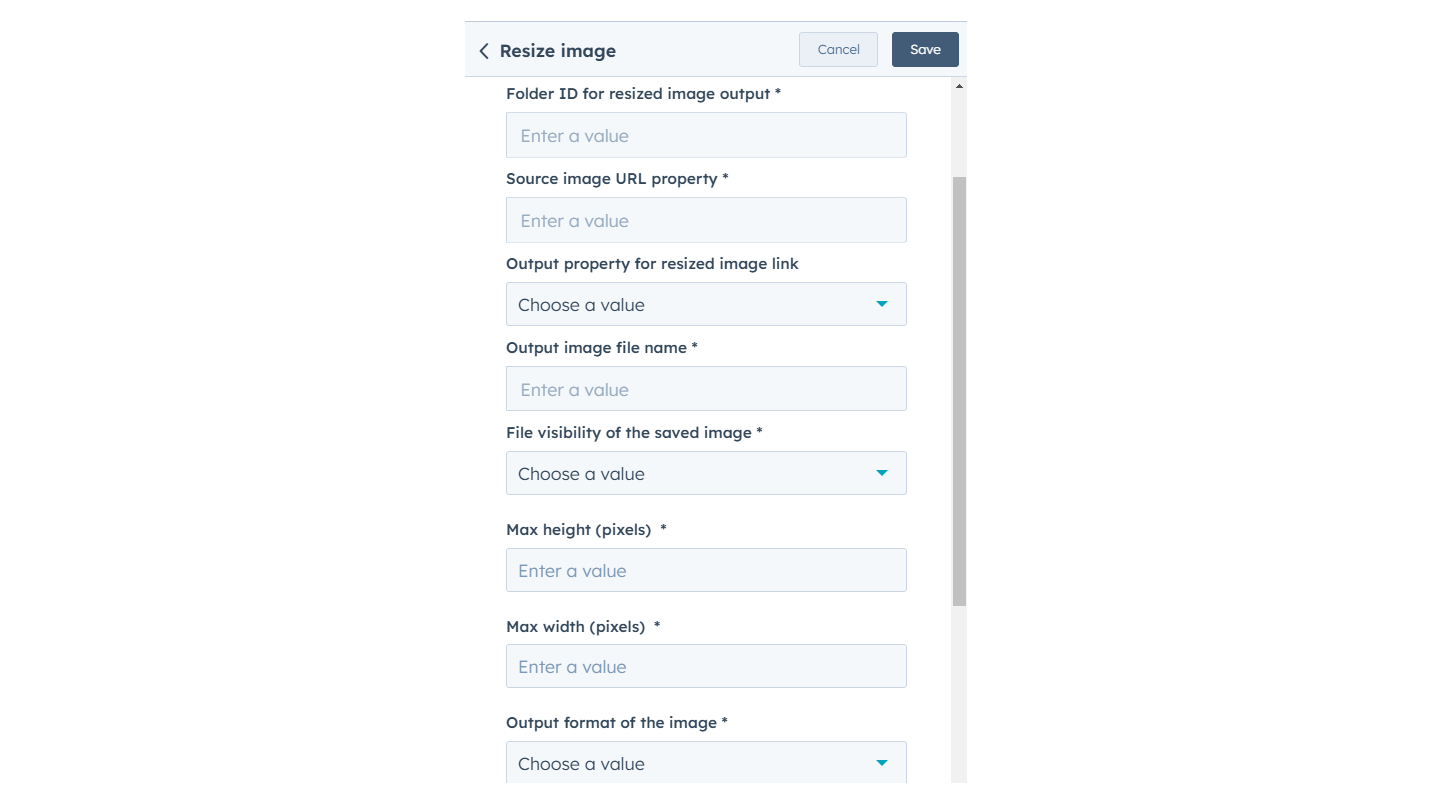
Resize Image
Automatically resize and crop images to predefined dimensions, eliminating the need for manual adjustments with external tools. Ideal for streamlining image preparation for websites and emails.
App Functionality
Shared Data
Contacts, Companies, Deals, Tickets, Custom Objects | ||
Contacts, Companies, Deals, Tickets, Custom Objects | ||
Contacts, Companies, Deals, Tickets, Custom Objects | ||
Contacts, Companies, Deals, Tickets, Custom Objects | ||
Contacts, Companies, Deals, Tickets, Custom Objects |
Reviews
Be the first to write a customer review
Free
$0
Great for small teams starting out or anyone who wants to learn more
Includes 100 credits; Actions use 5 credits each time they run = 20 runs of Custom Actions per month
Free
$0
Great for small teams starting out or anyone who wants to learn more
Includes 100 credits; Actions use 5 credits each time they run = 20 runs of Custom Actions per month
* The pricing here is for display purposes only. All prices do not include taxes, incentives, discounts, or other pricing variables. You should contact the partner for the most up to date and correct pricing information. HubSpot does not take any responsibility for this pricing information, which is provided by our partners. Pricing last updated: 08/09/2025
More info
Built by - Integration Glue
Installs - 30+ installs
Categories Languages this app is available in English
Most popular


