
ChiliDocs - The Smart Document Automation Engine
Built by - Chili Digital AG
Installs - 100+ installs
Rating 4.7
(14)
Requirements
HubSpot Plan HubSpot Account permissions - View the required account permissions
Access Type Shared ChiliDocs - The Smart Document Automation Engine Subscription - ChiliDocsPro® or ChiliDocsFree® plans
Overview
1/6 - ChiliDocsPro® - Create quotes, contracts and reports directly from HubSpot – in seconds, fully automatically.
Stop writing documents. Start closing deals.
Offers, quotes, contracts, orders, subscriptions, reports — they shouldn't be manual work. They should be generated instantly, directly from HubSpot.
With ChiliDocs, your CRM data flows seamlessly into your Microsoft Word templates. Create polished, deal-winning documents in seconds — with one click from the record page or fully automated inside workflows.
Generate from the record page on contacts, companies, deals, tickets, orders, subscriptions, courses and custom objects. Pull in associated records, line items, notes, users and quotes (as associated objects in templates).
Workflow actions cover all of the above, plus quotes directly as workflow targets. Amounts are formatted automatically in each record's own currency.
Two workflow actions: attach the generated Word or PDF as a note on the record, or write a time-limited download link into any property of your choice and reuse it in HubSpot emails.
ChiliDocs — the fastest way to turn HubSpot data into ready-to-send documents.
Features
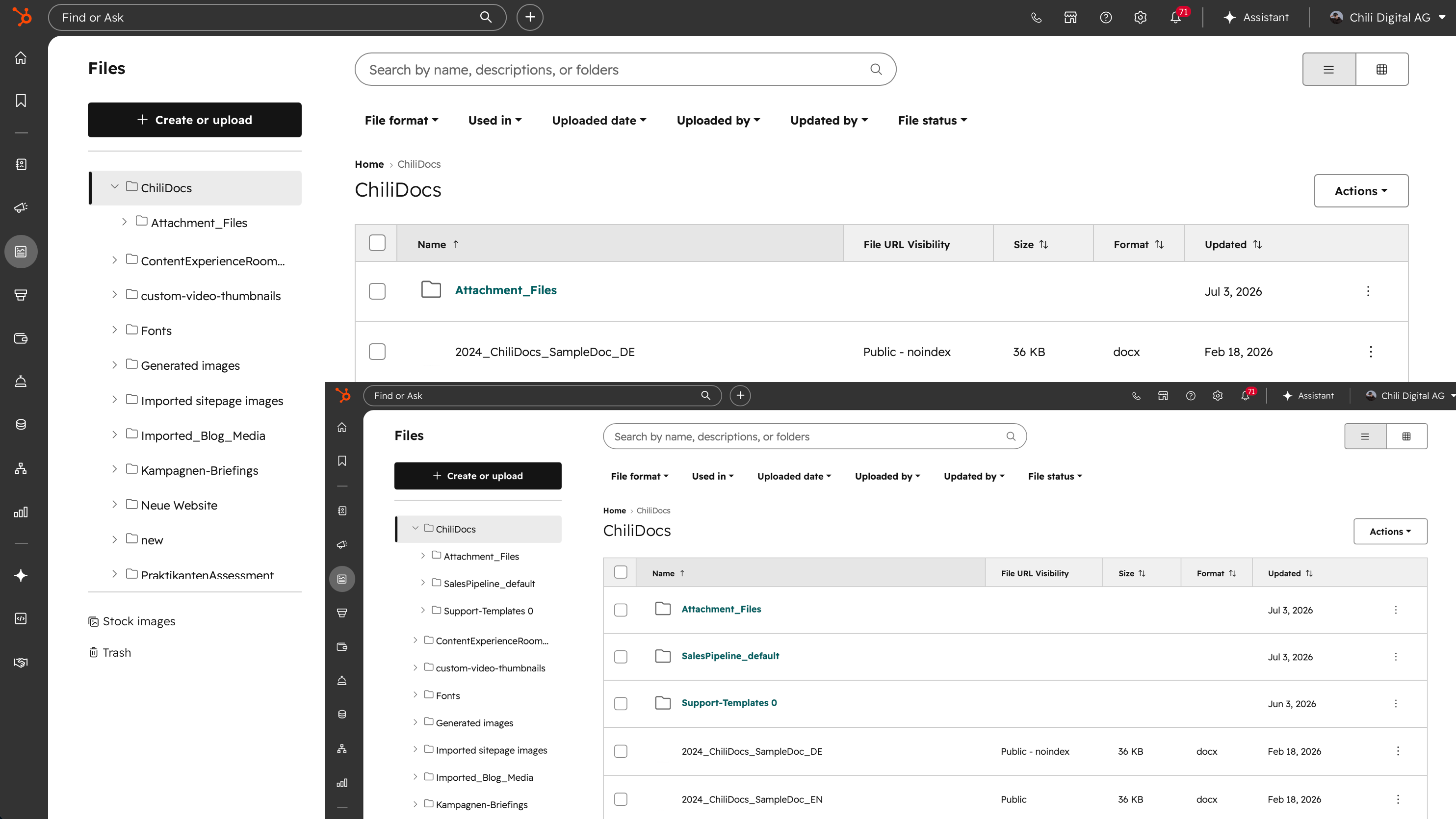
Store your Word templates in HubSpot
Upload as many Word templates as you need to the ChiliDocs folder in your HubSpot File Manager. Organize them in subfolders, for example per deal pipeline. Generated documents are saved to the same File Manager, so nothing leaves your HubSpot account.
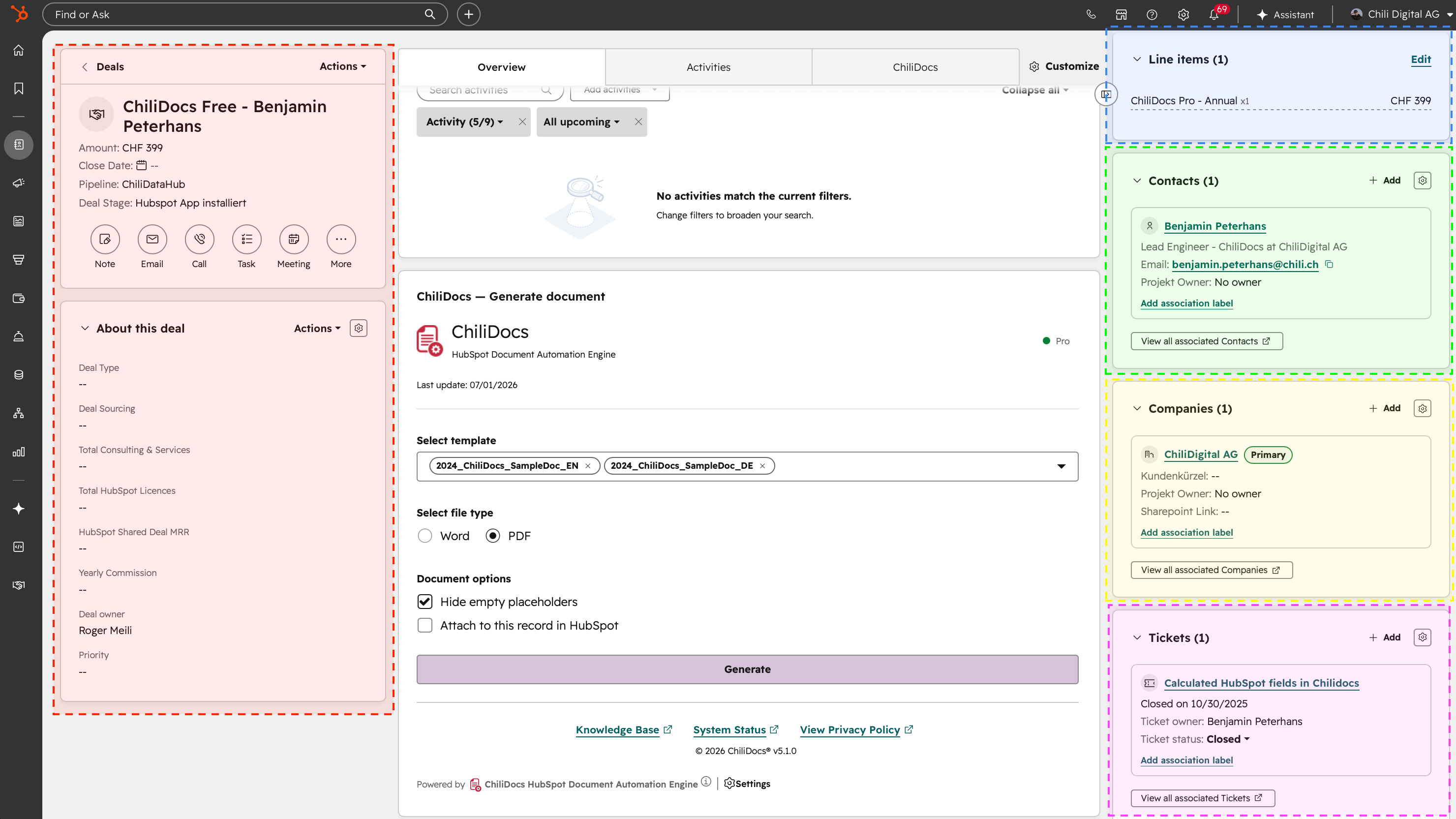
Generate documents from standard and custom objects
Generate documents from contacts, companies, deals, tickets, orders, subscriptions, courses and custom objects, and pull in associated records such as quotes, line items, notes and users, plus owner details. Amounts are formatted in the record's currency, or in your account's currency for records without one.
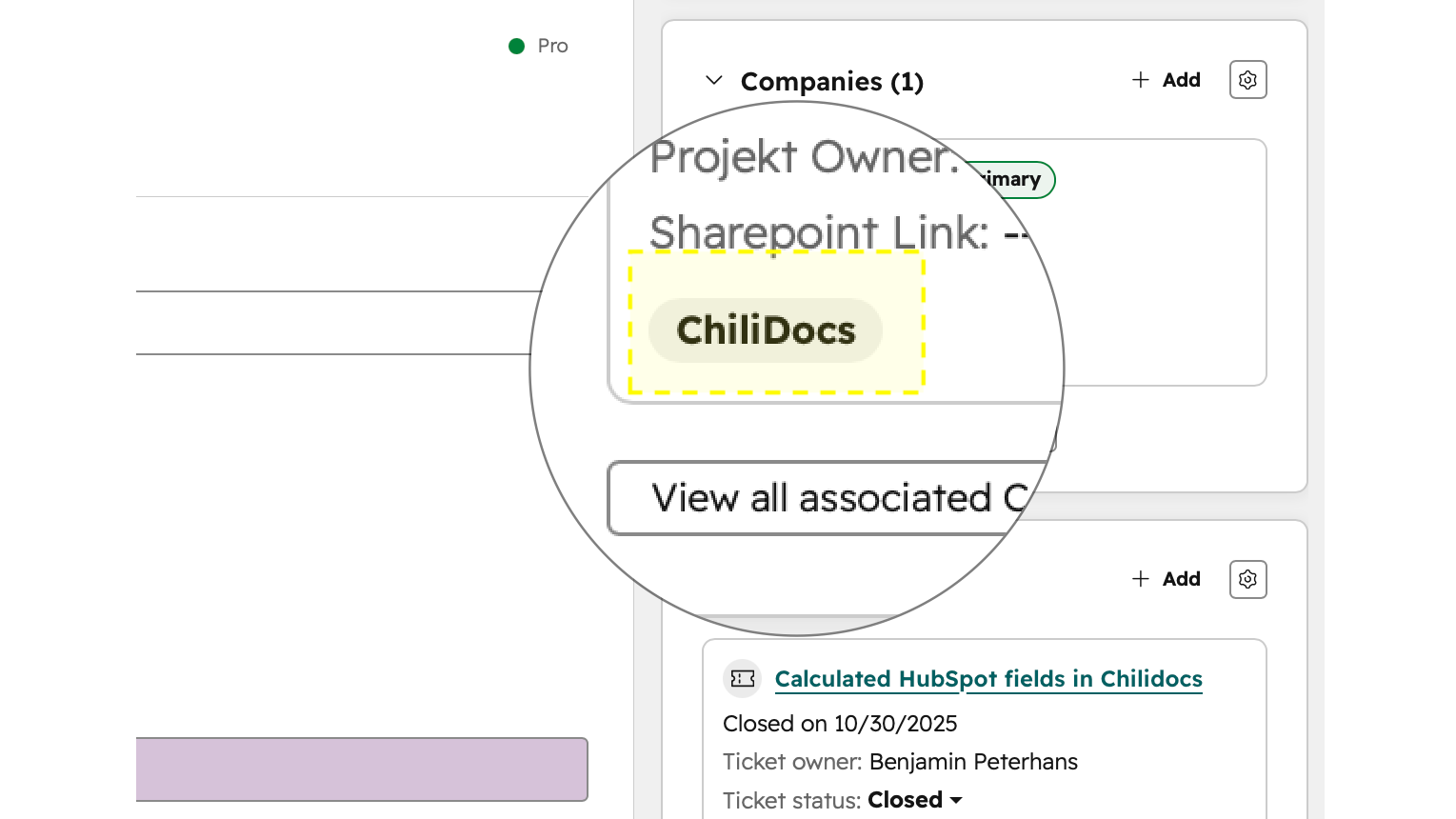
Organize your data with association labels
When a deal has several companies or contacts attached, use HubSpot association labels such as "Billing contact" or "Partner" in your template to pick exactly the record you need.
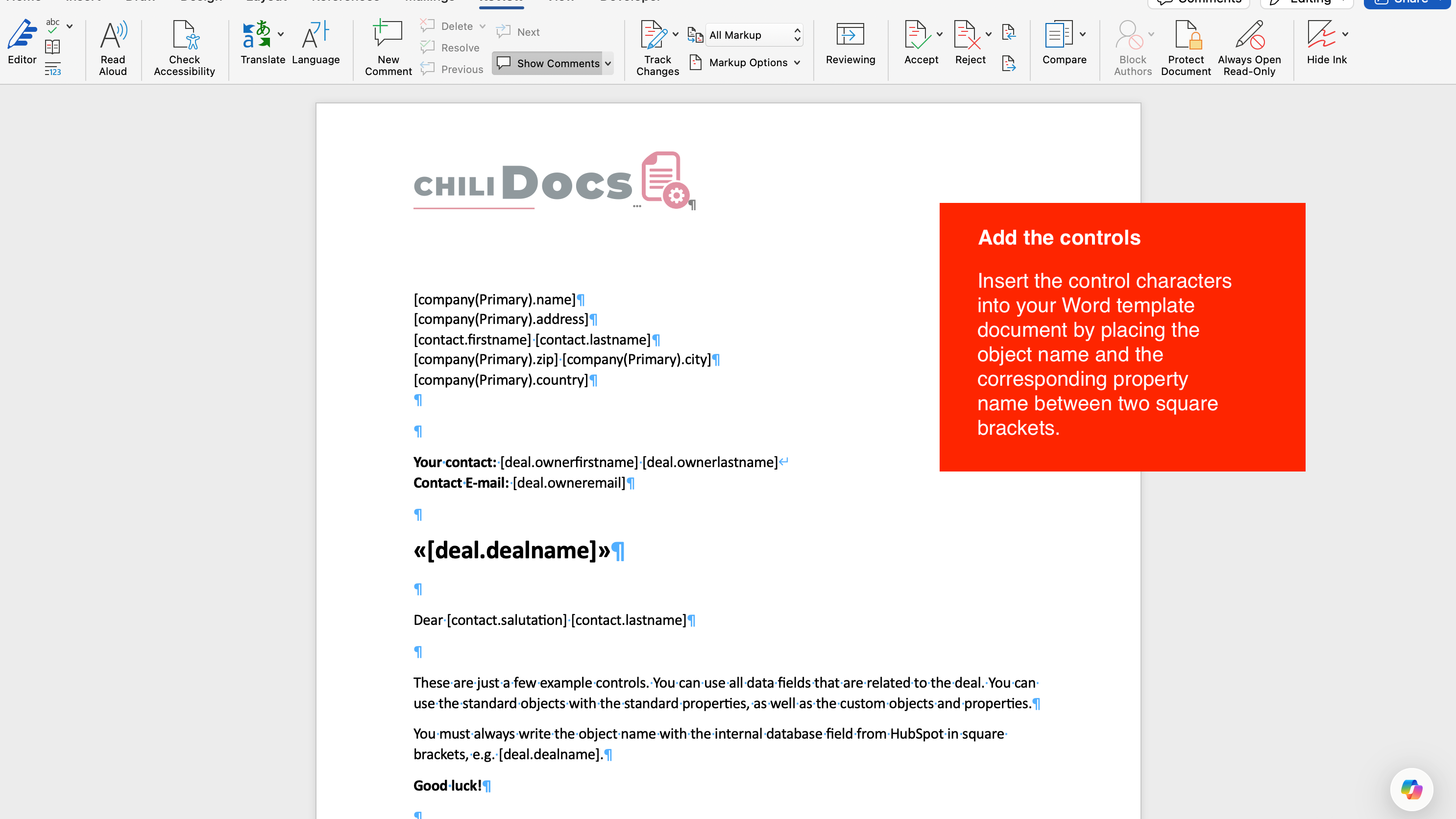
Simple placeholders in square brackets
Preparing a template takes minutes. Put the property in square brackets where the value should appear, for example [company.name] or [deal.amount]. Tables, images, filters and formatting use the same syntax.
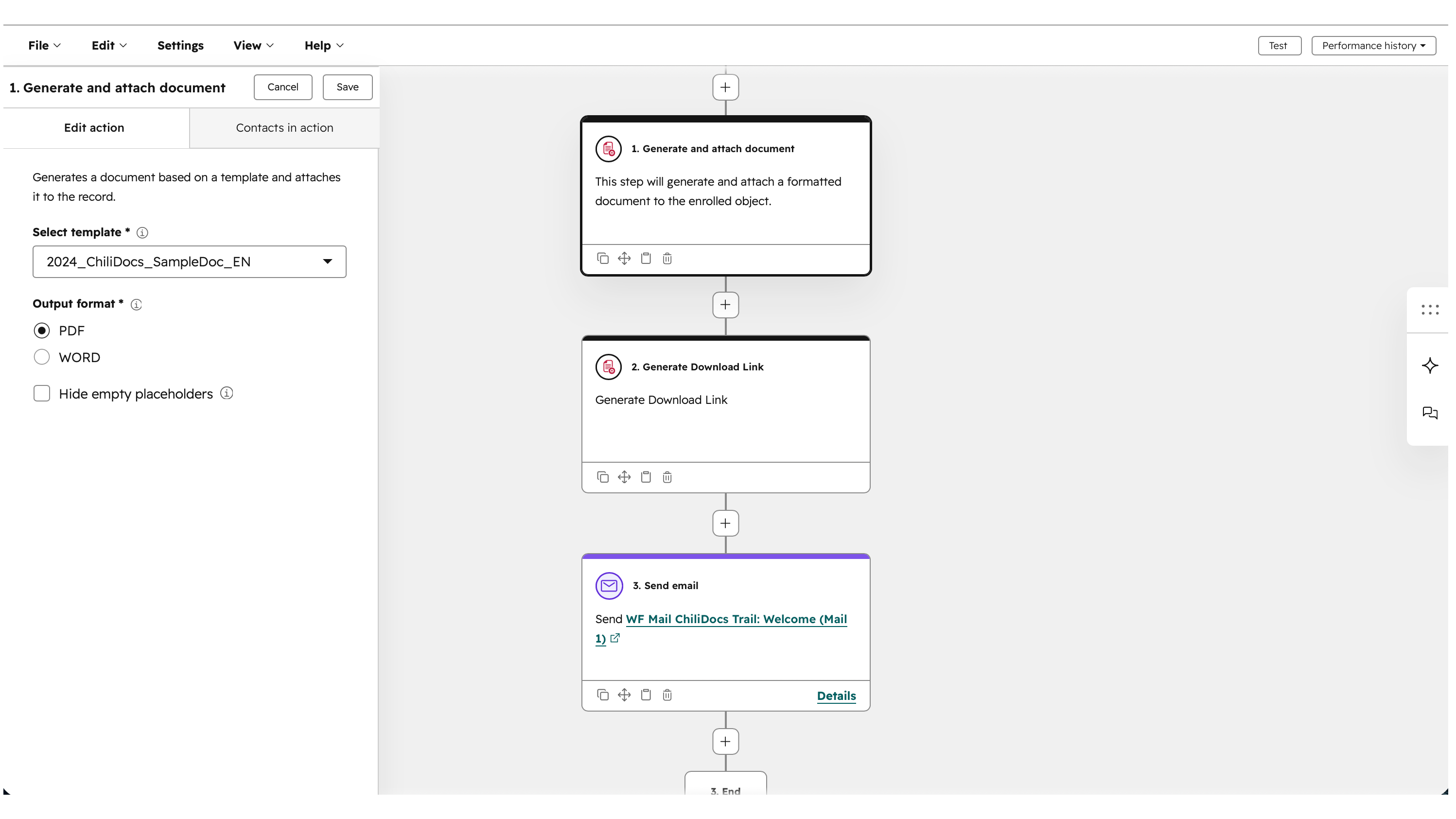
Generate documents automatically in workflows
Add ChiliDocs actions to workflows on contacts, companies, deals, tickets, orders, quotes, subscriptions and custom objects. Attach the generated Word or PDF document to the record, or store a download link in a property of your choice and use it in a HubSpot email.
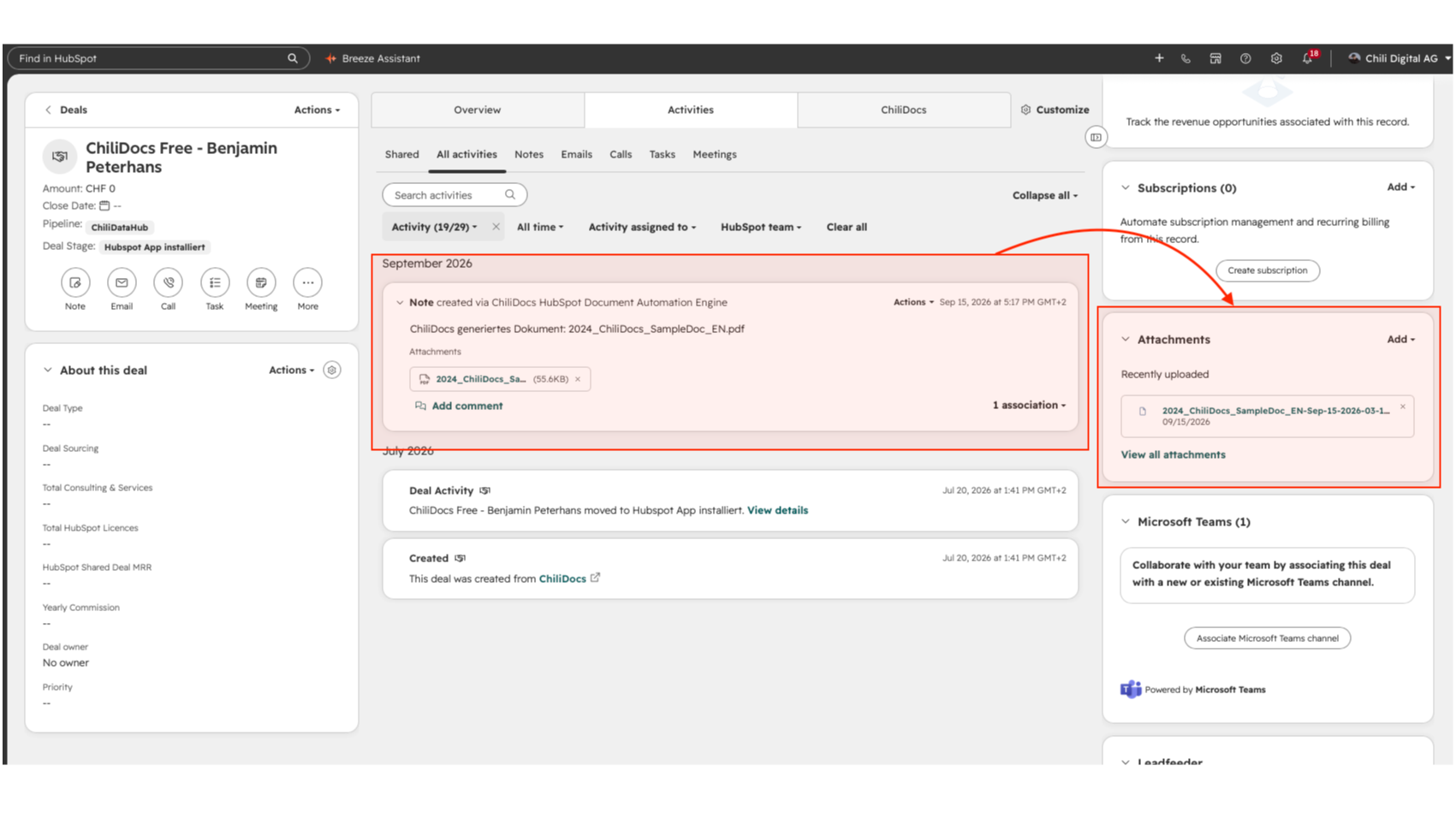
Attach generated documents to your records
Save the generated document as a note on the contact, company, deal, ticket, order, course or custom object record with one click, so the whole team can find it on the timeline. For subscriptions, the note is saved on the primary contact.
App Functionality
ChiliDocs | ||
ChiliDocs | ||
ChiliDocs | ||
ChiliDocs | ||
ChiliDocs | ||
ChiliDocs | ||
ChiliDocs | ||
ChiliDocs | ||
ChiliDocs | ||
ChiliDocs | ||
ChiliDocs | ||
ChiliDocs | ||
ChiliDocs | ||
ChiliDocs | ||
ChiliDocs |
ChiliDocs reads CRM data only while it generates a document, to fill the placeholders in your template. It does not store copies of your CRM records or the content of generated documents. Your templates and generated documents stay in your own HubSpot Files
ChiliDocs keeps only short-lived download-link tokens. To run the service, ChiliDocs stores your OAuth tokens (encrypted at rest), your plan and anonymous usage counts. When you uninstall ChiliDocs from its settings page, the tokens are revoked and deleted along with your subscription data. You can request deletion of all remaining data through support.
Reviews
4.7
14
4.7
14
- Mar 4, 2026
Works very well - 70% automation allows for faster work and big time savings
Works very well. Our appointment sheets are 70% automated.
Work faster, save time.
-
Theisen, N.
- Feb 27, 2026
Really good with easy functionality and complete creative freedom for document creation
Was really good
Easy to use and could make the word document however you want no constraints
Agarwal, P.
Pricing
ChiliDocsPro®
€399
/yearAutomate document creation in MS Word from HubSpot — with clicks, workflows, and complete data access.
Workflow actions
One-click documents
Unlimited documents
Contacts, companies, deals, tickets, orders, quotes, subscriptions, courses and custom objects
Image placeholders
Object tables with filtering and sorting
Number, date and currency formatting
ChiliDocsPro®
€399
/yearAutomate document creation in MS Word from HubSpot — with clicks, workflows, and complete data access.
Workflow actions
One-click documents
Unlimited documents
Contacts, companies, deals, tickets, orders, quotes, subscriptions, courses and custom objects
Image placeholders
Object tables with filtering and sorting
Number, date and currency formatting
* The pricing here is for display purposes only. All prices do not include taxes, incentives, discounts, or other pricing variables. You should contact the partner for the most up to date and correct pricing information. HubSpot does not take any responsibility for this pricing information, which is provided by our partners. Pricing last updated: 10/15/2026
More info
Built by - Chili Digital AG
Installs - 100+ installs
Categories Languages this app is available in English ,French ,German ,Italian , andSpanish
Most popular

Gmail
Bring HubSpot to your inbox with the HubSpot integration for Gmail.

Google Calendar
Book meetings quickly and easily with HubSpot and Google Calendar.
