NetSuite
Requirements
HubSpot Plan HubSpot Account permissions No permissions required Access Type Shared NetSuite Subscription - Contact NetSuite for Pricing Details plan
Overview
1/6 - Netsuite ERP integration for HubSpot demo video
Here’s what you’ll get with the HubSpot app for NetSuite:
- Easy to get started - no technical work required
- Fast app your whole team can rely on
- Two-way sync that automatically updates changes from one system to the other
- Choose which new records sync from HubSpot to NetSuite and back
- Send lead scores from HubSpot to NetSuite
- Use details from NetSuite customers, companies, inventory items, opportunities and more in HubSpot
...with all of these features and more, your sales team will be more productive than ever. With this app, you’ll empower your sales team with valuable data to help them prioritize their outreach, save time, build more meaningful relationships, and close more deals.
Plus, HubSpot employs a team of engineers and support staff dedicated to maintaining and improving your app.
Features
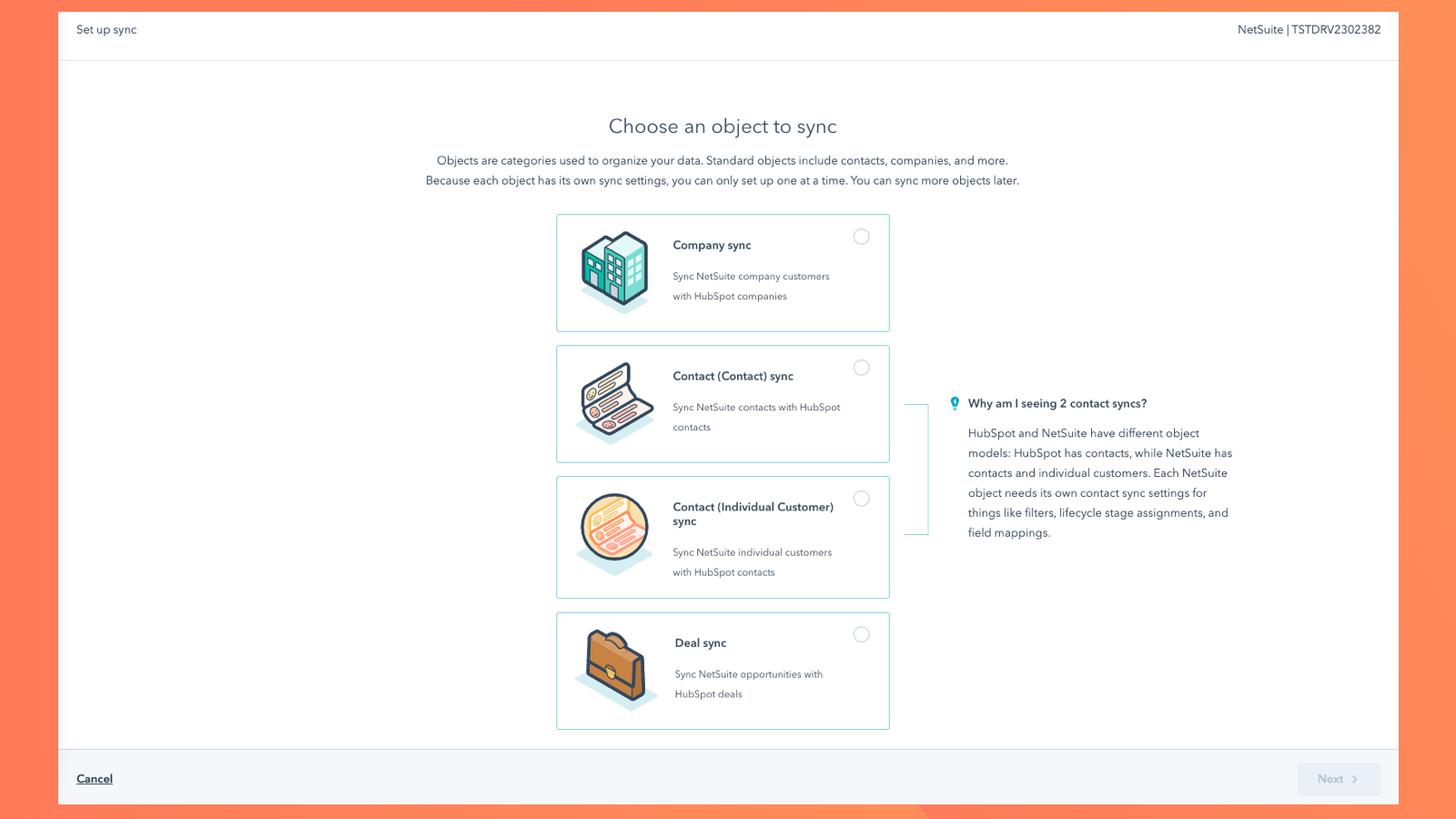
Two-way data sync with custom field mappings
Keep both systems updated by syncing new and existing records as well as updates between HubSpot and NetSuite. Sync NetSuite customers, companies, inventory items, opportunities and more to HubSpot. Create your own custom field mappings or make changes to your default ones with Data Hub Starter or Professional plans.
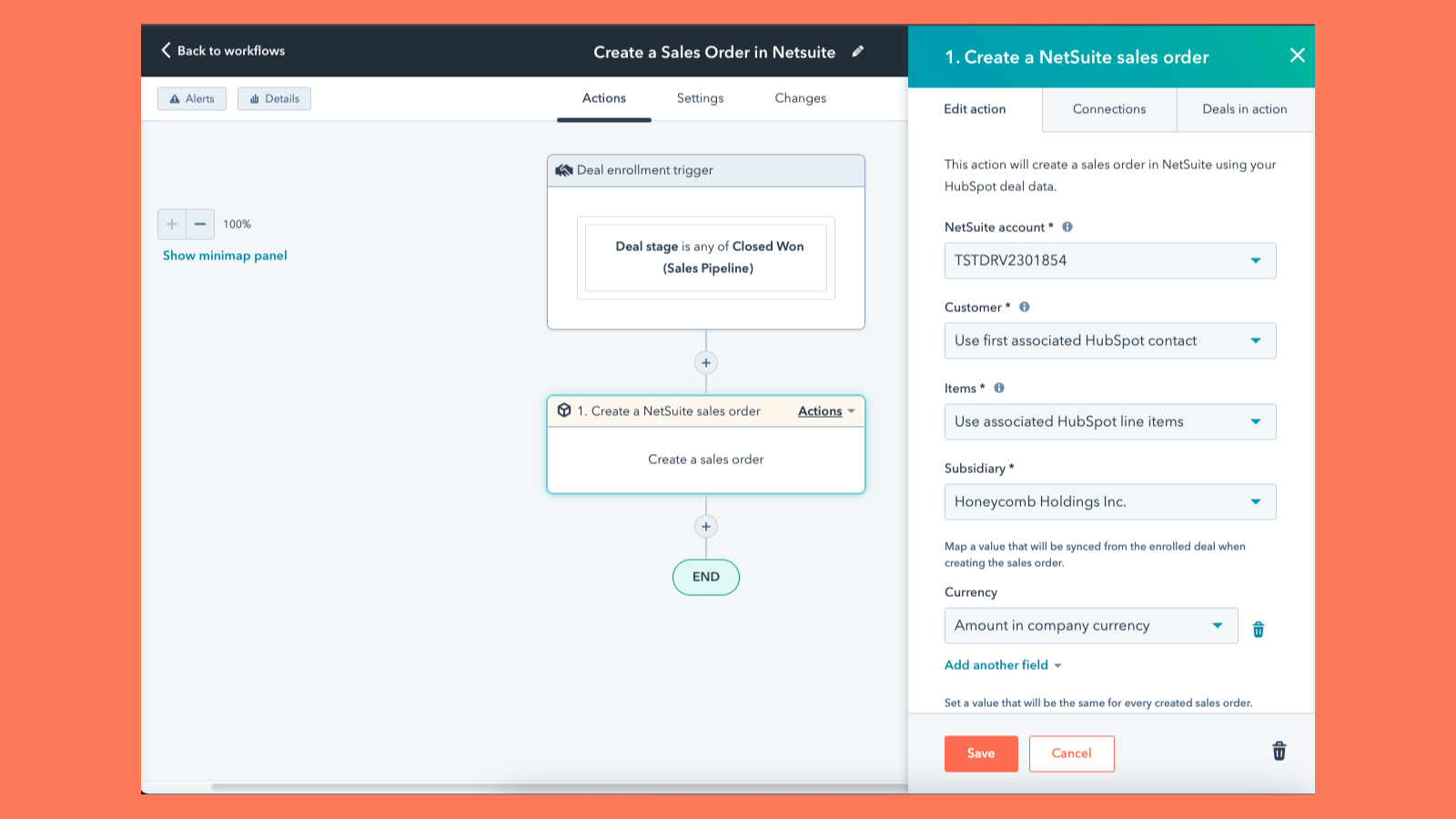
Create sales orders in NetSuite
Create a NetSuite sales order and add in all the relevant information–so sales reps can kick off the next steps in the fulfillment process–without navigating away from HubSpot. Create sales orders automatically using a HubSpot deal workflow or manually through a HubSpot deal record.
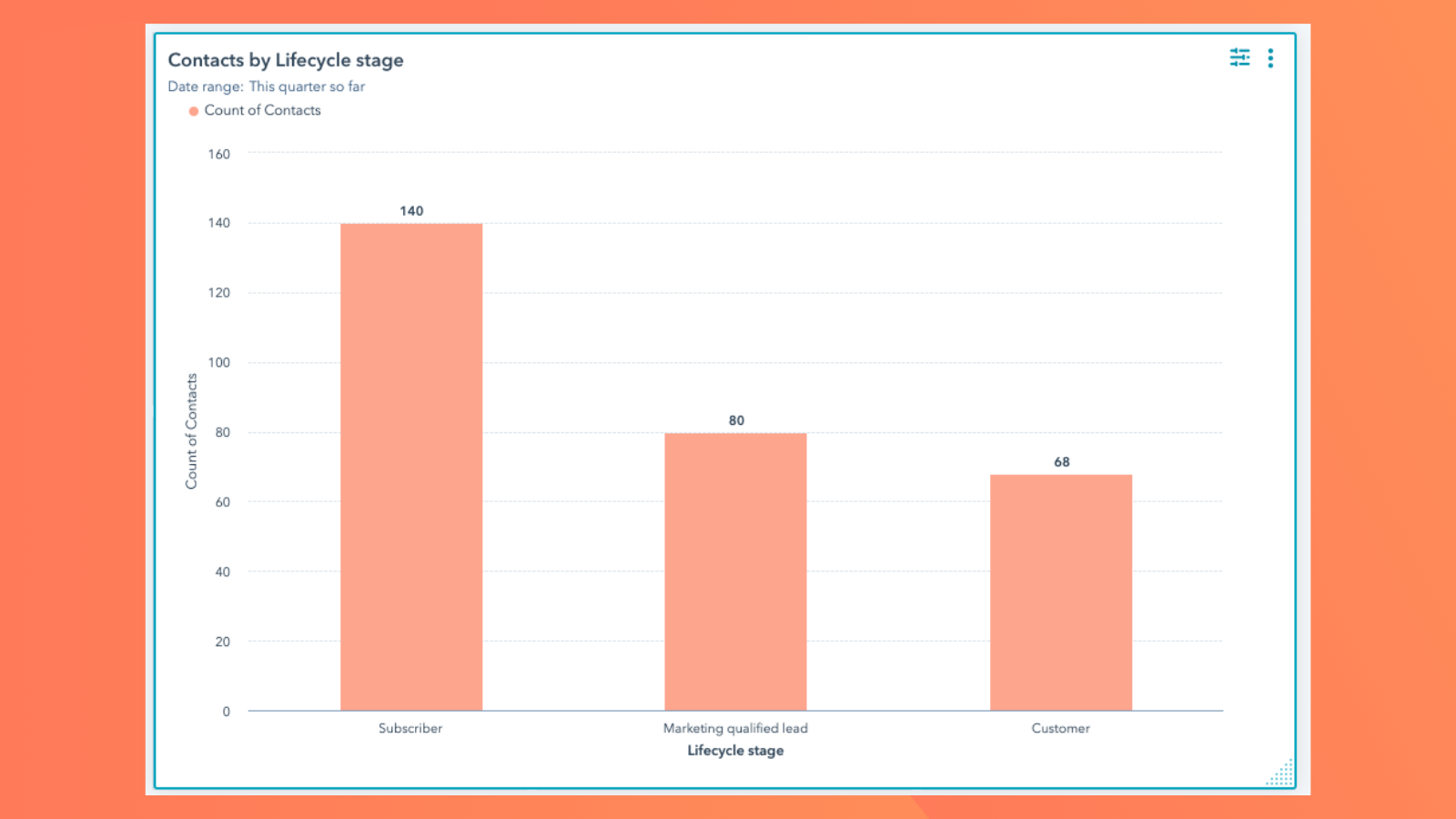
Close the loop between marketing and sales
Use details from NetSuite to personalize marketing emails, segment your database, or send emails on behalf of a lead’s sales rep. As sales reps close leads, NetSuite sends revenue data from closed-won opportunities to HubSpot to tie each marketing campaign to real revenue.
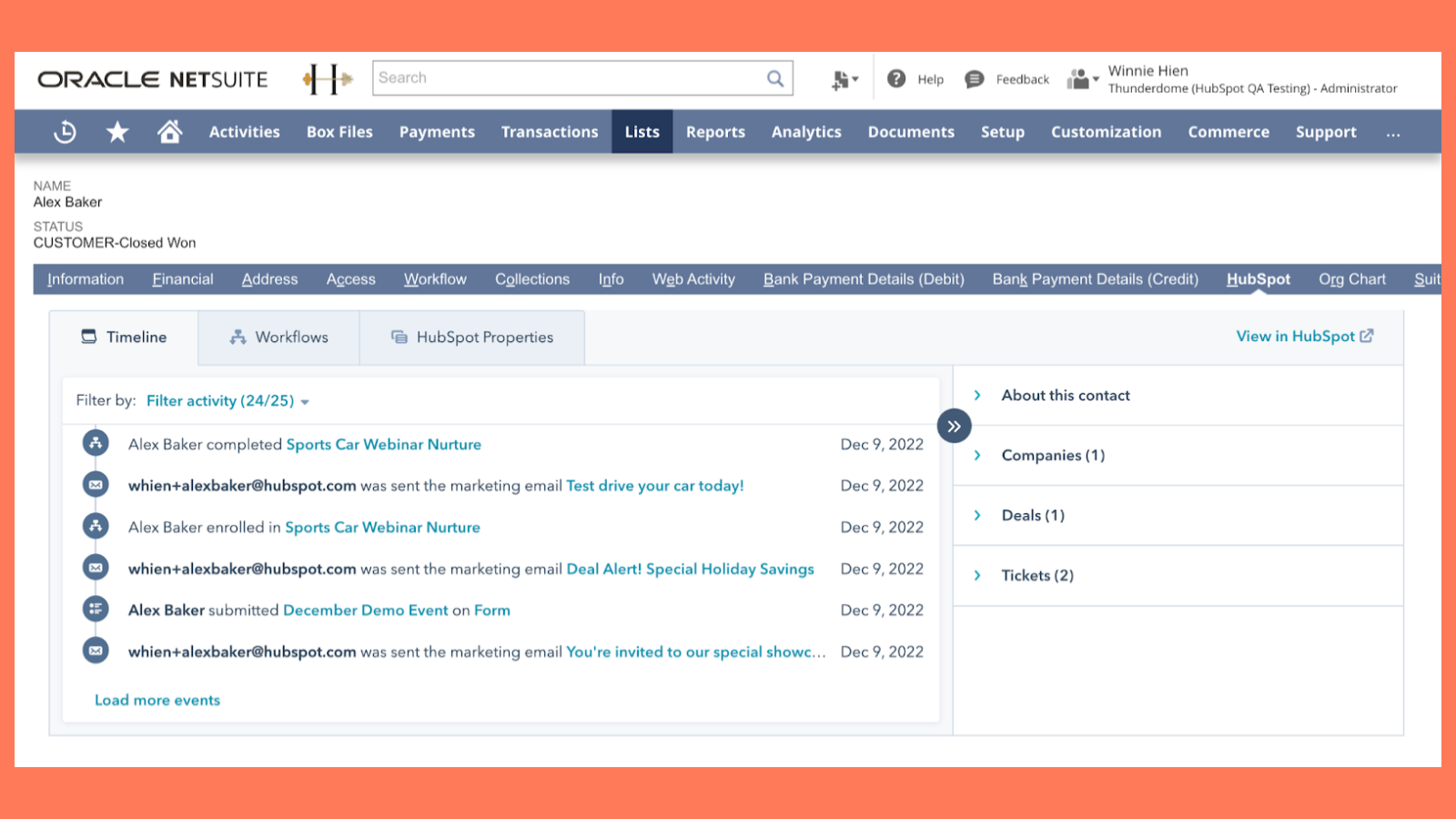
HubSpot embedded in NetSuite
Utilize HubSpot tools without leaving NetSuite. The HubSpot embed feature provides insights into HubSpot contact, company, and deal records and lets you enroll these records in automation from right within NetSuite.
App Functionality
Each object has field mappings that connect matching information from each app.
The following will not sync: Subscriptions.
Assembly Items | ||
Calls | ||
Companies | ||
Contacts | ||
Events | ||
Individuals | ||
Inventory Items | ||
Invoices | ||
Kit Items | ||
Non Inventory Resale Items | ||
Opportunities | ||
Sale Orders | ||
Service Resale Items | ||
Service Sale Items | ||
Support Cases | ||
Tasks |
Reviews
2.5
31
2.5
31
While some users find the basic contact synchronization works smoothly for straightforward use cases, the native integration does not map custom fields, NetSuite dropdown lists, or detailed order data like line items. Users note that limited documentation and the lack of a sync log complicate troubleshooting, though the connector can still reduce overall costs for teams with basic integration needs.
- May 7, 2026
Limit connectivity and data mapping options
HubSpot is unable to map cash sale transactions. This is a major issue for us and may impact our decision to adopt.
AI summaries
Data mapping
Janney, J.
Pricing
Contact NetSuite for Pricing Details
$0
Contact NetSuite for pricing details, the form is linked below.
Contact NetSuite for Pricing Details
$0
Contact NetSuite for pricing details, the form is linked below.
* The pricing here is for display purposes only. All prices do not include taxes, incentives, discounts, or other pricing variables. You should contact the partner for the most up to date and correct pricing information. HubSpot does not take any responsibility for this pricing information, which is provided by our partners. Pricing last updated: 11/25/2025