
Workflow Data Format Actions
Built by - Integration Glue
Installs - 400+ installs
Rating 4.5
(2)

Leading
Requirements
HubSpot Plan HubSpot Account permissions - View the required account permissions
Access Type Shared Workflow Data Format Actions Subscription - Free, Starter, Professional, or Enterprise plans
Overview
1/9
With the Data Formatter from Integration Glue, you can transform your HubSpot data to improve quality and consistency.
It converts Unix timestamps into readable dates, optimises phone numbers to improve calling and SMS from HubSpot, and standardized text cases, ensuring your data is in clean, readable and specific formats for seamless export and integration.
Includes:
Any Object (Contacts, Companies, Deals, Tickets, Custom Objects)
Format dates and date time
Format numbers
Format phone numbers to include international calling codes
Format text
Fully managed within HubSpot Workflows - once installed you do not need to login to any other system to manage your association actions.
When you register for Integration Glue, you will get access to a whole bunch of HubSpot Workflow and Data productivity actions, such as Actions to Clone records (including associated records), get User/Owner information and add to a Property or calculate a date.
Get started on our free plan, No credit card required, can cancel at anytime
Integration Glue pricing is based on utilization, so you can use all of our apps together under a single license and you will only be charged for the total credits you use per month.
Integration Glue does not retain any data when using this app; it simply reads and outputs data to your own HubSpot portal.
Features
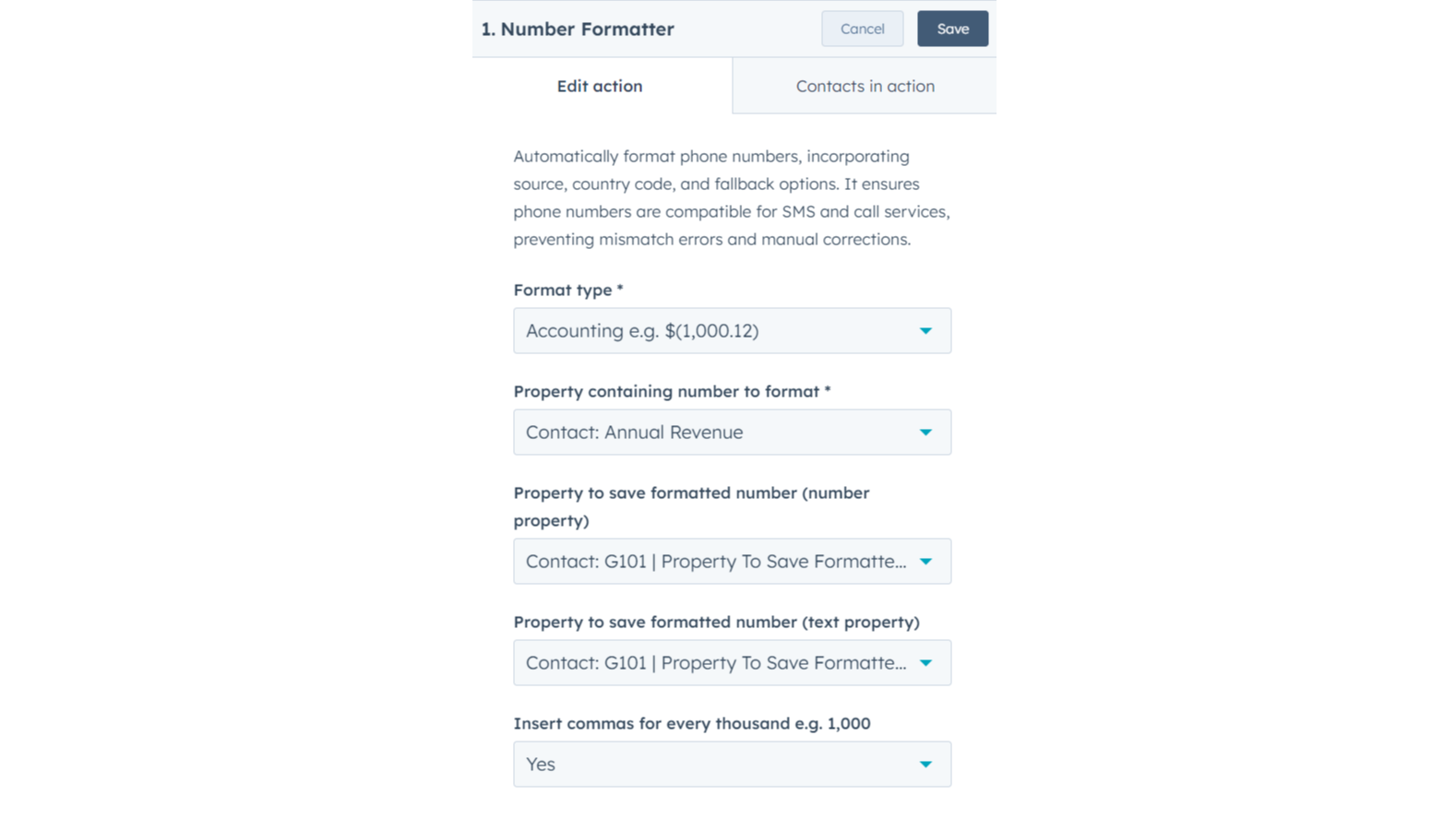
Format number
Set number formatting preferences for specific data fields, choosing either text output or a number-specific field. Include thousands separators to improve clarity in exports, reporting, personalization, and integration with external platforms.
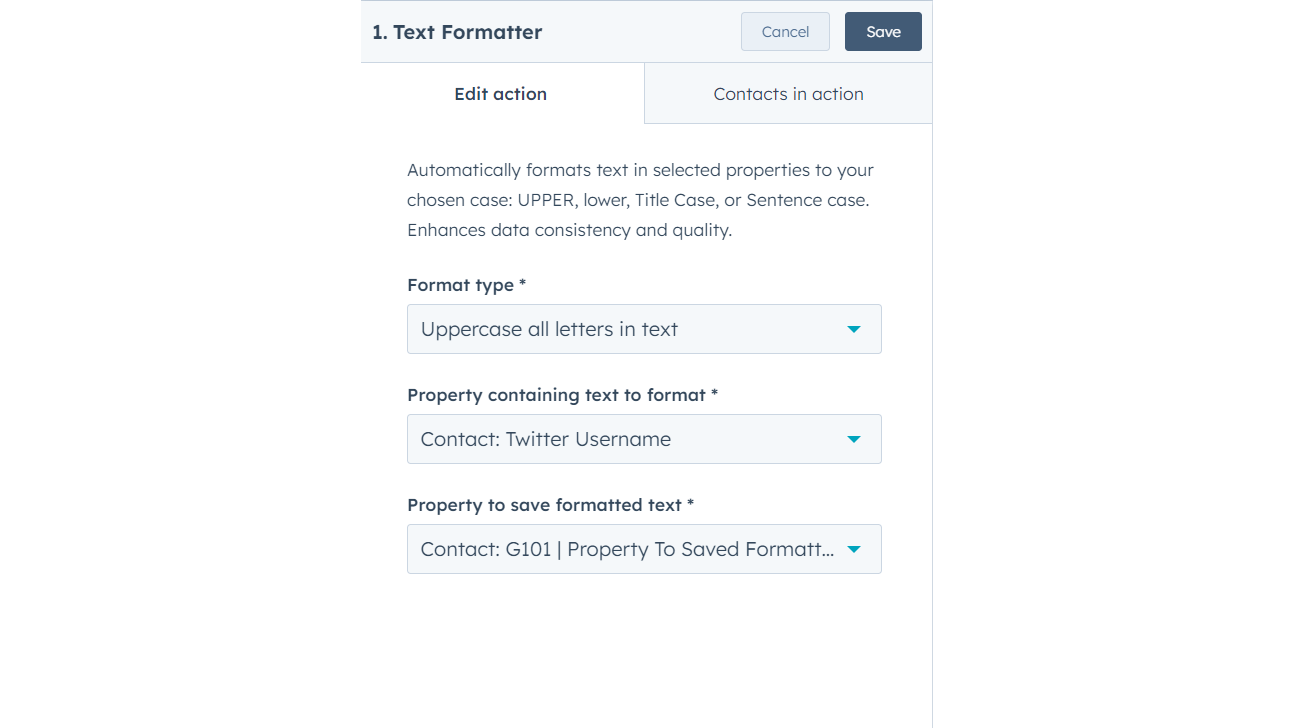
Format text
Automatically formats text in selected properties to your chosen case: UPPER, lower, Title Case, or Sentence case. Enhances data consistency and quality.
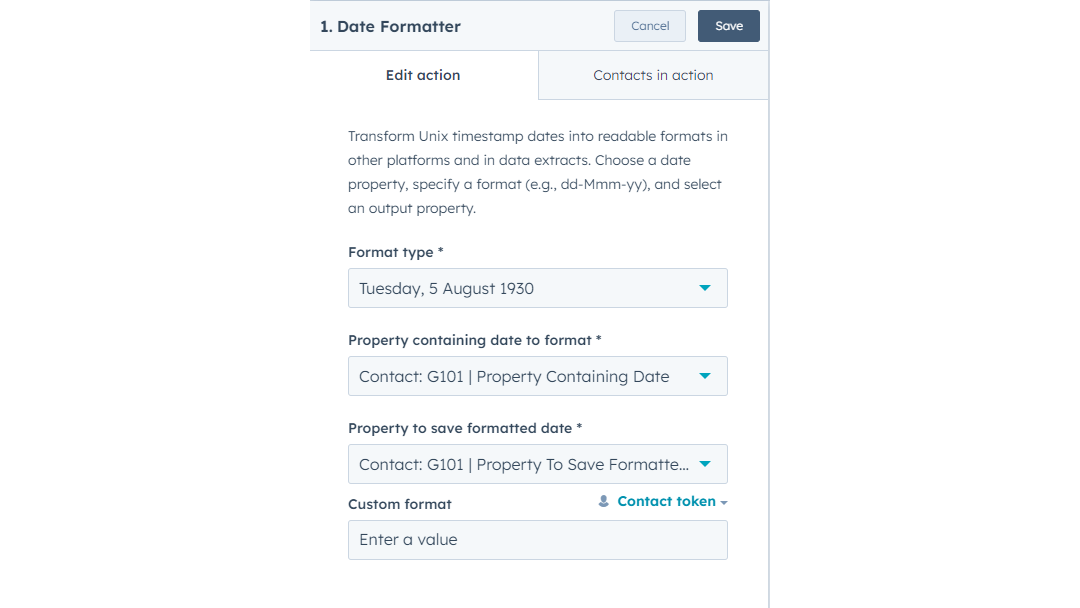
Format date
Transform Unix timestamp dates into readable formats in other platforms and in data extracts. Choose a date property, specify a format (e.g., dd-Mmm-yy), and select an output property.
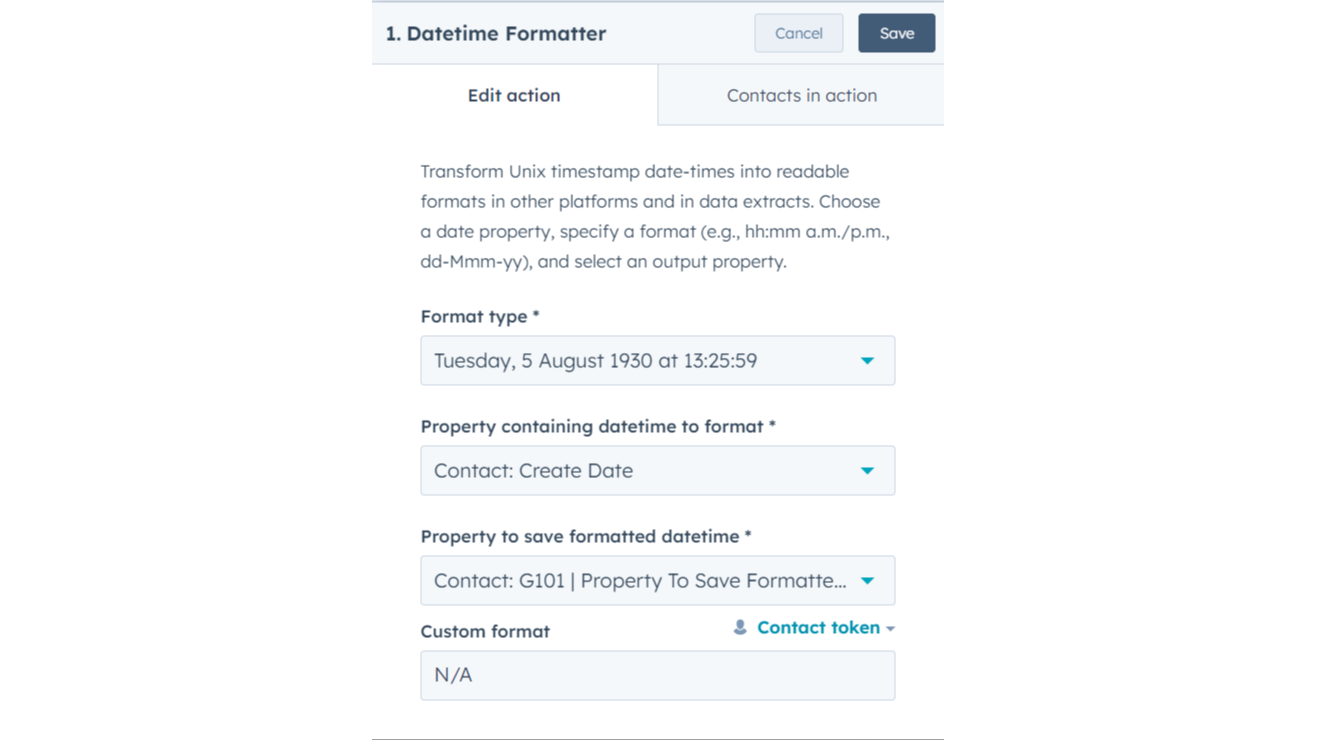
Format date-time
Transform Unix timestamp date-times into readable formats in other platforms and in data extracts. Choose a date property, specify a format (e.g., hh:mm a.m./p.m., dd-Mmm-yy), and select an output property.
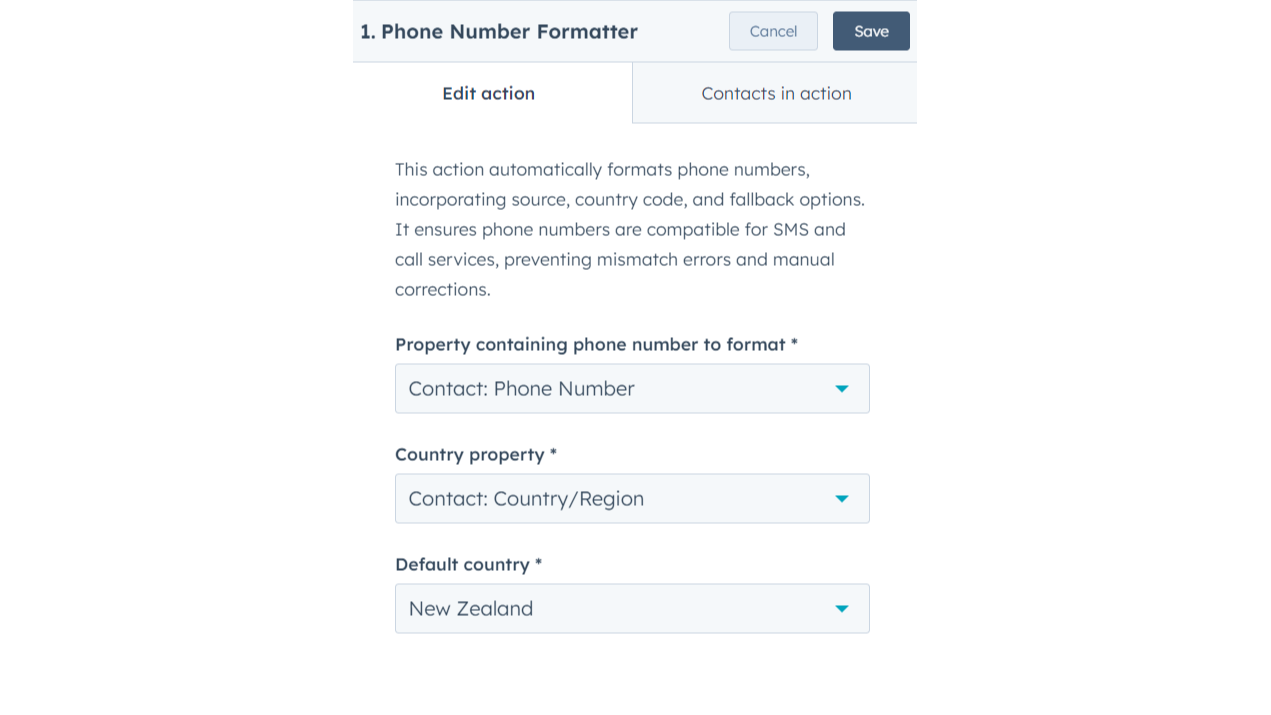
Format phone number
Automatically format phone numbers, incorporating source, country code, and fallback options. It ensures phone numbers are compatible for SMS and call services, preventing mismatch errors and manual corrections.
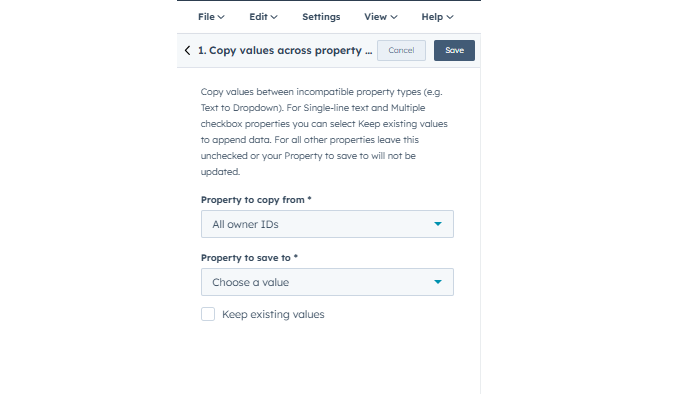
Copy values across property types
Allow you to move data freely provided the value is compatible with the target format. Common use cases include: Migrating data from legacy text fields into structured Dropdown or Checkbox properties. Copying Original source data into custom text fields for archiving. Converting text-based dates into actual Date picker properties.
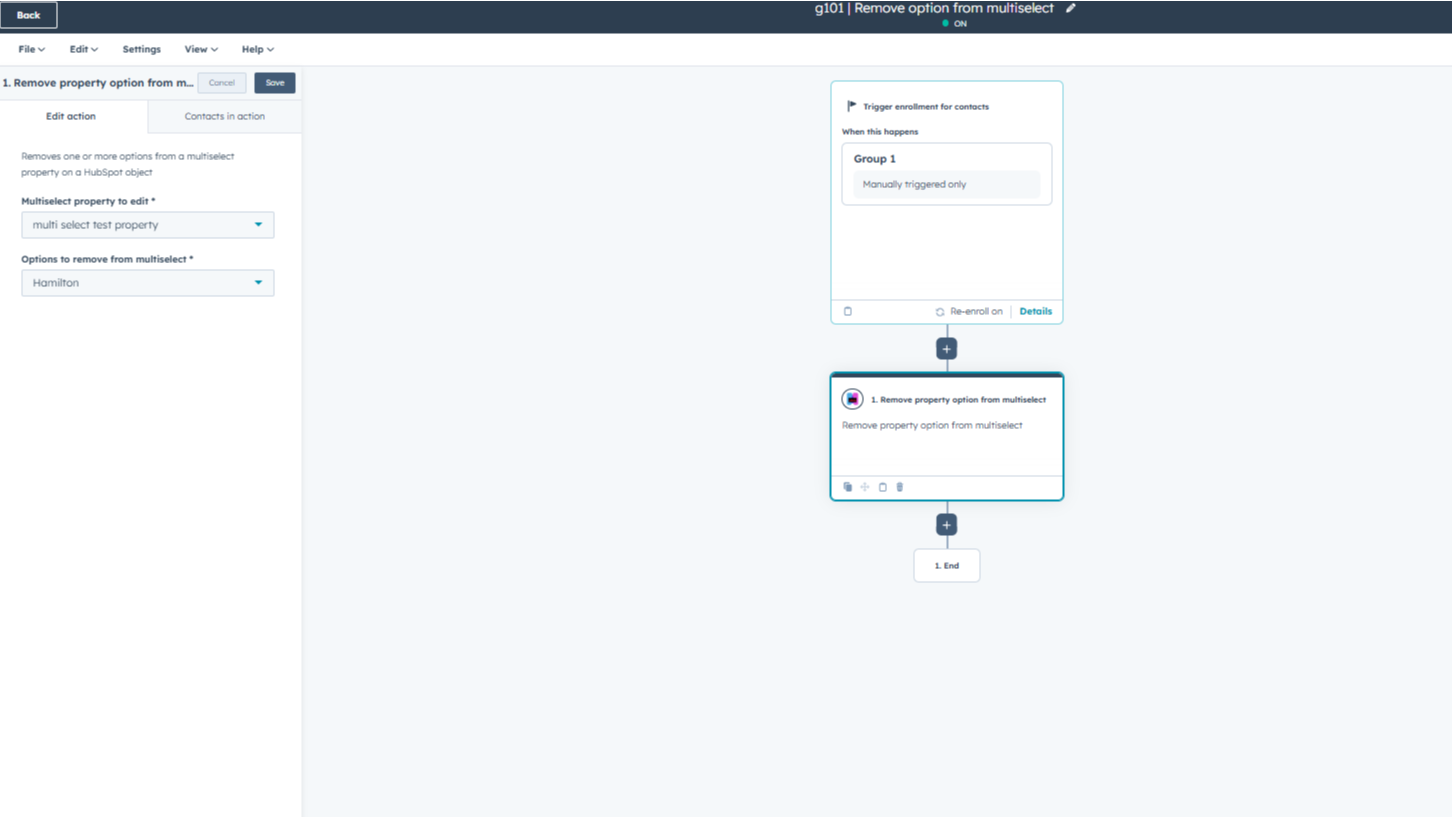
Remove property option from multiselect
Remove specific options from a multiselect property on your HubSpot records. Choose which property to edit and pick the values you want to take away. This action unselects only the items you choose without clearing the rest of the property, making it easy to keep your data accurate.
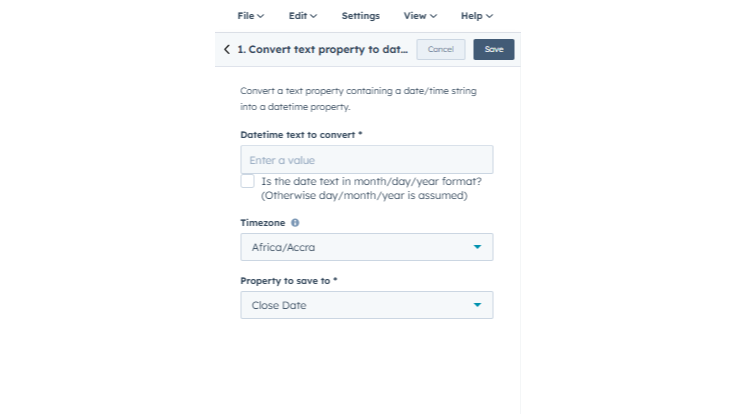
Convert text property to datetime property
Turn text strings into real HubSpot datetime properties. Select the text to change, specify the date order (month/day/year or day/month/year), and pick a timezone. Save the final result to a property so you can use the data for workflow delays, scheduling, and time-based reporting.
App Functionality
Shared Data
Contacts, Companies, Deals, Tickets, Custom Objects | ||
Contacts, Companies, Deals, Tickets, Custom Objects | ||
Contacts, Companies, Deals, Tickets, Custom Objects | ||
Contacts, Companies, Deals, Tickets, Custom Objects |
Reviews
- Jun 2, 2025
Good Triggers But Missing Basic Property Comparisons
We have been using Zapier to do many automations, and have enjoyed that we can move some over to HubSpot without having to pay extra, which saves us money for using Zap credits.
The trigger mechanisms are really good, especially pleased that you can trigger from dates, including relative dates.
Not being to compare properties with each other in order to determine actions in a workflow is pretty basic. It is also annoying that I cannot find related data objects by Record ID.
Kendler, P.
- Jan 29, 2025
McElligott, C.
Free
$0
Great for small teams starting out or anyone who wants to learn more
Includes 100 credits; Actions use 1 credit each time they run = 100 runs of Custom Actions per month
Free
$0
Great for small teams starting out or anyone who wants to learn more
Includes 100 credits; Actions use 1 credit each time they run = 100 runs of Custom Actions per month
* The pricing here is for display purposes only. All prices do not include taxes, incentives, discounts, or other pricing variables. You should contact the partner for the most up to date and correct pricing information. HubSpot does not take any responsibility for this pricing information, which is provided by our partners. Pricing last updated: 04/15/2026
More info
Built by - Integration Glue
Installs - 400+ installs
Categories Languages this app is available in English