
Coupler.io
Bygget av - Railsware Products Studio LLC
Installeringer - 2K innstalleringer
Rangering 3,6
(15)

Rising
Krav
HubSpot-abonnement HubSpot-kontotillatelser - Vis nødvendige kontotillatelser
Tilgangstype Delt Coupler.io-abonnement - Free, Starter, Active, Pro eller Business-abonnementer
Oversikt
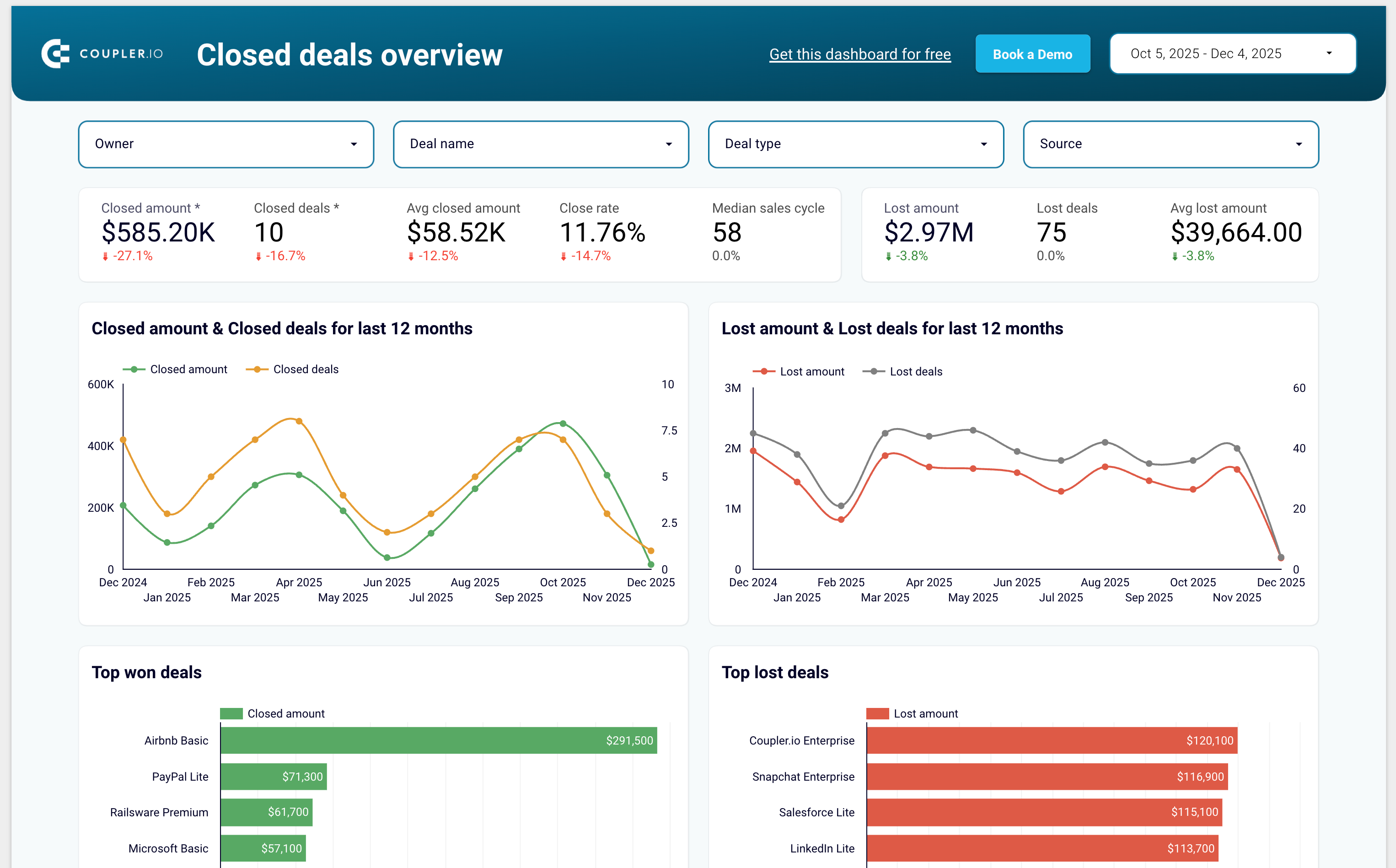
1/7 - Sales KPI dashboard template for HubSpot
Coupler.io is a no-code data integration and AI analytics platform that centralizes business data from 400+ sources and turns it into actionable insights. It’s ideal for data analysts and business teams across Finance, Marketing, Sales, and Leadership who need fast, reliable, and automated reporting.
With Coupler.io, you can automatically export and sync data from HubSpot, Google Analytics, Facebook Ads, Salesforce, Shopify, QuickBooks Online, and many other business tools.
The platform lets you blend HubSpot data with cross-channel marketing, sales, and finance data to build complete multi-source reports without writing code.
You can load your data into Google Sheets, Excel, Looker Studio, Power BI, and data warehouses such as BigQuery, Redshift, and Snowflake.
Coupler.io also supports AI destinations, allowing you to chat with your business data inside AI tools like ChatGPT, Claude and more.
Coupler.io offers pre-built dashboard templates for HubSpot including:
Sales KPI dashboard to overview sales metrics and KPIs
CRM dashboard to understand HubSpot sales and track the team performance
Customer acquisition dashboard to monitor your acquisition funnel
Marketing and sales performance dashboard to overview your full funnel
Funksjoner
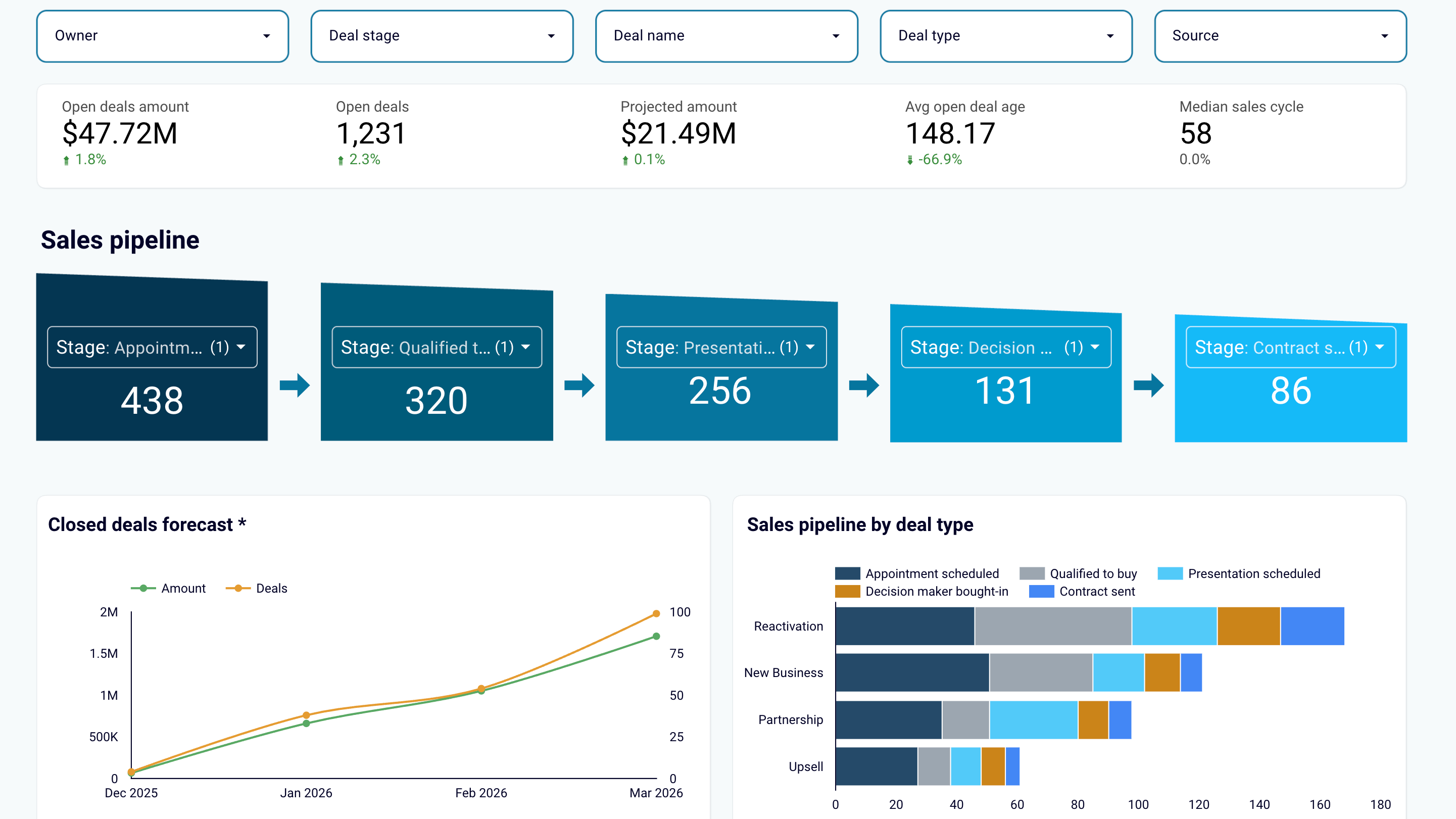
Create sales reports or use predesigned dashboard templates
Export data from HubSpot and transform it into simple reports that you can load to spreadsheets (Google Sheets, Excel) or BI tools (Looker Studio, Power BI, Tableau). Create auto-updating sales dashboards or use the predesigned templates in the data visualization tools you prefer. Track sales results and derive insights to maximize revenue.
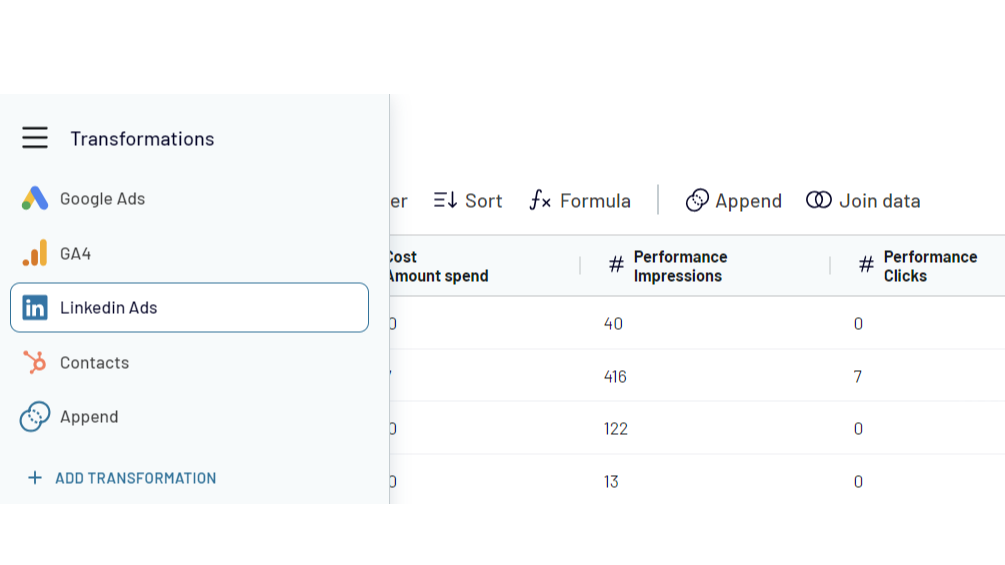
Combine HubSpot data with information from other apps
Create cross-channel reports by collecting data from multiple sources. Export data from HubSpot CRM and aggregate it with the information from other apps such as Shopify, QuickBooks, Xero, Facebook Ads, LinkedIn Ads, Google Analytics 4. Choose from 400+ data sources!
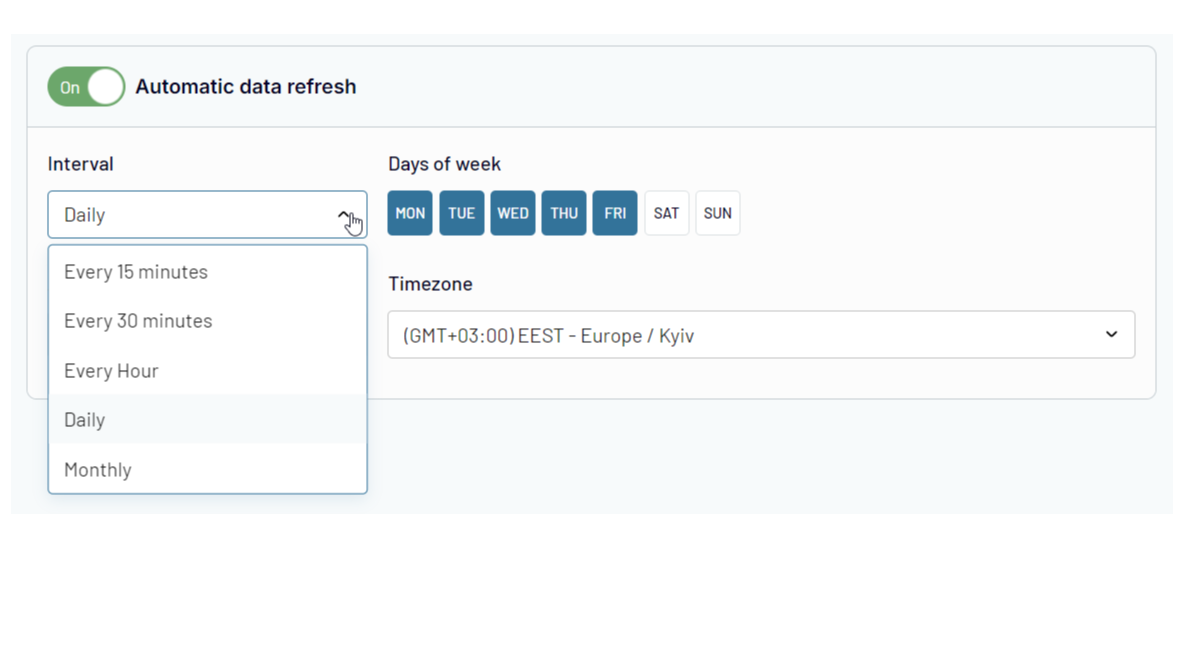
Automate data exports and reporting at your company
Forget about manual copy-pasting! Use Coupler.io's automatic data refresh functionality to schedule HubSpot data import to the selected destination. Ensure that your reporting is always 100% up-to-date and lacks human errors.
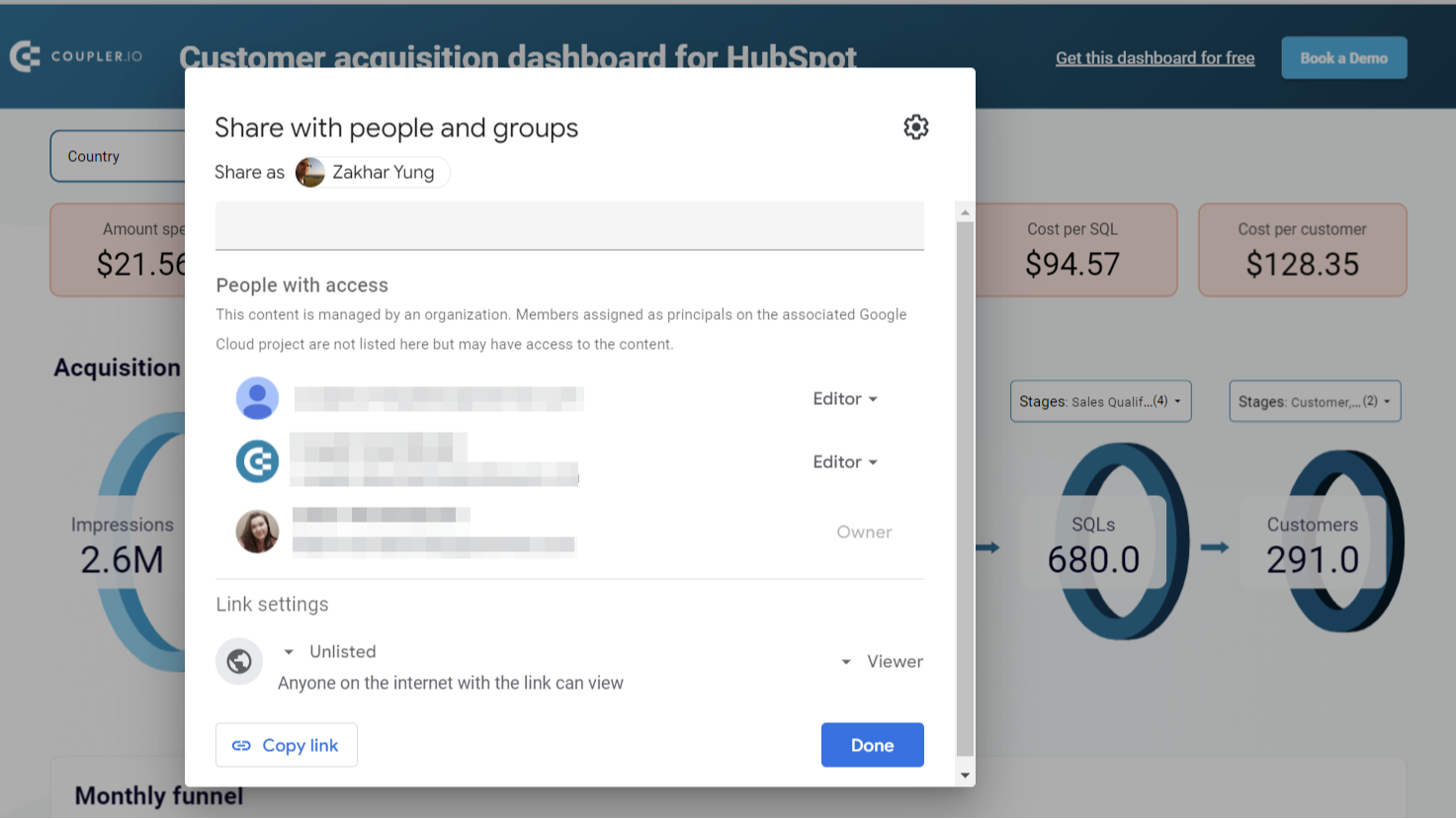
Share sales data with the team and stakeholders
Ensure your colleagues or stakeholders can track sales performance metrics and other CRM data without access to your HubSpot account. Export HubSpot data to shareable spreadsheets or provide view-only access to the reports you’ve created in BI tools. This approach allows you to manage sales data accessibility easily and make changes as needed.
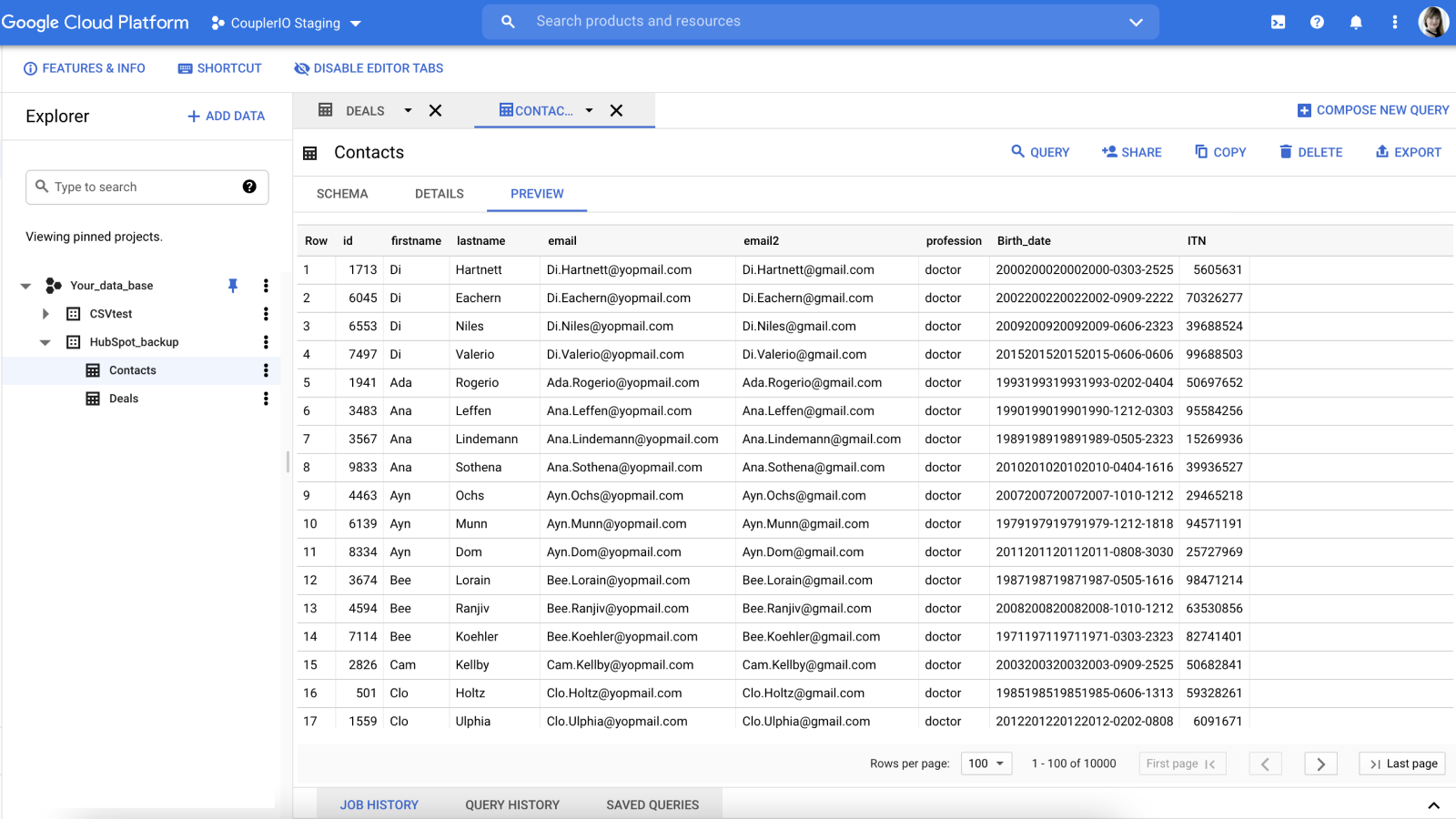
Create secure automated data backups
Keep an encrypted copy of your sales data in Google BigQuery cloud storage. Set up HubSpot integration with a few clicks and back up your data automatically on an hourly, daily, or weekly basis.
Appfunksjonalitet
Delt data
Google Sheets / Excel / BigQuery / Looker Studio / Power BI / monday.com | ||
Google Sheets / Excel / BigQuery / Looker Studio / Power BI / monday.com | ||
Google Sheets / Excel / BigQuery / Looker Studio / Power BI / monday.com | ||
Google Sheets / Excel / BigQuery / Looker Studio / Power BI / monday.com | ||
Google Sheets / Excel / BigQuery / Looker Studio / Power BI / monday.com | ||
Google Sheets / Excel / BigQuery / Looker Studio / Power BI / monday.com | ||
Google Sheets / Excel / BigQuery / Looker Studio / Power BI / monday.com | ||
Google Sheets / Excel / BigQuery / Looker Studio / Power BI / monday.com | ||
Google Sheets / Excel / BigQuery / Looker Studio / Power BI / monday.com | ||
Google Sheets / Excel / BigQuery / Looker Studio / Power BI / monday.com | ||
Google Sheets / Excel / BigQuery / Looker Studio / Power BI / monday.com | ||
Google Sheets / Excel / BigQuery / Looker Studio / Power BI / monday.com | ||
Google Sheets / Excel / BigQuery / Looker Studio / Power BI / monday.com | ||
Google Sheets / Excel / BigQuery / Looker Studio / Power BI / monday.com | ||
Google Sheets / Excel / BigQuery / Looker Studio / Power BI / monday.com |
Gjennomganger
3,6
15
3,6
15
- 13. mai 2026
Good trail
In the beginning it looked like a free tool but in the end it was limited. Easy to install and working well
Simple to install
Price in relation to our needs
Boekholt, J.
- 8. mars 2026
Works great for deal forecasting but struggles with larger datasets causing sync crashes
Overall works great for our use case which is pulling out the deal information into our forecasting and cashflow When trying to get larger datasets, sometimes the sync crashes so need to filter out certain data before doing that
Fairly intuitive to use and once set up, the refreshes are simple
Large data can cause issues
McNamara, L.
Free
USD 0
For newcomers and personal projects that only require one active no-code data connection.
1 user
1 account
1 data source
1 data destination
100 rows/run
Manual data refresh
Free
USD 0
For newcomers and personal projects that only require one active no-code data connection.
1 user
1 account
1 data source
1 data destination
100 rows/run
Manual data refresh
* Prissettingen her er kun for illustrasjonsformål. Prisene inkluderer ikke avgifter, insentiver, rabatter eller andre prissettingsvariabler. Kontakt partneren for å få oppdatert og riktig prissettingsinformasjon. HubSpot tar ikke ansvar for denne prissettingsinformasjonen, som gis av våre partnere. Prissetting sist oppdatert: 10.12.2025
Mer info
Bygget av - Railsware Products Studio LLC
Installeringer - 2K innstalleringer
Kategorier Språkene appen er tilgjengelig på Engelsk