
ChartMogul: Push CRM Data
Bring HubSpot data into your ChartMogul account
Udviklet af - ChartMogul
Installeringer - 400+ installationer
Rangering 3
(1)

Rising
Krav
HubSpot-abonnement Tilladelser til HubSpot-konto - Se de nødvendige kontotilladelser
Adgangstype Shared ChartMogul: Push CRM Data abonnement - Free, Pro eller Enterprise planer
Oversigt
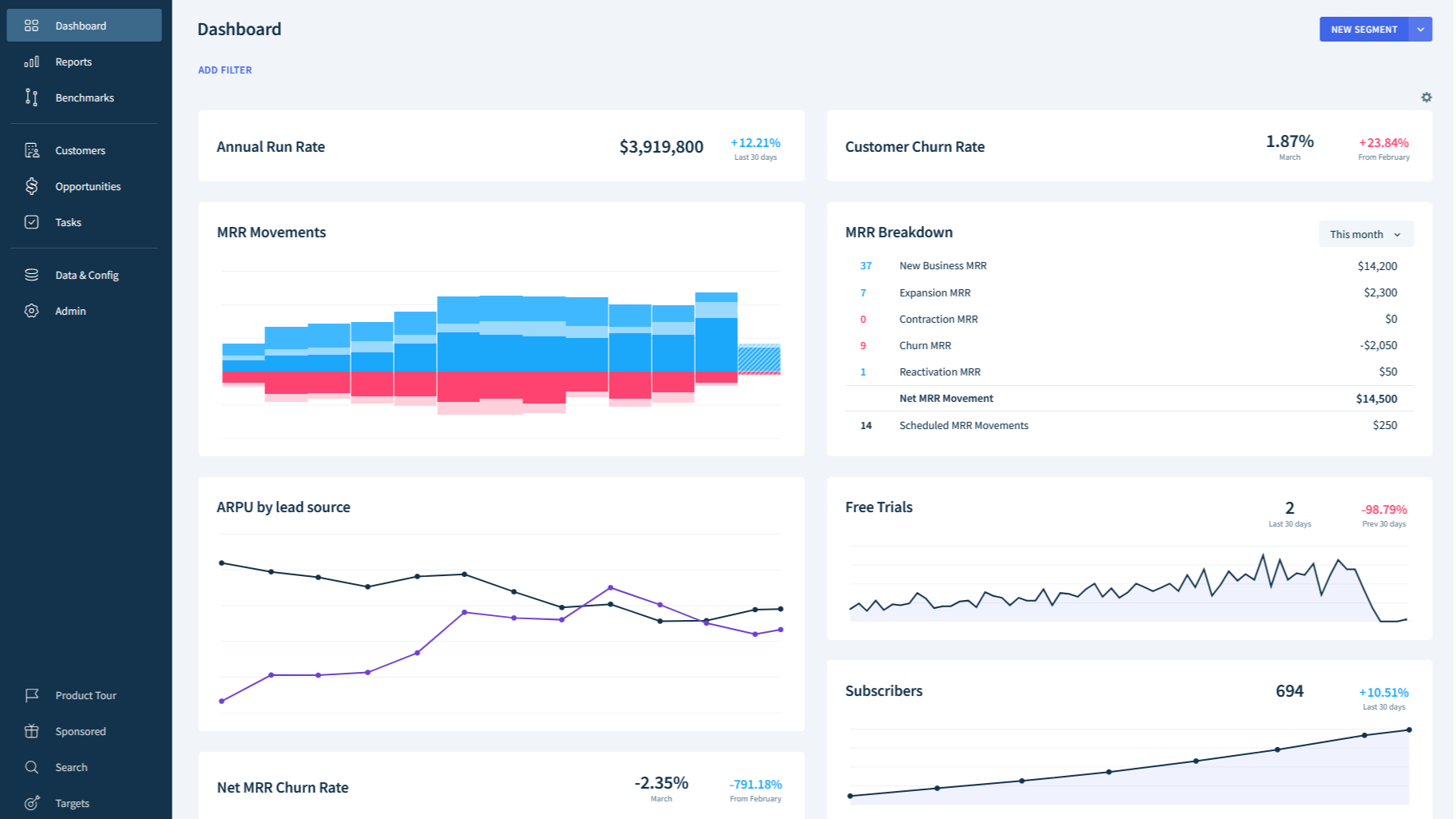
1/2 - ChartMogul Subscription Analytics Dashboard
Get a clear picture of your B2B SaaS growth by connecting HubSpot with ChartMogul.
You'll use this integration to:
Sync customer and contact records into ChartMogul automatically
Enrich customer records in ChartMogul with HubSpot data
Create new leads in ChartMogul CRM
What is ChartMogul? ChartMogul helps B2B SaaS companies grow. Subscription Analytics calculates your core SaaS metrics by importing, cleaning and analyzing data from your billing sources, combining it with your customer data. ChartMogul CRM allows you to work leads, create opportunities and retain self-service and sales-assisted customers.
ChartMogul is used by hundreds of HubSpot customers and the team are here to answer your questions about the integration, implementation and more; get in touch.
Funktioner
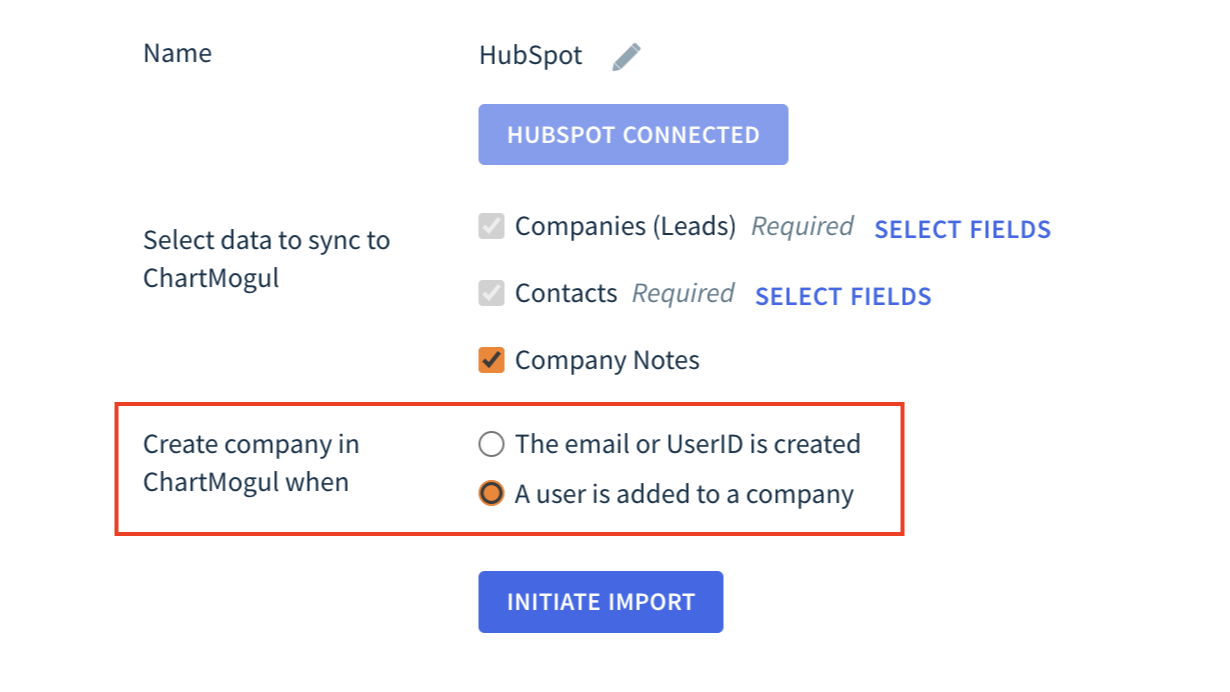
Create and update customers and contacts
Keep all customer data records up-to-date across ChartMogul in real time. Decide when new customers are created in ChartMogul from HubSpot.
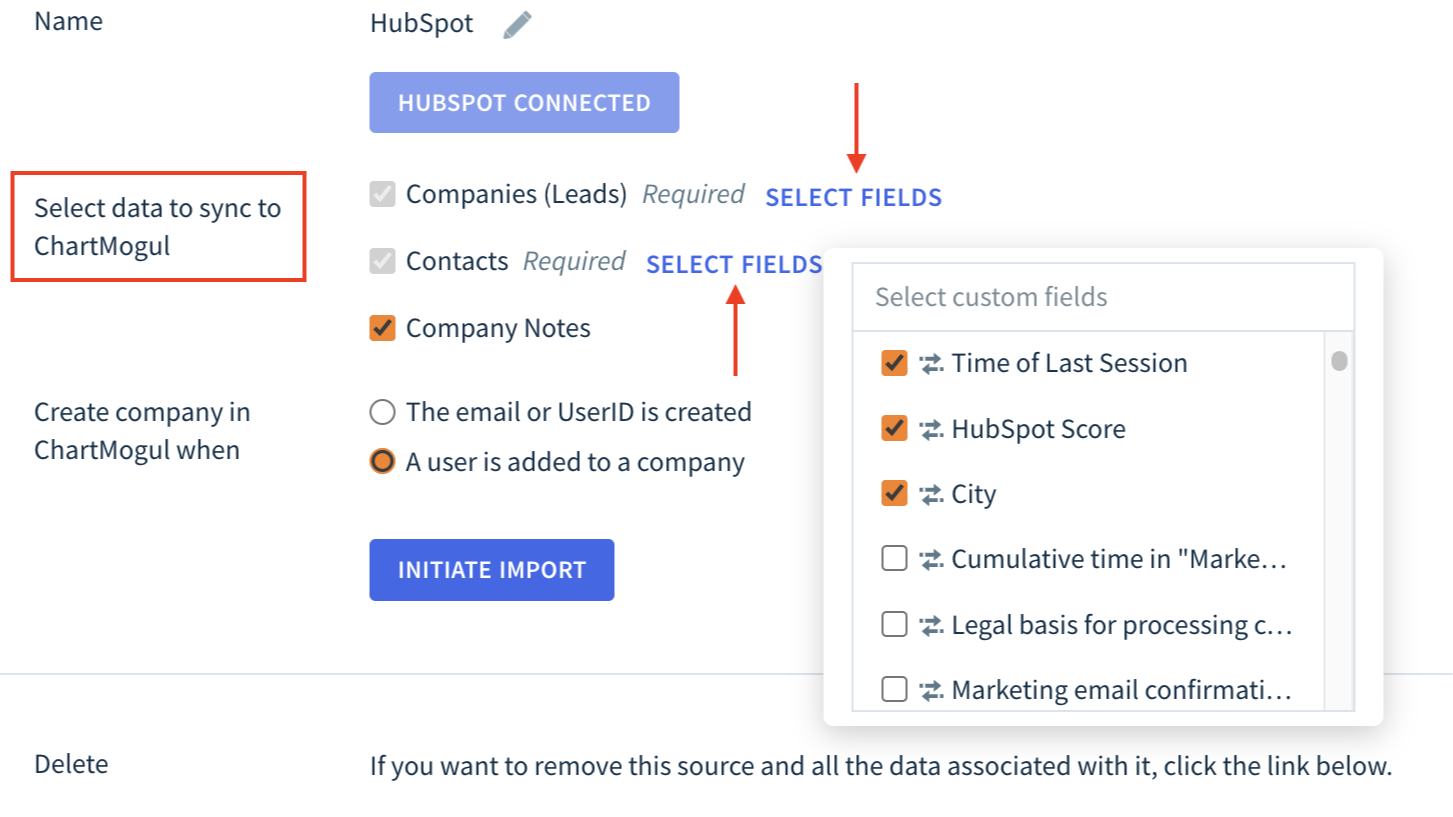
Enrich customers and leads
Select which company and contact properties you'd like to push into ChartMogul as custom attributes. Build segments and custom charts using these custom attributes in ChartMogul.
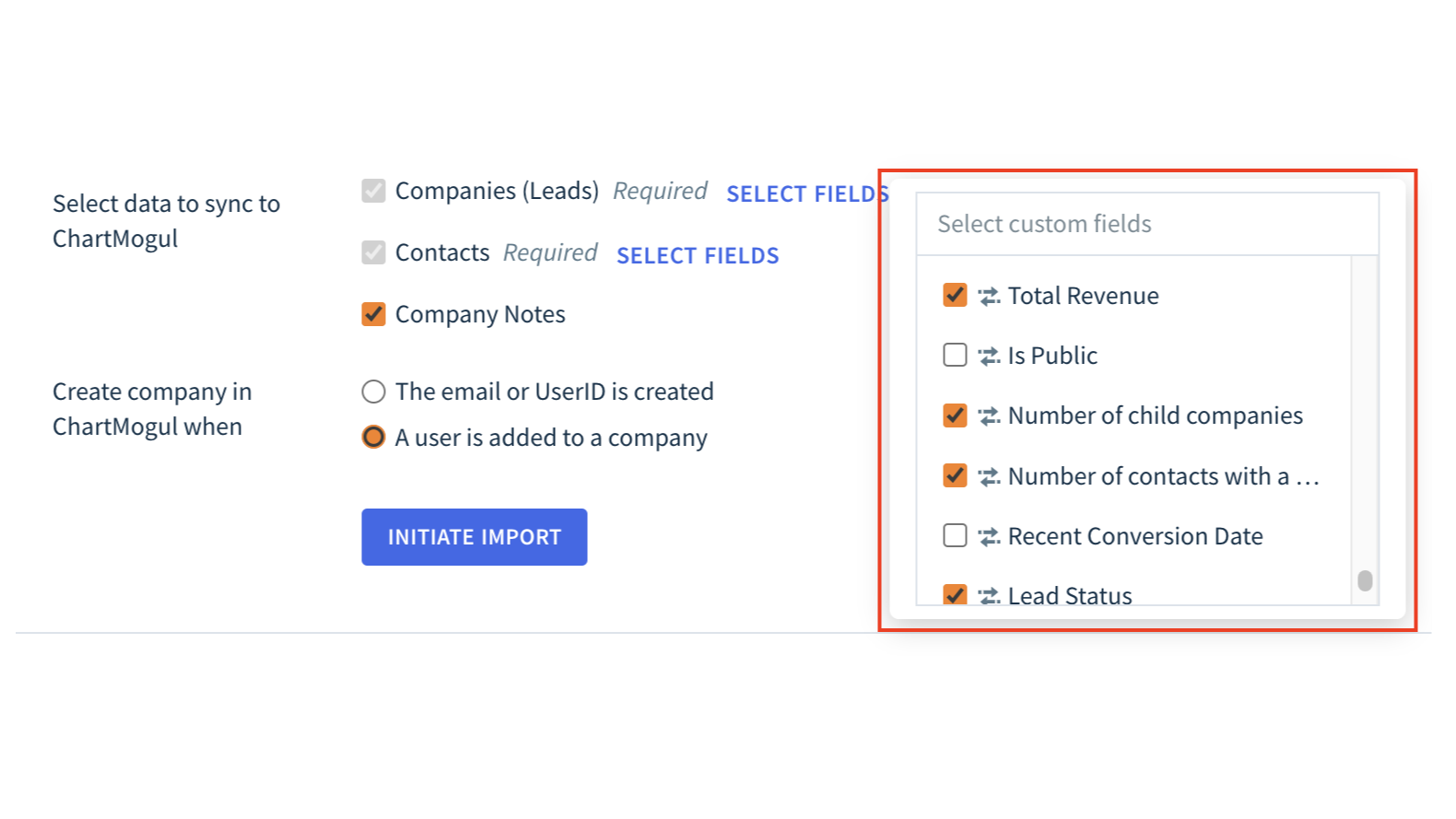
Create new leads
When using ChartMogul CRM, automatically push new leads from HubSpot into ChartMogul ready for your team to work. Add demographic, status and source properties from HubSpot to your leads in ChartMogul.
Appfunktionalitet
Delte data
Companies | ||
Company Attributes | ||
Contact Properties | ||
Contacts | ||
Notes |
Anmeldelser
- 18. jul 2024
Begrænsede data, der kan synkroniseres
Den gør, hvad den siger, den skal. Men du kan ikke synkronisere indtægtsdata tilbage til HubSpot, hvilket er skuffende.
Pfahlert, B.
Teknologi – software - 26 til 50 medarbejdere
Priser
Free
0 US$
For SaaS teams with an annual run rate below $120k
Automated SaaS metrics dashboard
Unlimited users, full support
Market benchmark comparisons
Import data from Stripe, Chargebee, and more
Connect with Slack, and use webhooks
Free
0 US$
For SaaS teams with an annual run rate below $120k
Automated SaaS metrics dashboard
Unlimited users, full support
Market benchmark comparisons
Import data from Stripe, Chargebee, and more
Connect with Slack, and use webhooks
* Priserne her er kun til visningsformål. Alle priser er ekskl. afgifter, incitamenter, rabatter eller andre prisvariabler. Du bør kontakte partneren for at få de mest ajourførte og korrekte prisoplysninger. HubSpot påtager sig intet ansvar for disse prisoplysninger, som leveres af vores partnere. Priser sidst opdateret: 09.08.2025
Flere oplysninger
Udviklet af - ChartMogul
Installeringer - 400+ installationer
Kategorier Sprog som denne app er tilgængelig på Engelsk
Får opmærksomhed i dag