
1/9
Overview
Help Center Pro gives your customers a place to find answers on their own. Drop it on a page such as /help and that page becomes a full help center: a home page with a search bar and category cards, a page for each category, a page for each article and a results page for every search. Categories, articles, screenshots, videos and every word on screen are edited in the HubSpot page editor, so your help center is written and published where the rest of your site is.
Visitors can search from anywhere in the help center. Results appear as they type, grouped by category with the matching words highlighted, and a small typo still finds the right article. Articles come with breadcrumbs, a table of contents that follows the reader, framed screenshots, numbered steps, tips and warnings, code with a copy button, questions that open in place, and videos that play in a pop-up.
When the answer is missing, a "Still need help?" section shows your contact details and a HubSpot form. If a search finds nothing, the visitor's words are already typed into the form.
Every category, article and search has its own link to share. Searches and "Was this helpful?" votes are sent to Google Tag Manager, so you can see what people look for and which articles to write next.
Choose how it looks: category cards, rows, a sidebar or tabs on the home page; articles on their own page, in a pop-up, in a side panel or as FAQ questions. Fonts and colours come from your theme, and every colour, size and word can be changed, so the help center matches your site and works in any language. No HubDB, no blog and no extra setup: it runs on any HubSpot plan that has pages.
Features
Search that finds answers as you type
Results appear while visitors type, from anywhere in the help center, grouped by category with the matching words highlighted. Small typos still find the right article, and synonyms you add catch the words your customers use. Ctrl K opens search from anywhere on the page.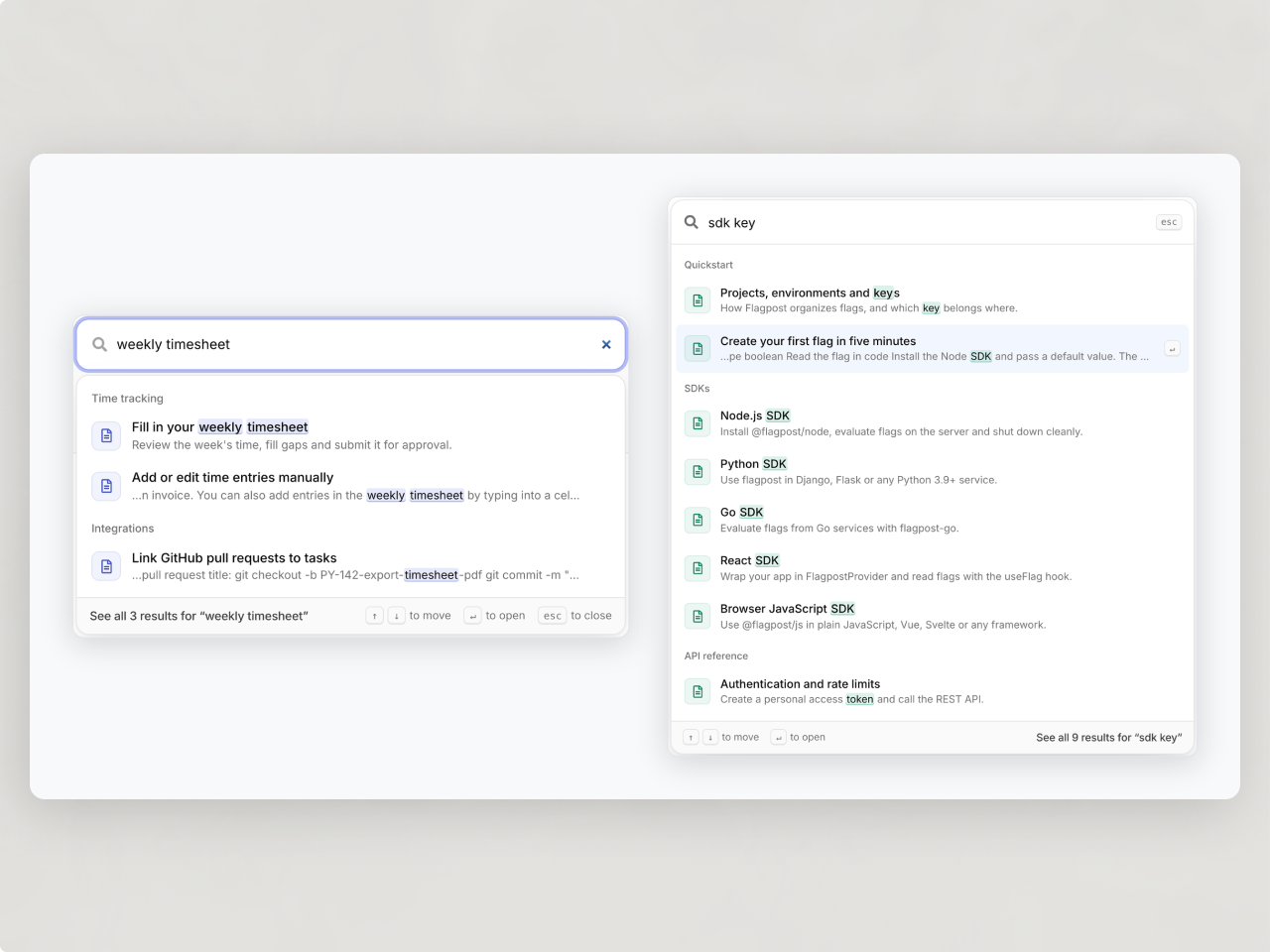
Everything edited in the page editor
Categories, articles, screenshots, videos and every word on screen are edited in the HubSpot page editor. No HubDB, no blog to connect, and it runs on any HubSpot plan that has pages. Fonts and colours come from your theme settings.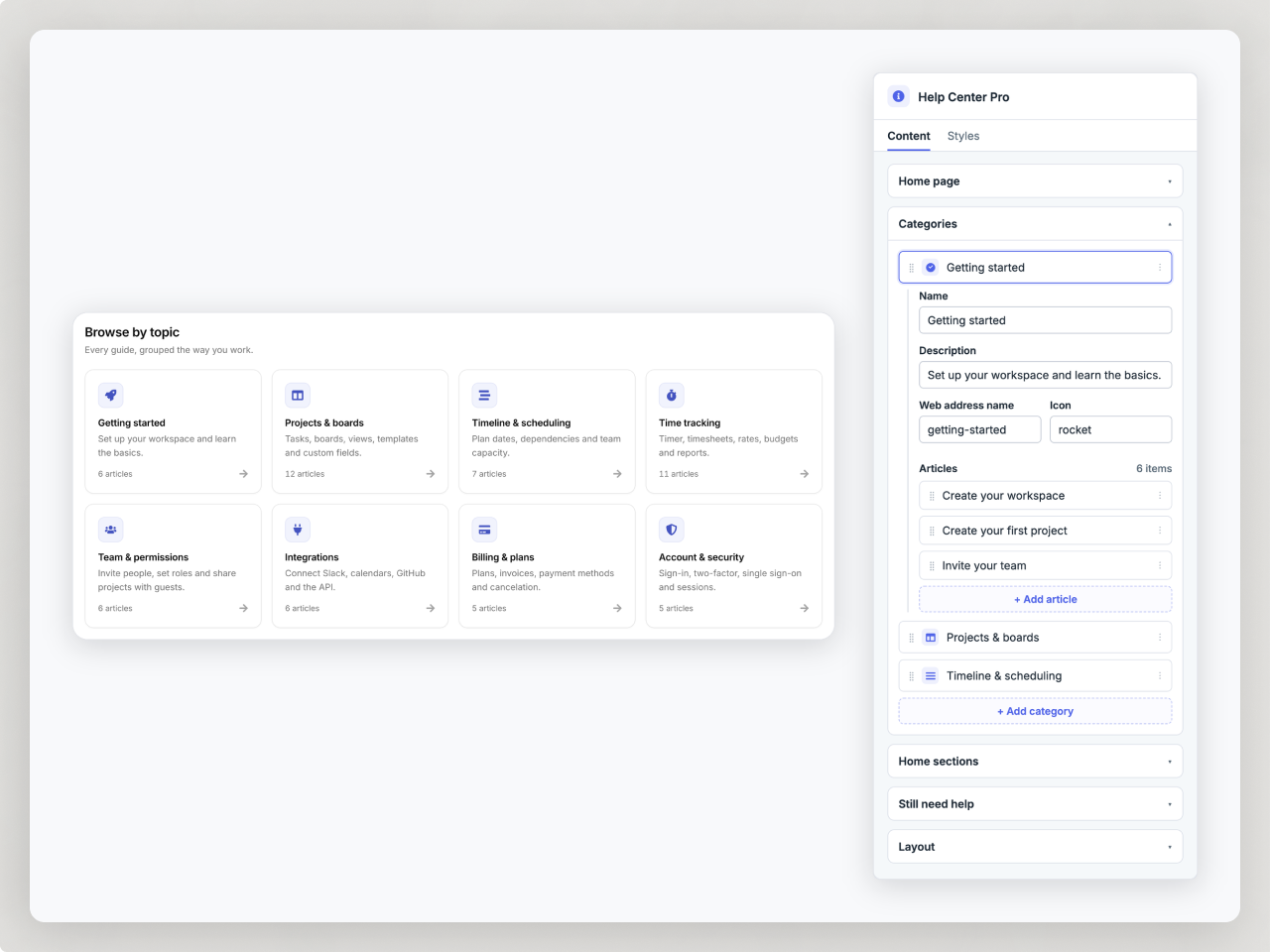
Articles that are easy to follow
Breadcrumbs, a table of contents that follows the reader, framed screenshots, numbered steps, tips and warnings, code with a copy button and FAQ questions that open in place. Videos play in a pop-up over the page.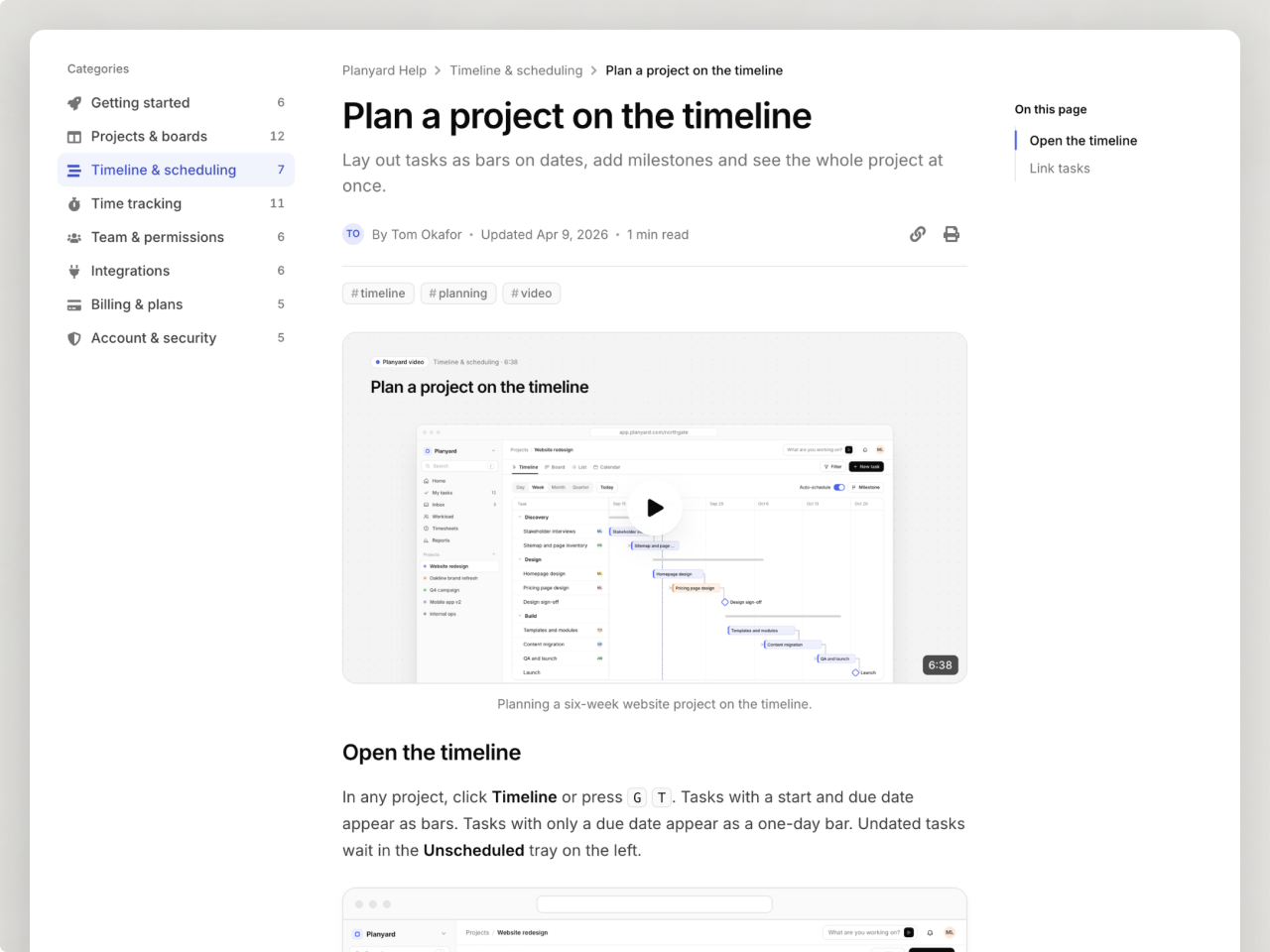
A contact form when the answer is missing
A "Still need help?" section shows your hours, contact options and a HubSpot form. When a search finds nothing, the visitor's words are already typed into the form, so the question reaches you with context.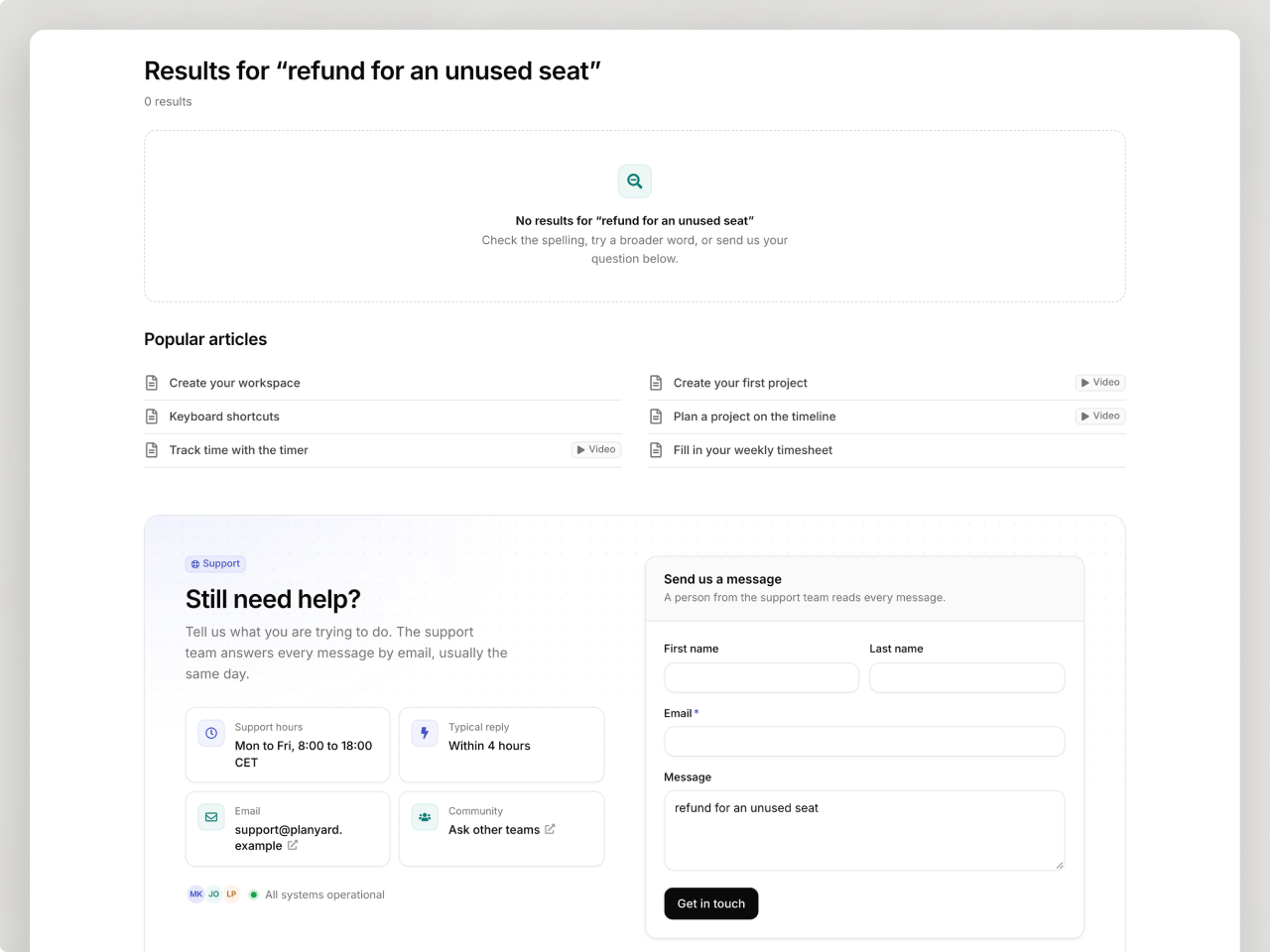
A link for every article, and data on every search
Every category, article and search has its own link to share. Searches and "Was this helpful?" votes go to Google Tag Manager, so you can see what people look for and which articles to write next.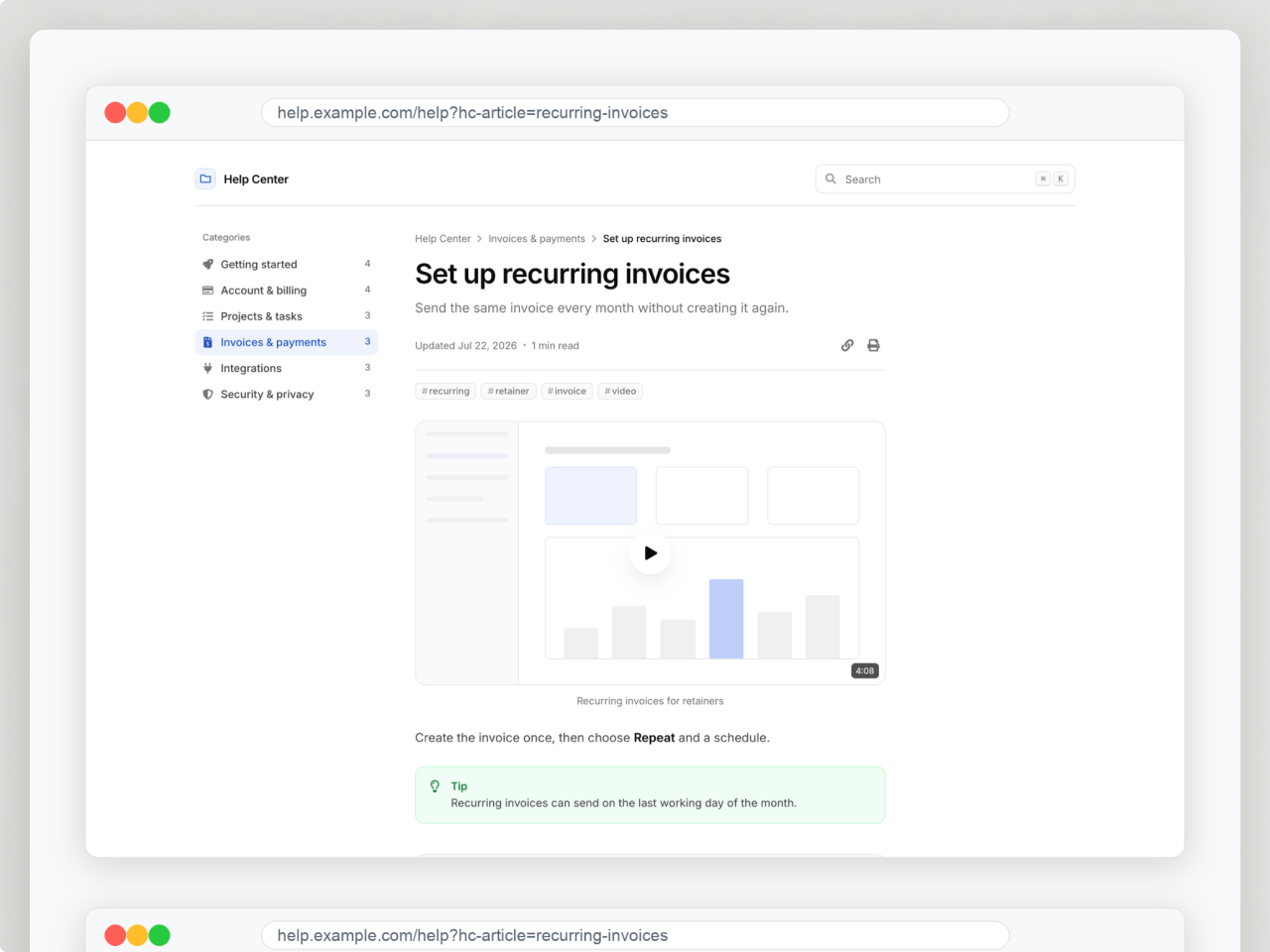
About Module
Total installs Fewer than 10 Created - Sep 23, 2026
Version 1 - Sep 23, 2026
Categories Tags
Requirements
HubSpot Subscription Works with all HubSpot plans

Contact Studio Nope
Legal Stuff
Please refer to the developer's Privacy Policy and Terms for more information.
Support
Studio Nope
- Romania
Visit website
Studio Nope designs and builds fast, clean HubSpot CMS websites and custom themes for teams that care about performance, editing experience, and reliable tracking.
Unlimited email support
Studio Nope typically responds in
- Monday
9:00 AM - 5:00 PM (EET) - Tuesday
9:00 AM - 5:00 PM (EET) - Wednesday
9:00 AM - 5:00 PM (EET) - Thursday
9:00 AM - 5:00 PM (EET) - Friday
9:00 AM - 5:00 PM (EET)