

Workflow Data Format Actions
Clean & standardize text, date, number, and phone number data
Erstellt von - Integration Glue
Installationen - 300+ Installationen
Bewertung - 4,5(2)
Anforderungen
HubSpot-Produktversion Funktioniert mit allen HubSpot-Produktversionen Mehr erfahren HubSpot-Account-Berechtigungen - Erforderliche Account-Berechtigungen anzeigen
Workflow Data Format Actions-Abonnement - Produktversionen: Free, Starter, Professional oder Enterprise
Übersicht
1/9
With the Data Formatter from Integration Glue, you can transform your HubSpot data to improve quality and consistency.
It converts Unix timestamps into readable dates, optimises phone numbers to improve calling and SMS from HubSpot, and standardized text cases, ensuring your data is in clean, readable and specific formats for seamless export and integration.
Includes:
Any Object (Contacts, Companies, Deals, Tickets, Custom Objects)
Format dates and date time
Format numbers
Format phone numbers to include international calling codes
Format text
Fully managed within HubSpot Workflows - once installed you do not need to login to any other system to manage your association actions.
When you register for Integration Glue, you will get access to a whole bunch of HubSpot Workflow and Data productivity actions, such as Actions to Clone records (including associated records), get User/Owner information and add to a Property or calculate a date.
Get started on our free plan, No credit card required, can cancel at anytime
Integration Glue pricing is based on utilization, so you can use all of our apps together under a single license and you will only be charged for the total credits you use per month.
Integration Glue does not retain any data when using this app; it simply reads and outputs data to your own HubSpot portal.
Funktionen
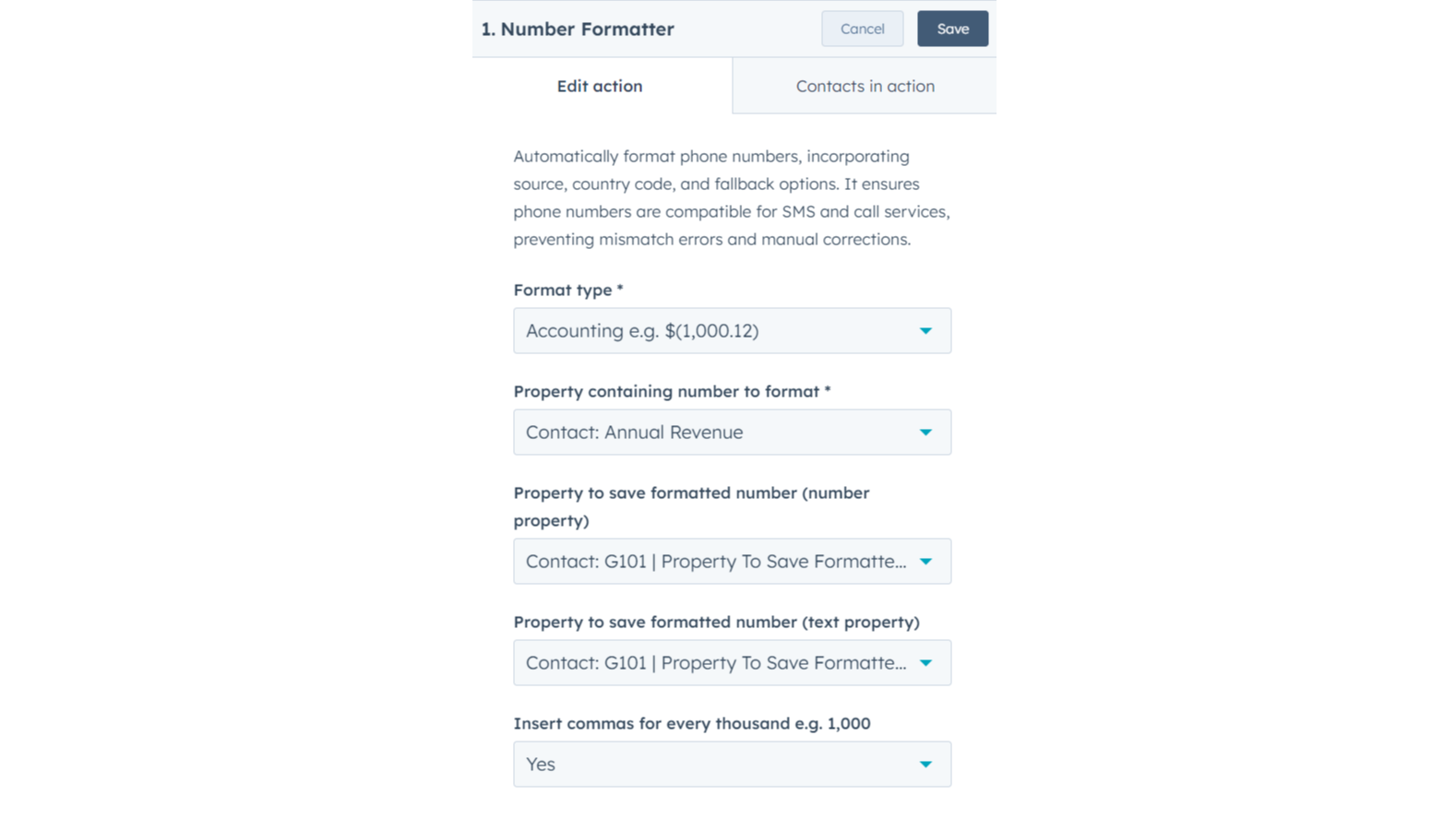
Format number
Set number formatting preferences for specific data fields, choosing either text output or a number-specific field. Include thousands separators to improve clarity in exports, reporting, personalization, and integration with external platforms.
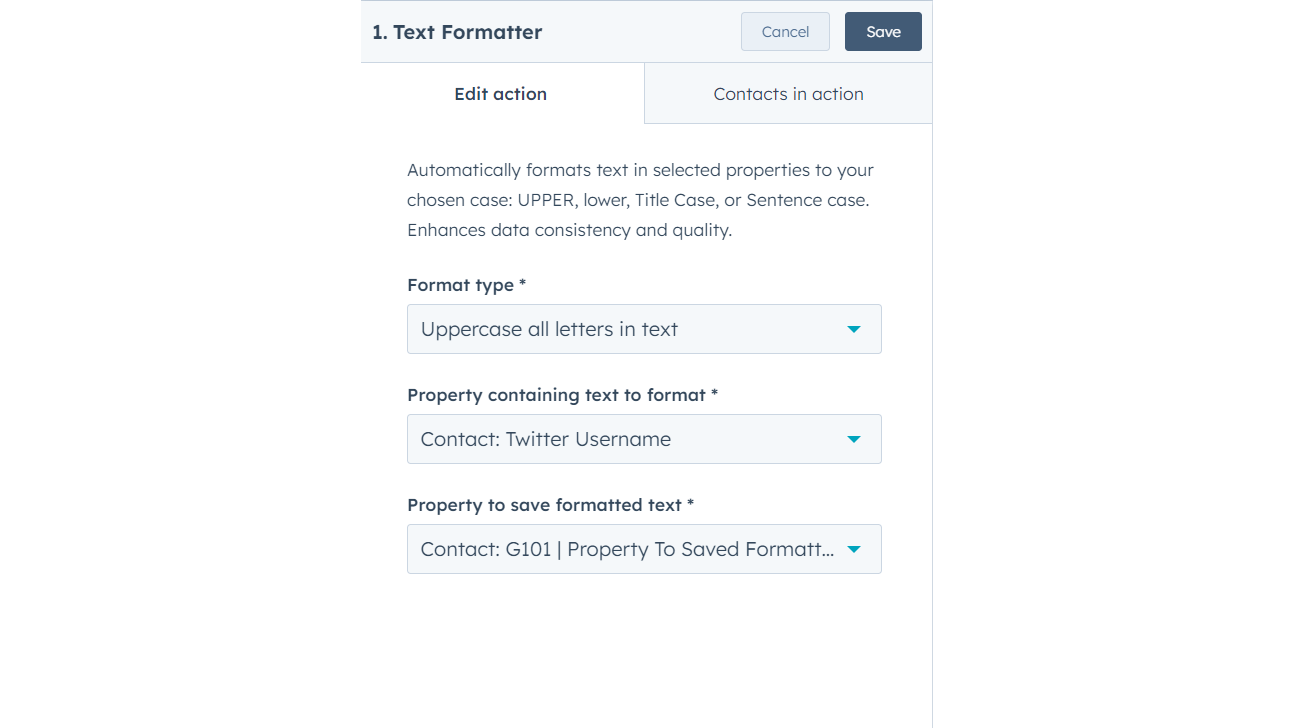
Format text
Automatically formats text in selected properties to your chosen case: UPPER, lower, Title Case, or Sentence case. Enhances data consistency and quality.
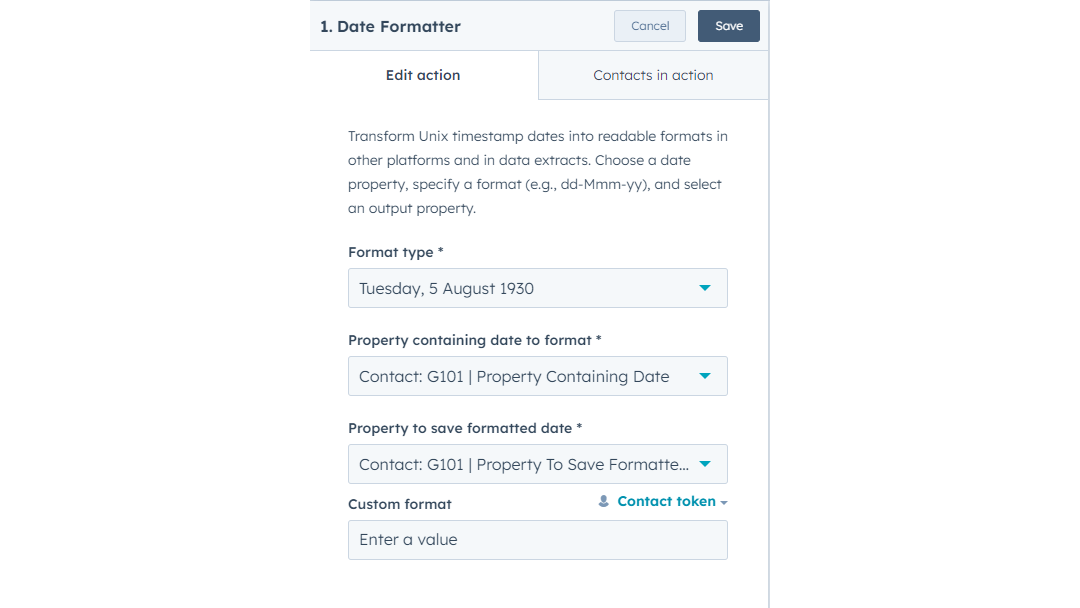
Format date
Transform Unix timestamp dates into readable formats in other platforms and in data extracts. Choose a date property, specify a format (e.g., dd-Mmm-yy), and select an output property.
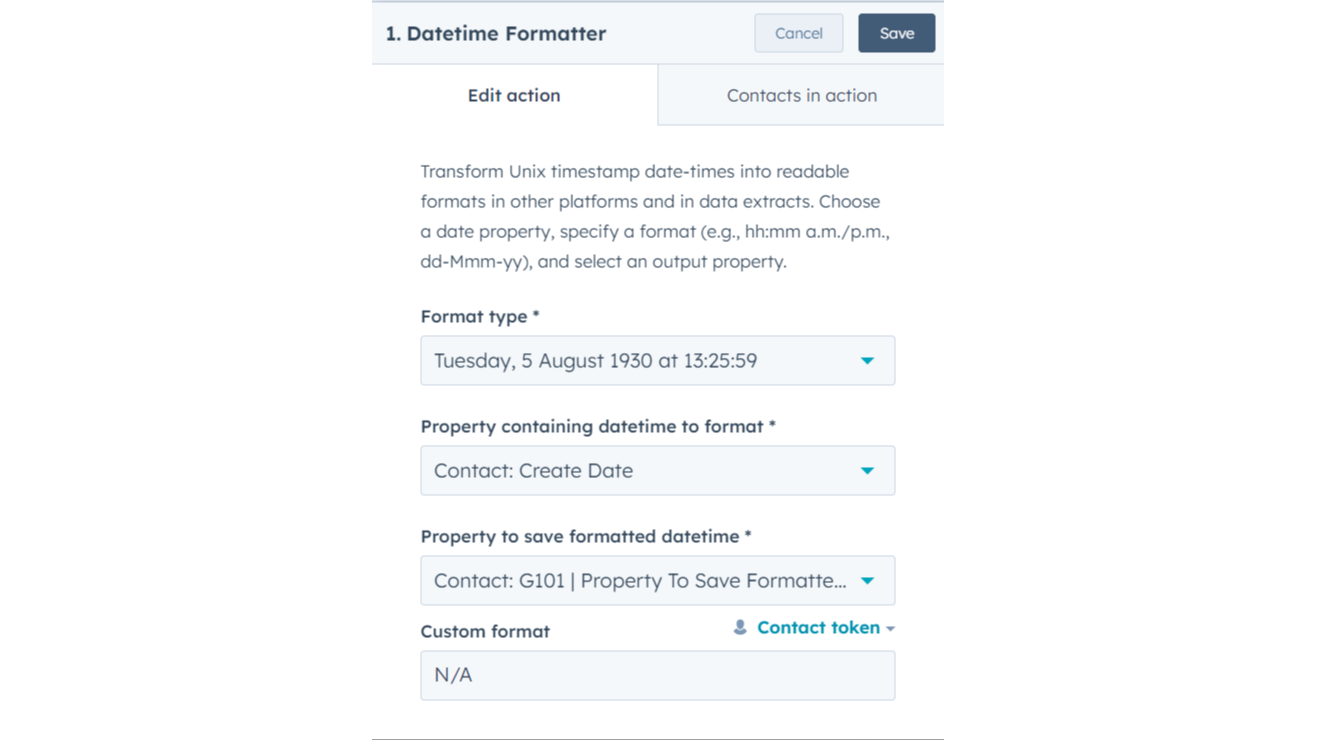
Format date-time
Transform Unix timestamp date-times into readable formats in other platforms and in data extracts. Choose a date property, specify a format (e.g., hh:mm a.m./p.m., dd-Mmm-yy), and select an output property.
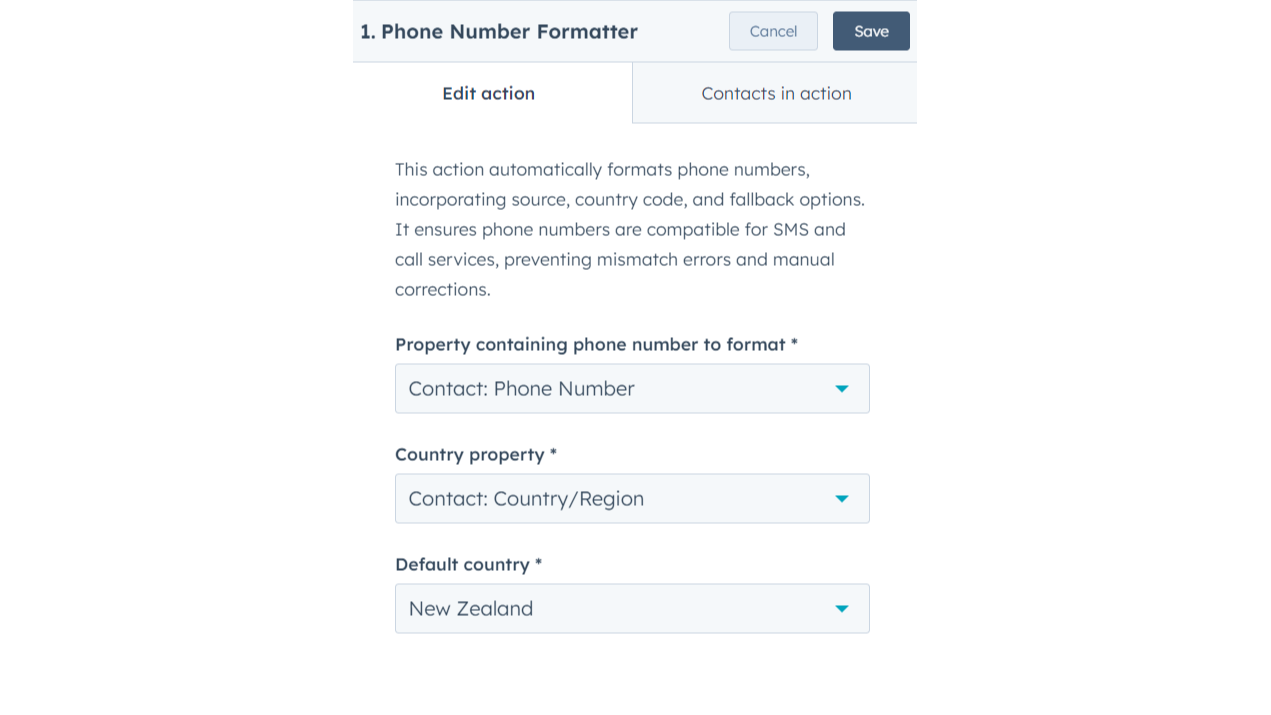
Format phone number
Automatically format phone numbers, incorporating source, country code, and fallback options. It ensures phone numbers are compatible for SMS and call services, preventing mismatch errors and manual corrections.
App-Funktionalität
Datenaustausch
Contacts, Companies, Deals, Tickets, Custom Objects | ||
Contacts, Companies, Deals, Tickets, Custom Objects | ||
Contacts, Companies, Deals, Tickets, Custom Objects | ||
Contacts, Companies, Deals, Tickets, Custom Objects |
Rezensionen
- 2. Juni 2025
Gute Auslöser, aber fehlende grundlegende Eigenschaftsvergleiche
Wir verwenden Zapier für viele Automatisierungen und haben es genossen, dass wir einige davon auf HubSpot übertragen können, ohne dafür extra bezahlen zu müssen, was uns Geld für die Verwendung von Zap Credits spart.
Die Auslösemechanismen sind wirklich gut, besonders erfreulich ist, dass man von Daten auslösen kann, auch von relativen Daten.
Die Möglichkeit, Eigenschaften nicht miteinander zu vergleichen, um Aktionen in einem Arbeitsablauf zu bestimmen, ist ziemlich einfach. Es ist auch ärgerlich, dass ich verwandte Datenobjekte nicht anhand der Datensatz-ID finden kann.
Kendler, P.
- 29. Jan. 2025
McElligott, C.
Free
0 $
Great for small teams starting out or anyone who wants to learn more
Includes 100 credits; Actions use 1 credit each time they run = 100 runs of Custom Actions per month
Free
0 $
Great for small teams starting out or anyone who wants to learn more
Includes 100 credits; Actions use 1 credit each time they run = 100 runs of Custom Actions per month
* Die hier angegebenen Preise dienen nur zu Illustrationszwecken. Alle Preise enthalten keine Steuern, Sonderangebote, Rabatte oder sonstigen Preisvarianten. Bitte wenden Sie sich direkt an den Partner, um aktuelle und korrekte Preisinformationen zu erhalten. HubSpot übernimmt keine Verantwortung für Preisinformationen, die von unseren Partnern bereitgestellt werden. Letzte Aktualisierung der Preisinformationen: 18.11.2025
Weitere Infos
Erstellt von - Integration Glue
Installationen - 300+ Installationen
Kategorien Sprachen, in denen diese App verfügbar ist Englisch
Jetzt im Trend

Zoom
Verwenden Sie Zoom für HubSpot-Meetings, Workflows, Kontaktdatensätze…

Microsoft Teams
Use Microsoft Teams and HubSpot for meetings, conversations, and more!
