

Calendah! Calendar
Erstellt von - SyncMatters
Installationen - 600+ Installationen
Bewertung 4,7
(6)

Führend
Anforderungen
HubSpot-Produktversion HubSpot-Account-Berechtigungen - Erforderliche Account-Berechtigungen anzeigen
Zugriffstyp Geteilt Calendah! Calendar-Abonnement - Produktversionen: Grundlegend, Pro oder Unternehmen
Übersicht
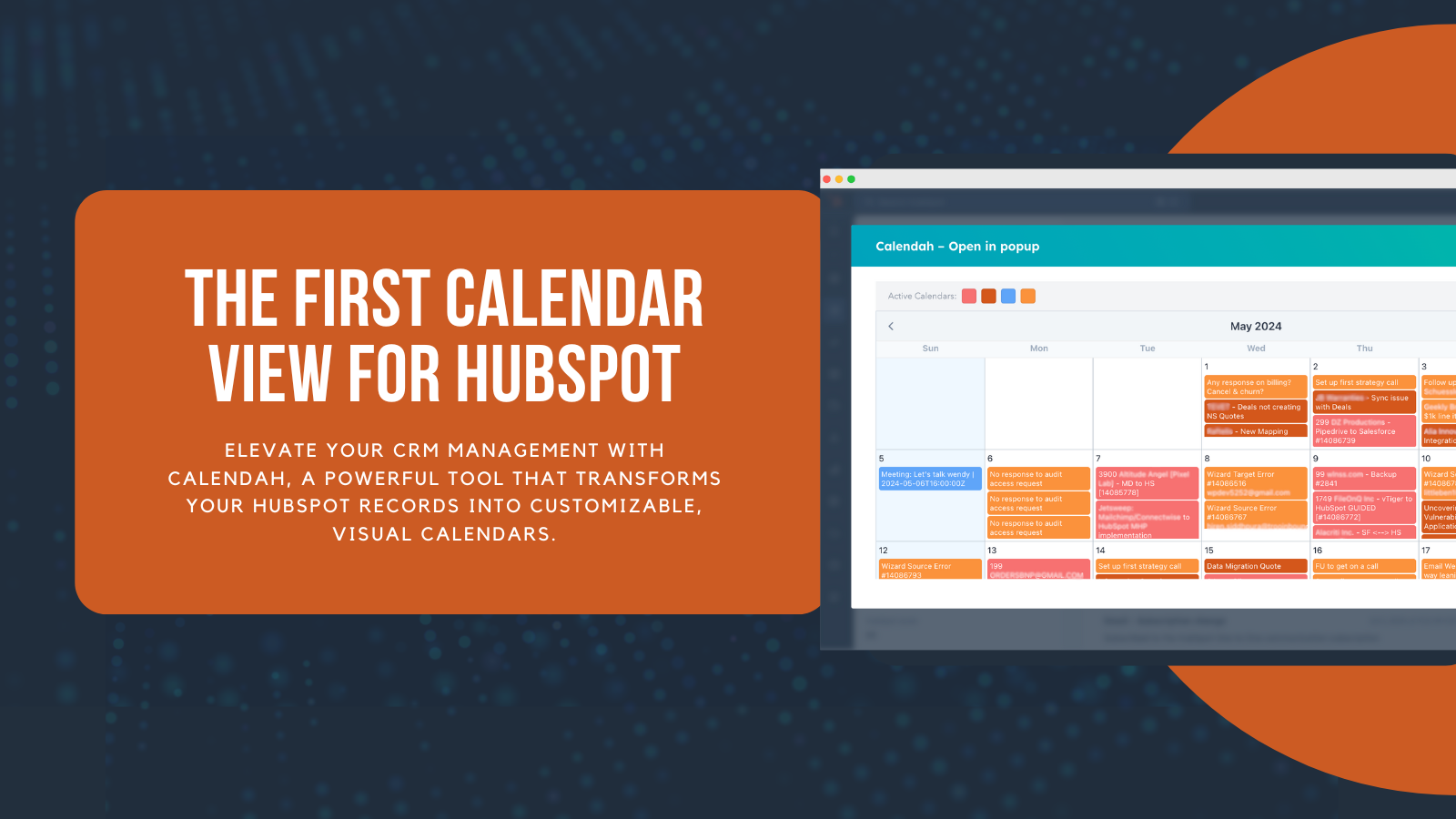
1/8 - Verbessern Sie das CRM-Management mit den anpassbaren Kalendern von Calendah.
Beschreibung
Calendah ist ein vielseitiges und leistungsstarkes Tool, mit dem Sie Ihre HubSpot-Datensätze in ein intuitives, visuelles Kalenderformat umwandeln können.
Ganz gleich, ob Sie Vertriebs-Pipelines, Kundenerfolgsaufgaben oder Immobilientransaktionen verwalten, Calendah bietet eine breite Palette von Anwendungsfällen zur Verbesserung Ihrer CRM-Erfahrung. Calendah ermöglicht Ihnen die Visualisierung von Datensätzen auf der Grundlage benutzerdefinierter oder nativer Felder und sorgt so für Klarheit und Effizienz, was es zu einer unverzichtbaren Ergänzung Ihres HubSpot-Toolkits macht.
Die wichtigsten von Calendah gelösten Geschäftsprobleme
1. Mangelnde Visualisierung von CRM-Daten:
Calendah wandelt HubSpot-Datensätze in eine visuelle, monatliche Kalenderansicht um, die es den Benutzern erleichtert, ihre Daten auf einen Blick zu sehen und zu verstehen. Diese visuelle Darstellung hilft den Anwendern, wichtige Daten und Zeitpläne schnell zu erkennen, und verbessert ihre Fähigkeit, Aufgaben effektiv zu verwalten und zu priorisieren.
2. Ineffizientes Management der Vertriebspipeline:
Vertriebsteams haben oft Schwierigkeiten, ihre Geschäfte effizient zu verfolgen und zu verwalten. Mit Calendah können Benutzer ihre Vertriebs-Pipelines anhand von Schlüsseldaten wie Abschluss- und Installationsterminen visualisieren. Dies hilft den Vertriebsteams, organisiert zu bleiben, Leads zeitnah zu verfolgen und Geschäfte effektiver abzuschließen.
3. Schlechtes Tracking des Kundenerfolgs:
Kundenerfolgsteams müssen Kundeneinführungen, Verlängerungen und Aktivitäten zur Kundenbindung überwachen. Calendah bietet eine klare Visualisierung dieser Prozesse und hilft den Teams dabei, Kundeninteraktionen zu verfolgen und zeitnahe Nachfassaktionen sicherzustellen, wodurch die Kundenbindung und -zufriedenheit verbessert wird.
4. Allgemeine Geschäftsabläufe:
Unternehmen aller Art müssen verschiedene operative Aufgaben, Fristen und Meilensteine verwalten. Calendah hilft bei der Visualisierung und Verfolgung dieser Aktivitäten und stellt sicher, dass alle Aufgaben pünktlich erledigt werden und nichts vergessen wird. Dies verbessert die allgemeine betriebliche Effizienz und die Produktivität des Teams.
5. Projektmanagement und Fristen:
Teams, die an komplexen Projekten arbeiten, stehen oft vor der Herausforderung, Aufgaben zu verwalten und Fristen einzuhalten. Calendah hilft Projektmanagern und Teams bei der Visualisierung von Projektzeitplänen, der Verfolgung wichtiger Meilensteine und der Sicherstellung der rechtzeitigen Fertigstellung von Aufgaben, wodurch die Projekteffizienz und die Zusammenarbeit insgesamt verbessert werden.
Calendah löst diese zentralen Unternehmensprobleme durch eine intuitive und anpassbare Kalenderoberfläche, die sich nahtlos in HubSpot integrieren lässt und somit ein unverzichtbares Tool für verschiedene Branchen darstellt.
Funktionen
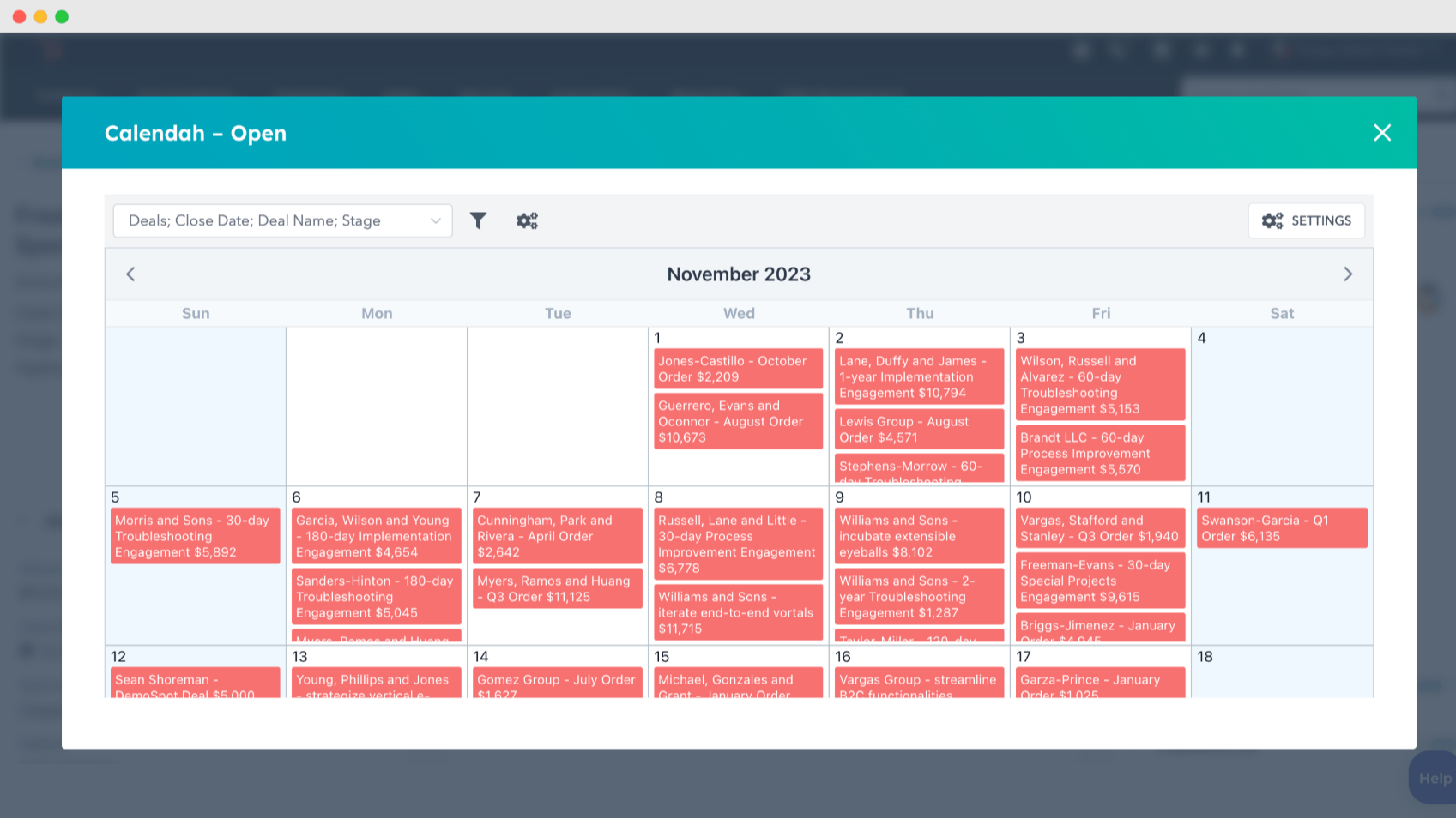
Anpassen von Kalenderansichten mit Ihren HubSpot-Datensätzen
Erstellen Sie Kalender auf der Grundlage beliebiger HubSpot-Datensätze mit benutzerdefinierten oder systemeigenen Feldern, wie z. B. Installationsdatum oder Abschlussdatum. Zeigen Sie die relevantesten Informationen für Ihre geschäftlichen Anforderungen an, wie z. B. Geschäftsnamen oder Beträge, um eine klare visuelle Darstellung Ihrer CRM-Daten zu erhalten.
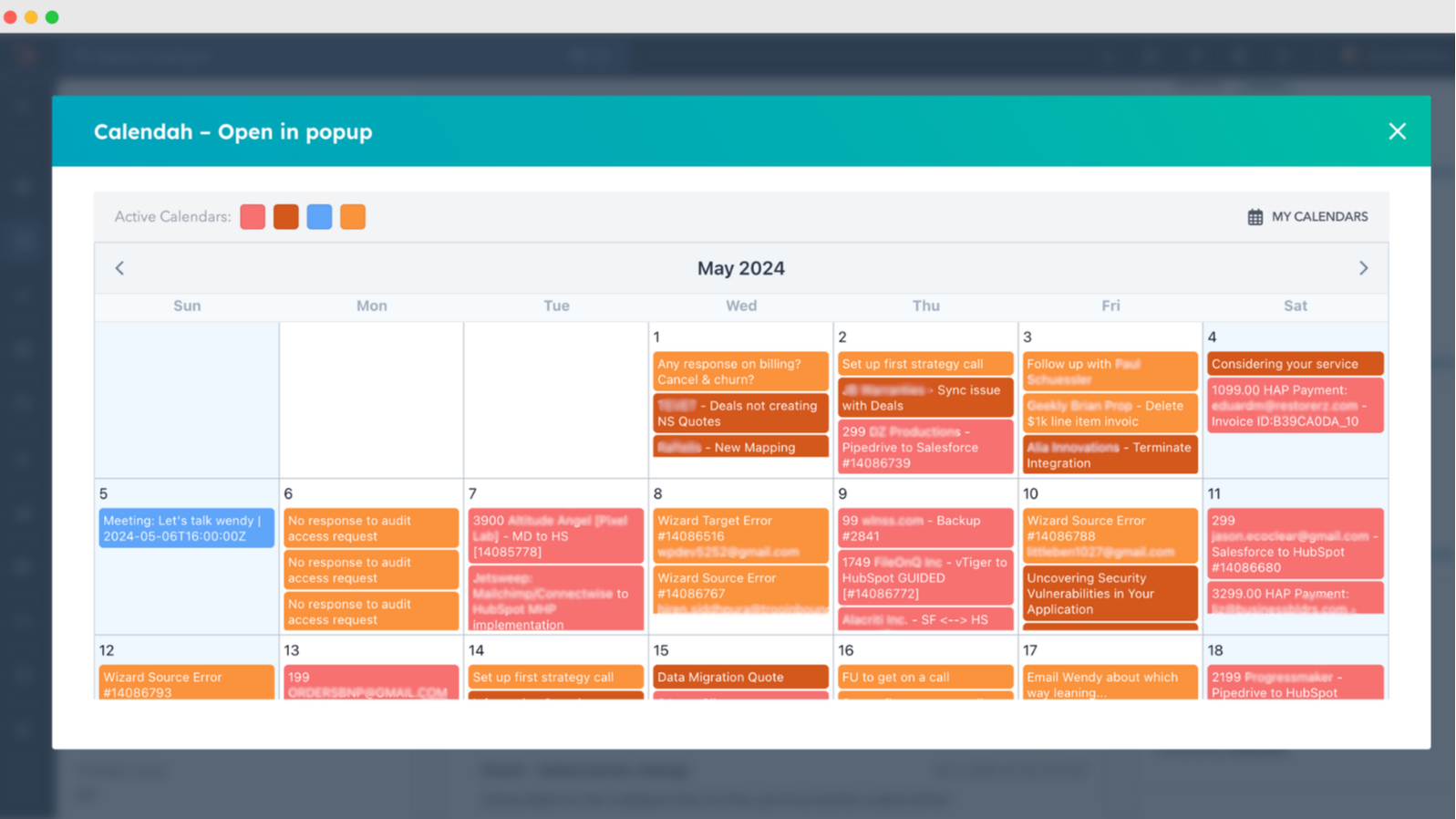
Verwalten Sie mehrere, farblich gekennzeichnete Kalender gleichzeitig
Richten Sie mehrere Kalender ein und zeigen Sie sie gleichzeitig an, mit Farbkodierungsoptionen zur einfachen Identifizierung. Diese Funktion verbessert die Organisation und ermöglicht es Ihnen, verschiedene Einträge und Aufgaben in verschiedenen Teams oder Projekten in einer einzigen Ansicht zu verfolgen.
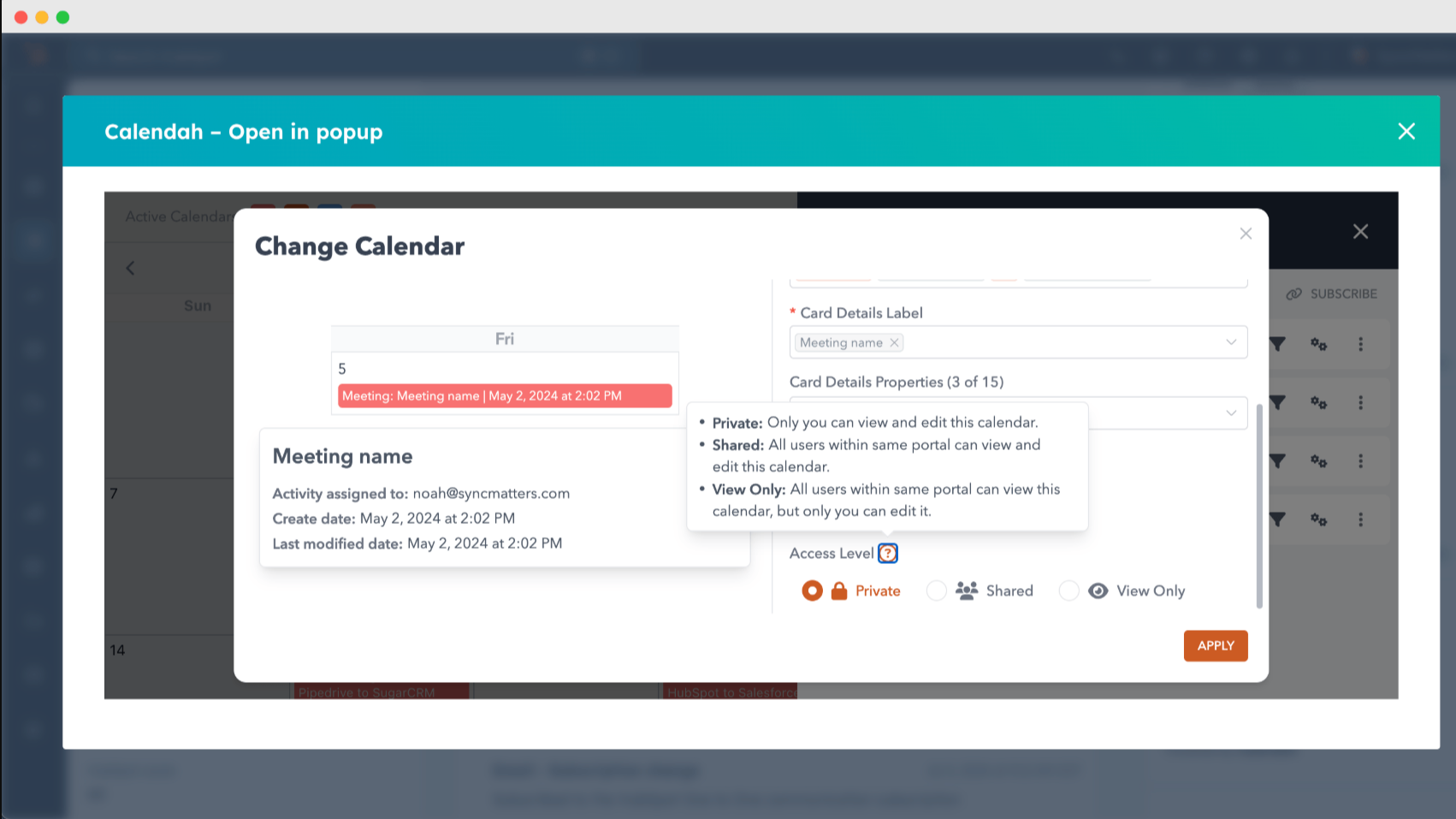
Sichere und kollaborative private und Team-Kalender
Genießen Sie die Flexibilität von privaten Kalendern, Nur-Ansicht-Zugriff und Team-Kalendern in unserem kostenpflichtigen Plan. Verbessern Sie die Zusammenarbeit und gewährleisten Sie gleichzeitig den Datenschutz mit Optionen, die auf Ihre geschäftlichen Anforderungen zugeschnitten sind.
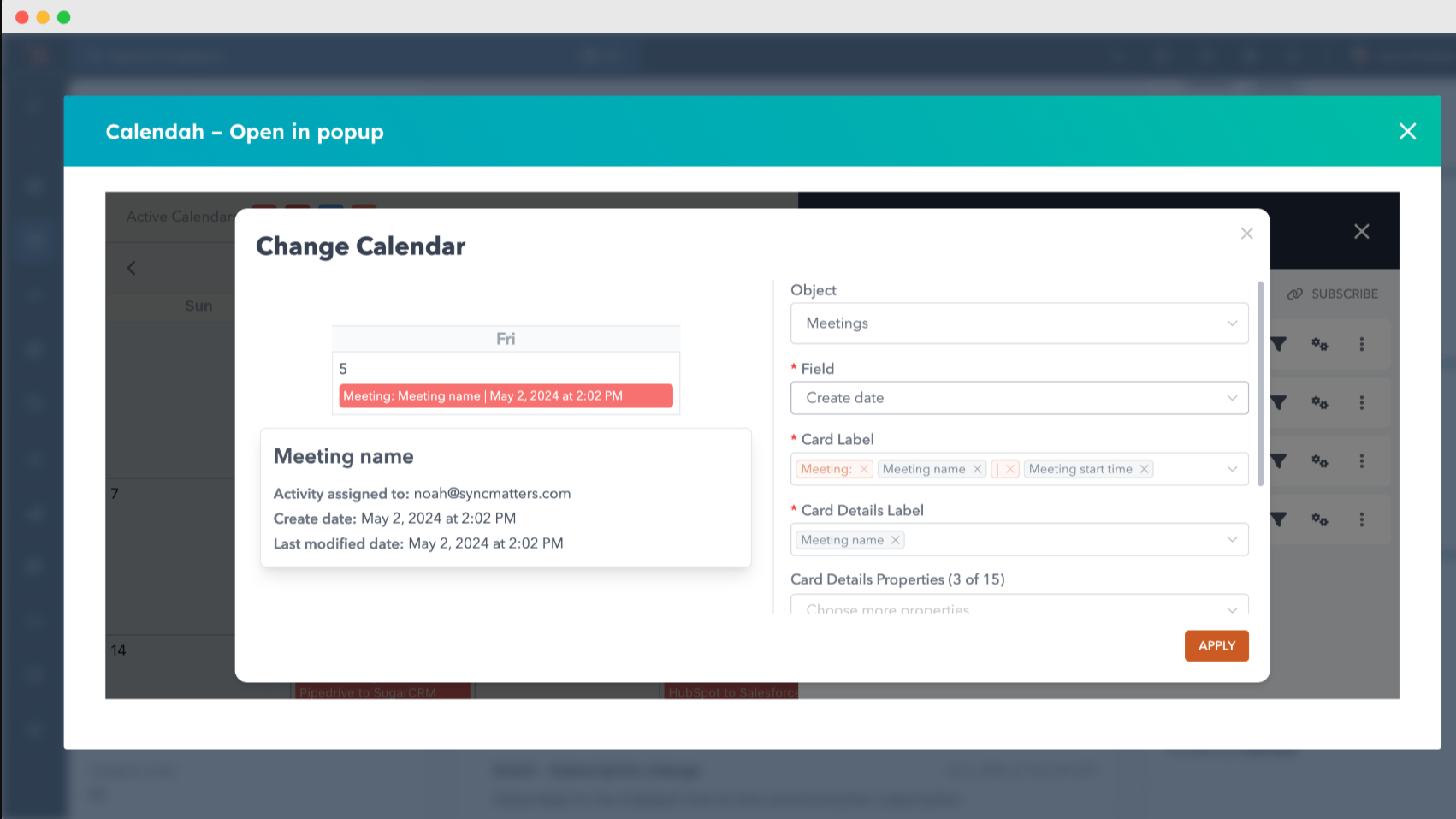
Flexible Datenanzeigeoptionen für alle Datensätze
Wählen Sie aus, welche Informationen in Ihrem Kalender angezeigt werden sollen, von Geschäftsnamen und -beträgen bis hin zu allen relevanten benutzerdefinierten Feldern. Passen Sie die Ansichten an die für Ihr Unternehmen wichtigsten Informationen an und stellen Sie sicher, dass Sie die wichtigsten Daten sehen.
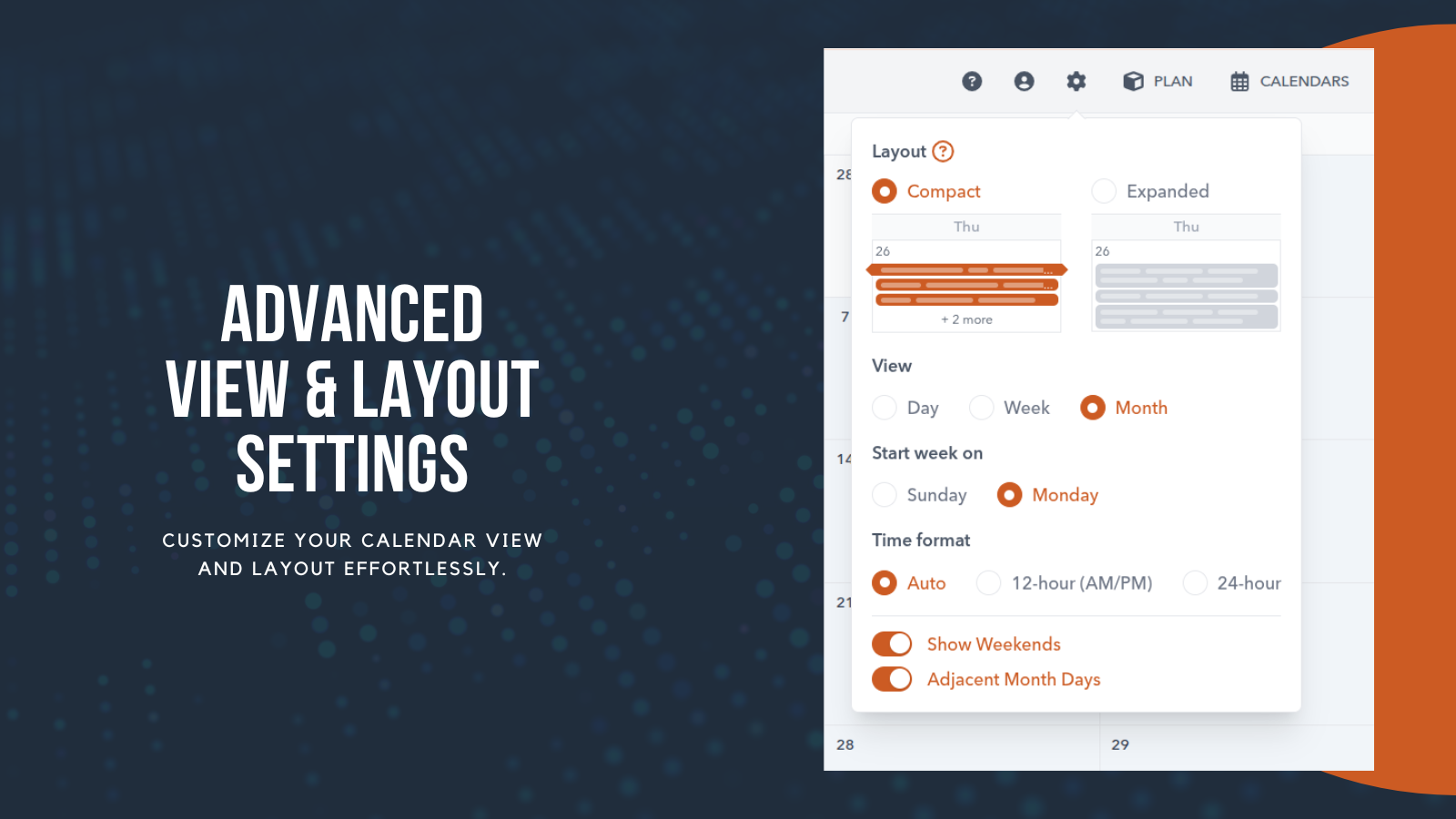
Erweiterte Einstellungen für Ansicht und Layout
Passen Sie die Zeitanzeige mit automatischen, 12- oder 24-Stunden-Formaten an, und schalten Sie Optionen wie Wochenenden oder angrenzende Monatstage für eine übersichtlichere oder detailliertere Ansicht um. So haben Sie die volle Kontrolle darüber, wie Sie Ihren Zeitplan in Calendah planen, sehen und verwalten.
App-Funktionalität
Datenaustausch
Companies | ||
Contacts | ||
Deals | ||
Tickets | ||
Meetings | ||
Tasks | ||
Calls | ||
Owners |
Rezensionen
4,7
6
4,7
6
- 22. Apr. 2026
Großartige Funktionen und Unterstützung
Calendah bietet genau das, was wir für die Planung von HubSpot-Eigenschaften in hochgradig anpassbaren Ansichten benötigen, und ist sehr empfehlenswert. Auch der Produktsupport und die laufenden Funktionsimplementierungen waren fantastisch! Gut gemacht, Calendah-Team!
Die Farbkodierung verschiedener Kacheln und das Suchfeld sind hervorragend!
Nikolov, T.
- 22. Apr. 2026
Tolle Unterstützung!!
Calendah ist großartig!! Wir verwenden es, um unsere Outlook-Kalender und HubSpot-Besprechungen an einem Ort zu sehen, was sehr hilfreich für die Aufnahme ist, wenn sie einen vollständigen Überblick über den Tag eines Mitarbeiters benötigen.
Es funktioniert. Die Mitarbeiter des Supports sind sehr hilfsbereit und nehmen sich gerne Zeit für ein Treffen. Sie sind auch offen für Vorschläge und neue Implementierungen.
Goubran, M.
Preise
Grundlegend
31 $
/Monat/ Portal / Monat
Bis zu 5 aktive Nutzer
Bis zu 5 aktive Terminkalender
Private, portalbasierte, benutzerspezifische und öffentliche Kalender
Nur Monatsansicht
Bereich nicht verfügbar
Grundlegend
31 $
/Monat/ Portal / Monat
Bis zu 5 aktive Nutzer
Bis zu 5 aktive Terminkalender
Private, portalbasierte, benutzerspezifische und öffentliche Kalender
Nur Monatsansicht
Bereich nicht verfügbar
* Die hier angegebenen Preise dienen nur zu Illustrationszwecken. Alle Preise enthalten keine Steuern, Sonderangebote, Rabatte oder sonstigen Preisvarianten. Bitte wenden Sie sich direkt an den Partner, um aktuelle und korrekte Preisinformationen zu erhalten. HubSpot übernimmt keine Verantwortung für Preisinformationen, die von unseren Partnern bereitgestellt werden. Letzte Aktualisierung der Preisinformationen: 09.04.2026
Weitere Infos
Erstellt von - SyncMatters
Installationen - 600+ Installationen
Kategorien Sprachen, in denen diese App verfügbar ist Englisch