

CalendarSplice
Erstellt von - HubSplice LLC
Installationen - 70+ Installationen
Bewertung 4,2
(5)
Anforderungen
HubSpot-Produktversion HubSpot-Account-Berechtigungen Keine HubSpot-Berechtigungen erforderlich. CalendarSplice fordert beim Verknüpfen möglicherweise zusätzliche Berechtigungen an. Zugriffstyp Geteilt CalendarSplice-Abonnement - Produktversionen: Individual oder Small Team
Übersicht
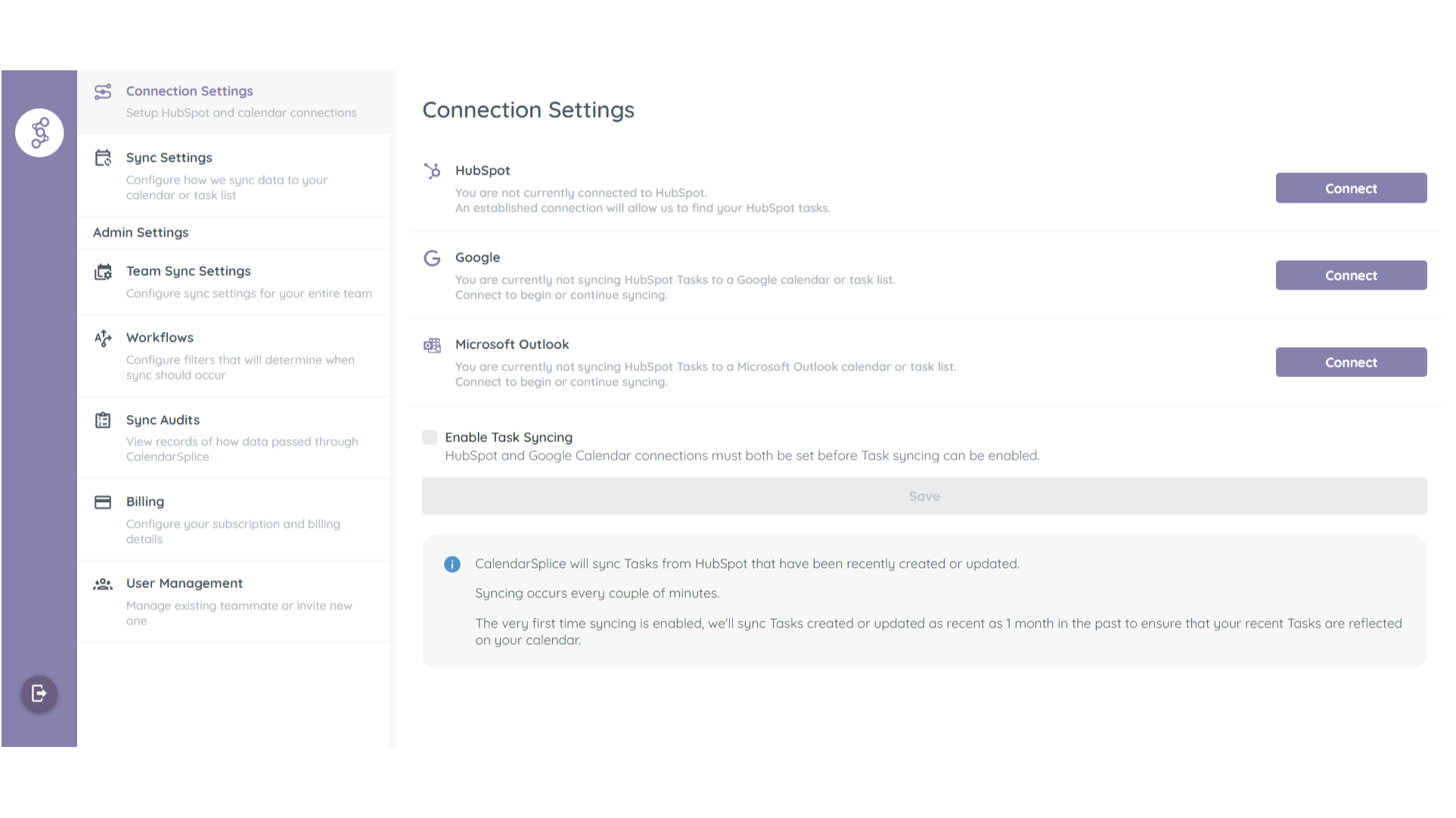
1/3 - Connect CalendarSplice to your HubSpot and Google Calendar
Automatically sync Tasks created in HubSpot to your Google or Outlook Calendar as Events.
Syncing happens both ways.
Updated made to synced calendar Events will sync back to their associated HubSpot Tasks.
Always Room for One More
Invite your team in HubSpot to your team in CalendarSplice and enable Task syncing for everyone with one button.
Funktionen
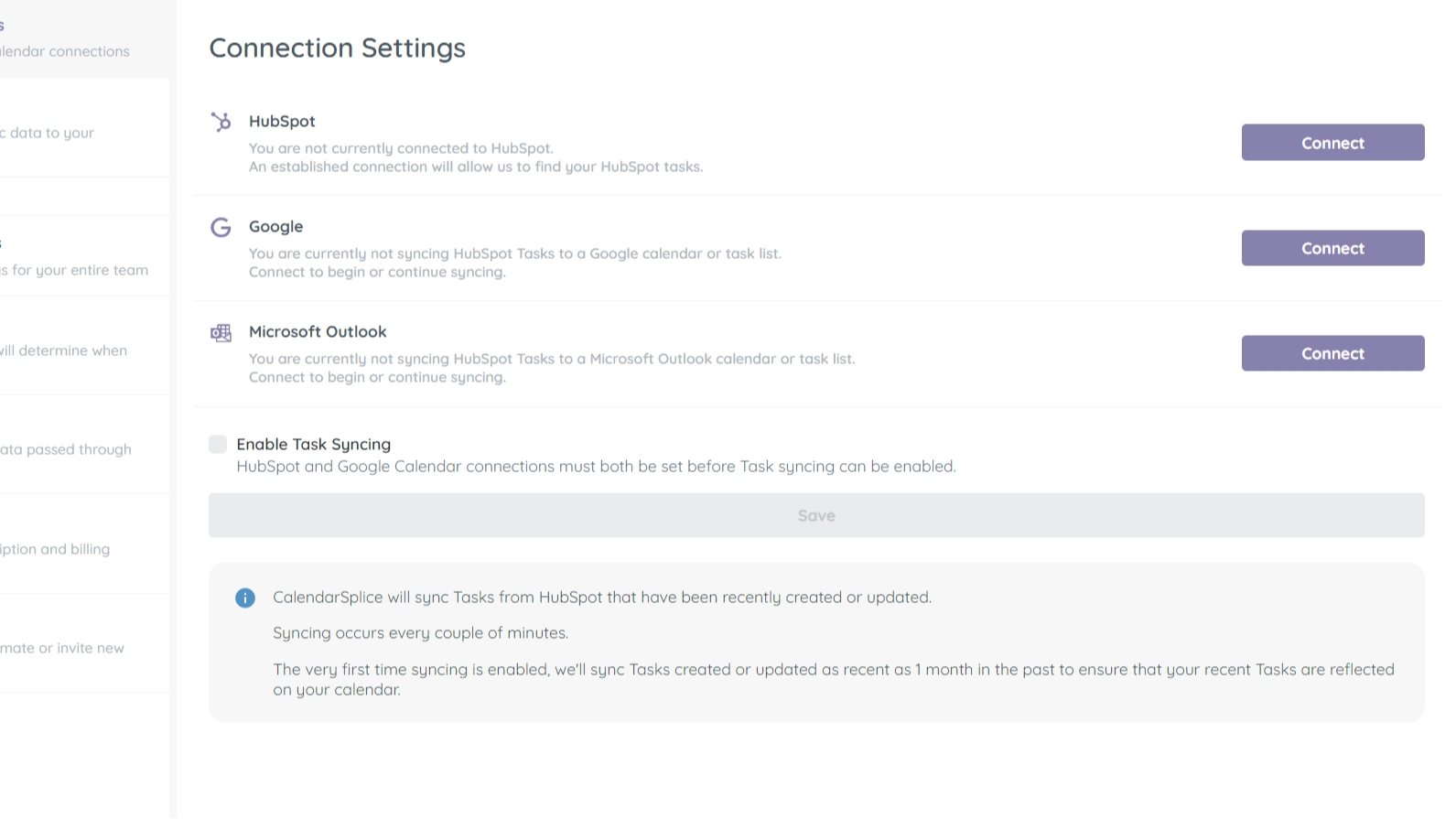
Sync tasks between your calendar and HubSpot
Once you've connected your Google or Outlook calendar to CalendarSplice and enabled syncing, task that are created in HubSpot will automatically be added your calendar. Edits made in HubSpot and your calendar to the relevant tasks and events will also sync both ways.
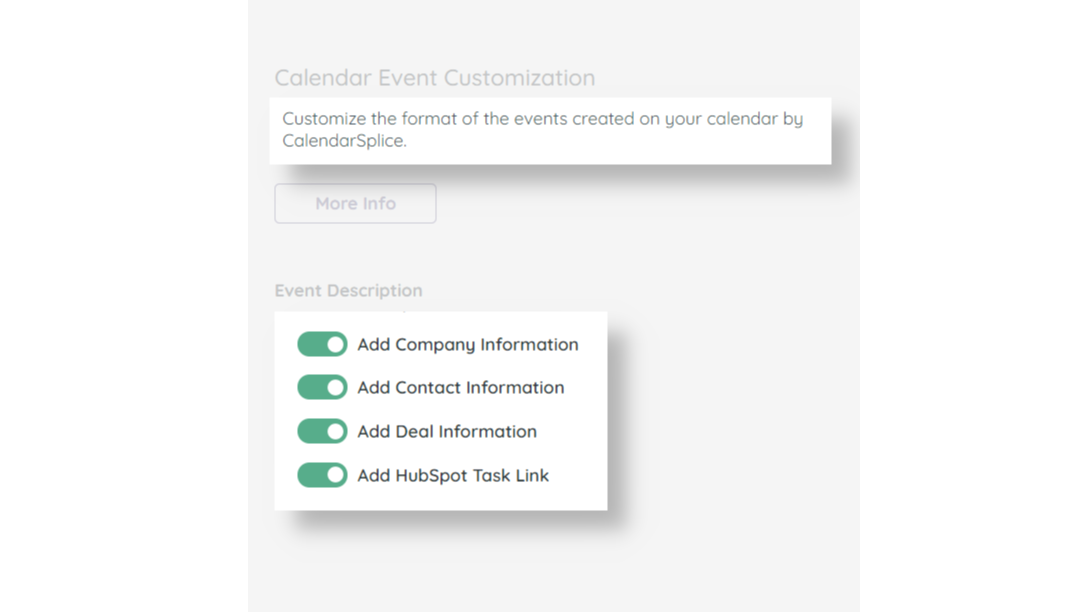
Add Contact, Company, and Deal Info to Synced Tasks
Yes, when we sync the task to your calendar, we include the task title from HubSpot. However CalendarSplice also allows you to add more details and links to the synced event that includes which records each task is associated with. This will give each assignee more insight, at a glance, to what they need to accomplish.
Create HubSpot tasks from your calendar
Sometimes you need to create tasks on-the-go while you're already looking at your calendar. After all, while looking at your calendar, you can see all your available time slots. With CalendarSplice, you can sync events you create on your calendar to HubSpot. Edits made to the relevant task or event will sync between both systems.
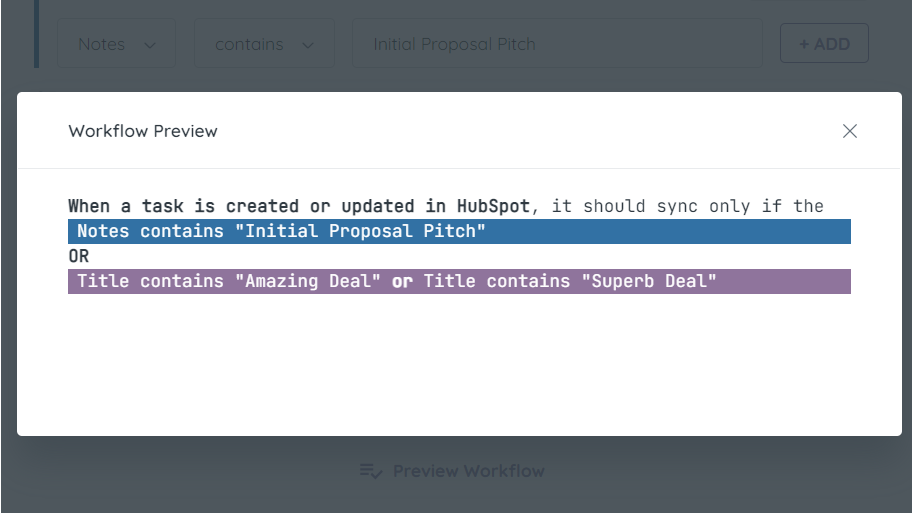
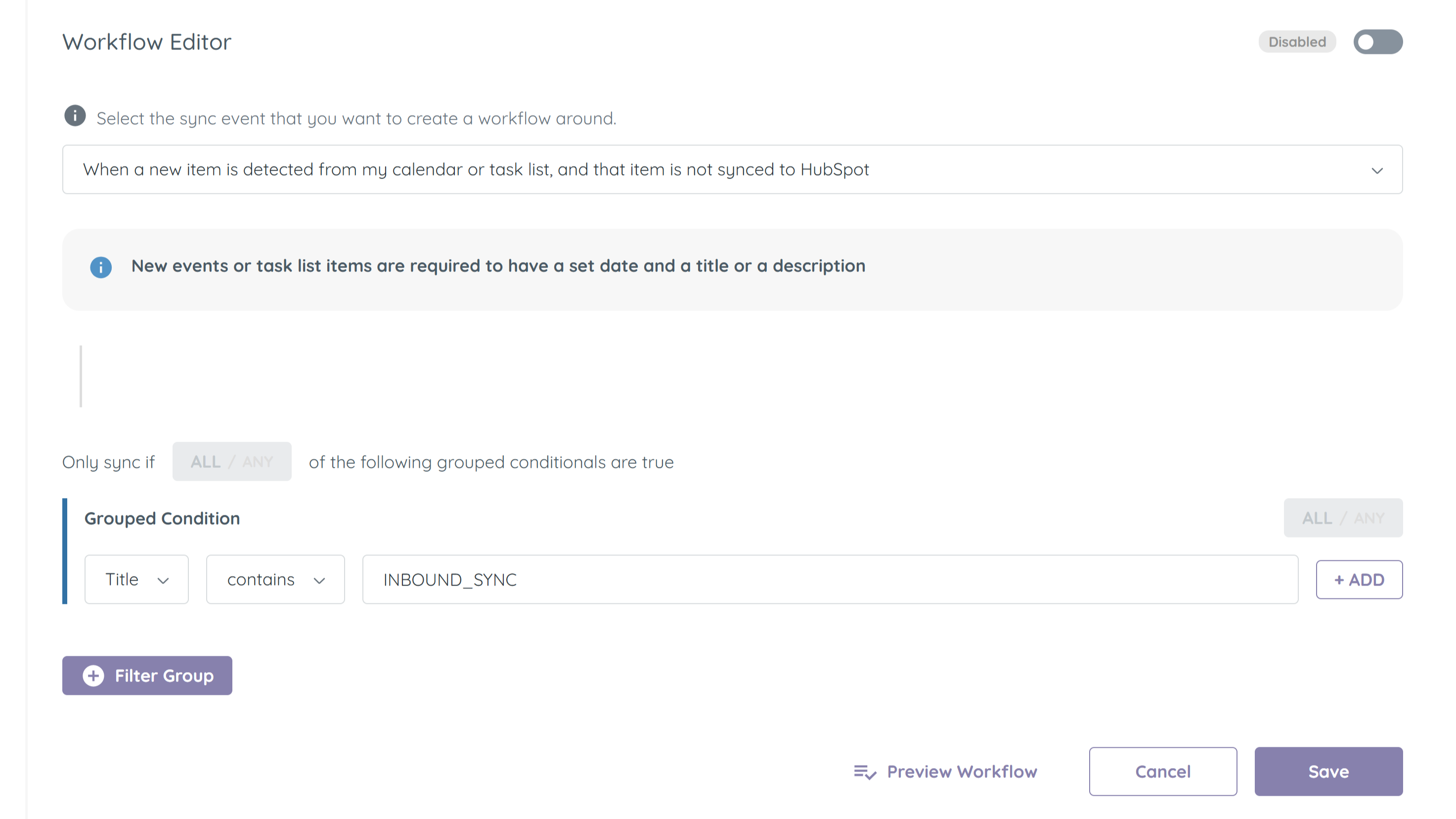
Filter which tasks get synced between HubSpot and your Calendar
All of your tasks in HubSpot may need to make there way to your calendar. Use the Workflows system in CalendarSplice to fine tune how and when CalendarSplice syncs your tasks.
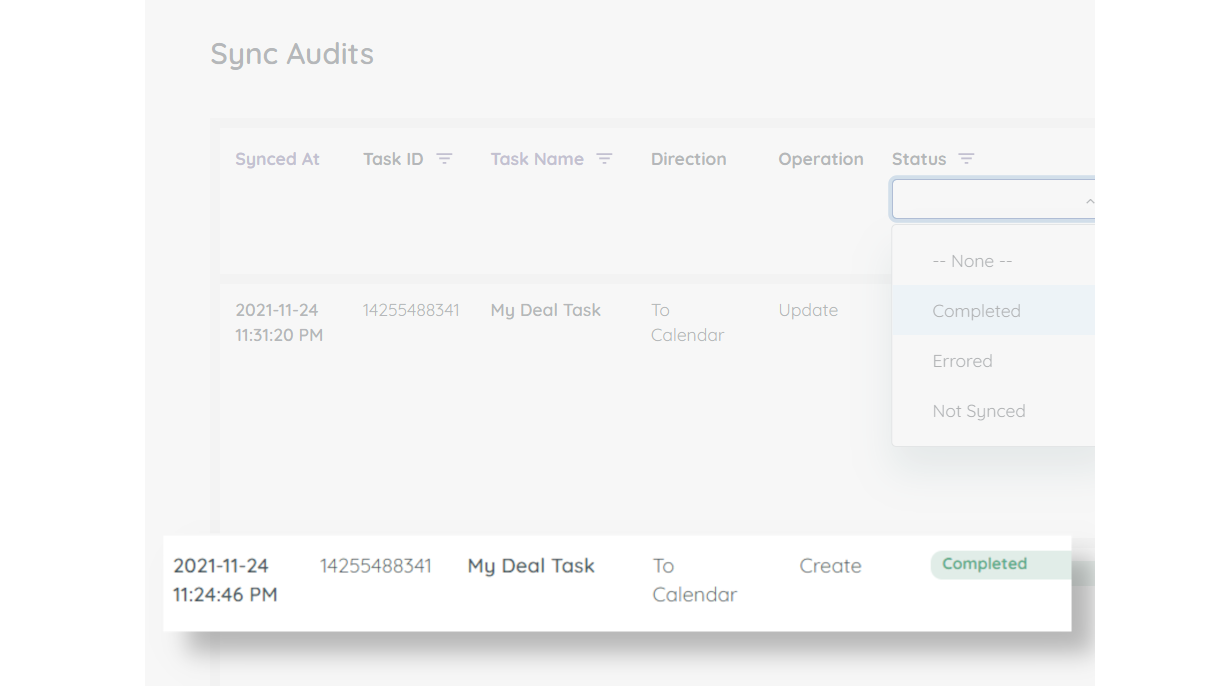
Activity Logging
Sometimes you may want to know if syncing is in-fact happening, or why a certain task was not synced. Utilize our Sync Audits logging to see details for all the sync interactions CalendarSplice has with HubSpot and your calendar.
App-Funktionalität
Datenaustausch
Calendar Event | ||
Calendar Task |
Rezensionen
4,2
5
4,2
5
- 16. Dez. 2024
Currently this system has been down for around 5 days...
Website and service is down, support website and email do not work. HubSpot will not support it. Avoid December 2024.
Works well, when the entire system is not down
Hutchinson, A.
- 19. Okt. 2022
syncs seemlessly
Super easy to integrate, saves a lot of time. I would recommend for anyone needing to create a large number of tasks quickly
Have service events stored as tasks in HubSpot, needed to export to a calendar
Ciochetto, A.
Integrität - 2 bis 5 Mitarbeitende
Individual
13 $
/MonatFor 1 user
New and updated Tasks will sync to your Google or Outlook Calendar.
Updates to Events made in your calendar will sync back to their associated HubSpot Task.
Individual
13 $
/MonatFor 1 user
New and updated Tasks will sync to your Google or Outlook Calendar.
Updates to Events made in your calendar will sync back to their associated HubSpot Task.
* Die hier angegebenen Preise dienen nur zu Illustrationszwecken. Alle Preise enthalten keine Steuern, Sonderangebote, Rabatte oder sonstigen Preisvarianten. Bitte wenden Sie sich direkt an den Partner, um aktuelle und korrekte Preisinformationen zu erhalten. HubSpot übernimmt keine Verantwortung für Preisinformationen, die von unseren Partnern bereitgestellt werden. Letzte Aktualisierung der Preisinformationen: 02.01.2026
Weitere Infos
Erstellt von - HubSplice LLC
Installationen - 70+ Installationen
Kategorien Sprachen, in denen diese App verfügbar ist Englisch
Am beliebtesten

Gmail
Holen Sie HubSpot in Ihren Posteingang – mit der HubSpot-Integration für Gmail

Google Calendar
Buchen Sie schnell und einfach Meetings mit HubSpot und Google Kalender.
