

必要な条件
HubSpotエディション HubSpotアカウント権限 HubSpotの権限は不要です。接続中にCalendarSpliceで追加の権限を要求される場合があります。 アクセス権のタイプ 共有 CalendarSpliceの契約内容 - プラン:Individual、またはSmall Team
概要
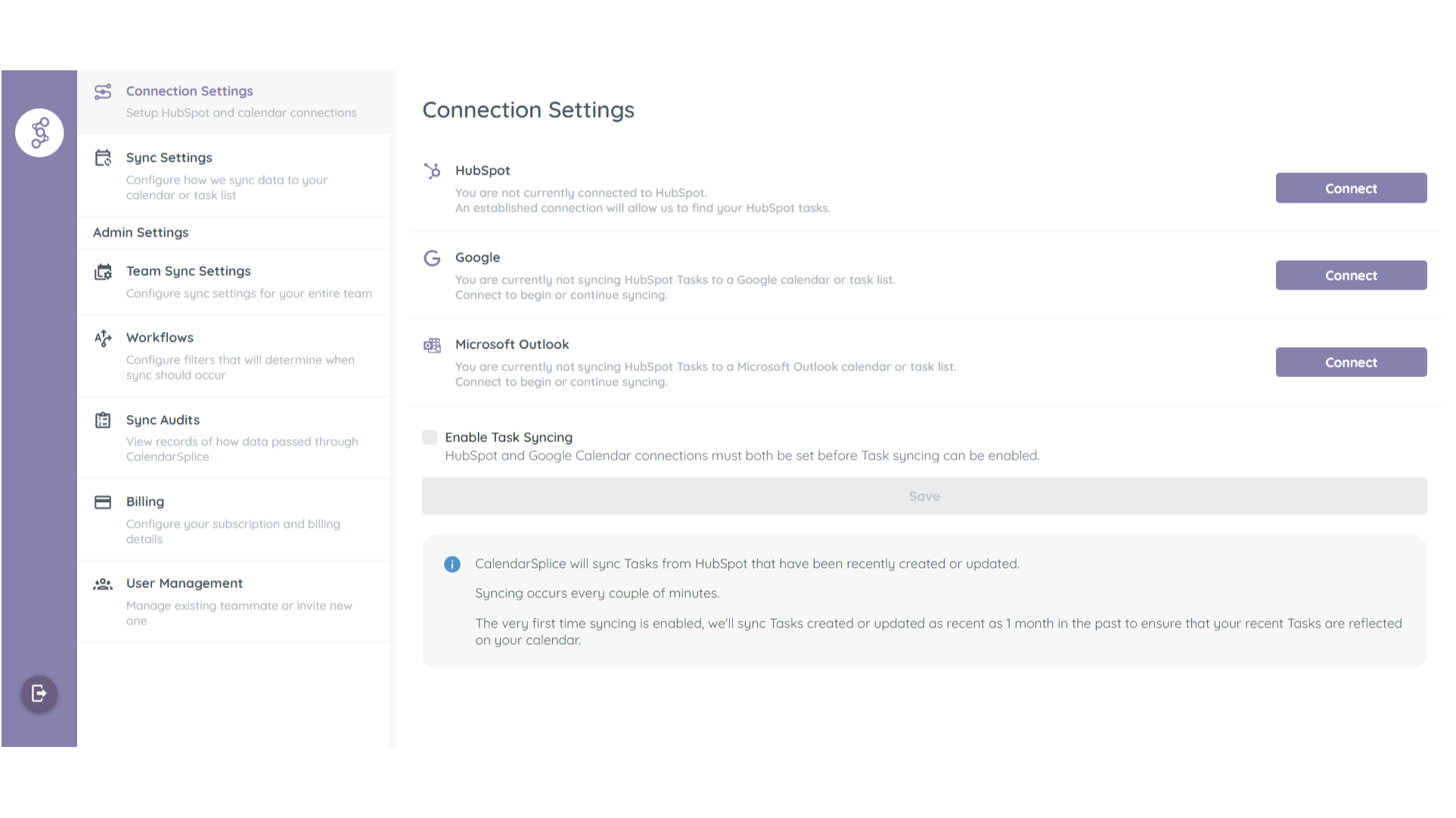
1/3 - Connect CalendarSplice to your HubSpot and Google Calendar
Automatically sync Tasks created in HubSpot to your Google or Outlook Calendar as Events.
Syncing happens both ways.
Updated made to synced calendar Events will sync back to their associated HubSpot Tasks.
Always Room for One More
Invite your team in HubSpot to your team in CalendarSplice and enable Task syncing for everyone with one button.
機能
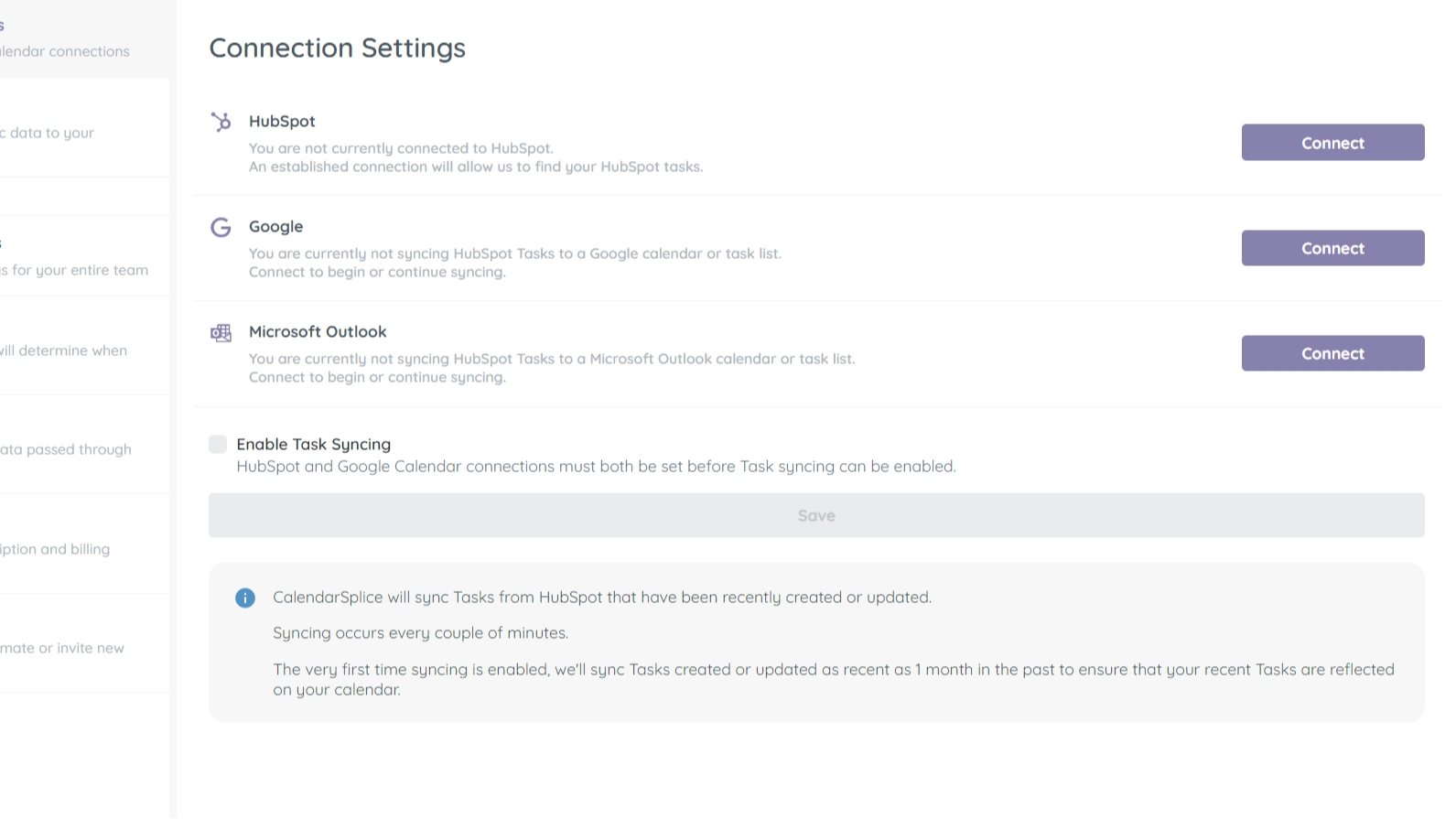
Sync tasks between your calendar and HubSpot
Once you've connected your Google or Outlook calendar to CalendarSplice and enabled syncing, task that are created in HubSpot will automatically be added your calendar. Edits made in HubSpot and your calendar to the relevant tasks and events will also sync both ways.
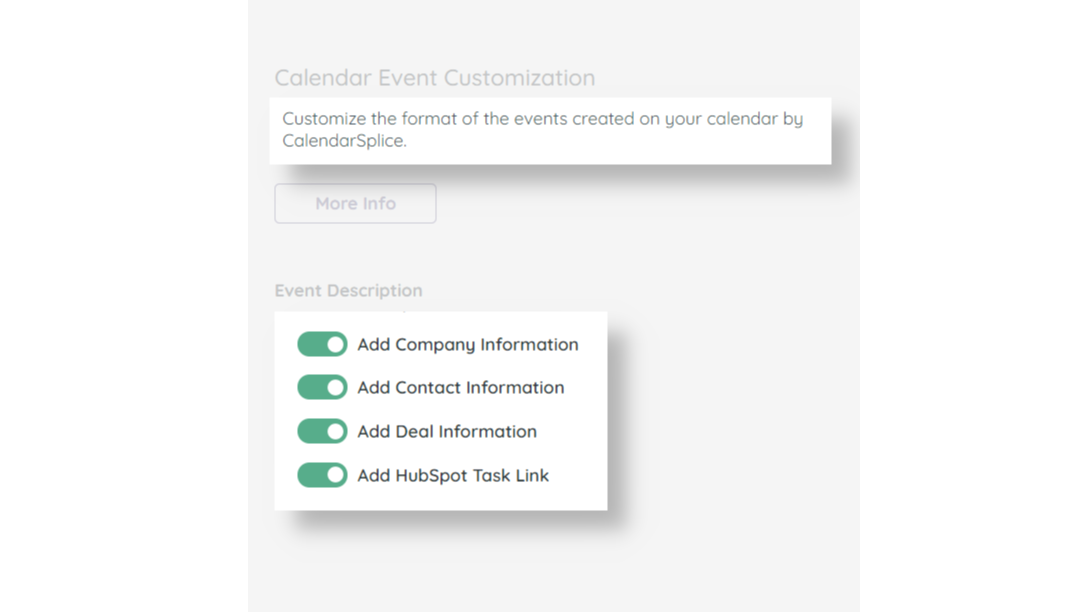
Add Contact, Company, and Deal Info to Synced Tasks
Yes, when we sync the task to your calendar, we include the task title from HubSpot. However CalendarSplice also allows you to add more details and links to the synced event that includes which records each task is associated with. This will give each assignee more insight, at a glance, to what they need to accomplish.
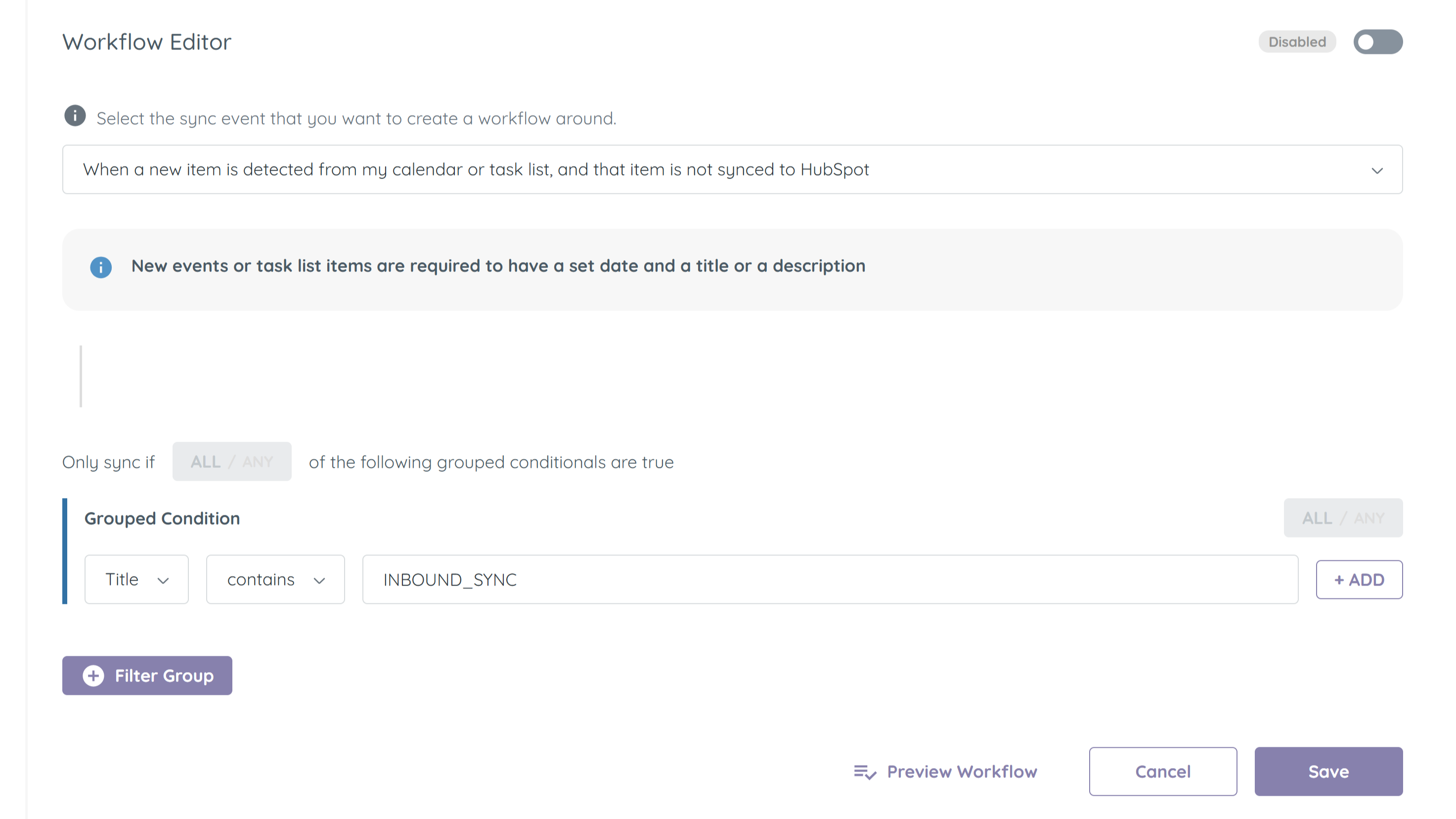
Create HubSpot tasks from your calendar
Sometimes you need to create tasks on-the-go while you're already looking at your calendar. After all, while looking at your calendar, you can see all your available time slots. With CalendarSplice, you can sync events you create on your calendar to HubSpot. Edits made to the relevant task or event will sync between both systems.
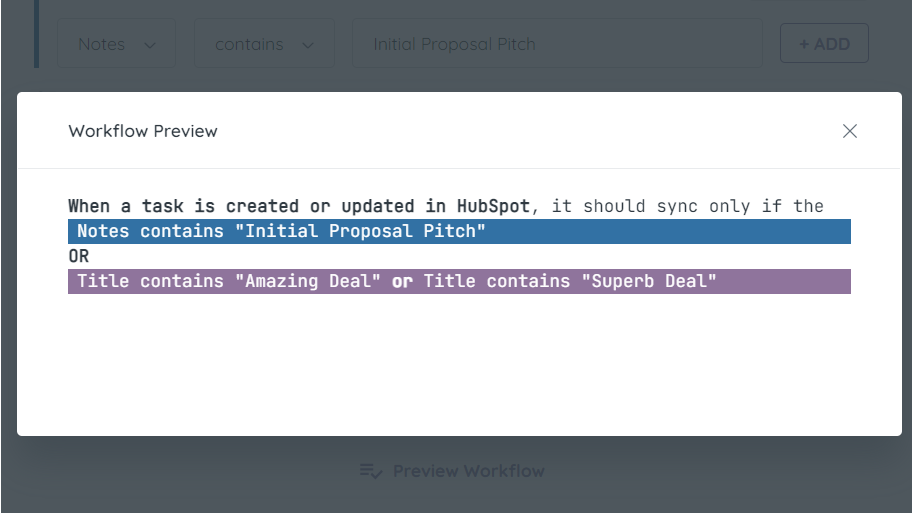
Filter which tasks get synced between HubSpot and your Calendar
All of your tasks in HubSpot may need to make there way to your calendar. Use the Workflows system in CalendarSplice to fine tune how and when CalendarSplice syncs your tasks.
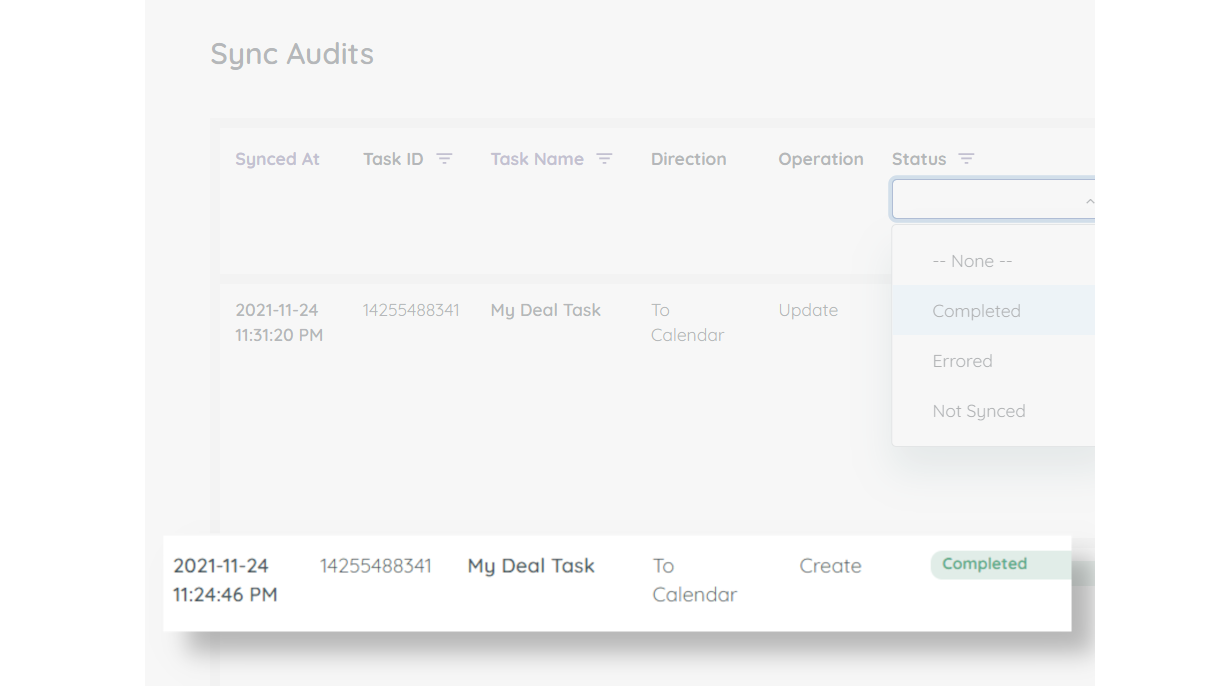
Activity Logging
Sometimes you may want to know if syncing is in-fact happening, or why a certain task was not synced. Utilize our Sync Audits logging to see details for all the sync interactions CalendarSplice has with HubSpot and your calendar.
アプリ機能
共有されるデータ
Calendar Event | ||
Calendar Task |
確認
4.2
5
4.2
5
- 2024年12月16日
Currently this system has been down for around 5 days...
Website and service is down, support website and email do not work. HubSpot will not support it. Avoid December 2024.
Works well, when the entire system is not down
Hutchinson, A.
- 2022年10月19日
syncs seemlessly
Super easy to integrate, saves a lot of time. I would recommend for anyone needing to create a large number of tasks quickly
Have service events stored as tasks in HubSpot, needed to export to a calendar
Ciochetto, A.
健康、ヘルス - 従業員2人~5人
価格
Individual
$13
/月For 1 user
New and updated Tasks will sync to your Google or Outlook Calendar.
Updates to Events made in your calendar will sync back to their associated HubSpot Task.
Individual
$13
/月For 1 user
New and updated Tasks will sync to your Google or Outlook Calendar.
Updates to Events made in your calendar will sync back to their associated HubSpot Task.
* こちらの価格は参考表示価格です。どの価格にも税、インセンティブ、値引など、価格に関する変動要素は含まれていません。価格に関する正確な最新情報については、この提供元パートナーまでお問い合わせください。HubSpotは、パートナー各社が提供する価格情報について一切の責任を負わないものとします。価格の最終更新:2026/01/02
その他の情報
開発元 - HubSplice LLC
インストール数 - 70件以上のインストール
カテゴリー このアプリが対応している言語 英語
新着

Finale Composer
HubSpot向けに作成された、AI生成のウェブコンテンツ。

Synder
HubSpotの請求書をQuickBooks、NetSuite、またはXeroに同期 — 発生主義会計+収益認識に対応
