
CRM + Confluence App
Erstellt von - resolution GmbH
Installationen - 300+ Installationen
Bewertung 3
(1)

Rising
Anforderungen
HubSpot-Produktversion HubSpot-Account-Berechtigungen - Erforderliche Account-Berechtigungen anzeigen
Zugriffstyp Geteilt CRM + Confluence App-Abonnement - Produktversionen: Up to 10 Users, 11 - 250 User oder 251+ Users
Übersicht
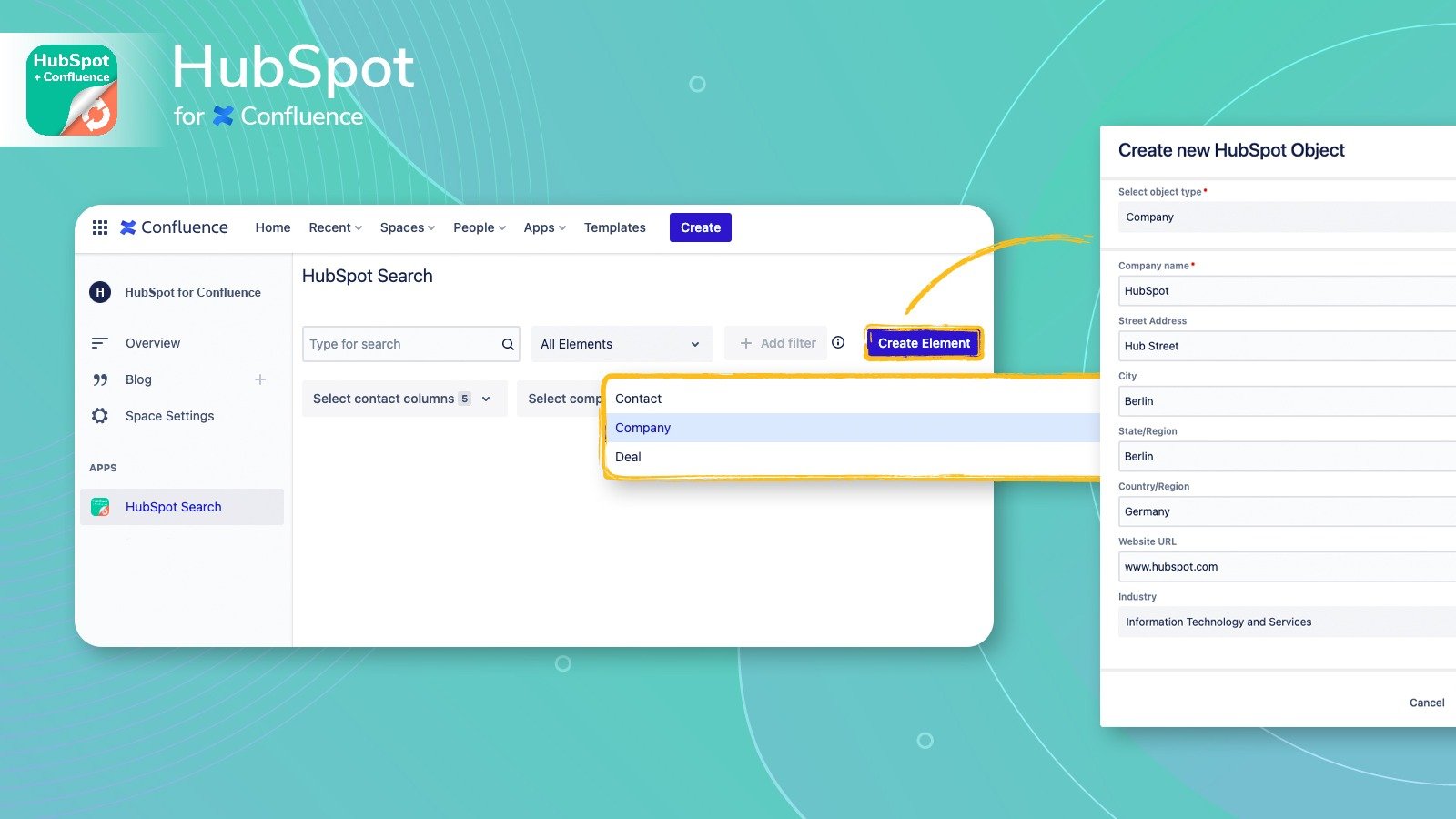
1/3 - Create HubSpot objects in Confluence
HubSpot CRM for Confluence provides seamless integration of HubSpot data in Confluence Cloud. Regardless of what you are working on, you can:
Share data about contacts, companies and deals
Inform all Confluence users and gather feedback from them
Confluence users can therefore track HubSpot data directly from a Confluence page.
HubSpot CRM for Confluence offers the quickest and most flexible experience for sharing HubSpot CRM data:
- Embed HubSpot CRM contacts, companies and deals directly from Confluence
- Find HubSpot CRM data in Confluence
- Automatically update HubSpot CRM data in Confluence when it changes in HubSpot
- Comply with GDPR and automatically remove personal data from Confluence when the corresponding record is removed from HubSpot CRM
Funktionen
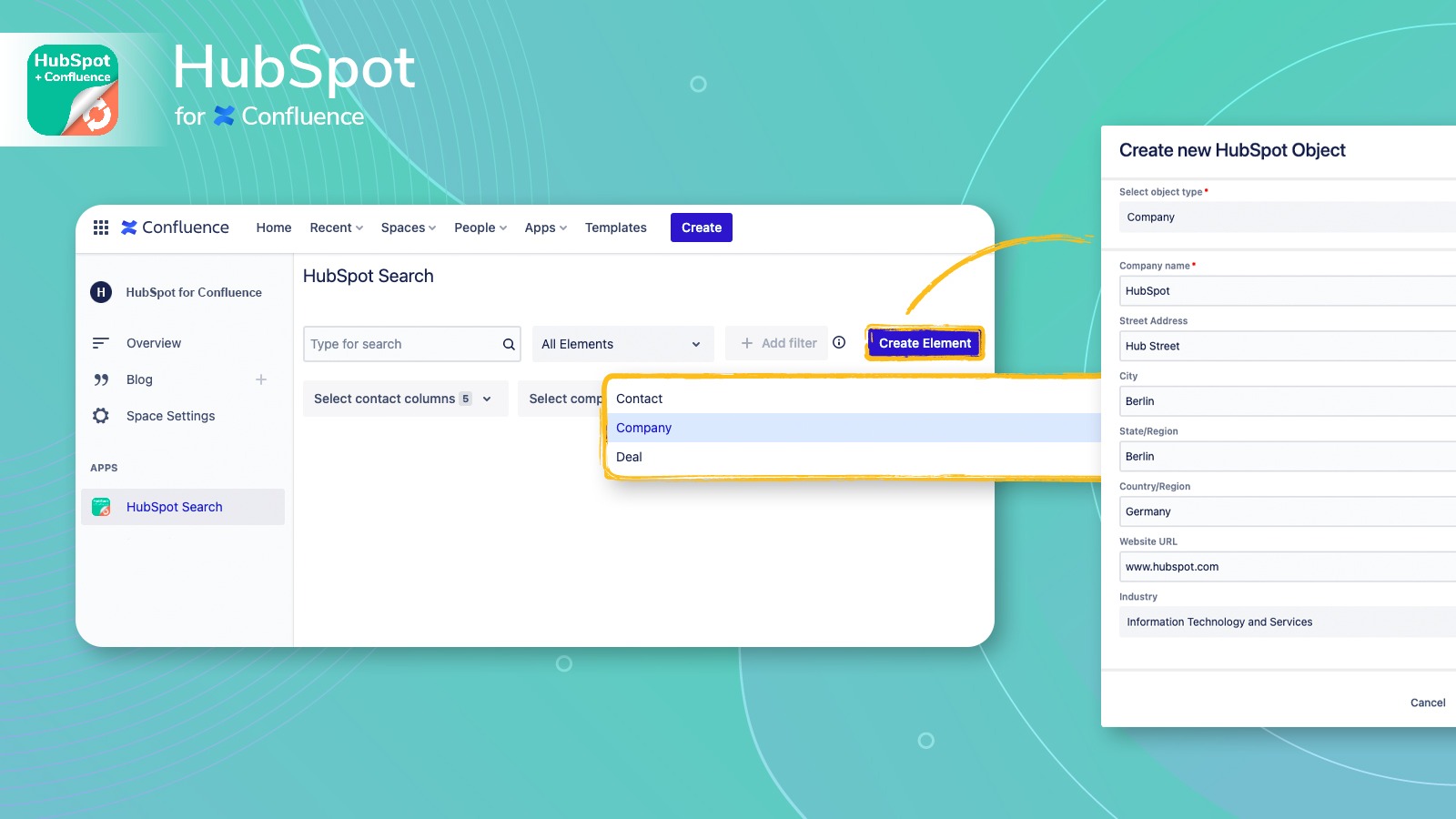
Create HubSpot objects in Confluence
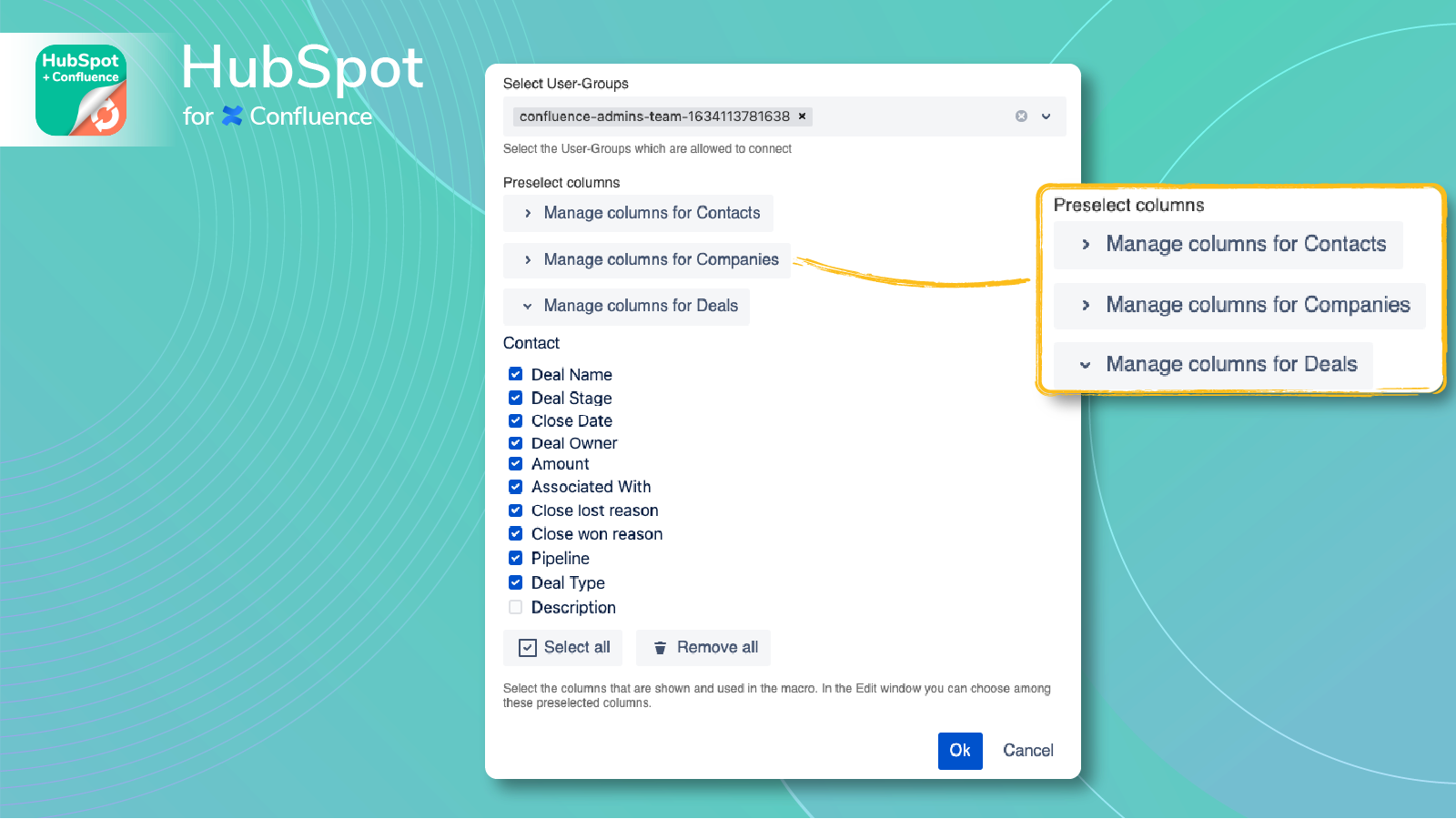
Create HubSpot Contacts, Companies & Deals in Confluence. - Set user group permissions based on create and/or view access. - Define which HubSpot properties are needed. - Start creating customer data in Confluence.
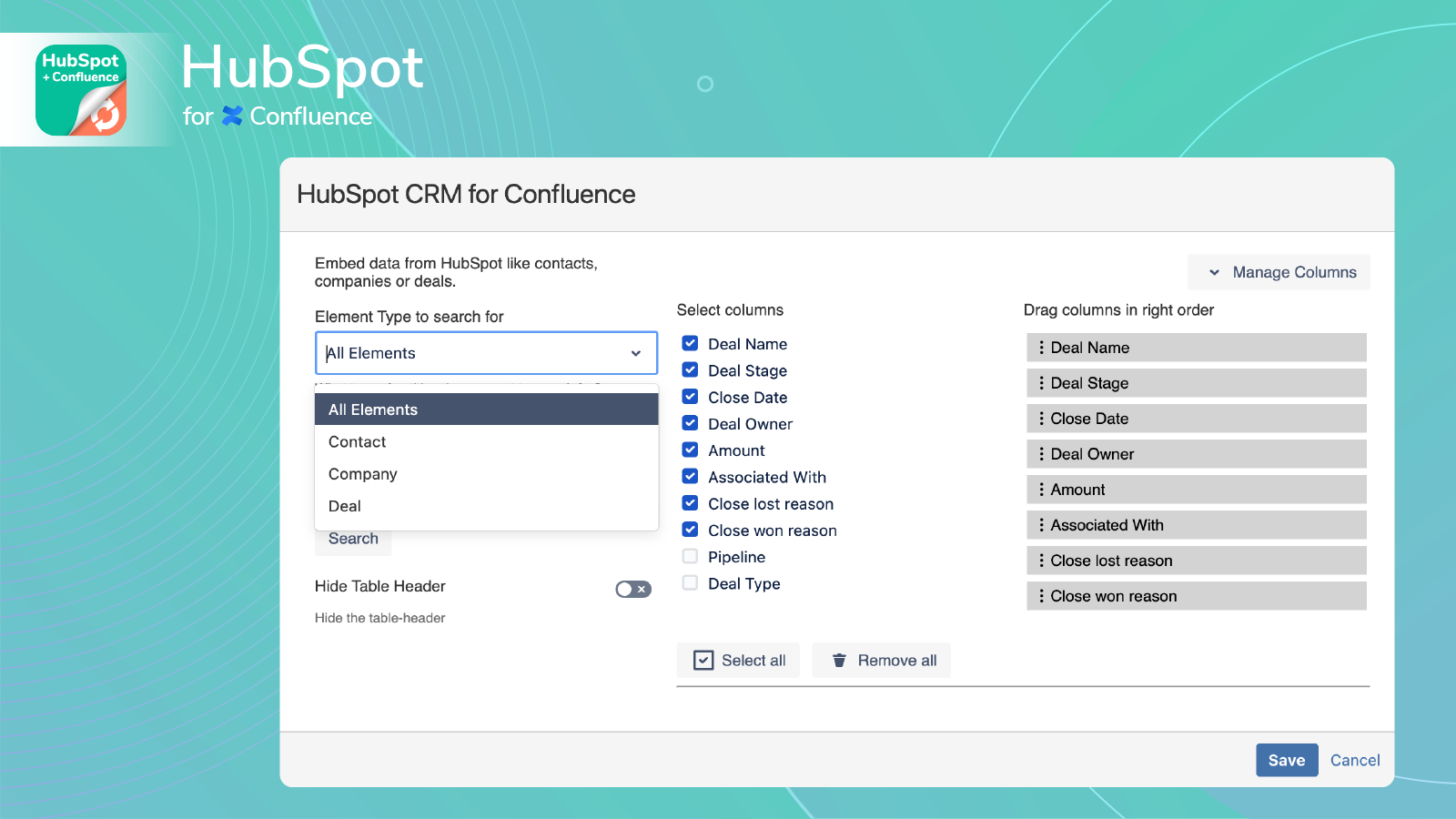
3 Elements to Search By
Query different data points from your HubSpot CRM: -Contact: Name, Email -Company: Name, Industry, Country -Deal: Name, Stage, Associated Contact
Dynamic Data
Embedded data updates automatically if you add more information to a deal, a customer’s contact details changes, or even if data needs to be deleted as per GDPR.
App-Funktionalität
Datenaustausch
Companies | ||
Contacts | ||
Deals |
Rezensionen
- 4. Jan. 2023
Begrenzt
Die begrenzte Anzahl von Filtern für Daten (maximal 3) und die fehlende Möglichkeit, Elemente auf einer Seite zu gruppieren, haben dazu geführt, dass ich das Programm nicht verwenden konnte.
Ich wollte, dass die Berichte einfach als Confluence-Dokumente angezeigt werden - statt als Google-Sheet zu exportieren -, die wir direkt aus Confluence aktualisieren können.
Sutton, S.
Technologie – Software - 51 bis 200 Mitarbeitende
Up to 10 Users
0 $
paid via Atlassian Marketplace
Up to 10 Users
0 $
paid via Atlassian Marketplace
* Die hier angegebenen Preise dienen nur zu Illustrationszwecken. Alle Preise enthalten keine Steuern, Sonderangebote, Rabatte oder sonstigen Preisvarianten. Bitte wenden Sie sich direkt an den Partner, um aktuelle und korrekte Preisinformationen zu erhalten. HubSpot übernimmt keine Verantwortung für Preisinformationen, die von unseren Partnern bereitgestellt werden. Letzte Aktualisierung der Preisinformationen: 09.08.2025
Weitere Infos
Erstellt von - resolution GmbH
Installationen - 300+ Installationen
Kategorien Sprachen, in denen diese App verfügbar ist Englisch