

Create Notes in Workflows
Erstellt von - T&H Digital
Installationen - 500+ Installationen
Bewertung 5
(2)

Rising
Anforderungen
HubSpot-Produktversion HubSpot-Account-Berechtigungen - Erforderliche Account-Berechtigungen anzeigen
Zugriffstyp Geteilt Create Notes in Workflows-Abonnement - Produktversion: Easy Pricing
Übersicht
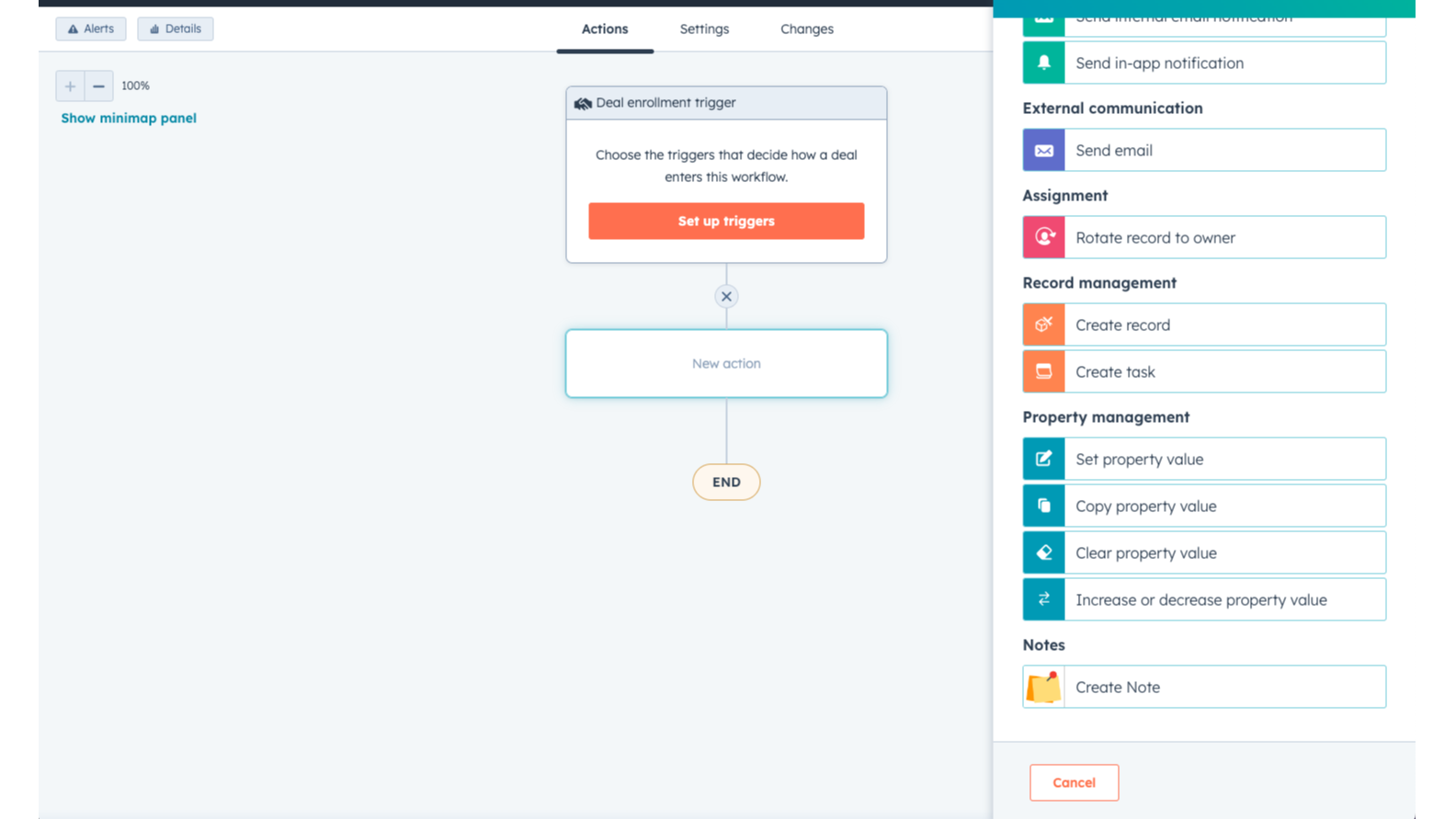
1/4 - Create notes in Workflows.
Our HubSpot app is designed to simplify the note-taking process for HubSpot users. With this app, users can easily create notes and attach them to contacts, companies, and deals, all with precise settings to ensure accuracy and relevance.
This app allows you to create Notes easily and automatically using workflows.
You can add notes to Contacts, Deals, Companies and even Custom Objects from your workflows. This makes it easy for users to keep track of important information and updates without having to manually create new notes each time.
In addition to its workflow-based note creation, the app also offers a variety of customization options to ensure that notes are tailored to the specific needs of each user. For example, users can choose which fields to include in their notes, such as contact name, company, and deal stage.
Funktionen
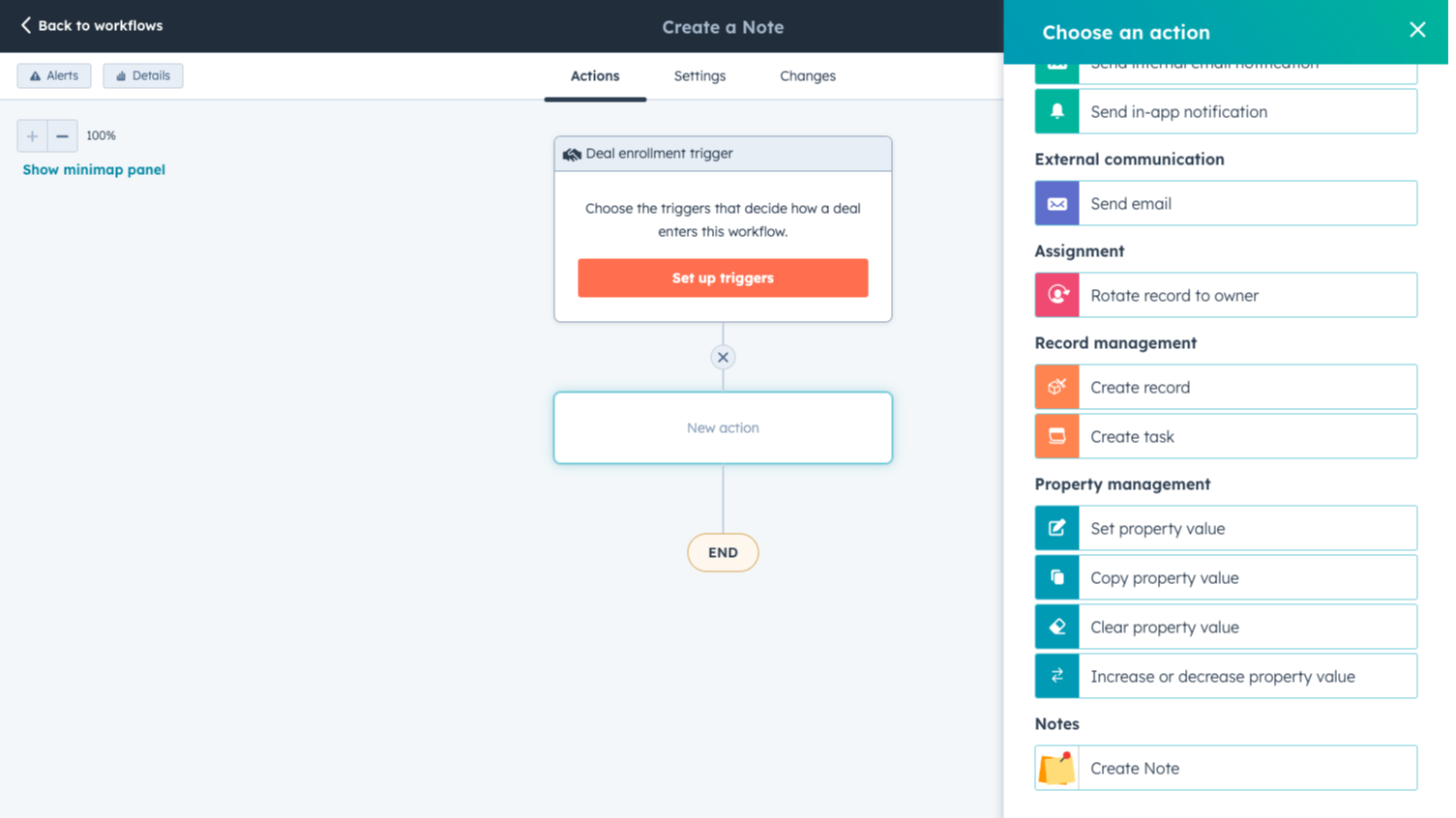
Create Notes Easily
In any workflow, use the 'Create Note' action to add notes to any object. Our Notes app works on Contact, Deal, Tickets, Company and Custom Object records.
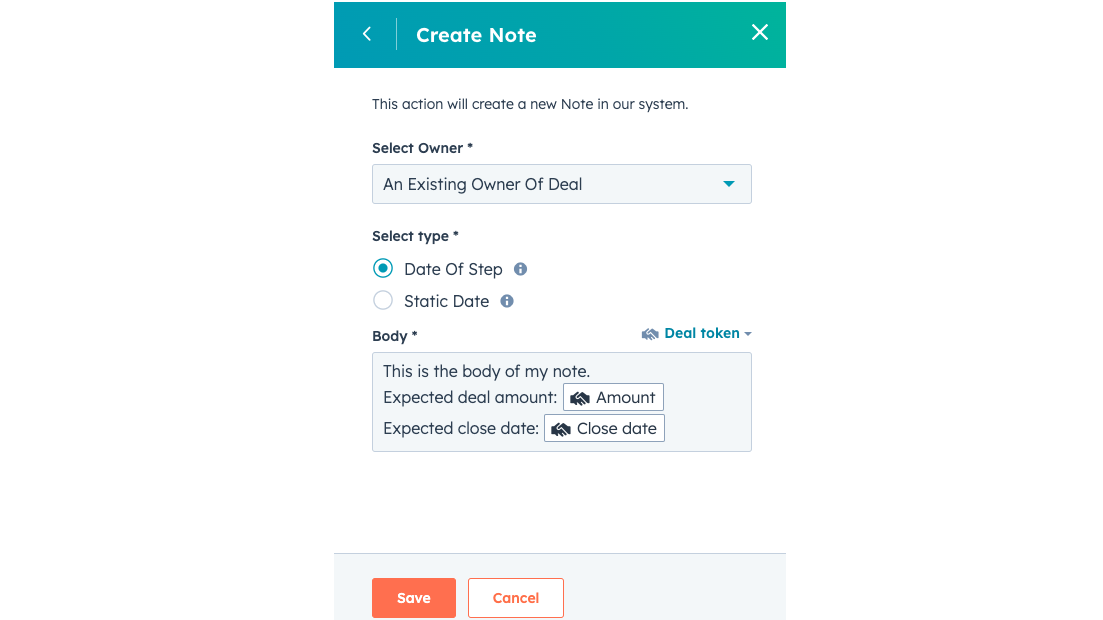
Customise Your Notes
Customise your notes to fit your needs: select an owner, and a creation date. In the body of the notes, you can use customisation tokens to add the most relevant data to your note.
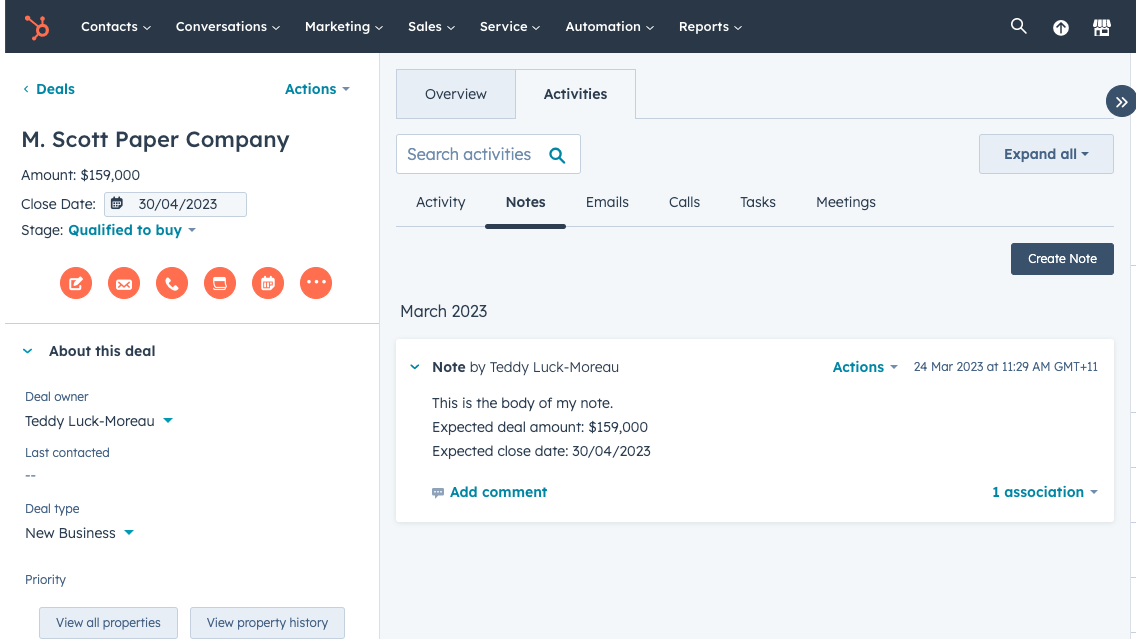
View Notes in Your Objects
See your automatically created notes in your Contacts, Deals, Companies, Tickets and Custom Objects, in the activity tab, as well as in the Notes tab.
App-Funktionalität
Note |
Rezensionen
- 21. Nov. 2024
Works - Easy to Use
Super easy to use. Time-saver
Bullet-proof
no cons
Pereira, A.
- 6. Nov. 2023
Great tool! Does what is promises. :)
Great! There was a little blip with formatting, but I emailed in and was informed to use markup. HubSpot treats it a little weird in that it hides the markup, but it is still there and works.
We're adding notes to clients after a deal closes, so that we have a record of all of the deal elements and their profile from the contact object.
Cheap, Effective, does what promised.
Hard to figure out formatting without contacting support.
Bishop, D.
Marketing-Services - 11 bis 25 Mitarbeitende
Easy Pricing
5 $
/MonatNo limits, ever!
Straightforward pricing
Customisation available
Premium support
Free app updates
Cancel anytime
Easy Pricing
5 $
/MonatNo limits, ever!
Straightforward pricing
Customisation available
Premium support
Free app updates
Cancel anytime
* Die hier angegebenen Preise dienen nur zu Illustrationszwecken. Alle Preise enthalten keine Steuern, Sonderangebote, Rabatte oder sonstigen Preisvarianten. Bitte wenden Sie sich direkt an den Partner, um aktuelle und korrekte Preisinformationen zu erhalten. HubSpot übernimmt keine Verantwortung für Preisinformationen, die von unseren Partnern bereitgestellt werden. Letzte Aktualisierung der Preisinformationen: 09.08.2025
Weitere Infos
Erstellt von - T&H Digital
Installationen - 500+ Installationen
Kategorien Sprachen, in denen diese App verfügbar ist Englisch