

Aysling
Rakentanut - Aysling
Asennukset - Yli 20 asennusta
Vaatimukset
HubSpot-tilaus HubSpot-tilin käyttöoikeudet - Tarkastele vaadittuja tilin käyttöoikeuksia
Pääsytyyppi Jaettu Aysling-tilaus - Aysling/MagHub HubSpot Integration paketti
Yhteenveto
1/2
Never drop a lead
- Nurture your leads in HubSpot and pass them over to your Aysling or MagHub instances once they meet your sales qualified criteria.
Complete lifecycle management
- From leads to paid customers, manage your entire client lifecycle, without the need of double entry or custom integrations.
360 degree view of contacts & companies
- View up to five user-selected Contact and Company properties passed over and updated from HubSpot regularly.
Two-way sync between Aysling & HubSpot
- Pass contacts and companies from Aysling to HubSpot, and vice versa with the click of a button.
Ominaisuudet
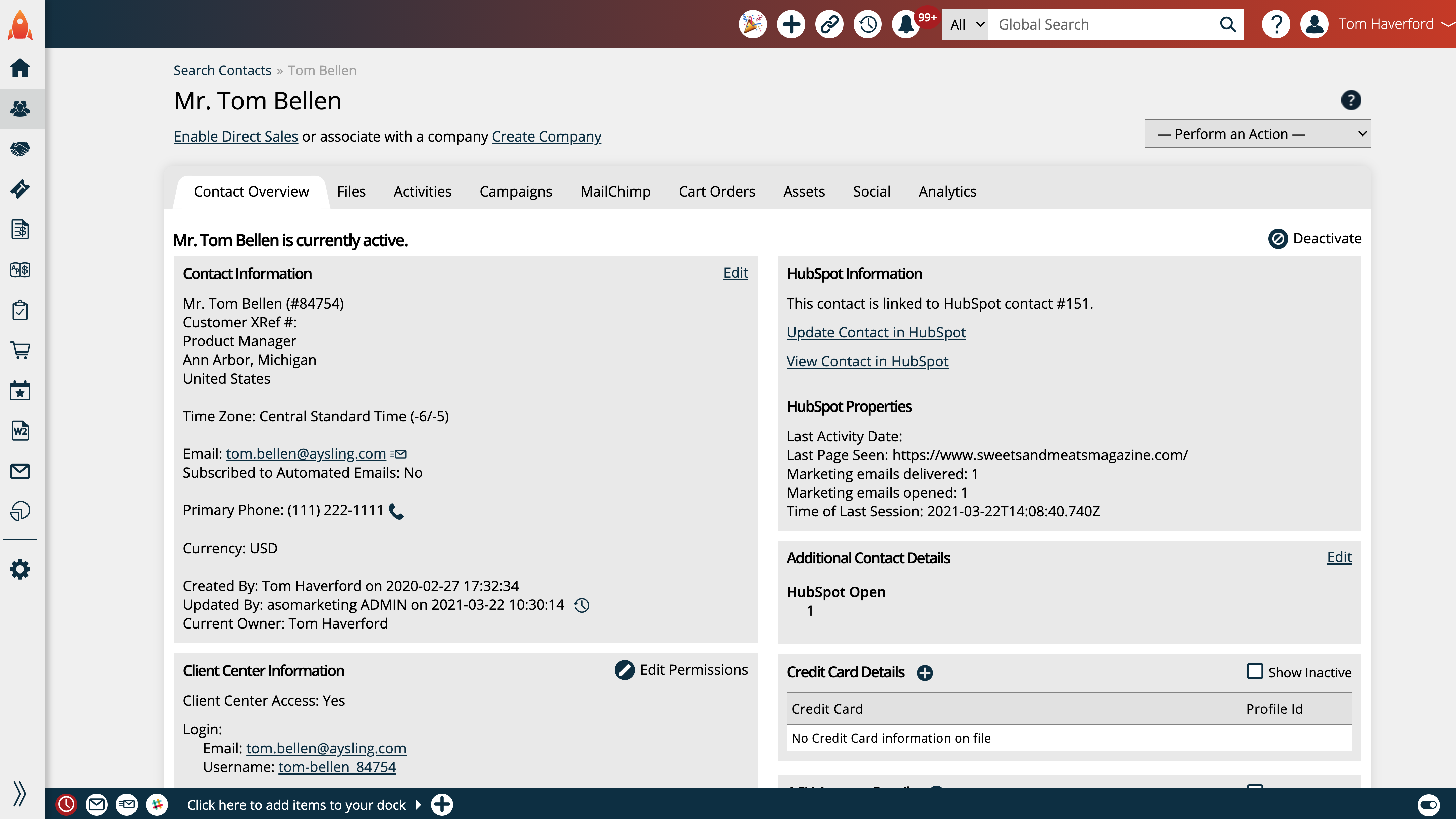
View HubSpot Contact and Company Data in Aysling
The Contact and Company Overview Pages show users all the relevant data synchronized between Aysling and HubSpot. Including properties, dynamic attributes you have synchronized, and most core fields that you can use to flow in HubSpot data; and provides a link directly to the HubSpot record.
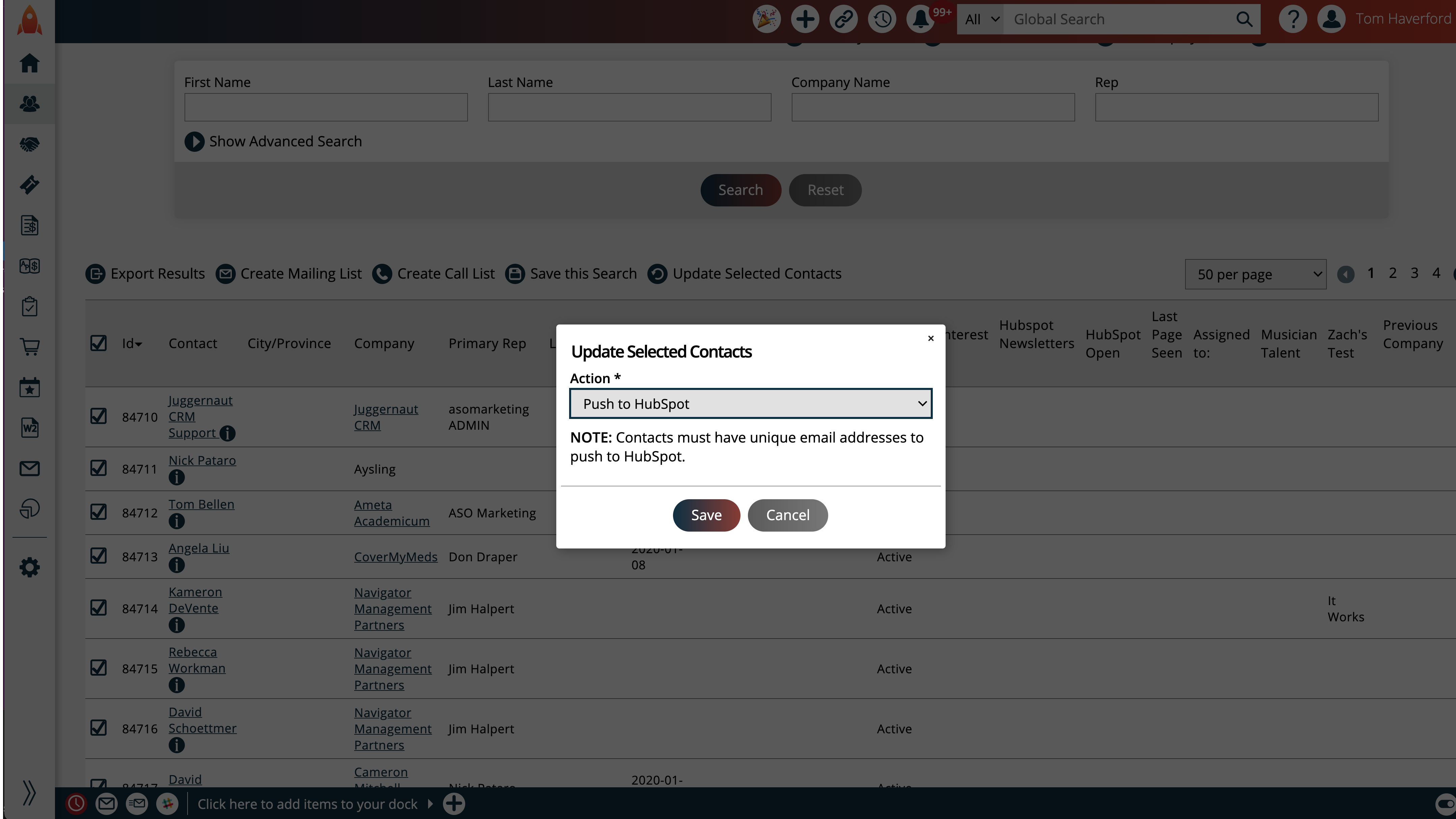
Bulk Moving Contacts From Aysling to HubSpot
A user can use any of Aysling's filters, along with the ‘In HubSpot’ filter. This allows a user to find only contacts that are in/out of their HubSpot account based on ID. Users can choose the contacts they want and use the bulk actions to push the contacts to HubSpot, with an error log available.
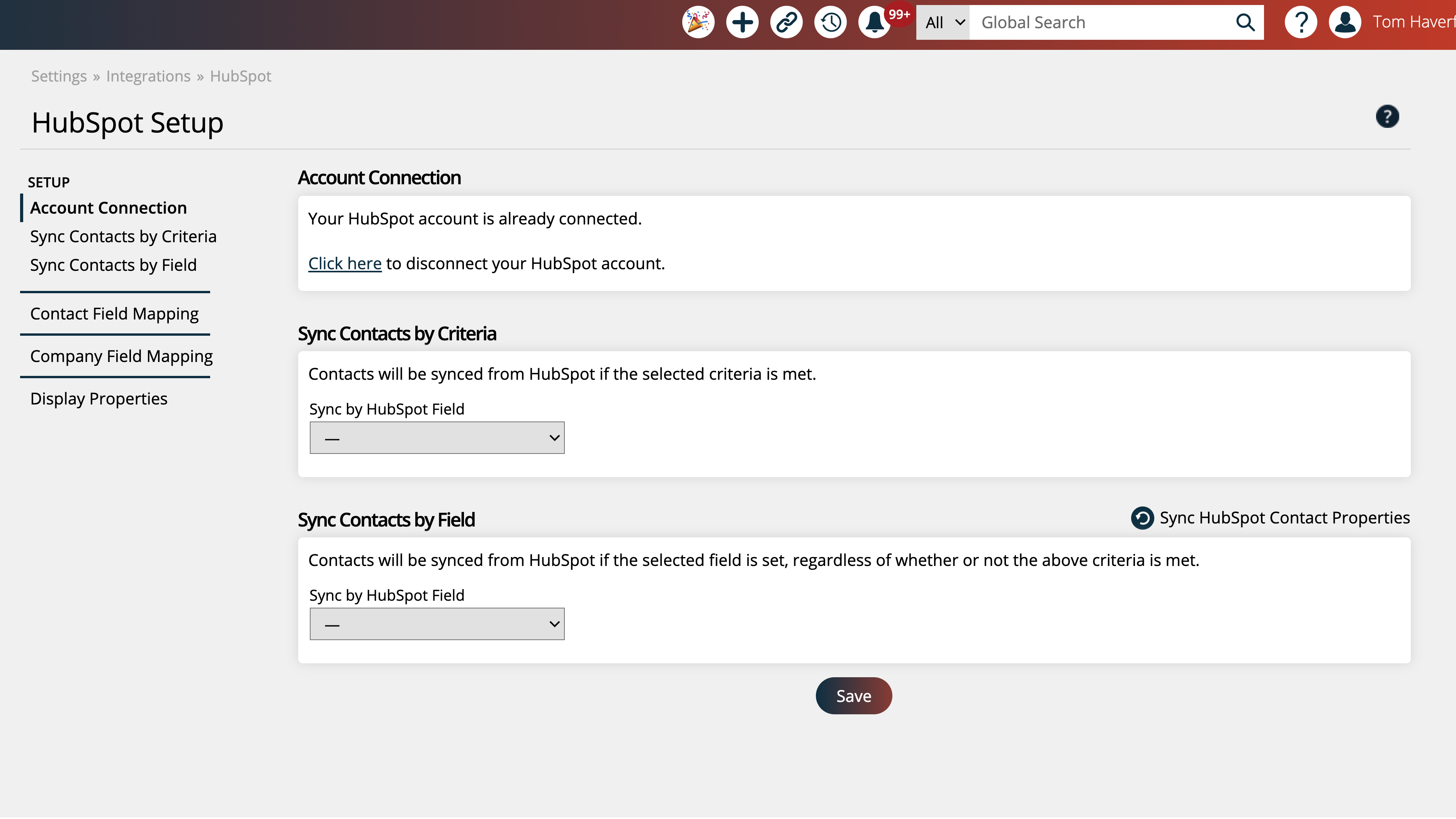
Aysling/HubSpot Integration Setup and Data Sync Criteria
The integration was designed to pass over only qualified contacts to Aysling. Users can determine based on one of three HubSpot data points if a contact should be synced: Lifecycle Stage, Deal Closed, or Predictive Lead Score; also a Custom Property that can force a contact to be pushed to Aysling.
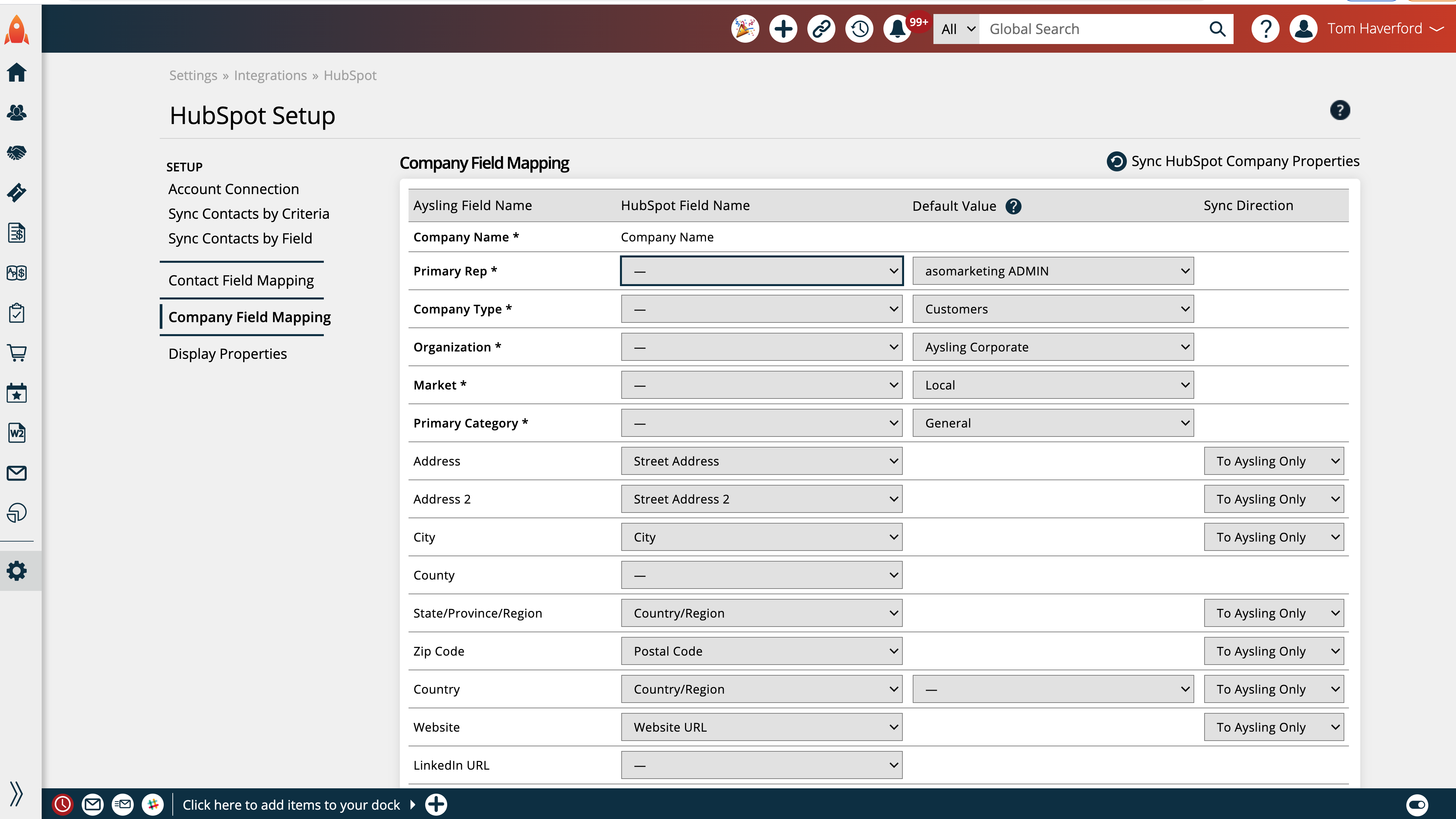
Mapping Properties and Fields, and Data Direction
Users have complete control over what data flows to and from their HubSpot account and Aysling. HubSpot Properties can be mapped to most Contact and Company fields. Users may set defaults, and choose the syncing method. Data can go Bi-Directional, only to HubSpot, or only go to Aysling.
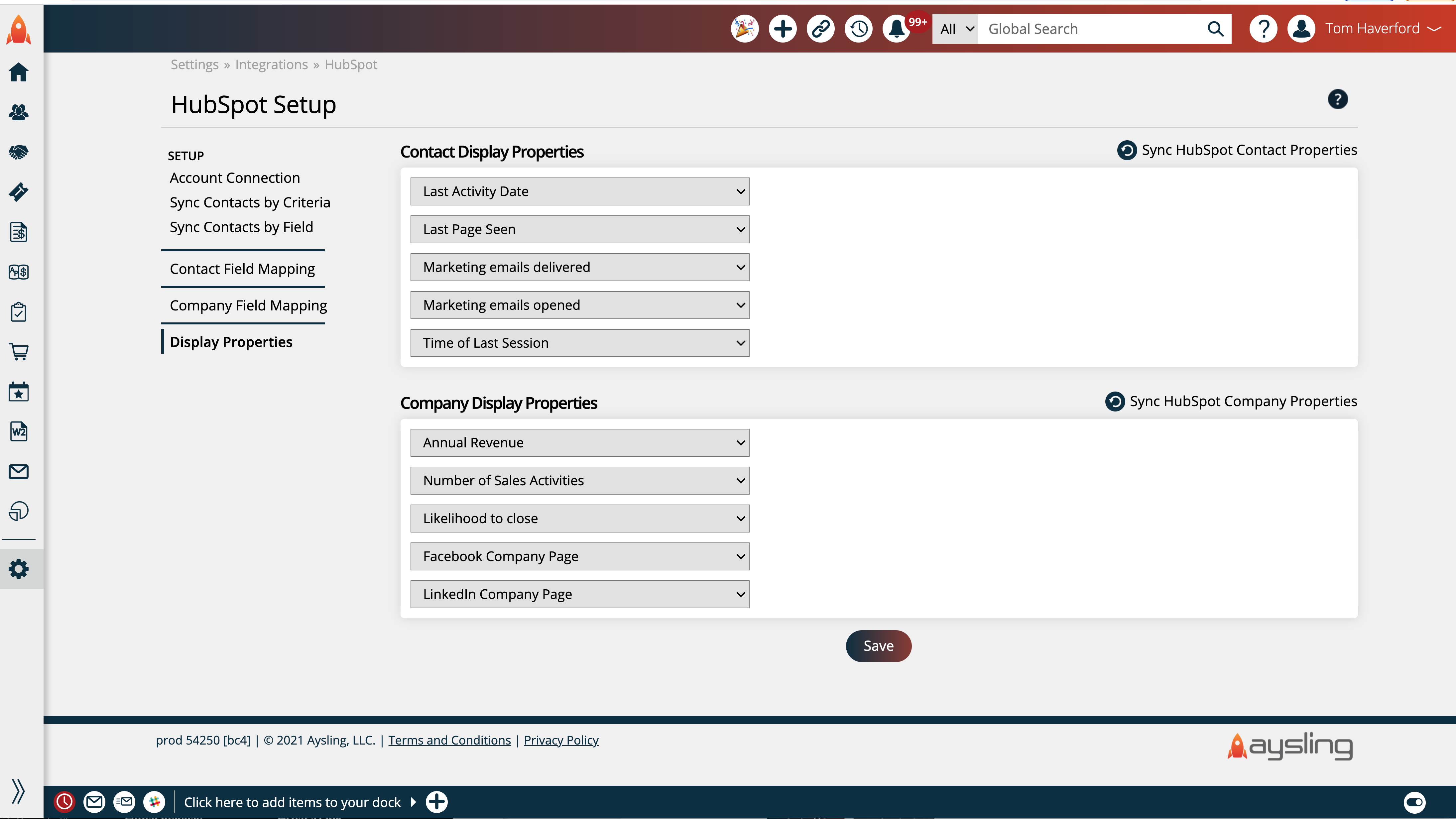
Displaying Properties and Fields on Contact and Company Records
Up to five HubSpot Properties can be displayed on the Contact and Company Overview pages. The data for the display fields are pulled in realtime and can be used for information that is helpful to be known about a Contact or Company, but does not need to be used for filtering or Aysling workflows.
Sovelluksen toiminnallisuus
Jaetut tiedot
Contacts | ||
Companies | ||
Contact Fields | ||
Company Fields |
Arvostelut
Aysling/MagHub HubSpot Integration
50 $
/kuukausiConnecting HubSpot to Aysling/MagHub
Allows the connection of Companies and Contacts.
Updated regularly, all updates are free for current subscribers.
*Requires an Aysling/MagHub software subscription.
Aysling/MagHub HubSpot Integration
50 $
/kuukausiConnecting HubSpot to Aysling/MagHub
Allows the connection of Companies and Contacts.
Updated regularly, all updates are free for current subscribers.
*Requires an Aysling/MagHub software subscription.
*Hinnoittelu tässä on vain esittelytarkoituksessa. Kaikki hinnat eivät sisällä veroja, kannustimia, alennuksia tai muita hinnoittelumuuttujia. Pyydä kumppanilta ajantasaiset ja oikeat hintatiedot. HubSpot ei ota vastuuta näistä kumppaneidemme tarjoamista hintatiedoista. Hinnoittelu päivitetty viimeksi: 11.08.2025
Lisätietoja
Rakentanut - Aysling
Asennukset - Yli 20 asennusta
Kategoriat Kielet, joilla tämä sovellus on saatavilla Englanti
Nousussa tänään

Zoom Phone for HubSpot
Enhance your HubSpot experience and streamline your workflows.

Zapier
The easiest way to automate and connect HubSpot to 8,000+ apps
