

Workflow Calculation Actions
Rakentanut - Integration Glue
Asennukset - Yli 500 asennusta
Arvostelu 5
(2)

Leading
Vaatimukset
HubSpot-tilaus HubSpot-tilin käyttöoikeudet - Tarkastele vaadittuja tilin käyttöoikeuksia
Pääsytyyppi Jaettu Workflow Calculation Actions-tilaus - Free, Starter, Professional tai Enterprise paketit
Yhteenveto
1/6
With the Workflow Calculation Action from Integration Glue, you can easily create advanced calculations from a Workflow.
When run the calculation is output to the specified property.
Includes:
Advanced calculations
Using +, -, /, () operators
Date & time calculations
Calculate days between two dates
Set a date in the past/future
Date & time calculations using business days
Fully managed within HubSpot Workflows - once installed you do not need to login to any other system to manage your calculations.
When you register for Integration Glue, you will get access to a whole bunch of HubSpot Workflow and Data productivity actions, such as Association management, Actions to Clone records (including associated records), get User/Owner information and add to a Property or clean a phone number.
Get started on our free plan - No credit card required, can cancel at anytime
Integration Glue pricing is based on utilisation, so you can use all of our apps together under a single license and you will only be charged for the total credits you use per month.
Integration Glue does not retain any data when using this app; it simply reads and outputs data to your own HubSpot portal.
Ominaisuudet
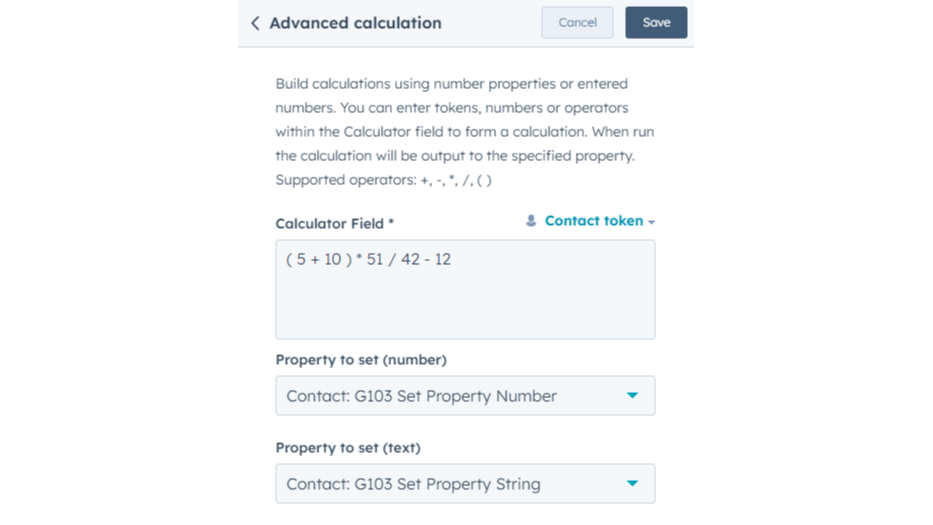
Create advanced calculations using numbers or entered properties
Build calculations using number properties or entered numbers. You can enter tokens, numbers or operators within the Calculator field to form a calculation. When run the calculation will be output to the specified property. Supported operators: +, -, *, /, ()
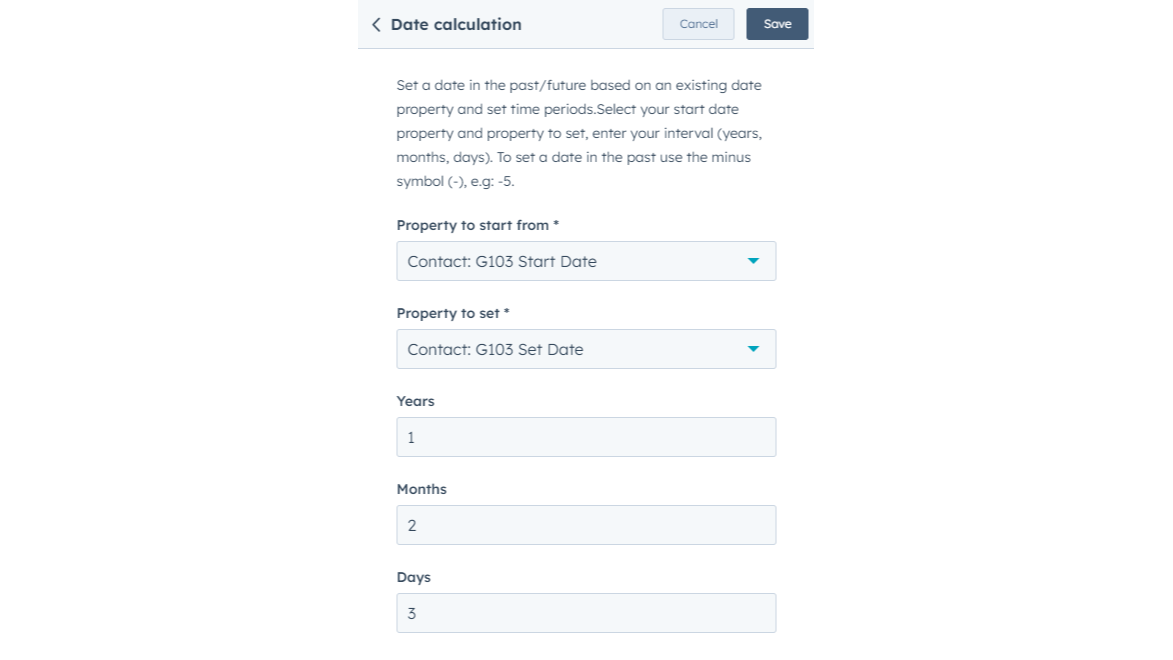
Set a date in the past/future based on an existing date property
Set a date in the past/future based on an existing date property and set time periods. Select your start date property and property to set, and enter your interval (years, months, days). To set a date in the past use the minus symbol (-), e.g.: -5.
Set a date/time in the past/future based on an existing date property
Set a date and time in the past/future based on an existing date and time property and set time periods. Select your start date property and property to set, enter your interval (years, months, days, Hours, Minutes). To set a date and time in the past use the minus symbol (-), e.g: -5.
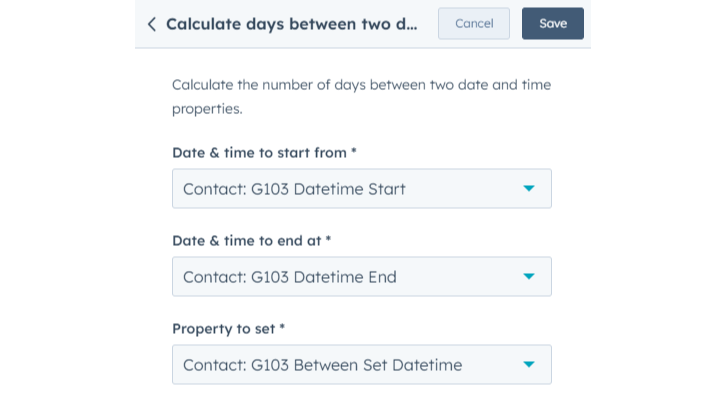
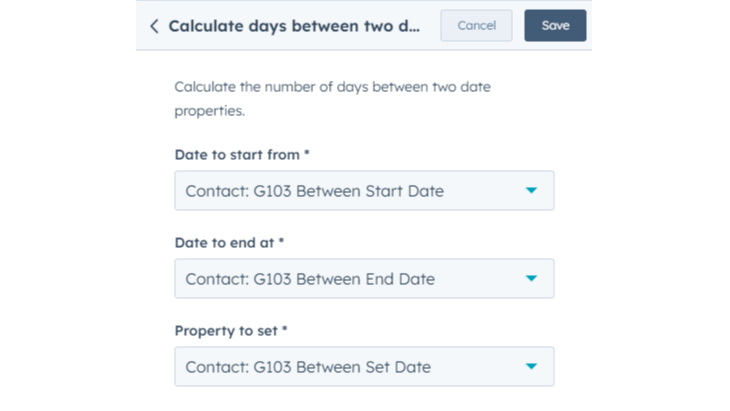
Calculate dates and date/times between two date properties
Calculate the number of days between two date or date/time properties.
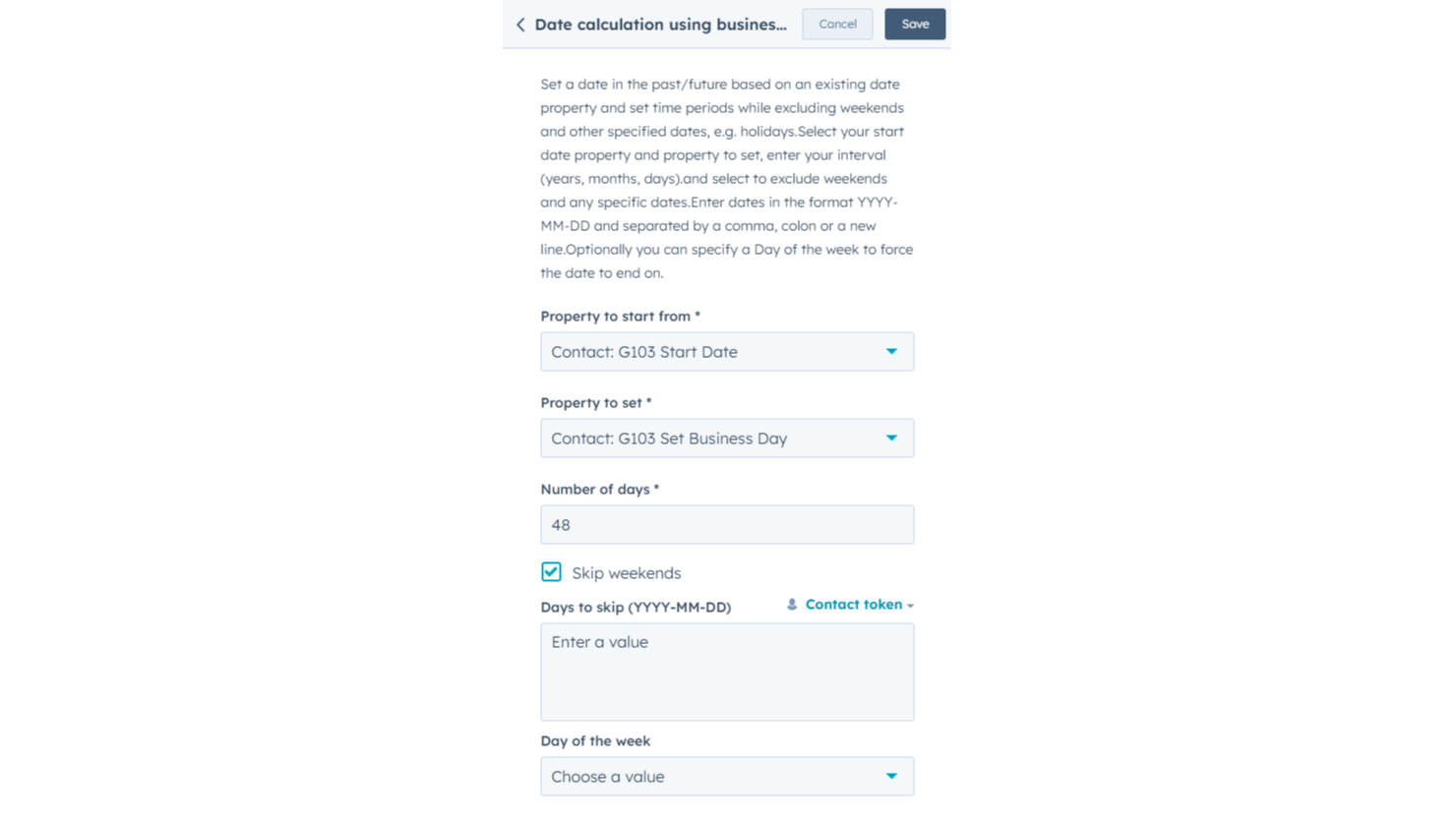
Set a dates while excluding weekends and other non-working days
Set a date in the past/future based on an existing date property and set periods while excluding weekends and other non-working days. Select your start date property and property to set, enter your interval and select dates to exclude. Optionally you can specify a Day of the week to force the date to end on.
Sovelluksen toiminnallisuus
Contacts, Companies, Deals, Tickets, Custom Objects | ||
Contacts, Companies, Deals, Tickets, Custom Objects | ||
Contacts, Companies, Deals, Tickets, Custom Objects | ||
Contacts, Companies, Deals, Tickets, Custom Objects | ||
Contacts, Companies, Deals, Tickets, Custom Objects |
Arvostelut
- 11. heinä 2025
Yksinkertainen, tehokas
Auttaa täyttämään joitakin aukkoja HubSpotin valmiissa toiminnallisuudessa.
Vain toimii
Se on maksullinen palvelu (mutta kohtuuhintainen, ja krediittejä voi käyttää kaikissa Integration Gluen palveluissa).
Sutton, B.
- 24. touko 2025
Yksinkertainen ratkaisu, joka säästää tunteja ja rahaa
Helppo asentaa, toimii sujuvasti
Paljon halvempi kuin HubSpotin toimintapaketti ja helppo ottaa käyttöön. Näin säästämme viikoittain tunteja, kun emme tarvitse laskea kenttää manuaalisesti.
Ilmaispaketissa ei ole niin paljon krediittejä, mutta kiitollinen siitä, että ilmaispaketti on ylipäätään olemassa.
Hingtgen, C.
Free
0 $
Great for small teams starting out or anyone who wants to learn more
Includes 100 credits; Actions use 1 - 2 credits each time they run = 50 - 100 runs of Custom Actions per month (dependent on the actions used)
Free
0 $
Great for small teams starting out or anyone who wants to learn more
Includes 100 credits; Actions use 1 - 2 credits each time they run = 50 - 100 runs of Custom Actions per month (dependent on the actions used)
*Hinnoittelu tässä on vain esittelytarkoituksessa. Kaikki hinnat eivät sisällä veroja, kannustimia, alennuksia tai muita hinnoittelumuuttujia. Pyydä kumppanilta ajantasaiset ja oikeat hintatiedot. HubSpot ei ota vastuuta näistä kumppaneidemme tarjoamista hintatiedoista. Hinnoittelu päivitetty viimeksi: 09.08.2025
Lisätietoja
Rakentanut - Integration Glue
Asennukset - Yli 500 asennusta
Kategoriat Kielet, joilla tämä sovellus on saatavilla Englanti