

CalendarSplice
Automated Task to Google and Outlook Calendar Syncing
Créé par - HubSplice LLC
Installation - 70+ installations
Évaluation - 4,2(5)
Exigences
Abonnement HubSpot Autorisations de compte HubSpot Aucune autorisation de HubSpot n'est requise. CalendarSplice peut demander des autorisations supplémentaires lors de la connexion. Abonnement à CalendarSplice - Abonnements : Individual ou Small Team
Vue d'ensemble
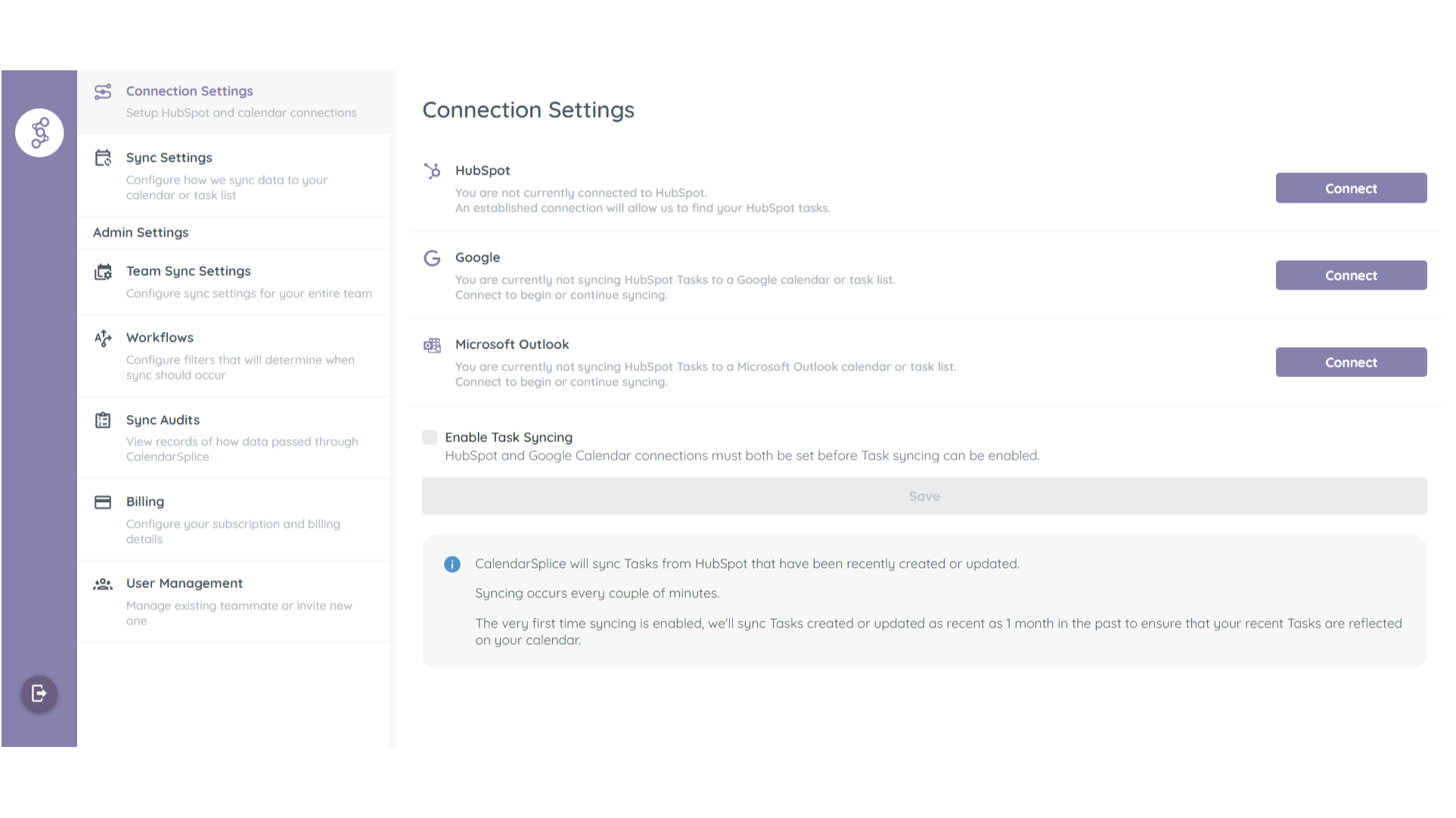
1/3 - Connect CalendarSplice to your HubSpot and Google Calendar
Automatically sync Tasks created in HubSpot to your Google or Outlook Calendar as Events.
Syncing happens both ways.
Updated made to synced calendar Events will sync back to their associated HubSpot Tasks.
Always Room for One More
Invite your team in HubSpot to your team in CalendarSplice and enable Task syncing for everyone with one button.
Fonctionnalités
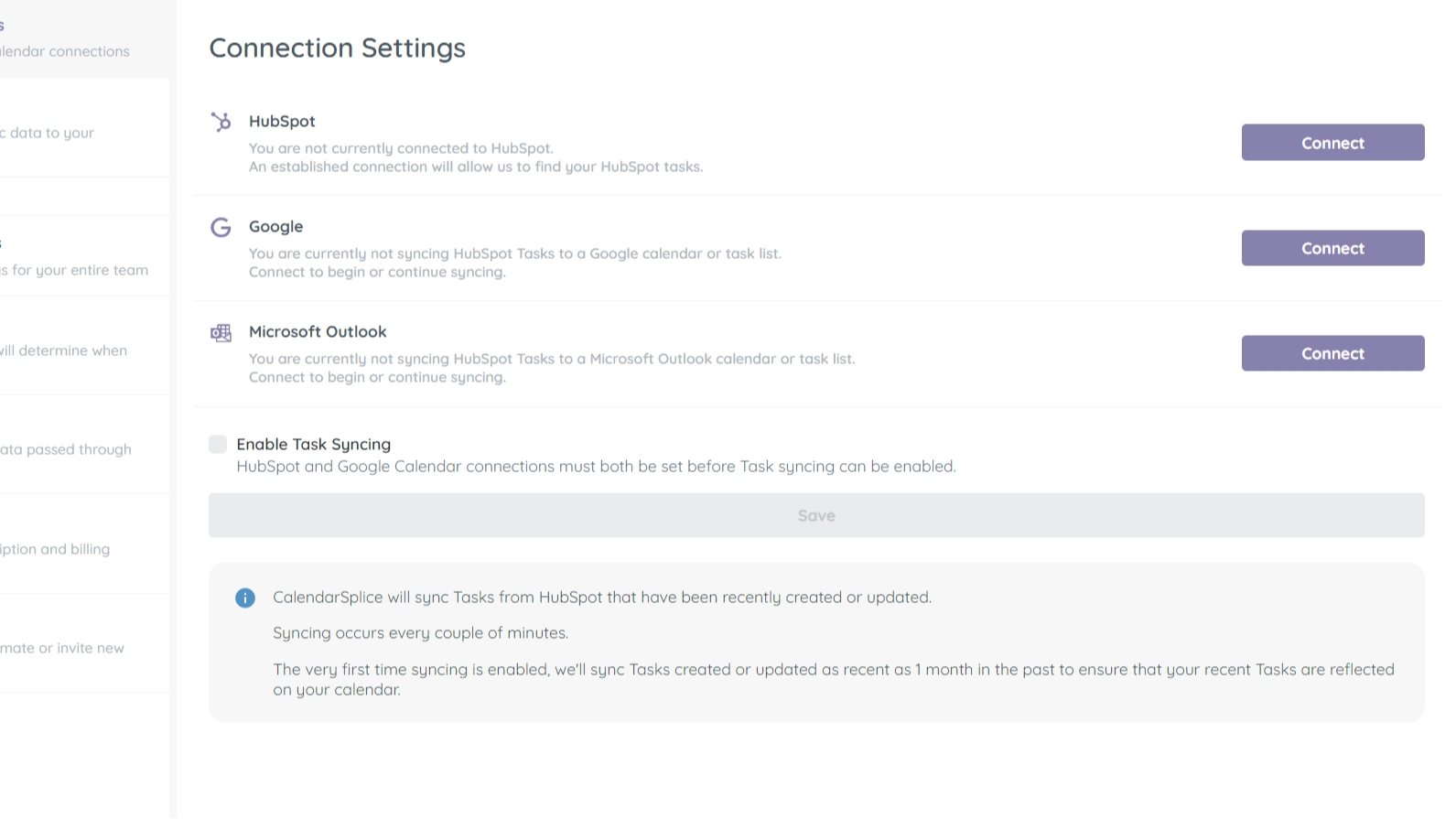
Sync tasks between your calendar and HubSpot
Once you've connected your Google or Outlook calendar to CalendarSplice and enabled syncing, task that are created in HubSpot will automatically be added your calendar. Edits made in HubSpot and your calendar to the relevant tasks and events will also sync both ways.
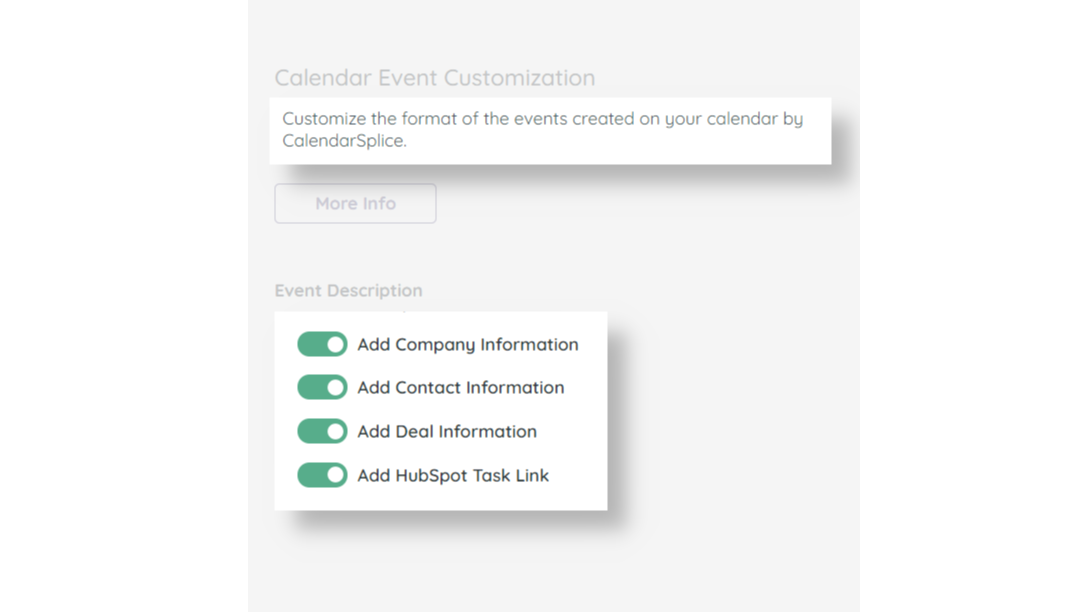
Add Contact, Company, and Deal Info to Synced Tasks
Yes, when we sync the task to your calendar, we include the task title from HubSpot. However CalendarSplice also allows you to add more details and links to the synced event that includes which records each task is associated with. This will give each assignee more insight, at a glance, to what they need to accomplish.
Create HubSpot tasks from your calendar
Sometimes you need to create tasks on-the-go while you're already looking at your calendar. After all, while looking at your calendar, you can see all your available time slots. With CalendarSplice, you can sync events you create on your calendar to HubSpot. Edits made to the relevant task or event will sync between both systems.
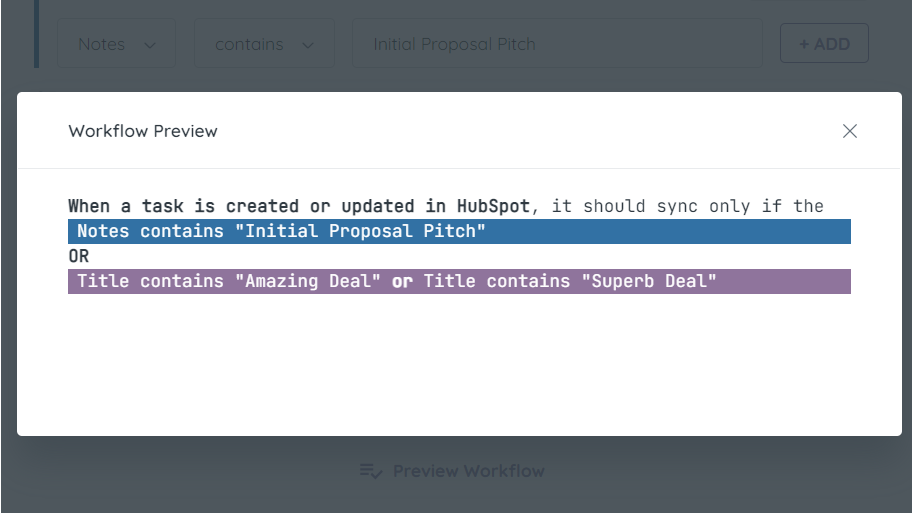
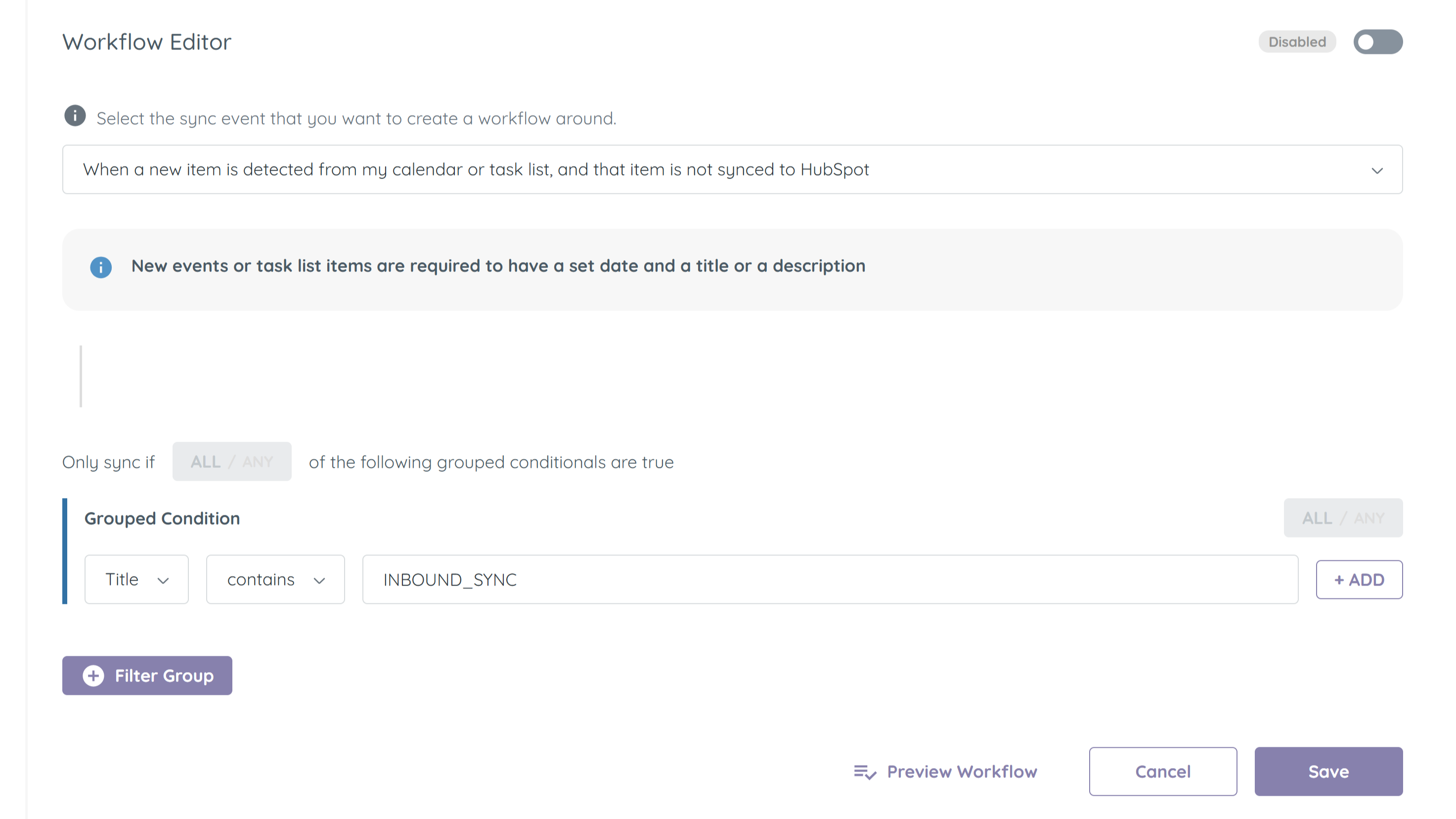
Filter which tasks get synced between HubSpot and your Calendar
All of your tasks in HubSpot may need to make there way to your calendar. Use the Workflows system in CalendarSplice to fine tune how and when CalendarSplice syncs your tasks.
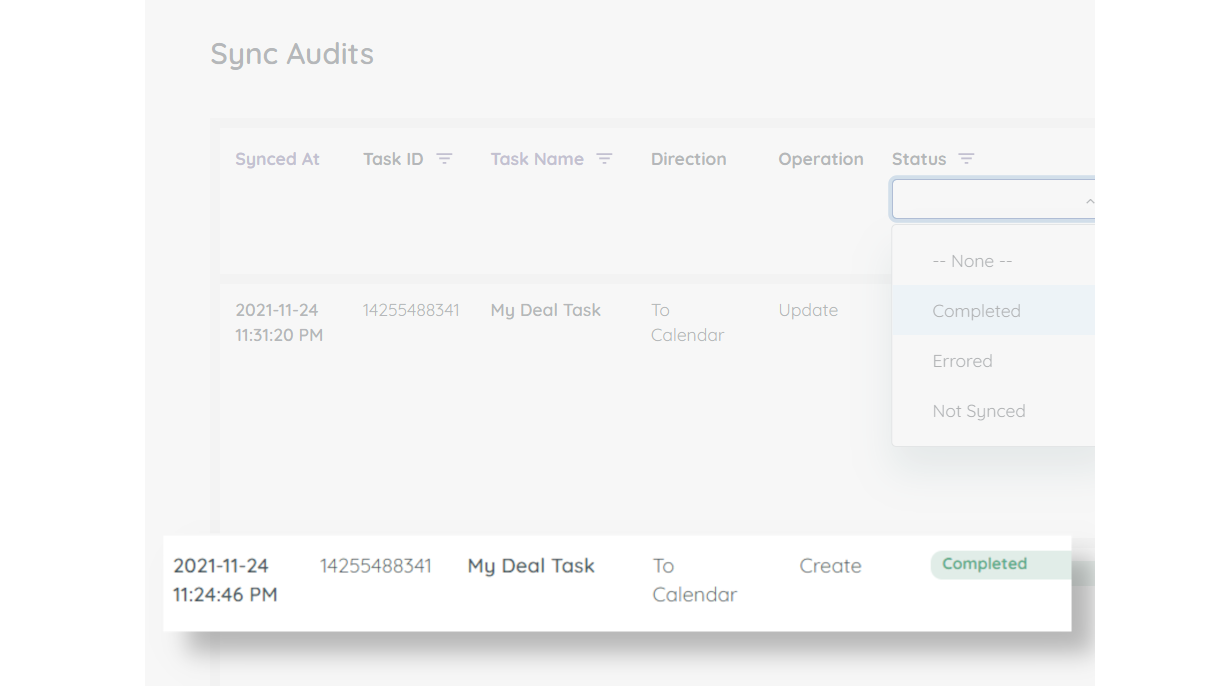
Activity Logging
Sometimes you may want to know if syncing is in-fact happening, or why a certain task was not synced. Utilize our Sync Audits logging to see details for all the sync interactions CalendarSplice has with HubSpot and your calendar.
Fonctionnalité de l'application
Données partagées
Calendar Event | ||
Calendar Task |
Avis
4,2
5
4,2
5
- 16 déc. 2024
Currently this system has been down for around 5 days...
Website and service is down, support website and email do not work. HubSpot will not support it. Avoid December 2024.
Works well, when the entire system is not down
Hutchinson, A.
- 19 oct. 2022
syncs seemlessly
Super easy to integrate, saves a lot of time. I would recommend for anyone needing to create a large number of tasks quickly
Have service events stored as tasks in HubSpot, needed to export to a calendar
Ciochetto, A.
Activité - 2 à 5 employés
Tarification
Individual
13 $US
/moisFor 1 user
New and updated Tasks will sync to your Google or Outlook Calendar.
Updates to Events made in your calendar will sync back to their associated HubSpot Task.
Individual
13 $US
/moisFor 1 user
New and updated Tasks will sync to your Google or Outlook Calendar.
Updates to Events made in your calendar will sync back to their associated HubSpot Task.
* Les prix mentionnés ici sont uniquement présentés à titre indicatif. Tous les prix n'incluent pas les taxes, les offres spéciales, les réductions ni les autres facteurs pouvant affecter les tarifs. Vous devez contacter le partenaire pour obtenir les tarifs les plus récents. HubSpot n'assume aucune responsabilité pour les informations de tarification fournies par ses partenaires. Dernière mise à jour des prix : 10/04/2025
Informations supplémentaires
Créé par - HubSplice LLC
Installation - 70+ installations
Catégories Langues dans lesquelles cette application est disponible Anglais
Attirer l'attention aujourd'hui

Gmail
Intégrez HubSpot à votre boîte de réception grâce à l'intégration…
Google Chat
Get notifications and collaborate on customer tickets and messages
