

Kixie PowerCall & SMS

Leading
Exigences
Abonnement HubSpot Autorisations de compte HubSpot - Afficher les autorisations de compte requises
Type d'accès Partagé Abonnement à Kixie PowerCall & SMS - Abonnement : Professional + Power Dialer
Vue d'ensemble
1/9
The top rated all-in-one advanced calling and texting platform for HubSpot. Auto dial, call or text from HubSpot with a single click, with every interaction recorded automatically on the contact page.
Kixie PowerCall & SMS enables revenue teams to boost performance with a suite of advanced calling and texting features. Kixie automatically recognizes phone numbers on any web page and places a click-to-call button next to each number for one-click dialing.
Calls, texts, dispositions and activities are logged automatically in your CRM, practically eliminating the need for the tedious manual record-keeping that slows down salespeople in their day-to-day activities.
Features include:
PowerDialer: Power dial through lists of contacts automatically. Boost productivity tenfold by dialing up to 10 phone numbers in parallel with the Kixie multi-line PowerDialer. AI Human Voice Detection skips over voicemails, IVRs and other recordings so you’re only connected when a lead answers the phone.
Advanced AI-powered local presence lets users call from a number with the same local area code as the person they’re calling
Team SMS: Shared SMS/MMS inbox allows multiple agents to reply on a single text message thread, reducing response times and allowing for smoother teamwork and communication
Voicemail drop allows you to leave custom pre-recorded messages with a single click, without having to wait for the “beep”
SMS templates with dynamic fields let you send personalized messages without touching your keyboard
Click-to-call & click-to-text any number on any webpage
Call center features including IVRs, ring groups, call queues, and dynamic routing allow for a seamless customer experience on incoming calls
DNC List Compliance features help you avoid calling people on your Do-Not-Call list, helping businesses keep their reputations intact
Conversation Intelligence: Like a behind-the-scenes assistant that makes everyone's job easier, Kixie’s Conversation Intelligence platform makes it easy to track sales calls, coach your team, and maintain comprehensive records in your CRM.
Fonctionnalités
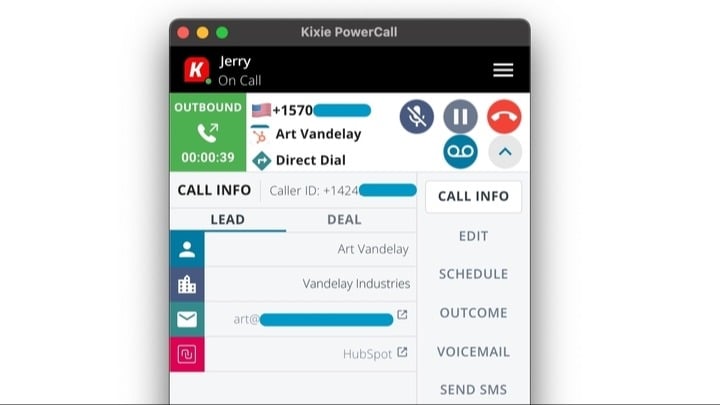
Heads Up Display on Inbound and Outbound Calls
Automatically display Contact, Company, and Deal info in the Kixie PowerCall dialer on incoming and outgoing calls. Users can click on CRM link in the Kixie dialer to be taken to the contact page to see more information.
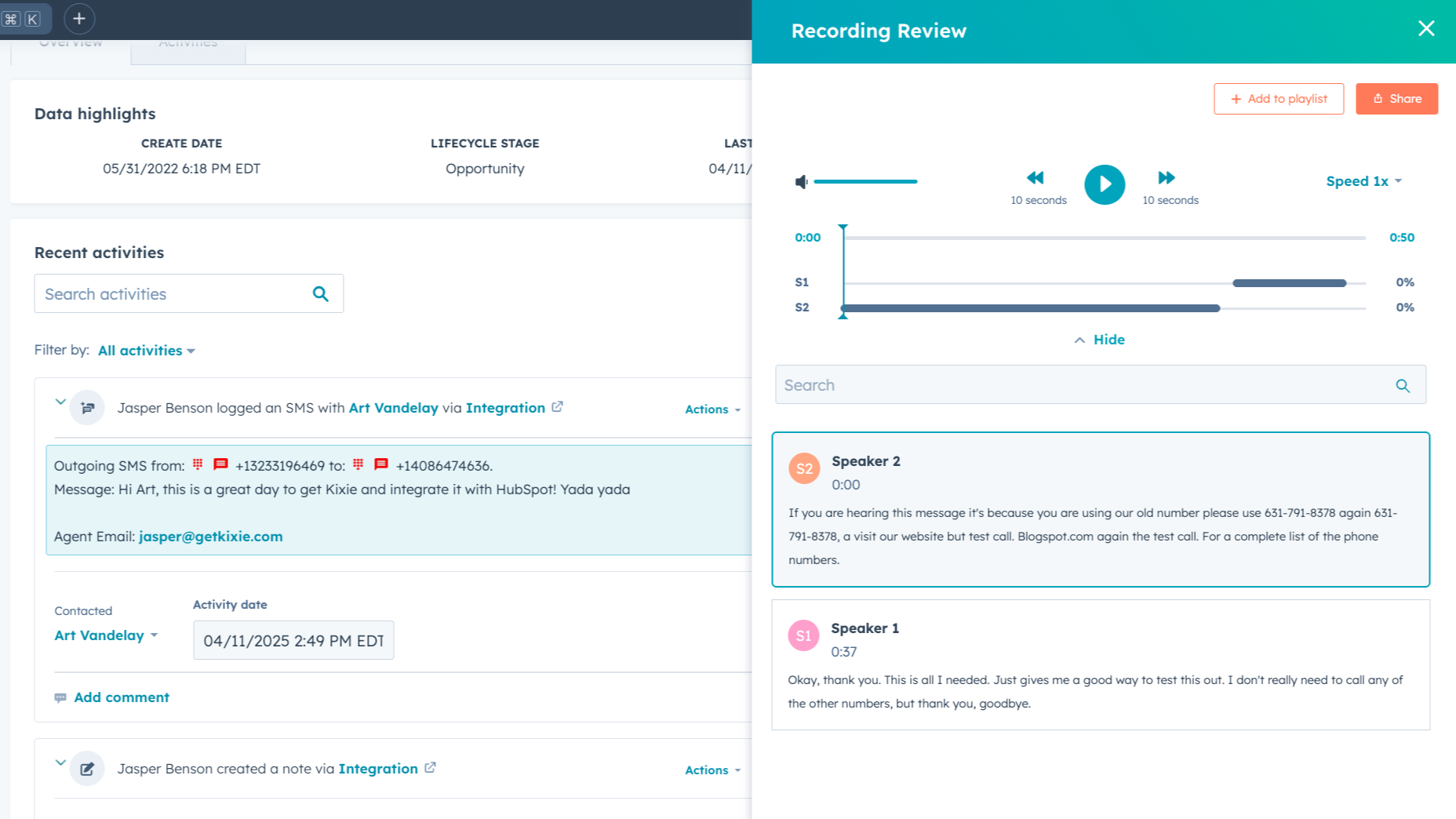
Automatically Log Kixie Call & Text Activities to HubSpot Records
Kixie automatically logs calls, texts, call outcomes, summaries, recordings, notes & scheduled activities to the appropriate Contact record in HubSpot, and any Company or Deal records associated with the Contact. Users can also update or edit HubSpot Contact information within the Kixie PowerCall dialer.
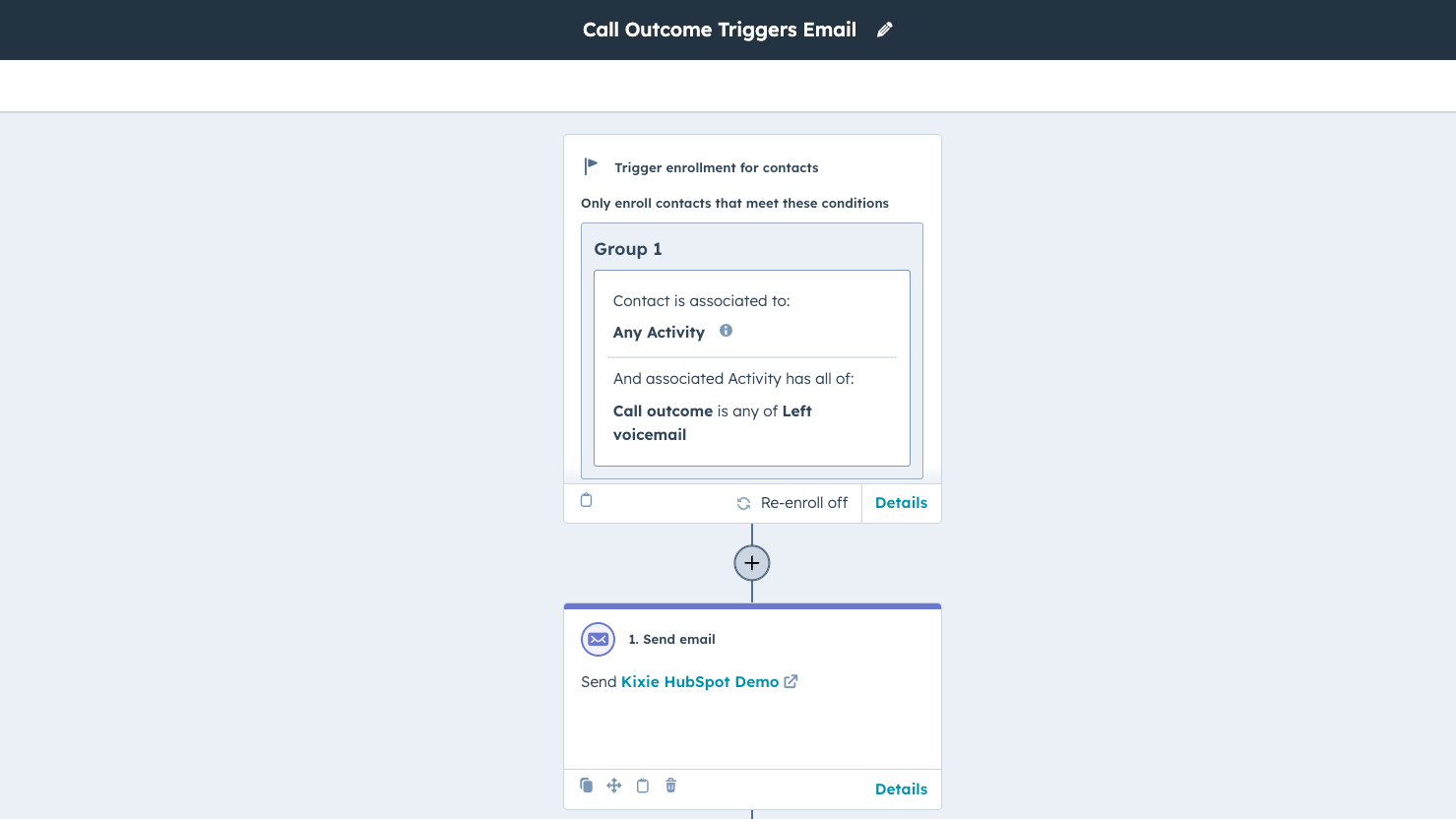
HubSpot Workflows Integration — Triggers
Kixie can trigger or stop HubSpot Workflows with call outcomes, inbound calls or texts, or other activities completed inside the Kixie PowerCall dialer. Automatically send an email, update a deal stage, and so much more with Kixie's HubSpot Workflows integration.
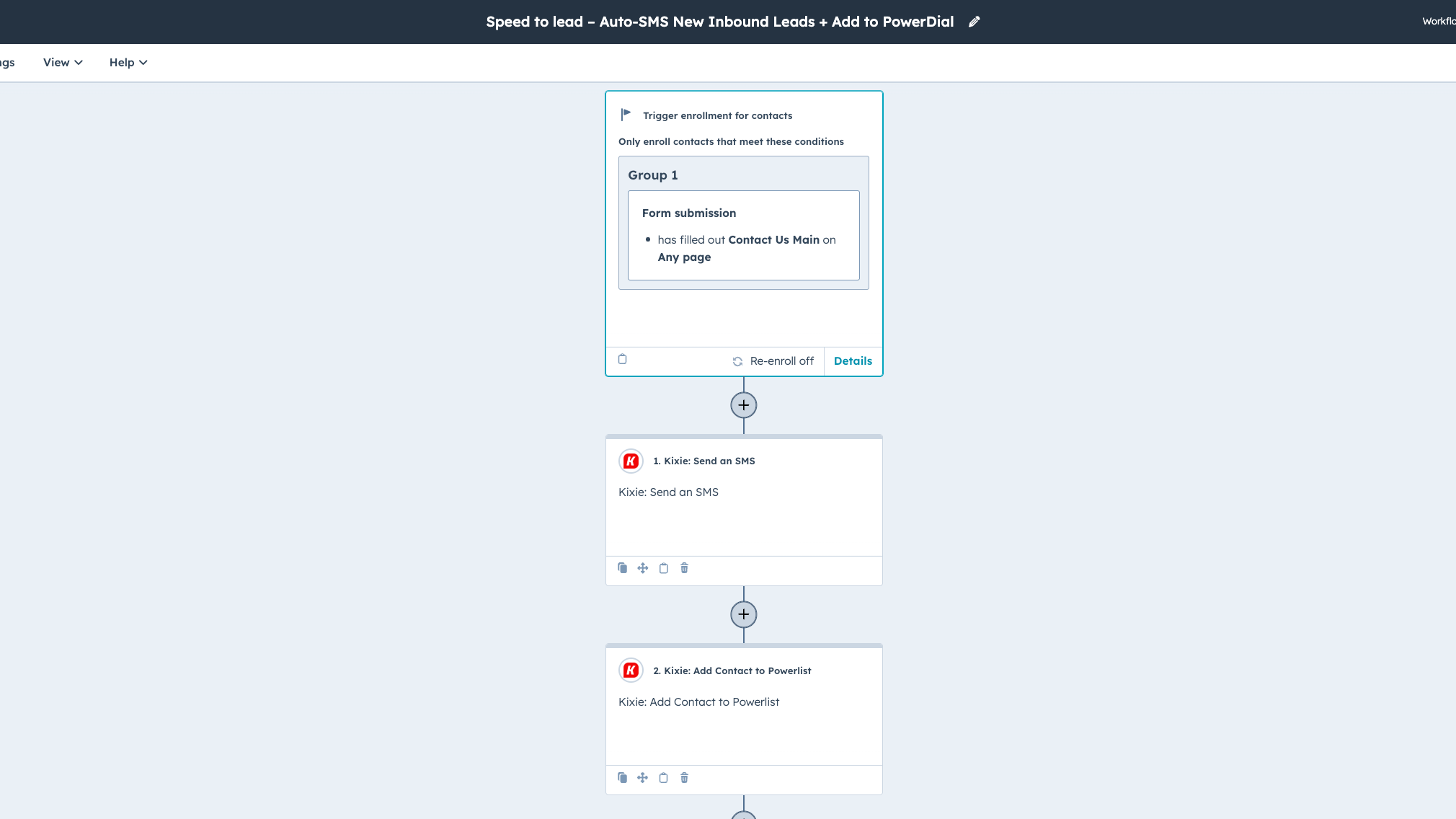
HubSpot Workflows Integration — Actions
Automatically send templated text messages with dynamic fields pulled from HubSpot, trigger call prompts, and add or remove contacts from a Kixie power dialing list with HubSpot Workflows. Add auto-texting, lightning fast speed-to-lead, and more to engage contacts in the right place at the right time.
Fonctionnalité de l'application
Données partagées
Contacts | ||
Deals | ||
Engagements | ||
Companies | ||
Contact Owners | ||
Contact Lists |
4,6
142
4,6
142
- 1 mai 2026
Caspento, O.
- 1 déc. 2025
Des problèmes de synchronisation frustrants et un rafraîchissement constant rendent ce logiciel à peine fonctionnel malgré ses caractéristiques de base.
La plus grande perte de temps que j'ai jamais essayé d'utiliser.
Il dispose d'une fonction sourdine.
La synchronisation est QUESTIONNABLE et semble être activée et désactivée. Vous ne pouvez charger que des listes et des flux de travail. Parfois le Crm se synchronise et vous pouvez choisir votre liste, parfois vous devez rafraîchir 10 fois avant qu'elle ne se charge.
Jobin, D.
Tarification
Professional + Power Dialer
Kixie Power Dialer lets you automatically call 1-10 lines in parallel
Professional + Power Dialer
Kixie Power Dialer lets you automatically call 1-10 lines in parallel
* Les prix mentionnés ici sont uniquement présentés à titre indicatif. Tous les prix n'incluent pas les taxes, les offres spéciales, les réductions ni les autres facteurs pouvant affecter les tarifs. Vous devez contacter le partenaire pour obtenir les tarifs les plus récents. HubSpot n'assume aucune responsabilité pour les informations de tarification fournies par ses partenaires. Dernière mise à jour des prix : 14/08/2025