

Snap2CRM – Business Card Scanner
Exigences
Abonnement HubSpot Autorisations de compte HubSpot - Afficher les autorisations de compte requises
Type d'accès Partagé Abonnement à Snap2CRM – Business Card Scanner - Abonnements : Free, Starter, Pro, Business ou Enterprise
Vue d'ensemble
1/8 - Snap2CRM demo: choose a HubSpot form, scan a business card, review the contact details and submit.
Turn every business card into reviewed, actionable HubSpot data—without spreadsheets, imports, or a disconnected capture tool.
Snap2CRM gives sales teams a fast mobile capture flow while keeping your HubSpot setup in control. Choose the connected HubSpot form that fits the situation, scan a card, review and edit the extracted details, and submit. HubSpot then handles contact creation or updates, deduplication, and the workflows, routing, scoring, notifications, lists, and follow-up configured for that form.
Getting started is guided. After installation, the onboarding walks you through connecting HubSpot, preparing your forms, and completing your first test scan. Start free, then add team features such as notes, dynamic ownership, and selective form access as your process grows.
Fast for the person scanning
Capture a card during a meeting or event in seconds.
Review every detail before it reaches HubSpot.
Add useful context while the conversation is still fresh.
Built for events and field sales
Keep moving through high-volume capture without returning to spreadsheets later.
Use the right HubSpot form for each event, campaign, region, or team.
Turn captured contacts into timely follow-up through your existing automation.
Controlled by RevOps and Marketing Ops
Keep HubSpot forms, fields, hidden values, and downstream logic at the center of the process.
Standardize contact capture without relying on manual CRM entry.
Control ownership and which forms are available to which people.
Fonctionnalités
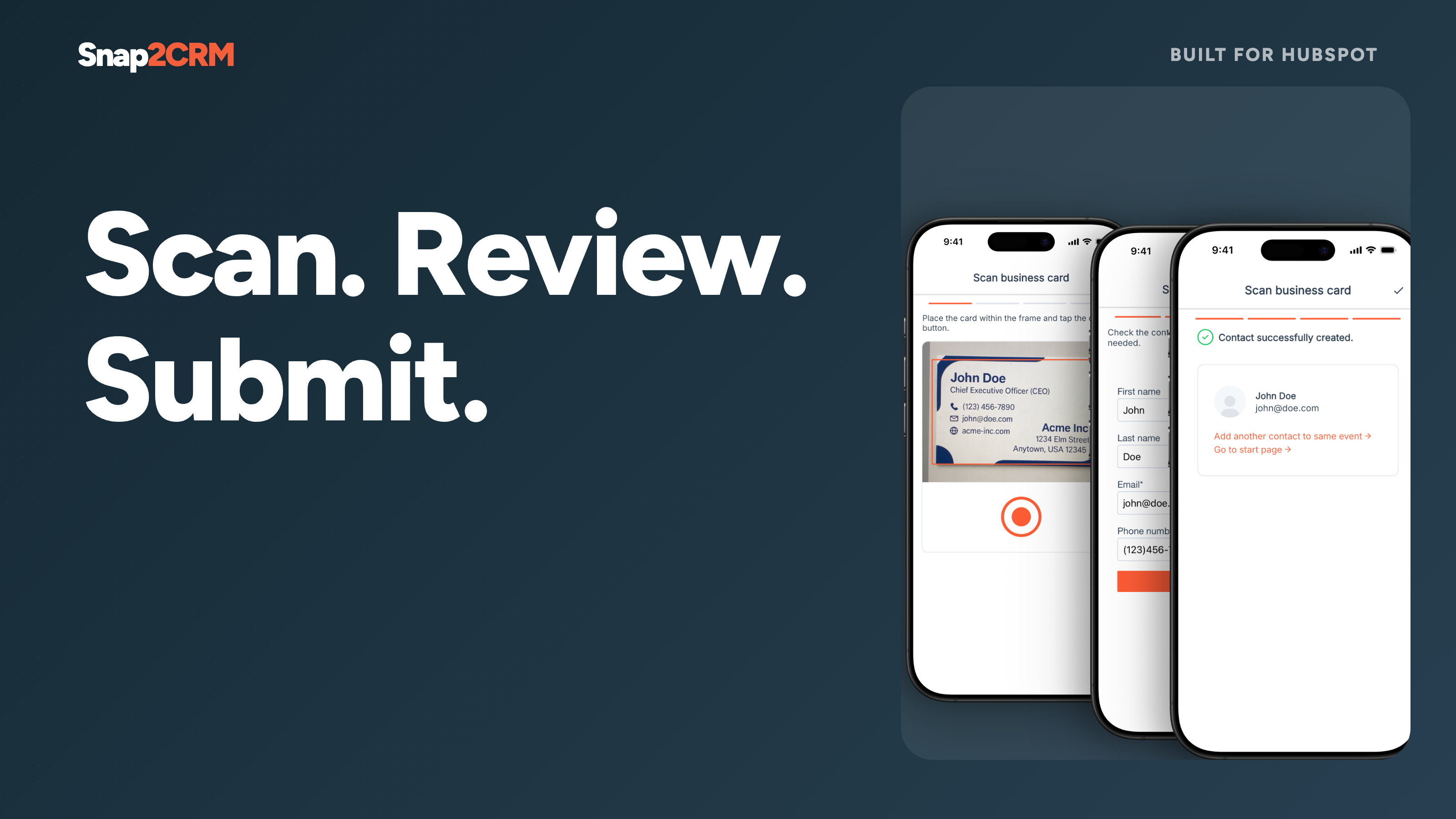
Reviewed scan-to-form flow
Choose the appropriate connected HubSpot form, scan a card, check or edit the extracted contact details, and submit. Snap2CRM turns physical cards into structured form submissions without CSV uploads or copy-paste.
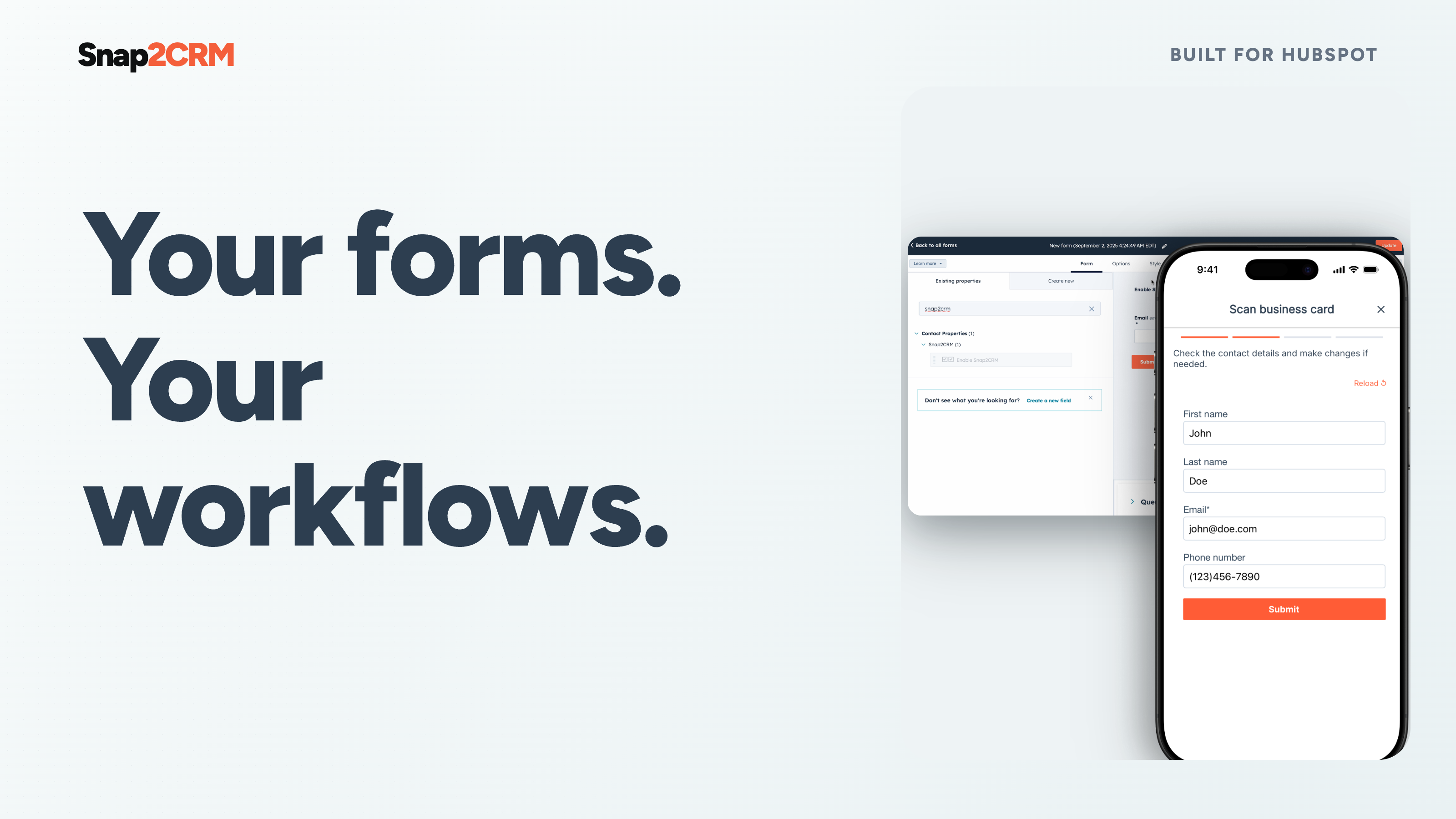
HubSpot-native follow-up
Each completed scan is submitted through the selected HubSpot form. HubSpot remains the system of record and handles contact creation or updates, deduplication, and any workflows, routing, scoring, notifications, lists, or follow-up configured for that form.
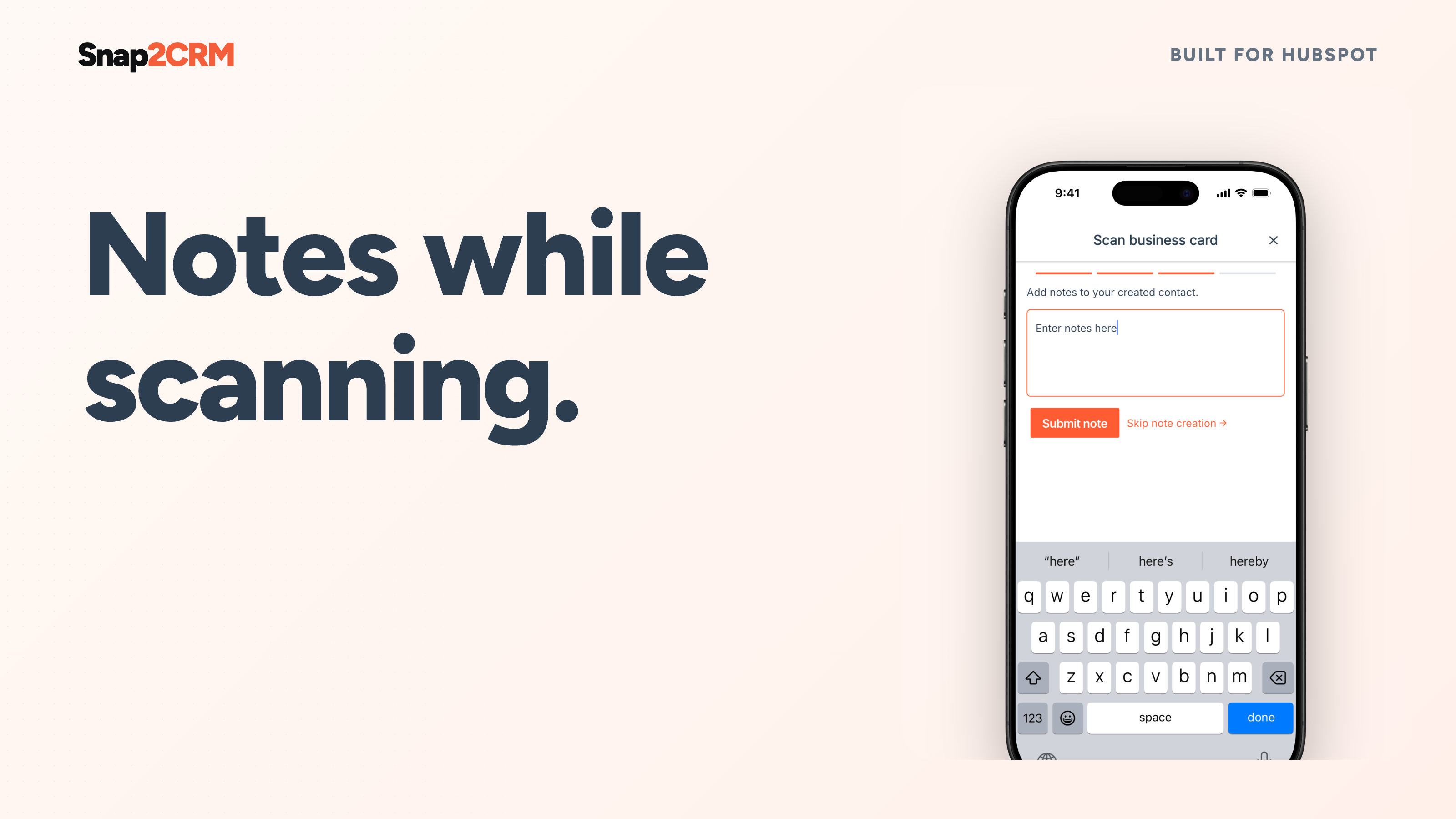
Notes at the moment of capture
Add meeting context while it is still fresh. Snap2CRM keeps the note connected to the contact in HubSpot, giving your team what it needs for a relevant follow-up. Available on Pro and higher plans.
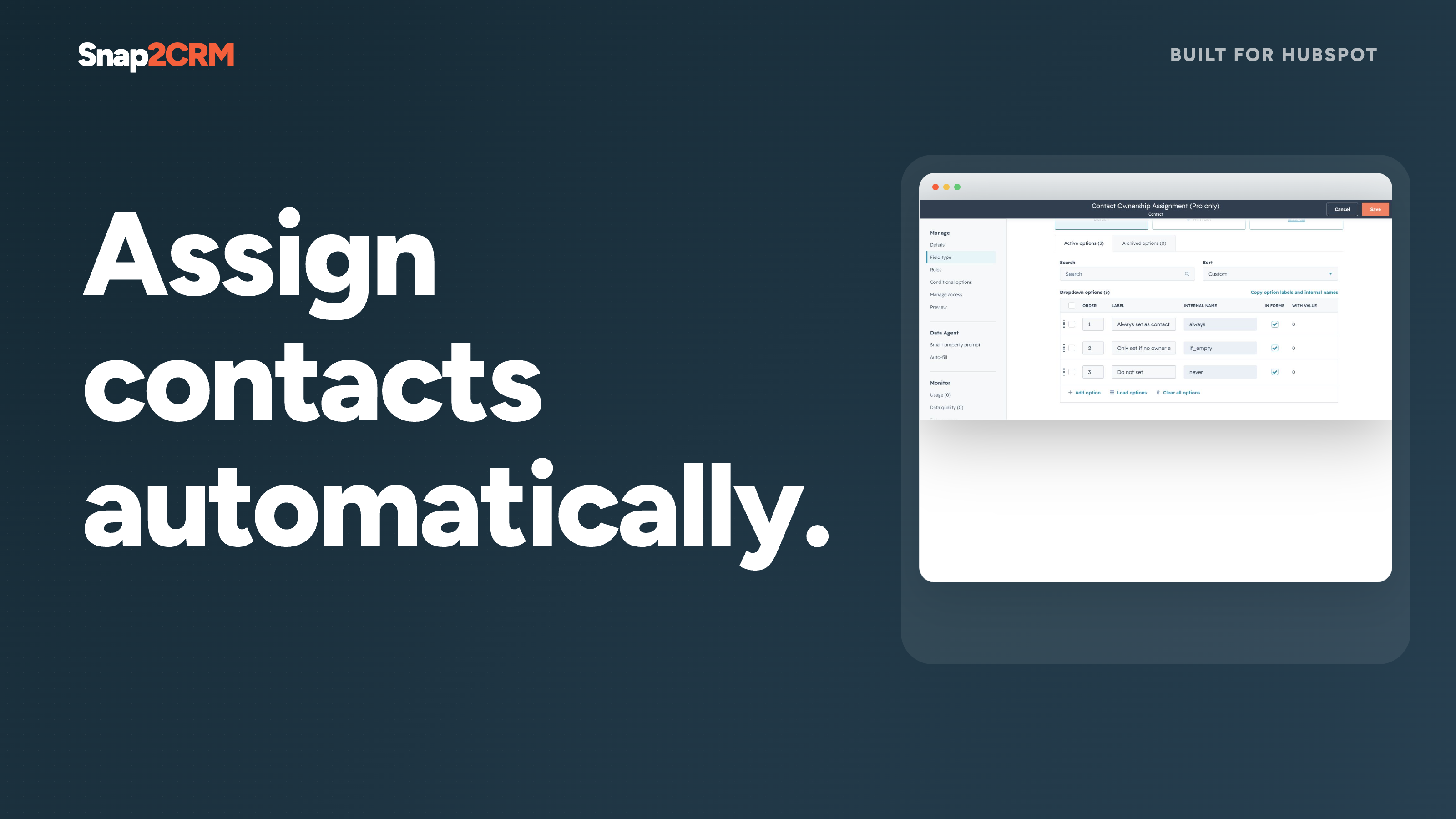
Dynamic contact ownership
Assign the scanning user as the contact owner automatically, with flexible options for the process your team has configured. Give every captured lead a clear next owner without a second admin step. Available on Pro and higher plans.
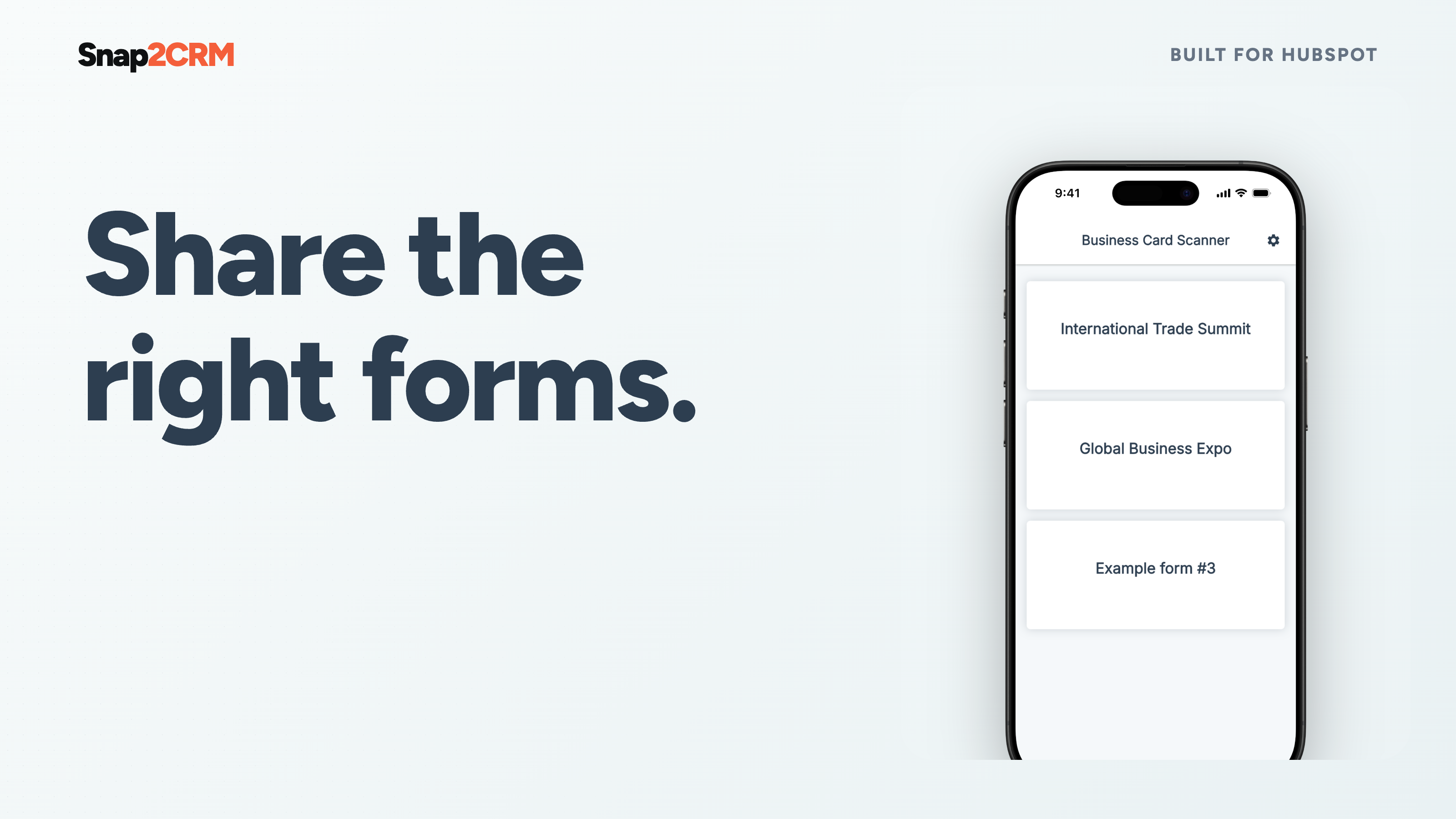
Selective form access
Show users only the HubSpot forms relevant to their team, region, event, or campaign. Reduce clutter and keep internal or specialized capture flows available only to the intended people. Available on Business and higher plans.
Fonctionnalité de l'application
Données partagées
Snap2CRM users | ||
Snap2CRM properties | ||
Forms in Snap2CRM mobile app |
Contact data is submitted through the selected form to your connected HubSpot account. Snap2CRM retains only the metadata needed for operation, security, billing, diagnostics and usage analysis.
- 23 juin 2026
Je ne sais pas trop comment le configurer, c'est trop compliqué.
Il faudrait un connecteur plus fluide et une meilleure expérience utilisateur.
Je ne sais pas trop comment le configurer, c'est trop compliqué.
Rao, B.
- 13 mai 2026
Fonctionne comme prévu
Cela nous donne plus de flexibilité que d'utiliser le scanner HubSpot lui-même. Avec les formulaires, nous pouvons déclencher la création de leads automatiquement, alors que dans l'application HubSpot, il y a beaucoup d'étapes à franchir avant de créer un nouveau contact et un nouveau lead.
Remplir des formulaires en scannant une carte de visite
Une autre application que les commerciaux doivent utiliser.
Houben, L.
Tarification
Free
0 $US
Get started for free – no credit card required.
25 scans/month
Free
0 $US
Get started for free – no credit card required.
25 scans/month
* Les prix mentionnés ici sont uniquement présentés à titre indicatif. Tous les prix n'incluent pas les taxes, les offres spéciales, les réductions ni les autres facteurs pouvant affecter les tarifs. Vous devez contacter le partenaire pour obtenir les tarifs les plus récents. HubSpot n'assume aucune responsabilité pour les informations de tarification fournies par ses partenaires. Dernière mise à jour des prix : 28/09/2026
Informations supplémentaires
Créé par - Snap2CRM
Installation - 100+ installations
Catégories Langues dans lesquelles cette application est disponible Allemand etAnglais