

Tiyora - WhatsApp Integration

Leading
Exigences
Abonnement HubSpot Autorisations de compte HubSpot - Afficher les autorisations de compte requises
Type d'accès Partagé Abonnement à Tiyora - WhatsApp Integration - Abonnements : Starter Plan ou Professional Plan
Vue d'ensemble
-1.png)
1/8 - Send 1:1 WhatsApp messages from within HubSpot
Humans want to speak to humans, well, mostly :D
If you're using WhatsApp on the phone to keep the conversations human and personal, this app is a must have for you! You and your team can integrate WhatsApp with your HubSpot CRM using Tiyora and optimize your entire sales engine. With Tiyora, your sales reps can focus on selling while we handle the rest:
Start your free trial here, no card needed
All chats get logged in the HubSpot contact timeline automatically
Log all WhatsApp conversations in HubSpot, even when your computer is turned off (field reps and their managers love this feature)
Create and send templated messages (no need for WhatsApp approval) for faster response times
Use WhatsApp messages as triggers in HubSpot workflows (never miss a message whenever a prospect asked for "price" on WhatsApp)
View conversations, messaging performance, and pin important messages for individual sales reps in the Tiyora app dashboard
With Tiyora, manage contacts, tasks, and tickets, all from within it's dashboard no need to switch tabs between WhatsApp and HubSpot platforms.
Unlimited messages, no usage limits and no charges for messages.
DISCLAIMER: In compliance with WhatsApp Terms of Service you should use a WhatsApp Business App when integrating with HubSpot.
Fonctionnalités
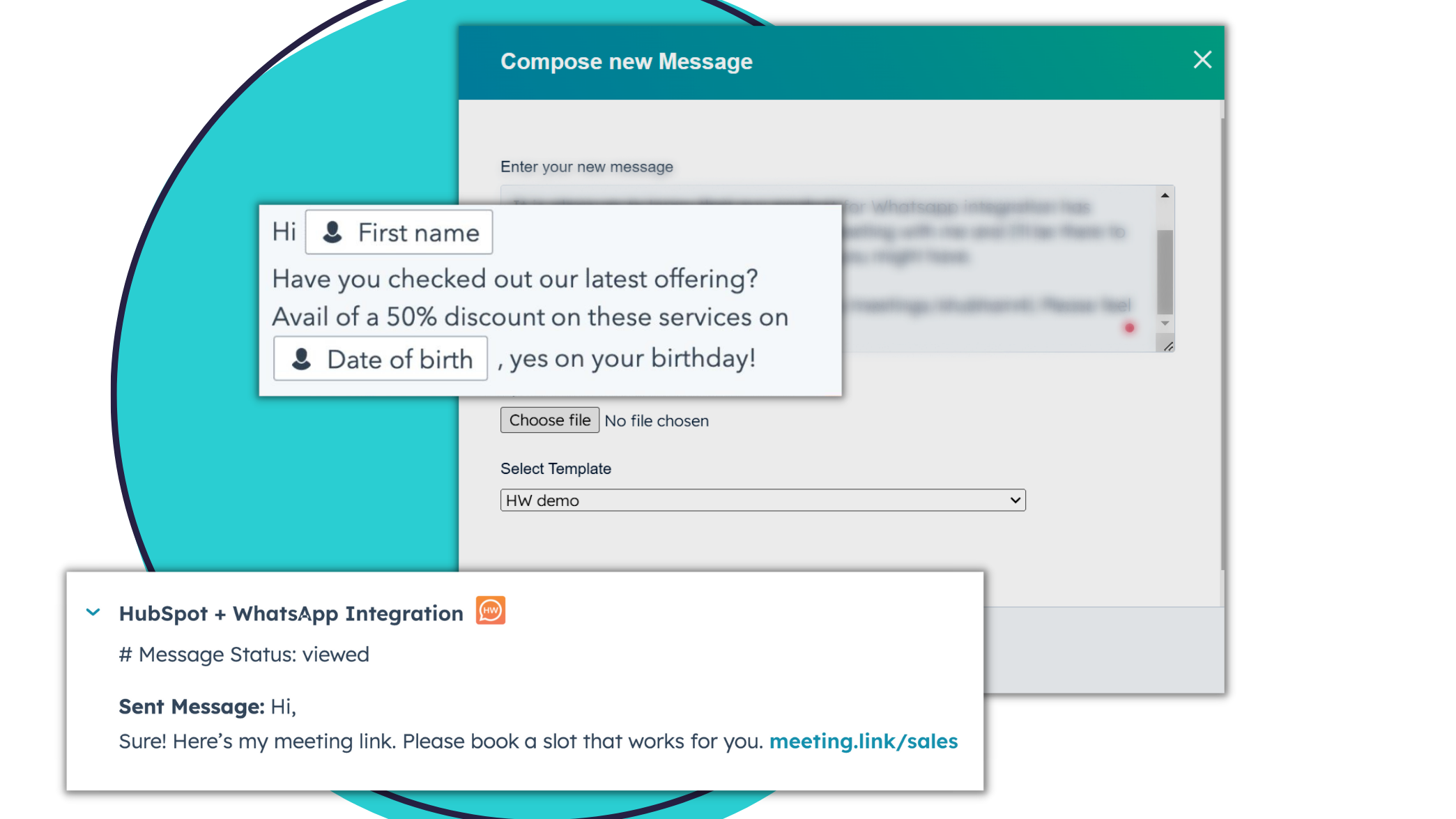
Manage your complete WhatsApp sales operation within HubSpot
- Send 1:1 WhatsApp messages to your contacts from within HubSpot. - Log and view all WhatsApp conversations with a contact, in the Contact Timeline. - Real-time sync between WhatsApp and HubSpot, even when you're not at your desk. - Personalize WhatsApp messages with HubSpot properties.
-1.png)
Increase sales team productivity
- Automatically create new WhatsApp contacts in HubSpot, no manual logging needed. - Create unlimited WhatsApp message templates for quick responses. - Segment and label WhatsApp leads for efficient follow-up. - Pin important messages for easy access and tracking.
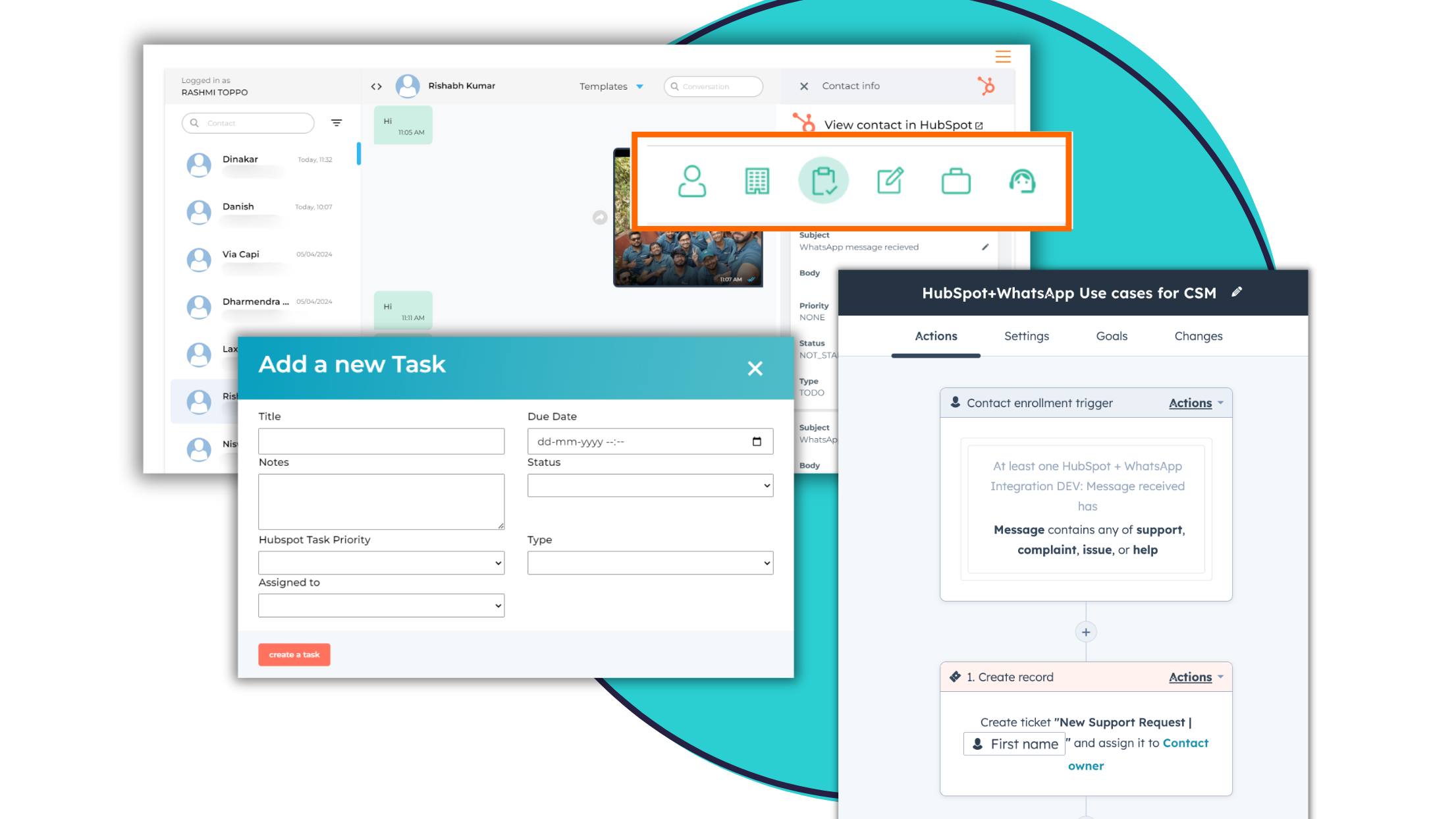
Improved sales processes & automation
- Automatically create agent reminders and tasks with HubSpot workflows, triggered by WhatsApp messages sent or received - Add/Edit HubSpot Contact, Company, & Deal properties associated with a contact, right from the app dashboard - Create new Tasks, Tickets, and Notes in HubSpot, and associate them to contacts, right from the app dashboard
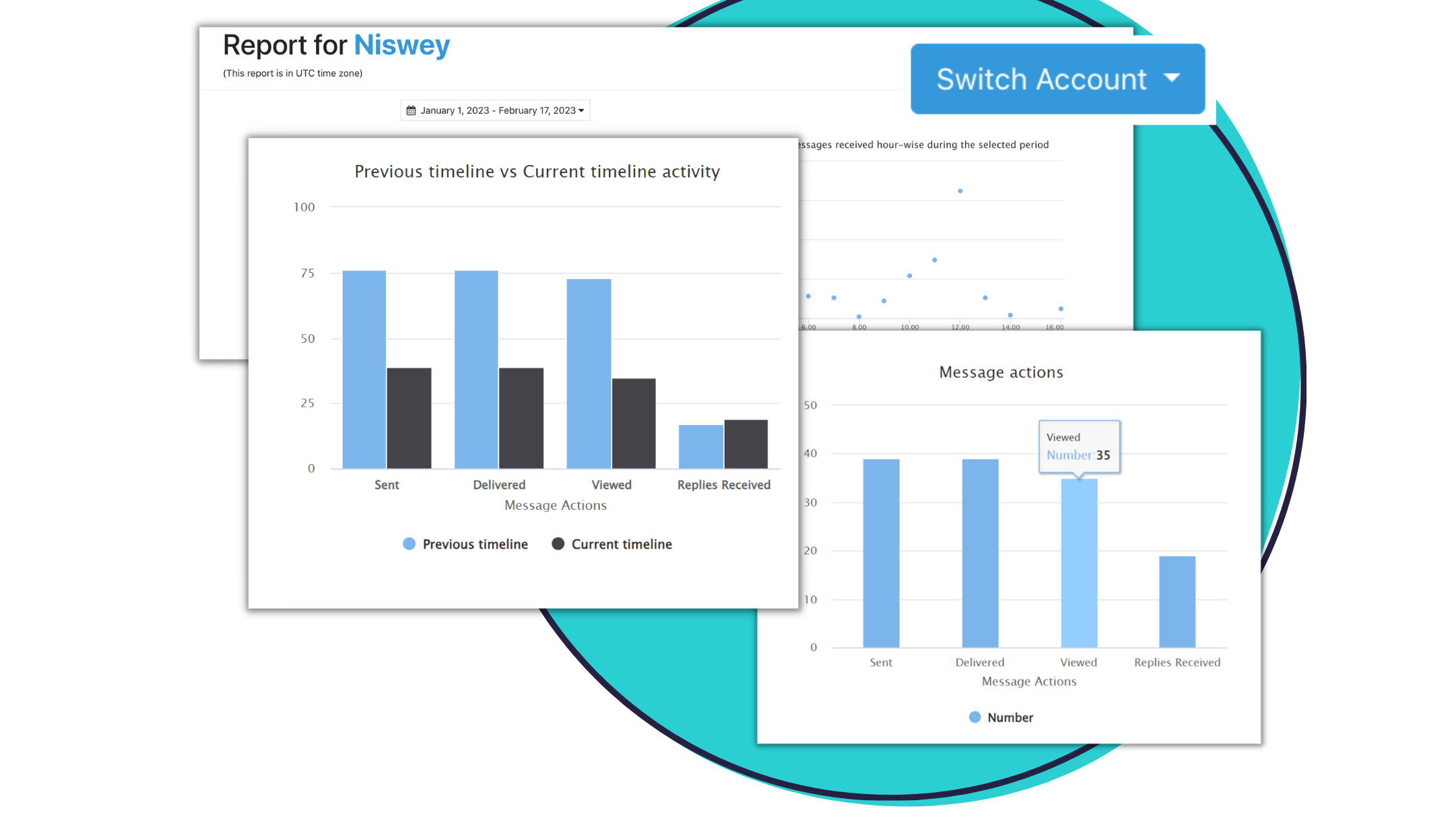
Get complete visibility and control of the WhatsApp sales channel
- All WhatsApp conversations history with a contact is visible to all team members & managers, to ensure full context - Retain visibility into all sales chats by a particular rep, even if they exit the organization - View messaging metrics dashboard for individuals reps, and the overall team, to review rep and channel performance
Fonctionnalité de l'application
Données partagées
Phone | ||
List | ||
Activity | ||
Message | ||
Contact |
4,0
36
4,0
36
- 6 oct. 2026
Juarez, Y.
- 21 nov. 2025
POC d'intégration de WhatsApp avec Tiyora - Produit stable et équipe solidaire
Nous avons réalisé un POC de trois mois avec Tiyora afin d'évaluer leur intégration de WhatsApp pour Agoda. Dans l'ensemble, le produit a bien fonctionné et est resté stable pendant toute la période de test. L'équipe de Tiyora s'est montrée très serviable, réactive à nos demandes et ouverte aux commentaires, ce qui a rendu l'engagement fluide et efficace. À ce stade, nous avons décidé de ne pas procéder à l'intégration de WhatsApp pour des raisons professionnelles qui ne sont pas liées à la solution de Tiyora. Cependant, si nous revenons sur ce sujet à l'avenir, Tiyora fera certainement partie des options que nous envisagerons.
Shumeika, V.
Tarification
Starter Plan
62,17 $US
/moisSupports only one user/phone line
1:1 messaging
Send text/ photos/ videos or URLs
Capture message history (incoming and outgoing)
See interactions on HubSpot Contact Timeline
Send upto 6,000 messages per day
Use Triggers in HubSpot Workflows
Get notifications for new messages
Create new contacts automatically in HubSpot
Maximum concurrent devices per number: 1
Upto 50 Templates
Upto 50 Labels
Starter Plan
62,17 $US
/moisSupports only one user/phone line
1:1 messaging
Send text/ photos/ videos or URLs
Capture message history (incoming and outgoing)
See interactions on HubSpot Contact Timeline
Send upto 6,000 messages per day
Use Triggers in HubSpot Workflows
Get notifications for new messages
Create new contacts automatically in HubSpot
Maximum concurrent devices per number: 1
Upto 50 Templates
Upto 50 Labels
* Les prix mentionnés ici sont uniquement présentés à titre indicatif. Tous les prix n'incluent pas les taxes, les offres spéciales, les réductions ni les autres facteurs pouvant affecter les tarifs. Vous devez contacter le partenaire pour obtenir les tarifs les plus récents. HubSpot n'assume aucune responsabilité pour les informations de tarification fournies par ses partenaires. Dernière mise à jour des prix : 09/08/2025