
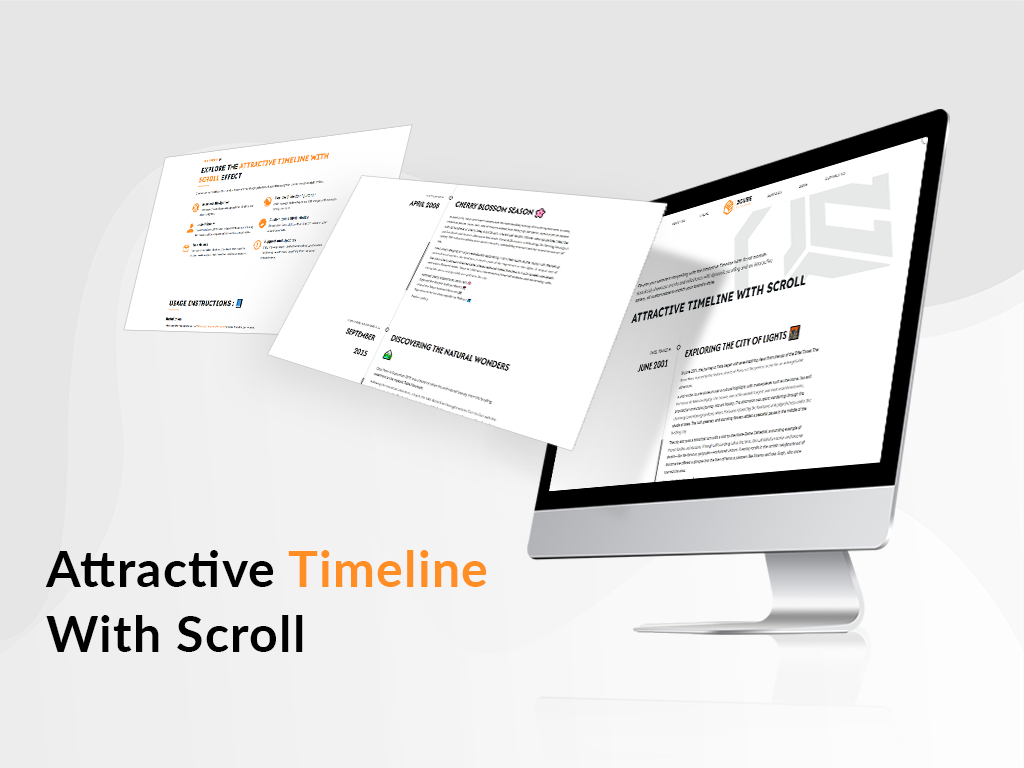
1/3 - Showcase your brand’s journey with an elegant, scrolling timeline.
Overview
Showcase your milestones with the Attractive Timeline With Scroll module. Easily highlight key events with dynamic scrolling and interactive galleries. Customize fonts, colors, and spacing to fit your brand. Perfect for creating a visually engaging timeline on your website.
Features ✨
Explore the Attractive Timeline With Scroll Effect
Discover how our Grid Flow Effect module transforms your image galleries with seamless navigation and customizable style options.
Seamless Navigation
Effortlessly browse through image galleries with intuitive arrow navigation.
Flexible Slide Configuration
Easily manage and configure multiple images with our user-friendly interface.
User-Friendly
The module is straightforward to implement and use, ensuring that you can quickly integrate it into your site without hassle.
Customizable Style Modes
Choose from Dark, Light, Auto, or Custom to match your website's aesthetic.
Free Module
This module is available for free, providing a cost-effective solution to enhance your website without additional expenses.
Support and Updates
Enjoy ongoing support and updates to keep your module functioning smoothly and benefiting from the latest enhancements.
USAGE INSTRUCTIONS : 📘
Installation
Download the Module: Obtain the "Grid Flow Effect" module from the our website.
Upload the Module: Go to your website's admin panel and upload the module file.
Activate the Module: Follow the installation guide provided in the documentation to activate the module.
Configure Settings: Access the module’s settings to configure the basic options and customization.
Customization
Access Settings: Go to the module’s settings in your website admin panel.
Style Mode Selection:
Go to the "Style Tab."
Select your preferred style mode (Dark, Light, Auto, Custom).
Color Settings (Custom Mode):
If "Custom" is selected in Style Mode, configure the following:
Counter Color: Choose the color for the counter.
Background Color: Set the background color of the section.
Arrow Color: Select the color for the navigation arrows.
Hide Section:
Use the "Hide Section" toggle to hide or show the entire module section as needed.
Support Information
Free Support Includes:
Quick and faster response
48-hour bug fix guarantee
Regular module updates
Comprehensive documentation
User guides and tutorials
Personalized support sessions
Customization assistance
Priority support for critical issues
Community forum access
Performance optimization tips
Email: pratik@2cube.studio
Phone: 7698323303
Support Hours: Monday to Friday, 10 AM - 10 PM (IST)
Features
Flexible Slide Configuration
Easily customize and arrange slides to fit your content needs. The Flexible Slide Configuration allows for seamless adjustments to create the perfect visual flow.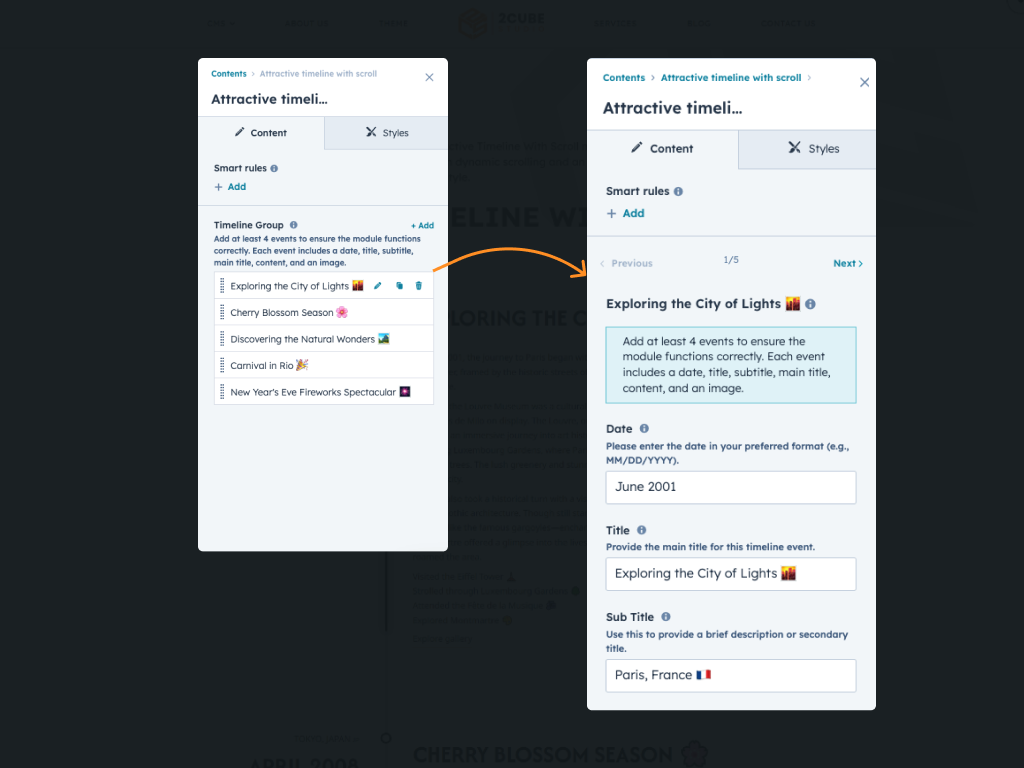
Customizable Style Modes
Choose from Dark, Light, Auto, or Custom to match your website's aesthetic.
Personalize Font style
Select fonts that truly reflect your brand's personality. With easy customization, you can ensure your text stands out beautifully on every screen.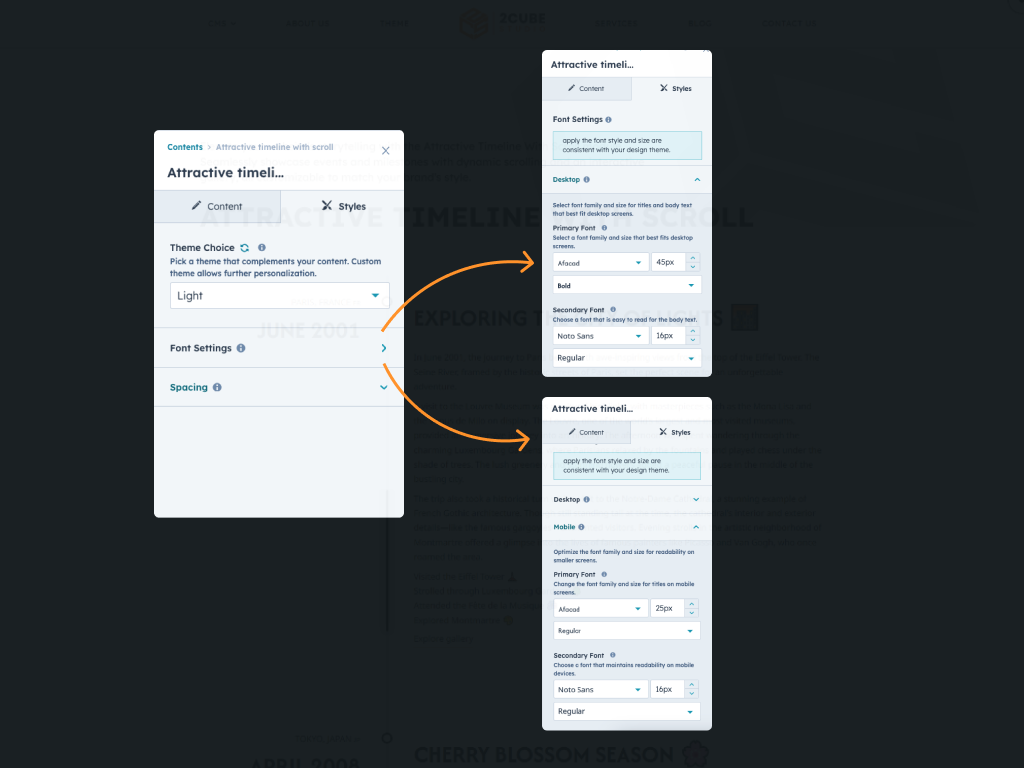
Custom space style
Adjust the spacing to fit your design perfectly. With custom space settings, you can control the layout and flow of your content effortlessly.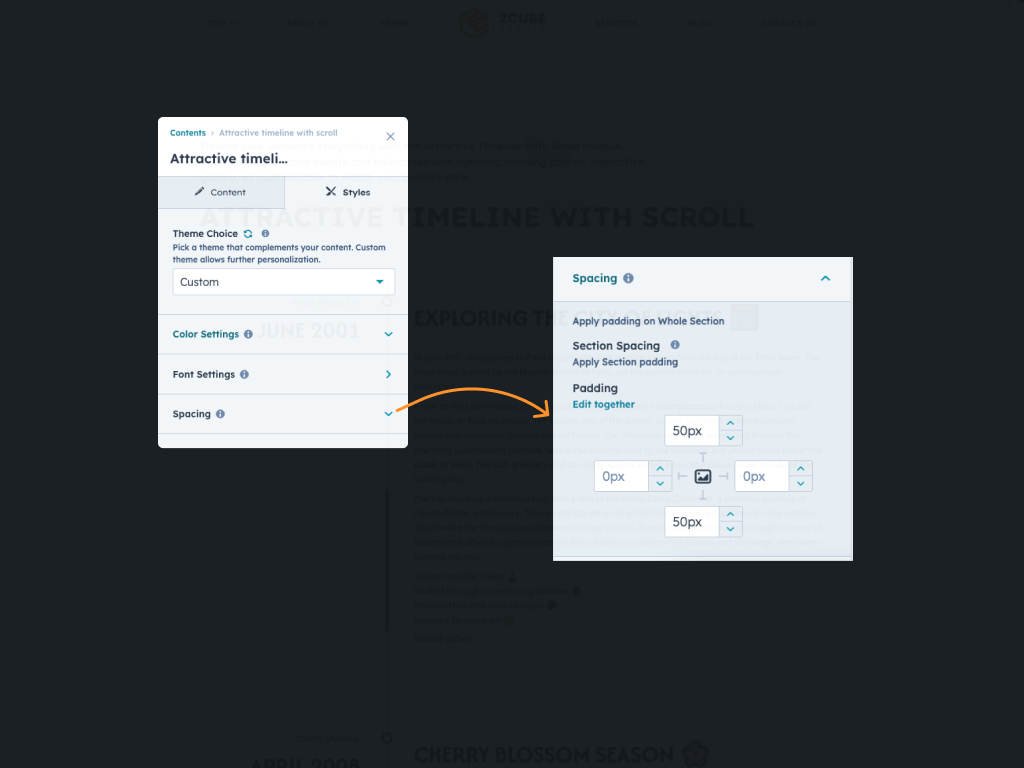
About Module
Total installs - 300+
Created - Sep 5, 2024
Version 1 - Sep 5, 2024
Categories Tags
Requirements
HubSpot Subscription Works with all HubSpot plans









Contact 2CUBE Studio
Legal Stuff
Please refer to the developer's Privacy Policy and Terms for more information.
Support
2CUBE Studio
- India
Visit website
2CUBE.Studio is an Startup inbound agency with a focus on HubSpot web design and development. If you need custom web design & development, template development, or site optimization, 2CUBE.Studio is your friend to ask to. FREE 2 hour consultation at pratik@2cube.studio
Quick and faster response
48-hour bug fix guarantee
Priority support for critical issues
Regular module updates
Customization assistance
2CUBE Studio typically responds in
- Monday
10:00 AM - 5:00 PM (CST) - Tuesday
10:00 AM - 5:00 PM (CST) - Wednesday
10:00 AM - 5:00 PM (CST) - Thursday
10:00 AM - 5:00 PM (CST) - Friday
10:00 AM - 5:00 PM (CST)
