
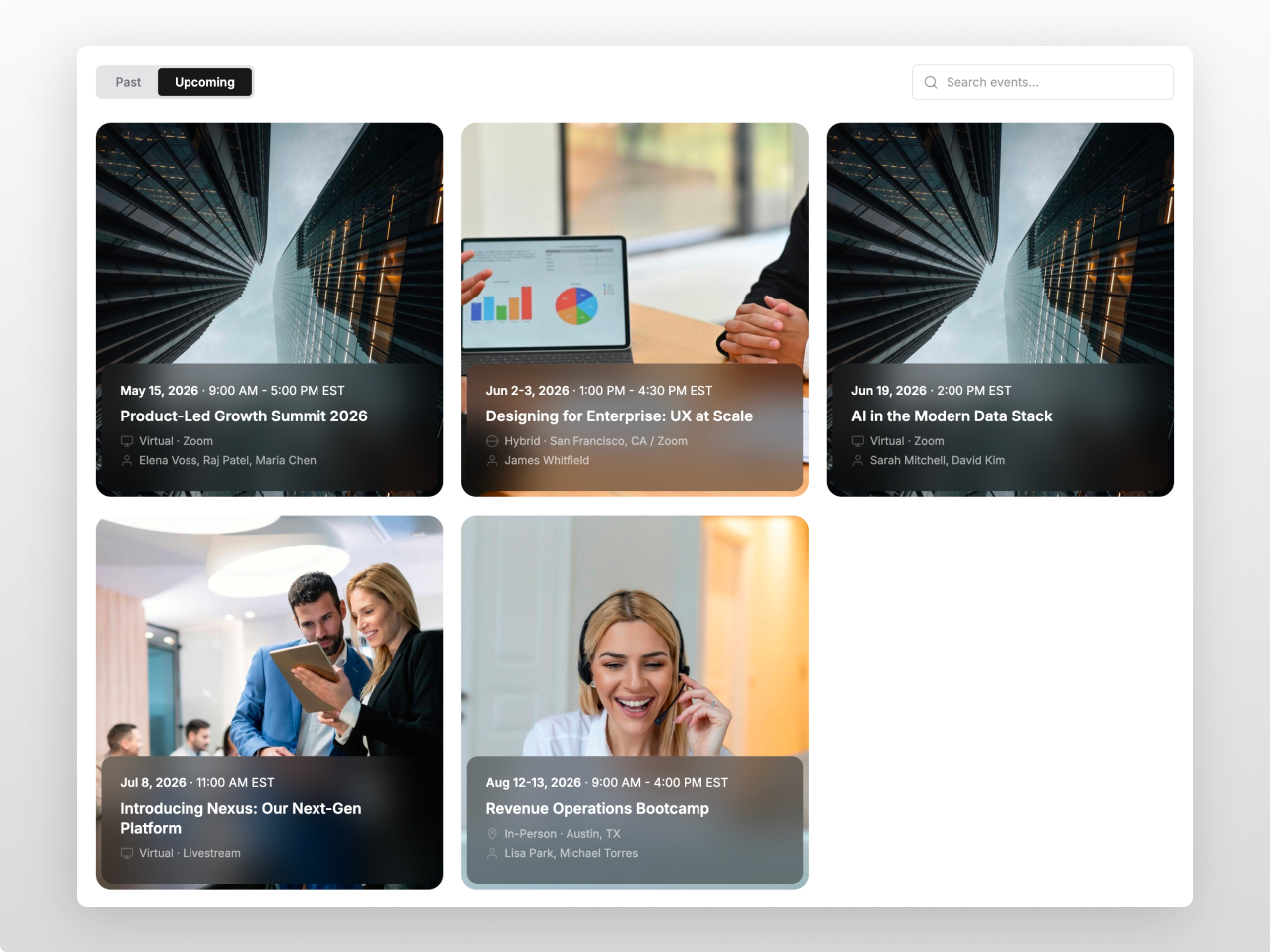
1/3 - Horizontal Cards — SaaS Event Calendar
Overview
A premium event listing module for teams that need a polished, filterable event calendar without building a custom page from scratch. Event Listing Pro gives you tabbed navigation (upcoming and past), live search, grid and list views, an overlay card layout, and a right-side detail drawer, all managed from a single repeater field.
Every element is fully customizable from the Style tab: section background, card backgrounds with opacity control, borders, shadows, hover states, typography, spacing, and border radius.
Tabs, search input, thumbnails, CTAs, and the detail drawer each have their own dedicated style controls. 70+ style fields in total.
What you can build: clean SaaS event calendars with overlay cards and blurred text overlays. Warm editorial gathering pages with inset thumbnails and rounded cards. Dark executive event series with list view dividers and gold accents. Dense 4-column conference grids with flush thumbnails. Minimal text-only event lists with no images. Hybrid pages mixing upcoming registrations with past recordings.
Content features: Up to 50 events, each with title, short description, rich text drawer details, date, end date for multi-day events, time, location type (Virtual, In-Person, Hybrid) with automatic icon badges, free-text location, category, speakers, thumbnail, registration URL, custom CTA text, and a featured event toggle. Section header with eyebrow, heading (H1-H4), subtitle, and alignment control.
Settings: Default tab selection. Show or hide past events tab, search bar, thumbnails, speakers, location badges, time, and descriptions independently. Card click action: open detail drawer, navigate directly to URL, or CTA-only. CTA display as text link or filled button. Grid columns (2, 3, or 4). Configurable tab labels, search placeholder, and past event CTA override.
Style tab (70+ fields): Section background with opacity. Card background, border, hover border, shadow, hover shadow. Independent colors for heading, eyebrow, subtitle, title, description, date, time, speaker, CTA. Location badges with separate bg/text per type. Tab and filter pill styling. Search input theming. Two font pickers with independent sizes for every text element. Card padding, radius, border width, image height, image radius, image inset, overlay opacity and blur. Responsive tablet and mobile breakpoints.
Accessibility: Semantic HTML, full keyboard navigation, ARIA roles on all interactive elements, drawer focus trapping, visible focus indicators, WCAG 2.1 AA contrast defaults.
Works on any HubSpot template, no theme required.
Features
Tabbed Filtering with Live Search
Description: Upcoming and past tabs with automatic date classification. Built-in search filters across titles, speakers, and descriptions in real time. Grid, list, and overlay views switch instantly with no page reload.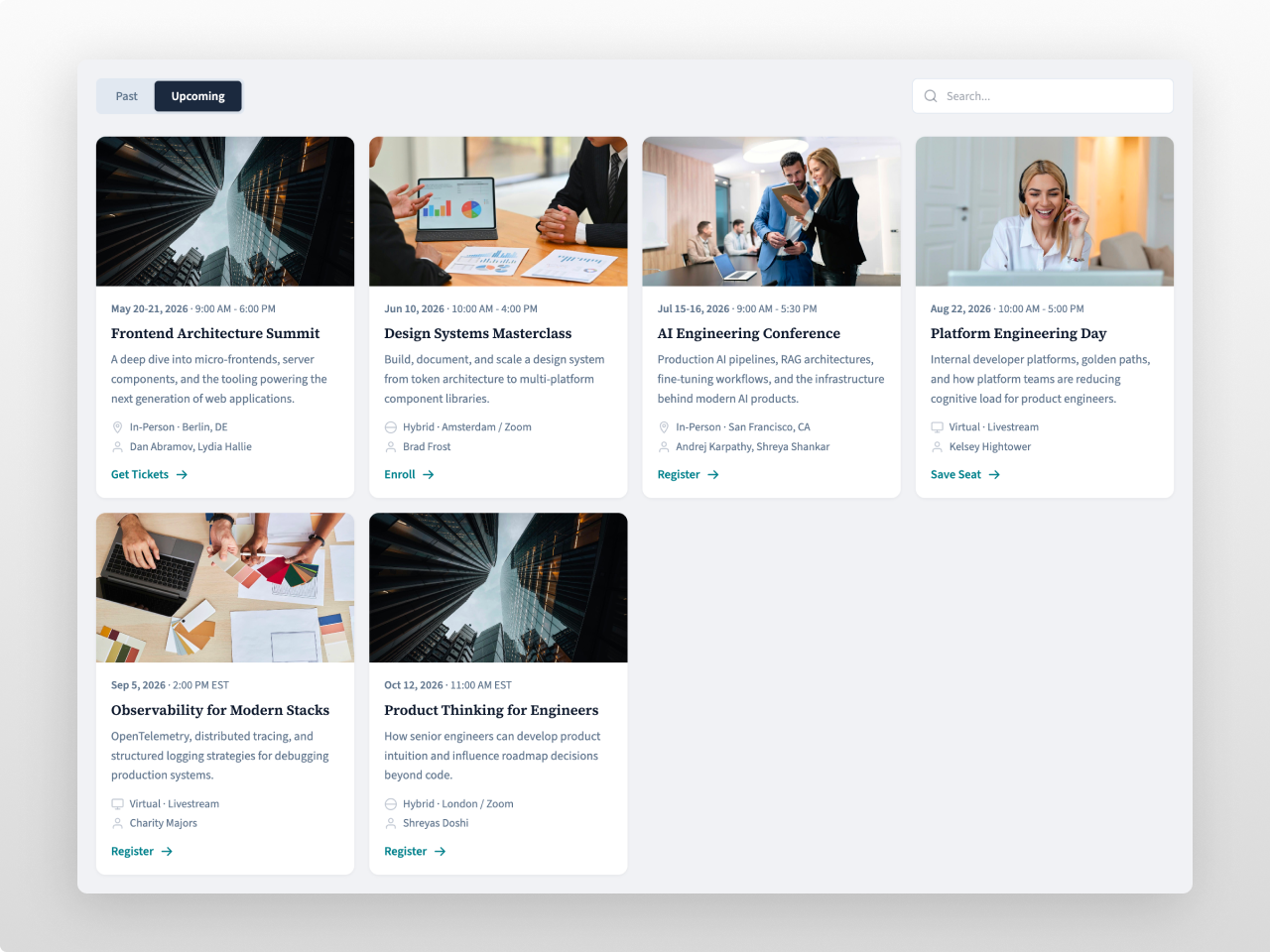
Overlay Cards with Backdrop Blur
Full-bleed image cards with frosted glass text overlays positioned at the bottom. Configurable overlay opacity and blur intensity. Three layout modes with independent column counts. Image inset for padded or flush thumbnails.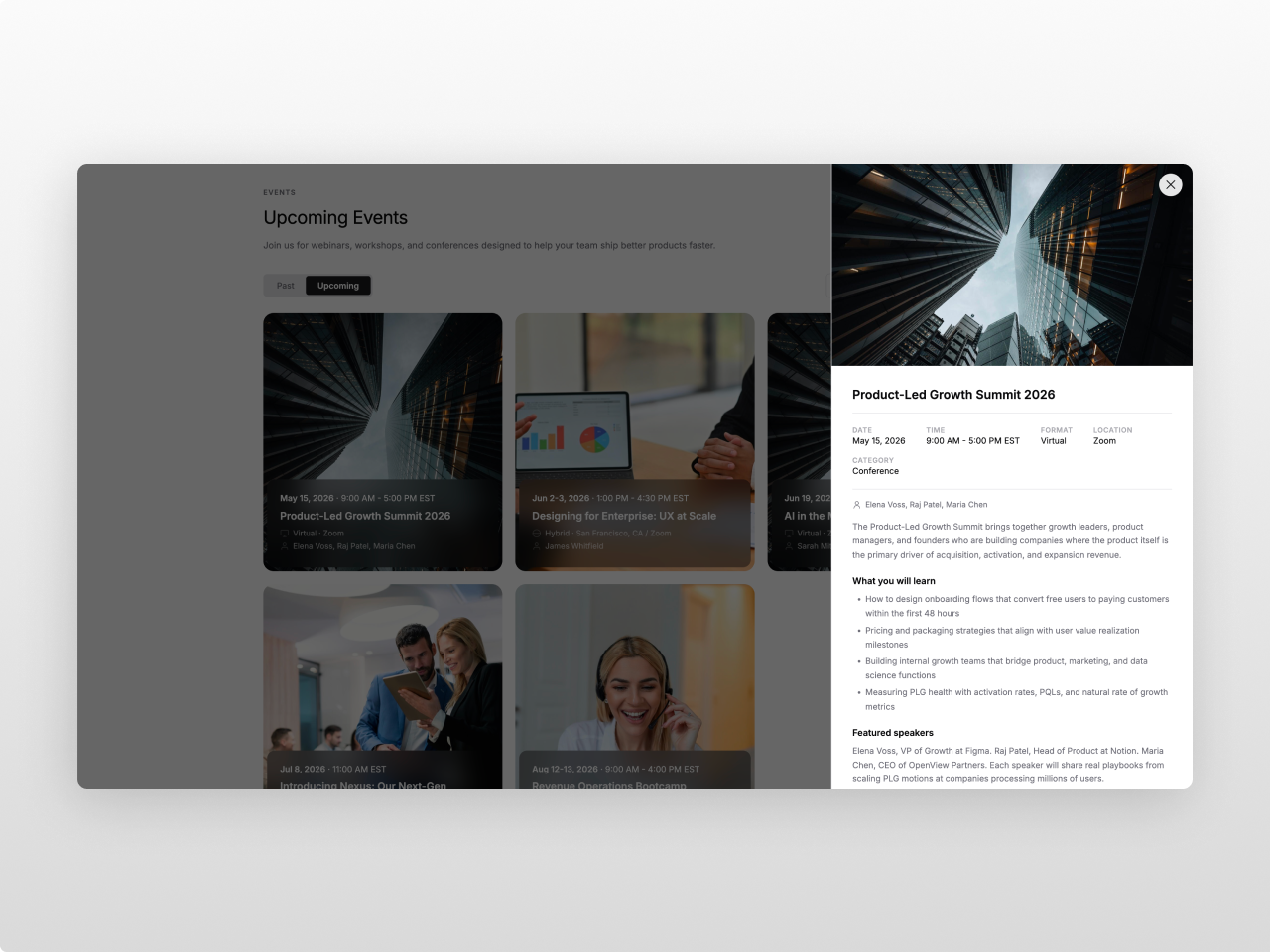
70+ Style Controls, Zero Code
Every element has its own color, typography, and spacing controls. Card backgrounds with opacity, independent location badge colors, tab and search theming, two font pickers. Build dark, warm, or minimal layouts from the same module.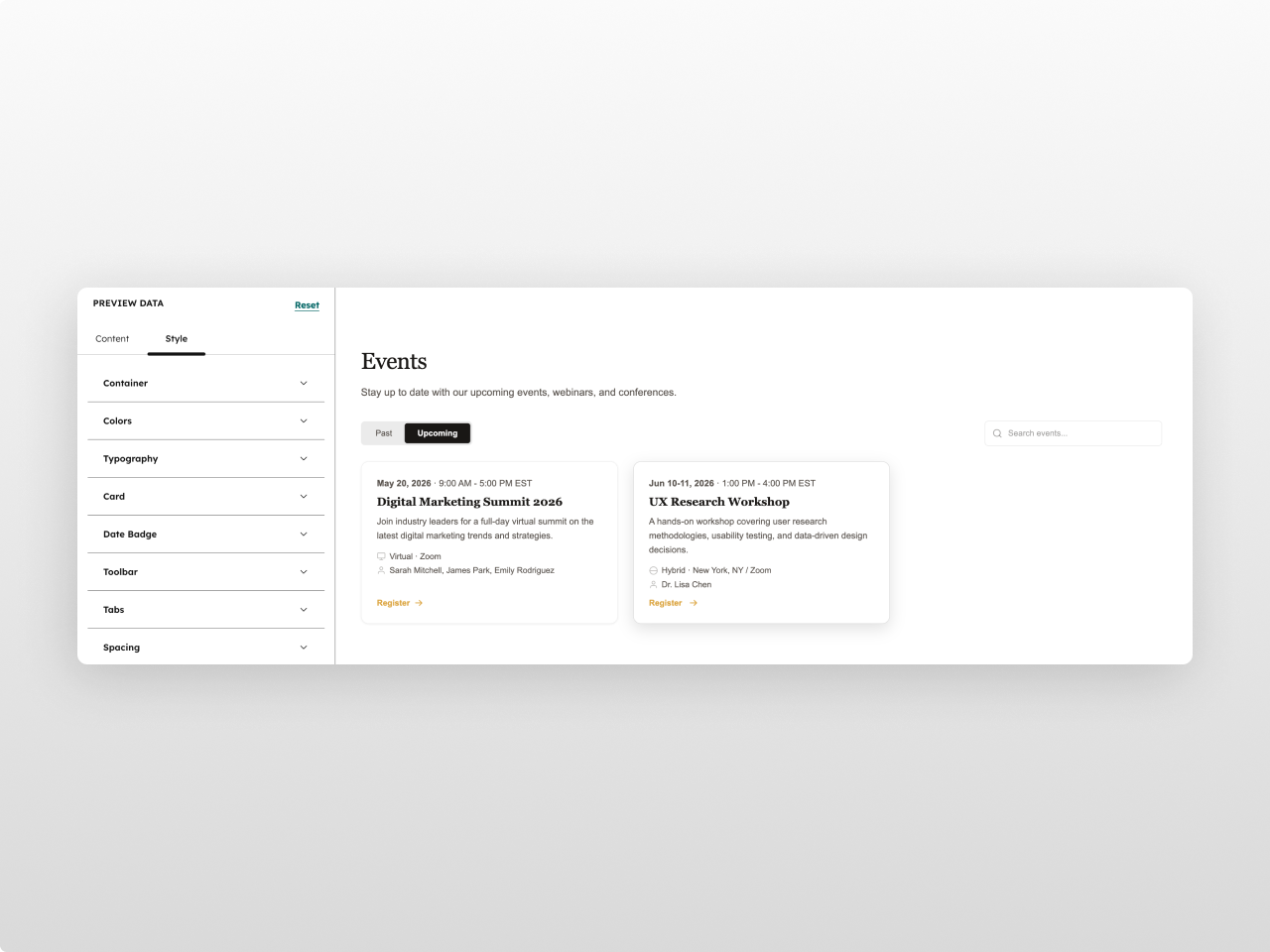
About Module
Total installs Fewer than 10 Created - Apr 6, 2026
Version 1 - Apr 6, 2026
Categories Tags
Requirements
HubSpot Subscription Works with all HubSpot plans
Contact Studio Nope
Legal Stuff
Please refer to the developer's Privacy Policy and Terms for more information.
Support
Studio Nope
- Romania
Visit website
Studio Nope designs and builds fast, clean HubSpot CMS websites and custom themes for teams that care about performance, editing experience, and reliable tracking.
Unlimited email support
Studio Nope typically responds in
- Monday
9:00 AM - 5:00 PM (EET) - Tuesday
9:00 AM - 5:00 PM (EET) - Wednesday
9:00 AM - 5:00 PM (EET) - Thursday
9:00 AM - 5:00 PM (EET) - Friday
9:00 AM - 5:00 PM (EET)
