
1/5
Overview
Scroll Counter -
Numbers build trust. But animated numbers build attention. Scroll Counter lets you highlight your success metrics in a way that’s not just seen—but noticed. Ideal for service-based businesses, SaaS, portfolios, or landing pages.
Why You’ll Love It -
Grabs attention instantly
Turns plain stats into visual proof
Boosts trust and credibility
Keeps users engaged as they scroll
Fits any brand with layout + speed controls
Key Features -
Scroll-Triggered Counter Animation – Activates when in view for a smooth, intentional effect
Flexible Layouts – Swap between Counter → Text or Text → Counter for perfect alignment
Adjustable Speed (ms) – Fine-tune the pace of your count-up animation
Elegant Circle Design – Minimal, modern, and eye-catching with a gradient border
Responsive by Default – Looks flawless on desktop, tablet, and mobile
No-Code Customization – Easily update content, layout, and speed from the HubSpot editor
Features
Scroll Counter – Left Counter, Right Content
A clean, light-themed layout with counters on the left and supporting content on the right—ideal for showcasing accomplishments in a modern, minimal format.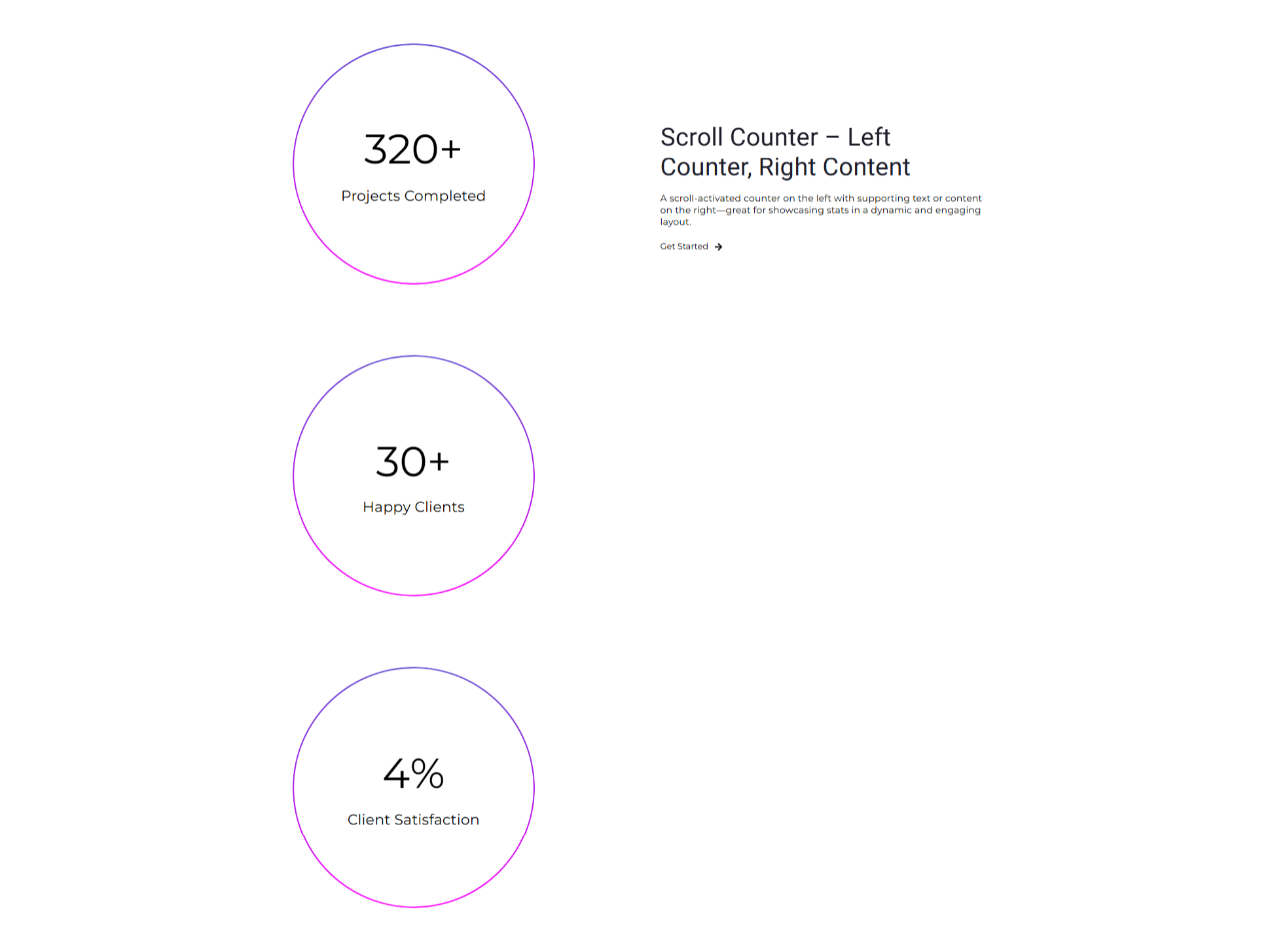
Scroll Counter – Left Content, Right Counter
A bold, dark-themed layout featuring content on the left and attention-grabbing counters on the right—perfect for tech, creative, or modern service portfolios.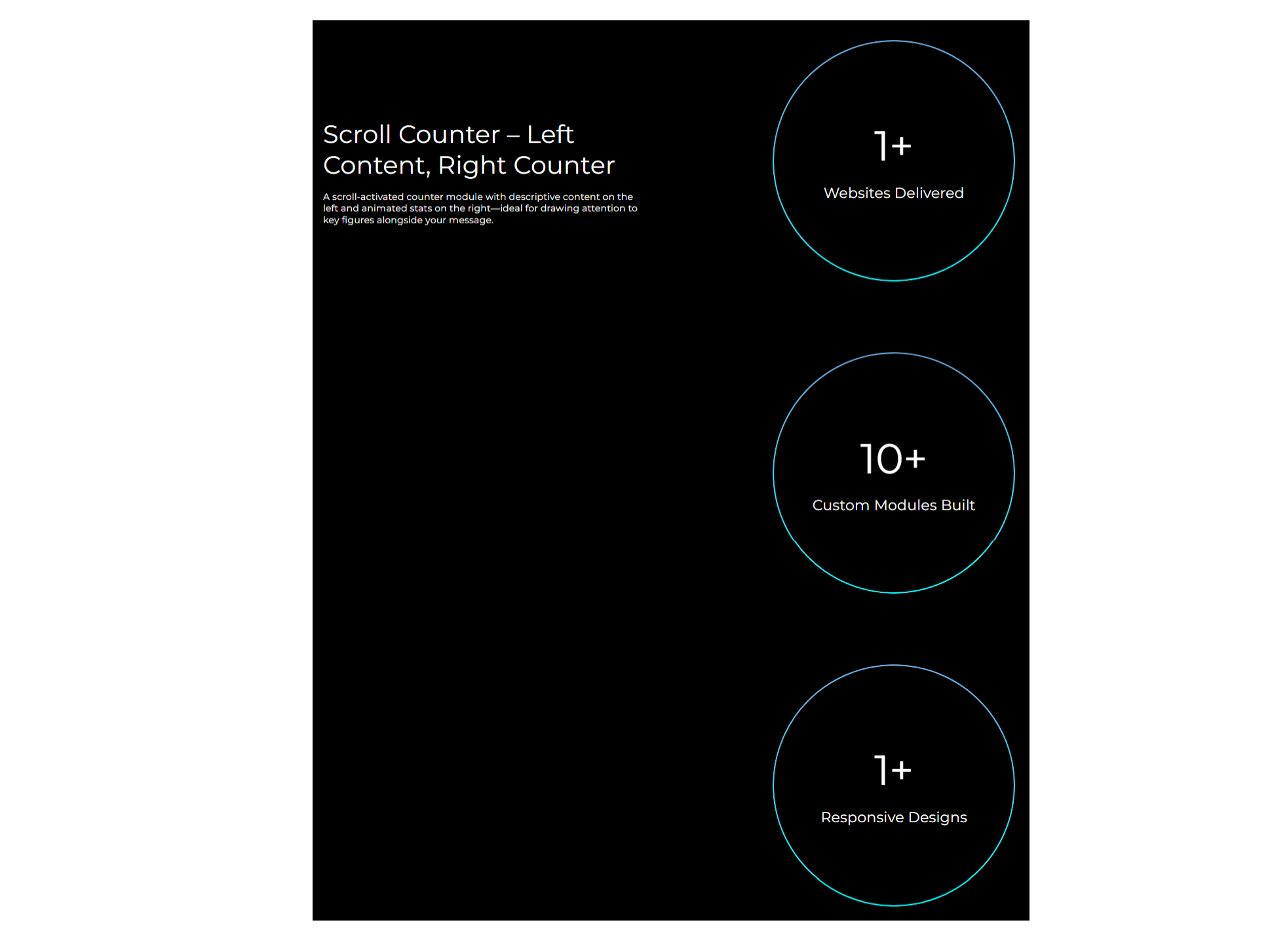
Scroll Counter – Dynamic Stats Made Simple
Showcase key numbers with style. Choose from two clean layouts, customize your counts, add signs or icons, and bring your stats to life with smooth scrolling animation. Perfect for portfolios, services, or achievements.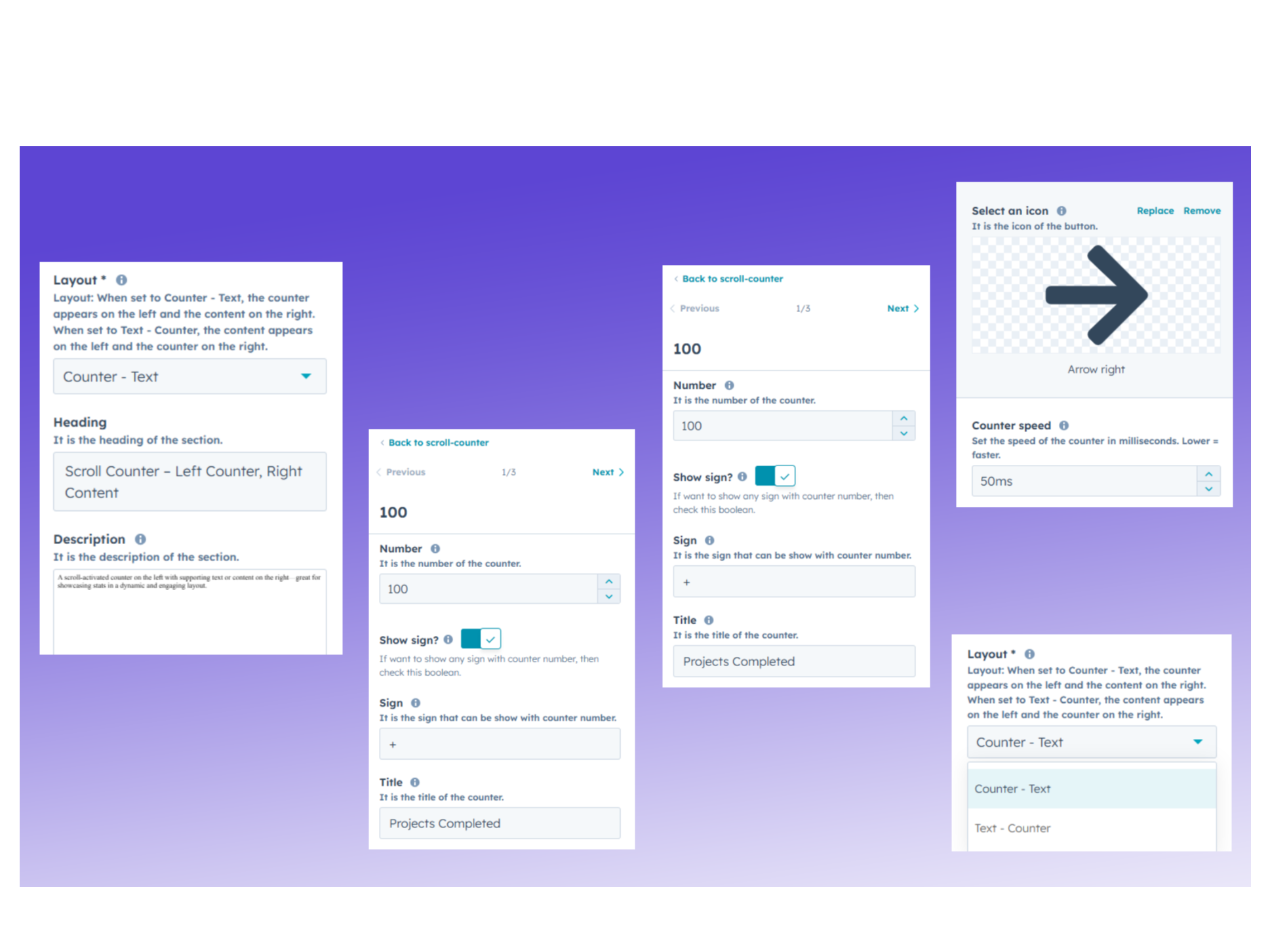
Style Your Section – Colors, Fonts & Spacing
Tailor the look and feel of your counter section with full control over background color, gradient borders, typography, and responsive spacing. Make it yours—pixel by pixel, font by font.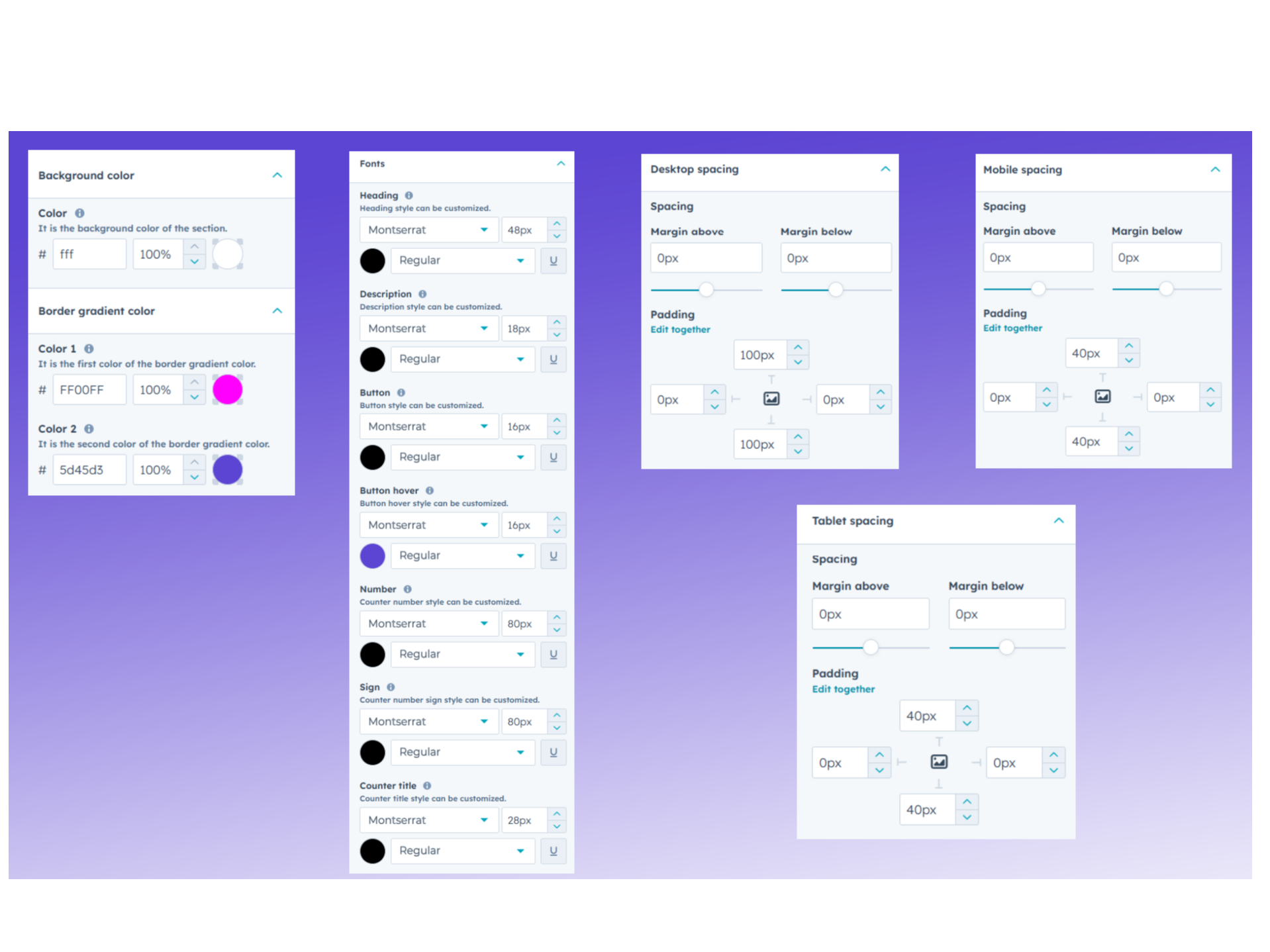
Built to Adapt – Seamless on Every Screen
rom widescreens to smartphones, your stats stay sharp. The layout adjusts beautifully across devices, ensuring your message is clear, clean, and visually compelling—no matter where it’s seen.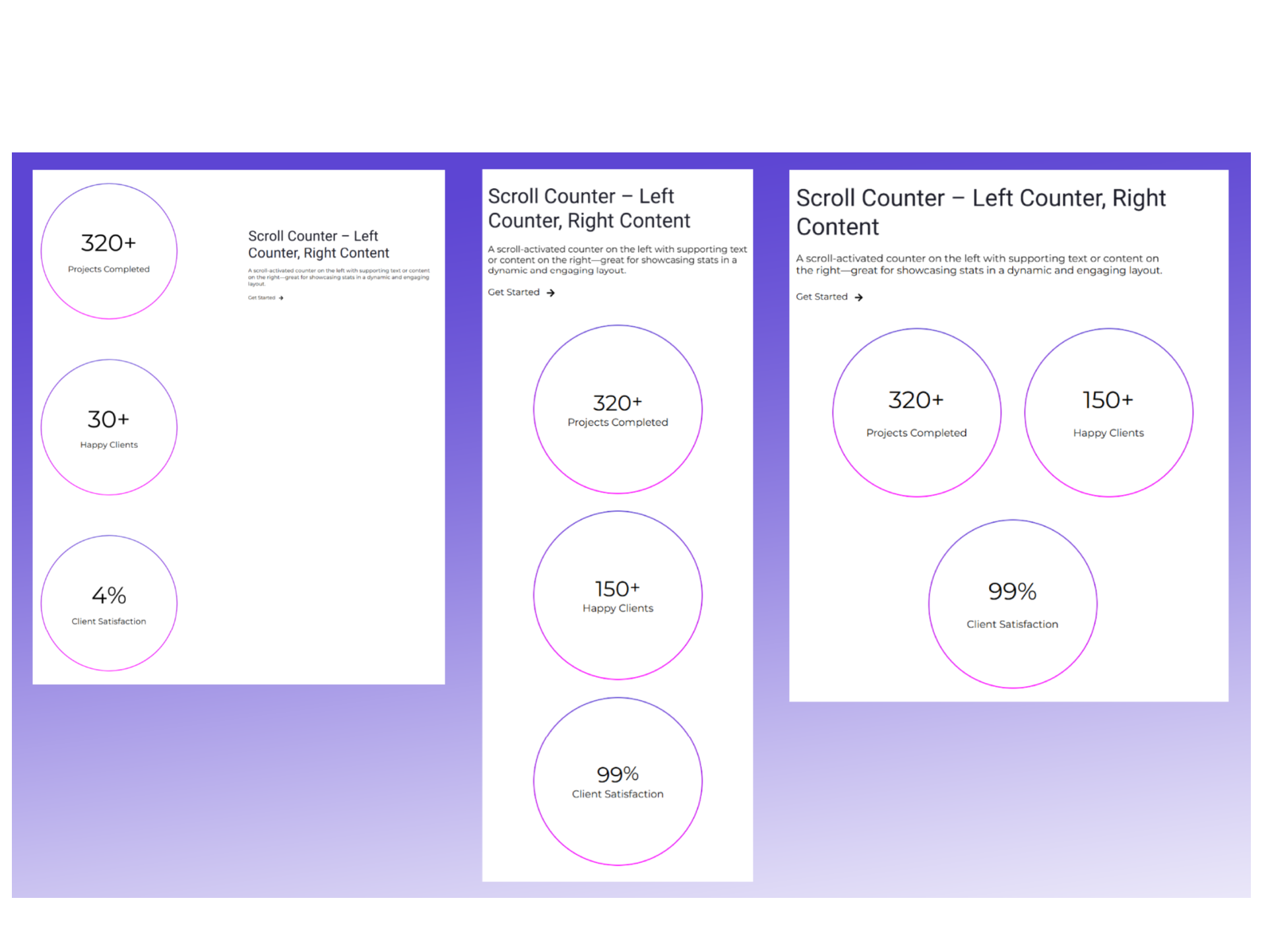
About Module
Total installs Fewer than 10 Created - Jun 2, 2025
Version 1 - Jun 2, 2025
Categories Tags
Requirements
HubSpot Subscription Works with all HubSpot plans
Contact K Technology
Legal Stuff
Please refer to the developer's Privacy Policy and Terms for more information.
Support
K Technology
- Gurugram, Haryana, India
Visit website
K Tech is a premier HubSpot Solutions Partner specializing in high-performance CMS development and digital experience design. We empower businesses to scale by building sophisticated, responsive landing pages and high-conversion custom modules tailored to the HubSpot ecosystem. Beyond development, our expertise spans advanced automation workflows and actionable data insights through custom reporting. Whether you are optimizing an existing portal or launching a new campaign, K Tech is your trusted partner for scalable, high-performing HubSpot solutions that drive measurable growth.
I can help understand the module settings to the users.
K Technology typically responds in
- Sunday
10:00 AM - 5:00 PM (IST) - Saturday
10:00 AM - 5:00 PM (IST)