-2-1.png)
Cleo: AI teammate on WhatsApp
Your AI teammate for HubSpot, inside WhatsApp.
Creazione di - Rasayel, Inc.
Installazioni - PIù di 20 installazioni
Valutazione 5
(1)
Requisiti
Piano HubSpot Autorizzazioni dell'account HubSpot - Visualizza le autorizzazioni dell'account richieste
Tipo di accesso Shared Abbonamento Cleo: AI teammate on WhatsApp - Piano Cleo free plan
Panoramica
1/6 - Hi! I'm Cleo, your new AI Sales teammate on WhatsApp.
Stop letting valuable sales intelligence get lost in WhatsApp chats!
Sales reps live on WhatsApp, but manually transferring conversation details, logging calls, updating deals, and setting follow-up tasks in HubSpot is a constant time drain. This friction leads to:
Stale CRM data: Updates get delayed or skipped, making your pipeline inaccurate.
Lost productivity: Reps waste hours switching between apps instead of selling.
Missed opportunities: Important next steps or reminders aren't captured consistently.
Meet Cleo, your AI sales teammate directly within WhatsApp.
Cleo connects to your HubSpot account, allowing you to manage your CRM tasks using simple text or voice commands, right from the chat app you use all day.
Why connect Cleo to HubSpot?
Imagine finishing a sales call and instantly:
Logging the call & notes: "Cleo, log a 15-min call with Acme Corp, discussed budget needs, follow up next week."
Creating deals or contacts: "Cleo, create a new deal for 'Project Phoenix' linked to John Smith."
Updating deal stages or fields: "Cleo, move the 'Project Phoenix' deal to 'Proposal Sent'."
Setting reminders: "Cleo, remind me to call Sarah about the contract on Tuesday."
Fetching quick info: "Cleo, what's the latest activity on the Acme deal?"
Cleo handles the HubSpot updates in the background, in an instant.
Connect Cleo to HubSpot to:
Save your sales team hours of manual data entry every week.
Ensure your HubSpot CRM is always accurate and reflects real-time activity.
Boost productivity by keeping reps focused within their primary communication tool — WhatsApp.
Never miss a follow-up or critical next step again.
Empower your team to work smarter, not harder. Let Cleo handle the HubSpot admin from WhatsApp, so your reps can focus on closing deals.
Funzionalità
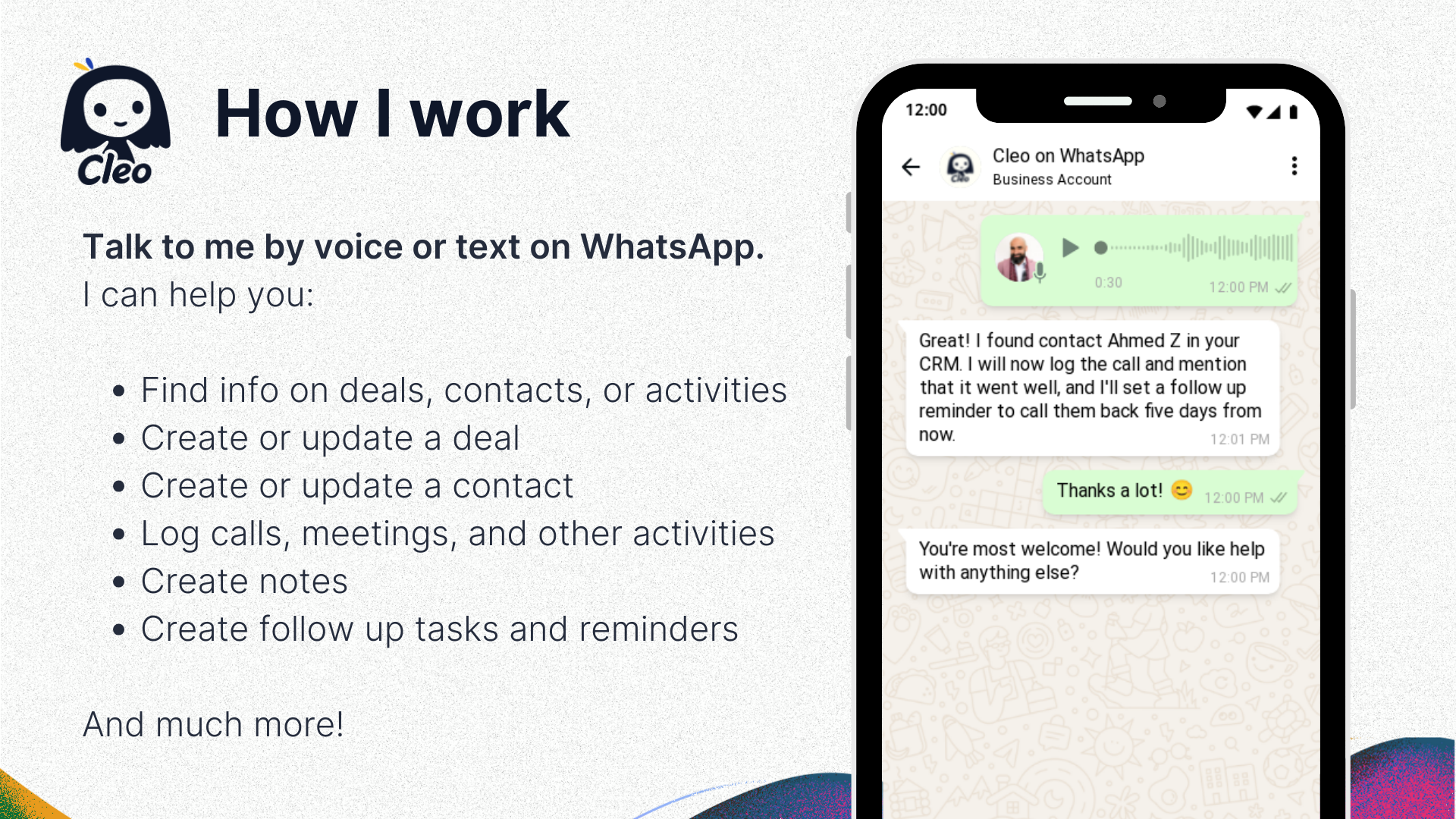
Create HubSpot Deals & Contacts via WhatsApp
Just met someone new or identified an opportunity? Tell Cleo via text or voice message (e.g., "Create deal Project Alpha for Acme, contact Jane Doe") and instantly add new deals and contacts to HubSpot without ever leaving WhatsApp.
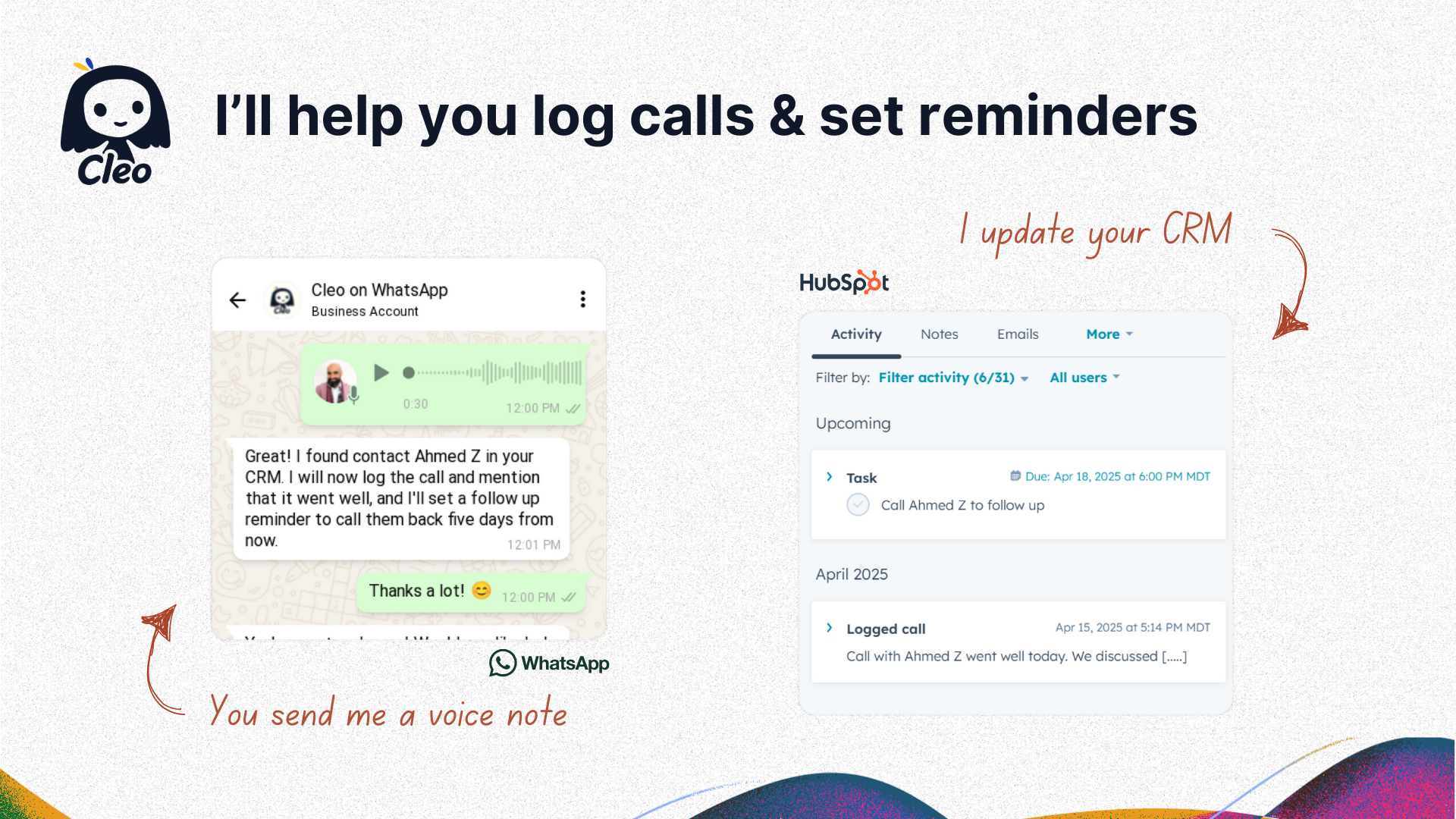
Log calls and set reminders in HubSpot
Capture important details while they're fresh. Simply send Cleo a text or voice note summarizing your call or meeting ("Log call with Bob, discussed Q3 budget...") and it's instantly logged on the correct HubSpot timeline.
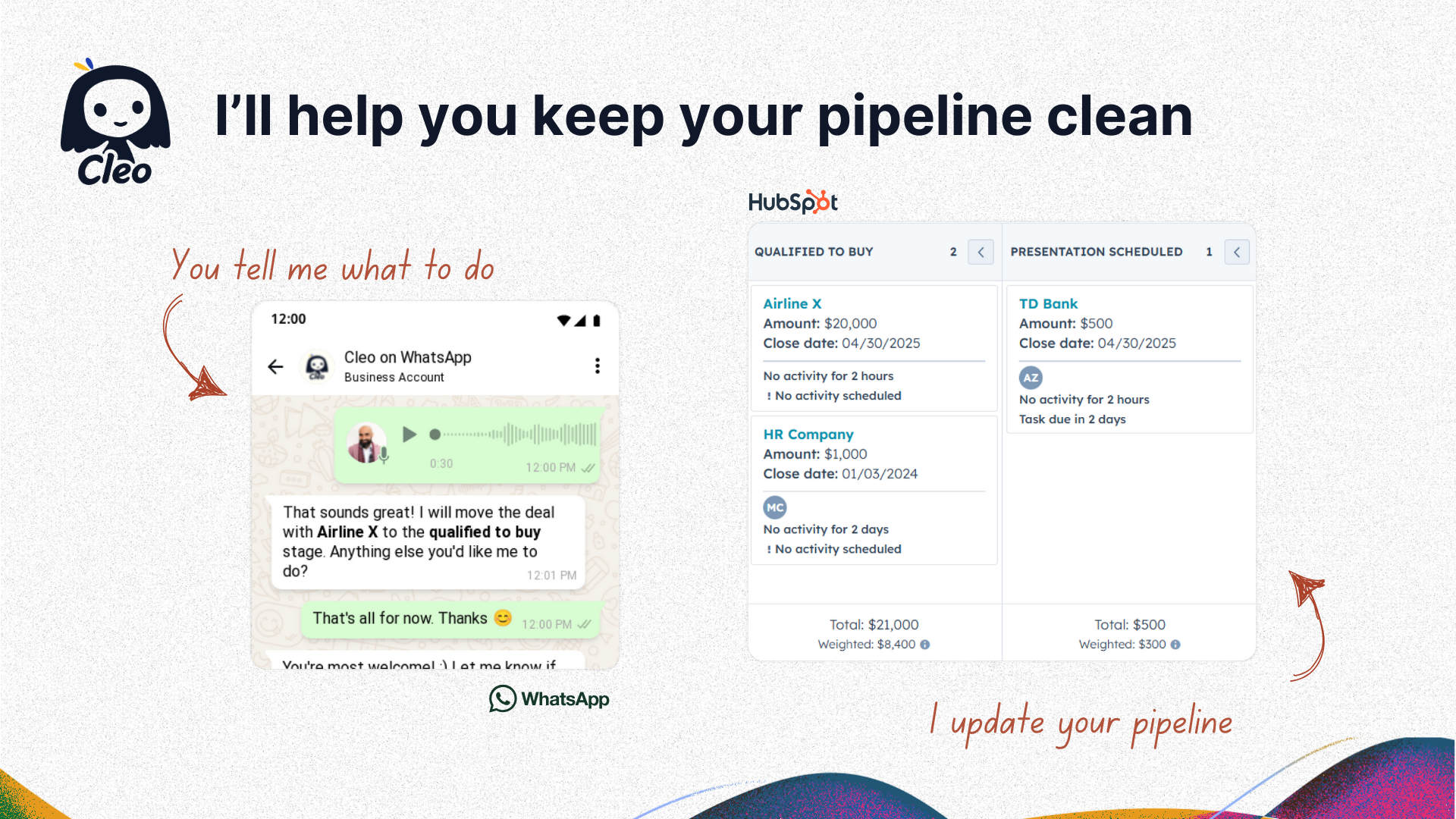
Update any HubSpot field or pipeline on the go
Pipeline change? New budget? Update deal stages, amounts, close dates, priorities, or any custom HubSpot field simply by telling Cleo via text or voice message while you're on the move.
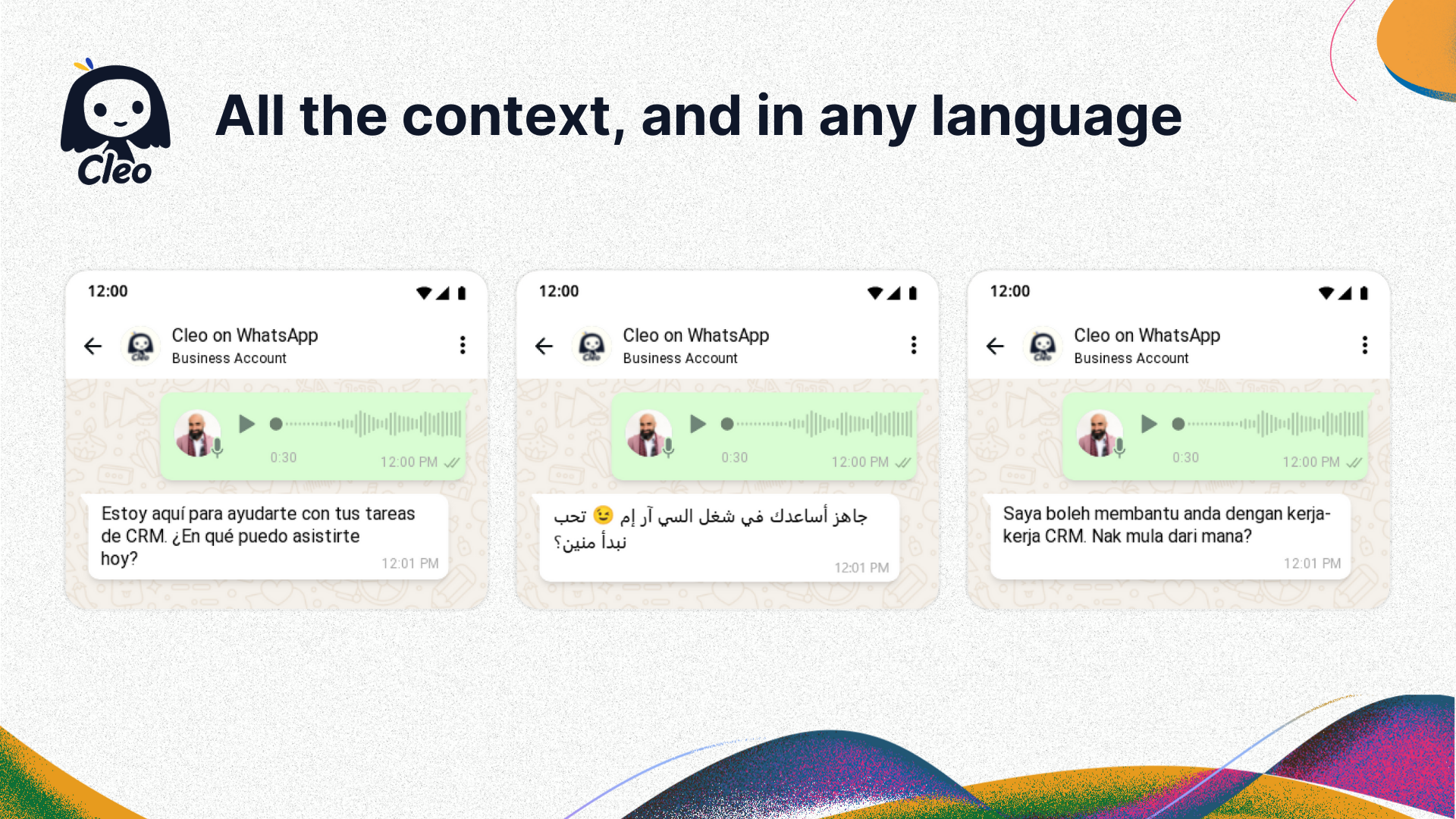
Get HubSpot context without switching apps, and in any language
Need quick info before a call or message? Ask Cleo directly in WhatsApp ("What's the status of the Globex deal?" or "Show me John Smith's email") and get immediate answers from your HubSpot data without interrupting your workflow.
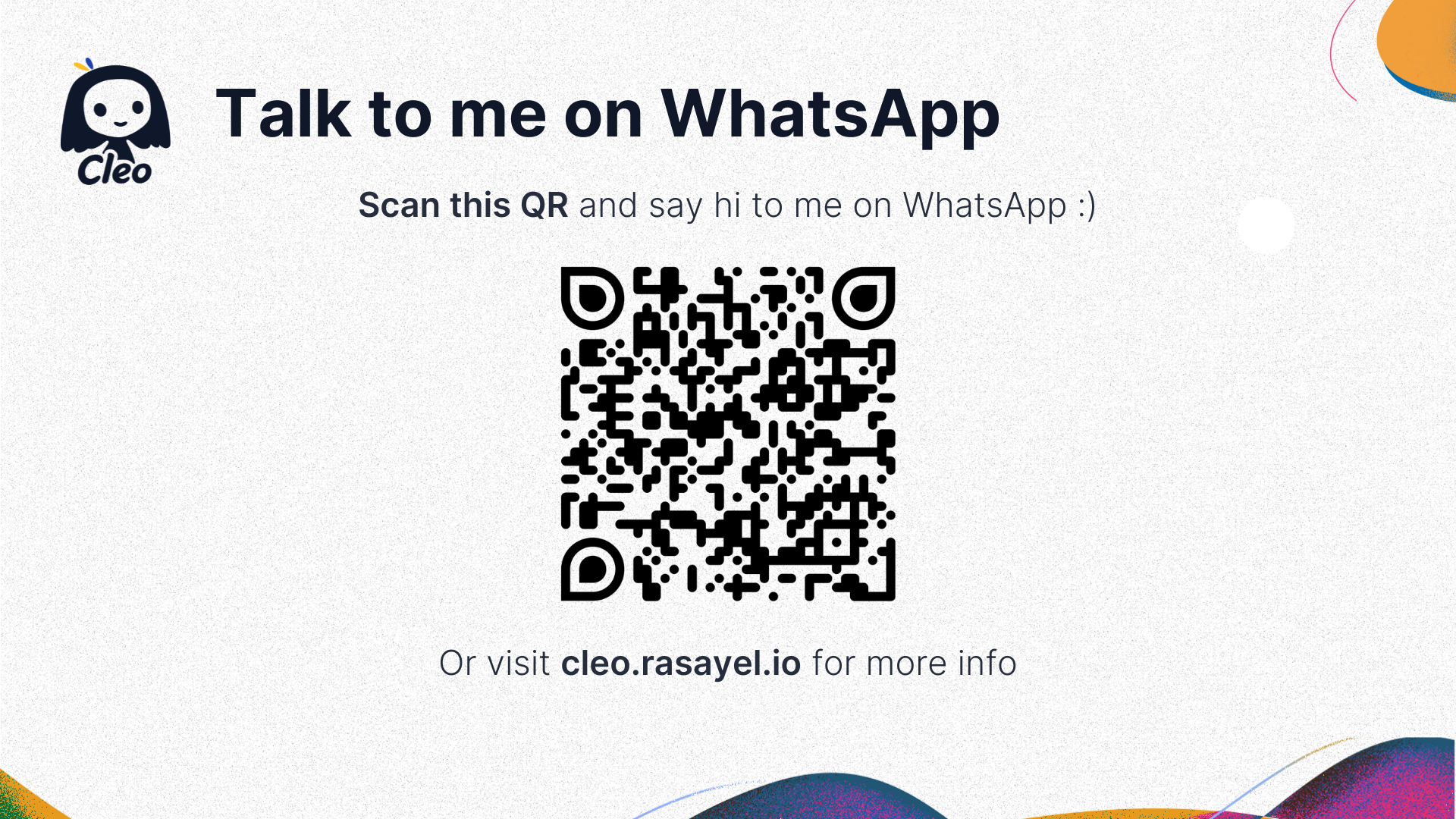
Talk to me on WhatsApp
Chat with me on WhatsApp like you do with any other teammate. Give it a try by scanning this QR code.
Funzionalità dell'app
Dati condivisi
Calls | ||
Companies | ||
Contacts | ||
Deals | ||
Emails | ||
Notes | ||
Owners | ||
Tasks |
Recensioni
- 3 giu 2025
Semplicemente sorprendente
Incredibile
1, ر.
Prezzi
Cleo free plan
0 USD
Perfect for individual reps to save time managing HubSpot via WhatsApp.
Manage HubSpot Contacts, Deals & Companies via WhatsApp
Log Calls & Notes to HubSpot timelines from WhatsApp
Create HubSpot Tasks & set follow-ups via WhatsApp
Fetch HubSpot Data (Contacts, Deals, Companies, Emails) on demand
Update HubSpot Fields (Standard & Custom)
Log forwarded WhatsApp messages/contacts to HubSpot
Connect Calendly/Google Calendar for meeting reminders
Set stand-alone reminders via WhatsApp
Connect 1 HubSpot account
Text & voice command recognition
Cleo free plan
0 USD
Perfect for individual reps to save time managing HubSpot via WhatsApp.
Manage HubSpot Contacts, Deals & Companies via WhatsApp
Log Calls & Notes to HubSpot timelines from WhatsApp
Create HubSpot Tasks & set follow-ups via WhatsApp
Fetch HubSpot Data (Contacts, Deals, Companies, Emails) on demand
Update HubSpot Fields (Standard & Custom)
Log forwarded WhatsApp messages/contacts to HubSpot
Connect Calendly/Google Calendar for meeting reminders
Set stand-alone reminders via WhatsApp
Connect 1 HubSpot account
Text & voice command recognition
* I prezzi riportati sono a scopo informativo. I prezzi non includono tasse, incentivi, sconti o altre variabili. Contatta il partner per ricevere il tariffario aggiornato. HubSpot declina qualsiasi responsabilità circa le informazioni di prezzo fornite dai propri partner. Ultimo aggiornamento tariffario: 11/08/2025
Maggiori informazioni
Creazione di - Rasayel, Inc.
Installazioni - PIù di 20 installazioni
Categorie Lingue in cui è disponibile questa app Arabo ,Francese ,Inglese ,Italiano ,Portoghese eSpagnolo
Più popolari


