

Requirements
HubSpot Plan HubSpot Account permissions No permissions required Access Type Shared Bubble Subscription - Review Bubble Pricing Page plan
Overview
1/2
You can use Bubble with HubSpot in two ways.
Connect Bubble as a data source (public beta, all plans). Bring your Bubble data into HubSpot without deciding upfront how they map to your CRM. Connect your account, choose what you want to bring in, and preview your data before anything is saved. Then save it to your source library, or sync it to the CRM.
Data Hub Professional and Enterprise users can also build a dataset from it in Data Studio. At this stage, you can sync a source to the CRM. Segments, reports and workflows based on sources are coming soon.Sync with Data Sync by HubSpot. If you want to send data to Bubble or keep both sides in sync, choose that when you connect and continue in Data Sync.
Here's what you get with Data Sync by HubSpot:Two-way sync: Data is shared between [app] and HubSpot in real time
Default field mappings: Set-up is quick with out-of-the-box field mappings already created for you
Historical syncing: Your existing data will sync right away, and updates will sync as they happen
Important note: This sync includes the "user" object. If additional mappings are essential to make this integration work for you, we recommend purchasing Data Hub Starter in order to access custom field mappings.
Features
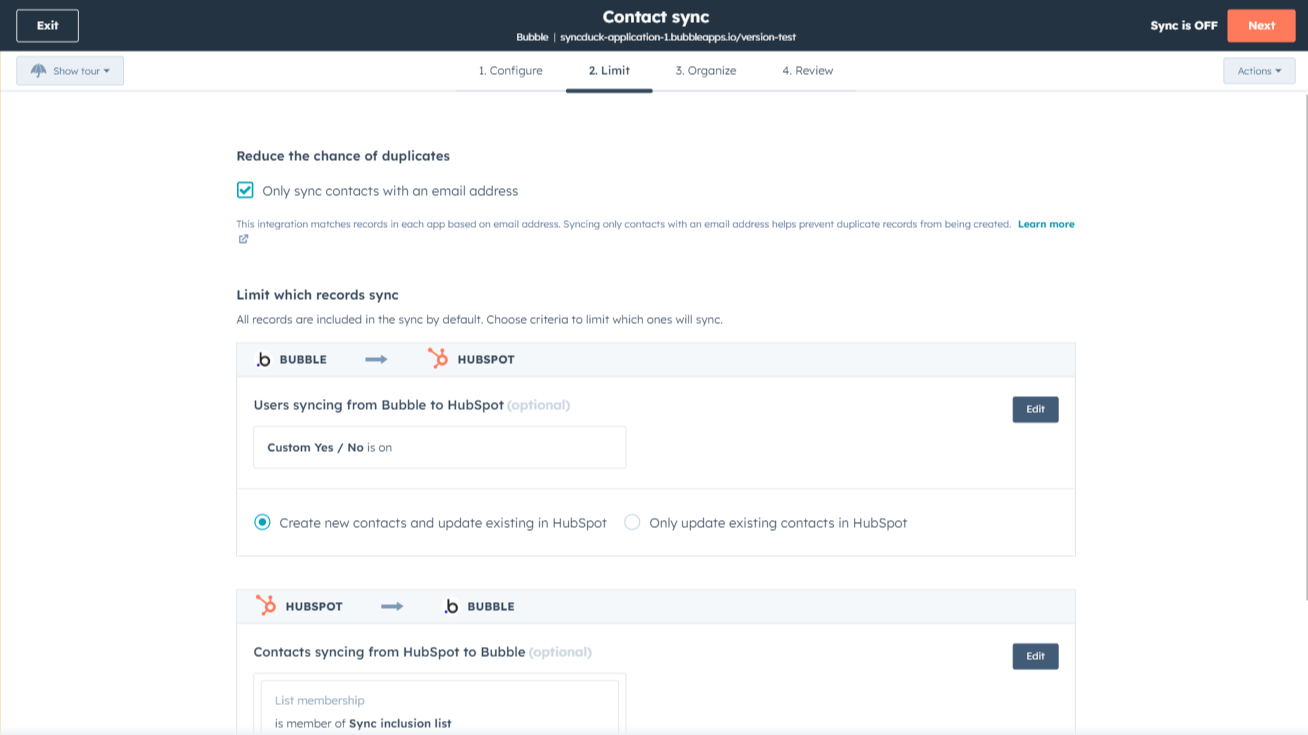
Sync Bubble and HubSpot data
Make manual data entry a thing of the past by syncing data between HubSpot and Bubble. When records are created or updated in either app, that information will be automatically shared with the other one.
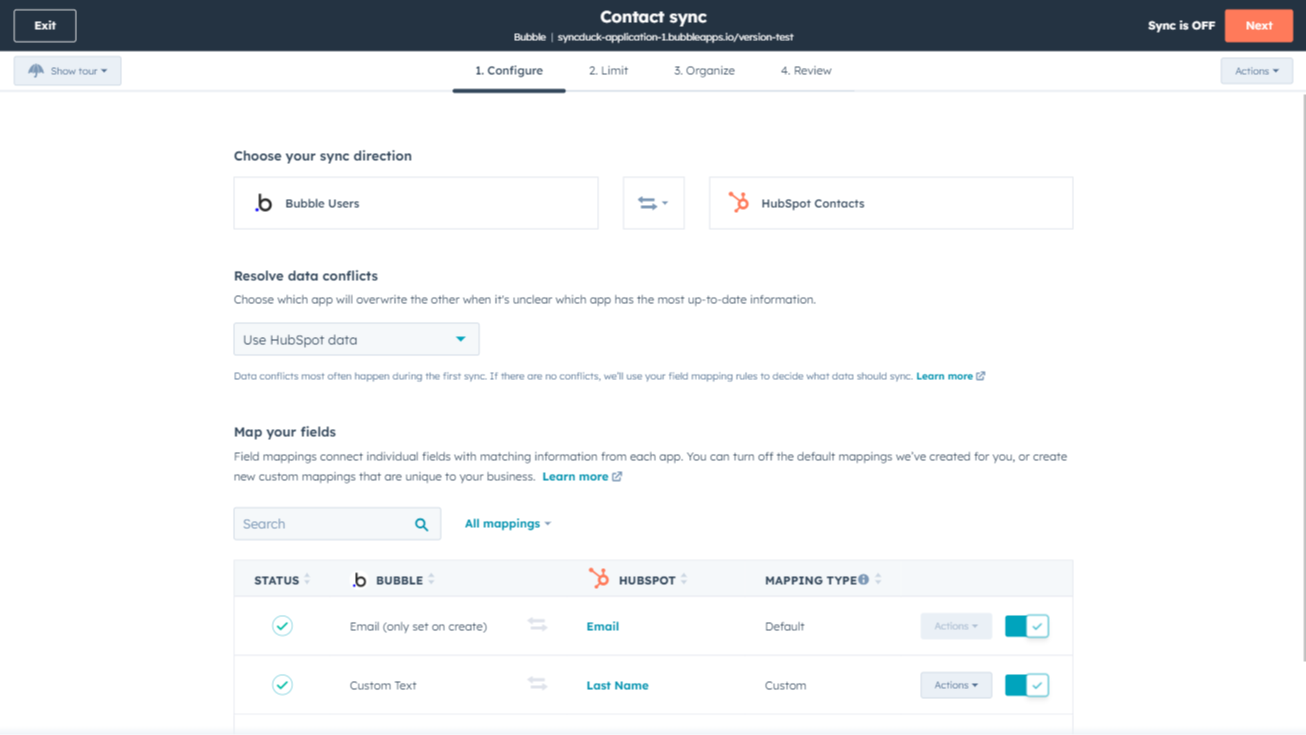
Custom field mappings
Attention: This app requires Data Hub Starter or up (paid). These ustom mappings add the flexibility to create your own mappings or make changes to your default ones in any data sync app.
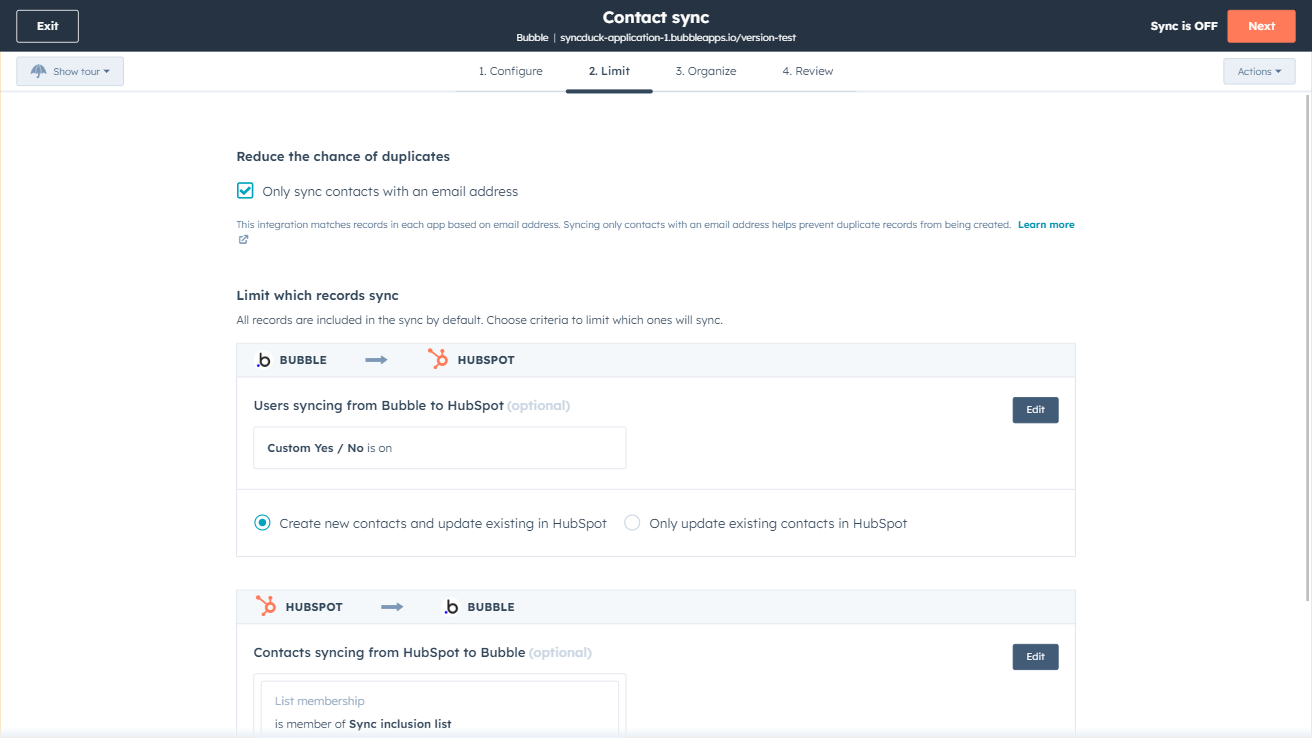
Sync Bubble and HubSpot data
Make manual data entry a thing of the past by syncing data (see below) between HubSpot and Bubble. When records are created or updated in either app, that information will be automatically shared with the other one.
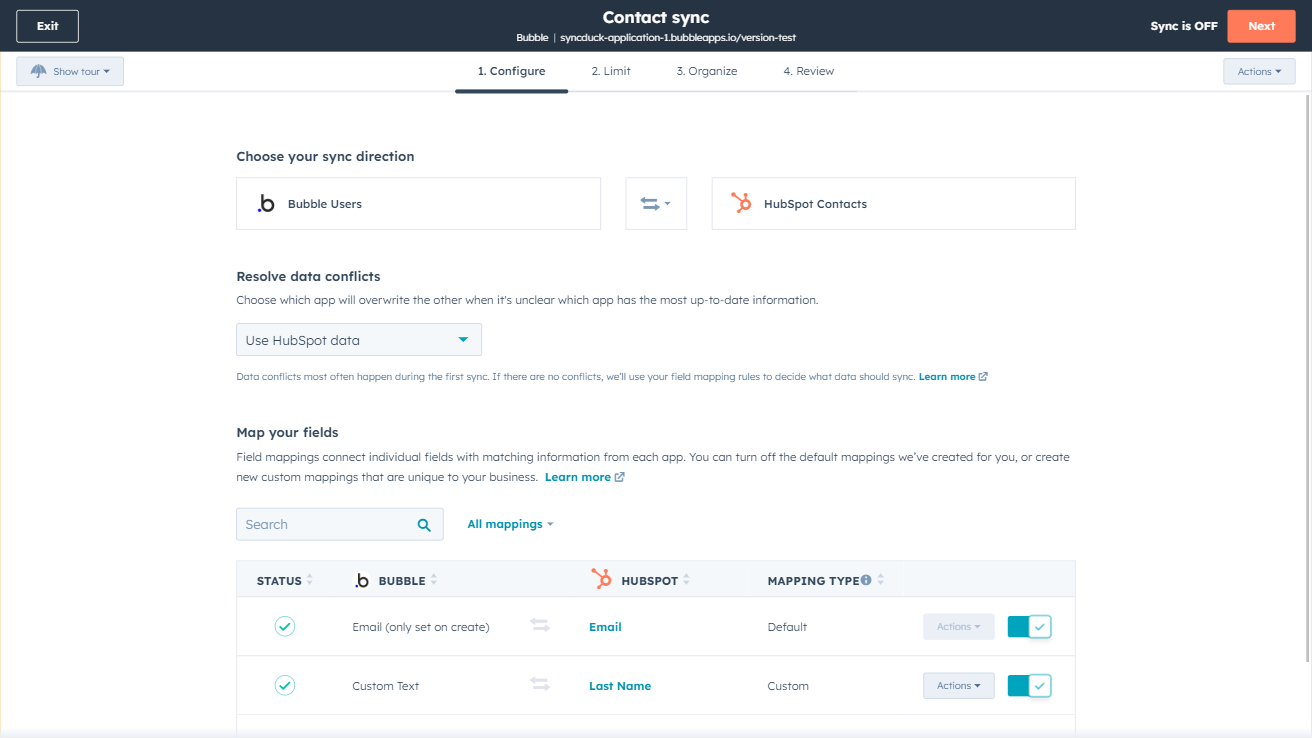
Custom field mappings
Custom field mappings are available with Operations Hub Starter and up (paid). Custom mappings add the flexibility to create your own mappings or make changes to your default ones.

Connect Bubble as a data source
[Public beta - all plans] Connect Bubble as a data source. Connect your account, choose the data you want to bring in, and review a preview before anything is saved. Save it to your source library, or sync it to the CRM. If you also need to send data back to Bubble or keep both sides in sync, you can choose that at the start of the same flow.
App Functionality
Shared Data
These field mappings apply when you sync with Data Sync. This app requires custom field mappings which are available with Data Hub Starter and up. Most standard CRM objects as well as custom objects are supported.
When you connect Bubble as a data source, your data comes in as they are in Bubble You only map them to HubSpot properties if you choose to sync the source to the CRM.
Things |
Reviews
- Oct 13, 2025
Poor synchronization complicating field mapping
Synchronization does not allow easy field mapping.
Ibanez, J.
- Jul 2, 2025
Fun with Slugs....
It is working great! Love what I can do with it and how fast I can generate things.
The plugins, the simple db access, the easy to build the pages.
either remove the idea of using Slugs, or allow to mass edit (with upload) so it is easier to build them based on our own logic done outside (via g sheets) or allow for building out logic on how they are constructed. then editable one at a time when needed.
Phillips, T.
Pricing
Review Bubble Pricing Page
$0
Use the 'See all pricing options' link on the righthand side
"Make sure to confirm the HubSpot subscription and the Bubble subscription needed to install this integration
Note: ""Free"" is referring to the cost of the integration, not the app subscriptions "
Review Bubble Pricing Page
$0
Use the 'See all pricing options' link on the righthand side
"Make sure to confirm the HubSpot subscription and the Bubble subscription needed to install this integration
Note: ""Free"" is referring to the cost of the integration, not the app subscriptions "
* The pricing here is for display purposes only. All prices do not include taxes, incentives, discounts, or other pricing variables. You should contact the partner for the most up to date and correct pricing information. HubSpot does not take any responsibility for this pricing information, which is provided by our partners. Pricing last updated: 09/03/2025
Most popular
Gmail
Bring HubSpot to your inbox with the HubSpot integration for Gmail.

Google Calendar
Book meetings quickly and easily with HubSpot and Google Calendar.
