

CRM Data Grader by Insycle

Leading
Requirements
HubSpot Plan HubSpot Account permissions - View the required account permissions
Access Type Shared CRM Data Grader by Insycle Subscription - Free plan
Overview
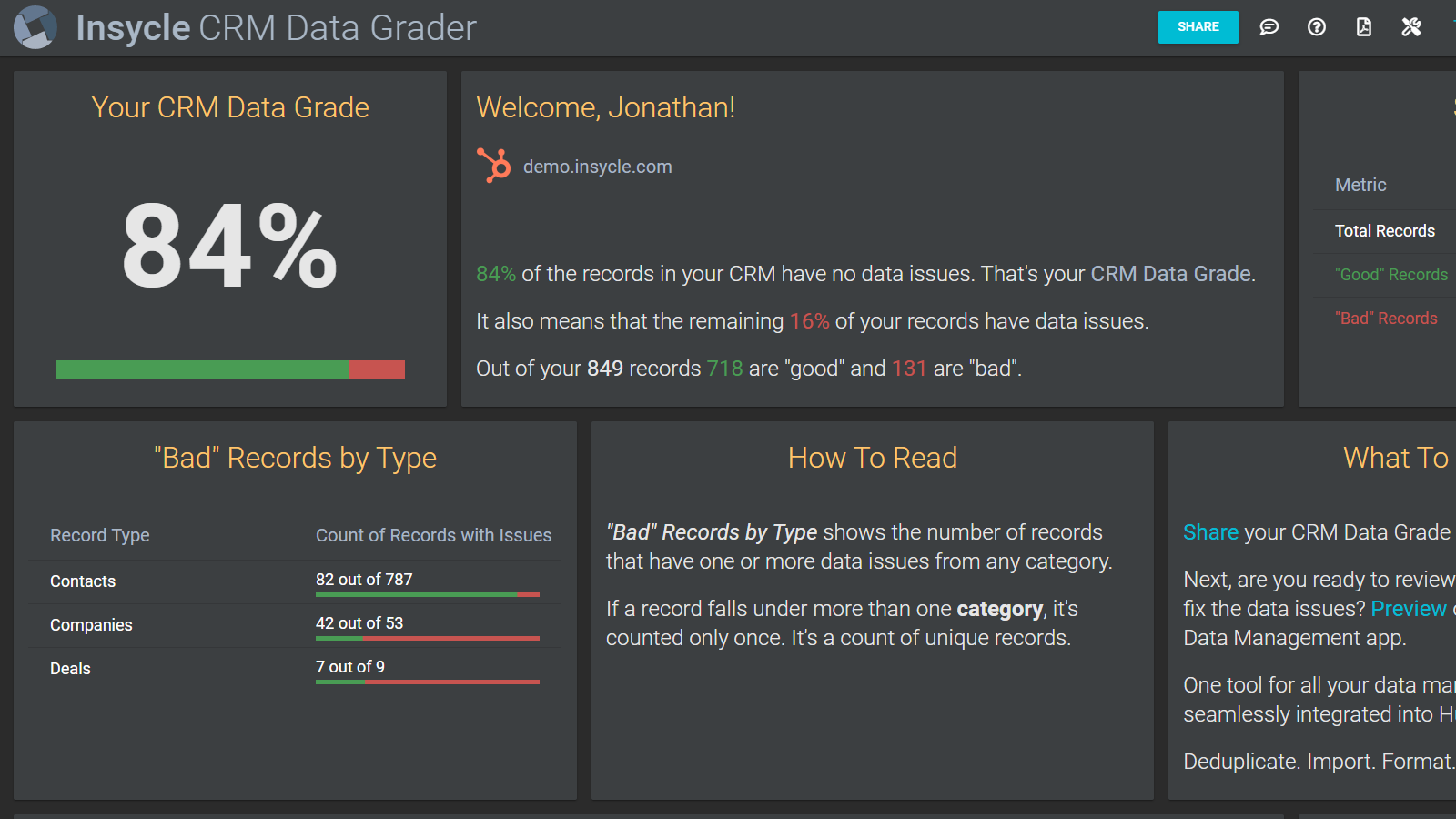
1/2 - CRM Data Grader overview
The goal of the CRM Data Grader is to help teams learn about best practices related to data, and to pinpoint issues that need to be fixed.
Over time, the business impact of not maintaining your CRM data becomes more clear, but much of the impact is nuanced and difficult to measure.
The CRM Data Grader analyzes your HubSpot CRM for the most common data issues and automatically generates a detailed report with metrics about incomplete data, poorly formatted data, duplicate data, invalid data, low-quality data, and more.
Marketing campaigns are only as good as the customer data that they use. Whether you are attempting to keep your costs down, decluttering your database, or getting rid of low-quality data, you always have an ongoing need to keep your database clean.
When to install the CRM Data Grader?
- Growth companies: database grows, and so do data issues that slow down the team
- Onboarding data hygiene
- Migrated into HubSpot from a different CRM
- About to start a cleanup project
- Acquired a CRM and don’t know what's inside
- Agency service to clients
- Periodic data checkup
- New decision-maker coming to HubSpot
- After large event or tradeshow
Learn more about data management:
Features
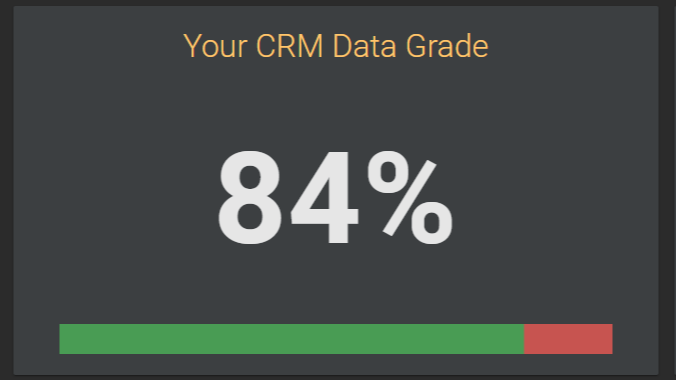
Overall CRM Data Grade
The overall CRM Data Grade is the percentage of records that do not have any data issues. If there are 100,000 records and the grade is 84% it means that 84,000 records do not have any data issues. It also means that 16%, the remaining 16,000, do have one or more issues. The same record is counted only once, even if it has more than one issue.
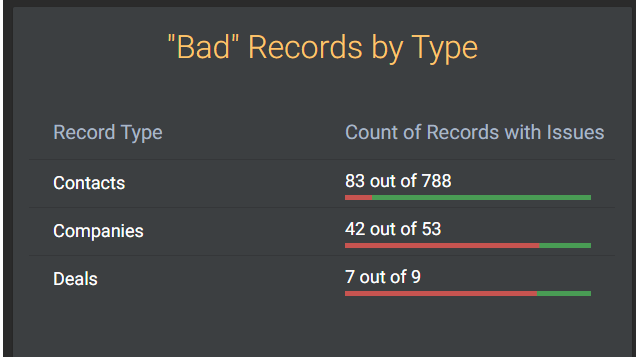
"Bad" Records by Type
This view shows a breakdown by record type of the number of records that have one or more data issues from any category. The same record is counted only once, even if it has more than one data issue. For example, in the table below 83 Contacts out of the total 788 Contacts have one or more issues, and it shows 11% red in the bar.

"Bad" Records by Category
This view shows a breakdown of the issues, grouped by category. Within a category, the same record is counted only once. However, when a record falls under more than one category, it's counted in each relevant category. For example, record ID 123456 might be counted in these categories: - Duplicate Data - Poorly Formatted Data - Incomplete Data

"Bad" Records by Issue
For additional details on each category and to see the exact data issues, click a category to expand the view. In this view, the count shows the number of records affected by that issue. If a record falls under more than one issue, it's counted in each relevant issue. However, on the category summary level the same record is counted only once.

Share your CRM Data Grade
Share the grade and report with your team and colleagues, to help them learn about issues that affect your sales and marketing efforts. Click the "Share" button on the top menu bar and enter email addresses. When you enter an email address, press Enter for it to become a bubble.
App Functionality
Shared Data
Companies | ||
Contacts | ||
Deals |
Reviews
4.3
6
4.3
6
- Mar 5, 2024
Great free tool to assess how good your bad is your CRM data!
Great experience overall, very easy to use as it only requires a login to sign up!
We used the CRM Data Grader to have an idea of what were our weaknesses and strengths in terms of data quality and it worked great!
Easy way to get a report for C-Level on Data Quality. The Data Grade is an amazing way of summarizing something very complex down to one score, one number!
I wish it had better metrics that were more actionable and close to the all standard fields in the CRM.
Vilasboas Rosa, E.
Technology - Software - 201 to 1,000 employees
- Feb 28, 2023
Beneficial & Simple
Realy beneficial to the work i was starting to do. We had been working on making the system more robust whilst also optimising all it had to offer. We then used Insycle to start to realy clean the data as much as we could. I believe i have amended around 50,000 properties.
Cleaning up an inherited database
The ease of use to do the basic things quickly and effectively.
Understanding / knowing the terminology to get the best out of the system - there needs to be an online help that shows you whats available and what it does
Miller, N.
Technology - Software - 51 to 200 employees
Pricing
Free
$0
Free for databases with up to 1,000,000 records.
Free
$0
Free for databases with up to 1,000,000 records.
* The pricing here is for display purposes only. All prices do not include taxes, incentives, discounts, or other pricing variables. You should contact the partner for the most up to date and correct pricing information. HubSpot does not take any responsibility for this pricing information, which is provided by our partners. Pricing last updated: 01/20/2026
New arrivals

VoiceStack
AI-Powered Telephony & Automated Call Summaries for HubSpot

Finale Composer
Composer allows you to use AI tools like Claude, Gemini, ChatGPT and Grok to quickly generate modular content for your HubSpot site that plays nicely with your theme. You can also generate separate, fully re-usable modules in minutes!
