
Salesforce
Requirements
HubSpot Plan HubSpot Account permissions No permissions required Access Type Shared Salesforce Subscription - Professional or Enterprise plans
Overview
1/5 - Watch a demo video of the Salesforce app for HubSpot
Unify marketing and sales data across Salesforce and HubSpot to support more automated and precise customer engagement, such as personalized marketing and informed sales processes.
Install this app to:
Sync leads, contacts, accounts, opportunities and custom objects between platforms, reducing manual data entry and improving information alignment.
Integrate customer interactions, including email engagement, form submissions, and website activity to provide sales teams with complete customer visibility.
Use Salesforce contact details to segment databases, personalize marketing communications, and track revenue attribution for marketing campaigns.
Enroll records in workflows directly from Salesforce and access HubSpot tools within the Salesforce interface, reducing platform switching and improving operational efficiency.
Configure custom field mappings that adapt to specific business processes and data management requirements.
Features
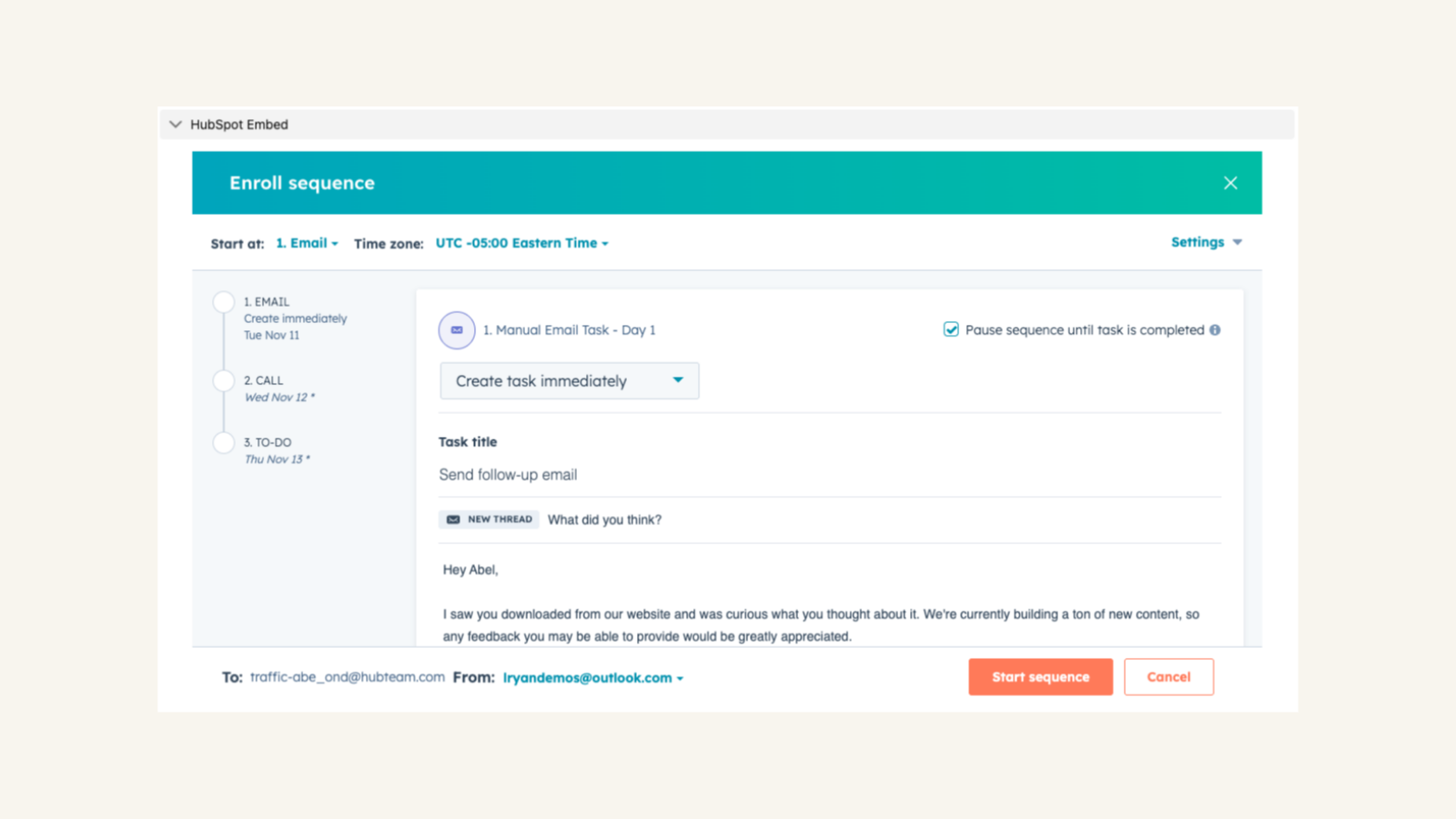
HubSpot embedded in Salesforce
Use HubSpot tools without leaving Salesforce. The HubSpot embed feature provides insights into HubSpot contact, company, and deal records and lets you enroll these records in workflows from right within Salesforce.
App Functionality
Shared Data
Leads/ Contacts | ||
Accounts | ||
Opportunties | ||
Tasks | ||
Cases | ||
Custom Objects |
Reviews
2.9
68
2.9
68
Many users highlight the straightforward installation and the integration's ability to automate lead management across platforms. However, others report that data model differences often cause duplicate records and complex sync errors. Some also note limited support for custom objects and outdated Visualforce pages, but teams generally find the tool valuable for aligning marketing and sales data.
- Sep 20, 2026
Bad documentation and Bad integration
Salesforce works fine. HubSpot working with Salesforce is horrible.
It's supposed to make it better for the sellers in Salesforce, not quite sure it does
salesforce integration is within HubSpot so you cannot properly gate actions in HubSpot that will protect Salesforce.
Kellar, D.
- Sep 3, 2026
Contact Sync
Great tool. Easy to use. Only big dislike is that Contact/Leads do not have an easy way to filter out for import. For instance, we have a big bucket of Sales-generated leads from ZoomInfo (100k+) that we don't want or need to import into Zoominfo.
Easy to use, imports all SF fields.
No way to filter Contacts/Leads from sync.
Barton, N.
Pricing
Professional
$75
/monthComplete CRM for any size team
Everything in Essentials, plus
Lead Registration and Rules-Based Lead Scoring
Collaborative Forecasting
Professional
$75
/monthComplete CRM for any size team
Everything in Essentials, plus
Lead Registration and Rules-Based Lead Scoring
Collaborative Forecasting
* The pricing here is for display purposes only. All prices do not include taxes, incentives, discounts, or other pricing variables. You should contact the partner for the most up to date and correct pricing information. HubSpot does not take any responsibility for this pricing information, which is provided by our partners. Pricing last updated: 06/22/2026
Most popular

Gmail
Bring HubSpot to your inbox with the HubSpot integration for Gmail.

Google Calendar
Book meetings quickly and easily with HubSpot and Google Calendar.
