

FormPay by MakeWebBetter
Built by - MakeWebBetter
Installs - 500+ installs
Rating 4.8
(13)

Rising
Requirements
HubSpot Plan HubSpot Account permissions - View the required account permissions
Access Type Shared FormPay by MakeWebBetter Subscription - Starter or Pro plans
Overview
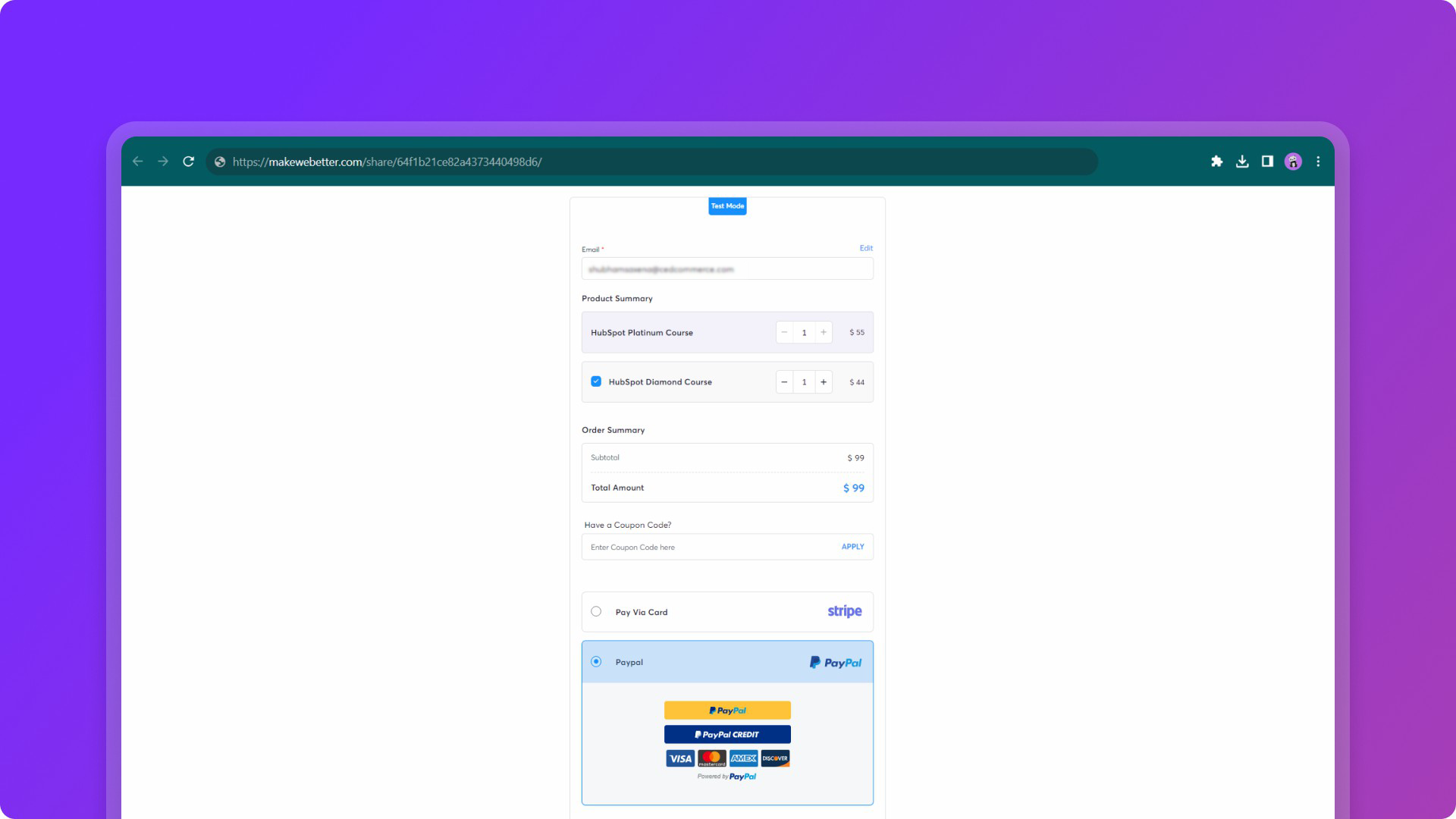
1/8 - collect payments with customizable payment forms by formpay
FormPay brings universal payment collection inside your HubSpot CRM.
Instead of juggling multiple platforms, you can create payment links, collect payments through forms, and track everything right where you're already working. FormPay connects your HubSpot with payment gateways like Stripe, PayPal, Adyen, Authorize.net, and others—so you can accept payments without leaving your CRM.
FormPay lets you:
Create payment links straight from Contact and Deal records.
Build payment forms from scratch using the built-in form builder and integrate them with HubSpot.
Turn your HubSpot forms into payment forms (works with any legacy form).
Accept one-time payments or set up recurring subscriptions.
Enable payments on your HubSpot Quotes alongside e-signatures.
Automate when payment links get created and sent using HubSpot workflows.
Keep tabs on all transactions inside HubSpot (no separate dashboard needed).
Collect donations with suggested amount presets.
Accept Offline Payments & Partial Payments.
Catch abandoned payments as dedicated property under HubSpot contact records.
Connect with Xero to handle invoicing and accounting.
Test everything safely before going live with test mode.
Prerequisite: You'll need a payment gateway account (Stripe, PayPal, etc.) since that's where the actual payment processing happens. FormPay doesn't store or access card data. Your gateway handles all of that, including PCI compliance.
The good news? FormPay works with all HubSpot plans, including the free Starter version.
Features
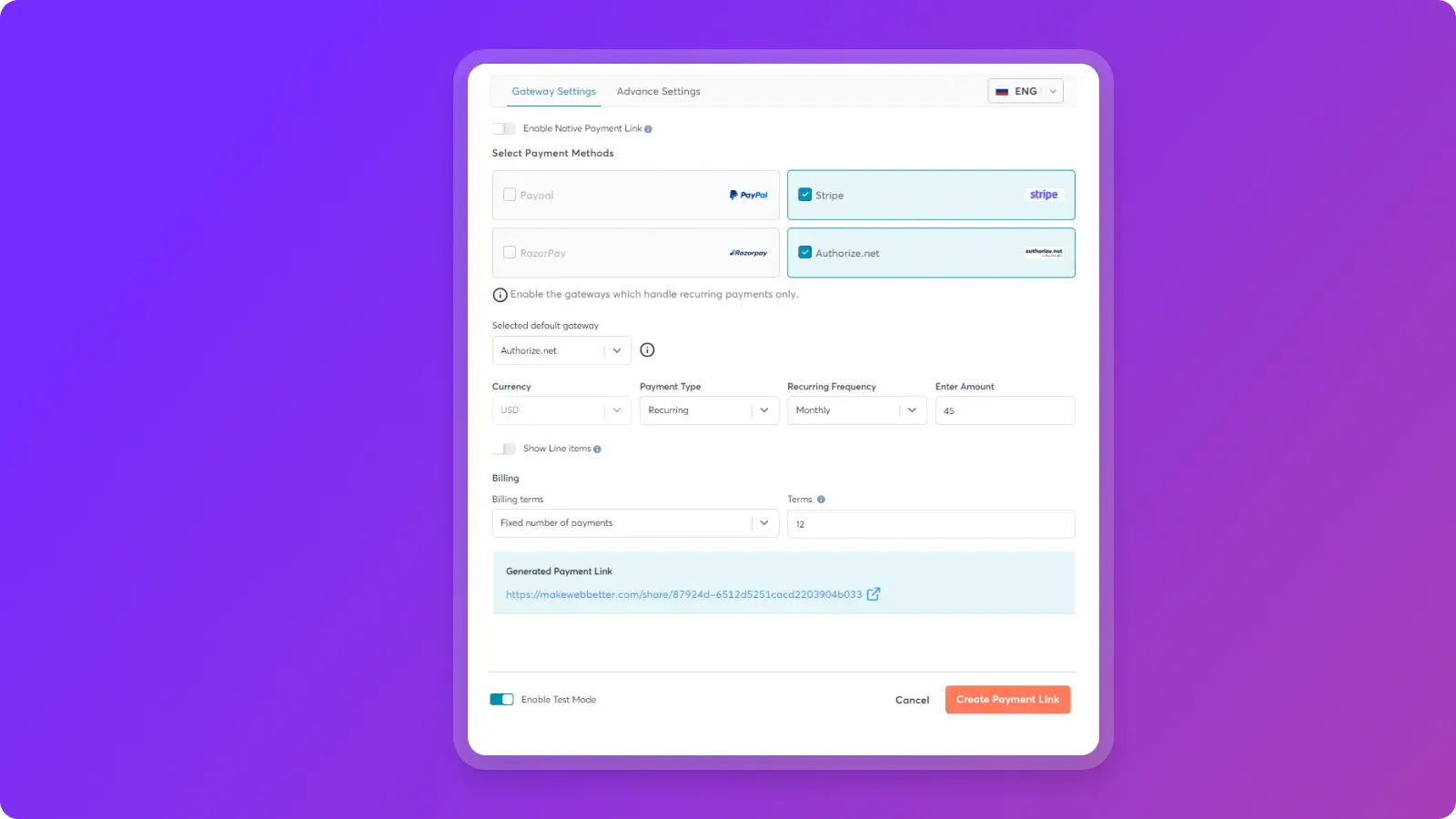
Create Payment Links Inside HubSpot
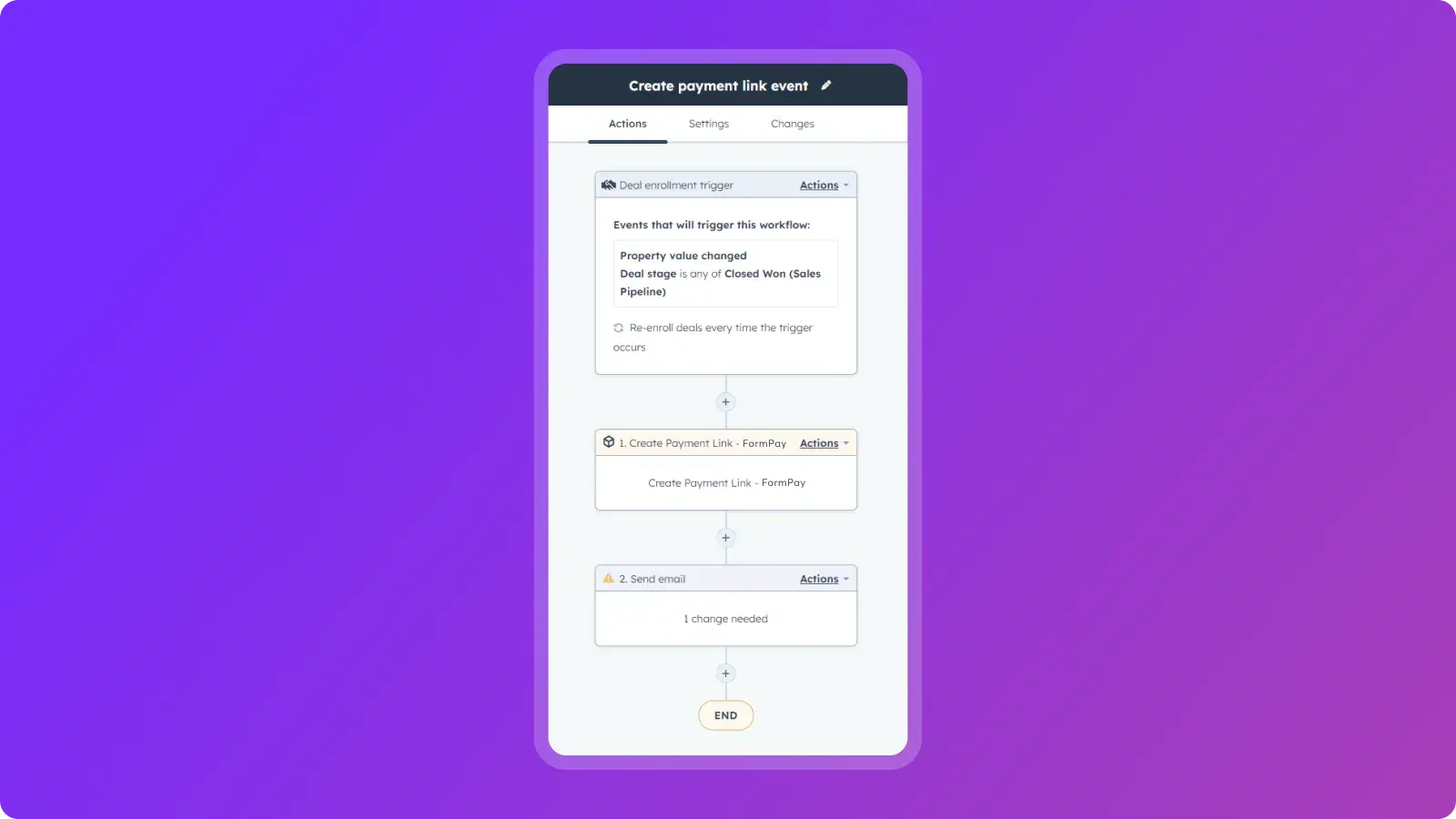
Use the FormPay App Card to create tailored payment links directly from your Contact or Deal records. Each link can include deal line items and support one-time or recurring payments. Share the link anywhere—email or chat, whatever works. You can also automate the entire process using HubSpot workflows, trigger payment links on set deal stages.
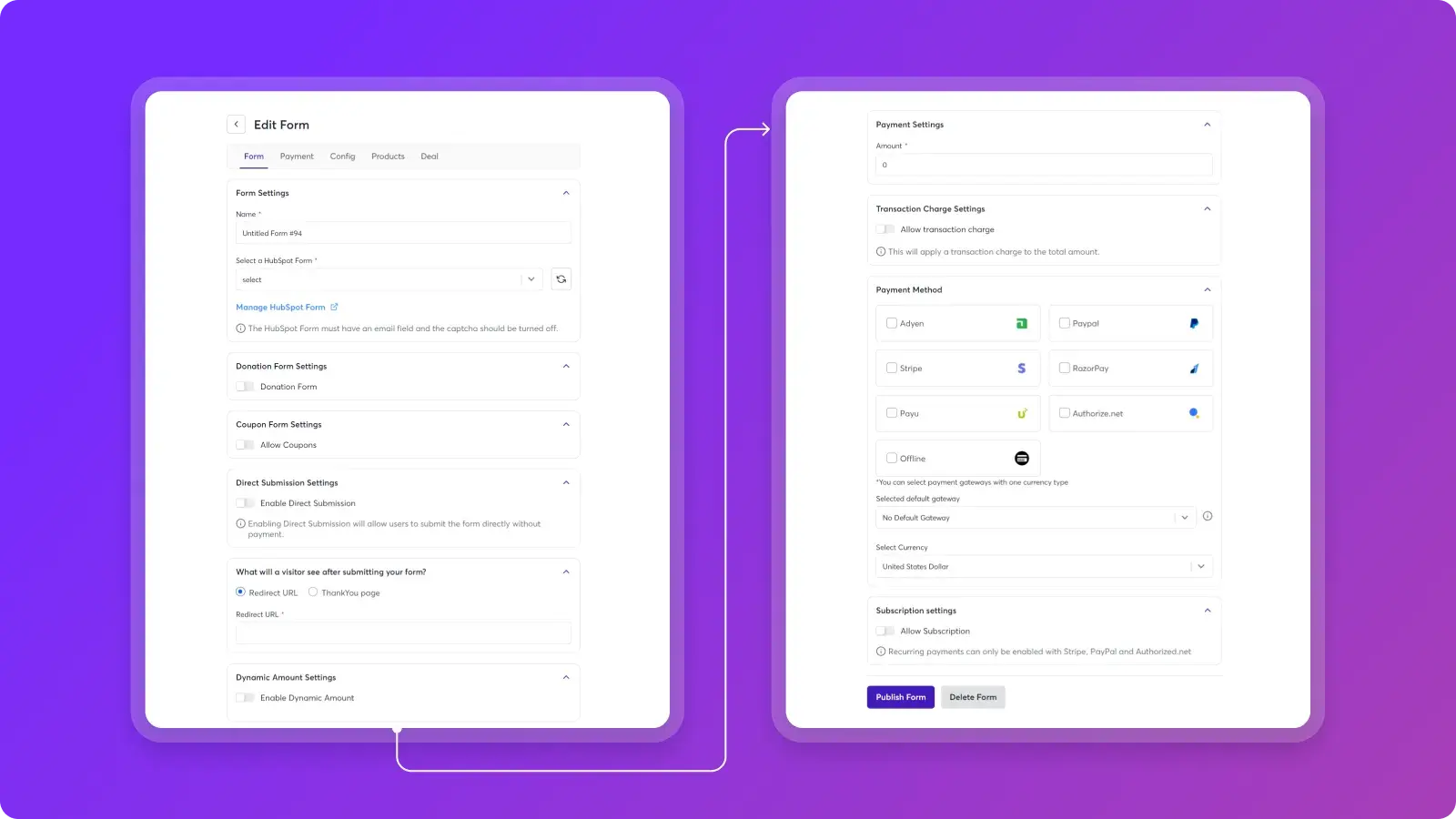
Turn HubSpot Forms Into Payment Forms
Convert legacy HubSpot forms into payment forms while collecting customer info. - One-time or subscription products. - Donation forms with suggested amounts. - Even partial or offline payments, if that’s your thing. Embed these forms on landing pages or use them as buttons. Everything’s customisable—branding, language (we support 11), you name it.
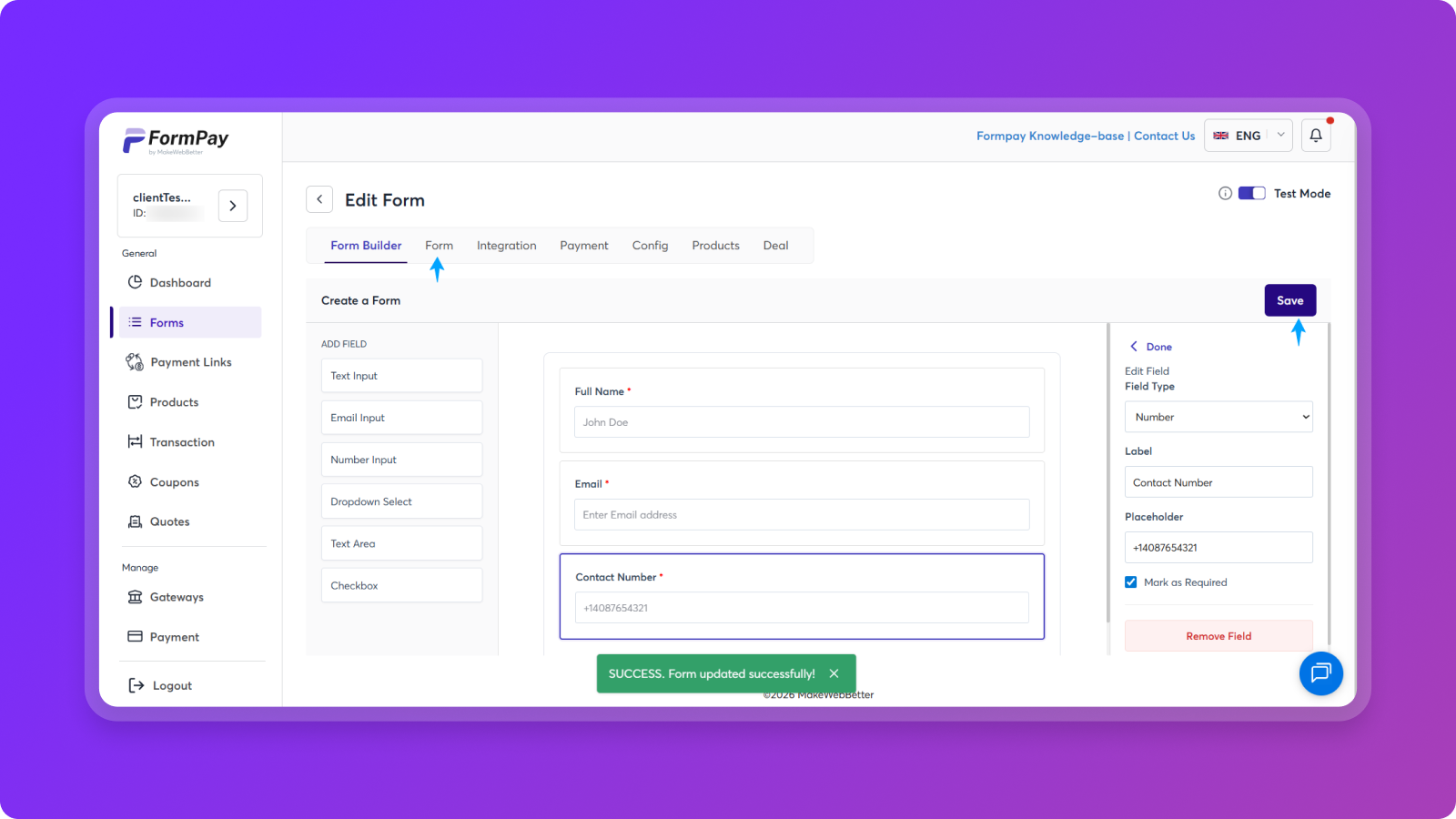
Native Payment Form Builder
Use the zero-to-launch payment form builder to create payment forms with fields that match your goals. Capture transaction information and sync everything with HubSpot. - Dedicated form builder for one-time, recurring, and offline payments. - Customizable field labels & placeholders. - Sync captured data in real-time with your HubSpot account.
Accept Payments Through Multiple Gateways
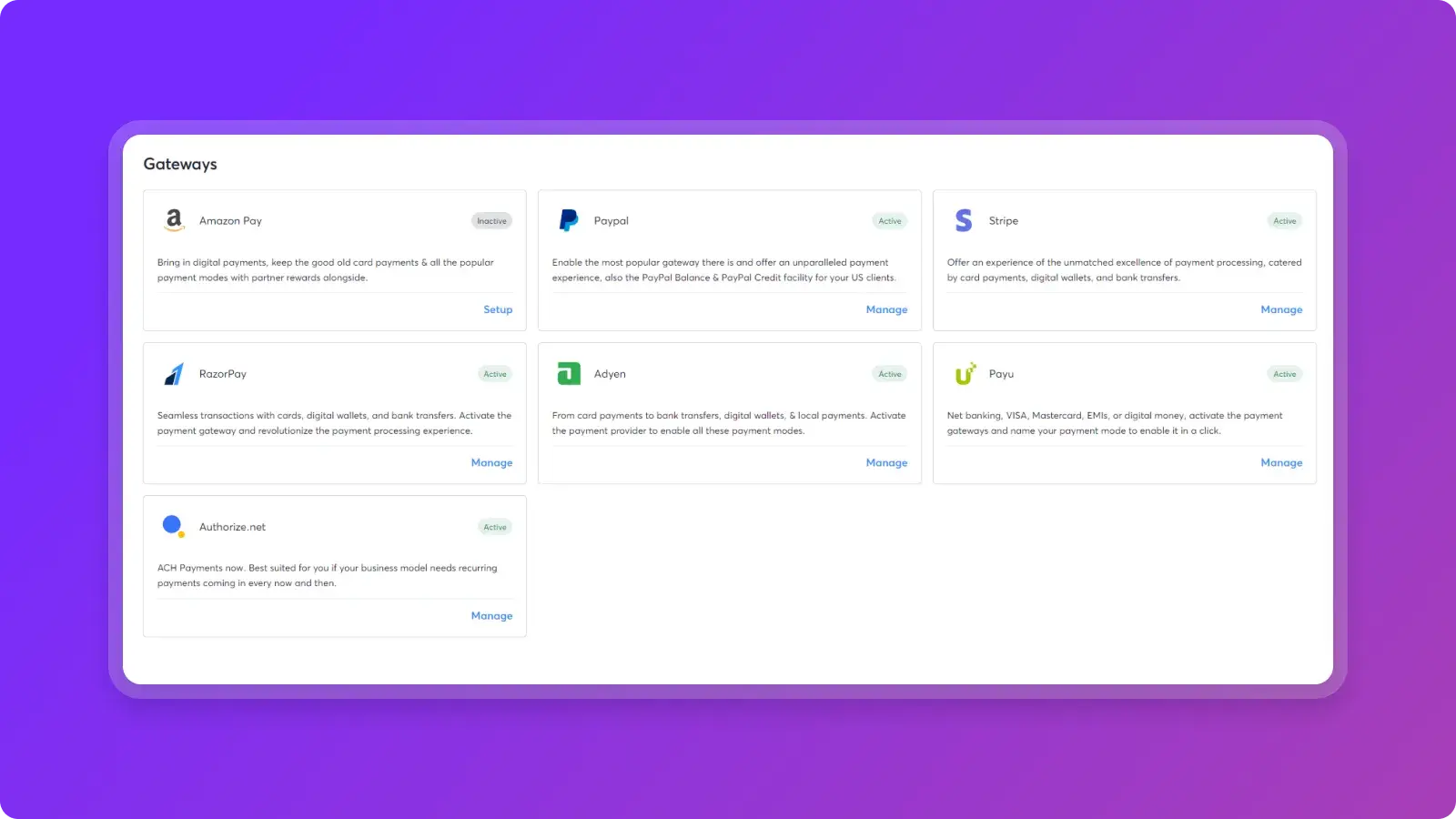
FormPay connects with these payment gateways: Stripe, PayPal, Adyen, RazorPay, PayU, Authorize.net, and Amazon Pay. If you're using Stripe, you'll also get: Apple Pay, Google Pay, Klarna (BNPL), and Line Pay. You can even enable multiple gateways on the same form and support different currencies—useful if you've got international customers.
Automate Your Payment Workflows
FormPay creates Payment & Subscription properties in HubSpot to power automation: - Auto-send payment links for “Closed Won” deals. - Track completed vs. pending payments. - Send reminders for overdue payments. - Update deal stages based on payment status. Everything stays synced in real time, giving your team clear visibility into payment activity
Build Your Product Library
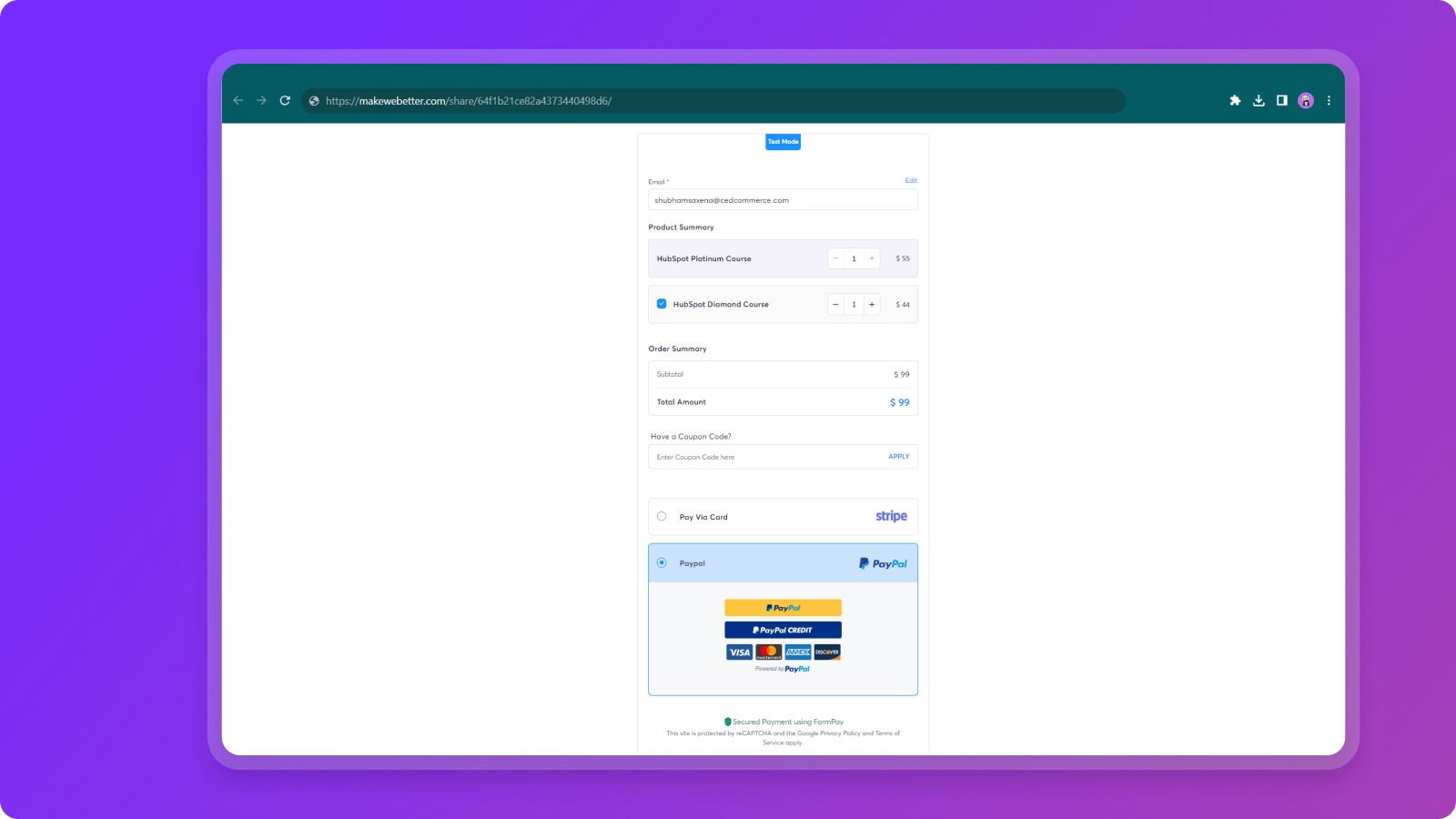
Set up and map your HubSpot products inside FormPay. - Standard one-off purchases. - Subscription (monthly or yearly). - Delayed billing for subscriptions (useful for trial periods). When creating payment forms, display multiple products in a dropdown, let customers adjust quantities, and apply discount coupons to specific products or entire forms.
App Functionality
Shared Data
Contacts | ||
Contact Properties | ||
Payment | ||
Forms | ||
CRM Extension | ||
Transaction Details | ||
Transaction Details | ||
Products |
Reviews
4.8
13
4.8
13
- Dec 19, 2024
Your Go - to option to set up Paypal payment Gateway in HubSpot. The tool is simple and straightforward with a aesthetic and easy UX. Flawless CS!
I managed to seamlessly integrate Paypal payments with HubSpot forms in no time. All implementation questions were address surprisingly fast by Formpay support team. THANKS!
Rodriguez, A.
- Oct 16, 2024
Lack of customization, no support reply
The setup itself was easy enough, but the form could not be modified sufficiently to embed directly on web page. Also, I tried writing support several times with no reply.
Integrating payment with HubSpot forms.
Steffensen, E.Z.
Technology - Software - 26 to 50 employees
Starter
$16.58
/monthMaximizing Value, Minimizing Costs
Native Form Builder (5 monthly)
Multiple Payment Gateways
Payment Link Generator (15 Monthly)
Payments & Submissions (30 Monthly)
Coupons Generator (7 Monthly)
HubSpot Deal Integration
VAT Calculator
One-time & Recurring Payments
Quote Payments
Offline Payments
Partial Payments
Product Mapping
Transactions & Subscriptions Tracking
Form Sharing (Embed Code / URL)
Multilingual Support
Starter
$16.58
/monthMaximizing Value, Minimizing Costs
Native Form Builder (5 monthly)
Multiple Payment Gateways
Payment Link Generator (15 Monthly)
Payments & Submissions (30 Monthly)
Coupons Generator (7 Monthly)
HubSpot Deal Integration
VAT Calculator
One-time & Recurring Payments
Quote Payments
Offline Payments
Partial Payments
Product Mapping
Transactions & Subscriptions Tracking
Form Sharing (Embed Code / URL)
Multilingual Support
* The pricing here is for display purposes only. All prices do not include taxes, incentives, discounts, or other pricing variables. You should contact the partner for the most up to date and correct pricing information. HubSpot does not take any responsibility for this pricing information, which is provided by our partners. Pricing last updated: 02/18/2026
More info
Built by - MakeWebBetter
Installs - 500+ installs
Categories Languages this app is available in English ,French ,German ,Italian ,Portuguese , andSpanish
Getting attention today

Zoom
Use Zoom with HubSpot meetings, workflows, contact records and more.

Microsoft Teams
Use Microsoft Teams and HubSpot for meetings, conversations, and more!
