

Requirements
HubSpot Plan HubSpot Account permissions - View the required account permissions
Access Type Shared Howly Subscription - Howly Pro plan
Overview
1/5 - How to Connect & Navigate Howly
You shouldn't have to guess how your HubSpot automations connect.
Howly gives you a single visual map of your entire HubSpot workflow system. Every connection, dependency, and enrollment path is visible in one place, so you can see what is happening, what is broken, and what will be affected before you change anything.
Do these sound familiar?
→ You can't tell how workflows depend on each other without opening each one
→ You find broken or inactive automations only after something goes wrong
→ You're nervous to make changes because you don't know the downstream impact
→ Onboarding a new teammate means hours of manual explanation
Howly fixes all of that.
Connect Howly to HubSpot and you get a visual map of every workflow and connection in your portal, a health score that automatically flags stale, broken, and orphaned workflows, and an AI audit that reads your entire portal and returns prioritized findings in plain language. Then export a clean, branded report for your client or team.
How it works:
Load your map. Every workflow and connection in your HubSpot portal is visualized automatically.
Plan before you build. Add a planned workflow to your canvas and see every connection it would have before it exists in HubSpot.
Check your health. Stale, broken, and orphaned workflows are flagged instantly across your entire portal.
Run an AI audit. Get a prioritized list of findings in plain language in about 15 seconds.
Export and share. Send a branded PDF or Lucidchart map to clients and stakeholders.
Whether you manage one HubSpot portal or twenty, Howly gives you the visibility to move fast without breaking things.
Features
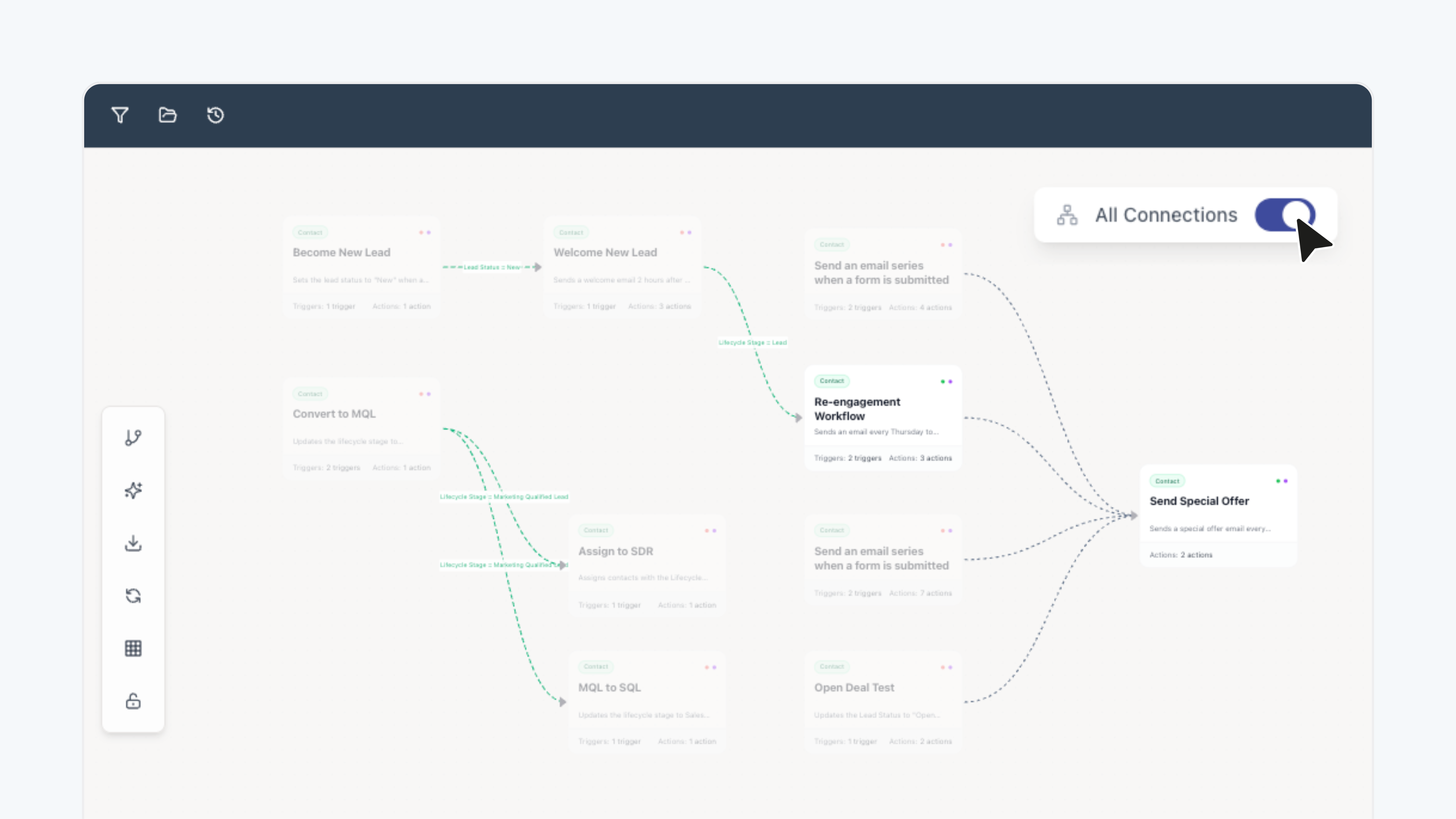
Visual Workflow Map
See every workflow and connection in your HubSpot portal on a single map, without clicking into each one.
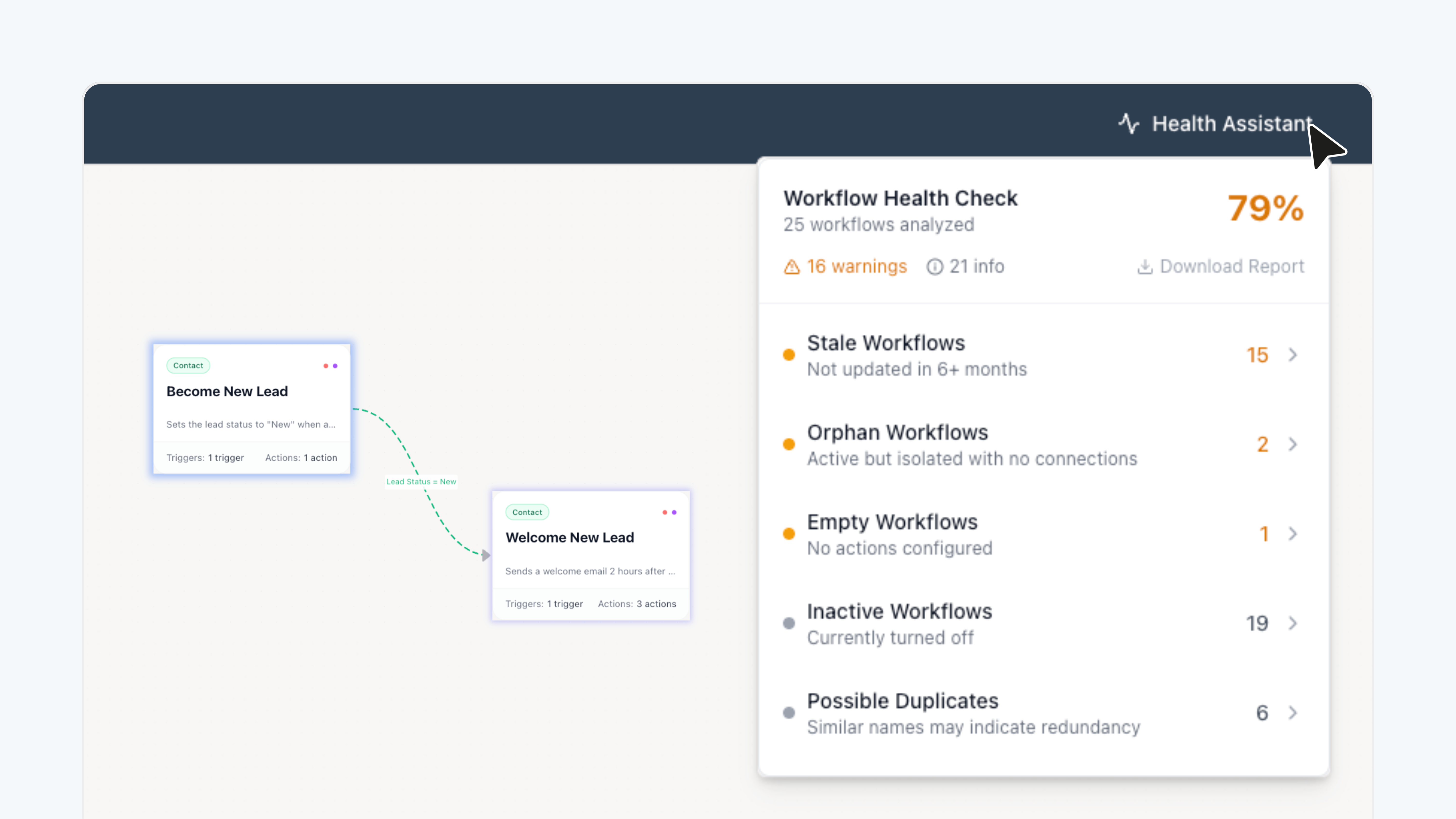
Workflow Health Checker & Impact Analysis
See which workflows are active, stale, or broken across your entire portal at a glance, and know exactly what will be affected before you make any change.
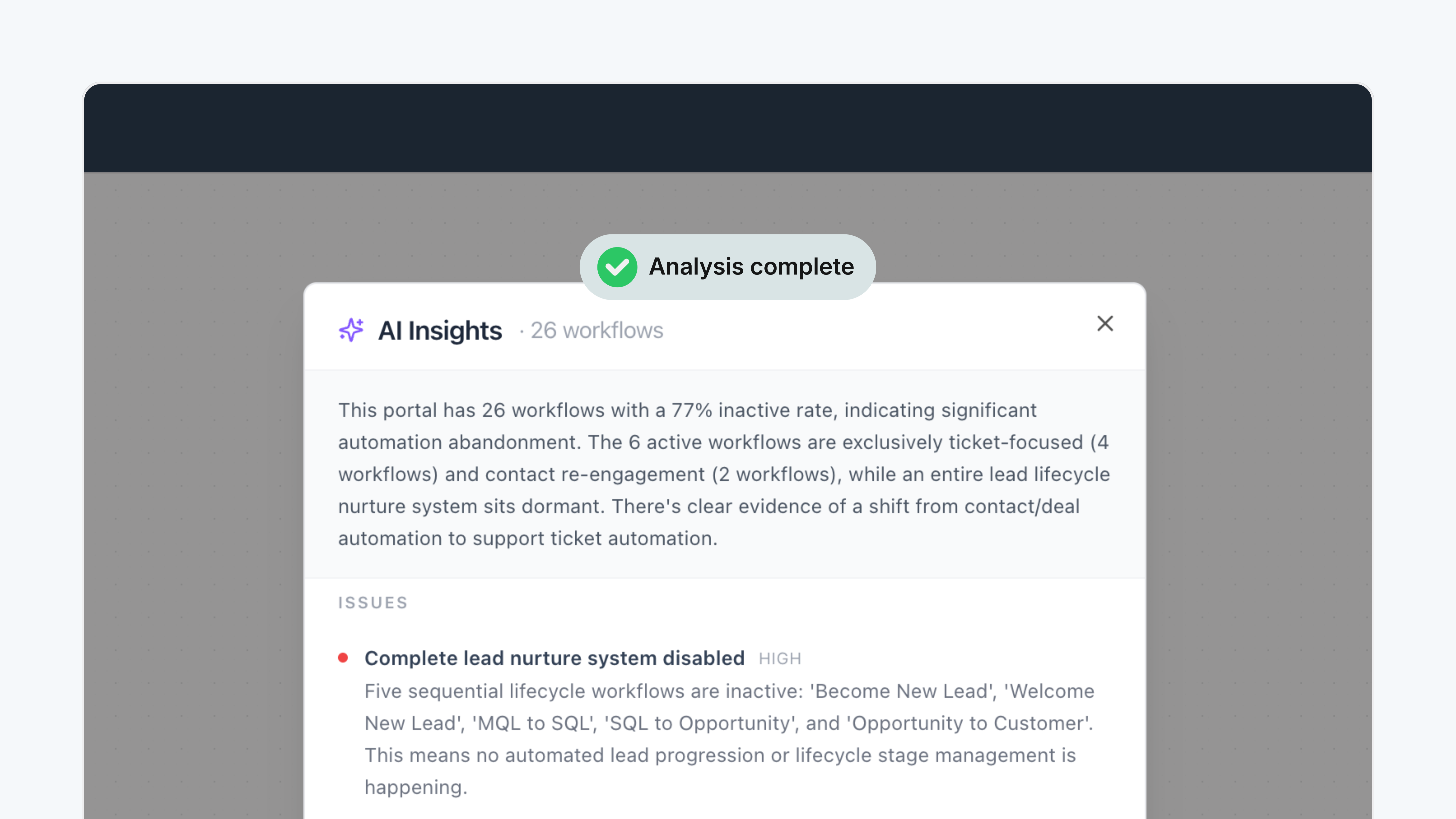
AI Workflow Audits
Get a full read of your HubSpot portal in about 15 seconds, with every finding ranked by priority so you know exactly where to start.
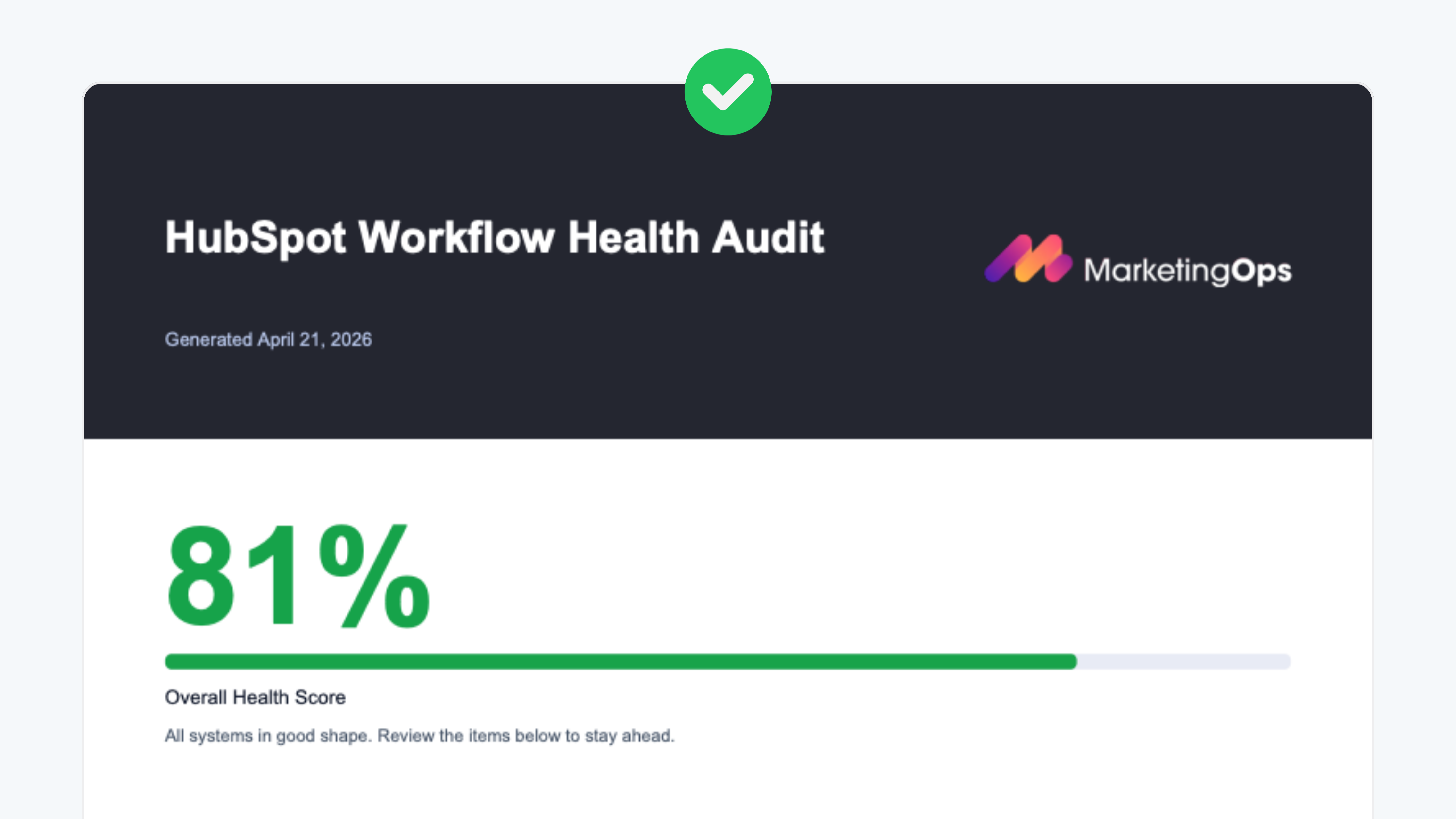
Branded Reports
Export white-labeled audit reports with your logo, colors, and org name.
-1.png)
Workflow Planning
Add a planned workflow to your canvas and see every connection it would have before it exists in HubSpot.
App Functionality
Shared Data
Workflows |
Reviews
5.0
15
5.0
15
- Jun 4, 2026
I can see what my workflows are actually doing
Howly turns the invisible web of HubSpot workflows into an actual map you can read. Being able to see what a change will cascade into before I make it has saved me from myself more than once. The health score and AI audit are solid extras, but the visibility alone is the reason I'd recommend it.
I run a portal that's been through a Marteo-to-HubSpot migration and a pile of integrations on top, so "click into each workflow to see how they connect" stopped being viable a long time ago. Howly just shows me the web. The downstream-impact view is the part I actually care about. When I'm about to flip something off or rework an enrollment, I want to know what else it touches before I find out the hard way. The health score caught orphaned and stale stuff I'd genuinely forgotten was still running. In a portal my size that buildup is inevitable.
I default to owning my stack, so granting yet another tool full read access to the portal is a real tradeoff for me, not a throwaway line. Worth it here, but I noticed it. The value is tied to how messy your portal is. Mine earns it. A clean five-workflow setup wouldn't.
Piraino, J.
- May 28, 2026
Dynamic product for workflow triage + visibility
When you're dealing with a portal full of automations and don't know where to start, Howly is the 10K foot view you always wanted but never had.
Ability to see workflows at a high level, understand how they map together, see orphaned workflows and bring calm to the chaos of unchecked automations.
Irshad, P.
Pricing
Howly Pro
$119
/monthFor agencies and RevOps teams who need full visibility into their HubSpot automations.
Direct support from Howly
Lucidchart export support
Client-ready PDF reports
Health checks + impact analysis
AI-powered workflow audits
Visual workflow mapping
Unlimited HubSpot portals
Howly Pro
$119
/monthFor agencies and RevOps teams who need full visibility into their HubSpot automations.
Direct support from Howly
Lucidchart export support
Client-ready PDF reports
Health checks + impact analysis
AI-powered workflow audits
Visual workflow mapping
Unlimited HubSpot portals
* The pricing here is for display purposes only. All prices do not include taxes, incentives, discounts, or other pricing variables. You should contact the partner for the most up to date and correct pricing information. HubSpot does not take any responsibility for this pricing information, which is provided by our partners. Pricing last updated: 06/01/2026
More info
Built by - Howly
Installs - 100+ installs
Categories Languages this app is available in English
Getting attention today

Salesforce
An automatic, bi-directional sync between HubSpot and Salesforce.

SurveyMonkey
Take action on your SurveyMonkey data in HubSpot.
