

ProjectOps
Built by - Atlantic Ops
Installs - <10 installs
Requirements
HubSpot Plan HubSpot Account permissions - View the required account permissions
Access Type Shared ProjectOps Subscription - Standard plan
Overview
1/11
ProjectOps turns HubSpot Projects into a more complete project management workspace, helping teams manage delivery without moving work into a separate project management platform.
ProjectOps solves the manual setup, consistency, and visibility challenges that come with managing projects directly in HubSpot. Teams can standardize how projects are created, automatically generate the tasks and milestones required for different project types, track project time and budgets, and understand team capacity across active work.
By keeping project delivery connected to HubSpot CRM records, ProjectOps gives sales, service, operations, and delivery teams a shared view of customer work while allowing HubSpot to remain the system of record.
Features
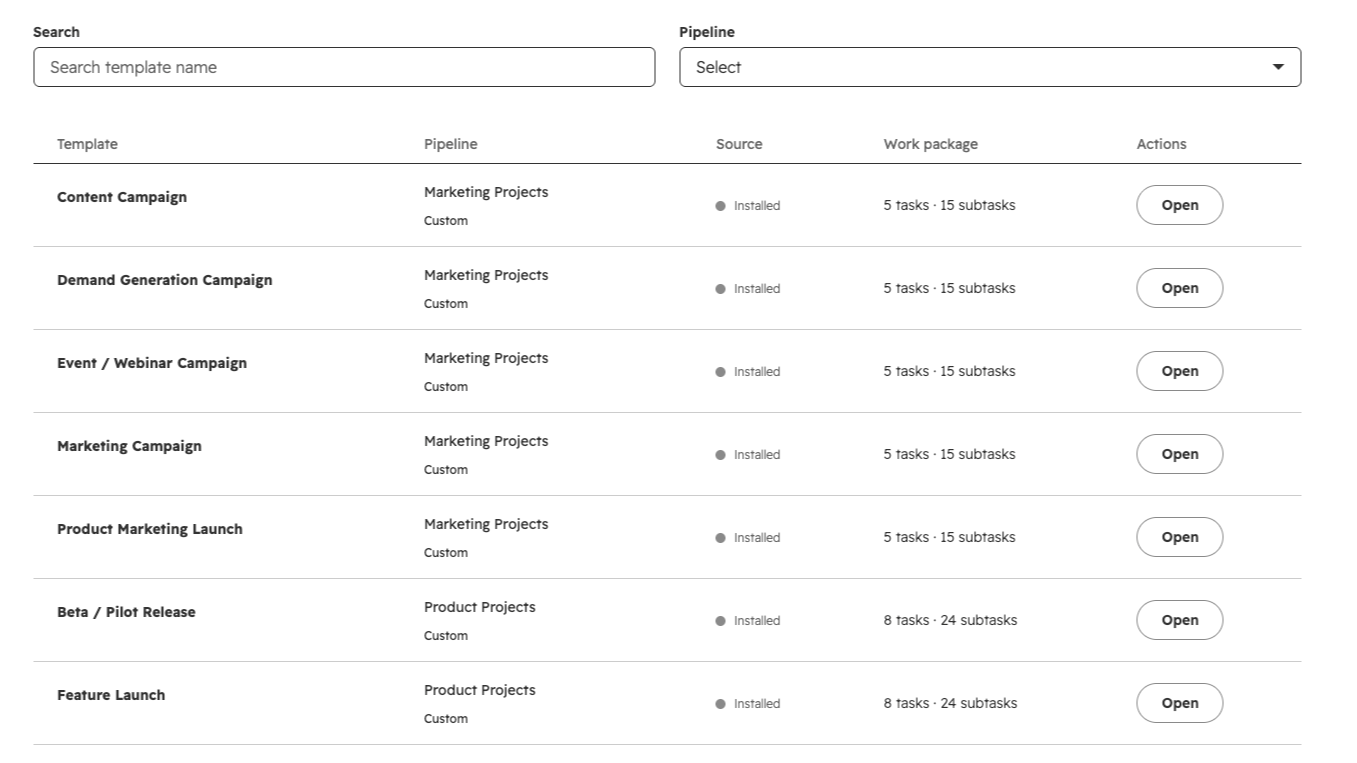
Configure project pipelines and templates
Configure HubSpot Project pipelines and reusable templates for common project types. ProjectOps uses HubSpot Project properties, pipelines, and stages to standardize how projects are structured and managed.
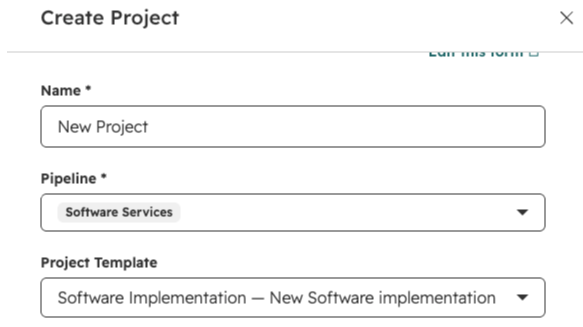
Automate project setup
Apply a ProjectOps template to create the tasks, subtasks, milestones, and supporting project structure required for a new HubSpot Project. This gives teams a repeatable delivery process without manually rebuilding each project.
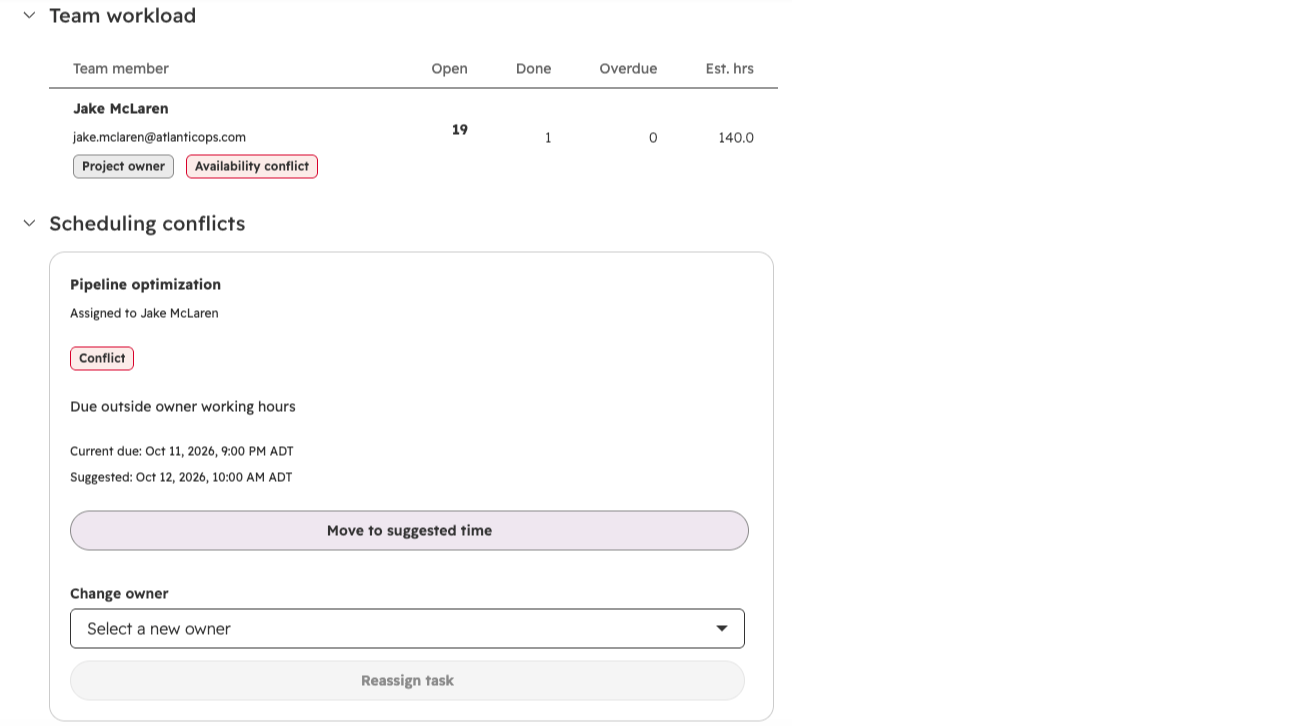
Manage project delivery from HubSpot
Manage project execution directly from HubSpot Project records with ProjectOps cards for budget, health, team, timeline, and time tracking. Project information remains connected to the native HubSpot Project record.
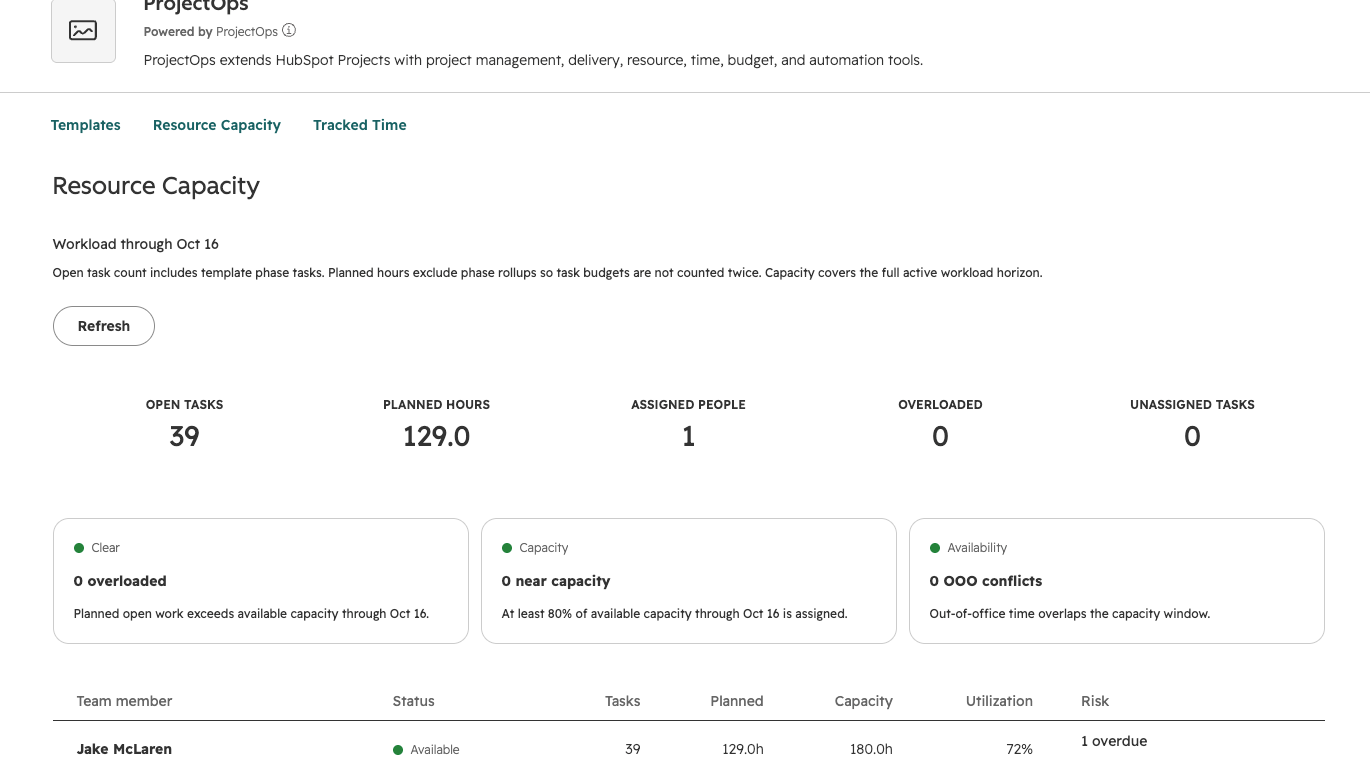
Plan team resource capacity
View project assignments and team capacity across active HubSpot Projects to identify available capacity and potential workload conflicts before assigning additional work.
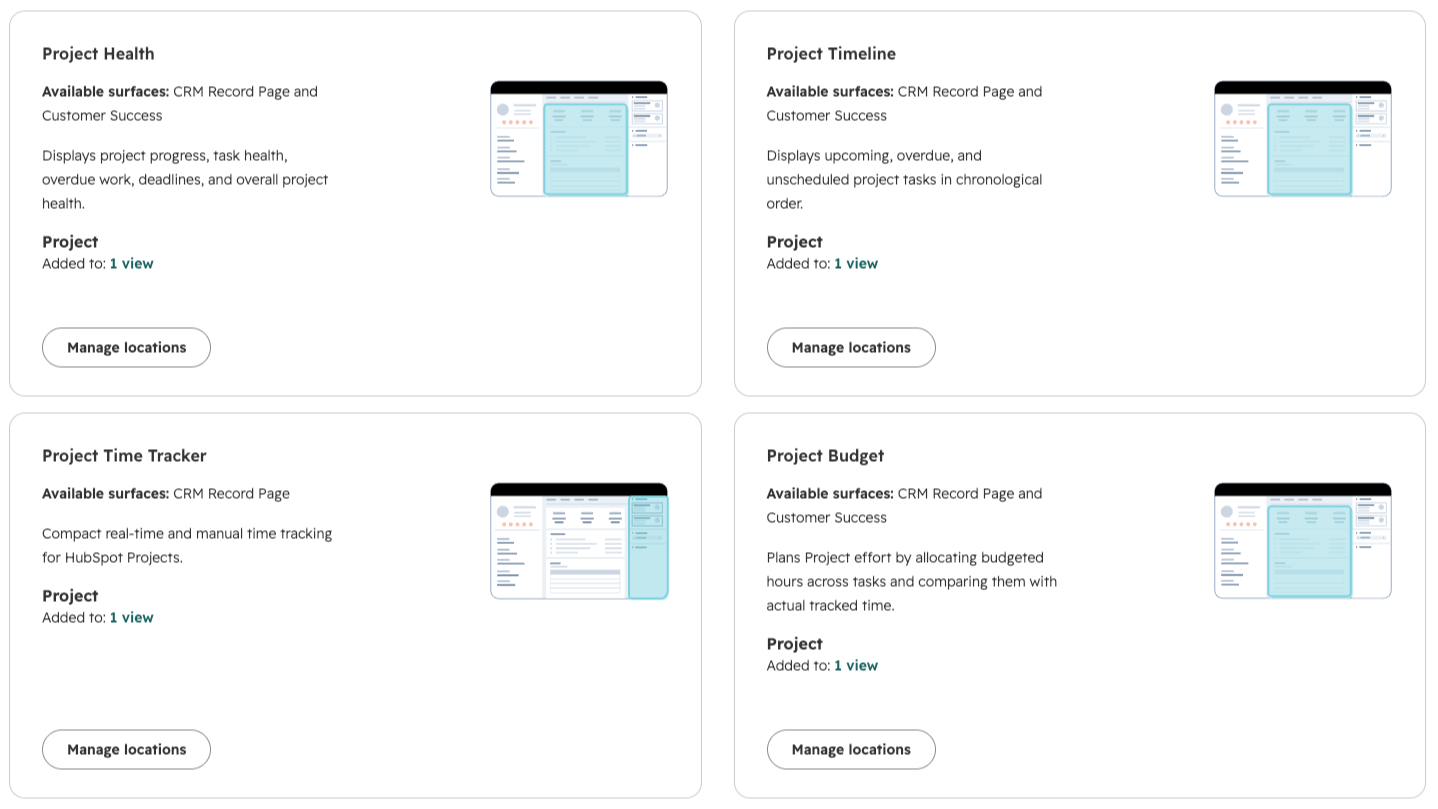
Track project time, budget, health and timeline
Track time against project work, compare planned hours and budget information, monitor project health, and review timeline progress from within HubSpot. ProjectOps brings these delivery metrics together without moving project management to another platform.
App Functionality
Shared Data
ProjectsOps |
ProjectOps primarily works with HubSpot Projects, using project data as the system of record for project delivery. The app reads project records, pipeline and stage information, ownership, status, dates, and related project data to power project templates, capacity planning, time tracking, budget tracking, and project management features.
ProjectOps also creates and updates HubSpot project-related records as users configure and manage projects. When templates are applied, ProjectOps can create the associated tasks, subtasks, and milestones required for that project and maintain their relationship to the originating HubSpot Project.
HubSpot Projects is not currently available as a selectable object in the Shared Data configuration above, so Tasks is listed there as the closest supported HubSpot object used by ProjectOps.
Reviews
Pricing
Standard
$49
/monthManage your first 5000 projects
Team resource capacity planning
Project budget tracking
Project time tracking and timesheets
Automatically create tasks, subtasks, and milestones
Project template library (18 starter templates)
Standard
$49
/monthManage your first 5000 projects
Team resource capacity planning
Project budget tracking
Project time tracking and timesheets
Automatically create tasks, subtasks, and milestones
Project template library (18 starter templates)
* The pricing here is for display purposes only. All prices do not include taxes, incentives, discounts, or other pricing variables. You should contact the partner for the most up to date and correct pricing information. HubSpot does not take any responsibility for this pricing information, which is provided by our partners. Pricing last updated: 09/08/2026
More info
Built by - Atlantic Ops
Installs - <10 installs
Categories Languages this app is available in English
Getting attention today

Microsoft Teams
Use Microsoft Teams and HubSpot for meetings, conversations, and more!

Adobe Acrobat Sign
Create and manage agreements directly from HubSpot
