

Built by HubSpot
Installs - 13K installs
Rating 2.9
(49)
Requirements
HubSpot Plan HubSpot Account permissions No permissions required Access Type Shared Twitter Subscription - Twitter account plan
Overview
1/4
When you manage your Twitter campaigns within HubSpot, you get deep insight into how your company is performing, and how your audience is engaging with your content. Quickly publish your Tweets within HubSpot and repurpose your content across several networks. You can also bulk upload your Tweets, or schedule them out in advance. Use the social calendar to understand how much content you're creating within a given time period, and quickly change your publishing plans to increase engagement. Finally, HubSpot's social reporting tool lets you report on your success on Twitter and compare it to other social platforms regardless of where you originally made your post. Publish directly to HubSpot, or send a Tweet from your phone while you're on the go. No matter where you publish, your performance will be logged in HubSpot so you can see how you're performing, and take action to improve your engagement.
Features
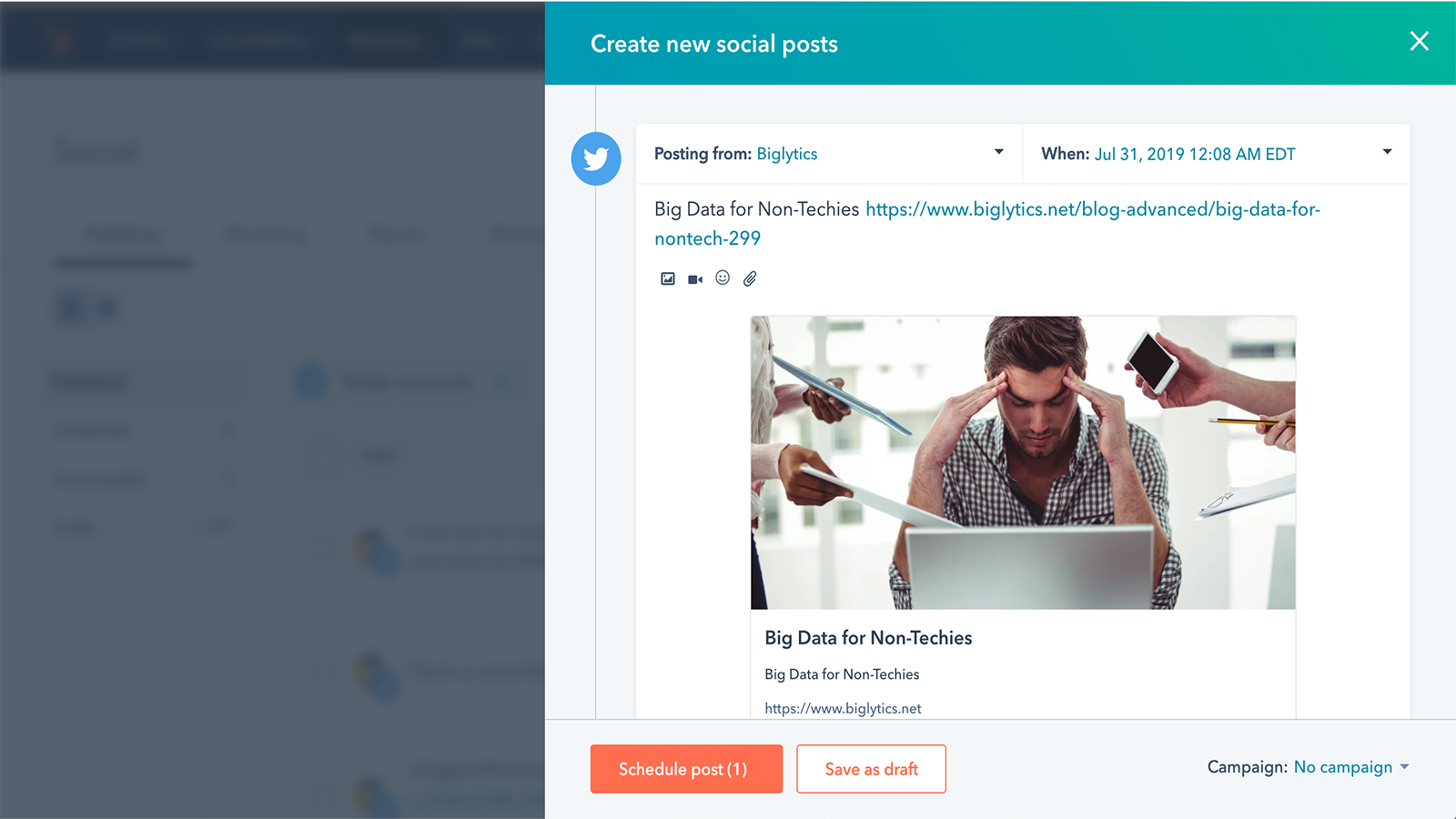
Manage your Twitter Presence directly within HubSpot.
Quickly create content for your Twitter followers. Create multiple tweets at a time, and schedule them to go out immediately, or at a later date. You can also bulk upload your tweets. If you use HubSpot's blogging tool, you can automatically share that blog on Twitter as it's published.
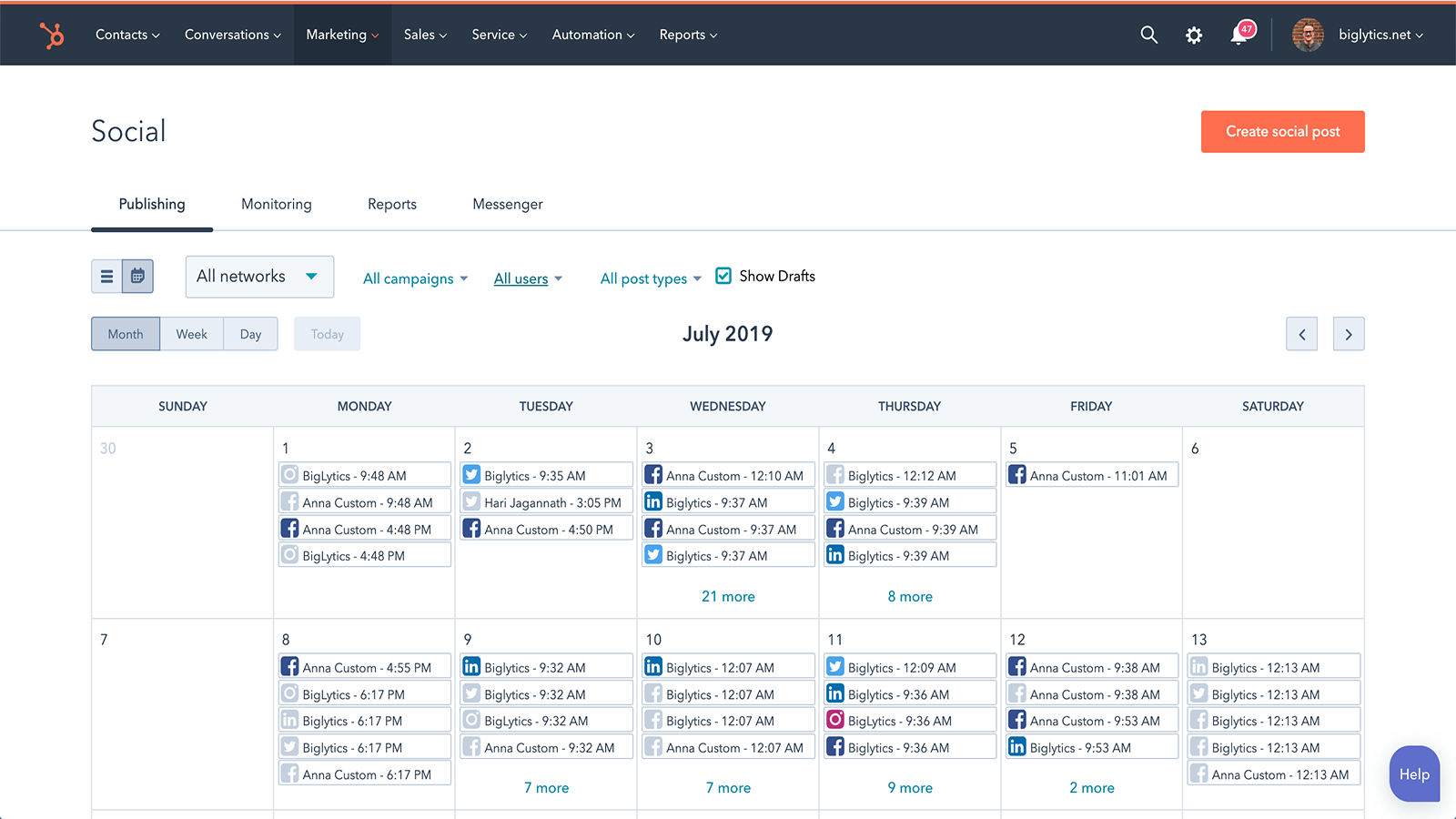
Understand how Twitter fits in with the rest of your social calendar.
Depending on your audience, you could be tweeting multiple times a day, or only a few times a week. Using HubSpot's social calendar, you can easily see how often you're publishing to Twitter compared to other networks, and easily drag and drop scheduled posts to other days to increase engagement.
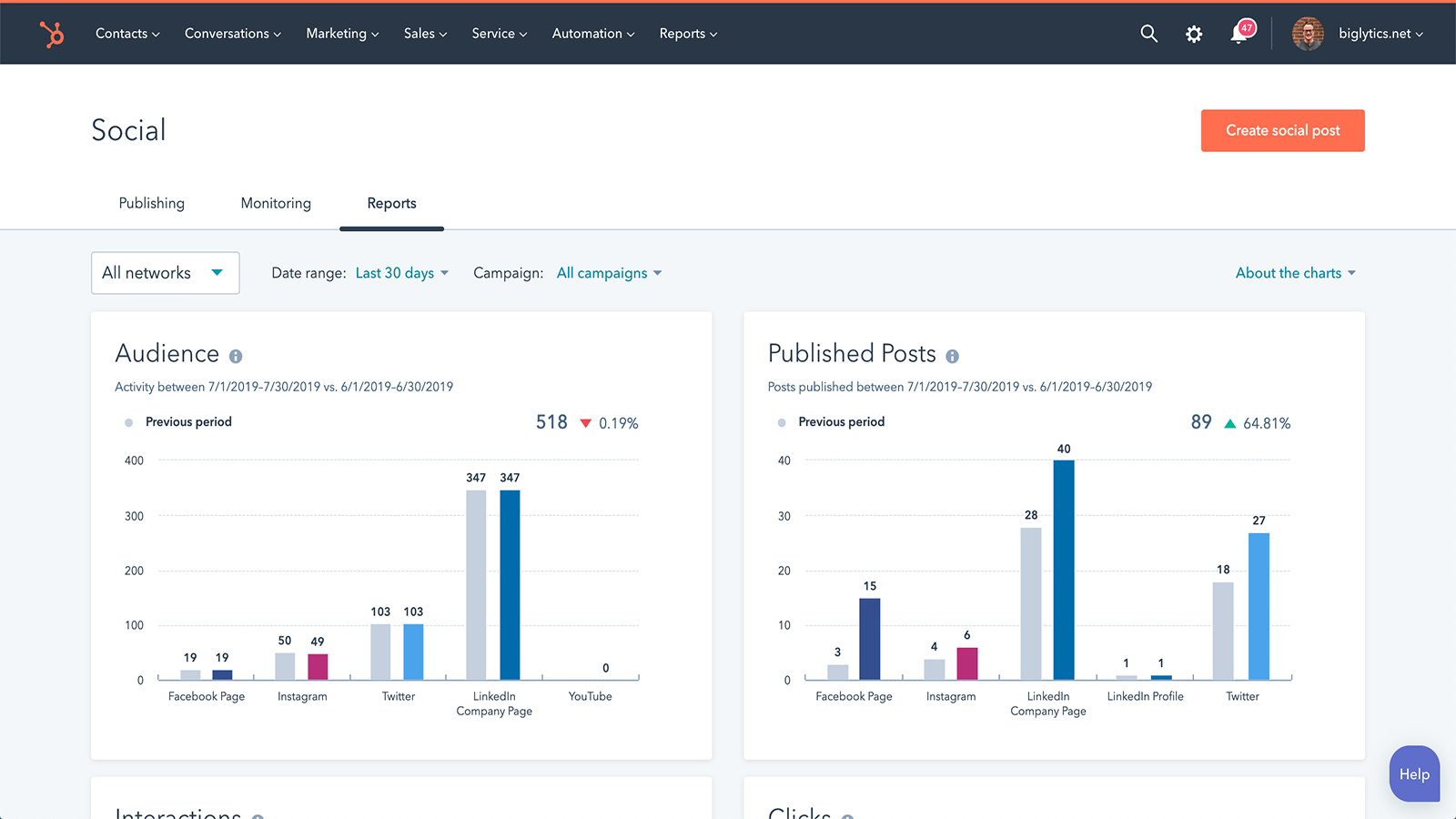
Publish anywhere, report in HubSpot.
Regardless of whether you publish your Tweets through HubSpot, or directly to Twitter, HubSpot will show you how your content is performing. Track metrics like impressions, new contacts generated from social, and top posts, and compare your performance on Twitter to any network you are active on.
App Functionality
Shared Data
Tweet | ||
Twitter analytics |
Reviews
2.9
49
2.9
49
While users appreciate the ability to post content and view aggregate tracking data from a single platform, many note the integration restricts posts to 280 characters even for premium accounts. Despite mentions of occasional scheduling bugs and a desire for deeper analytics, the tool provides a convenient way to keep brands in front of their target market.
- Sep 28, 2026
Ovsiannikova, V.
- Sep 21, 2026
Always disconnects
It disconnects all the time before 30 days
none
diconnects
Howard, M.
Pricing
Twitter account
$0
Twitter account
$0
* The pricing here is for display purposes only. All prices do not include taxes, incentives, discounts, or other pricing variables. You should contact the partner for the most up to date and correct pricing information. HubSpot does not take any responsibility for this pricing information, which is provided by our partners. Pricing last updated: 08/22/2025
Most popular

Gmail
Bring HubSpot to your inbox with the HubSpot integration for Gmail.

Google Calendar
Book meetings quickly and easily with HubSpot and Google Calendar.
