

AFAS-Connector
Built by - Cuex B.V.
Installs - 10+ installs
Requirements
HubSpot Plan HubSpot Account permissions - View the required account permissions
Access Type Shared AFAS-Connector Subscription - Monthly subscription plan
Overview
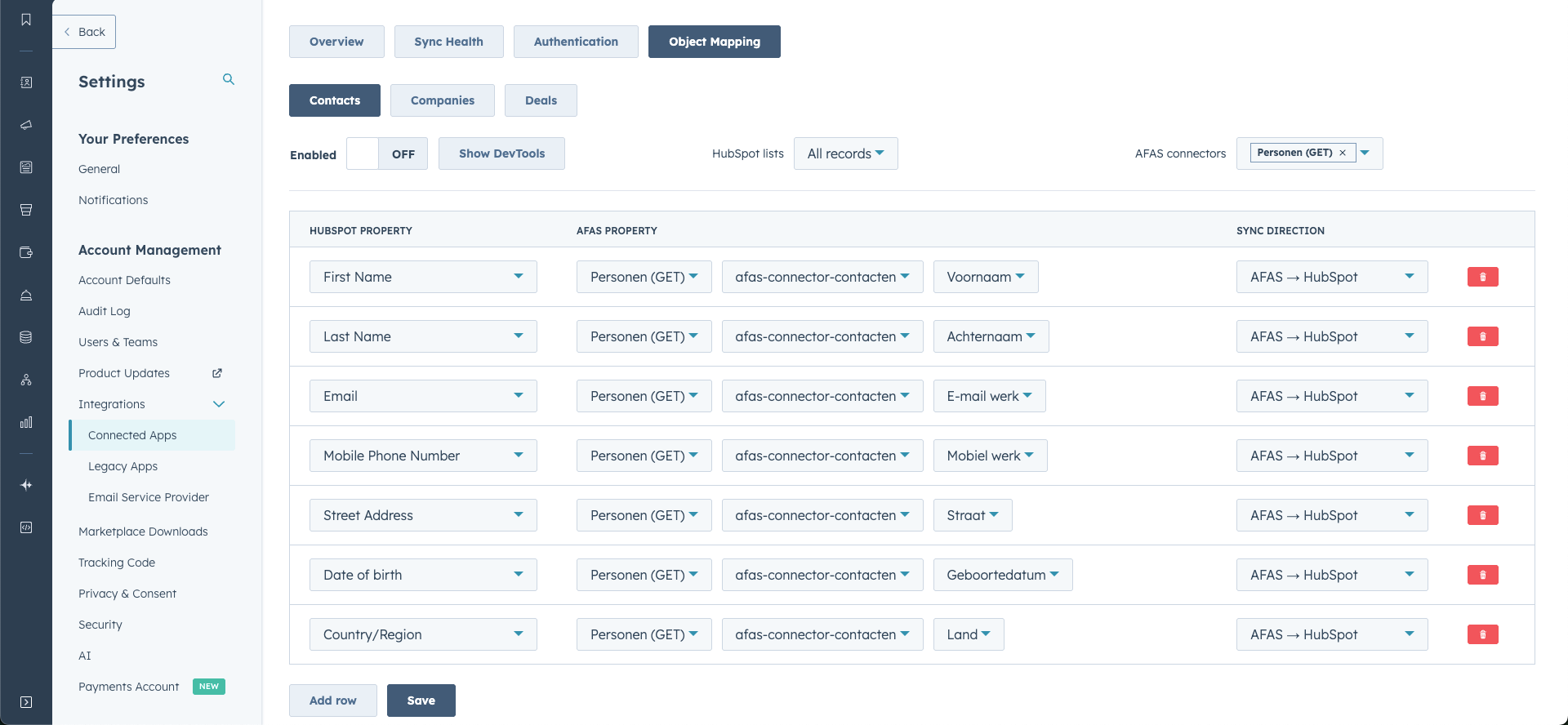
1/1 - field-mapping-contacts-afas-cuex
This integration makes it easy to sync contacts, companies, deals and products between HubSpot and AFAS. You can choose a one-way sync from HubSpot to AFAS, from AFAS to HubSpot, or a 2-way sync for full and continuous data exchange. Moreover, you can link fields yourself to customize the integration to your specific needs.
Features

Contacts
Easily sync your contacts between the two systems. This two-way sync ensures that changes in HubSpot are automatically propagated to AFAS and vice versa, so you always have the most up-to-date contact information in both systems.

Companies
Easily synchronize your business data between HubSpot and AFAS systems. Smart field mapping lets you decide which business information you want to sync, giving you complete control over the data exchange. The two-way sync ensures that changes are made automatically in both systems."

Deals (orders)
Deals in HubSpot are automatically synchronized as sales orders in AFAS and vice versa. When synchronizing from AFAS to HubSpot, you can specify which pipeline and deal stage the order will end up in. Through smart field mapping, you determine which deal information to synchronize, giving you full control over the data exchange.

Line items
Line items (sales order lines) in HubSpot are automatically linked to items in AFAS that belong to an order. Conversely, when an order is synchronized from AFAS, the associated line items are automatically added to the deal in HubSpot.

Products
Products in AFAS are automatically synchronized to HubSpot, so you always have the most up-to-date product information in both systems. This ensures efficient integration of your product catalog, making it quick and easy to work with the right products in your deals and quotes.

Frames
You can easily control which HubSpot information should be synchronized to AFAS by using lists (segments). You create your own lists in HubSpot and can then call them directly in the connector, giving you full control over what data is exchanged between the systems.

Contact fields
Creating all required fields at the contact level.

Business Fields
Creating all required fields at the company level.

Deal fields
Creating all required fields at the deal level.

Subscriptions
With this functionality, you synchronize HubSpot subscriptions and AFAS subscriptions with each other. In doing so, you have the choice of syncing from HubSpot to AFAS or from AFAS to HubSpot.
App Functionality
Shared Data
AFAS Persons | ||
AFAS - Organizations | ||
Sales orders | ||
Articles | ||
Order fields | ||
Personal fields | ||
Organization fields | ||
Subscriptions | ||
Frames |
We have prepared a ready-made dataset of mandatory fields that are essential for proper sync between HubSpot and AFAS. Be sure to install these fields to ensure that the sync always works properly and you don't lose any data. This will ensure a smooth integration and prevent potential problems with the sync of your data.
Reviews
Pricing
Monthly subscription
€100
/monthThe first 30 days are free, including onboarding by a HubSpot specialist. After this period, the connector is free to use when you purchase a support subscription from Cuex.
100Monthly subscription
€100
/monthThe first 30 days are free, including onboarding by a HubSpot specialist. After this period, the connector is free to use when you purchase a support subscription from Cuex.
100* The pricing here is for display purposes only. All prices do not include taxes, incentives, discounts, or other pricing variables. You should contact the partner for the most up to date and correct pricing information. HubSpot does not take any responsibility for this pricing information, which is provided by our partners. Pricing last updated: 02/10/2026
New arrivals

FUGO-Trigger
Sync your TV screens with HubSpot to celebrate wins & track sales in real time

QLM CRM Card
The QLM HubSpot App allows you to view license information associated with a customer directly from within HubSpot as a CRM Card. It also provides the ability to activate and deactivate licenses, as well as access the licenses information in the QLM Portal.
