

APIANT.ai
Built by - APIANT, Inc.
Installs - <10 installs
Requirements
HubSpot Plan HubSpot Account permissions - View the required account permissions
Access Type Shared APIANT.ai Subscription - Free, Pro, Team, or Scale plans
Overview
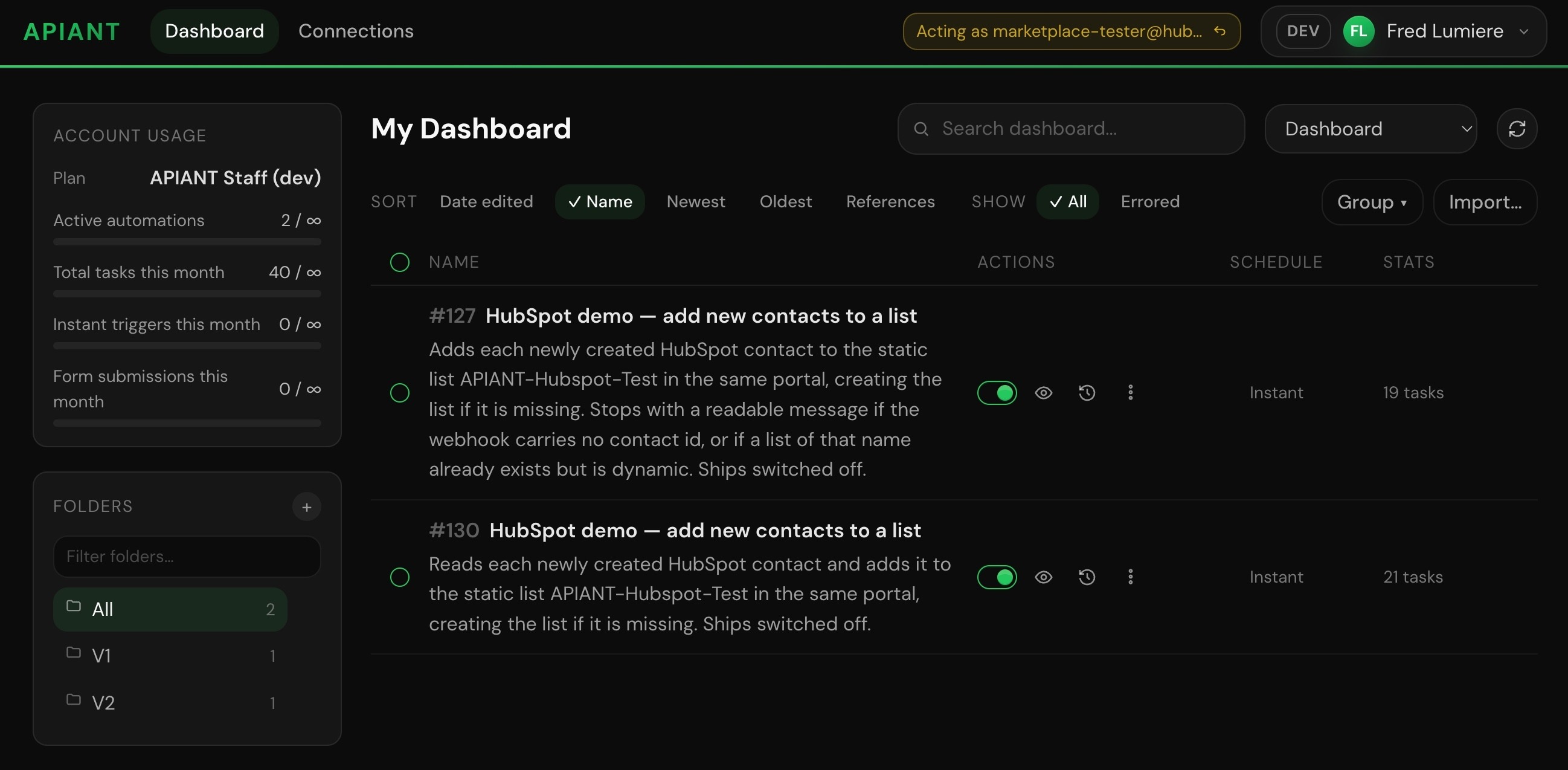
1/8 - Dashboard
Integration stops being a project.
The complete platform is operable from Claude Code. Describe what you need in plain language and APIANT builds the integration and keeps it running. There is a dashboard if you want to watch a run or change something, but you never have to open it. Your agent is the interface.
Any API. Every operation. Not a shortlist.
Integration tools usually give you a curated handful of triggers and actions per app, the ones somebody decided were popular. APIANT has no shortlist. If an API exposes an operation, it can be a trigger or an action here, including the obscure one your process actually depends on.
The catalog is where you start, not where you stop. Point APIANT at an API it has never seen and it reads that API's own documentation and builds the connector as data, ready to run. Ask for an API you need and it gets built for you, typically overnight. No request board, no upvotes, no waiting for somebody's roadmap to reach your use case.
Any depth, not just the shallow end.
Add a contact to a HubSpot list when a form comes in. Or keep HubSpot in step with an ERP across many objects, records, many users and many locations, with two-way sync and loop prevention so the two systems never chase each other. Reusable subroutines for the logic you repeat. Fan-out and fan-in for work that runs in parallel. Per-location deploys when one integration has to serve a whole fleet of accounts. Same platform for both, and that is the point.
For whoever is actually doing the integrating.
Someone who knows the business process and should not have to wait on a developer. An enterprise whose deals stall in integration review.
It tests every branch before it ships.
The agent forces each path through the integration, including the ones that only run when something goes wrong, and proves them. What ships has already been exercised.
Free to start. The free plan carries the full toolset.
Features
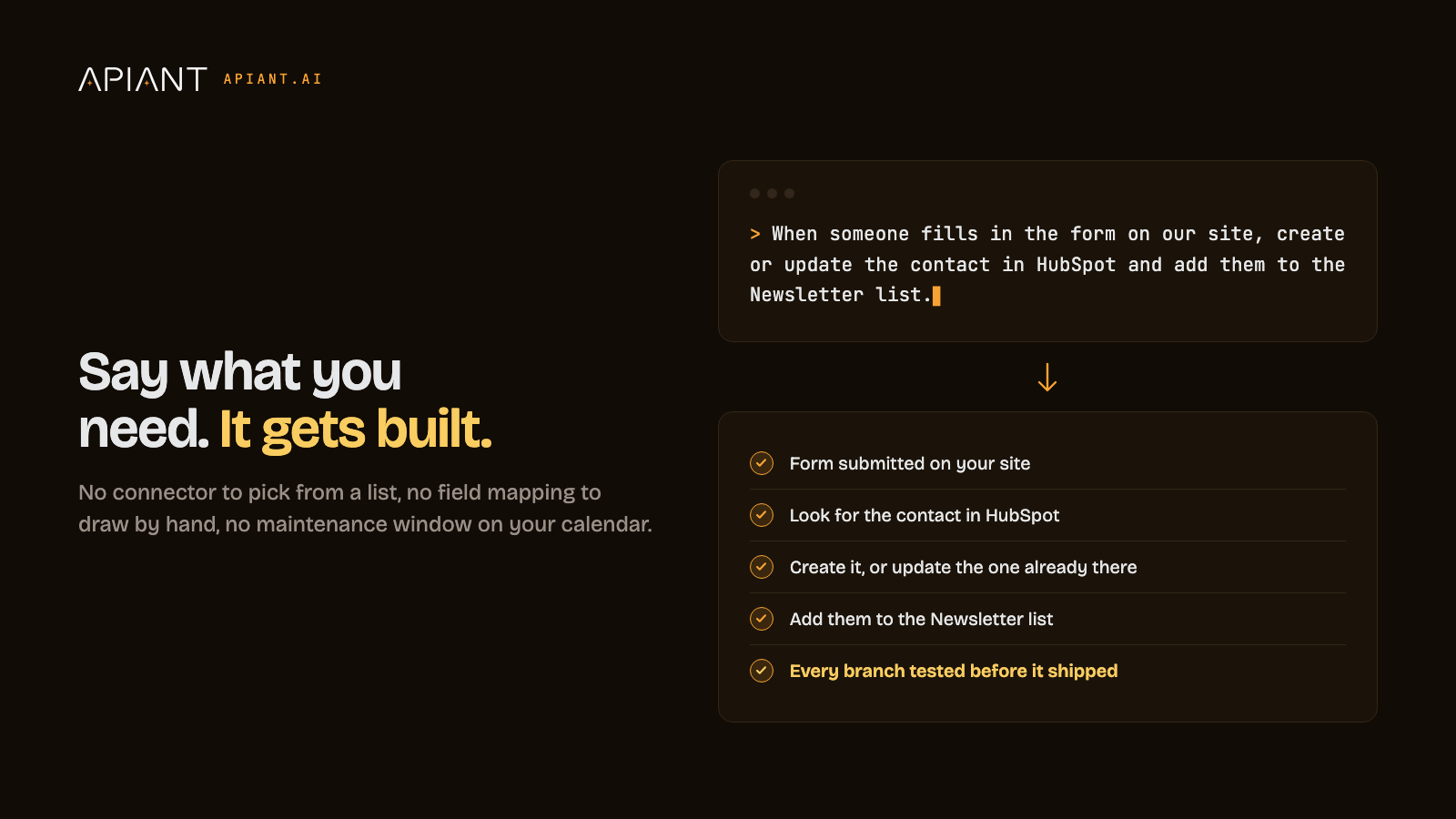
Describe the integration in plain language and it gets built
You need HubSpot talking to another system, but building and maintaining that connection is a project nobody has time for. Describe what you want in plain language and it gets built for you. For example: a form submission on your site creates or updates the contact in HubSpot and adds it to the right list, then keeps running.
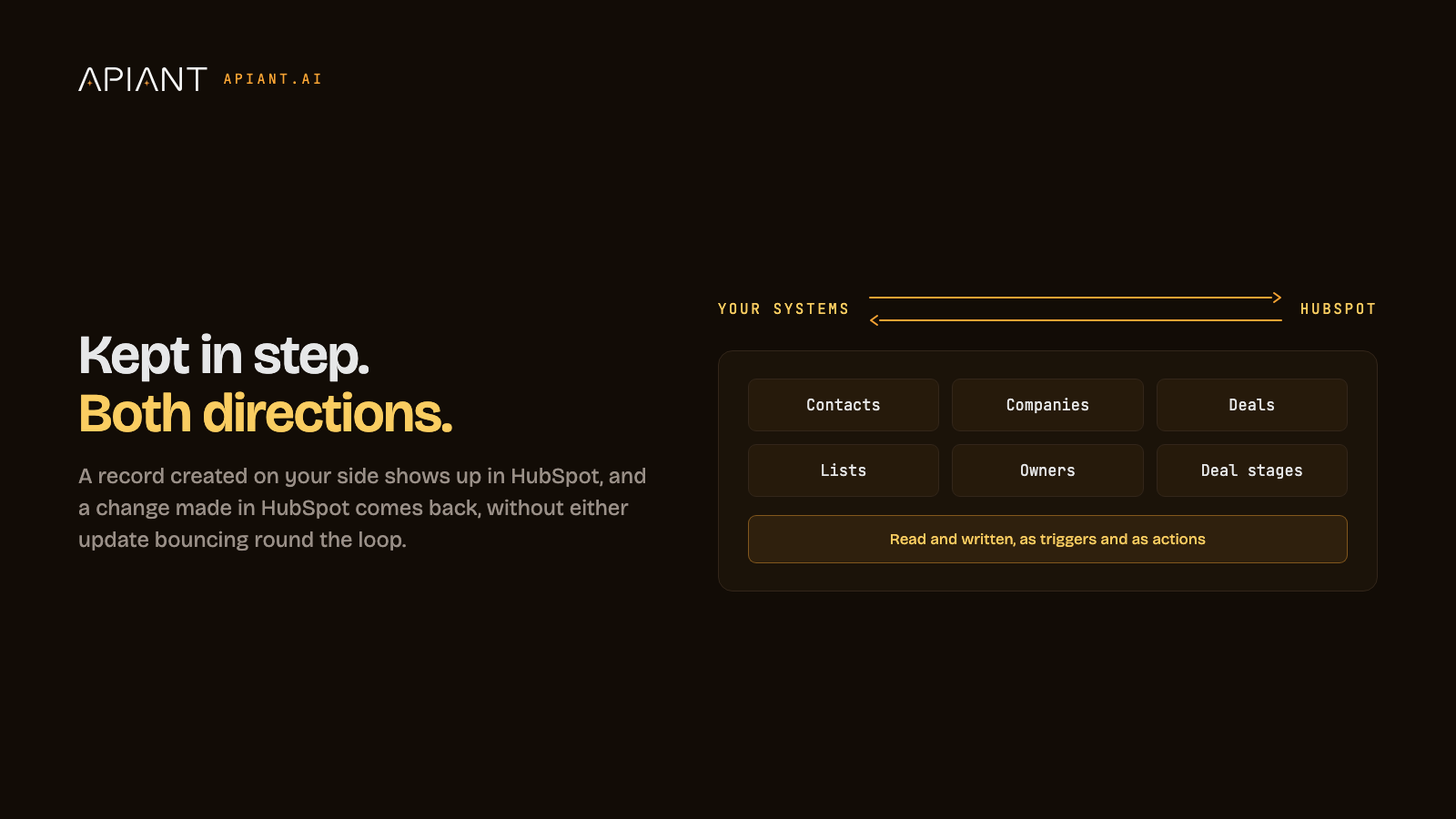
Bidirectional sync
Records do not sit in one place. A contact created in your product should appear in HubSpot, and a deal stage changed in HubSpot should reach your product. Contacts, companies, deals, lists and owners move as triggers and as actions, read and written, with loop prevention so an update on one side does not bounce back.
App Functionality
Shared Data
Contact | ||
Company | ||
Deal | ||
Ticket | ||
Custom object | ||
Contact list | ||
Owners | ||
Blog posts | ||
Products and line items | ||
Analytics | ||
HubDB tables | ||
Files | ||
Web forms | ||
Social media posts | ||
Sales email activity | ||
Workflows |
APIANT is not limited to the objects listed above. It reads and writes any HubSpot object the HubSpot API exposes, in either direction, including custom objects. Which objects are touched is decided by the integration you describe, so two accounts running APIANT can share completely different data. Nothing is read or written unless an integration you created calls for it.
Reviews
Pricing
Free
$0
Free
$0
* The pricing here is for display purposes only. All prices do not include taxes, incentives, discounts, or other pricing variables. You should contact the partner for the most up to date and correct pricing information. HubSpot does not take any responsibility for this pricing information, which is provided by our partners. Pricing last updated: 09/08/2026
Most popular

Gmail
Bring HubSpot to your inbox with the HubSpot integration for Gmail.

Google Calendar
Book meetings quickly and easily with HubSpot and Google Calendar.
