

Requirements
HubSpot Plan HubSpot Account permissions - View the required account permissions
Access Type Shared Blazly SEO Subscription - Standard or Pro plans
Overview
1/3 - HubSpot and Blazly SEO integration
Blazly SEO: AI Content Operating System for HubSpot Teams
Blazly SEO helps teams plan, write, optimize, and publish SEO content with AI. It brings keyword research, content creation, on-page optimization, and CMS publishing into one connected workflow, helping teams create and manage SEO content without switching between multiple tools.
Why Blazly SEO + HubSpot?
Creating SEO content involves more than writing a blog. Teams need to find the right keywords, plan content around search opportunities, optimize each article, and consistently get finished content published.
Blazly SEO connects these steps in one workflow. Research and plan your content in Blazly, create SEO-focused blogs with AI, optimize them for search, and publish them directly to HubSpot CMS.
For example, a content marketer can research a target topic, create an SEO blog with AI, optimize the article, and publish or schedule it in HubSpot without manually copying and rebuilding the content.
Key Features
1. Keyword Research
Discover relevant keyword opportunities to guide your SEO content strategy and identify topics worth creating content around.
2. Content Planning
Plan your SEO content around your target keywords and organize what your team should create next.
3. AI Blog Writer
Create SEO-focused blog posts with AI. Generate content based on your chosen topic, review and edit it, and prepare it for publication.
4. On-Page SEO Optimization
Optimize your content before publishing with SEO-focused recommendations designed to improve the page's search readiness.
5. SEO Content Workflow
Move from keyword research to content planning, writing, optimization, and publishing through one connected workflow.
6. HubSpot CMS Publishing
Publish finished blog content directly to HubSpot CMS. Publish immediately or schedule content for a specific date without manually copying and pasting the article.
7. CMS Integrations
Connect your SEO content workflow with your publishing stack and move finished content from Blazly to your CMS.
What HubSpot Users Get
Connect HubSpot with Blazly SEO and keep content creation and publishing connected.
A typical workflow looks like:
Research keywords → plan content → write with AI → optimize for SEO → review → publish or schedule in HubSpot.
Instead of moving content manually between tools, your team can manage the SEO content workflow in Blazly and use HubSpot as the publishing destination.
The Bottom Line
Blazly SEO is an AI Content Operating System for SEO that brings keyword research, content planning, AI writing, on-page optimization, and CMS publishing into one workflow.
For HubSpot teams, it makes the journey from SEO opportunity to published content simpler and more repeatable.
Plan in Blazly. Write with AI. Optimize for search. Publish in HubSpot.
Features
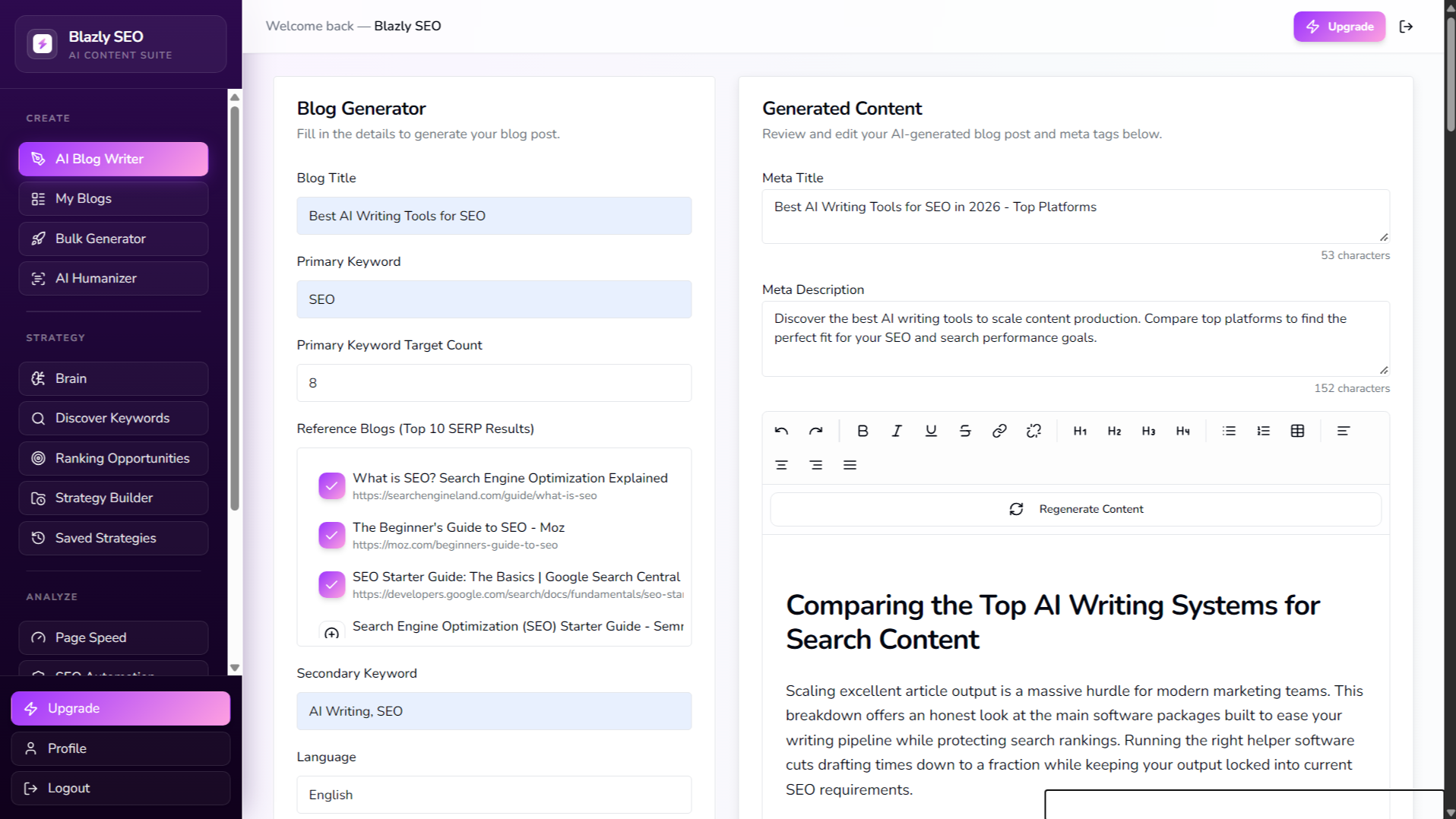
AI Blog Writer
Create SEO-optimized blog posts with AI in minutes. Turn your topics and keywords into structured, search-focused content with relevant headings, FAQs, metadata, and a clear content structure. Edit and refine your draft in Blazly, then publish or schedule it directly to HubSpot CMS.
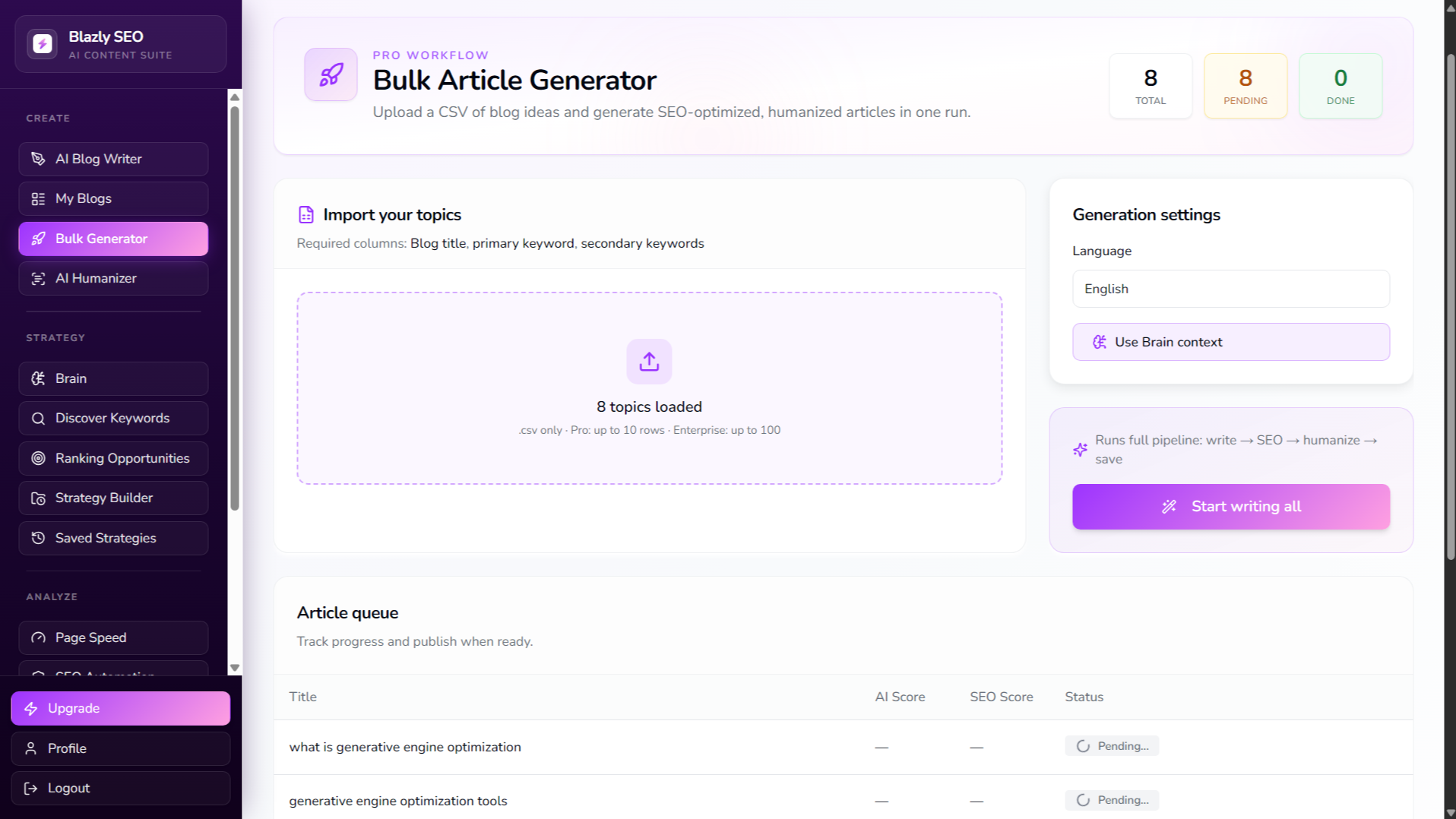
Bulk Article Generator
Generate multiple SEO-optimized articles in bulk by uploading a CSV file of topics or keywords. Blazly processes your content list and creates structured, search-focused articles at scale, making it easier to turn your content strategy into a consistent publishing workflow.
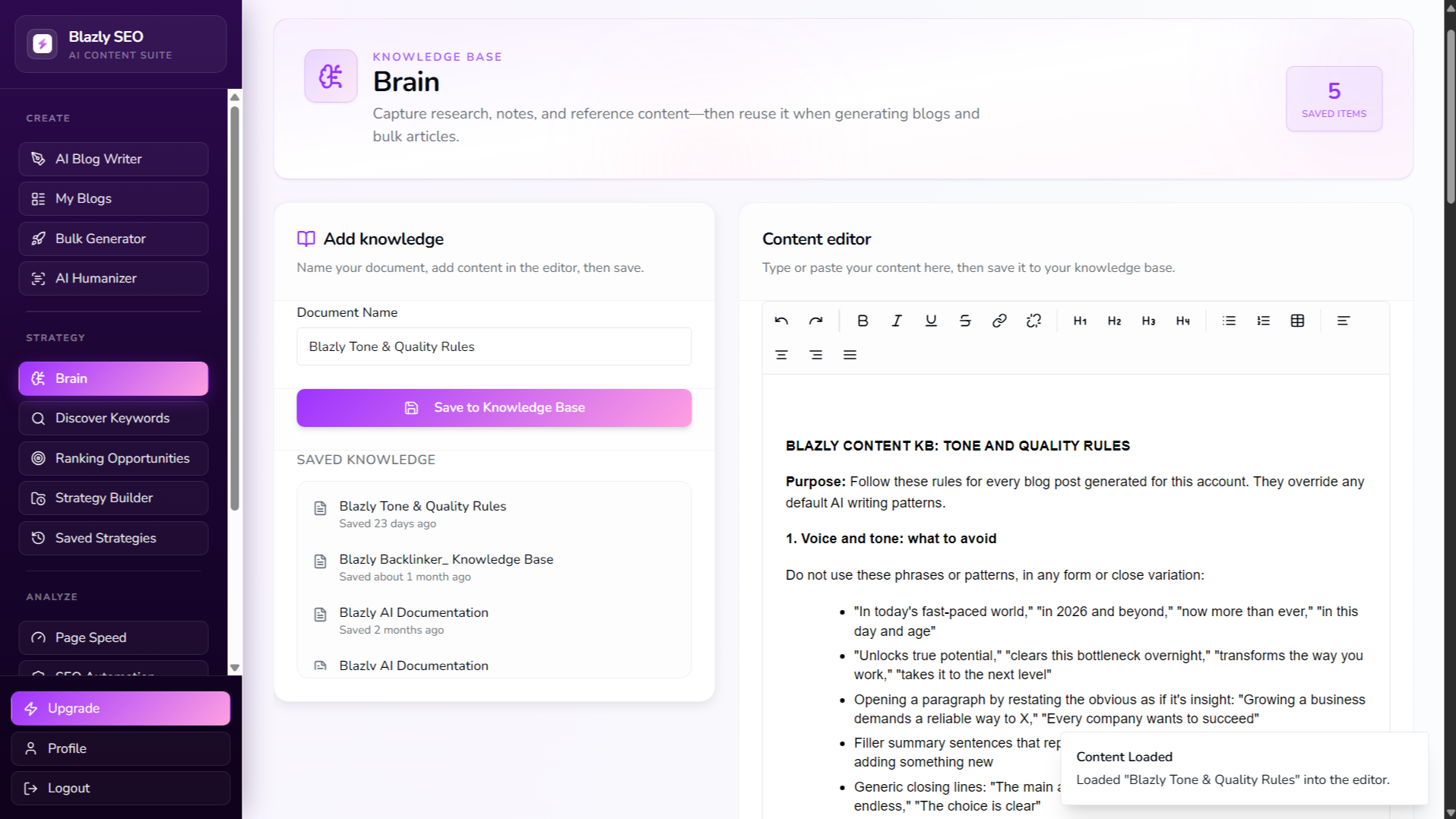
Brain
Capture and organize research, notes, and reference content in one place. Reuse your saved knowledge when generating individual blogs or bulk articles, helping AI create content that stays aligned with your research, brand context, and content strategy.
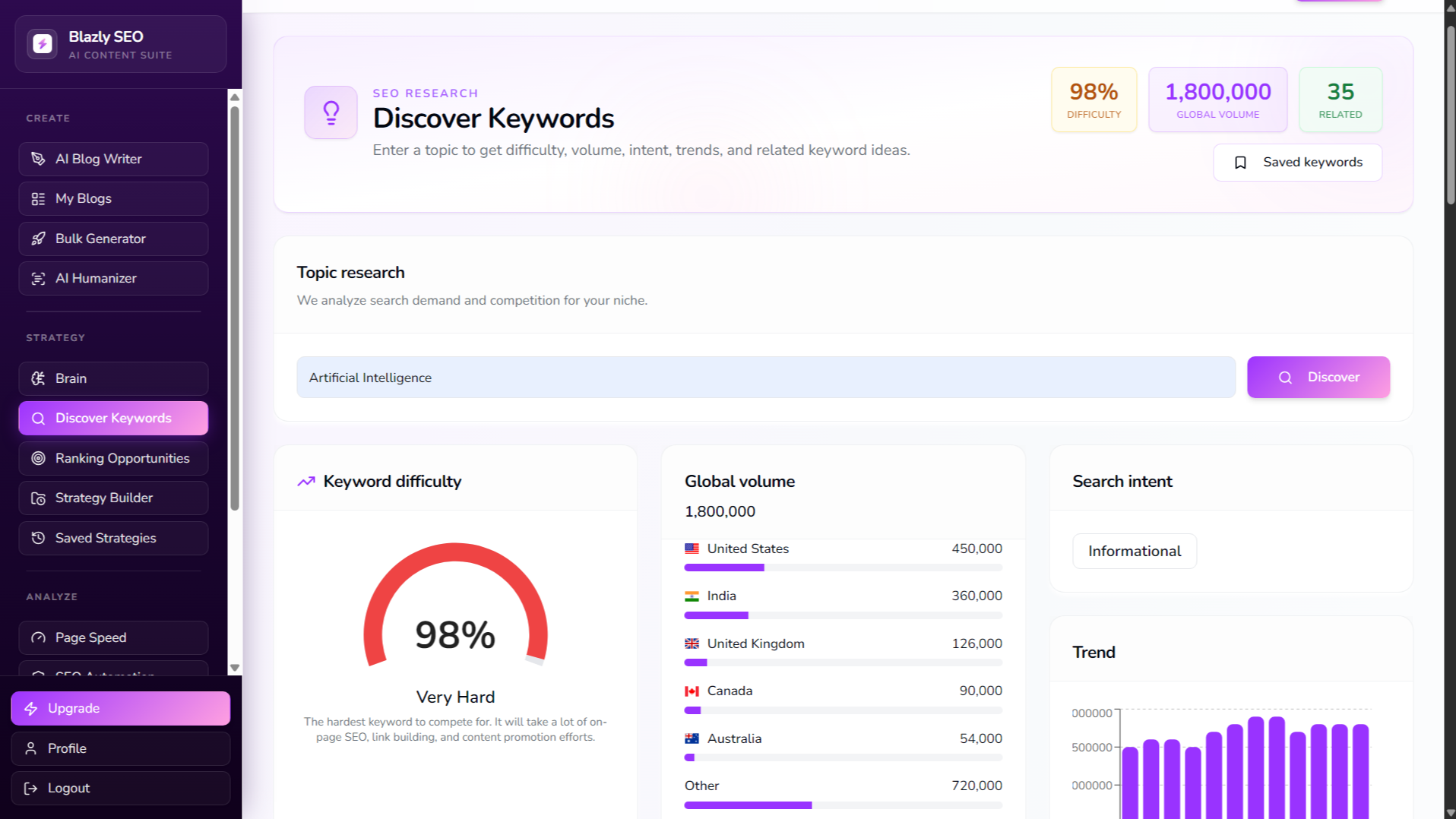
Discover Keywords
Enter a topic to uncover valuable keyword opportunities, including search volume, keyword difficulty, search intent, trends, and related keyword ideas. Use these insights to identify the right topics and build a stronger SEO content strategy.
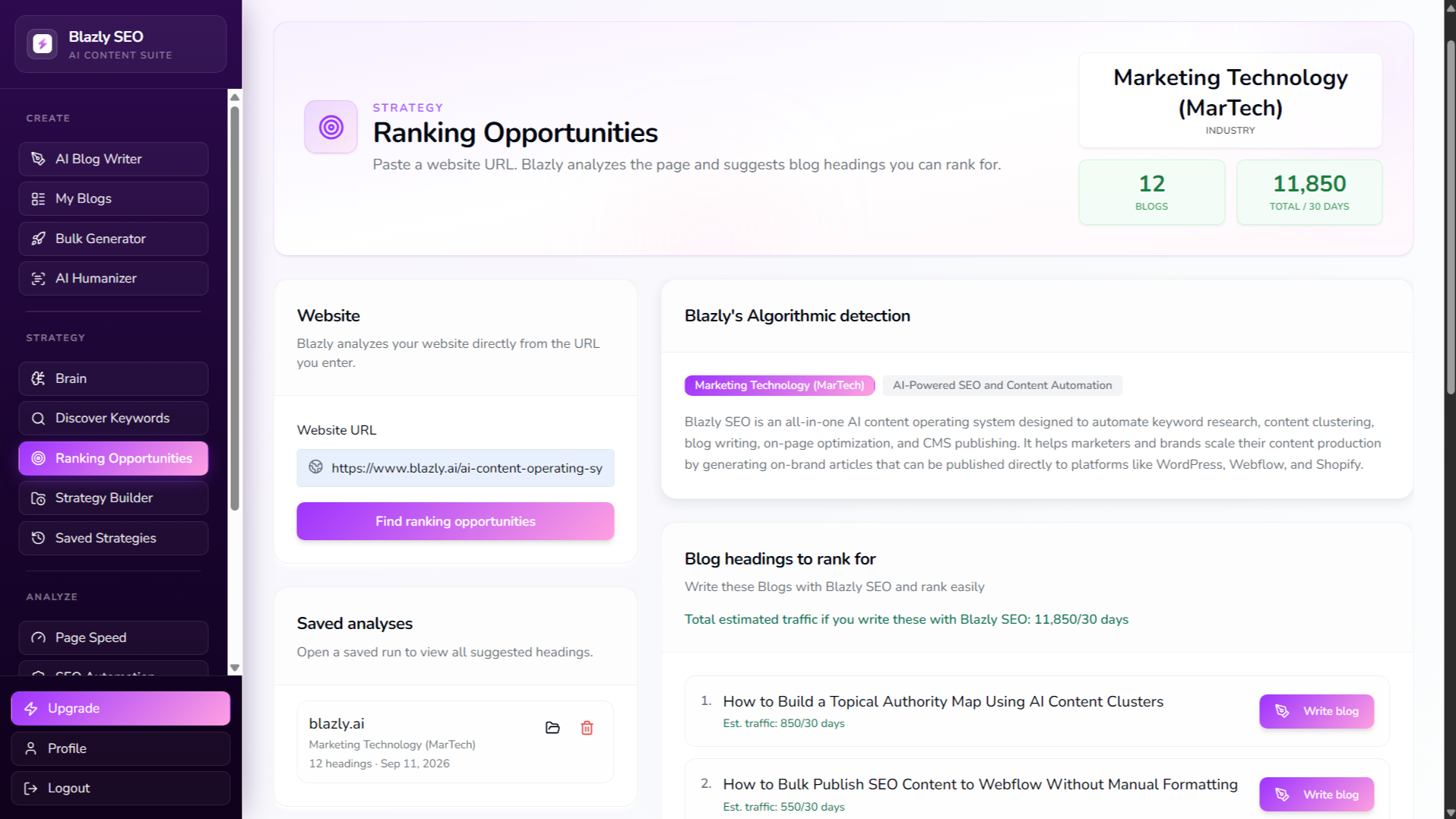
Ranking Opportunities
Identify high-potential topics your website can rank for by entering a website URL. Blazly analyzes your page and suggests relevant blog topics and headings, along with estimated traffic opportunities, helping you discover what content to create next and turn ranking opportunities into SEO-focused articles.
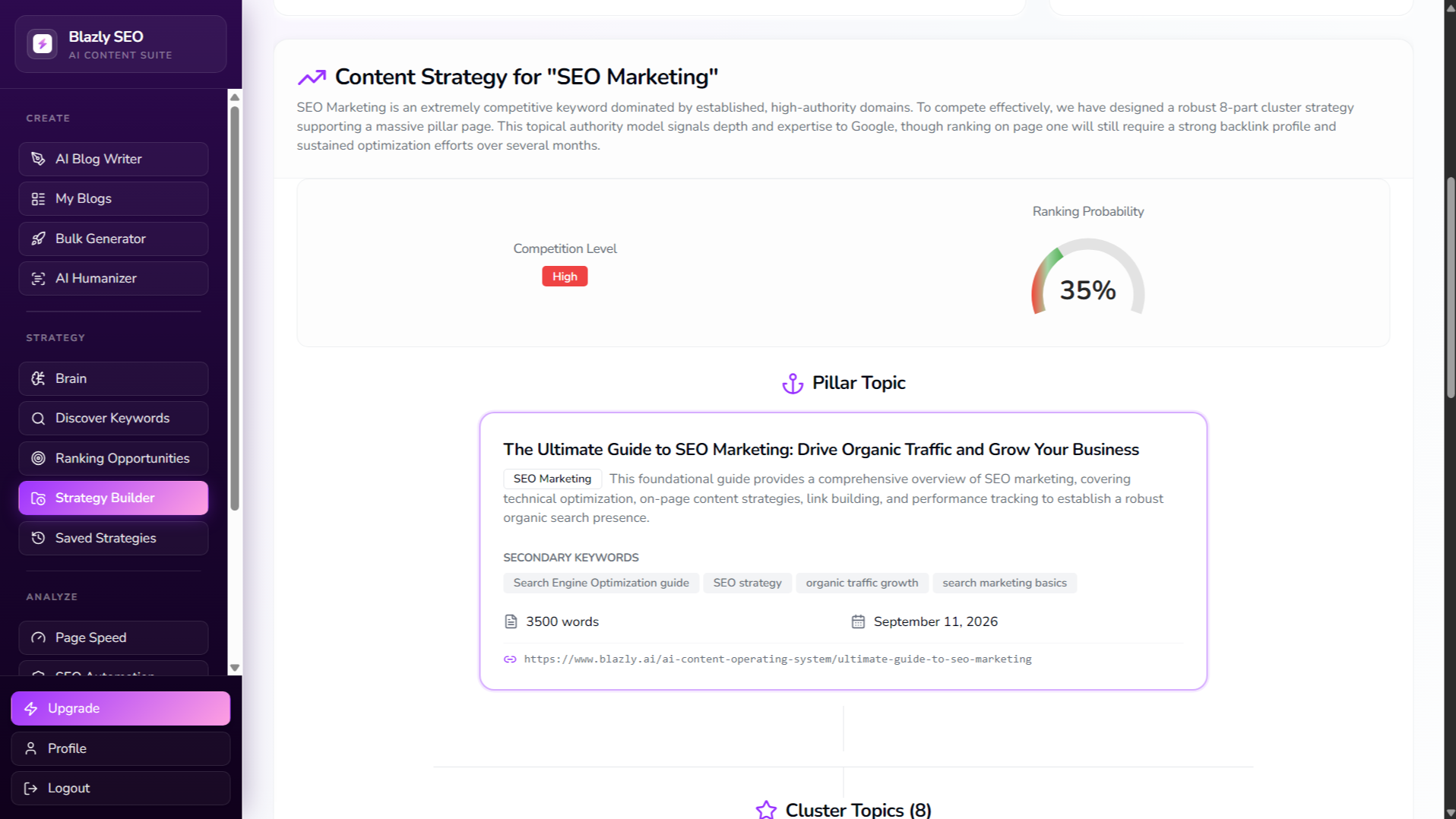
Strategy Builder
Turn a target keyword into a structured content strategy with a pillar page and supporting cluster topics. Define publish dates and word counts for each piece to create an organized, consistent SEO publishing plan.
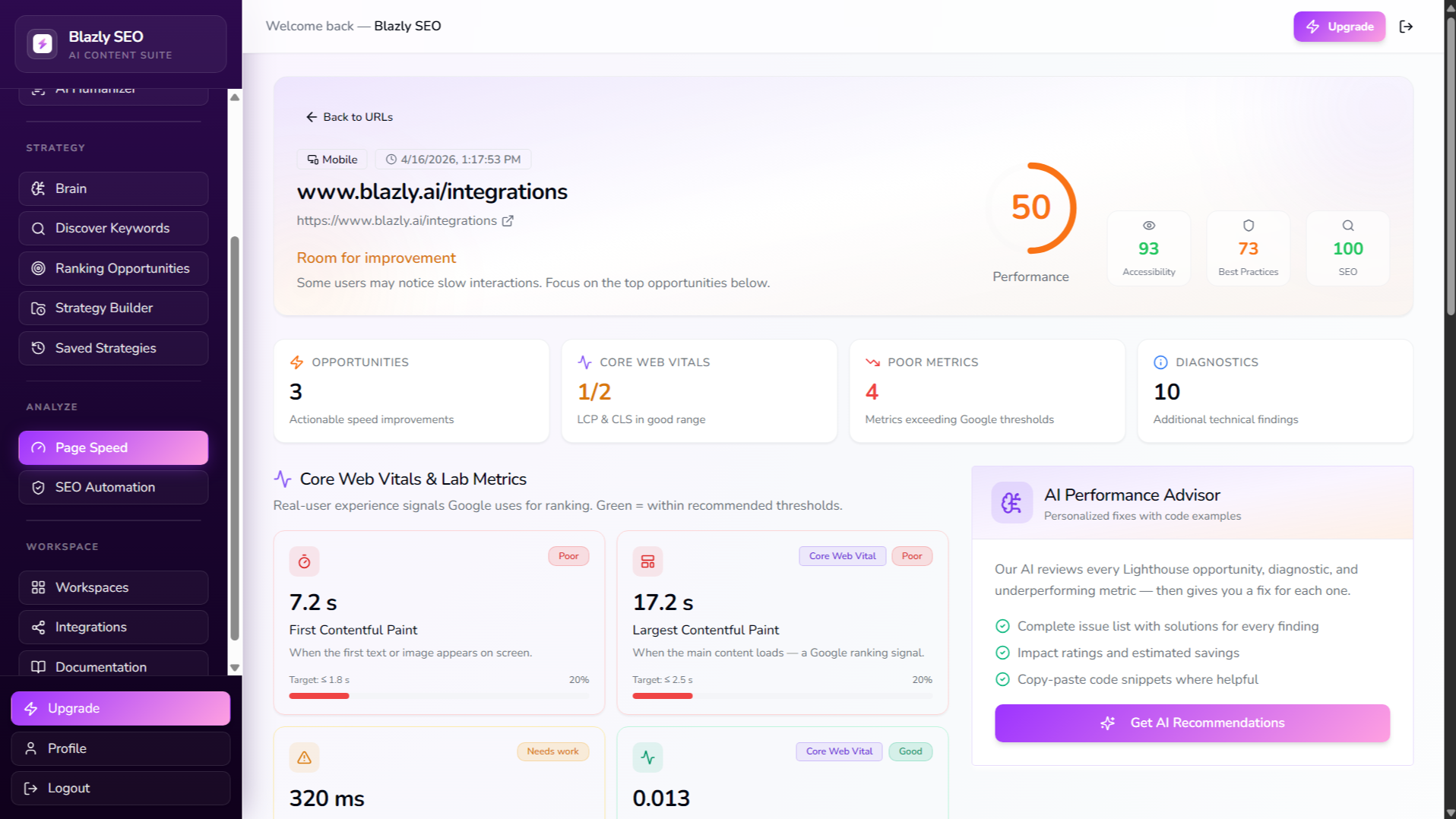
Page Speed
Analyze page loading speed across your project URLs to identify pages that may need performance improvements and support better SEO performance.
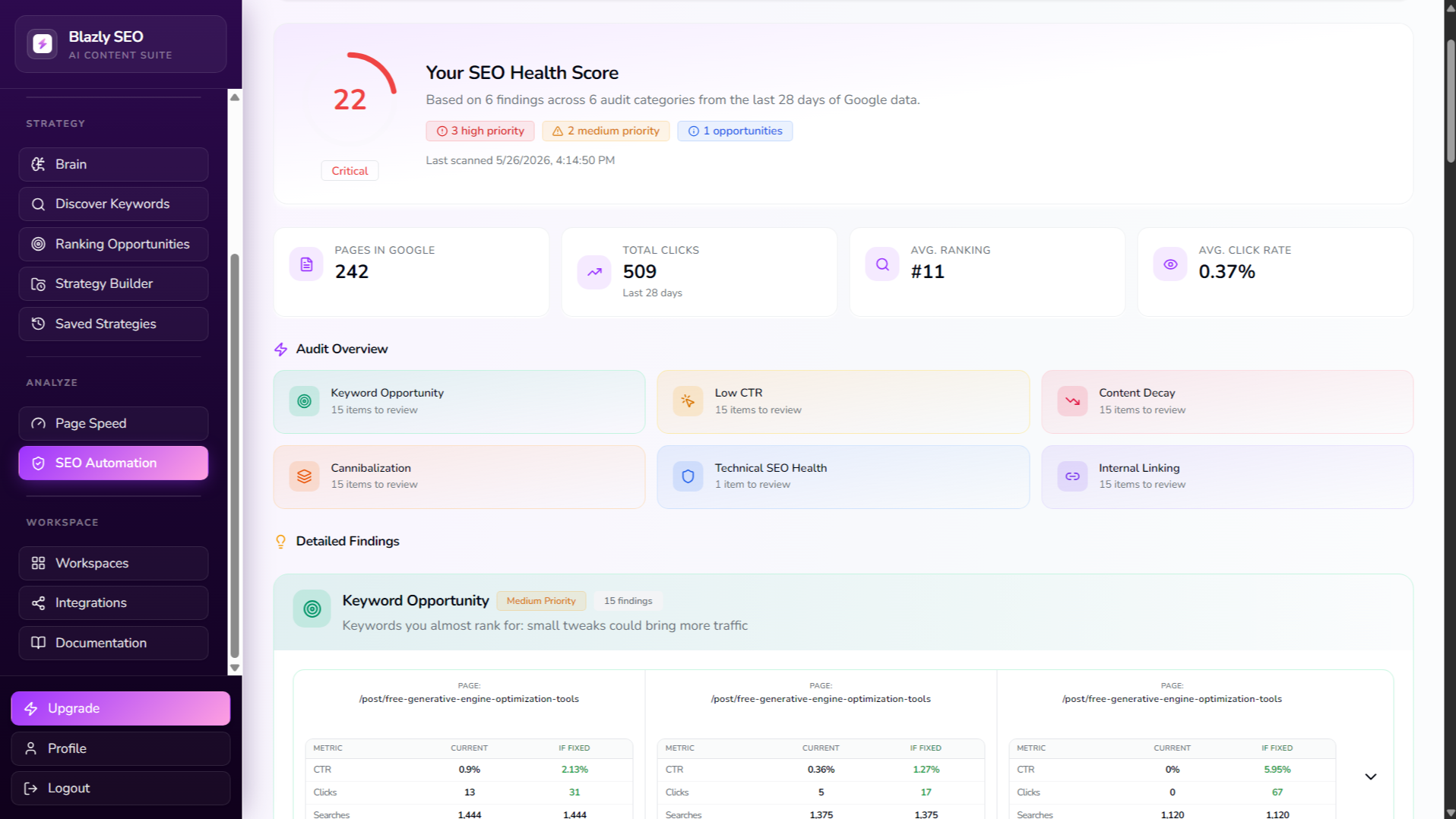
SEO Automation
Run an automated SEO health check for your selected site to identify potential issues and opportunities for improving its search performance.
App Functionality
Shared Data
Blog Posts |
How Blazly SEO uses your HubSpot data
Blazly SEO connects to HubSpot so you can publish SEO-optimized blog content directly to HubSpot CMS. We only access the HubSpot data needed to support the integration.
When you connect HubSpot (OAuth)
Blazly SEO reads limited account and CMS information:
HubSpot portal ID and primary website domain
Blog settings, including the selected blog
Blog author information
This information is stored securely to maintain the connection and refresh OAuth tokens.
When you publish content
Nothing is sent to HubSpot until you click Publish to HubSpot. We then create the selected blog post using its:
Title and URL slug
HTML content
Meta title and description
Selected blog and author
Published URLs and HubSpot record IDs may be stored so you can track published content.
Blazly SEO does not access HubSpot contacts, companies, deals, tickets, or marketing email data.
Reviews
Pricing
Standard
$39.20
/monthScale content with core SEO tools.
On-page SEO score checker
AI Page Speed
AI text humanizer
AI content detector
Plagiarism checker
Ranking Opportunities
Keyword Research
50 SEO optimized humanized blog articles
Standard
$39.20
/monthScale content with core SEO tools.
On-page SEO score checker
AI Page Speed
AI text humanizer
AI content detector
Plagiarism checker
Ranking Opportunities
Keyword Research
50 SEO optimized humanized blog articles
* The pricing here is for display purposes only. All prices do not include taxes, incentives, discounts, or other pricing variables. You should contact the partner for the most up to date and correct pricing information. HubSpot does not take any responsibility for this pricing information, which is provided by our partners. Pricing last updated: 09/18/2026
More info
Built by - Blazly
Installs - <10 installs
Categories Languages this app is available in English ,English - Canada ,English - China ,English - France ,English - Germany ,English - India ,English - New Zealand ,English - Singapore ,English - Spain ,English - United Arab Emirates ,English - United Kingdom , andEnglish - United States
Most popular

Gmail
Bring HubSpot to your inbox with the HubSpot integration for Gmail.

Google Calendar
Book meetings quickly and easily with HubSpot and Google Calendar.
