

Blinq
Requirements
HubSpot Plan HubSpot Account permissions - View the required account permissions
Access Type Shared Blinq Subscription - Business or Enterprise plans
Overview
1/5 - Everyone your team meets, already in HubSpot
Every contact your team meets at a trade show, a conference, or client meeting should be in HubSpot. But manual entry gets skipped, spreadsheets get lost, and the follow-up window closes before anyone acts.
The Blinq + HubSpot integration closes that gap. Your team scans a badge, snaps a photo, or exchanges a digital business card. That person appears in HubSpot as a complete record - AI notes on the conversation and enriched contact details, ready for follow-up before your team leaves the room. Your team stays focused on conversations, not admin.
With this integration you can:
Scan a badge, snap a photo of a business card, or exchange a digital business card - every in-person contact syncs to HubSpot automatically
Enrich every contact with email, phone, LinkedIn, and company data before it hits your CRM
AI Notetaker captures the conversation and saves notes, summaries, and follow-up actions to the contact record in HubSpot
Your team captures the contact. Blinq handles everything else - enrichment, sync, attribution - so it lands in HubSpot complete, tagged, and ready to trigger your existing enrollment workflows. Connect in minutes, with no coding and no developer involvement.
#1 Lead Retrieval on G2
#1 Digital Business Card on G2
Features
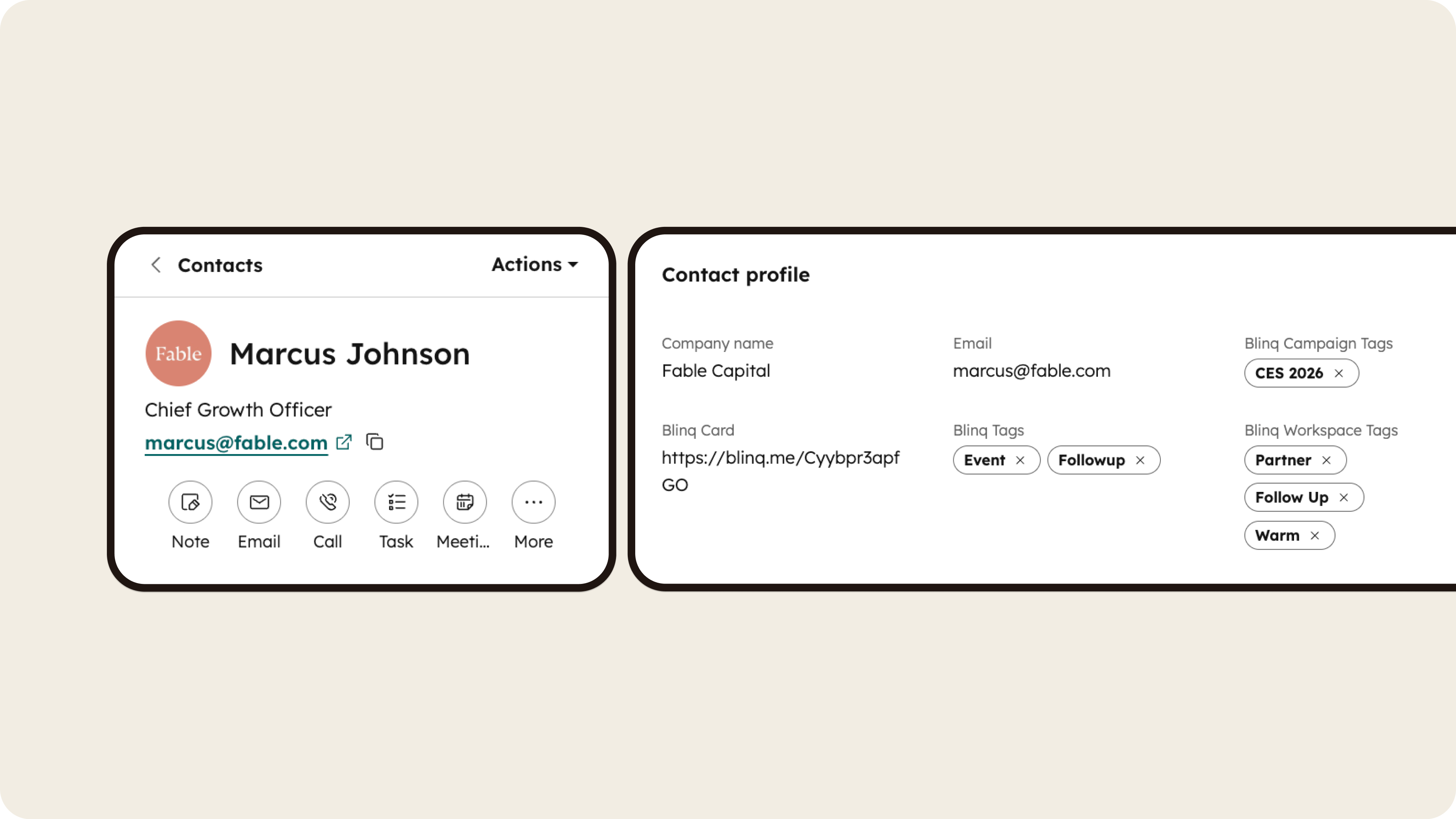
Every contact, automatically in HubSpot
When someone exchanges details with your team using Blinq, a new HubSpot contact record is created instantly - with name, email, phone, and company populated. Your CRM is current before your team leaves the room.
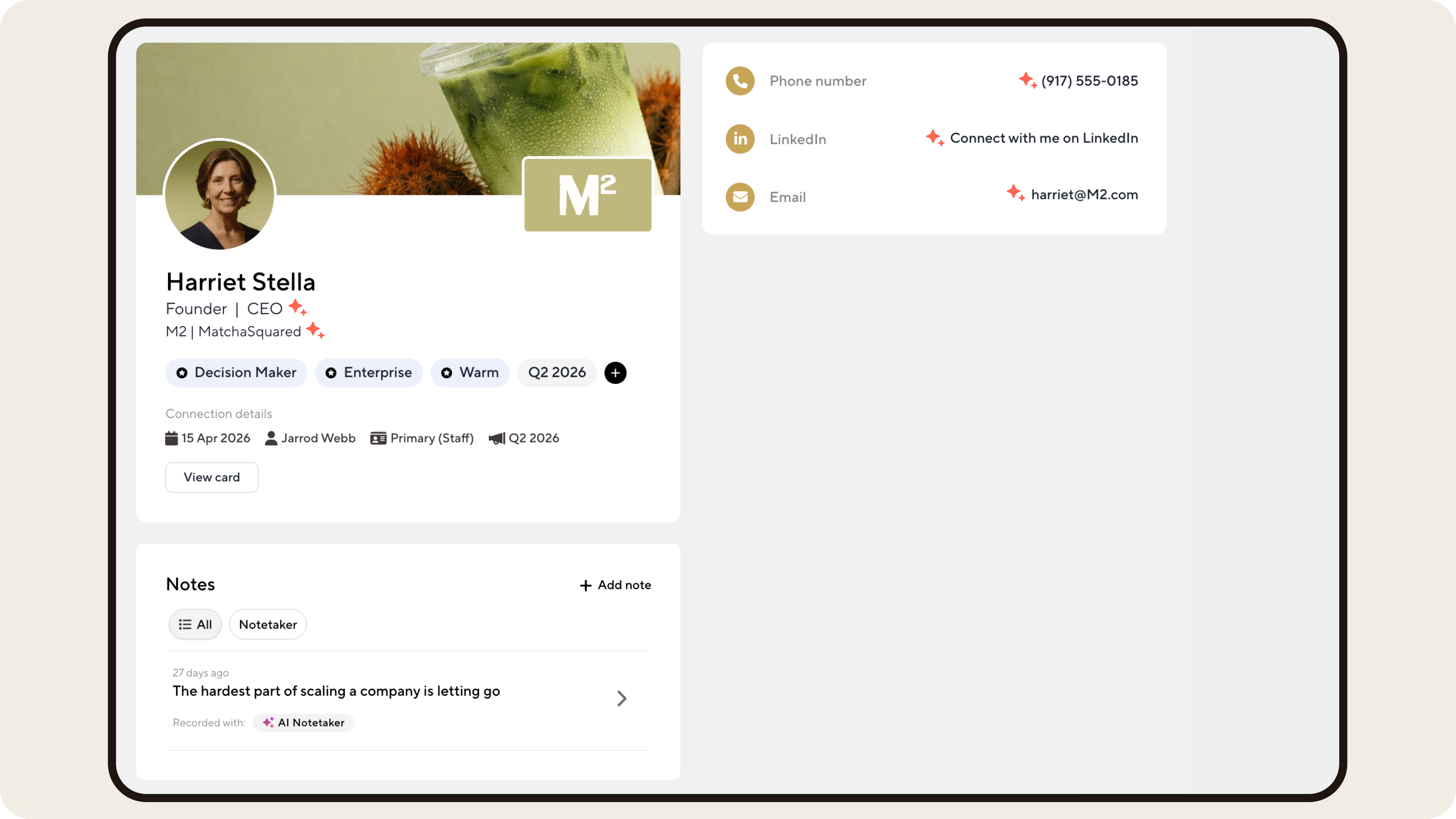
Contacts that arrive enriched, not empty
AI Enrichment fills in missing contact details before the record hits HubSpot. Email addresses, phone numbers, LinkedIn profiles, and company data are added automatically, so contacts hit your CRM complete and ready to follow up.
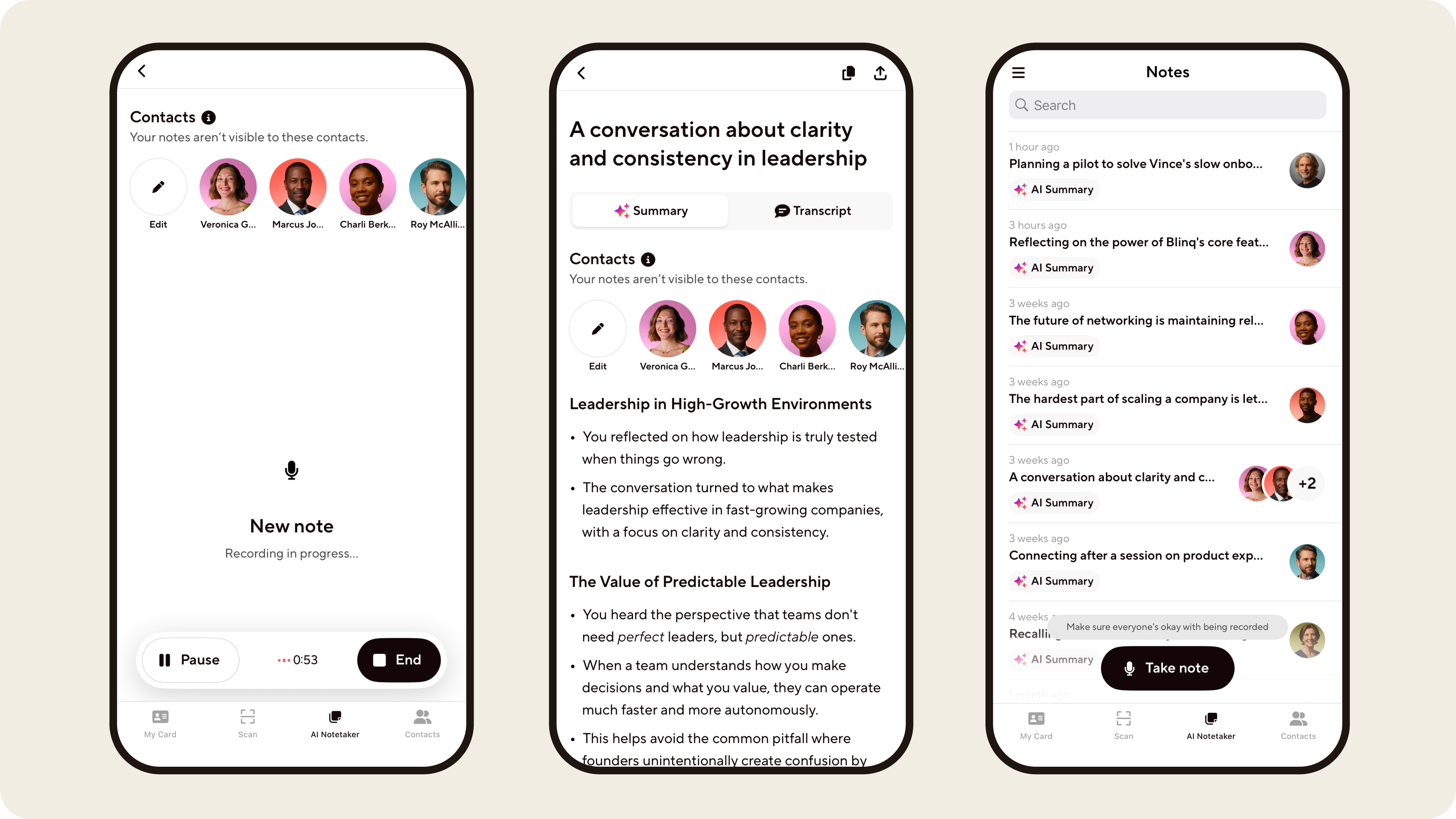
Conversation context, saved to the contact
Blinq's AI Notetaker captures your in-person conversations and saves summaries and follow-up actions directly to the contact record inside HubSpot. Everything lives with the contact, where your whole team can see it and act on it.
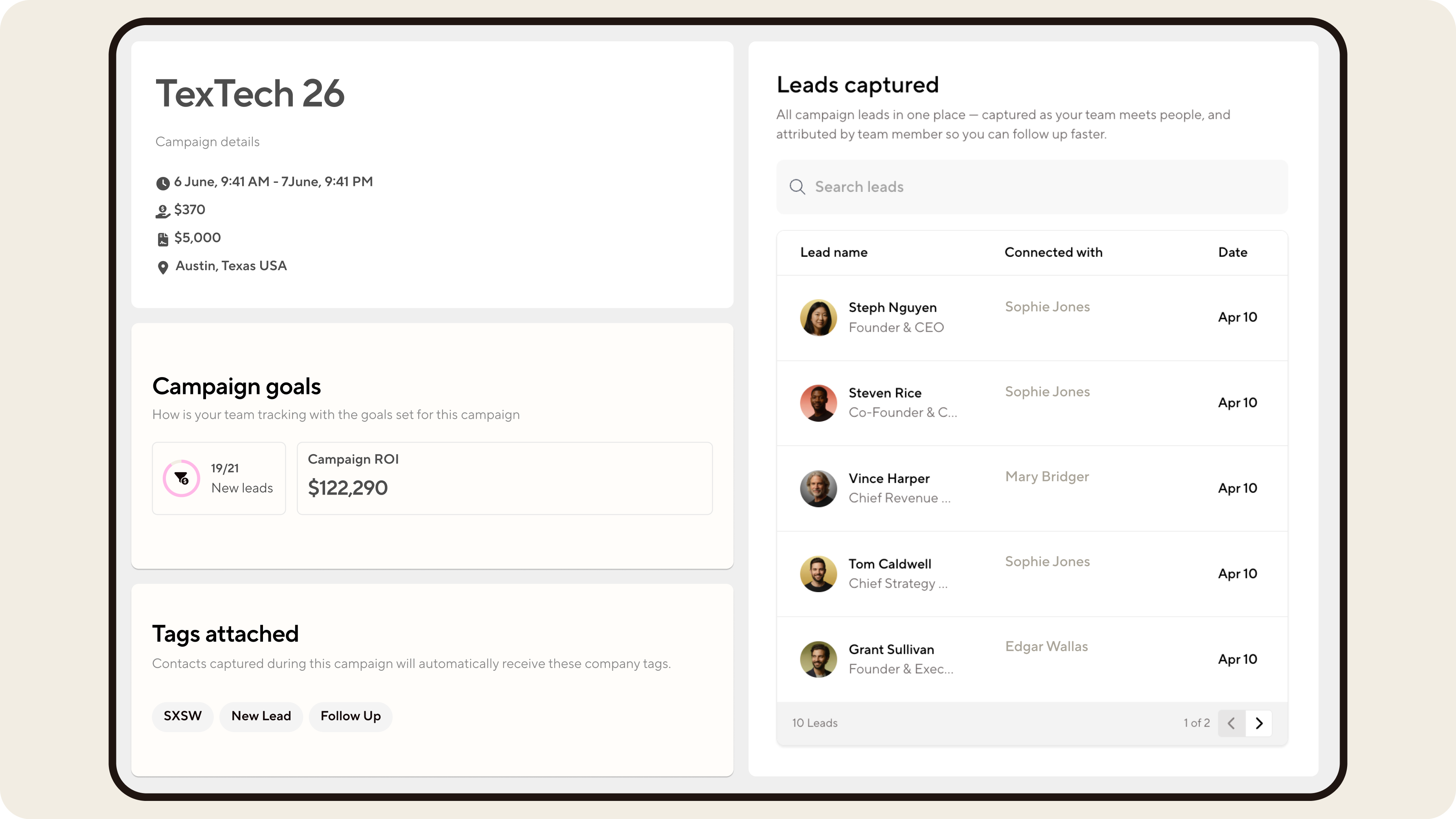
Event attribution with zero effort from your team
Define a campaign in Blinq with a date range, location, and team. Every contact captured during that window is attributed automatically in HubSpot. Your reps stay focused on conversations, and you get a clean, attributed list ready for follow-up sequences, filtered by event.
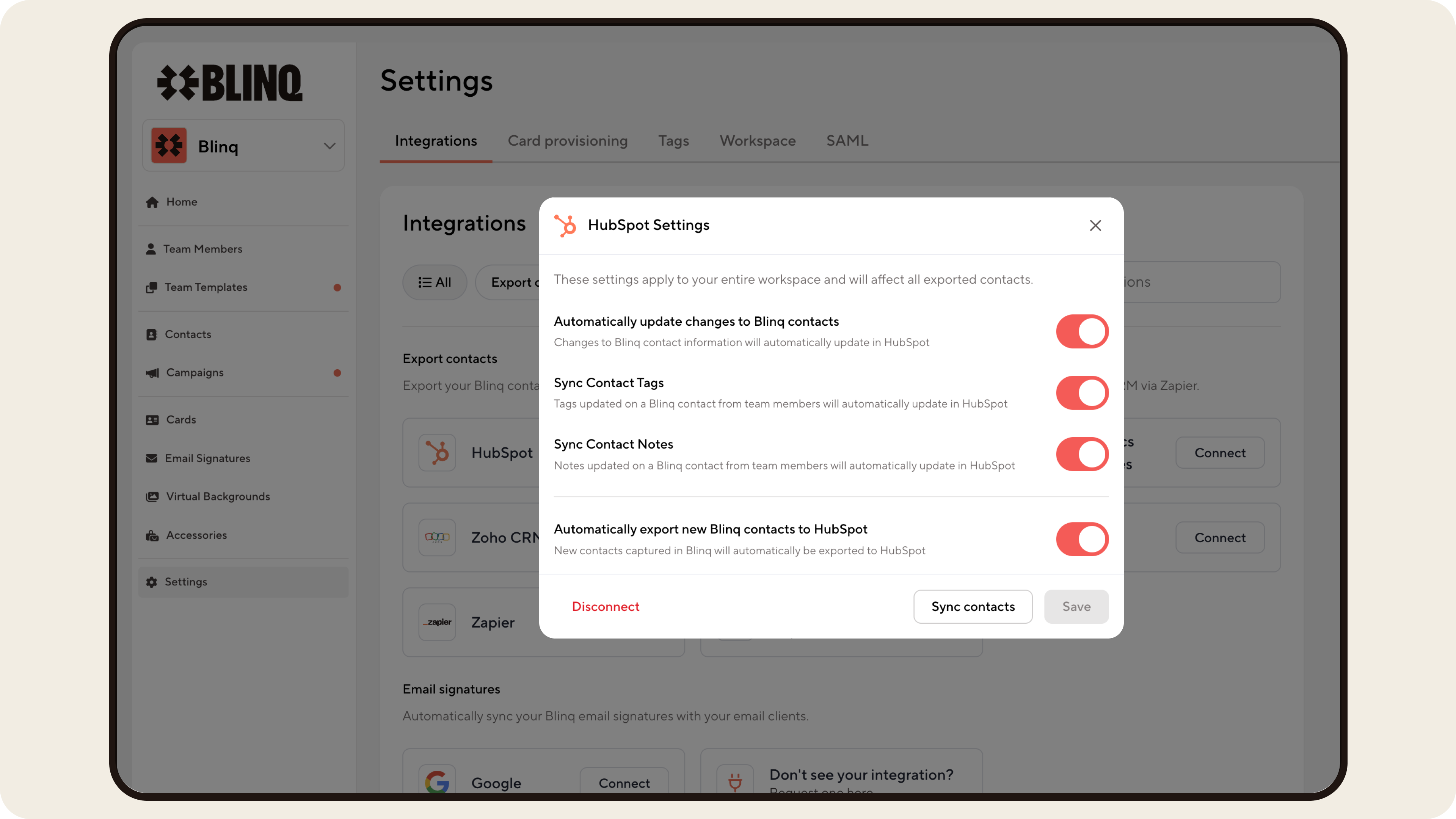
Full control from your Blinq dashboard
Contacts arrive in HubSpot tagged, attributed, and ready to trigger your existing enrollment workflows - no manual processing, no custom build required. Manage sync settings from your Blinq admin dashboard without involving a developer.
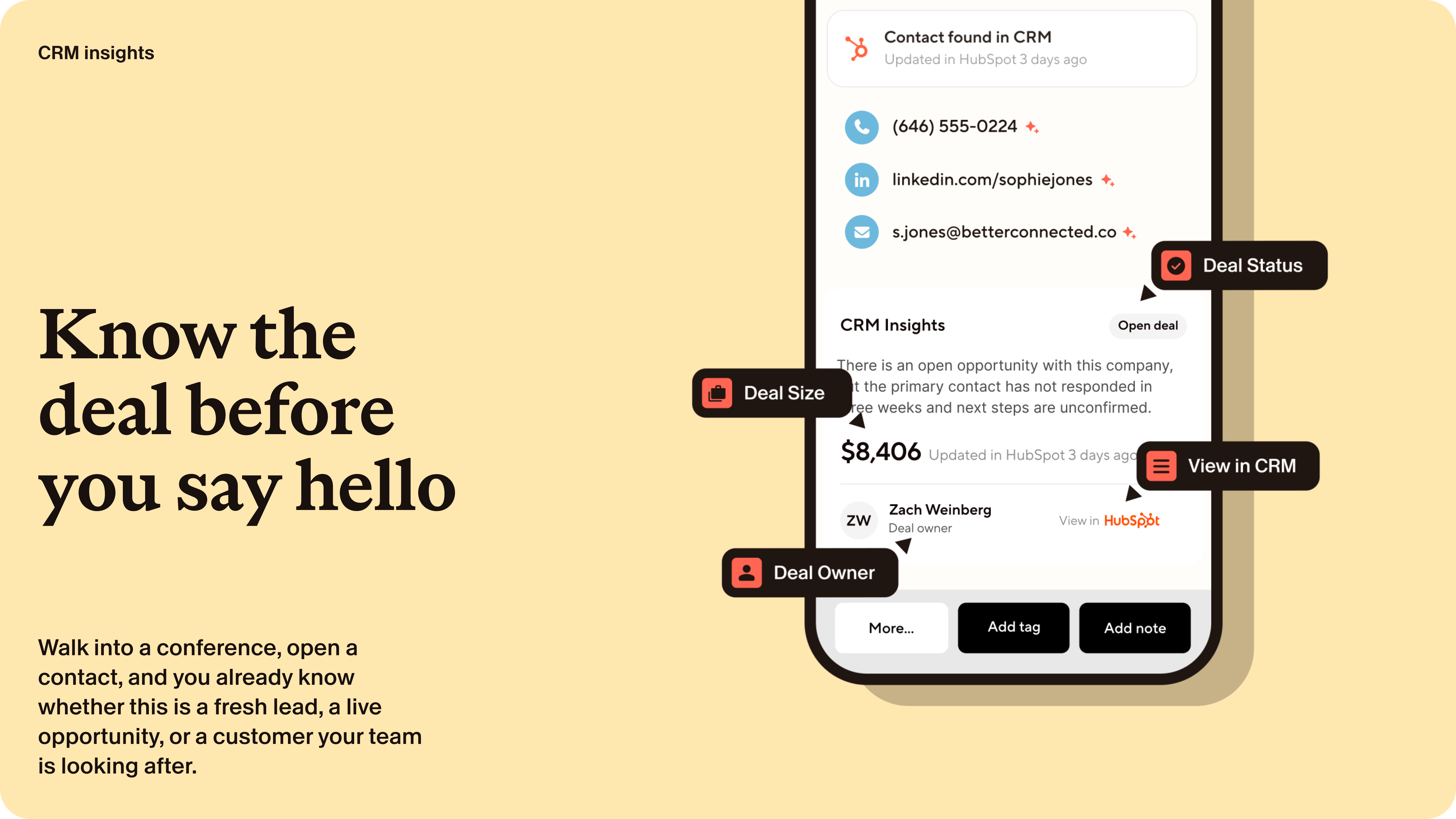
HubSpot deal context, right inside Blinq
When a contact in Blinq matches a deal in your HubSpot pipeline, that deal appears on their profile. Your rep sees the stage, the value, and the owner before they walk into the booth, so a live opportunity never gets worked like a cold lead and an existing customer never gets pitched again.
App Functionality
Shared Data
Contacts | ||
Custom contact properties | ||
AI Notetaker summaries | ||
Notes | ||
Tags | ||
Owners | ||
Campaign Leads | ||
Campaigns | ||
CRM Context | ||
CRM Context | ||
CRM Context | ||
CRM Context |
Reviews
- Jul 23, 2026
Does Not Sync as it should
This app should automatically sync contacts when shared with the organization. Only contacts who are already in HubSpot are "synced". All other contacts have to be manually exported from Blinq, cleaned up and uploaded into HubSpot. Also, the customer support is basically non-existent. Have tried numerous times to get support, they are on the west coast and operate on west coast hours. No number to call and the knowledge base takes you in circles. "Support" is only available when you have the window open between their working hours, so you can't be doing anything else or you may miss when someone decides to inquire about your inquiry. No auto emails, no email to reach out to, just a terrible app. Also, the emails they send have emojis or special characters that make your network think it's spam, so the login emails were being quarantined. This app needs to grow up!!
Briggs, C.
- May 19, 2026
Good lead capturing app; Easy to set up
We've had a positive time using Blinq. It was very easy to set everything up on our own and their support team was very responsive.
Very easy to set up. The leads captured sync'ed to HubSpot
Leads can't be auto-tagged to HubSpot campaign. Need to manually associate them.
Wang, L.
Pricing
Business
$4.99
/monthManage your team, capture leads, and sync everything to your CRM
Zapier and API access
Attribution, ROI, campaigns
CSV export
Native CRM sync
Universal Scanner
AI Notetaker
AI Contact Enrichment
Email signatures and virtual backgrounds
Digital business cards with full branding
Business
$4.99
/monthManage your team, capture leads, and sync everything to your CRM
Zapier and API access
Attribution, ROI, campaigns
CSV export
Native CRM sync
Universal Scanner
AI Notetaker
AI Contact Enrichment
Email signatures and virtual backgrounds
Digital business cards with full branding
* The pricing here is for display purposes only. All prices do not include taxes, incentives, discounts, or other pricing variables. You should contact the partner for the most up to date and correct pricing information. HubSpot does not take any responsibility for this pricing information, which is provided by our partners. Pricing last updated: 08/14/2026
More info
Built by - Blinq
Installs - 500+ installs
Categories Languages this app is available in English
Most popular

Gmail
Bring HubSpot to your inbox with the HubSpot integration for Gmail.

Google Calendar
Book meetings quickly and easily with HubSpot and Google Calendar.
